Clothing product photography is the image set that sells a garment online: a front on-model main image, a back, a detail, a styled shot and a flat laydown. Set the shoot up from the file you must deliver. The main image carries published rules on Amazon and Google. The light, the camera and the other five frames follow from it, and most of them are free creative choices.
Flat lay, ghost mannequin and on-model are the three common styles for a garment. For a marketplace listing, the image slot decides the style. For adult clothing on Amazon, the main image is photographed on a model, so only one of those three styles fits the slot that matters most.
This guide covers both halves. First the shoot: garment prep, light, camera, and one master file that clears Amazon, Google and Shopify. Then the shot list: what Amazon names each file, how its 2021 guide crops each garment category, which shots carry hard rules, and where AI covers the work without getting a listing pulled. For how the Amazon set sits alongside the product page, lookbook and paid social frames, see AI fashion photography for ecommerce, register by register.
Key Takeaways
- One master file covers three stores. A 3:4 master at 2,400 x 3,200 pixels is past Amazon’s 1,000-pixel zoom line and Google’s recommended 1,500 pixels, and it crops to a 2,400-pixel square for a Shopify theme that uses square images.
- For clothing, Amazon’s main image “must be photographed on a model”. Children’s and baby underwear, leotards, swimwear and other tight-fitting items are shown flat, with no model, and clothing accessories must not be photographed on models (sellercentral.amazon.com and G1881, September 2026). Hat photoshoot ideas works that order through for headwear, and scarf product photography covers the case where the off-model rule collides with the prohibition on folded products.
- Amazon’s floor is 500 pixels on the longest side, with a 10,000 pixel ceiling, at least 72 dpi. Images of 1,000 pixels or more on the longest side turn on zoom.
- Google Merchant Center asks you to keep the metadata that says an image was made with AI, for example the IPTC DigitalSourceType value TrainedAlgorithmicMedia. Google says do not remove it, and a product that fails this can be disapproved (support.google.com, September 2026).
- Amazon says it “may temporarily remove the product listing from search” until the main image meets the rules (sellercentral.amazon.com, September 2026). The penalty sits on the same page as the rules.
What is clothing product photography?
Clothing product photography is any image made to sell a garment: on a model, on an invisible mannequin, or laid flat. It differs from general product photography in one way that changes everything downstream. A garment has no fixed shape until something wears it, so the images have to prove fit, drape and fabric weight, not only color and form.
That is why shoppers rely on them so heavily. Coresight Research reports that nearly 70% of shoppers who returned clothing bought online cited size and fit (Coresight Research with Alvanon, May 2026, as summarized by Alvanon in partner content on FashionUnited, June 2026). An image set that answers fit questions before checkout does returns work as well as marketing work.
The practical definition is narrower than the creative one. For a brand selling on a marketplace, clothing photography is a compliance task wrapped around a creative one. One image has to clear a published rule sheet. The rest exist to sell.
Flat lay, ghost mannequin or on-model: which slot each fills
Each of the three common styles fits some image slots and not others. On-model is the only style Amazon accepts in the main image for adult clothing, and Google recommends showing clothing on models. Ghost mannequin and flat lay still earn their place, in the alternate slots and on your own store. Pick the style per slot, not per brand.
| Style | Amazon main image, adult clothing | Amazon alternates | Google Merchant Center | Your own store |
|---|---|---|---|---|
| On-model | Required | Allowed, with a full face and props | The worn image Google asks for | Free choice |
| Ghost mannequin | Not accepted: no model in the frame | Allowed | Not a worn image | Free choice, a common product page style |
| Flat lay | Not accepted for adult clothing. Children’s underwear, swimwear and tight-fitting items are shown flat | The FL01 laydown in the 2021 guide | Not a worn image | Free choice |
| Hanger or pinned | Prohibited: “visible mannequin, hanger, or holder” | Not in the 2021 example set | Not a worn image | Free choice |
Google’s line is short: “Show clothing on models” (Google Merchant Center, clothing and accessories best practices, October 2026). That is a best practice, not a minimum requirement. Google’s image link page asks for “a clear view of the main product being sold”, and for one color variant in each image (support.google.com, October 2026).
For a brand that sells on a marketplace and on its own store, the order of work follows from the table. Shoot the on-model front first, then the back and the detail on the same set. Shoot the laydown last, on a separate table, because it needs a camera above the garment. Ghost mannequin is optional. It can also be made from your existing garment photos, and the AI ghost mannequin guide sets out what that method gets wrong.
How to prepare a clothing product shoot
Set up a clothing product shoot in five steps: prepare the garment, fix the light, lock the camera, frame to one ratio, and check the color against the real garment. Keep every setting the same for the whole drop. Shoppers see your products side by side in a grid, so garment forty has to match garment one. That match matters more than a better setting on any single frame. To plan the shoot day itself, from the brief to the call sheet, see how to plan a clothing brand photoshoot.
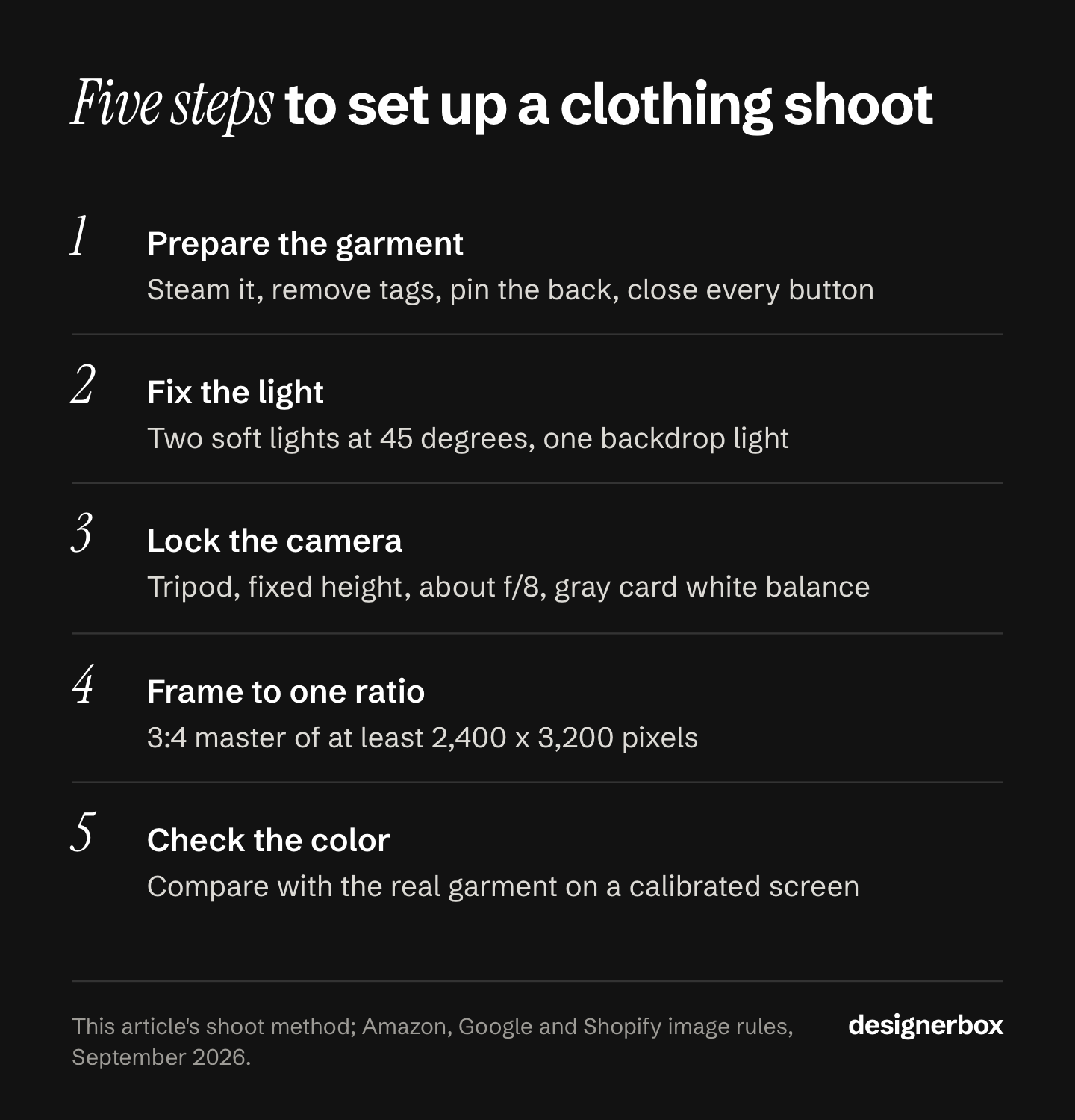
1. Prepare the garment. Steam it on a hanger before it goes on the model. Use a lint roller on dark fabric. Remove hang tags and sticker labels, because Amazon prohibits visible tags in the main image. Pin extra fabric at the back so the front fits, and keep the clips out of the front frame. Close every button, zip and tie the way a customer would wear it.
2. Fix the light. Two large soft lights at about 45 degrees to the garment give even light across the front. A separate light on the backdrop takes it to pure white without spilling onto the garment. Use one color temperature for every light. Daylight from a window mixed with indoor bulbs leaves a color cast that no edit fully removes. Mark the light positions on the floor, so day two matches day one.
3. Lock the camera. Put the camera on a tripod at a fixed height, with one focal length per crop class. An aperture around f/8 keeps the garment sharp from collar to hem. Keep the ISO at the camera’s lowest native value. Set the white balance by hand from a gray card in the first frame, then leave it fixed. Auto white balance changes between a white shirt and a black one, and the two stop matching on the page.
4. Frame to one ratio. Frame each garment by its crop class from the table further down, and leave a margin at every edge. Aim for a master file of at least 2,400 x 3,200 pixels at 3:4. Shopify asks for one aspect ratio across all main images, so the images display at the same size (help.shopify.com, September 2026). Pick the ratio once for the whole catalog.
5. Check the color. Hold the garment next to a calibrated screen, under the same light, and compare. Fix the difference in the edit, then apply the same correction to every frame of that garment. Each colorway gets its own images, because Google asks for one color variant per image.
A current phone on a tripod can do this job when the light and the white balance are fixed. The light decides the result more than the camera does. The product photo lighting guide covers what to change when a frame still looks flat or has a cast.
One master file for three stores
Export every garment from one master, then resize for each channel. Each store publishes its own image rules, and a 2,400 x 3,200 master meets all three.
| Channel | What the documentation says | What the 2,400 x 3,200 master gives |
|---|---|---|
| Amazon | At least 500 pixels on the longest side, up to 10,000. Zoom turns on from 1,000 pixels. The clothing guide asks for a ratio close to 3:4 | Zoom on, and the ratio already 3:4 |
| Google Merchant Center | ”Around 1500x1500 pixels or above” recommended. Up to 64 megapixels and 16 MB | Above the recommended size |
| Shopify | ”2048 x 2048 px usually displays best” for square images. Up to 5000 x 5000 px or 25 megapixels, under 20 MB | A 2,400 x 2,400 square crop for a square theme |
Sources for the table: sellercentral.amazon.com, support.google.com and help.shopify.com, all read September 2026.
The shot list Amazon already wrote for you
Many brands build a new shot list every season. Amazon’s 2021 clothing guide already set one out, with file names, and it maps onto any channel you sell through.
Each listing has a single Main image used in search and browse results, plus alternates called variants. Amazon names them with a variant code in the filename, following the pattern of product identifier, then variant code, then extension (sellercentral.amazon.com, September 2026). The example set below comes from Amazon’s Spring 2021 clothing guide, which Amazon marks as informational. Today’s product image guide keeps MAIN and PT01 to PT99, and does not list FL01.
| Shot | Code | On or off figure | What it proves |
|---|---|---|---|
| Front | MAIN | On-figure | The garment, on a body, on white |
| Back | PT01 | On-figure | Rear construction and fit |
| Detail | PT02 | On-figure | Fabric, stitching, hardware |
| Styled | PT03 | On-figure | Context and brand voice |
| Laydown | FL01 | Off-figure | Flat shape and full colorway |
| Flat detail | PT13 | Off-figure | Texture at close range |
Amazon’s current guide says every product needs one compliant main image, and recommends “at least six additional images and one video” (sellercentral.amazon.com, September 2026). Its clothing guide allows up to eight alternate images for each parent or child SKU (sellercentral.amazon.com, September 2026). The 2021 guide adds that one of the variants may be a short video.
The file naming matters more than it looks. The main image takes the MAIN code, and alternates take PT01 to PT99. Amazon’s 2021 clothing guide, which it marks as informational, adds the FL01 code for an off-figure laydown. Get the codes right and the images map to the correct slots on upload.
Six shots per SKU, one of them carrying most of the rules. That is the whole job.
How to frame each garment category
The crop decides how you brief a shoot. Amazon’s Spring 2021 clothing imaging guide, which Amazon still hosts and marks as informational, recommends a crop by where the garment falls on the body.
| Crop | Garment falls | Categories |
|---|---|---|
| Full length | At or below the knee | Dresses, suits and tuxedos, sleep sets, one-piece garments, robes and nightgowns, sweaters, jackets and outerwear below the knee |
| Top body | Below fingertips, above the knee | Tops and tees, one-piece swimsuits and rash guards, sweaters, jackets and outerwear above the knee |
| Waist down | From slightly above the navel and below the ribcage, down to below the feet | Pants and jeans, shorts, skirts, leggings and pajama bottoms |
Read the outerwear rows together and the logic clicks. The same jacket gets a different crop depending on its length. A parka that falls below the knee is a full-length shot. A bomber is a top-body shot. The garment’s hem sets the frame. Sweaters, jackets and outerwear form the one group that lands in two crop rows at once, and sorting a jacket drop by hem before you book is what decides how many setups it takes.
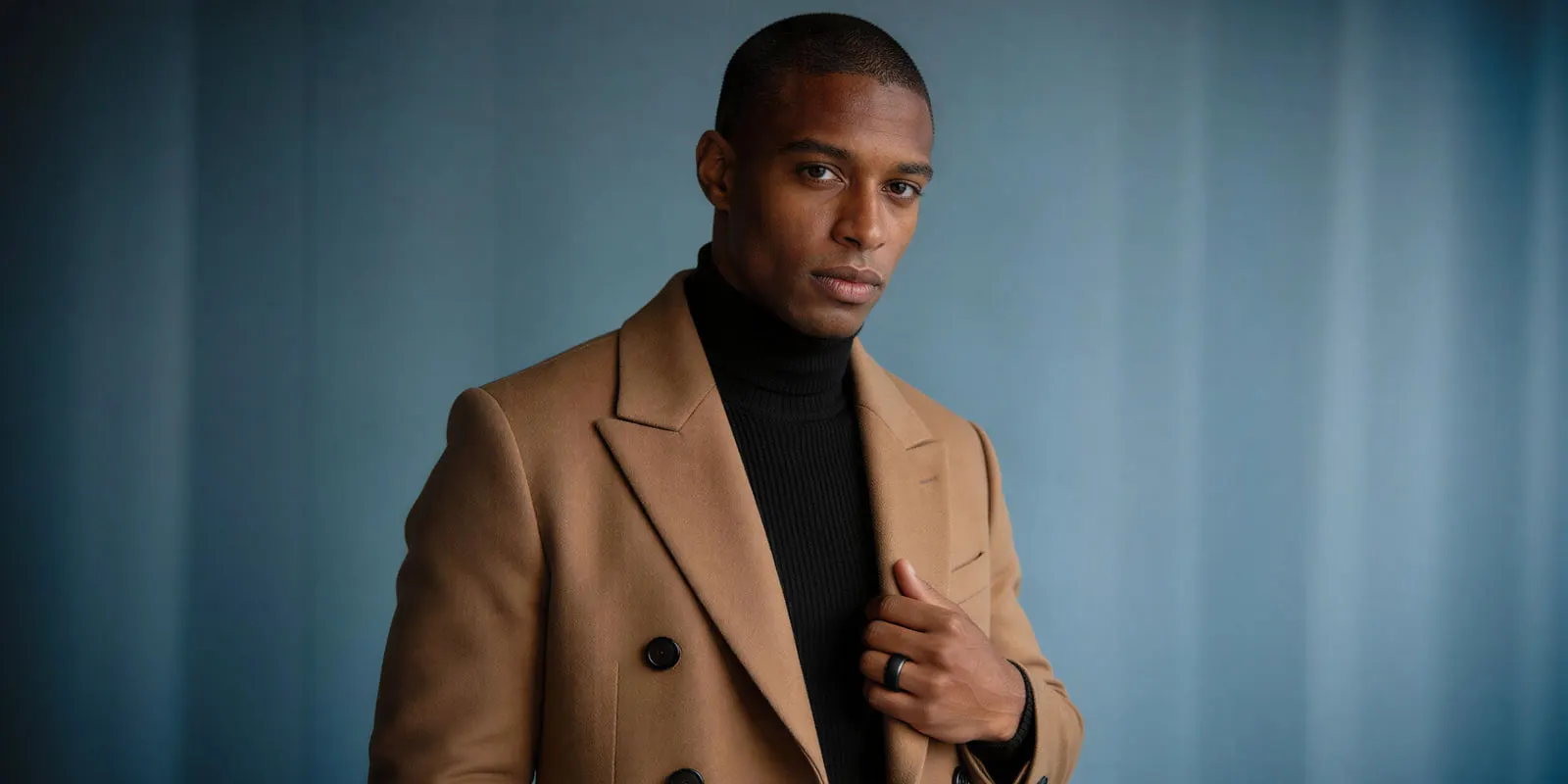
Two consequences follow for a whole line. First, you cannot shoot every SKU at one focal length and crop later without losing resolution on the tighter ones. Second, a mixed drop needs its shot list sorted by hem length before anyone books a studio day, because that determines how many setups you need.
Bottoms are the awkward row, because the waist-down frame runs below the feet and puts footwear you are not selling into the main image. Pants photography works through that bind and the shot list that survives it. Athletic categories add their own layer on top of this, and the activewear shot list covers the crop rules that apply specifically to leggings and sports bras. Dresses sit at the other end of the same rule, where every length lands in the full-length class, and dress photography works through the frame set that follows from it. Sweaters appear in two crop rows above because the hem decides the frame, but they also carry a capture problem no other category has, which knitwear photography works through gauge by gauge. Footwear sits outside the garment crop table entirely and gets its own rule set, down to which foot goes in the main image, covered in shoe photography specs.
Which shots carry rules, and which are free
Here is the framework that saves the most time. It comes from the comparison of mains against variants in Amazon’s Spring 2021 clothing guide, which Amazon marks as informational.
The main image must have a white background. Variants may use a different background. The main image is shown from the nose down. Variants may show a full face. The main image must have the product filling at least 85% of the frame. Variants may be zoomed further in or out. The main image must not have props. Variants may be fully styled with props included.
So most of the rules sit on one file.
That inverts how most teams budget a clothing shoot. The instinct is to spread effort evenly across six shots. The better allocation is to treat the main image as a technical deliverable with a checklist, then spend the creative budget on PT03, the styled shot, where nothing is restricted and brand voice is the only brief.
It also changes what you can safely generate. The five other shots have wide tolerance. The one constrained shot has a published rule sheet, and it is the shot to get right first.
What the main image must never contain
Amazon lists these as prohibited in its clothing image guide (sellercentral.amazon.com, September 2026). The main image must not contain:
- A background colored anything other than pure white
- Sketches, drawings or graphical representations. Only photos are allowed
- Borders, logos, watermarks, text, color blocks or inset images
- A product shown on a visible mannequin, hanger or holder
- Folded products
- A model lying down or kneeling, or a shot framed as a selfie
- Multiple product views, colorways or sizes, unless they are sold as a multipack
- Visible packaging, certificates, tags or brochures
- Distracting accessories, such as large earrings, bags or sunglasses
The mannequin line is the one that catches experienced teams. A ghost mannequin shot shows no model, so it does not meet the rule that a clothing main image is photographed on a model, while it stays useful in the alternates. We cover the full picture of where a ghost mannequin shot is allowed to run, including the channels and regions that take the opposite position.
The positive requirements sit on the same pages. The main image needs a pure white background at RGB 255, 255, 255, a frontal view, and the whole product in frame. Amazon’s general guide asks for the product to fill 85% of the image, and the clothing guide adds an aspect ratio close to 3:4. Amazon takes JPEG, TIFF, PNG and non-animated GIF, and recommends JPEG.
On resolution, Amazon needs at least 500 pixels on the longest side, allows up to 10,000, and asks for at least 72 dpi. Images of 1,000 pixels or more on the longest side turn on zoom, which Amazon recommends for the best customer experience.
Check the edition stamp before you treat any of this as final. The crop table above comes from the Spring 2021 clothing guide, which Amazon marks as informational, while the rules in this section come from the guides Amazon publishes today. Read the current style guide for your subcategory in Seller Central before a launch. Specs for the other channels you list on sit in our channel-by-channel image spec.
What AI covers on clothing, and what it does not
Generated clothing imagery is genuinely good at some of these six shots and genuinely risky on others. The split follows the constraint map above.
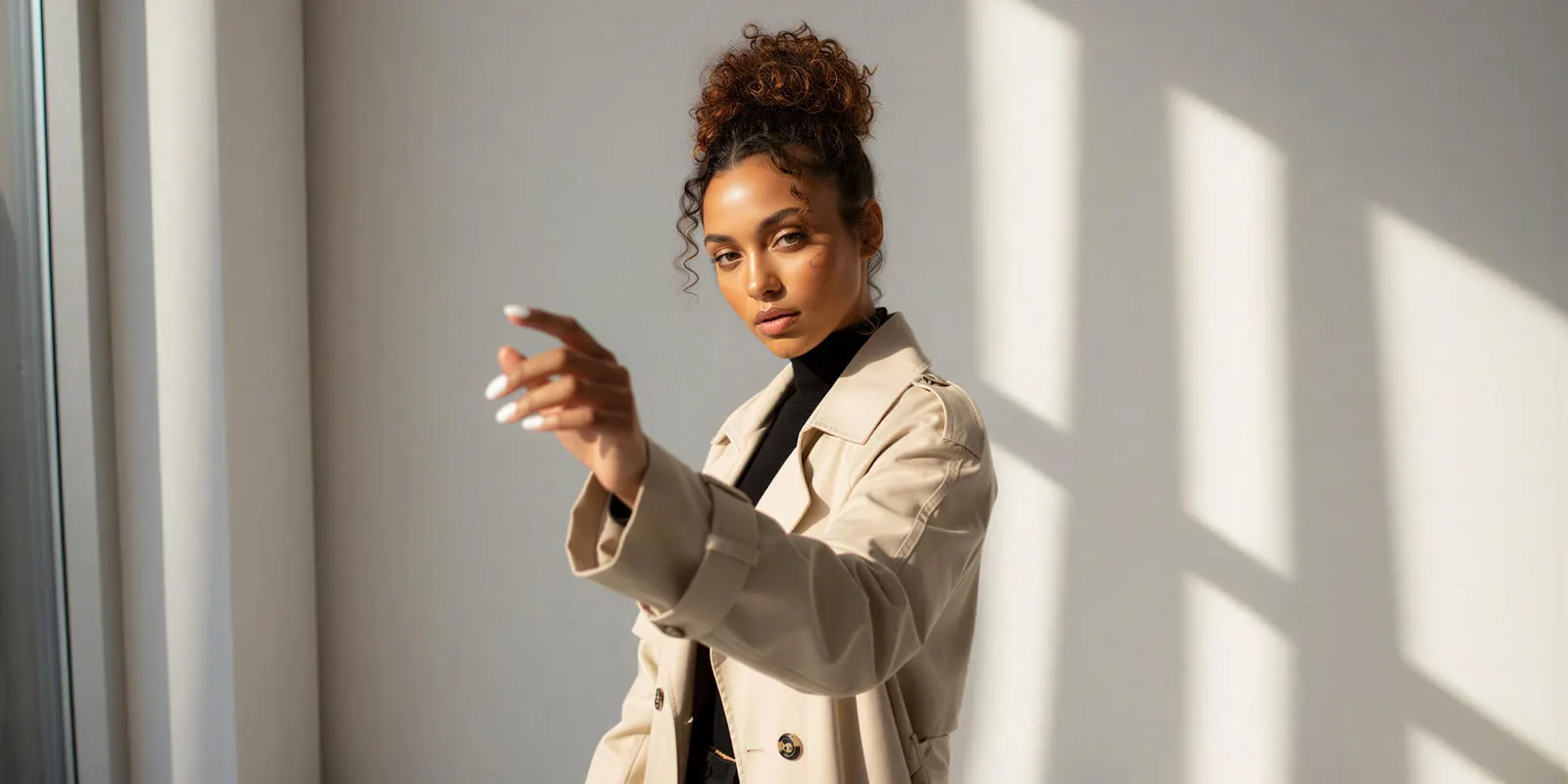
What it covers. The styled shot, the second and third colorway of a garment you have already photographed, seasonal scene swaps, and the volume of crops and aspect ratios a paid social calendar eats. These are the slots with the fewest rules, and the tolerance for interpretation is wide. Every image still has to represent the product you sell.
What it does not. Fabric behavior under tension is the hardest thing to generate. Knit stretch across a shoulder, the way a heavy twill holds a crease, how a bias-cut hem falls when someone moves. A generated garment that drapes like a lighter fabric than the real one is a fit claim you cannot support, and fit is the thing driving returns in the first place.
The second failure mode is consistency across a catalog. A single generated shot can look excellent and still be unusable, because it does not sit beside the 200 images already on your site. That problem has a method rather than a fix, and we set it out in matching AI on-model shots to an existing catalog.
The honest position is that AI moves the alternates first and the main image last. Generate PT03 and the colorway variants. Photograph, or very carefully verify, the shot that carries the 85% rule and the white background. Amazon’s clothing guide says only photos are allowed in the main image, and it does not say whether a photorealistic AI image counts as a photo.
DesignerBox works from your product photo instead of a text prompt. For apparel, that is the difference that matters. A virtual try-on template puts your garment on a model. The dress my model app is a second way to show a garment on a model. Clothing catalog turns one garment into four shots: front, three-quarter, back and a fabric close-up. A saved workflow runs the same job again on the next drop. Virtual try-on and AI video start on the Premium plan, and the commercial license starts on the Pro plan.
For the shots that stay flat, the same source photo drives a flat lay, which is the FL01 laydown in Amazon’s 2021 naming. Socks are the exception Amazon names in its clothing guide, and sock photography covers the rules where socks and stockings are exempt.
The metadata rule that gets AI clothing images disapproved
Google Merchant Center states that all images created using generative AI must contain metadata saying the image was AI-generated, and gives the IPTC DigitalSourceType value TrainedAlgorithmicMedia as its example. Google says do not remove embedded metadata tags (support.google.com, October 2026). The rule covers Merchant Center product images.
The trap is the workflow. Export presets, resizing scripts and some CMS upload pipelines strip metadata by default as an optimization. An image that carried the metadata when it left the generator can arrive at Merchant Center without it. Google’s product data specification lists keeping that metadata under the minimum requirements for the image link (support.google.com, October 2026).
Two things to check before a feed goes live. First, that your export step preserves IPTC data. Second, that whatever sits between your asset library and your product feed does the same.
While you are in Merchant Center specs, note the other change on the calendar. Google is retiring the separate apparel minimum in favor of at least 500 x 500 pixels for every product, with enforcement beginning 31 January 2027. Until then the minimum is 100 x 100 pixels, or 250 x 250 for clothing, and Merchant Center shows warnings on smaller images (support.google.com, September 2026). The ceiling is 64 megapixels and 16 MB per file. Google does not accept product images with borders, watermarks, promotional text or added logos, unless the logo is part of the product (support.google.com, September 2026).
Disclosure obligations are a separate axis from metadata, and they moved during 2026. We track what each channel now asks for in marketplace rules for AI-generated product images.
Resale channels invert the whole compliance picture, because you are selling one specific garment in one specific condition rather than a repeatable SKU. Depop shop photos covers the grid problem on that side, and Poshmark listing photos covers shooting a closet at volume.
Cost of a full apparel line
Run the arithmetic on the shot list rather than on a day rate, because the shot list is what scales.
A 40-piece drop at six shots per SKU is 240 images. A traditional production covers that across multiple studio days, with model, styling, retouching and the reshoots that follow any colorway that arrives late. The second colorway of the same garment needs its own setup on the day. If you hire a studio for it, how to choose an ecommerce photography service explains how studios price the work.
Generated images change the unit. There is no single price for an image, because each model costs a different amount. DesignerBox shows the cost of a run before you press Run, and the apparel buyer page sets out how that lands on a drop. The product page photos guide shows the steps for the set a garment page needs: a plain white background and front, back and detail views.
The number that matters more is the second colorway. Build the six-shot job once on one garment: the crop class, the model, the background, the file codes. Then run the same job again on the next garment, the next colorway and the next drop. Each run starts from a source file, with no new setup. The workflow reads the same settings on every run. The full worksheet, including the four costs that do not go away, is in what cutting fashion photography costs really means.
Two limits worth stating plainly. An 8-second video clip costs 40 to 560 credits, depending on the model, and you see the cost before you run it. Every plan below Ultra is one seat, so a team of three needs the Ultra plan. Plans and credits are on the pricing page.
The garment photo, the try-on step, the flat lay, the video and the brand rules sit in one place, in one subscription. The six-shot set for one SKU never moves between tools. You set the brand once, and the workflow reads it on every run. Garment forty then looks like garment one.
Build the six-shot job once, then run it on the next garment. Batch runs one workflow over a whole sheet of products. See the templates.
FAQ
What equipment do you need for clothing product photography?
A camera, or a current phone, on a tripod. Two soft lights and one backdrop light with the same color temperature, a white backdrop, a steamer, a lint roller, clips and a gray card. On-model images also need a model, and flat laydowns need a table or floor space with the camera above the garment.
How many photos do I need for a clothing listing?
Every product needs one compliant main image. Amazon recommends at least six more images and one video, and its clothing guide allows up to eight alternate images per parent or child SKU.
Can I use a ghost mannequin for a clothing main image?
Not on Amazon US for adult clothing. Amazon’s clothing guide says the main image “must be photographed on a model”, and prohibits a product shown on a visible mannequin, hanger or holder. A ghost mannequin shot stays useful in the alternate slots, and other channels take different positions, so check each channel you list on.
What size should clothing photos be for ecommerce?
Amazon takes images from 500 to 10,000 pixels on the longest side, at least 72 dpi, and 1,000 pixels or more on the longest side turns on zoom. Google Merchant Center moves to a 500 x 500 minimum for all products from 31 January 2027, with 100 x 100, or 250 x 250 for clothing, until then.
Do I have to label AI-generated clothing photos?
For Google Merchant Center, yes, through metadata. Google says images created with generative AI must contain metadata that shows they were AI-generated, such as the IPTC DigitalSourceType value TrainedAlgorithmicMedia, and asks you not to remove it. Check that your export and upload pipeline preserves it, because many resizing tools strip metadata by default. Amazon runs a separate requirement for media containing an AI-generated person, covered in AI dress photography.
Is flat lay good enough for clothing photography?
As an alternate, yes. Amazon’s 2021 clothing guide, which Amazon marks as informational, names the off-figure laydown alternate FL01. As a main image for adult clothing it does not meet the on-model rule. Children’s and baby underwear, leotards, swimwear and other tight-fitting items are the reverse: they are shown flat, with no model, and accessories must not be photographed on models.
What background should clothing photos use?
Pure white at RGB 255, 255, 255 for the main image. Amazon prohibits any other background color in that slot. Amazon’s 2021 guide, which it marks as informational, says variant images may use a different background. That is where color, scene and brand styling belong.
Sources
- Amazon product image guide, sellercentral.amazon.com, read September 2026. Main image requirements, variant codes, image specifications and the recommended image count.
- Amazon image guidelines for clothing, sellercentral.amazon.com, read September 2026. On-model rule, prohibited main images, zoom resolution and alternate image count.
- Amazon Seller Imaging Guide: Clothing & Accessories, Spring 2021, m.media-amazon.com, read September 2026. Marked “for informational purposes only” by Amazon. Source of the example shot list and codes, the crop classes, the mains against variants comparison and the note on video only.
- Share of clothing returners citing size and fit: Coresight Research with Alvanon, 19 May 2026, figure as summarized by Alvanon in partner content on FashionUnited, June 2026.
- Google Merchant Center image requirements, a clear view of the product, one color variant per image, the recommended size and AI-generated image metadata, support.google.com, read October 2026, clothing shown on models, support.google.com, read October 2026, the minimum requirements for the image link, support.google.com, read October 2026, and the image size change, support.google.com, read September 2026.
- Shopify product media sizes and the consistent aspect ratio advice, help.shopify.com, read September 2026.
- DesignerBox plans and credits, DesignerBox pricing page (designerbox.ai/pricing), September 2026.
Marketplace image rules verified against Amazon’s current product image and clothing guides, Google Merchant Center and Shopify documentation as of September 2026. The crop table comes from Amazon’s Spring 2021 clothing guide, which Amazon marks as informational, so confirm the current style guide for your subcategory before a launch. Individual results vary.