To make a photo talk with AI, you use one of two techniques. A talking photo tool takes a portrait plus an audio file and syncs a mouth to it, producing a talking head. An image-to-video model takes the same portrait and generates a moving shot with its own audio. The first suits explainers and training. The second suits ad creative. Cost and legal exposure differ sharply.
This guide is for a brand asset that will run as a paid ad. That changes three things: which technique you need, what it costs at volume, and who has to sign what before it ships.
This covers both techniques, which models will accept a photo of a face, what a talking clip costs in credits, and the disclosure rules that have applied in the EU since 2 August 2026.
Key Takeaways
- Talking photo and image-to-video are different products. One syncs a mouth to audio you supply. The other generates a new shot with its own audio. Buying the wrong one gets you a stiff talking head in a feed that punishes stiff talking heads.
- Sora 2 Pro could not do this. OpenAI’s docs state that “Input images with faces of humans are currently rejected” (developers.openai.com, accessed September 2026). OpenAI also removed Sora 2 and Sora 2 Pro from its API on 24 September 2026 (OpenAI API deprecations, accessed September 2026).
- Seedance 2.0 and Kling 2.6 Pro are the two catalog paths. Both take an image and generate audio that includes speech. Seedance 2.0 accepts a real face only through ByteDance’s consent and face-check route (docs.byteplus.com, accessed September 2026).
- Veo 3.1 generates audio with every clip. Google’s Gemini API lists audio as always on, and Google Cloud lists sound generation as supported. Google’s DeepMind page says natural spoken audio for short speech is still in development, so test dialogue before you plan a campaign around it.
- EU AI Act Article 50 has applied since 2 August 2026. Deployers who publish deep fakes must disclose them. Fines can reach €15 million or 3% of worldwide annual turnover, whichever is higher.
- TikTok does not allow AI content that falsely shows a public figure making or receiving an endorsement. A label does not make it allowed.
- We found no source for two AI ad performance stats: a Nielsen and DeepMind CTR study and a Forrester ROAS report. Do not build a business case on either.
What does it mean to make a photo talk with AI?
Making a photo talk means generating video from a single still image in which the subject appears to speak. The AI produces mouth and facial movement that did not exist in the source. Two distinct techniques do this, and they produce different assets for different jobs.
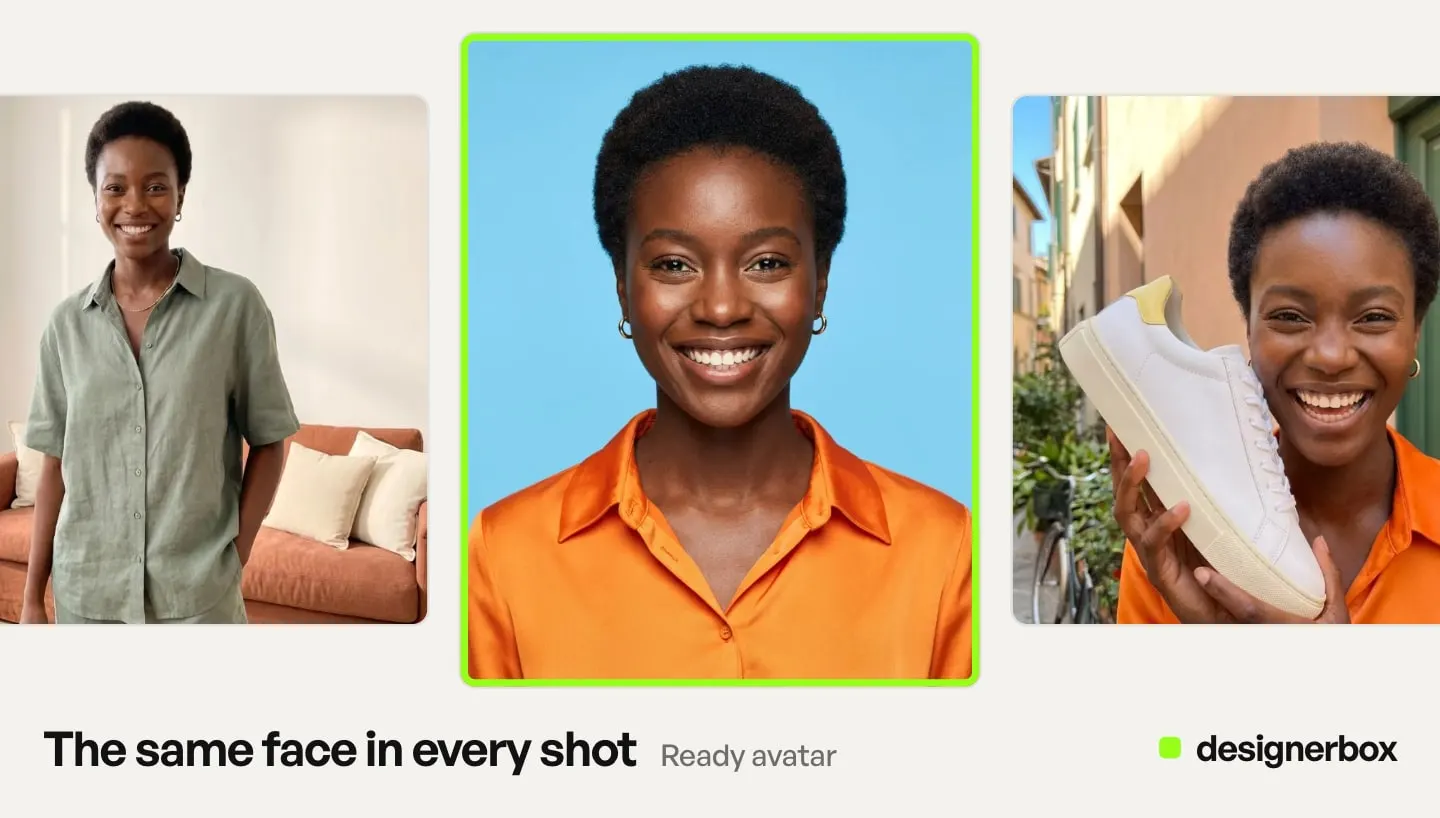
Talking photo. You supply a portrait and an audio file. The model animates the face to match the audio. The head moves, the mouth syncs, the body and background stay largely still. You control the script and the voice completely, because you supplied them.
Image-to-video with generated audio. You supply the same portrait and a text prompt. The model generates a short clip with camera movement, body motion, and its own synthesized audio. You describe what you want and the model makes it.
| Talking photo | Image-to-video with audio | |
|---|---|---|
| You supply | Portrait plus your audio file | Portrait plus a text prompt |
| Output | Talking head, static frame | A moving shot with camera work |
| Voice control | Total, it is your recording | Prompt-level, the model generates it |
| Typical length | Minutes | 4 to 15 seconds |
| Best for | Explainers, training, localization | Ad creative, social, brand film |
Both techniques start from a still image, which is what separates them from lip sync. Lip sync re-syncs a mouth in footage you already shot, usually to dub it into another language or fix a line. If you have video already, that is the job you are doing, and when your ad needs AI lip sync covers it. This guide is for the case where a photo is all you have.
The mistake is predictable. A team searching for a spokesperson ad finds a talking photo tool, produces a head talking at the camera for thirty seconds, and runs it as a Reel. Vertical social rewards motion and cuts. A static head is the format the placement is worst at. Decide whose face it is before you pick the tool. The AI spokesperson guide sorts stock avatars, custom characters and clones by the rules each one carries.
If your asset is a paid ad, you almost certainly want the second technique. Our comparison of six image-to-video models for ecommerce covers that side in depth for product shots, and the six rules for AI product video cover the planning around it. The same model behavior applies to people.
Which AI models can make a photo of a person speak?
Seedance 2.0 is the best-documented path from a photo of a person to a speaking clip with native audio. Kling 2.6 Pro works for one short line. Here is what each provider documents, checked against their own pages in September 2026.
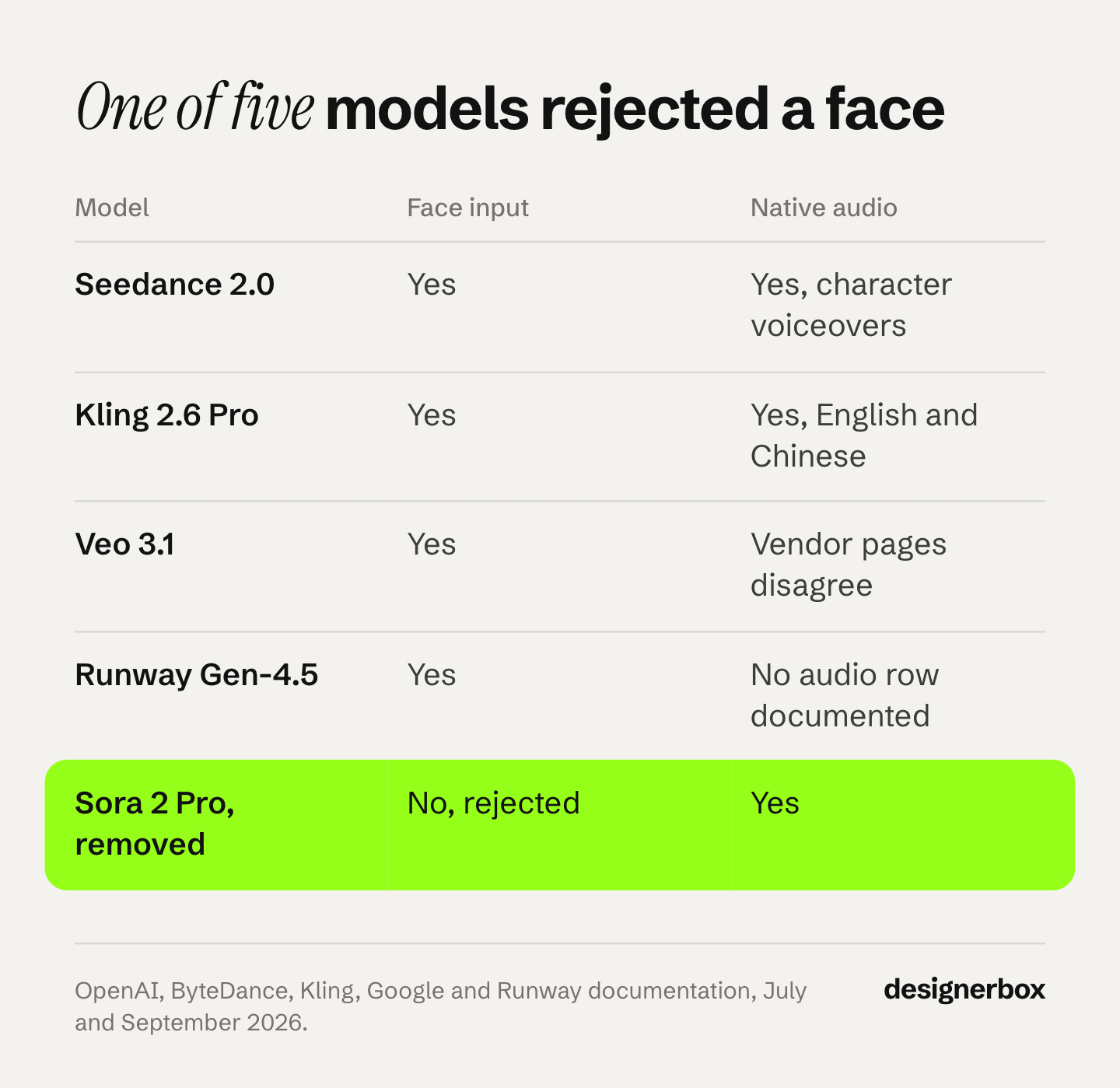
| Model | Accepts a face? | Native audio | Verdict for this job |
|---|---|---|---|
| Seedance 2.0 | A real face only through ByteDance’s consent and face check | Yes, on by default, with voice | Best documented path |
| Kling 2.6 Pro | Yes, as a first frame | Yes at 1080p, speech in English and Chinese | Works for one short line, 5 or 10 seconds |
| Veo 3.1 | Yes, adults only | Yes, always on | Test spoken lines first |
| Runway Gen-4.5 | Takes a first frame | Announced in December 2025. The API lists no audio setting | Plan sound separately, or test one clip first |
| Sora 2 Pro | No, rejected | Yes | Cannot be used. Removed from OpenAI’s API on 24 September 2026 |
Sora 2 Pro rejected faces outright
This is the finding that saves the most wasted time. OpenAI’s video generation guide states that “Input images with faces of humans are currently rejected” and that “Real people, including public figures, cannot be generated” (OpenAI video generation guide, accessed September 2026). This is a policy block, whatever the quality of the model.
OpenAI removed Sora 2 and Sora 2 Pro from its API on 24 September 2026 (OpenAI API deprecations, accessed September 2026). OpenAI has not named a replacement video model. Do not build anything new on it. Where to move each video job is in Sora alternatives by job.
Seedance 2.0 is the best-documented route
ByteDance documents Seedance 2.0 as accepting up to nine images, three video clips and three audio clips as references (seed.bytedance.com, accessed September 2026). Its API generates clips of 4 to 15 seconds, with audio on by default: a matching human voice, sound effects and background music (docs.byteplus.com, accessed September 2026). The launch post describes dual-channel audio, while the API returns mono.
It also carries a face rule worth reading twice. ByteDance says Seedance 2.0 does not support directly uploading reference images or videos that contain real human faces. The allowed routes are your own unedited Seedance or Seedream 5.0 Lite results under 30 days old, ByteDance’s preset digital characters, or real people who pass consent and a face check (docs.byteplus.com, accessed September 2026). The model provider is imposing the same consent rule the law points toward. In DesignerBox, Seedance 2.0 is on the model list.
Kling 2.6 Pro handles spoken lines
Kling documents native audio on Kling 2.6 covering speech, dialogue, narration, singing, rap and ambient sound, with voice output in Chinese and English (kling.ai, accessed September 2026). Audio needs 1080p and is off by default. Clips are 5 or 10 seconds, and Kling 2.6 takes a first frame with no reference images (kling.ai capability map, accessed September 2026).
A separate lip sync endpoint exists. It works on video already made in Kling, one face at a time, on video under 30 days old and up to 60 seconds long (kling.ai, accessed September 2026). Kling 3.0 adds dialogue in Japanese, Korean and Spanish, with clips of 3 to 15 seconds. Kling 2.6 Pro is a short path when the ad needs someone to say one line.
Veo 3.1 and spoken audio
Google’s Gemini API lists Veo 3.1 audio as always on, and Google Cloud’s Veo 3.1 card lists sound generation as supported (docs.cloud.google.com, accessed September 2026). Image-to-video with Veo allows adults only (ai.google.dev, accessed September 2026). DeepMind’s own caveat is the useful one: “creating videos with natural and consistent spoken audio, particularly for shorter speech segments, remains an area of active development” (deepmind.google, accessed September 2026).
Google’s own caveat is a reason to test speech before you rely on it. Veo 3.1 runs 4, 6 or 8 seconds, and 1080p and 4K both require the full 8 seconds (ai.google.dev, accessed September 2026). Google’s API docs name Gemini Omni Flash the default video model, and keep Veo 3.1 for scene extension and last-frame control (ai.google.dev, accessed September 2026). Do not commit a campaign to Veo dialogue without testing your exact shot first.
Dedicated talking photo tools
For a true talking photo, where you upload your own audio file and get a synced mouth, dedicated presenter tools cover the job. Runway’s Act-Two takes an image as the character and transfers movement, expressions, audio and gestures from a driving performance video you supply, for 3 to 30 seconds (help.runwayml.com, accessed September 2026). It is a transfer tool, so you provide both the performance and the voice.
The DesignerBox video editor makes a talking presenter from one picture and a script. The Video with a person app runs the same job from a short form. For long scripted talking heads, dedicated presenter platforms are built around that single job.
How to make a photo talk with AI, step by step
- Decide which technique you need first. Script written and voice recorded, and you need it delivered word for word: talking photo. A short spokesperson beat inside an ad: image-to-video. This decision sets the tool, the cost, and the compliance path.
- Clear the face before you generate anything. If it is a real person, get a written release that names synthetic generation specifically. If it is a fully synthetic person, confirm they are not readily identifiable as someone real. In the EU, a realistic invented person can still count as a deep fake, so plan the label too. This step comes before generation.
- Prepare the source still. Front-facing, full face visible, even lighting, clean background, highest resolution you have. Every model in this list inherits the flaws in your input and multiplies them across frames.
- Draft on a lower-cost model. Block the shot, the framing, and the beat before spending on a premium render. Throw away most attempts. This is where you control the credit bill.
- Review at full size. Mouth sync drifts, teeth deform, and eye lines wander at sizes a thumbnail hides. Check the seconds either side of the audio, where sync usually fails first.
- Label it before it ships. Set the platform disclosure toggle, keep the C2PA metadata intact, and record which model produced the asset. The rules below explain why this is not optional.
If your result is technically correct but still reads as synthetic, the cause is usually generation order more than the model. Why AI talking video looks fake covers the four tells and how to check for them.
What does a talking photo cost?
Two costs matter: the cost of each clip, and the plan that includes it.
On DesignerBox, an 8-second clip costs 40 to 560 credits, depending on the model. The cost is shown before the run.
For a spoken line from a still, Kling 2.6 Pro and Seedance 2.0 are the two catalog paths. Sora 2 Pro is out. It rejected a face in the input, and OpenAI removed it from its API on 24 September 2026.
Read that against the plans. Uploading your own photos and the commercial license start on the Pro plan. AI video starts on the Premium plan. Plans and credits are on the pricing page. Draft on a lower-cost model and spend on the render you keep.
Dedicated talking photo tools meter use in their own units, such as credits or minutes of output. A plan total there does not compare directly to a DesignerBox credit balance. HeyGen alternatives compares the tools built around presenters.
Two cautions before you read any of their pricing pages. Check whether the price you see is monthly or annual. And check the allowance for the feature you came for, because it can be smaller than the plan total when a tool meters talking photos apart from general video. For the wider picture, see what AI video generation costs.
Do you have to disclose an AI talking photo?
In the EU, since 2 August 2026, yes when the clip is a deep fake, and a realistic talking person is likely in scope. On TikTok and YouTube, yes for realistic AI content. On Meta, ads follow a different rule from organic posts. This is general information, not legal advice.
EU AI Act Article 50
Article 50 of Regulation (EU) 2024/1689 sets transparency obligations, and it splits them across two parties. Article 50(2) puts a marking duty on the provider of the AI tool. Article 50(4) is the one that binds a brand: “Deployers of an AI system that generates or manipulates image, audio or video content constituting a deep fake, shall disclose that the content has been artificially generated or manipulated” (AI Act Service Desk, Article 50, accessed September 2026).
The European Commission’s guidelines, published on 20 July 2026, treat realistic AI-generated human avatars or personas as persons, and say it is enough that the person could plausibly exist (European Commission, accessed September 2026). The guidelines are not binding. An invented presenter who looks real is likely in scope.
The disclosure must be clear, and people must see it at the latest when they first see the content (European Commission FAQ, accessed September 2026). Article 50 has applied since 2 August 2026. Tool makers whose systems were on the market before that date have until 2 December 2026 to add machine-readable marks. The deployer duty to label deep fakes has no grace period. A hidden mark from the tool maker does not count as your label (same FAQ). The Commission’s guidelines add that if a brand only hires an agency and does not control how the agency uses AI, the agency is the deployer.
The AI Omnibus, Regulation (EU) 2026/1744, in force since 27 July 2026, delayed the high-risk rules to 2 December 2027 and 2 August 2028. It did not delay Article 50 (European Commission, July 2026).
Fines under Article 99(4)(g) can reach €15 million or 3% of worldwide annual turnover, whichever is higher. For small and medium-sized companies, including start-ups, and for small mid-cap companies, the cap is the lower of the two figures (AI Act Service Desk, Article 99, accessed October 2026). The ceiling of €35 million or 7% is for prohibited practices under Article 5, so it does not apply to this obligation.
The Act also reaches providers and deployers outside the EU where the output is used in the Union, so a US brand running an EU-targeted campaign can be in scope (AI Act Service Desk, Article 2, accessed September 2026).
Platform policies diverge
| Platform | Disclosure required for a commercial ad using AI? |
|---|---|
| TikTok | Yes, for ads with fully AI-generated or heavily AI-edited media. Undisclosed ads are rejected or restricted |
| YouTube | The creator rule covers realistic AI content in videos uploaded in YouTube Studio. Ads follow Google Ads policies, and Google says the law in the EU, India and New York requires labels on some AI ads |
| Meta | Only for ads about social issues, elections or politics. Meta labels other ads itself when it detects AI signals such as C2PA |
TikTok requires creators to label AI-generated or significantly edited content that shows realistic scenes or people (TikTok Community Guidelines, accessed September 2026). Its ads policy says undisclosed AI content in ads will be rejected or restricted (TikTok ads policy, accessed September 2026).
The sharpest rule in this whole area is also TikTok’s: it does not allow AI-generated content that falsely shows public figures making an endorsement or being endorsed (TikTok Support, accessed September 2026). A synthetic celebrity endorsement is not allowed even when correctly labeled. Disclosure does not fix it.
YouTube requires creators to disclose realistic content that AI made or changed in a meaningful way, such as a real person saying something they did not say, or a realistic scene that did not happen. Beauty filters, color and lighting filters, background blur, production help such as AI scripts or thumbnails, and cloning your own voice need no disclosure. YouTube also says disclosing AI content will not limit a video’s audience or its eligibility to earn money, and it can add the label itself (YouTube Help, accessed September 2026).
This rule covers videos creators upload in YouTube Studio. Ads on YouTube follow Google Ads policies. Google says AI rules in the European Union, India and New York require labels on some ads with AI-generated or AI-edited assets (Google Ads Help, accessed September 2026).
Meta asks advertisers to disclose AI only in ads about social issues, elections or politics (Meta ad standards, accessed September 2026). For other ads, Meta adds an “AI info” label when it detects third-party AI through signals such as C2PA, and says the feature may not be available in every region. The label usually sits under “About this ad”. Advertisers in the European Region, California, New York, India and Taiwan can choose to disclose, and then the label appears on the ad (Meta Business Help, accessed September 2026).
Organic posts follow a different rule. Meta requires you to disclose organic posts with photorealistic video or realistic-sounding audio made with AI (Meta Community Standards, accessed September 2026). A talking photo posted organically fits that description.
We found no Meta page that requires disclosure for photorealistic AI humans in ordinary commercial ads, as of September 2026. The label moves next to the “Ad” label only for ads made with Meta’s own AI tools that show a photorealistic AI person, or when an advertiser in those regions chooses to disclose.
In the US, New York’s synthetic performer law took effect on 9 June 2026. If you make an ad and know it contains a synthetic performer, the ad must say so in a way people will notice (New York General Business Law 396-b, accessed September 2026). Audio-only ads are outside it. The civil penalty is $1,000 for a first violation and $5,000 for each later one.
California passed a similar law. The governor signed SB 1050 on 16 September 2026. It covers ads that prominently include a synthetic performer. Those ads need a clear disclosure, with wording close to “this performance features a synthetic performer”. The law takes effect on 1 January 2027, the default start date for a California law without an urgency clause (leginfo.legislature.ca.gov, accessed September 2026).
Detection runs whether you disclose or not
Veo videos carry a SynthID watermark (ai.google.dev, accessed September 2026). On Google Cloud, Veo 3.1 output is also signed with C2PA Content Credentials (Google Cloud Content Credentials, accessed September 2026). OpenAI says Sora 2 assets carry C2PA metadata (OpenAI Sora 2 system card, accessed September 2026). Meta, TikTok and YouTube all read C2PA data, and TikTok and YouTube also run their own detection. Labels get applied whether or not anyone self-discloses, and on YouTube a label added from C2PA data cannot be changed by the uploader.
So the practical question is wider than what you must declare. It includes what platforms will detect and label anyway.
Whose face can you legally use?
This is where a talking photo differs from every other AI asset. A generated packshot has no likeness exposure. A generated face may have a great deal.
| Fully synthetic person | Digital replica of a real person | |
|---|---|---|
| Right of publicity claim | None, if no identifiable individual | Live exposure |
| Consent needed | None | Written, scope-specific release |
| US state digital replica laws | Out of scope | In scope |
| New York synthetic performer disclosure in ads | Applies | Does not apply, a recognizable person is not a synthetic performer |
| TikTok endorsement rule | Not triggered | Triggered if the person is a public figure, and a label does not fix it |
| EU Article 50(4) disclosure | Likely applies, if realistic | Applies |
That asymmetry is the planning insight. A fully synthetic presenter removes nearly all US likeness exposure. It removes none of the EU disclosure duty, and in New York it brings a disclosure duty of its own. How to test a synthetic character before you build a campaign on it is in AI influencer marketing.
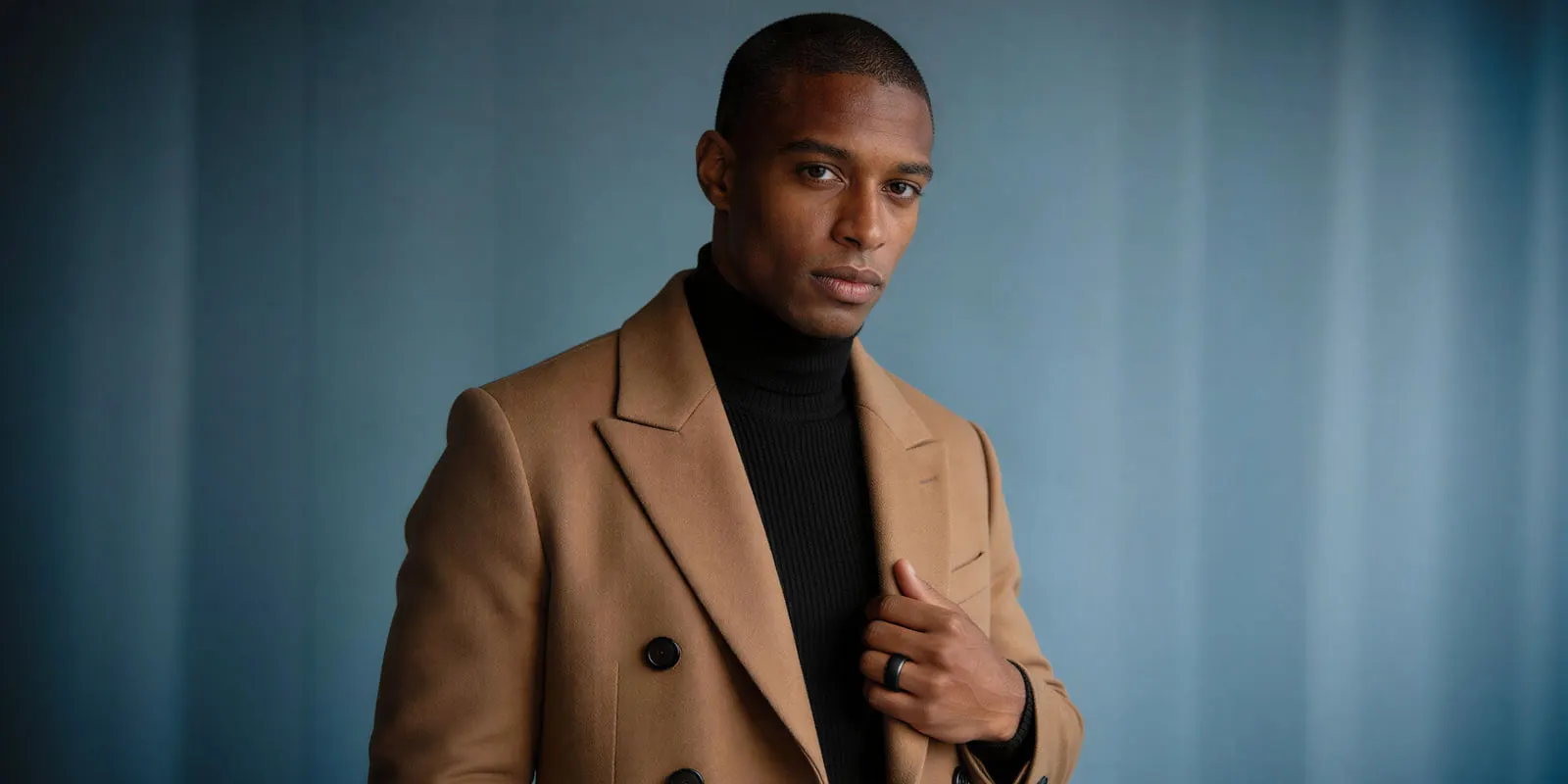
Right of publicity in the US comes mainly from state law, with no single federal statute (Cornell LII, accessed September 2026). Several states have moved specifically on digital replicas. Tennessee’s ELVIS Act took effect on 1 July 2024 and protects a person’s voice as well as their likeness (Tennessee Public Chapter 588, accessed October 2026).
California’s AB 1836 makes people liable for digital replicas of a dead person’s voice or likeness without consent (AB 1836). AB 2602 can void a contract term that allows a digital replica of a performer, unless the term describes the uses clearly and the performer had a lawyer or a union (AB 2602). Both took effect on 1 January 2025.
California signed SB 1111 on 30 September 2026. It amends Civil Code 3344, the state’s consent rule for using a person’s voice or likeness in advertising. From 1 January 2027 that law says a voice or likeness includes a digital replica (California SB 1111, accessed October 2026). New York requires written consent before you use a living person’s name, portrait, picture or voice in advertising (New York Civil Rights Law 50, accessed September 2026).
The federal NO FAKES Act is not law. The Senate Judiciary Committee reported S.4591 on 24 June 2026, and it is waiting for a vote on the Senate floor (bill status, govinfo.gov, accessed September 2026).
Four practical requirements follow for any real person in a talking photo:
- Get it in writing. New York requires written consent by statute, and written evidence is the strongest record anywhere else.
- Name synthetic generation in the release. A photo release drafted before generative video does not obviously authorize a digital replica of the subject.
- Handle voice separately. Voice is named separately under the ELVIS Act and New York law. A likeness release may not cover a cloned voice.
- Check whether the person is deceased. California protects a deceased personality for 70 years after death (California Civil Code 3344.1), and New York protects for 40 years (New York Civil Rights Law 50-f), both accessed September 2026.
One caveat cuts against the synthetic route. A generated face that is readily identifiable as a specific real person can still trigger a claim, whatever your input was. The usual test is whether the person can be identified.
Any digital replica of a real person, any multi-state campaign, and any question about whether an ad counts as an artistic or fictional work under Article 50 are questions for counsel.
Does AI talking-photo creative work?
Start with two numbers that have no source.
One is a claimed Nielsen and Google DeepMind study reporting 2.1x higher click-through across 2.3 million impressions. The other is a Forrester report claiming 45 to 58% ROAS improvement. We found no such study from Nielsen and Google DeepMind, and no such Forrester report, as of September 2026.
What holds up is more interesting, and less flattering.
IAB’s July 2025 release on its Digital Video Ad Spend and Strategy Report found 86% of video ad buyers using or planning to use generative AI to build video ad creative. Buyers projected that GenAI creative would reach 40% of all ads by 2026 (IAB, July 2025). IAB’s July 2026 release puts the 2026 share lower, at one-third of buyers’ ad assets, up from one-fourth in 2025 (IAB, July 2026).
Then IAB and Sonata’s The AI Ad Gap Widens, fielded October 2025 to January 2026 across 505 US Gen Z and Millennial consumers and 104 ad executives. It found that 82% of ad executives believe those consumers feel positive about AI-generated ads, while only 45% of consumers do. The share of consumers who feel somewhat or very negative is 12 points higher than in 2024 (IAB, January 2026).
That is a 37-point perception gap, up from 32 points in 2024. If your ad targets Gen Z or Millennial buyers, that is the number to plan around.
The disclosure question resolves more gently than the sentiment data suggests. IAB found 73% of consumers say AI disclosure would increase or not change their purchase likelihood, while 89% of advertisers using generative AI disclose at least sometimes and fewer than half always do (IAB and Sonata, January 2026). The defensible reading is narrow: disclosure does not appear to hurt. Claims that it lifts trust are not settled.
So a synthetic spokesperson is cheap to produce and legally intricate. Its audience is also more skeptical than your team assumes. Use it where the format fits the job, and treat the lower production cost as a bonus.
The shot around the spokesperson
DesignerBox is AI creative production for brands and agencies. It has ready avatars, and you can make your own from one sentence or one photo. Every avatar is a set of nine fixed poses. Avatars explains how to use the set.
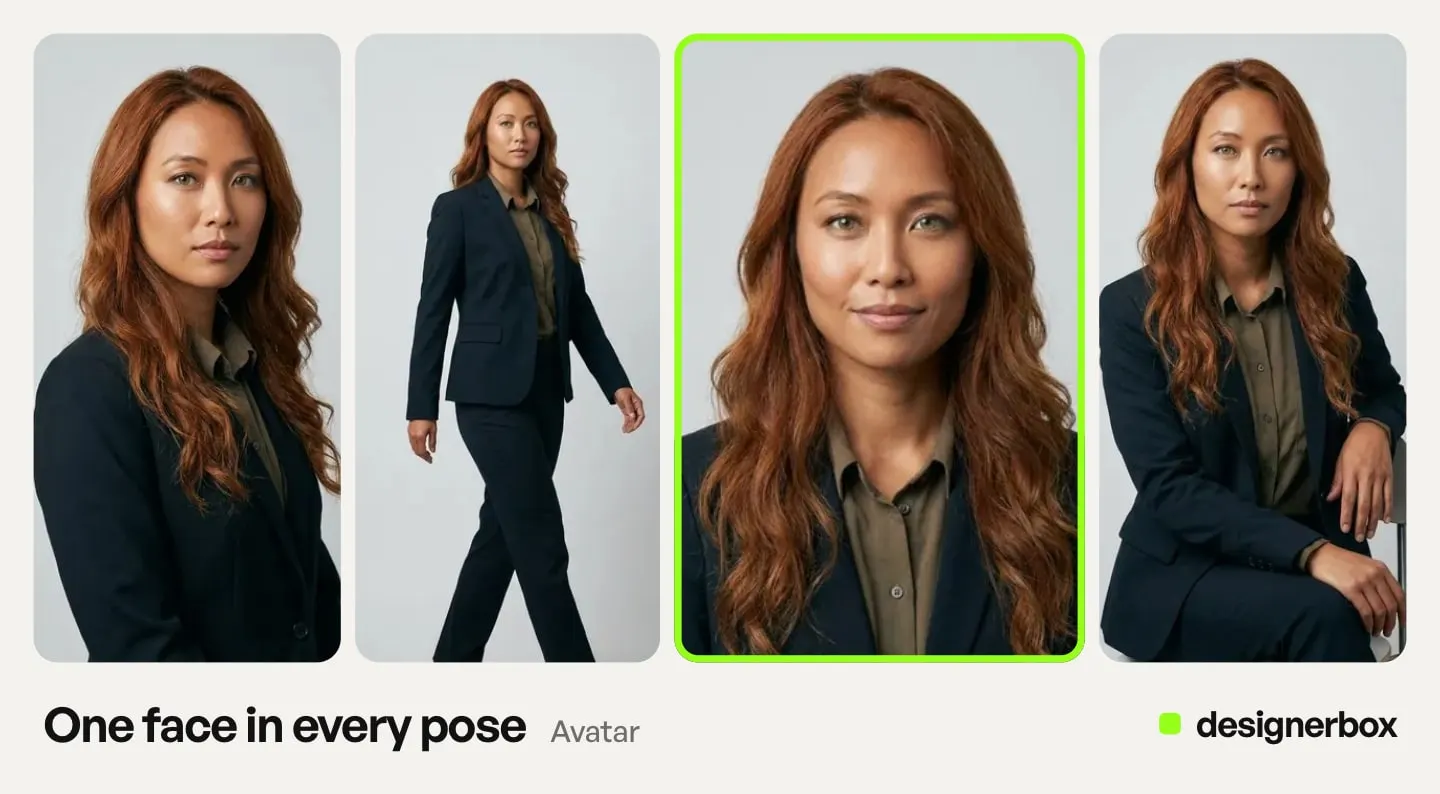
The shot around the spokesperson is where a workflow helps most. In a workflow, the video model is one step. The same account holds the product stills, the packshots and the on-model images the campaign needs, under the same brand rules. You can change the model per shot.
Every result starts from your real product photo and your brand rules. You set the brand once, and the workflow reads it on every run. The value appears on the second run. Build the spokesperson pass once, with the presenter’s signed release, face, voice and framing settled. A saved workflow then runs the same way on the next product and the next drop. Static ad templates cover the ad side, and a template for static and video ads from a product photo covers the finished spot.
For the tools built specifically around synthetic presenters, our breakdown of AI UGC ad tools covers that category, and AI UGC video tools for agencies covers multi-client delivery.
For your first spokesperson ad, start from a template, add your brand and your product, and run it.
FAQ
How do you make a photo talk with AI?
Pick your technique first. For a scripted delivery in your own recorded voice, use a talking photo or lip sync tool: upload the portrait, upload the audio, and run it. For a short spokesperson beat inside an ad, use an image-to-video model with native audio such as Seedance 2.0 or Kling 2.6 Pro: upload the portrait, describe the shot and the line, and run it. Clear the likeness before you generate either one.
Can you make a photo talk with AI for free?
Several dedicated tools offer free plans, and they often cap output length, add a watermark, or limit use to personal purposes. DesignerBox has a free plan, and it cannot make video. For an asset that will run as a paid ad, a free plan is rarely a viable path, mostly because of commercial-use limits.
Which AI model is best for making a photo talk?
Seedance 2.0 has the best-documented path: image input plus native audio with voice, at 4 to 15 seconds, with a consent and face-check route for real people. Kling 2.6 Pro also generates speech from a still in English and Chinese, in 5 or 10 second clips. Sora 2 Pro cannot be used. It rejected input images containing human faces, and OpenAI removed it from its API on 24 September 2026. Veo 3.1 generates audio on every clip, but Google says short spoken lines are still in development.
Do I need permission to use someone’s photo in an AI video?
Yes, if the person is real and identifiable. Get a written release that specifically names synthetic generation, because a standard photo release predates the technology and may not cover a digital replica. Handle voice as a separate permission, since several US states protect it separately. If the person is deceased, estate consent may still be required for decades. A fully synthetic person avoids most of this.
Do I have to label an AI talking photo as AI-generated?
In the EU, since 2 August 2026, deployers of deep fakes must disclose them under Article 50(4) of the AI Act, and a realistic talking person is likely in scope. TikTok requires disclosure and rejects or restricts undisclosed AI ads. YouTube requires it for realistic content that AI made or changed in a meaningful way. Meta asks for disclosure in ads only about social issues, elections or politics, labels other ads when it detects AI signals, and requires disclosure on organic posts with realistic AI video or audio. In New York, ads with a synthetic performer must say so.
How much does an AI talking photo cost?
On DesignerBox, the cost of a clip depends on the model, and the cost is shown before the run. AI video starts on the Premium plan. Dedicated talking photo tools usually meter by minutes of output, so compare the allowance for the feature you need, and not the plan total.
Can I make a photo talk in a language my brand does not have footage for?
Talking photo tools handle this well, since you supply the audio and the model syncs to whatever language it contains. Kling 2.6 documents voice output in Chinese and English, and Kling 3.0 adds Japanese, Korean and Spanish. Some dedicated presenter platforms list 30 or more languages, Arcads among them (arcads.ai, September 2026). Localization is the use case where the talking-head format fits better than an image-to-video clip.
Sources
- Sora 2 Pro rejecting input images containing human faces: OpenAI video generation guide, accessed September 2026
- Sora 2 and Sora 2 Pro API removal on 24 September 2026, with no named replacement: OpenAI API deprecations, accessed September 2026
- Sora 2 assets carrying C2PA metadata: OpenAI Sora 2 system card, accessed September 2026
- Seedance 2.0 reference inputs: seed.bytedance.com, Seedance 2.0 launch, accessed September 2026
- Seedance 2.0 duration and audio: docs.byteplus.com, ModelArk video API, accessed September 2026
- Seedance rules on real human faces: docs.byteplus.com, ModelArk, accessed September 2026
- Kling 2.6 native audio and languages: kling.ai, Kling 2.6 audio guide, accessed September 2026
- Kling 2.6 and 3.0 durations and inputs: kling.ai, capability map, accessed September 2026
- Kling lip sync endpoint: kling.ai, lip sync API, accessed September 2026
- Veo 3.1 audio, duration, people rules and SynthID: ai.google.dev, Veo, accessed September 2026
- Veo 3.1 sound generation on Google Cloud: docs.cloud.google.com, Veo 3.1 model card, accessed September 2026
- C2PA Content Credentials on Google Cloud: docs.cloud.google.com, Content Credentials, accessed September 2026
- Gemini Omni Flash as Google’s default video model: ai.google.dev, video overview, accessed September 2026
- DeepMind’s caveat on spoken audio for shorter speech segments: deepmind.google, Veo, accessed September 2026
- Runway Act-Two: help.runwayml.com, Creating with Act-Two, accessed September 2026
- Runway Gen-4.5 native audio, announced on 11 December 2025: Introducing Runway GWM-1, read October 2026. The Gen-4.5 request fields, with no audio setting: Runway API reference, read October 2026
- EU AI Act Article 50 text: AI Act Service Desk, Article 50, accessed September 2026
- EU AI Act Article 99 penalties, and the lower cap for small, medium-sized and small mid-cap companies: AI Act Service Desk, Article 99, accessed October 2026
- EU AI Act territorial scope: AI Act Service Desk, Article 2, accessed September 2026
- First exposure, the grace period for machine-readable marks, and deployer labels: European Commission FAQ on Article 50, accessed September 2026
- Commission guidelines on Article 50, published 20 July 2026: European Commission, accessed September 2026
- AI Omnibus entry into force and the high-risk dates: European Commission, 27 July 2026
- TikTok labelling rule for realistic AI content: TikTok Community Guidelines, accessed September 2026
- TikTok rejection or restriction of undisclosed AI ads: TikTok ads policy, accessed September 2026
- TikTok rule on AI content showing public figures making or receiving an endorsement: TikTok Support, accessed September 2026
- YouTube disclosure rules, exemptions, automatic labels, and reach and earnings statement: YouTube Help, accessed September 2026
- Google’s statement that AI rules in the EU, India and New York require labels on some ads: Google Ads Help, accessed September 2026
- Meta disclosure for social issue, election and political ads: Meta ad standards, accessed September 2026
- Meta AI info labels on ads and self-disclosure regions: Meta Business Help, accessed September 2026
- Meta disclosure for organic posts with realistic AI video or audio: Meta Community Standards, accessed September 2026
- New York synthetic performer disclosure: New York General Business Law 396-b, accessed September 2026
- California synthetic performer disclosure in ads, SB 1050, approved by the Governor on 16 September 2026: leginfo.legislature.ca.gov, accessed September 2026
- Right of publicity as US state law: Cornell LII, accessed September 2026
- Tennessee ELVIS Act, voice protection and the 1 July 2024 effective date: Tennessee Public Chapter 588, accessed October 2026
- California AB 1836 and AB 2602: AB 1836 and AB 2602, accessed September 2026
- California SB 1111, digital replicas in Civil Code 3344, approved by the Governor on 30 September 2026: leginfo.legislature.ca.gov, accessed October 2026
- New York written consent for advertising use: New York Civil Rights Law 50, accessed September 2026
- Post-mortem protection periods: California Civil Code 3344.1 and New York Civil Rights Law 50-f, accessed September 2026
- NO FAKES Act status, S.4591: bill status, govinfo.gov, accessed September 2026
- Arcads language count: (arcads.ai, September 2026)
- 86% of video ad buyers using or planning to use generative AI, and the 40% projection for 2026: IAB, 2025 Video Ad Spend & Strategy Full Report release, 15 July 2025
- The share of ad assets using GenAI in 2025 and 2026: IAB, Digital Video Ad Spend & Strategy Full Report release, 14 July 2026
- The 37-point perception gap, the change in negative sentiment and the disclosure findings, from 505 US consumers and 104 ad executives: IAB and Sonata, The AI Ad Gap Widens, 15 January 2026
- DesignerBox plans, the video cost range, the avatar price and plan gates: DesignerBox pricing page (designerbox.ai/pricing), September 2026
Model capabilities checked against OpenAI, Google DeepMind, Google Cloud, ByteDance, Runway and Kling documentation as of September 2026. Regulatory positions checked against the EU AI Act Service Desk, the European Commission, US state statutes and platform policy pages as of September 2026. On 2 October 2026 we re-checked Article 99 of the AI Act and the Tennessee act, added California SB 1111, and moved the TikTok and BytePlus links to their current addresses. This is general information, not legal advice. Model specifications and platform policies in this category change often.