An AI UGC video generator turns a script or a product photo into ads that look like customer-shot phone footage, using synthetic actors instead of hired creators. The ten tools below split into two jobs: a synthetic presenter talking to camera, or your real product in frame. One question decides the pick: does your product need to be in frame?
Every feature on this page was read on the vendor’s own site in September 2026. This guide prints no tool’s prices. Plans, credit units and promotions in this category change often, so each section names the vendor page to check on the day you buy.
Two habits make published prices hard to compare. Some vendors open their pricing page on the annual view, so the headline figure is a yearly rate shown per month. Others run time-limited promotions. Read the billing toggle and the credit unit before you compare anything.
This guide covers ten generators: what each one makes, who it suits, and how to find what a single finished ad costs. It also covers what the tool makes beyond the clip, and the rules that decide whether the ad you just made is allowed to run.
Key Takeaways
- A generator makes more than the clip. The script, the hook, the captions and the aspect ratios decide whether the ad works, and they vary more between tools than the render engine does.
- The FTC’s fake-review rule does not ban AI actors, and limits apply. The rule “has no blanket prohibition on the use of AI-generated avatars in marketing” and was drafted so it does not prohibit virtual influencers (FTC Q&A, September 2026). The rule prohibits a testimonial behind the avatar that is fake or false.
- Meta labels many AI ads on its own. When it detects signs of third-party AI, such as C2PA metadata, it adds an “AI info” label under “About this ad” (Meta Business Help, September 2026). You do not opt into that label.
- Split the decision by what carries the ad. A synthetic person talking to camera and your real product in frame are two different jobs, and few tools are built for both.
- Ask what one finished clip costs before you buy the plan. Plan prices hide that number.
What an AI UGC video generator does
An AI UGC video generator does one of two jobs. It renders a synthetic actor who reads your script, or it puts your real product in a scene. The difference decides which tool you want. For the term itself, see what AI UGC means.
The first job is the synthetic actor. You write a script, pick a face from a library, and the tool renders a person delivering that script to camera in a bedroom or a kitchen. The product may appear as an inserted image, or not at all. This is what most tools in the category mean by UGC. When the presenter starts from one portrait rather than a stock library, making a photo talk with AI covers the models and the consent that route needs. If a stock subscription is still carrying most of that work, Artlist alternatives compared by job separates the licensing job from the generation job.
The second job is the product-led ad. The input is your product photo. The output is your actual SKU in a scene, in motion, cut to the placements each channel wants. The person is optional.
Most tools claim both, and the unit they sell gives a hint. A plan sized in finished videos often points to an actor tool. A credit pool shared across images and video often points to a campaign tool. Our guide to what an AI ad generator does explains the four types and how they differ.
What a UGC ad generator makes besides the video
A generator does more than render a clip. It writes the script, opens on a hook, adds a voiceover, burns in captions, and exports the file at the aspect ratio each placement wants. The clip is the last step, and not the only one.
That matters because the parts you cannot see decide whether the ad works. The hook in the first two seconds decides whether people stop scrolling. The captions carry the message with the sound off, which is how most feeds play. The aspect ratio decides whether the ad fills a 9:16 Reel or sits letterboxed and ignored.
Many generators automate all of it from one input. You paste a product URL or upload a photo. The tool drafts the script, picks a hook pattern, generates the voiceover, times the captions, and renders vertical, square, and 4:5 in one pass. What separates them is how much of that you can steer: whether you can rewrite the hook, swap the voice, or lock the caption style to your brand.
So read a generator by its creative layer, not its render engine. Two tools running the same underlying video model ship very different ads, because the script and the hook decide the result. At a much bigger budget, the best-known AI commercials show a similar split. AI did the exploring, and people did the finishing.
The ten generators, tool by tool

Each tool below was checked on the vendor’s own site in September 2026.
Shhots AI
Shhots AI publishes its credit math in detail. Its pricing page states how many credits a finished asset uses: a product image, and a 10, 15 or 30 second UGC ad (shhots.ai/pricing, September 2026). Every plan includes a commercial license, watermark-free exports and UGC in 12 languages, according to the vendor. Shhots lists its plans on its own pricing page (shhots.ai/pricing, September 2026).
Scope note: Shhots starts from a product photo, so the product is in the ad by design. If you already use it, the Shhots.ai alternatives comparison covers three other tools for the same job.
Topview AI
Topview AI is built around a credit-free Unlimited mode. Paid plans include Unlimited generations on a set of named models. These use no credits, run without priority and work only inside the Topview web app. Which models, and for how many days, depends on the tier (topview.ai/pricing, September 2026).
Read the tiers carefully. On annual billing, some tiers give the whole year’s credits upfront, and the top tier gives credits each month that expire monthly. Before you compare two tiers, check when the credits arrive and which billing period applies on Topview’s own pricing page (topview.ai/pricing, September 2026).
HeyGen
HeyGen is an established avatar and presenter platform, with a free plan (heygen.com/pricing, September 2026). Paid tiers add 1080p and then 4K export, and the Business tier adds team seats. HeyGen says every custom avatar needs on-camera identity verification from the person shown (heygen.com, September 2026). HeyGen lists its plans on its own pricing page.
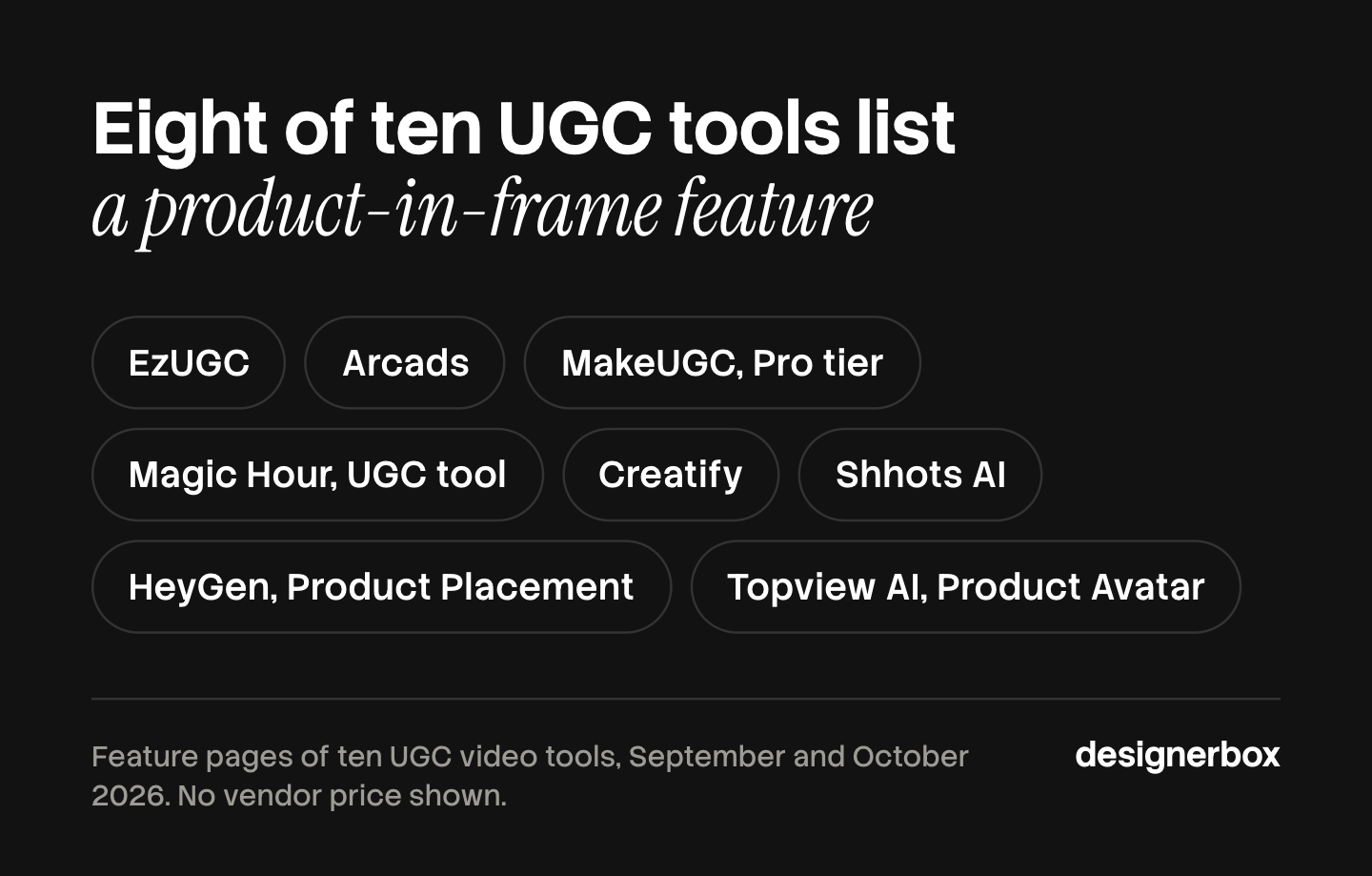
Scope note: HeyGen is an avatar and presenter platform first. Its pricing page also lists a Product Placement feature, described as making ads and product videos from a product or background image you upload (heygen.com/pricing, October 2026). Avatar tools are one of five types of AI video ad generator.
Creatify
Creatify is built for performance marketers, and its feature list shows it: a competitor ad tracker for Meta ads, and an Ad Launcher for Meta, TikTok and AppLovin (creatify.ai/pricing, September 2026). If you already use it, the Creatify alternatives comparison covers what else fits the same job.
The free plan includes AI actors, premium AI models and ad templates, and exports carry a watermark. Paid tiers widen the actor library (up to 1,500 actors) and the maximum video length (up to 10 minutes). Confirm which billing period a quoted figure assumes on Creatify’s own pricing page (creatify.ai/pricing, September 2026).
MakeUGC
MakeUGC is one of the few tools that names product-in-hand video as a separate feature. That feature is on the Pro tier (makeugc.ai/pricing, September 2026).
MakeUGC also sells separate API plans. Read the billing terms on MakeUGC’s own pricing page before you buy (makeugc.ai/pricing, September 2026). Our MakeUGC alternatives comparison covers what MakeUGC lists on its site and the tools that do each job.
EzUGC
EzUGC names product-in-hand as a headline feature. In its own words, its AI creators “can now hold your product in their hands”. You start from product photos or a site URL, and EzUGC uses that input to shape the script and the setup (ezugc.ai, September 2026).
Plans are sized in finished videos, with monthly or annual billing, and the page lists a 3-day refund. Commercial rights are included with no separate license fee, and each tier bundles static ads, avatar images and product-in-hand shots alongside the video (ezugc.ai/pricing, September 2026).
Scope note: plans are sized in finished videos, so it reads as an actor tool with real-product support rather than a broad campaign studio.
Magic Hour
Magic Hour is a general AI video and image suite with a UGC ad generator inside it. The same subscription also covers face swap, lip sync and image-to-video. In the UGC tool, an avatar can hold your real product when you upload it into the first frame (magichour.ai, September 2026).
It sells three paid plans. A free plan lets you try basic features for personal, non-commercial use, and free UGC results may carry a watermark. Commercial rights start on the paid plans, and Magic Hour says it offers API access to all users. Its pricing page renders in local currency, so confirm the figure and billing period on Magic Hour’s own pricing page (magichour.ai/pricing, September 2026).
Scope note: capacity is quoted in hours of output, not a flat per-clip price, so calculate the cost for the model you will run.
Predis.ai
Predis.ai sits on the social-post side of the category. It makes UGC videos and product ads from a prompt, an image or a product link, with avatars you choose by age, gender and ethnicity (predis.ai, September 2026). Its pages describe your product image as an input. They do not describe an avatar holding the product.
Its pricing page opens on the annual view, so the prominent figure is the yearly rate shown per month. Every plan starts with a 3-day free trial, and Predis.ai takes a card to start it (predis.ai/pricing, October 2026).
Scope note: read the billing toggle before you copy a number, because the visible one is the annual rate.
Poolday
Poolday is built for teams that want someone to build a video agent for them, more than a self-serve editor. Poolday describes an AI agent that edits, makes and assembles on-brand videos. Its plans start with a call to build the agent. Business adds one-to-one onboarding. Enterprise adds API access, SSO, unlimited users and video workflows built for you (poolday.ai, September 2026). Poolday lists its plans on its own pricing page.
Scope note: Poolday sells a set-up service more than a self-serve tool. It belongs on a shortlist if a managed workflow is what you are buying.
Arcads
Arcads runs a library of 1,000+ AI actors. You can make them hold your product, show your app or wear your clothes. Arcads also offers emotion control and translation in more than 30 languages (arcads.ai, September 2026).
Scope note: Arcads does not publish pricing on its site. Its /pricing path returned a not-found page when we checked in September 2026, so ask Arcads directly. Arcads alternatives compared by job covers other tools for the same work.
AI UGC ad tools compared
| Tool | Best for | What it covers | Free plan | Product in frame |
|---|---|---|---|---|
| Shhots AI | Brands that want per-asset credit use stated upfront | UGC ads and product images, 12 languages on every plan | Not listed | Yes |
| Topview AI | Testing on a credit-free Unlimited mode | UGC video, a Product Avatar feature and Unlimited generations on named models | Not listed | Product Avatar feature |
| HeyGen | Presenter and avatar video at 4K | Avatars, video translation and long presenter videos | Yes | Product Placement feature |
| Creatify | Performance teams launching straight to Meta and TikTok | AI actors, a competitor ad tracker and an Ad Launcher | Yes | Yes |
| MakeUGC | Product-in-hand actor video | Actor video, product in hand on Pro, separate API plans | Not listed | Yes, Pro tier |
| EzUGC | Real product held by an AI actor | Plans sized in videos, with static ads and avatar images | Not listed | Yes |
| Magic Hour | A video suite with a UGC generator built in | Face swap, lip sync, image to video and UGC ads | Yes | Yes, in the UGC tool |
| Predis.ai | Social-first ad creative from a product URL | UGC-style ad creative with custom avatars | 3-day trial | Input only |
| Poolday | Teams buying a managed workflow | A video agent set up with you, API on Enterprise | Not listed | Not stated |
| Arcads | Large actor libraries with emotion control | 1,000+ actors and 30+ languages | Not published | Yes |
| DesignerBox | Agencies and brand teams making the same ad set for each new product | Templates, workflows, apps, an image editor and a video editor | Yes, on sample products, no video | Yes |
Competitor features read from vendor sites, September 2026. No prices are printed. Several vendors were running promotions when checked, so read each vendor’s own pricing page on the day you buy.
What a finished UGC ad costs
A finished UGC ad costs the plan price divided by the number of finished clips the plan’s credits make. Plan price alone is the wrong unit, and few vendors in this category publish the per-clip number.
Shhots is one that does. Its pricing page states how many credits 10, 15 and 30 second UGC ads use, and about how many finished ads each plan’s credits make (shhots.ai/pricing, September 2026). That makes it a useful reference point.
That ratio is the thing to reproduce for any tool you are considering. Take the plan’s credit allowance and divide it by the credits the asset you ship uses. Then divide the plan price by that number of ads. A cheaper plan that makes two ads can cost more per ad than a bigger plan that makes seven.
DesignerBox shows the cost of each run before you start it, for an image and for a clip. An 8-second clip costs 40 to 560 credits, depending on the model. An avatar run returns nine fixed poses of one person.
Ask every tool on this page for its per-clip figure before you buy.
The baseline to beat is what you spend now. Our breakdown of what a product photoshoot costs gives the studio-day and reshoot numbers to compare against. If you pay creators today, what a UGC ad costs by production route sets out how each route charges.
Whether your AI UGC ad can run
These rules decide whether the file you paid for can run as an ad. This is general information, not legal advice.
Start with the fear that the FTC’s fake-review rule bans AI actors in ads. The FTC says it does not. Its guidance is direct on this point: the rule “has no blanket prohibition on the use of AI-generated avatars in marketing,” and Section 465.2 was “drafted specifically so as to not prohibit companies from using virtual influencers” (FTC Q&A, September 2026).
What the rule reaches is narrower. According to the FTC, an AI stock avatar is not giving a “consumer review” as the rule defines it. Its use might count as a testimonial, and “That would be prohibited under the rule only if the underlying testimonials were fake or false.” The FTC says Section 465.2 addresses misrepresenting a testimonialist’s experience with a product, meaning what happened when they used it. It does not address merely their opinion of it.
The FTC also says it “would also violate the rule for someone to use a celebrity avatar without the celebrity’s permission to speak favorably about a product, if reasonable consumers would think that the celebrity actually gave a testimonial for the product.” It adds that the use of avatars could also be deceptive under the FTC Act. The rule took effect on 21 October 2024, and it authorizes courts to impose civil penalties for knowing violations (FTC Q&A, September 2026).
Read that against a script. A synthetic actor saying your moisturizer feels light states an opinion, which Section 465.2 does not address. A synthetic actor describing a specific experience they never had, because they do not exist, carries more risk. The claim the avatar makes carries the risk. If the avatar looks like a real person, get that person’s written permission first.
Platform rules apply on top. Meta asks advertisers to disclose AI only in ads about social issues, elections or politics (Meta ad standards, September 2026). For other ads, Meta adds an “AI info” label itself when it detects signs of third-party AI, such as C2PA metadata. Meta’s ad policy says this detection began on 1 June 2026. The label sits in the three-dot menu under “About this ad”, and Meta says the feature may not be available in every region (Meta Business Help, September 2026).
TikTok requires creators to label AI-generated or heavily edited content that shows realistic people or scenes. You can use the AIGC label or your own clear caption, sticker or watermark (TikTok Community Guidelines, September 2026). For ads, TikTok asks you to disclose fully AI-generated or heavily AI-edited images, video or audio. If it finds undisclosed AI content, it rejects or restricts the ad (TikTok ads policy, September 2026). Our guide to what an AI ad generator is covers the IAB and wider platform picture in more detail.
Google added AI labels to its ad products in July 2026. If you make an ad with Google’s own AI tools, Google adds a disclosure to the ad’s My Ad Center panel (Google blog, September 2026). You can also mark assets you made or edited with AI. Google shows that in the “How this ad was made” panel, and campaigns that target the EU, India or New York also show a visible label on the ad. Google says rules in the EU, India and New York require labels on some AI ads (Google Ads Help, September 2026).
The three platforms work differently, as of September 2026. Meta labels many ads itself. TikTok asks you to disclose. Google gives you a label setting and points to local law. The tool you pick barely affects the FTC question. The script does.
Housing is the exception, and it is a big one. A real estate ad adds rules on who may appear and on what the property may look like, on top of the FTC testimonial rule. AI UGC video for real estate explains which formats pass all three layers.
How to pick
Ask four questions, in this order. If the budget is zero for now, start with what each free AI UGC video generator allows. If the ad needs a real person or a creator’s handle, a generator is the wrong kind: see the three kinds of UGC platforms. If the shortlist is down to two, Arcads vs Creatify compares them on inputs and actor terms.
- Does the product need to be in frame? If yes, shortlist the tools whose own pages list a product-in-frame feature, whatever the price. If no, an avatar platform fits the job.
- What does one finished clip cost? Divide plan credits by the cost of the asset you ship. Never compare plan prices directly.
- Which billing period is that number? Some pricing pages here open on the annual view. Others show a promotional rate for a limited time.
- What happens to the ad after it renders? The clip is one asset. The campaign needs stills, sizes, and the next variant.
AI video tools for fitness brands applies the same product-in-frame test to one vertical, activewear.
Running this for clients, and not for one brand, changes the answer. White-label and seat costs start to matter most. Our companion piece on AI UGC video tools for agencies works the same math at agency volume. Before you commit to one presenter, test three to five AI characters on one script.
The DesignerBox fit and its limits
DesignerBox is AI creative production for brands and agencies. It sits on the production side of this list. The still, the ad, the clip and the brand rules are in the same account, so the job runs in one subscription. Read this section knowing we make DesignerBox. The AI UGC page shows the presenter workflow, and the UGC product video app runs it from a short form.
If your job is 20 talking-head ads a month with a synthetic presenter and no product in frame, a purpose-built actor tool is the better fit. Creatify and MakeUGC are built for exactly that job. DesignerBox is not the shortest route to that specific result.
The fit here is the ad you have to make again next week, for the next product, and then for forty more. You build a workflow once with your brand profile and your real product. Then you run it again on the next drop with a new source photo. The workflow reads the brand profile on every run. The model, the light and the framing stay in the workflow, so the saved workflow runs the same way on the next product. Batch runs one workflow over a whole sheet of products, so row one and row forty are held to the same standard.
The model is one step in the workflow. The workflow picks the image or video model for each step, and the model list shows them.
Two templates are direct starting points: a template for social media ads, and the Ads from a product photo template that turns a product photo into a finished ad. A template is a workflow somebody already built. Open one, add your photo and run it. For a presenter, make an avatar and use it in the Video with a person app, or start from a template. DesignerBox compared with HeyGen sets avatar-first work against product-first work.
Whichever tool you choose, the finishing decisions are the same. UGC video quality ranked by cost explains which fixes are worth paying for, and when to apply them. The script and the disclosure sit outside the tool choice. That includes what makes a generated presenter a fabricated testimonial under the FTC rule.
Know the limits before you buy. The free plan cannot make video. The commercial license starts on the Pro plan. AI video and the video editor start on the Premium plan. Plans and credits are on the pricing page.
Start from the templates, add your brand and your products, and run it.
FAQ
What are the best AI UGC ad generators in 2026?
The best one matches the job, so start with whether your product needs to be in frame. For synthetic presenters, HeyGen and Creatify are established options. For a product held in frame, EzUGC, Magic Hour’s UGC tool and Arcads name it as a feature, and Shhots AI starts from your product photo. For agencies and brand teams that make the same ad again for each new product, DesignerBox saves the build as a workflow. AI video in DesignerBox starts on the Premium plan. Competitor features checked on vendor sites in September 2026.
What makes a good AI UGC ad generator?
The render engine matters less than the creative layer around it. A good generator writes a script, opens on a hook that stops the scroll, generates a voiceover, times captions for sound-off viewing, and exports vertical, square, and 4:5 in one pass. It also lets you steer those parts: rewrite the hook, swap the voice, lock the caption style to your brand. Two tools on the same video model ship different ads because of that layer. The voice part of that layer is worth pricing separately, and AI voiceover for UGC ads breaks down the three ways to produce it.
What is the best free AI UGC video generator?
No single free plan wins, because each one limits something. Three of the ten tools reviewed here list a free plan: HeyGen, Creatify and Magic Hour. Creatify’s free plan adds a watermark to exports. Magic Hour’s free plan is for personal, non-commercial use, and its free UGC results may carry a watermark (heygen.com, creatify.ai, magichour.ai, September 2026). DesignerBox has a free plan too, and it cannot make video. Free plans in this category are mostly for trying a tool, and watermarks are common.
How much does an AI UGC ad cost per video?
Ask for the per-clip number, because plan prices hide it. Shhots publishes how many credits a 10, 15 and 30 second UGC ad use, so you can divide a plan’s allowance by that figure (shhots.ai/pricing, September 2026). In DesignerBox, an 8-second clip costs 40 to 560 credits, depending on the model, and the cost is shown before the run. Divide credits by asset cost before you compare anything.
Is it legal to use AI actors in ads?
In the US, the FTC’s consumer reviews and testimonials rule does not ban AI actors, and limits apply. The rule “has no blanket prohibition on the use of AI-generated avatars in marketing” (FTC Q&A, September 2026). Using an avatar breaks the rule if the testimonial behind it is fake or false. It also breaks the rule if a celebrity avatar speaks for a product without the celebrity’s permission and people would take it as the celebrity’s real testimonial. The rule took effect on 21 October 2024, and courts can impose civil penalties for knowing violations.
Do I have to disclose an AI-generated ad?
Partly, and the platform decides much of it, as of September 2026. Meta asks advertisers to disclose AI only in ads about social issues, elections or politics, and it labels other ads itself when it detects signs of third-party AI (Meta Business Help, September 2026). TikTok asks you to disclose ads with fully AI-generated or heavily AI-edited media. Google says rules in the EU, India and New York require labels on some AI ads. Check each platform’s live policy before launch.
What is the difference between an AI UGC tool and an AI ad generator?
An AI UGC tool generates footage that looks creator-shot, usually a synthetic person talking to camera. An AI ad generator is broader: it turns a product photo, URL, or brief into finished creative across images, video, copy, and placement sizes. UGC is one format inside the ad-generator category, and it is the format with the sharpest disclosure exposure because it depicts a person who does not exist.
Sources
- Shhots AI per-asset credit disclosure, languages and license terms: (shhots.ai/pricing, September 2026)
- Topview AI credit units, billing display and Unlimited mode: (topview.ai/pricing, September 2026)
- HeyGen free plan, export resolutions, Business-tier seats and custom avatar verification: (heygen.com/pricing and heygen.com, September 2026)
- HeyGen Product Placement feature: (heygen.com/pricing, October 2026)
- Creatify free plan, AI actor counts, video length, competitor ad tracker and Ad Launcher: (creatify.ai/pricing, September 2026)
- MakeUGC product-in-hand tier and API plans: (makeugc.ai/pricing, September 2026)
- EzUGC video-sized plans, product-in-hand feature, refund window and commercial rights: (ezugc.ai and ezugc.ai/pricing, September 2026)
- Magic Hour free plan terms, commercial rights, API access and product upload into the first frame: (magichour.ai/pricing and magichour.ai, September 2026)
- Predis.ai avatars and product inputs: (predis.ai, September 2026)
- Predis.ai annual-first pricing display and 3-day trial: (predis.ai/pricing, October 2026)
- Poolday plans and what each one includes: (poolday.ai and poolday.ai/pricing, September 2026)
- Arcads actor library, emotion control, translation, and no published pricing: (arcads.ai, September 2026)
- FTC, Consumer Reviews and Testimonials Rule: Questions and Answers: ftc.gov, accessed September 2026
- Meta ad standards, social issue, election and political ads: transparency.meta.com, accessed September 2026
- Meta Business Help, AI info labels on ads: facebook.com, accessed September 2026
- TikTok Community Guidelines, integrity and authenticity: tiktok.com, accessed September 2026
- TikTok ads policy, misleading and false content: ads.tiktok.com, accessed September 2026
- Google blog, AI transparency labels in Google Ads, 9 July 2026: blog.google, accessed September 2026
- Google Ads Help, AI disclosures and labels: support.google.com, accessed September 2026
- DesignerBox pricing page (designerbox.ai/pricing), September 2026: the video cost range, plan gating and how run cost is shown
Competitor features read from each vendor’s own site in September 2026: shhots.ai, topview.ai, heygen.com, creatify.ai, makeugc.ai, ezugc.ai, magichour.ai, predis.ai, poolday.ai, arcads.ai. The HeyGen and Predis.ai pricing pages were read again in October 2026. No competitor prices are printed. Policy claims checked against the FTC, Meta, TikTok and Google pages above as of September 2026. This is general information, not legal advice.