Motion graphics for social media are short clips built from moving type, shapes, numbers and product images instead of filmed scenes. On Reels, TikTok, Shorts and LinkedIn they carry one claim in a few seconds: a price, a feature, a launch date or a before and after. A typical brief asks for 6 to 30 seconds at 9:16 or 4:5, with every word kept inside the platform’s safe zone.
A brand team or an agency rarely needs one motion graphic. It needs the same look on 20 clips a week, in three ratios, for several products. That is where most social motion work breaks: the second ratio crops the headline, the profile icon covers the price, and the tenth clip uses a different font.
This guide covers the six motion moves that do most of the work, the specs and safe zones each platform publishes today, how long a clip should be, and a way to make motion graphics every week with AI models and a video timeline.
Key Takeaways
- Six moves carry most social motion graphics. Kinetic type, the product callout, the number count, the compare split, the caption bar and the logo end card.
- Vertical is the default. Meta recommends 1440 x 2560 pixels at 9:16 for Reels ads, and TikTok recommends 9:16 for in-feed ads.
- The bottom of the frame is not yours. Meta asks you to keep 14% of the top, 35% of the bottom and 6% of each side free of text and logos on Reels ads.
- Say the point early. TikTok tells advertisers to introduce the proposition in the first 3 seconds and to show 5 to 10 words per second of on-screen text.
- Let the model make the picture and the timeline make the words. Video models redraw every frame, so exact type, prices and logos go on in the edit.
- Volume is a system problem. One type style, one grid and one set of moves, saved once, keep clip twenty in line with clip one.
What are motion graphics for social media?
Motion graphics are designed elements that move: words, numbers, shapes, icons, logos and cut-out product images. Social media motion graphics are the short versions made for a feed. The viewer scrolls, so the clip has to say one thing before the thumb moves.
They differ from an animated ad, which tells a short story with a character and a drawn or modeled world. A motion graphic usually has no character. The product and the words are the subject.
They also differ from filmed or generated product footage. A product video shows the product in a scene. A motion graphic often sits on top of that footage, or replaces it with clean shapes, type and a cut-out packshot.
Six motion graphic moves for social clips
Each move has one job. Pick the move from the job, then keep it the same in every clip of the campaign.
| Move | Its job | Typical length | Keep fixed across clips |
|---|---|---|---|
| Kinetic type | Say the claim, word by word or line by line | 2 to 4 seconds a line | Font, size, line length, entry direction |
| Product callout | Point at one feature on the product | 2 to 3 seconds a callout | Line style, label box, where the label sits |
| Number count | Make one figure land: a price, a size, a date | 1 to 2 seconds | Number style, unit position |
| Compare split | Show two states side by side | 3 to 5 seconds | Split line, the order of the two sides |
| Caption bar | Carry speech or a voiceover as text | The whole clip | Bar color, position, words per line |
| Logo end card | Name the brand and the next step | 1 to 3 seconds | Logo size, background, the call to action |
The lengths are our working ranges, not platform rules. Two moves fail more often than the others. Kinetic type fails when a line is too long to read before it leaves. The product callout fails when the label covers the detail it points at.
A clean packshot on a plain background is the easiest base for callouts. The label lines have space, and the edges of the product are sharp enough to point at.
Motion graphics specs by platform
Each platform publishes its own ratios, sizes and length limits. The numbers below were read on each platform’s help page on 22 October 2026.
| Placement | Ratio | Size | Length |
|---|---|---|---|
| Instagram Reels ads | 9:16 | 1440 x 2560 pixels recommended | 0 seconds to 15 minutes |
| Facebook Feed video ads | 4:5 | 1440 x 1800 pixels recommended | 1 second to 241 minutes |
| TikTok in-feed ads (not Spark) | 9:16 recommended, 16:9 or 1:1 also accepted | At least 540 x 960 pixels at 9:16 | Up to 10 minutes |
| YouTube Shorts | Square or vertical | Not stated on the Shorts length page | Up to 3 minutes |
| LinkedIn video ads | 16:9, 1:1, 4:5 or 9:16 | 720 x 1280 pixels recommended at 9:16 | 3 seconds to 30 minutes |
Sources: the Meta Ads Guide pages for Instagram Reels video and Facebook Feed video, TikTok’s page on auction in-feed ads, YouTube’s page on three-minute Shorts and LinkedIn’s video ad specifications, October 2026.
Treat the length limits as ceilings. LinkedIn says a video of 15 to 30 seconds qualifies for all its feed and Audience Network placements. Meta lists captions as “optional, but recommended” and sound as “optional, but strongly recommended” for Reels ads.
For still ad sizes on Meta, see Meta ad specs. For turning one concept into every ratio, see ad resizing.
Safe zones: where the words go on a 9:16 frame
On a vertical feed, the app draws its own interface over your clip. The profile name, the caption, the like buttons and the call to action all sit on top of the picture. A safe zone is the part of the frame those elements do not cover.
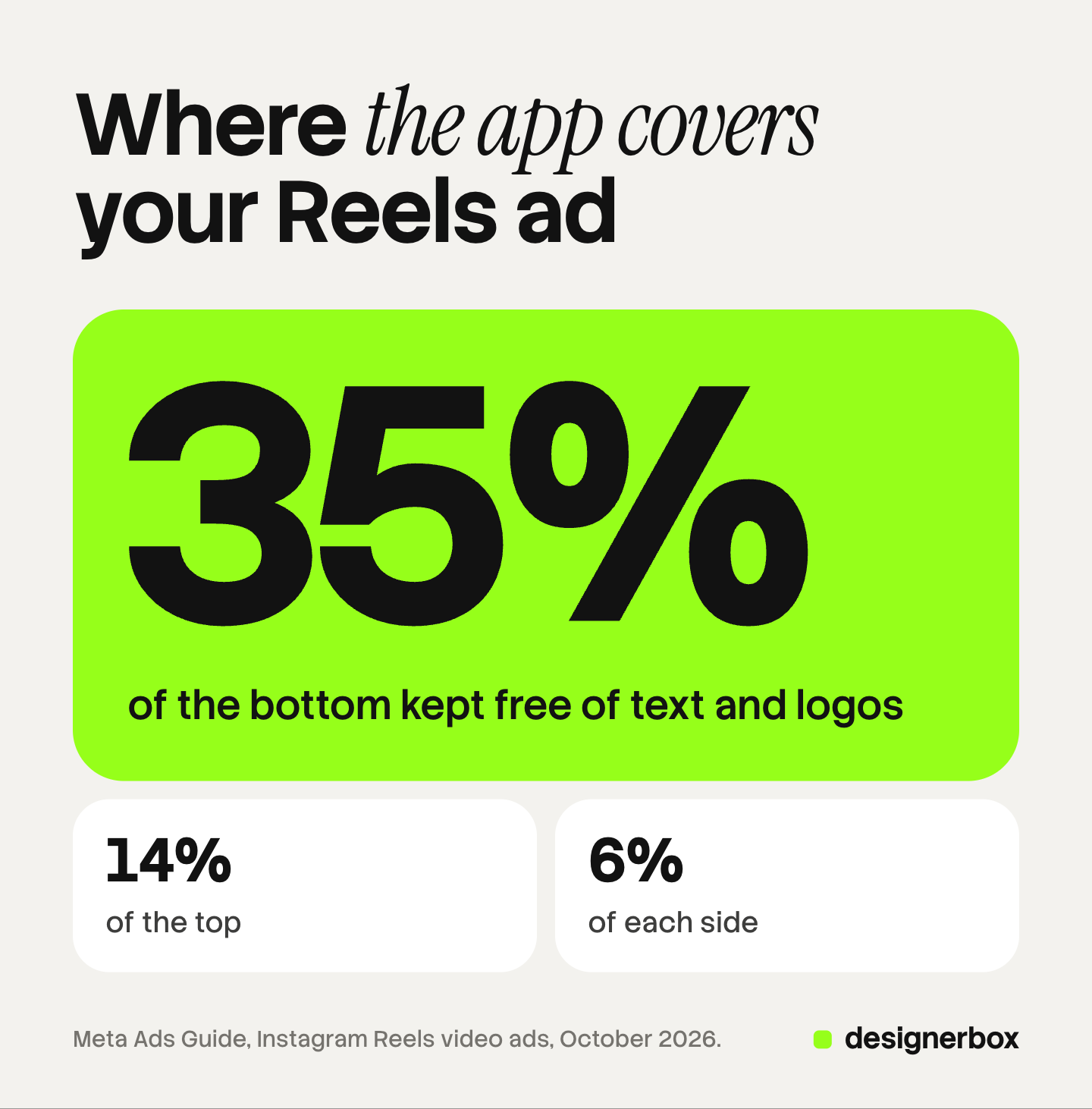
Meta gives one rule for Reels ads: “Consider leaving at least 14% of the top, 35% of the bottom, and 6% on each side of your asset free from text, logos, or other important creative elements” (Meta Ads Guide, October 2026). In Ads Manager, the safe zone is the area inside a yellow overlay on your creative (Meta Business Help Center, October 2026).
Meta states the rule in percent. Our arithmetic turns it into pixels:
| Frame | Top margin | Bottom margin | Each side | Area left for type |
|---|---|---|---|---|
| 1440 x 2560 | 358 px | 896 px | 86 px | 1268 x 1306 px |
| 1080 x 1920 | 269 px | 672 px | 65 px | 950 x 979 px |
So the safe area is close to a square in the upper middle of the frame. Put the headline, the price and the logo there. Let the product or the background fill the rest.
TikTok does not give one percentage. It says the safe zone “is determined by the dimension (vertical, horizontal, or square), ad caption length, and any additional formats used”, and it offers downloadable safe zone files for in-feed ads (TikTok Ads, October 2026). Load that file as a guide layer in your edit and check every text position against it.
A practical rule for a campaign that runs on both apps: design to Meta’s margins, then check the TikTok file. A layout that clears the stricter of the two clears both.
How long should a social motion graphic be?
Plan most social motion graphics at 6 to 30 seconds. The platforms allow far longer, but the point has to arrive early, and every extra second needs a reason.

TikTok’s creative guidance sets the early timing. It says to “introduce your content proposition in the first 3 seconds” and to put the hook in the first 6 seconds. It also says: “We recommend displaying 5-10 words per second when using text” (TikTok Ads, October 2026).
That word rate gives you a budget. At 5 words a second, a 15-second clip holds at most 75 words of on-screen text. That is our arithmetic from TikTok’s figure, and a clip with a product shot, a pause and an end card needs far fewer.
A simple cut plan for a 15-second motion graphic ad:
- 0 to 3 seconds: the claim in kinetic type, over the product.
- 3 to 9 seconds: two or three product callouts, one feature each.
- 9 to 12 seconds: one number count or one compare split as proof.
- 12 to 15 seconds: the logo end card with one call to action.
For TikTok-specific ad structure, see how to create TikTok video ads with AI. For Facebook placements, see Facebook video ads.
Organic posts and motion graphics ads
The same motion graphic can run as an organic post and as a paid ad. Three things change between the two.
The interface covers more on an ad. An ad adds a call-to-action button and a sponsored label, so keep to the ad safe zone even on organic versions. One layout then works for both.
The text around the clip differs. Meta recommends 44 characters of primary text for Reels ads and 50 to 150 for Facebook Feed video ads (Meta Ads Guide, October 2026). The motion graphic should make sense without that text, because many viewers never expand it.
The test changes. An organic post is one clip. A paid test needs variants: the same moves with a different first line, a different number or a different product. Motion graphics suit this well, because a change is a new text field, not a new shoot. The guide to an AI video ad generator covers how variants are planned.
How to make motion graphics with AI
AI video models are good at the moving picture: a product turning, light moving across a surface, a background that drifts. They are weak at exact text. A video model generates every frame again, so letters, prices and logos can change shape from frame to frame.
So split the work in two:
- Make the base clips with a model. Start from an approved product photo and describe the motion only: a slow turn, a push in, a light sweep. Keep each clip short, because most models generate a few seconds at a time.
- Make the type once, as a style. Choose one font, one weight for headlines, one for labels, a grid and a color set. Write them down as the campaign’s motion rules.
- Build the moves on a timeline. Put the clips in order, then add the kinetic type, callouts, numbers and the end card as text layers in the edit.
- Check every frame position. Turn on the safe zone guide and step through each text layer.
- Export each ratio from the same master. Move the type to fit 4:5 or 1:1. Do not crop the 9:16 file, or the headline may leave the frame.
AI video agents can plan and assemble some of these steps for you, and the best AI commercials show where brands used generated footage under designed type.
Motion graphics every week, on brand
DesignerBox is AI creative production for brands and agencies. Anyone can make an AI picture. Making hundreds that still look like your brand is the hard part.

In DesignerBox you build a workflow once. The workflow makes the product stills and the short clips, and it picks the image or video model for each step. Your logo, fonts, colors and rules sit in a brand record, and the workflow reads it on every run.
The video editor is a timeline with lanes for clips, words and sound. Titles use your brand font. You add captions, one of 20 voices and music, then download one video. The AI video ads page shows the video ad workflows.
For 40 products, batch runs one workflow over a sheet of up to 200 rows, one product in each row. Row one and row two hundred get the same look. An 8-second clip costs 40 to 560 credits, depending on the model.
For a single animated ad, pick the Animated ad skill in Create. The stills, the clips and the edit sit in one account, under the same brand record.
Here are the limits. The safe zone check is still your job: step through each text layer before you export. DesignerBox does not post to Instagram, TikTok or LinkedIn. You download the results, or send them with a webhook or an S3 step. Uploading your own photos starts on the Pro plan. AI video and the video editor start on the Premium plan. Plans and credits are on the pricing page.
The first job, built once
Start from a template, add your brand and your products, and run it. The cost is shown before the run. See the templates
FAQ
What are motion graphics in social media?
They are short clips built from moving type, shapes, numbers, logos and product images. On a feed they carry one claim in a few seconds, such as a price, a feature or a launch date.
What size should a social media motion graphic be?
Meta recommends 1440 x 2560 pixels at 9:16 for Instagram Reels ads and 1440 x 1800 pixels at 4:5 for Facebook Feed video ads. TikTok recommends 9:16 at 540 x 960 pixels or more for in-feed ads.
What is the safe zone for Reels motion graphics?
Meta asks you to keep at least 14% of the top, 35% of the bottom and 6% of each side free of text and logos. On a 1440 x 2560 frame, that leaves about 1268 x 1306 pixels for type.
How long should a motion graphic be for social media?
Plan for 6 to 30 seconds and say the point early. TikTok advises putting the proposition in the first 3 seconds. LinkedIn says 15 to 30 seconds qualifies a video for all its feed and Audience Network placements.
Can AI make motion graphics?
AI video models can make the moving picture, such as a product turn or a light sweep. Exact text, prices and logos are safer as layers on a timeline, because a model redraws every frame.
How much on-screen text fits in a motion graphic?
TikTok recommends 5 to 10 words per second when you use text. At 5 words a second, a 15-second clip holds at most 75 words, and most good clips use far fewer.
Sources
- Meta Ads Guide: Instagram Reels video ads, read 22 October 2026
- Meta Ads Guide: Facebook Feed video ads, read 22 October 2026
- Meta Business Help Center: text overlays and the safe zone for ads in Stories and Reels, read 22 October 2026
- TikTok Ads: auction in-feed ads specifications, read 22 October 2026
- TikTok Ads: creative best practices, read 22 October 2026
- YouTube Help: three-minute YouTube Shorts, read 22 October 2026
- LinkedIn Marketing Solutions Help: video ads advertising specifications, read 22 October 2026
- DesignerBox video editor page (designerbox.ai/product/video-editor), read October 2026
Platform specifications verified from Meta, TikTok, YouTube and LinkedIn help pages as of October 2026. Individual results vary.