




Animated ads are ads where the picture is drawn, modeled or built frame by frame, with no live camera footage of real people or places. Six styles cover most of them: 2D cartoon, anime, painterly, 3D render, stop motion and motion graphics. Brands choose animation to show things a camera cannot film, to avoid a reshoot, and to own a character that appears in every campaign.
An animated advertisement used to need a team of animators and several weeks. AI video models now make short animated clips from a still image and a prompt. A good one still needs a clear idea, one style and one character that stay the same in every shot.
This guide covers the six styles, five real examples with their sources, and seven steps to make an animated ad with AI.
Key Takeaways
- Six styles cover most animated ads. 2D cartoon, anime, painterly, 3D render, stop motion and motion graphics. Each one has a different thing to keep fixed.
- Animation fits three cases. The subject cannot be filmed, the ad must change often, or the brand wants a character it owns.
- AI clips are short. One Veo 3.1 generation is 8 seconds at most, and one Seedance 2.0 generation is 15 seconds at most. An ad is several clips joined in an edit.
- The main risk is drift. The character and the style change a little from shot to shot. Reference sheets made before the first clip are the fix.
What is an animated ad?
An animated ad is a video or moving image ad where the picture is created frame by frame. An artist draws it, a 3D artist models it, a team moves puppets on a set, or a video model generates it. An animated commercial is the same thing made for TV or pre-roll, often 15, 30 or 60 seconds long.
The term covers a wide range. A five-second looping banner with moving text is an animated ad. So is a two-minute brand film with characters and a song. This guide is about ads that tell a short story with a character, a place and a style.
For the choice between a still image and any kind of video, see static ads vs video.
Animated ad styles and what each needs held fixed
A style is a set of rules for how every frame looks. A viewer accepts almost any style. A viewer also notices when the style changes between two shots.
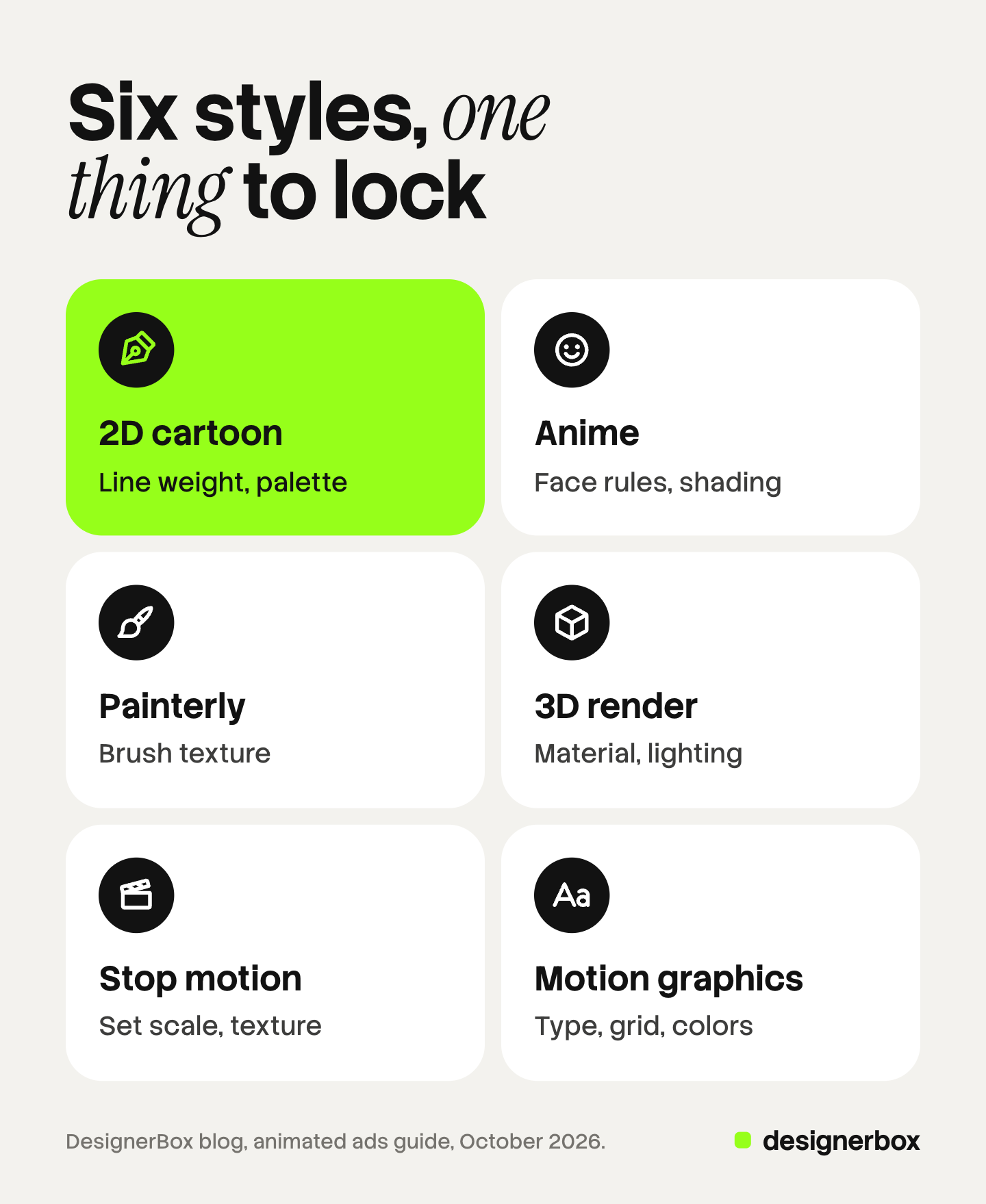
The table lists the six main styles. For each one it shows the references to prepare, where the style usually drifts, and what to keep fixed.
| Style | References to prepare | Main drift risk | Keep fixed |
|---|---|---|---|
| 2D cartoon | Character sheet with front, side and back views, plus a color palette | Line thickness and face proportions change | Line weight, palette |
| Anime | Character sheet, face close-ups for each emotion | Eye shape and shading change between shots | Face rules, shading |
| Painterly | Three or four finished frames as style samples | Brush texture turns smooth or changes size | Brush texture |
| 3D render | Character and product renders from several angles | Surface material and light direction change | Material, lighting |
| Stop motion | Photos of the puppet and the set, with real materials | The handmade surface turns into clean 3D | Set scale, texture |
| Motion graphics | Logo files, fonts, a layout grid, brand colors | Letters warp and spacing changes | Type, grid, colors |
Two notes on the table. An AI clip can copy the look of stop motion, but no puppet exists. Motion graphics depend on exact letters and logos, and video models redraw text in every frame. Add the type in the edit.
Pick one style per campaign.
Animated ad examples: five on the record
Each entry says who made it, when, and what is on record about how.
Chipotle, “Back to the Start” (2011, stop motion). Johnny Kelly directed this two-minute film for the production company Nexus, with Willie Nelson singing a Coldplay song. Nexus calls it a “stop-motion animated commercial” that follows the life of a farmer (nexusstudios.com, October 2026). Nexus says the film was “animated over 4-weeks on one large all-encompassing model background” (vimeo.com, October 2026). The Guardian reports that Chipotle won the top film award at Cannes Lions in 2012 (theguardian.com, October 2026).
Metro Trains Melbourne, “Dumb Ways to Die” (2012, 2D cartoon). McCann Melbourne made this rail safety film with simple bean-shaped characters and a song. Julian Frost animated it (fxguide.com, October 2026). The Guardian reported in June 2013 that the campaign “has taken five grand prix awards, the most that a campaign has ever notched up” at Cannes Lions, with more than 50 million YouTube views at that date. The same characters later appeared in mobile games.
McDonald’s, “WcDonald’s” (2024, anime). Anime shows often draw a fast-food chain with the M turned upside down. In February 2024 McDonald’s adopted that name in more than 30 markets. It released four weekly anime shorts made with the Japanese animation house Pierrot and the illustrator Acky Bright, one each for action, romance, mecha and fantasy (animenewsnetwork.com, October 2026).
Coca-Cola, “Masterpiece” (2023, mixed, with AI). A Coca-Cola bottle travels from one famous painting to the next in a gallery. The D&AD archive credits Blitzworks, Academy Films and Electric Theatre Collective (dandad.org, October 2026). Creative Bloq reported that the team “used a mix of live action shots, digital effects and AI” (creativebloq.com, October 2026). These sources do not say how much of the film AI made.
“Critterz” (2023, AI-assisted 3D short). The section on short films below covers this fifth example.
For filmed and generated commercials that used AI, see the best AI commercials and how they were made.
When does animation beat live action?
Animation is the better choice in three cases.
The subject cannot be filmed. A camera cannot show how a skin cream works under the skin, what software does, or a farm that changes over a lifetime. Animation can show all three in one shot. “Back to the Start” covers a farmer’s whole working life in one continuous move across a model.
The ad must change often. A filmed ad is fixed on the day of the shoot. A new price or a new product color means a reshoot. An animated ad is built from parts, so one part can change while the rest stays.
The brand wants a character it owns. A drawn character belongs to the brand and can appear in every ad for years. The Dumb Ways to Die characters moved from one film into mobile games. AI mascot explains how to build the model sheet for a brand character.
Live action is the better choice when trust depends on a real person or a real product in real light. A common mix is a filmed product with an animated world around it.
How to make an animated ad with AI
The seven steps follow the order of a traditional animation production. AI shortens steps four and five. Steps one to three stay the same.
- Write the script and the shot list. Write what happens and what the viewer hears. Then split it into shots of 3 to 8 seconds, with one action per shot. Short shots match what the models generate.
- Choose one style. Use the table above. Write the style in one sentence and reuse that sentence in every prompt.
- Make the reference sheets. Create the character from the front, the side and the back, on a plain background. Add the main expressions. Make one sheet for each location. Approve these before anything moves.
- Draw the storyboard. Make one still frame per shot, using the reference sheets as input. Script to storyboard covers this step in detail.
- Generate the shots. Give the video model the approved frame and the reference images. Describe the motion only. The frame already holds the look.
- Add voice and lip sync. Record or generate the voice. For a talking character, a lip sync step matches the mouth to the audio. Many animated ads use a narrator instead, which avoids lip sync.
- Edit. Join the clips, add music, sound effects, the logo and all on-screen text. Cutting the storyboard to time first, as an animatic, shows whether the ad works before step five.
What the video models allow today
Clip length and reference images set the limits. One Veo 3.1 generation is 4, 6 or 8 seconds, and Veo 3.1 “accepts up to 3 reference images” (ai.google.dev, October 2026). Google’s page says the length must be 8 seconds when reference images are used.
Seedance 2.0 generates clips of 4 to 15 seconds (docs.byteplus.com, October 2026). ByteDance says users can “input up to 9 images, 3 video clips, 3 audio clips” in one request (seed.bytedance.com, October 2026).
So a 30-second animated ad is at least two clips, and usually six to ten. Every cut between clips is a place where the character can change.
The main risk: drift from shot to shot
A video model does not remember the last clip. Each generation starts from the prompt and the images you give it. With no shared reference, the character’s face, the line weight and the colors move a little in each shot. After six shots the viewer sees a different character.
Three habits reduce drift. Use the same reference sheet in every generation. Start each shot from an approved storyboard frame. Compare every new clip with the sheet before you accept it. Character consistency in AI video explains each method per model.
Drift can still happen. Plan time to regenerate some shots.
The brand short film: the same steps, more shots
An AI animated short film follows the same seven steps. The difference is the count. A 30-second ad has about ten shots. A three-minute short has 40 or more. Each added shot is another chance for drift, so the reference sheets matter more.
The best documented AI short film is “Critterz” from 2023. Animation Magazine reports that Chad Nelson and Nik Kleverov used OpenAI’s DALL-E “to create initial background and character artwork which was adapted into a 3D CG film by a team of animators and designers” (animationmagazine.net, October 2026). The production company Native Foreign says the short was shown at Annecy, Cannes Lions and Tribeca (nativeforeign.co, October 2026).
A feature film based on the short is in production, and Animation Magazine says it is described as “human-led but AI-assisted”.
For a brand, two rules follow. Keep the cast small, because every character needs its own sheet. Build the film as scenes of five or six shots, and finish one scene before you start the next.
One animated character across many ads
DesignerBox is AI creative production for brands and agencies. The same character in 40 ads and four formats is production work. Anyone can make an AI picture. Making hundreds that still look like your brand is the hard part.
In DesignerBox you build a workflow once. A brand holds your logo, colors, fonts, rules and reference pictures, and the workflow reads them on every run. The workflow makes the stills, the reference sets and the clips as steps, and it picks the image or video model for each step. Treat the style as something you supply. Your reference pictures and your brand rules carry it.
The cut happens in the same place. The video editor is a timeline with several tracks, transitions, animated text and audio, so the logo and the on-screen text go on in the edit. The AI video ads page shows the video ad workflows. The full workflow from the first product photo to the finished ad, in one subscription.
You see the cost of a run before you press Run. An 8-second clip costs 40 to 560 credits, depending on the model.
Here are the limits. DesignerBox does not stop drift for you. Check each clip against your reference sheet, as you would anywhere else. You download the results, or send them with a webhook or an S3 step. Every plan below Ultra is one seat. Uploading your own photos and the commercial license start on the Pro plan. AI video, virtual try-on, upscaling, the image editor and the video editor start on the Premium plan. Plans and credits are on the pricing page.
Animated ads for many clients
An agency builds the workflow once per client brand and runs it for each new ad. See DesignerBox for agencies
FAQ
What is an animated ad?
An animated ad is an ad where the picture is created frame by frame. It is drawn, modeled in 3D, built with puppets or generated by a video model. It has no live camera footage as its main picture.
What are some well-known animated ads?
Chipotle’s “Back to the Start” from 2011 is stop motion. “Dumb Ways to Die” from 2012 is a 2D cartoon and won five Grands Prix at Cannes Lions in 2013 (theguardian.com, October 2026). McDonald’s released four “WcDonald’s” anime shorts in 2024. Coca-Cola’s “Masterpiece” from 2023 mixed live action, digital effects and AI.
How can I create animated ads with AI?
Follow seven steps: script and shot list, style choice, reference sheets, storyboard, shots, voice and lip sync, and the edit. Give the same reference sheets to the video model in every generation.
How long can an AI animated clip be?
It depends on the model. One Veo 3.1 generation is 8 seconds at most, and one Seedance 2.0 generation is 15 seconds at most (ai.google.dev and docs.byteplus.com, October 2026). A longer animated ad is several clips joined in an edit.
Why does my character change between shots?
A video model does not remember earlier clips. Use one reference sheet in every generation, and start each shot from an approved storyboard frame.
Can a brand make an AI animated short film?
Yes, with the same steps and more shots, so drift costs more. Keep the cast and the locations small. The 2023 short “Critterz” used AI images for the first artwork, and a team of animators made the film (animationmagazine.net, October 2026).
Sources
- The Guardian, “Cannes Lions: Dumb Ways to Die scoops top award” (22 June 2013): theguardian.com, October 2026
- fxguide, “Cannes Lions scooped by Dumb Ways to Die” (23 June 2013), animation credit (fxguide.com), October 2026
- Nexus, “Back to the Start” project page and Vimeo page with production notes (nexusstudios.com/work/back-to-the-start and vimeo.com/42713491), October 2026
- Anime News Network, “McDonald’s Turns Its Fictional Anime Counterpart WcDonald’s Into Reality” (21 February 2024): animenewsnetwork.com, October 2026
- D&AD Awards archive, Coca-Cola “Masterpiece” (2023), description and credits: dandad.org, October 2026
- Creative Bloq, report on how Coca-Cola “Masterpiece” was made (creativebloq.com/news/coca-cola-ad-masterpiece), October 2026
- Animation Magazine, “AI-Animated ‘Critterz’ Feature Launching Sales at Cannes” (May 2026): animationmagazine.net, October 2026
- Native Foreign, “Critterz” project page (nativeforeign.co/work/critterz), October 2026
- Google, Gemini API documentation for Veo 3.1, clip length and reference images: ai.google.dev, October 2026
- BytePlus, video generation API reference, Seedance 2.0 clip length: docs.byteplus.com, October 2026
- ByteDance Seed, official launch of Seedance 2.0 (12 February 2026), input limits: seed.bytedance.com, October 2026
- DesignerBox plans and feature gating: DesignerBox pricing page (designerbox.ai/pricing), October 2026
Campaign facts and model limits checked against each source as of October 2026. Model limits change often, so check the vendor’s page before you plan a production.


