The best Shopify apps for a clothing store are the ones that fix a job where you lose sales or margin. Start with the AI Shopify gives every store: Shopify Magic, Sidekick and Search & Discovery. Then add one app per gap: Kiwi for sizing, Loop for exchanges, Loox for photo reviews, Klaviyo for email, Gorgias for support, and a workflow for on-model photos.
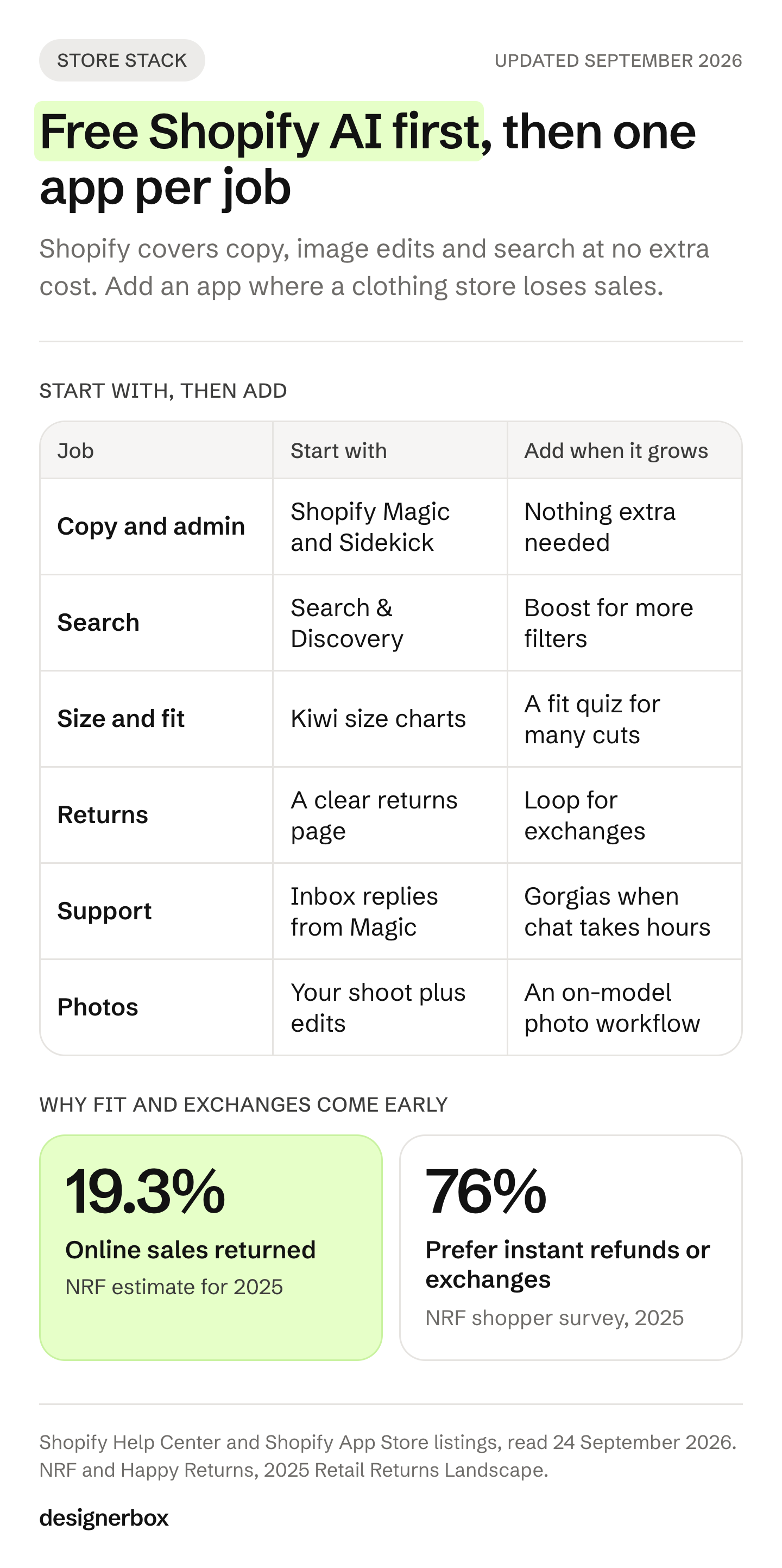
You list 40 new pieces for the autumn drop. Each one needs photos on a model, a size chart and a product description. The chat fills with the same three questions about fit. Then the returns start. The National Retail Federation estimates that 19.3% of online sales were returned in 2025 (nrf.com, accessed September 2026).
This guide sorts AI tools for Shopify clothing stores by seven jobs. Every feature comes from the app’s own Shopify App Store listing or the vendor’s site, read on 24 September 2026. It prints no prices: each listing shows its own plans. If the store is not open yet, how to start a clothing brand covers the steps before it. We sell DesignerBox, which makes Shopify product images from one photo, so read its lines as our own case.
Key Takeaways
- Start with what Shopify already gives you. Shopify Magic is “available for free, regardless of your subscription plan”. It writes product descriptions, email subject lines and Inbox replies.
- Sidekick is included with your Shopify plan. Shopify says its features and usage limits vary by plan.
- Shopify’s image tool edits the scene. It removes backgrounds, edits with a prompt and extends the frame. Its help page does not describe putting a garment on a model.
- Fit is a job only clothing stores have. A size chart app with an AI recommender answers the question on the product page, before the order.
- Exchanges keep the sale. NRF found 76% of shoppers prefer instant refunds or exchanges.
- Keep the AI metadata in generated photos. Google Merchant Center can disapprove a product whose AI images lose it.
- Add one app per named job. Each app adds settings to keep and a bill to pay.
What are the best Shopify apps for clothing stores?
The best Shopify apps for clothing stores cover seven jobs: product photos, size and fit, returns, search, reviews, support and email. Shopify’s own free tools cover part of product copy, image edits and search. A clothing store then adds a size app, a returns app and a photo workflow for on-model shots, because those three jobs are specific to apparel.
| Job | App | What the AI does | Made by Shopify |
|---|---|---|---|
| Product copy and admin help | Shopify Magic and Sidekick | Writes descriptions, email subject lines and Inbox replies. Sidekick works inside the admin | Yes |
| Product photo edits | Shopify media generation | Removes backgrounds, edits with a prompt, extends the frame | Yes |
| Search and filters | Search & Discovery | Filters, synonyms, AI search and AI recommendations | Yes |
| Search and filters | Boost AI Search & Filter | Search that handles typos, filters, pinned and boosted products | No |
| Size and fit | Kiwi Size Chart & Recommender | Size charts and an AI size recommender | No |
| Returns and exchanges | Loop Returns & Exchanges | Exchanges, Shop Now, AI product recommendations, fraud rules | No |
| Photo reviews | Loox | Visual reviews, AI sorting, highlights, translations, AI replies | No |
| Quizzes | Octane AI | AI quizzes that recommend products | No |
| Support | Gorgias | An AI Agent for order status, returns and sizing questions | No |
| Email and SMS | Klaviyo | Predictive analytics, AI campaign creation, segments | No |
| On-model photos | DesignerBox, WearView, Photoroom | Garment photos on AI models, backgrounds, product sets | No |
Everything in the table comes from each app’s listing on 24 September 2026. Apps change their features often, so read the listing again before you install. For photo tools compared on ecommerce work in general, see the DesignerBox list of the best AI product photography tools.
What does Shopify’s built-in AI do?
Shopify’s built-in AI writes text, edits images and works in the admin at no extra cost. Shopify calls Shopify Magic “a suite of free AI-powered features” (help.shopify.com, accessed September 2026). A new clothing store should use it for a week before it installs a paid app.
Shopify Magic lists eight features on its help page:
- Text generation for product descriptions, blog posts, pages, email subject lines and Shopify Inbox replies
- Media generation in the media editor
- Theme generation
- Theme block generation
- Sidekick, Shopify’s AI helper inside the admin
- App review summaries on the Shopify App Store
- Customer projections, a forecast of what each customer will spend
- Customer segment descriptions in plain language
Sidekick works in five roles: designer, photo editor, writer, tech support and marketer (shopify.com, accessed September 2026). Shopify says it is included with your plan, and that features and usage limits vary by plan.
Media generation has its own rules. Shopify says it is available on the Basic, Grow, Advanced and Shopify Plus plans (help.shopify.com, accessed September 2026). Shopify says it is free for a limited time. It removes a background, edits a photo from a text prompt and extends the frame. Shopify does not claim ownership of the images. It adds an invisible watermark that “doesn’t restrict commercial use but can’t be removed.”
You can also run your store from an AI chat. Shopify says its plugin for ChatGPT and its connector for Claude can build a store and manage one you own (help.shopify.com, accessed September 2026). The Perplexity connector manages an existing store only. In Shopify’s Q4 2025 survey of store owners, 75% said they used AI tools, and ChatGPT led at 67% (shopify.com, accessed September 2026).
Product photos and on-model shots
Clothing sells on the body. Google recommends images of clothing worn by people for apparel products (support.google.com, accessed September 2026). That is a best practice, not a rule. Shopify allows up to 250 images, videos or 3D models per product (help.shopify.com, accessed September 2026). The limit is the work of making the photos.
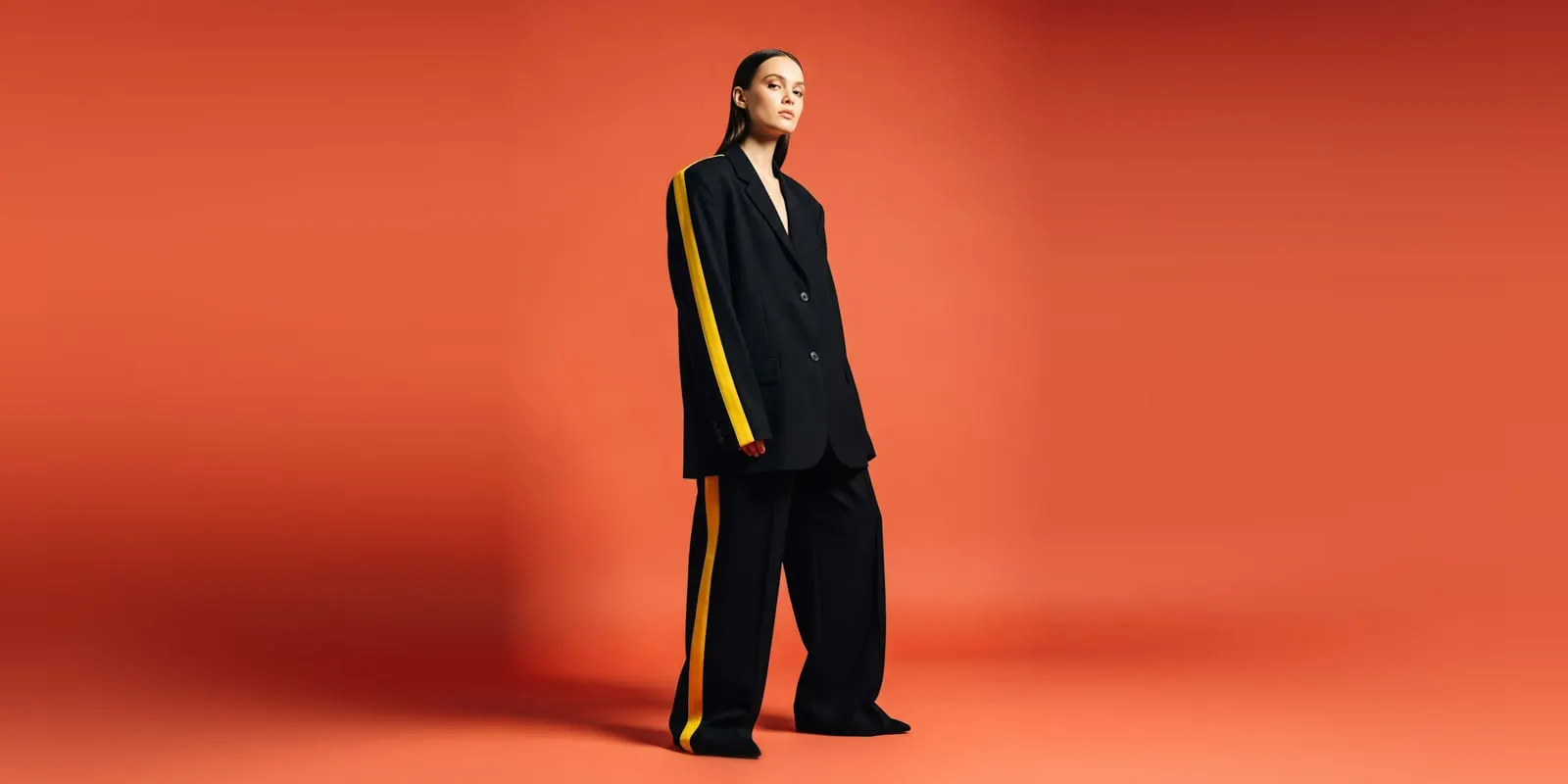
Shopify’s media generation edits the scene around a photo. Its help page shows backgrounds and scenes. It does not describe a model wearing your garment. For worn shots, clothing stores use a separate tool:
- Photoroom AI Listing Assistant imports your Shopify products and edits their photos in bulk. Its listing names background removal, custom backgrounds, virtual models and shadows. It syncs the images back to Shopify (apps.shopify.com/photoroom-production, September 2026).
- WearView turns flat-lay photos into on-model images. It also lists virtual try-on, the same AI model across a catalog, pose control and ghost mannequin removal. You download the images and upload them to Shopify (wearview.co, September 2026).
- DesignerBox runs a saved workflow on each garment photo. Clothing catalog turns one garment into four shots: front, three-quarter, back and a fabric close-up. You download the results and add them to Shopify.
For a longer list of on-model tools, see the AI fashion model generators compared. Before any AI photo goes live, check the collar, the print, the logo and the hem against the real garment.
Two rules follow every AI photo you upload. Google Merchant Center says AI-generated product images must keep the metadata that marks them as AI, such as the IPTC DigitalSourceType tag, or the product can be disapproved (support.google.com, accessed September 2026). Shopify has no AI photo policy, and its terms make you responsible for your store content (shopify.com/legal/terms, accessed September 2026). The details are in can I use AI photos on Shopify. This is general information, not legal advice.
Size and fit apps
Size is the question a clothing shopper asks most, and a wrong answer comes back as a return. NRF estimates that 19.3% of online sales were returned in 2025, against 15.8% of all retail sales (nrf.com, accessed September 2026). A size app answers the question on the product page, before the order.
Kiwi Size Chart & Recommender builds size charts from images, CSV files or product descriptions (apps.shopify.com, accessed September 2026). It adds an AI size recommender and converts units by the shopper’s location. It has 22 ready-made chart templates and carries the Built for Shopify badge.
Virtual try-on shows the garment on a body, but it answers “how does it look”, not “which size fits”. Read what the data says about try-on and returns before you pay for it as a returns fix. If you want it on your product pages, add virtual try-on to your store covers the setup.
Returns and exchanges
A return you turn into an exchange keeps the sale. NRF found that 76% of shoppers prefer instant refunds or exchanges, and 82% say free returns are a major reason to buy (nrf.com, accessed September 2026).

Loop Returns & Exchanges handles returns, exchanges and order tracking (apps.shopify.com, accessed September 2026). Its listing names Shop Now and Instant Exchanges, AI product recommendations and fraud prevention. Shop Now lets a shopper pick a different item instead of a refund. The listing puts Shop Now and Instant Exchanges on a paid plan, so check it before you promise exchanges in your returns policy.
Search, quizzes and reviews
A clothing shopper filters by size, color and fit. If search misses “jeans” when your product says “denim”, the product does not appear.
- Search & Discovery is free and made by Shopify (apps.shopify.com, accessed September 2026). It adds filters, synonym groups, product recommendations and boosts. Its listing names AI search and AI recommendations.
- Boost AI Search & Filter returns results in real time, “even with typos or unclear search terms” (apps.shopify.com, accessed September 2026). You can pin, boost or reorder products in a collection.
- Octane AI builds product quizzes that recommend items from the answers (apps.shopify.com, accessed September 2026). It sends the answers to Klaviyo. A fit quiz works well for a store with many cuts of one item.
- Loox collects photo and video reviews (apps.shopify.com, accessed September 2026). Its AI sorts the best visual reviews first, highlights key quotes, translates reviews into 38 languages and drafts replies. A photo from a real buyer shows how the garment fits a real body.
Support and email
The same questions arrive every day: where is my order, how do I return this, which size do I take. Shopify Magic already drafts Shopify Inbox replies. When chat volume grows, a support app takes the routine tickets.
Gorgias puts email, chat, social, SMS and voice in one helpdesk (apps.shopify.com, accessed September 2026). Its AI Agent answers order status, returns and sizing questions, and it sends complex tickets to a person.
Klaviyo runs email, SMS and WhatsApp from your Shopify data (apps.shopify.com, accessed September 2026). Its listing names predictive analytics, send time optimization, AI campaign creation for email and SMS, and AI segments. Abandoned cart and back-in-stock flows matter most for a store with sizes that sell out.
Which apps a clothing store needs first
Add an app when you can name the job it fixes and the number it should move. The stack grows with the catalog.
| Store stage | Use first | Add next |
|---|---|---|
| Launch, under 50 products | Shopify Magic, Sidekick, Search & Discovery, a size chart app, a review app | Email flows for abandoned carts |
| Growing, 50 to 500 products | Klaviyo, a returns app with exchanges, an on-model photo workflow | Gorgias when chat takes hours a day, a quiz for many cuts |
| Agency running many stores | The same stack per client | One photo workflow per brand, with that brand’s rules |
At launch, photos are usually the hardest job. At 500 products, the problem changes. Every new drop needs the same shots in the same light and framing as the last one. That is a workflow job, not an app setting. Consistent AI fashion images explains how to keep the model and the light the same across a catalog. For how each photo is used on the page, see Shopify product images.
One photo workflow for every new product
Anyone can make an AI picture. Making hundreds that still look like your brand is the hard part.
DesignerBox is AI creative production for brands and agencies. Scale your images, ads and video with AI and keep your brand on every piece: build the workflow once with your brand rules, run it on every product, see the cost before each run, and keep everything from the first product photo to the finished ad in one place.
For a Shopify clothing store, the job is the same every drop. You set the brand, the model, the light and the framing once in a workflow. Batch runs the workflow over a whole sheet of products. You keep or discard per row, and re-run one row alone. Critic steps score the results of a run, and best-of-N keeps the best one.
The results arrive as a download, or through a webhook or an S3 step. The Shopify stores page shows the images a Shopify listing needs.
The commercial license starts on the Pro plan. AI video and virtual try-on start on the Premium plan. Team features, shared brand kits, white label and the API are on the Ultra plan, and every plan below Ultra is one seat. Plans and credits are on the pricing page.
Templates, workflows, apps, batch, the image editor, the video editor and brand profiles sit together. The full workflow from the first product photo to the finished ad, in one subscription. Start from a template, add your brand and your products, and see the cost before you run it. Get started free.
FAQ
What are the best Shopify apps for a clothing store?
Start with Shopify’s free tools: Shopify Magic, Sidekick and Search & Discovery. Then add one app per gap. Kiwi Size Chart & Recommender covers sizing, Loop covers exchanges, Loox covers photo reviews, Klaviyo covers email and Gorgias covers support. For on-model photos, use a photo tool or a saved workflow.
Does Shopify have free AI tools?
Yes. Shopify says Shopify Magic is available for free, regardless of your subscription plan. It writes product descriptions, email subject lines and Shopify Inbox replies. Sidekick is included with your plan, with features and usage limits that vary by plan. Media generation is on the Basic, Grow, Advanced and Plus plans.
Can Shopify’s AI put my clothes on a model?
Shopify’s help page for media generation describes background removal, prompt edits and extending the frame. It does not describe putting a garment on a model. For on-model shots, stores use a separate tool such as Photoroom, WearView or DesignerBox, then upload the images to the product.
Which Shopify app helps with clothing sizes?
Kiwi Size Chart & Recommender builds size charts and adds an AI size recommender. It converts units by the shopper’s location. Octane AI can run a fit quiz. A size answer on the product page matters because NRF estimates 19.3% of online sales were returned in 2025.
Can I use AI product photos on Shopify?
Yes. Shopify has no AI photo policy, and its terms make you responsible for your store content. If you sell through Google Merchant Center, keep the AI metadata in each generated image, or Google can disapprove the product. Check each AI photo against the real garment before it goes live.
How many apps does a new clothing store need?
A new store can start with Shopify’s free tools plus two apps: a size chart and a review app. Add email flows once you have traffic, and a returns app once returns take real time. Add each app only when you can name the job it fixes.
Can I connect ChatGPT or Claude to my Shopify store?
Yes. Shopify says its plugin for ChatGPT and its connector for Claude can build a store and manage a store you own. You set how much store data each tool can access when you install it.
Sources
- Shopify Help Center, Shopify Magic (help.shopify.com, accessed September 2026)
- Shopify Help Center, media generation (help.shopify.com, accessed September 2026)
- Shopify Help Center, connecting third-party AI tools (help.shopify.com, accessed September 2026)
- Shopify Help Center, adding product media (help.shopify.com, accessed September 2026)
- Shopify, Sidekick (shopify.com, accessed September 2026)
- Shopify, How to use AI for your ecommerce business, published 4 August 2026 (shopify.com, accessed September 2026)
- Shopify Terms of Service (shopify.com, accessed September 2026)
- National Retail Federation and Happy Returns, 2025 Retail Returns Landscape, press release of 15 October 2025 (nrf.com, accessed September 2026)
- Google Merchant Center, image requirements (support.google.com, accessed September 2026)
- Shopify App Store listings, read 24 September 2026: Search & Discovery, Kiwi Size Chart & Recommender, Loop Returns & Exchanges, Loox, Boost AI Search & Filter, Octane AI, Gorgias, Klaviyo
- Vendor pages, read 24 September 2026, not linked: apps.shopify.com/photoroom-production, wearview.co
- DesignerBox Shopify stores, workflows, batch and pricing pages (September 2026)
App features verified on each app’s own listing or site on 24 September 2026. This is general information, not legal advice. Individual results vary.