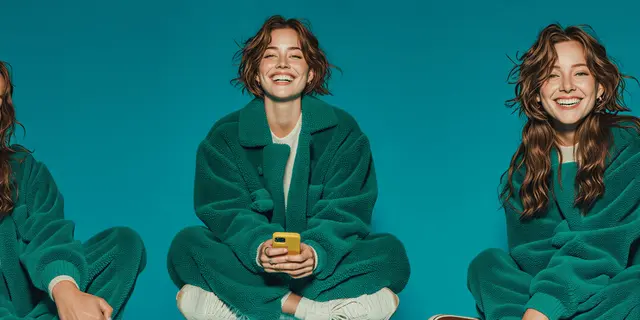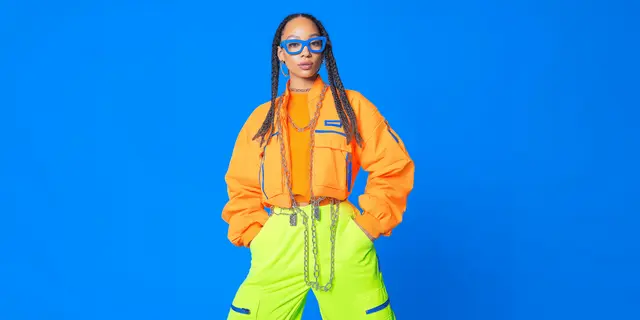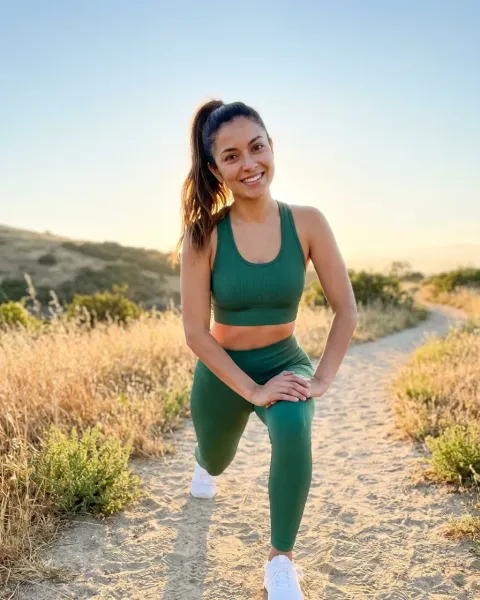
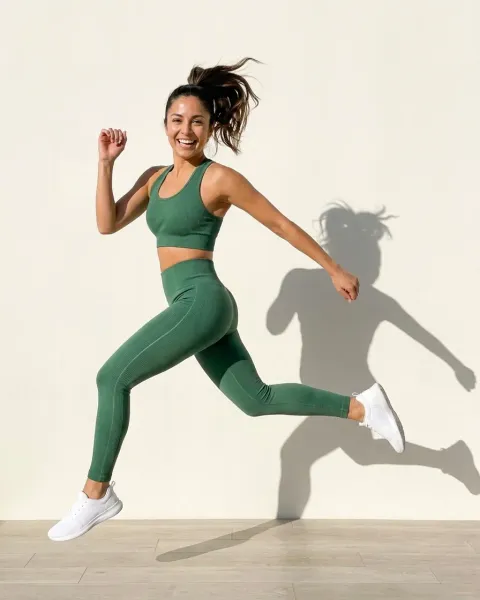
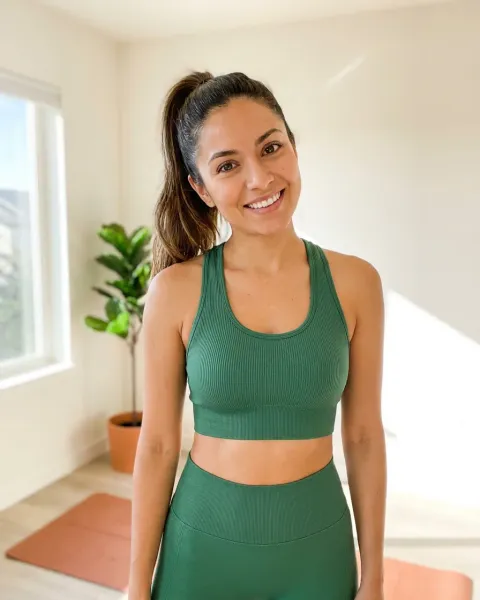
An AI fashion model generator renders a person wearing your garment from a flat product photo. An AI fashion photoshoot generator should do more: return the set a real shoot returns. That means the front PDP shot, the back view, a styled scene, the same model across the range, and a short clip. Of the 11 tools compared here, all state the front shot and fewer state the rest.
That gap is the useful part of this comparison. Most tools on page one of Google will put your jacket on a person. Far fewer say, on their own site, that they return the back of the jacket, or the same face on the next jacket.
Here is the version of this you already know. A drop lands in six weeks. You have flat lays for every product and nothing on a body. Casting takes a week, the shoot is a day rate, and the studio calendar has one slot that works. Then marketing asks for the black colorway too. The black colorway was not on the call sheet, so it goes to the next shoot, eight weeks later.
The generators exist to break that loop. They do not break it in the same way, and the differences are not the ones the feature grids advertise. This article is written for fashion and apparel brands, and the agencies that work for them, running a drop calendar. It maps each tool to the shots it states it can make, then goes tool by tool. We make DesignerBox, so read the DesignerBox section with that bias in mind.
Key Takeaways
- A photoshoot is a shot list, not one image. Judge a generator on five shots: front on-model, back view, styled scene, the same model across the range, and video. The table below shows which tools state each one on their own site (September 2026).
- Anchoring to your photo matters most. A tool that starts from your real garment photo returns your garment. One that starts from a text description returns a garment like yours, and on a PDP that difference is a return.
- The back view is the shot most tools leave unstated. Looklet, OpenArt, Uwear and DesignerBox name it. Most others show poses without naming the back.
- Model consistency is a feature, not a side effect. Tools hold one face with a fixed roster, a saved model, or reference images. Ask which before you commit a catalog.
- Scene tools solve a different job. They place a product in a background with no person.
- Free starts are common. FASHN, Botika, Photoroom, Claid, Pic Copilot, OpenArt and Looklet’s Virtual Studio state a free start or trial. DesignerBox has a free plan.
- HuHu.ai is gone. It was discontinued in July 2026, and its domain still did not resolve in October 2026.
Model generator or photoshoot generator: the shot list
The terms are used as one, and Google returns the same page one for both. The difference is in what the reader expects back. A model generator returns a person wearing the garment. A photoshoot returns the set a merchandiser asks for after a shoot day.
For a fashion PDP, that set is usually five shots:
- Front on-model. The hero image on the product page.
- Back view. The shot shoppers use to check the back of a dress, a jacket or a print.
- Styled scene. A lifestyle or editorial frame for the lookbook, email and paid social.
- The same model across the range. One face on every garment in the drop, so the collection reads as one collection.
- Motion. A short clip for the PDP or Reels.
Here is what each tool states on its own site. “Stated” means the vendor names the capability in its own words. “Not stated” means we could not find it on the pages we read, not that the tool cannot do it.
| Tool | Front on-model | Back view | Styled scene | Same model reused | Video |
|---|---|---|---|---|---|
| FASHN | Stated | New angles stated, back not named | Not stated | Stated | Stated |
| Botika | Stated | Not stated | Stated | Not stated | Stated |
| Looklet | Stated | Stated | Stated | Stated (a fixed roster) | Not stated |
| Photoroom | Stated | Not stated | Stated | Stated (saved custom models) | A separate tool |
| Claid.ai | Stated | Not stated | Stated | A library of 100+ models | Stated |
| Hautech | Stated | Not stated | Stated | Stated (Digital Twins) | Stated |
| Pic Copilot | Stated | Not stated | Not stated | Stated (your own model photos) | Stated |
| Uwear.ai | Stated | Stated | Stated | Stated | Stated |
| OpenArt | Stated | Stated | Not stated | Stated | Not stated on this page |
| WearView | Stated | Not stated | Stated | Stated | Stated |
| DesignerBox | Stated | Stated | Stated | Stated (a saved reference set) | Stated, from Premium |
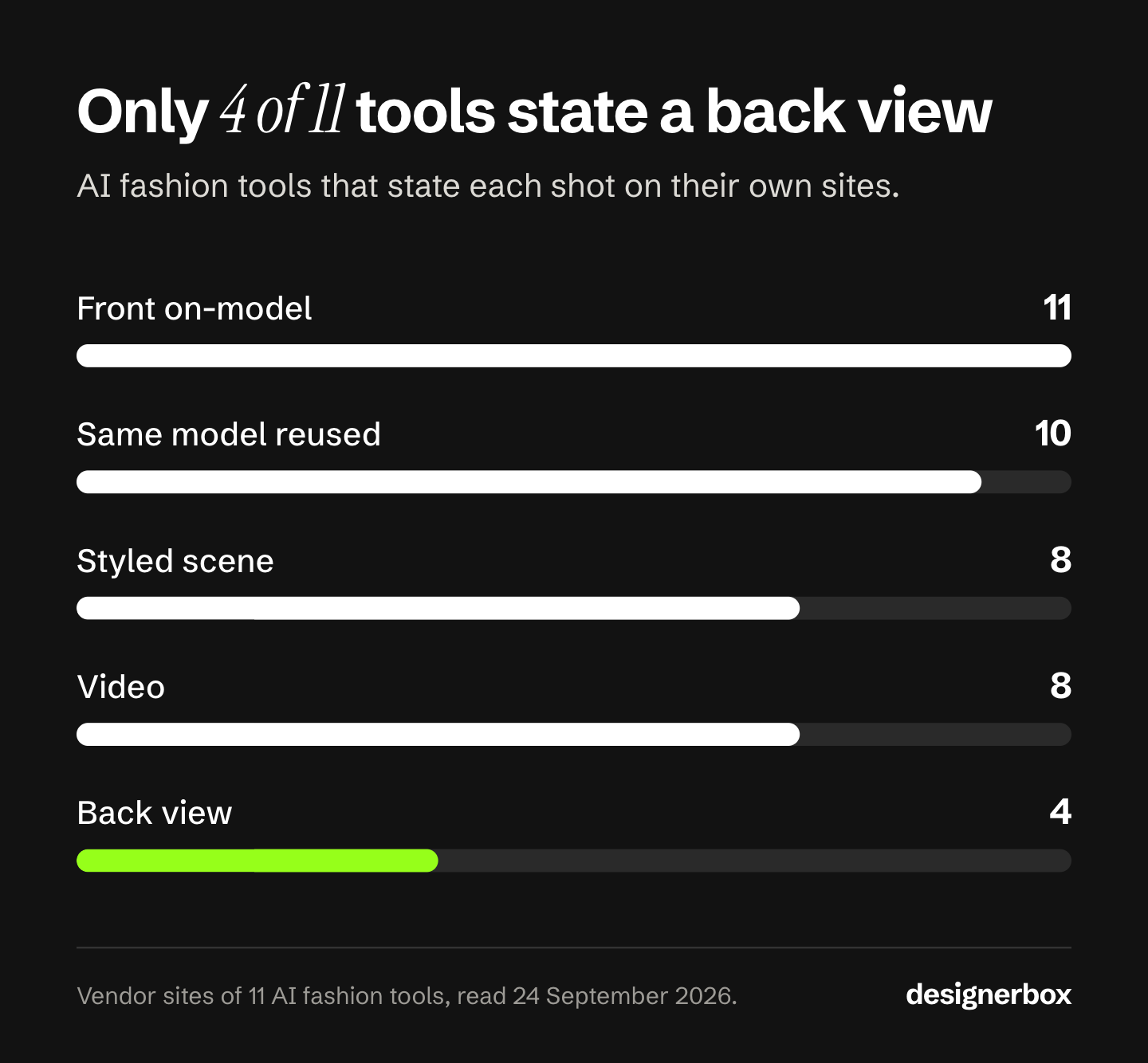
Count the columns and the pattern is clear. All 11 tools state the front on-model shot, 10 state a way to reuse one model, 8 state a styled scene and 8 state video. Only 4 name the back view. Sources for every cell are in the tool sections below and in the Sources list. The table is a starting point for a test, not a verdict. Run your hardest garment through the two or three tools that state the shots you need.
What an AI fashion model generator does
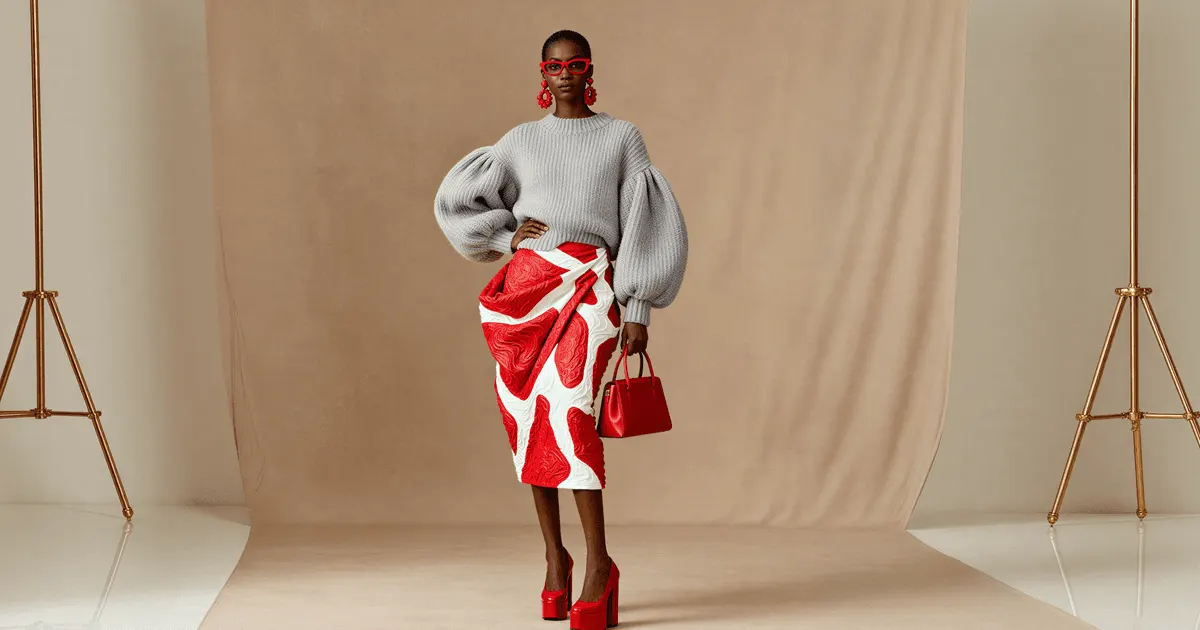
An AI fashion model generator takes a garment image and produces a photograph of a person wearing it. The input is usually a flat lay, a ghost mannequin shot, a hanger shot or a packshot. The output is on-model imagery for a PDP, a lookbook, a marketplace listing or a paid ad. If the on-model shot already exists and only the garment is wrong, that is a different job. Swapping the garment in a photo you already approved changes the clothing and keeps the person, the pose and the background.
The category name does work it should not. “Model generator” implies the model is the product. For a brand, the model is the container, and the garment is the product. A tool that makes a beautiful person in an approximation of your jacket has made nothing you can sell.
Two workflows look the same in a demo:
- Garment-anchored. Your photo is the source. The system dresses a generated person in the garment from your image and keeps the print, the seam lines, the hardware and the drape.
- Description-anchored. Your photo informs a description, and the system generates a garment that matches it. Fast and flexible, and it cannot promise the button placket matches.
Every tool in the table accepts your garment photo as input, which is why it is in this comparison. Several also accept text. Check which mode a result came from before it goes on a PDP.
Scene tools are a different job
Product scene tools place a product into a background, usually with no person in the frame. That is useful for flat lays, accessories and home goods. It does not answer the on-model question. We cover two of them in Flair AI alternatives and our Pebblely review. This article stays with tools that put the garment on a person.
Model consistency is the second axis
Model consistency means one generated face across every garment in a range. One shot is a demo. A collection is a business.
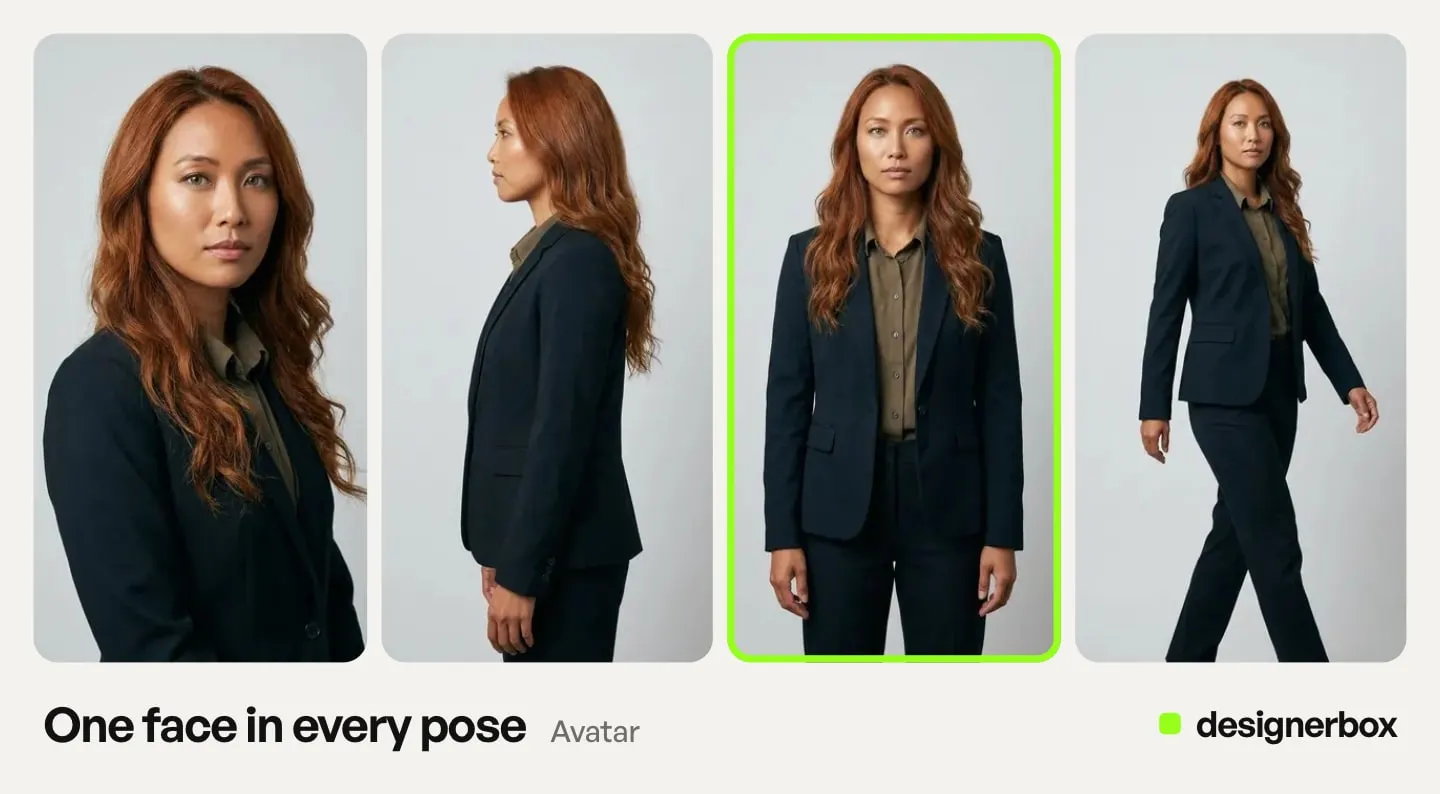
If your spring range is forty pieces and each piece appears on a different generated face, you have forty unrelated images, not a lookbook. Customers read that as inconsistency, and merchandisers read it as unusable. The reason to cast a model is that she appears across the range.
So the real question is how the tool holds one identity across forty results. The market gives three answers:
- A fixed roster. The tool ships a library of models. Pick one and use her everywhere. Predictable, and limited to the roster. Looklet and Claid.ai work this way.
- A saved model. Build or upload a model once, then call her on later results. Photoroom, Hautech, Pic Copilot, FASHN and WearView describe a version of this.
- Reference-conditioned generation. Give the system reference images and it holds the character and style across shots. OpenArt’s Character 2.0 and DesignerBox’s Kontext Multi step work this way.
None is better in the abstract. A fixed roster is the most predictable and the least yours. Reference conditioning is the most flexible and asks more of you. Pick by catalog size and by how much the model’s face is part of your brand. To cast one face and hold it across a range, see how to create an AI fashion model in six steps.
FASHN
FASHN is built for fashion, and the scope is coherent. It takes “a product photo, model image, or asset”, or “an idea in your own words”, and returns on-model shots, catalog-grade packshots, try-on on your own model, edits, variations and short video clips (fashn.ai, September 2026). It says it keeps models consistent and can “explore new angles”. Try-on, editing, upscaling and video sit behind one credit currency, so you do not learn a second pricing model when the job changes shape (fashn.ai/pricing, September 2026).
FASHN lists its plans on its own pricing page (fashn.ai/pricing, September 2026), with a free start and monthly or yearly billing.
Best for fashion brands and agencies who want try-on, on-model and video under one credit system, with a free start to test on their own garments. If FASHN is already on your shortlist, five FASHN AI alternatives compared covers both its app and its separately billed API.
Botika
Botika leads with the exact job this article is about, and our Botika AI review covers it on its own. The product is organized around flat lay to on-model conversion, and it also takes mannequin photos, smartphone or supplier photos, and existing on-model shots, “professional, casual, cropped or headless” (botika.com, September 2026). You choose the pose and the backdrop, swap the model or the background, and turn the results into video such as a zoom-in or a runway walk.
Botika’s site description says 3,000 fashion brands use it, which is the vendor’s own figure (botika.com, October 2026). It meters photos and videos in credits and lists its plans on its own pricing page, with a free trial (botika.com/pricing, September 2026). We keep a Botika comparison page on the main site.
Best for ecommerce and apparel teams whose core recurring job is flat lay or mannequin to on-model, with video from the same shots.
Looklet
Looklet is the most catalog-shaped tool here. It styles “existing front and back ghost product images” on digital models, and returns “front, back, side angles, ghost, and details” (looklet.com, September 2026). You can swap models, movements, backgrounds and crops, and it adds shop-the-look metadata.
The model roster is the differentiator. Looklet lists “1000+ premium real digital fashion models” and “30+ AI-generated models” (looklet.com, September 2026). For the consistency problem above, a fixed, vetted roster is a real answer. The model you pick in March is the same model in September.
Looklet also runs a physical studio operation for retailers with catalog volume. On software, its Virtual Studio has a free tier, and Enterprise is quoted on request (looklet.com/looklet-pricing, September 2026).
Best for fashion retailers with large catalogs who want a stable model roster, back views as standard, and an operating partner at the enterprise end.
Seven more AI fashion photoshoot tools
These seven appear on page one, in Google’s AI Overview, or in the roundups that rank for “AI fashion photoshoot generator” and “AI fashion model generator” in September 2026. Each summary uses the vendor’s own words, and the claims are the vendor’s, not independent tests.
Photoroom
Photoroom’s virtual model tool takes a flat lay, or “a shot of someone wearing your products”, and places the item on a model with the pose and background you choose (photoroom.com/tools/virtual-model, September 2026). It covers jewelry, eyewear and footwear as well as clothing, exports at 2K or 4K, and lets you “save your own custom models within Brand Kit”. Ghost mannequin and video are separate Photoroom tools. There is a free trial. Best for teams that already edit product photos in Photoroom and want on-model shots in the same place. Our Photoroom alternatives article covers the wider product.
Claid.ai
Claid.ai says “flatlays and ghost mannequins work best”, and it also takes hanger shots or a photo of your own model (claid.ai/clothing-on-models, September 2026). It offers “100+ AI models”, “8 predefined poses”, studio or prompted lifestyle backgrounds, and one to four variations per run. It also makes fashion videos from on-model shots, and face swap is available through its API. It states a free start. Best for teams that want a large model library and an API. Our Claid AI review covers the web app, the API and the done-for-you service.
Hautech
Hautech takes anything “from a quick mobile shot to a flat lay”, including mannequin shots (hautech.ai, September 2026). It covers AI models, try-on and model swap, and “Digital Twins”, which it describes as “reusable digital versions of any person”. It also makes brand videos and UGC-style videos, and its site shows a footwear case study. Hautech routes studio requests to sales. Best for brands that want a reusable digital version of a real person, with that person’s written consent, across stills and video.
Pic Copilot
Pic Copilot turns flat clothing photos into model shots, and its Model Swap tool can “turn mannequins into lifelike human models” (piccopilot.com/tools/ai-model, September 2026). You can use preset models or upload your own. It has separate try-on tools for bags, jewelry, eyewear, hats and shoes, and a video feature called Fashion Reels. Its pricing page lists a free plan. Best for marketplace sellers who need on-model shots across clothing and accessories in one tool.
Uwear.ai
Uwear.ai works from “supplier photo” or product assets, and its demo labels read “Full body”, “Detail”, “Back” and “Packshot” (uwear.ai, September 2026). That makes it one of the few tools here that shows the back view as a named output. It keeps one model across outfit pairings, makes “360 loops” and PDP clips, and offers a try-on API. Our AI outfit generator comparison covers the tools that put a full look on one model. It sells self-serve credits or a demo. Best for PDP teams that want the full front, back and detail set from one input.
OpenArt
OpenArt’s clothing generator takes text, a model photo, or a garment or fabric reference (openart.ai/generator/clothing, September 2026). Its Multi View feature returns “nine camera angles”, with “front, side, back, three-quarter, and detail shots”. Character 2.0 reuses one character, and it makes print graphics up to 4500 by 5400 px with a transparent background. It states a free start. OpenArt also serves designers and print-on-demand sellers, so it covers design work beyond the on-model job. Best for teams that want many angles of one design, or garment and print design in the same tool. OpenArt alternatives sorts eight tools by the job you are replacing.
WearView
WearView takes a garment “flat-lay, hanger, or on a person”, and lists “100+ diverse AI fashion models”, poses, backgrounds and video (wearview.co, September 2026). It says you can “keep the same AI model across your entire catalog”, and it also removes ghost mannequins, swaps models and covers accessories, bags and footwear. Its own blog says it has no free tier. Best for brands that want one model held across a catalog, with stills and video in one place. For tools with a different scope, see the WearView alternatives we compared.
DesignerBox
We make DesignerBox, so read this section most critically. DesignerBox is AI creative production for brands and agencies. It covers more than fashion. Anyone can make an AI picture. Making hundreds that still look like your brand is the hard part. So DesignerBox is built for the garment after this one. You build the job once as a workflow with your model reference, your garment photo and your brand rules. Then you run the same workflow on the next garment in the drop. DesignerBox keeps a ranked version of this list on its site: the best AI fashion model generators.
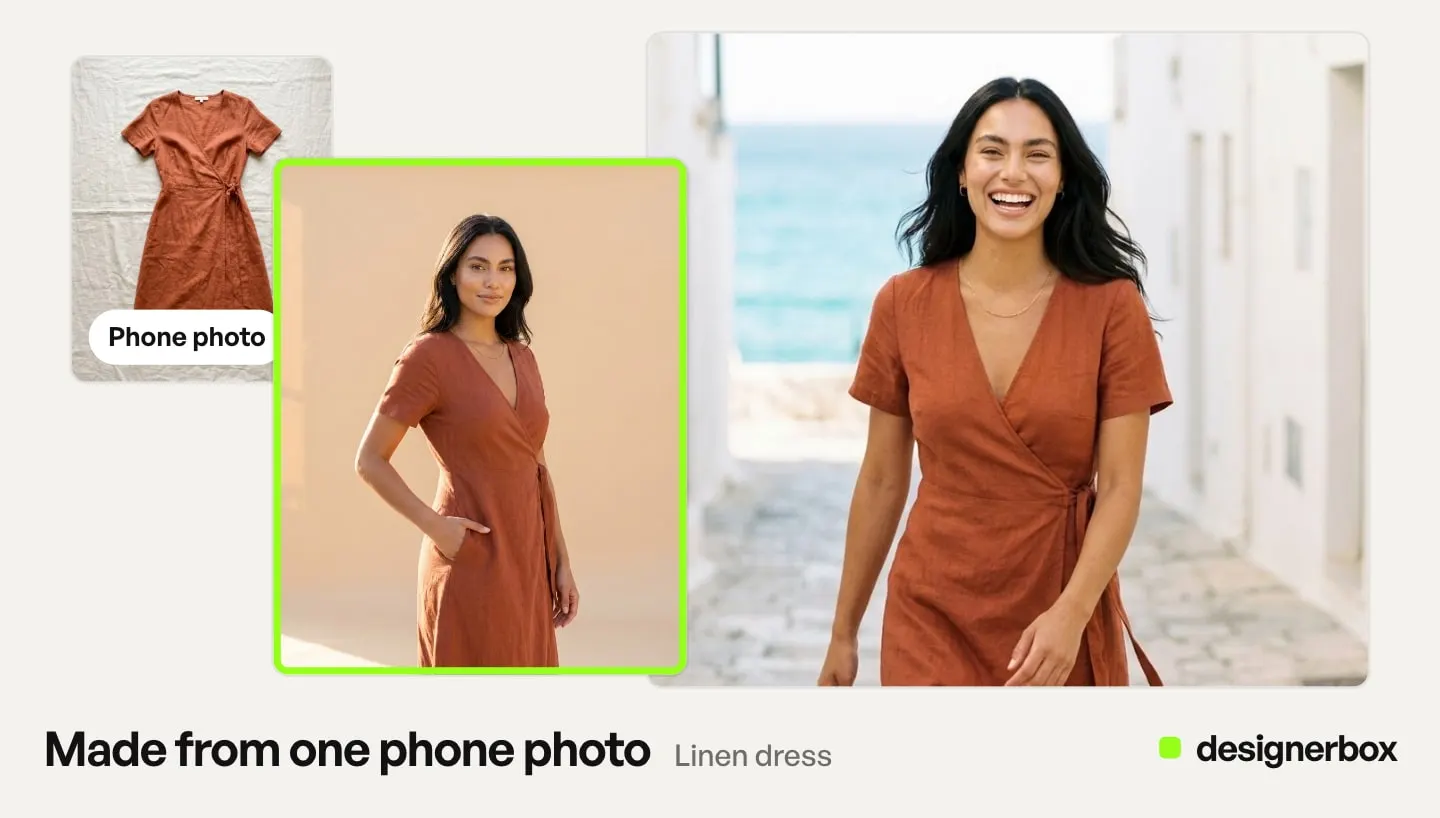
For a fashion brand, that solves a specific problem. On-model imagery is never the only deliverable. The same garment needs a PDP set, a lookbook, a paid social cut and a video for Reels, each at its own ratio and pixel size. Rebuilding all of that per garment is how a 40-piece range becomes 40 unrelated sessions. A saved workflow runs the same way on the next garment, with the same model, light and framing. Batch runs that workflow over a whole sheet of garments at once. You keep or discard per row, and re-run one row on its own.
Against the shot list above:
- Front, back and detail. Clothing Catalog turns one garment into four shots: front, three-quarter, back and a fabric close-up.
- On-model. The Clothes on a model app puts the garment on a model. A colleague completes the form and presses Run.
- The same model. One step is Kontext Multi, which runs FLUX.1 Kontext. Black Forest Labs says Kontext keeps the identity of a reference character across multiple scenes (bfl.ai, accessed September 2026). An avatar run returns nine fixed poses of one person to reuse.
- Motion. An 8-second clip costs 40 to 560 credits, depending on the model. You pick the model for each step when you build the workflow, and every run after that uses it. A template comes with its model already picked. The model list shows the catalog.
The image editor makes one edit after another. The picture keeps its detail and resolution. That matters on a garment, because fabric texture and seam lines are the first things a stack of edits usually loses. Clothing Catalog and the Clothes on a model app build from your actual product photo. Test the result on your hardest piece. If the worry is results that read as synthetic, the causes are specific and fixable. DesignerBox does not tell a shopper a size, and we found no try-on product that does, as of September 2026.
Plans, gating and the one-subscription part
AI video, virtual try-on, upscaling, the image editor and the video editor start on the Premium plan. If try-on is the reason you are reading this, Premium is your entry point. Compare a fashion-only tool against Premium, not against a lower plan. Where on-model shots are your only deliverable, a fashion-only tool may fit better.
Uploading your own photos and the commercial license start on the Pro plan. If results run as paid ads or on a live PDP, Pro is the floor. Team features, shared brand kits and white label are on the Ultra plan, and every plan below Ultra is one seat. That matters for an agency where a producer and a designer both work the same drop. Plans and credits are on the pricing page.
There is no single per-image price. The model you pick sets it. The cost is shown before the run, so you can price a whole drop first.
On-model is one deliverable of several per garment. DesignerBox keeps the templates, workflows, apps, editors, brand rules and Assets in one subscription, so one garment photo reaches every deliverable. The PDP set, the lookbook crop, the paid social cut and the Reels video all come from the same approved setup.
Best for fashion and apparel teams, and the agencies that work for them, who run the same on-model job every drop without rebuilding the setup.
How to choose an AI fashion photoshoot generator
Choose an AI fashion photoshoot generator with the six checks below, in order. They remove most candidates early, and the first three fit in a free start. For a longer shortlist, our roundup of AI fashion photography tools maps 15 tools against the same jobs. On-model photography tools sorted by product type covers accessories and footwear too.
- Write the shot list first. List the shots each garment needs, from the five above. Cross out every tool that does not state them. For most PDPs, the back view removes the most names.
- Test anchoring on your hardest garment. Not the plain tee. Use the one with a print that has to line up, or hardware, or a repeating pattern. Every tool here accepts your photo, and they still differ on a difficult garment.
- Ask the consistency question. Generate the same model twice, a week apart, on two different garments. If she comes back as a different person, you do not have a lookbook tool.
- Price the job, not the plan. Count garments per drop, shots per garment and drops per year. Multiply, then check the number against each tool’s own pricing page. Cost per garment per drop is the planning unit, the same way cost per product per year is the unit for a studio budget.
- Check the license before the result. Commercial use terms vary. An image you cannot run as an ad is a hobby.
- Count the downstream tools. If on-model is one of five deliverables per garment, a fashion-only tool solves one fifth of the job. That can be the right answer. It is a different answer from one workflow for the whole set.
On the “AI fashion model generator free” question: most tools here state a free start, and DesignerBox has a free plan. Three limits decide whether a free DesignerBox test answers your question. The free plan runs on sample products, it does not include virtual try-on, and free results carry a watermark. Free AI virtual try-on tools sellers can use checks which free routes let you publish the result.
Whatever you generate, the images still have to do a job on the page. On-model is one stage of four, and the guide to AI tools fashion and beauty brands run per drop maps the video, presenter and versioning stages. If you are still deciding whether to use a generated model at all, see what fashion brands using AI models actually put into market. Then read when a real model is the better call.
One workflow for every garment
Start from the fashion brands page, add your brand and your garments, and run it.
FAQ
What is an AI fashion photoshoot generator?
An AI fashion photoshoot generator turns your garment photo into the set a photoshoot returns: on-model shots, often in several poses and backgrounds, and sometimes the back view and a short video. The term overlaps with “AI fashion model generator”. The useful difference is scope. A photoshoot is a shot list, so check which shots a tool states before you choose it.
What is an AI fashion model generator?
An AI fashion model generator produces a photograph of a person wearing your garment. It uses your flat lay, ghost mannequin, hanger shot or packshot as the source. It replaces or supports an on-model photoshoot for PDP images, lookbooks, marketplace listings and paid social.
Which AI fashion tools can make the back view of a garment?
In September 2026, Looklet, OpenArt, Uwear.ai and DesignerBox named the back view on their own sites. FASHN says it can explore new angles. Other tools show poses without naming the back. Test the back view on your own garment, because the back is where an invented seam or a wrong print is most likely.
Can AI fashion models keep the same face across a whole collection?
Yes, but it is a specific feature. Tools hold one face with a fixed roster (Looklet, Claid.ai), a saved or uploaded model (Photoroom, Hautech, Pic Copilot, WearView), or reference images (OpenArt’s Character 2.0, Kontext Multi in DesignerBox). Generate the same model a week apart before you commit a catalog.
Is there a free AI fashion model generator?
Most tools here state a free start or trial: FASHN, Botika, Photoroom, Claid.ai, Pic Copilot, OpenArt and Looklet’s Virtual Studio. DesignerBox has a free plan that runs on sample products, without virtual try-on or video. WearView’s own blog says it has no free tier. A free result often carries a watermark or a personal-use license, so check the terms before it goes on a product page.
Which DesignerBox plan do I need for virtual try-on?
Virtual try-on starts on the Premium plan, and so does AI video. Uploading your own garment photos starts on the Pro plan. So does the commercial license, which you need to run results as paid ads or on a live PDP. Plans are on the DesignerBox pricing page.
Is HuHu.ai still available?
No. HuHu.ai was discontinued in July 2026. In September and October 2026 the huhu.ai domain returned no DNS record.
Sources
All vendor pages read on 24 September 2026 unless marked. Feature claims are the vendors’ own words, not independent tests. No competitor prices are published here; check each tool’s own pricing page.
- FASHN inputs, on-model, packshots, try-on, model consistency, new angles, short video clips and a free start: (fashn.ai and fashn.ai/pricing, September 2026)
- Botika inputs, pose and backdrop choice, model and background swap, video types and the free trial: (botika.com, botika.com/on-model and botika.com/pricing, September 2026). The “3,000 fashion brands” figure in its site description is the vendor’s own: (botika.com, read 2 October 2026)
- Looklet ghost image input, front, back and side angles, the model roster, the free Virtual Studio tier and Enterprise on request: (looklet.com and looklet.com/looklet-pricing, September 2026)
- Photoroom virtual model inputs, poses and backgrounds, accessories, 2K and 4K export, saved custom models and free trial: (photoroom.com/tools/virtual-model, September 2026)
- Claid.ai inputs, 100+ models, 8 predefined poses, backgrounds, video and free start: (claid.ai/clothing-on-models, September 2026)
- Hautech inputs, Digital Twins, try-on, model swap and video: (hautech.ai and hautech.ai/solutions/ai-generated-models, September 2026)
- Pic Copilot flat lay and mannequin input, custom models, accessory try-on, Fashion Reels and free plan: (piccopilot.com/tools/ai-model and piccopilot.com/pricing, September 2026)
- Uwear.ai full body, detail, back and packshot outputs, model consistency, 360 loops and try-on API: (uwear.ai, September 2026)
- OpenArt inputs, Multi View angles, Character 2.0, print size and free start: (openart.ai/generator/clothing, September 2026)
- WearView inputs, model library, catalog model consistency, ghost mannequin removal and the no-free-tier statement: (wearview.co and wearview.co/blog, September 2026)
- HuHu.ai discontinued in July 2026, and its domain unresolved on re-check: (huhu.ai, July, September and October 2026)
- FLUX.1 Kontext identity preservation across scenes: bfl.ai (accessed September 2026)
- DesignerBox plans and feature gating for virtual try-on, AI video and the commercial license: DesignerBox pricing page (designerbox.ai/pricing), September 2026
Competitor features verified from each vendor’s own site on 24 September 2026. Botika’s site description re-read on 2 October 2026. DesignerBox plans and feature gating from the DesignerBox pricing page, September 2026. Individual results vary.