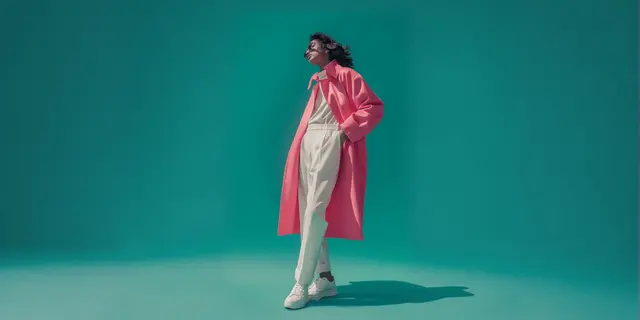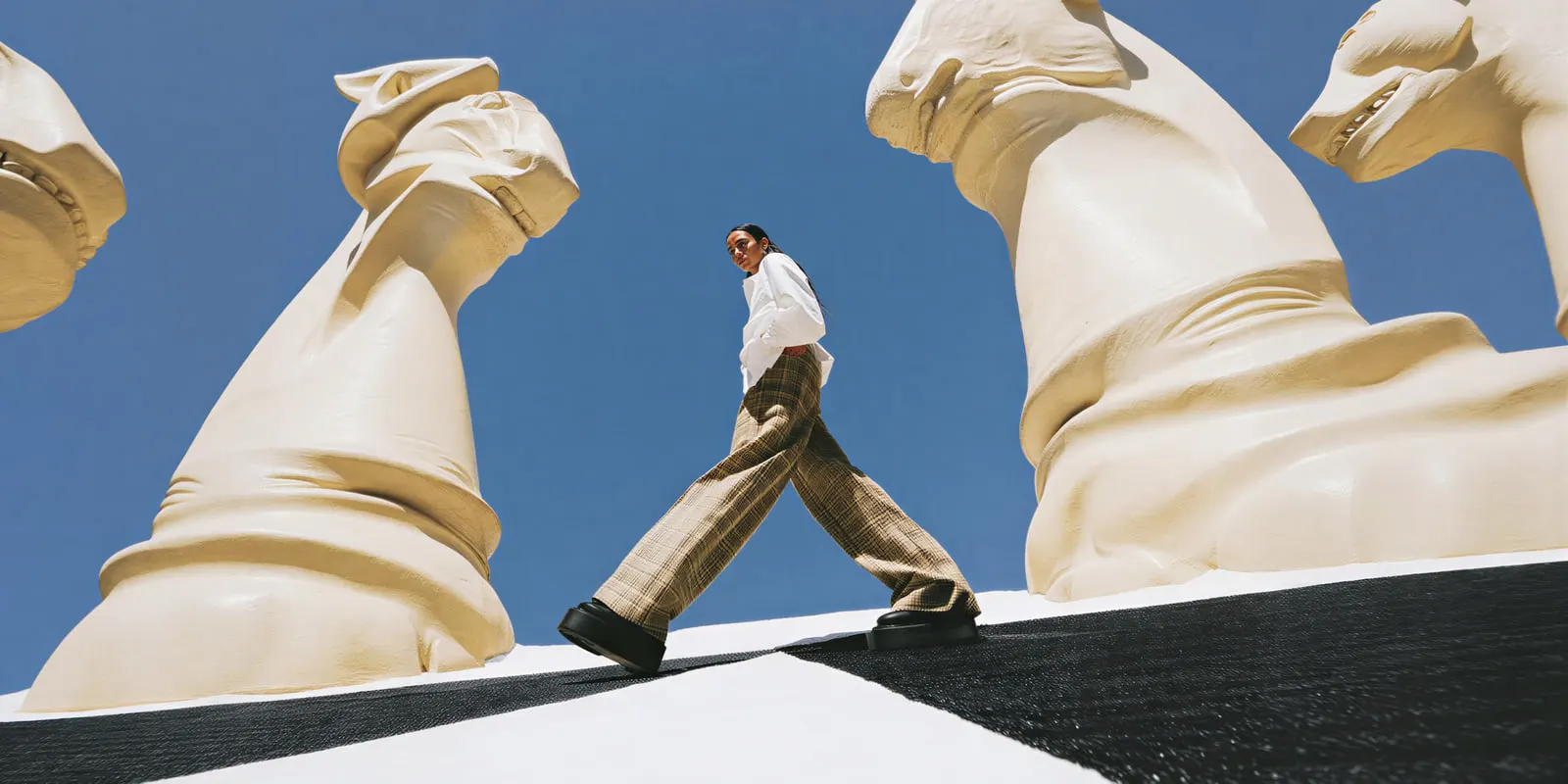
An AI fashion editorial is a set of campaign images that tells one story around a collection, made fully or partly with AI. No single tool makes a whole one well. Prompt tools such as Midjourney and Adobe Firefly make mood and location frames. Garment-first tools such as Modelia and Imagine.Art keep your real garment. Ideogram handles cover type, and Runway or Higgsfield add motion.
The drop lands in six weeks. The brief asks for ten editorial frames: two wide location shots, four looks on a model, a fabric close-up, a cover with the collection name, and two short clips. A location shoot needs a crew, a permit and a day with the right weather.
This guide sorts 14 tools by the frames each one can fill, from each vendor’s own pages on 24 September 2026. It also covers why readers check AI editorials so closely, and the labeling rules. We sell DesignerBox, which makes the garment frames, so read its lines as our own case.
Key Takeaways
- An editorial has five kinds of frame. Mood, look, detail, type and motion. Each one asks a different thing of the garment, so each one suits a different kind of tool.
- Prompt tools are built for mood. Midjourney, Firefly, Krea, Magnific, Morphic and Scalio are strong at mood. None of the pages we could read says a real garment stays accurate.
- Garment-first tools start from your photo. Flair AI, Imagine.Art, Modelia, Caimera and WearView say they put your own garment on a model. Use them for every frame that shows the product.
- Shoot the detail frame yourself. A fabric close-up is where readers zoom in. In the J.Crew case, the stripes that “fuzzed into static” are what people noticed.
- Check the terms before you upload an unreleased collection. Midjourney images are public by default, and Higgsfield keeps a training license on outputs below its Enterprise plan.
- Label it where the law asks. New York and EU rules can require a label on an ad with a realistic AI model. Check every market where the campaign runs.
What is an AI fashion editorial?
Editorial fashion photography sells a mood, a place and a character, in a series of campaign or magazine-style images. In an AI editorial, some or all of those images are made with AI. Catalog photography shows one product clearly on a plain background. An editorial is judged as a set, so every frame has to share one model, one light and one palette.
That last point is the hard part. One strong image is easy. Ten images that look like one shoot are hard, because each run starts fresh unless you give the tool a reference. The tools below differ most in how they hold a look across frames: a style reference, a trained style, a saved model or a character reference.
If you plan the story first, fashion photoshoot ideas sorts twenty editorial concepts by whether AI can make them from a garment photo. For a collection book, fashion lookbook photography covers the six frames each look needs.
The five frames in a fashion editorial
A fashion editorial uses five kinds of frame, and each one asks something different of the garment. Mood frames can invent everything. Look frames must show the real garment. Detail frames must hold up at close range. Type frames need legible letters. Motion frames must keep the garment right while it moves. Pick the tool for the frame, not for the whole editorial.
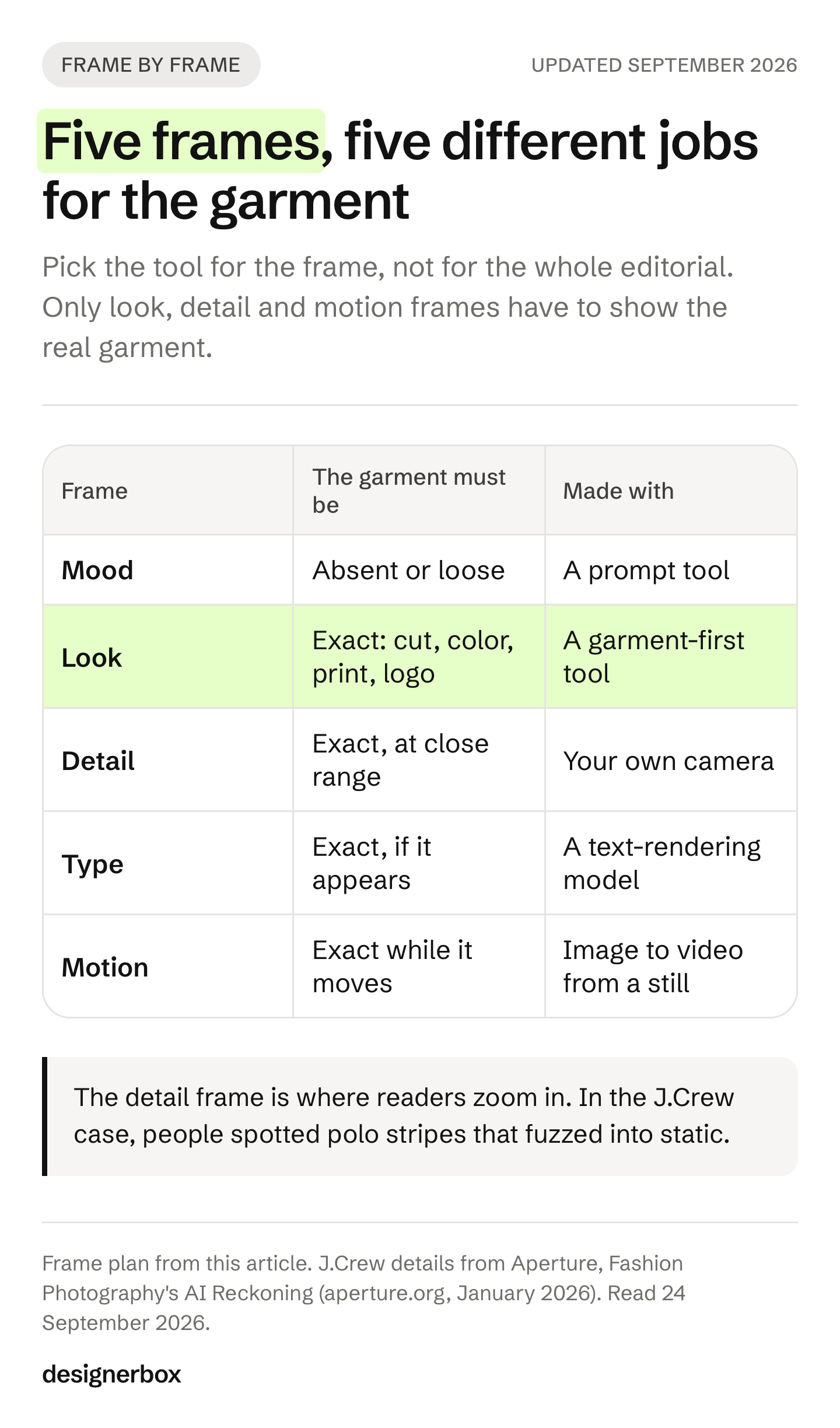
| Frame | What it shows | The garment must be | Tool that fits |
|---|---|---|---|
| Mood | Location, light, palette, no product or a loose one | Absent or loose | A prompt tool |
| Look | A model wearing the piece in the scene | Exact: cut, color, print, logo | A garment-first tool |
| Detail | Fabric, trim, hardware at close range | Exact, close up | Your own camera |
| Type | A cover or title card with the collection name | Exact, if it appears | A text-rendering model |
| Motion | A short clip of the look | Exact while it moves | Image to video from an approved still |
The detail frame is where people zoom in, so it needs the real fabric. Take a phone photo of the real fabric in good window light. Place it in the set with the same color grade as the rest.
AI fashion editorial tools compared
The table reads each tool by where it starts. “Garment photo” means the vendor says you upload your own garment. “Prompt” means the vendor’s page describes text or reference images and does not mention a garment upload.
| Tool | Starts from | Frames it fits | How it holds a look | Video |
|---|---|---|---|---|
| Midjourney | Prompt, up to 4 reference images | Mood | Style reference, moodboards | 5-second clips |
| Adobe Firefly | Prompt, reference image | Mood | Style and composition reference | Yes |
| Krea | Prompt or a drawing, in real time | Mood | A trained style from your images | Yes |
| Magnific | Prompt, many models | Mood | A node canvas (Spaces) | Yes |
| Morphic | Prompt only | Mood | Character Lineup | Yes |
| Scalio | Prompt plus brand guidelines | Mood | Your brand guidelines | Not stated |
| Flair AI | Garment photo | Look, staged scene | Brand kit | Yes |
| Imagine.Art | Garment photo | Look | Same model across a range | Yes |
| Modelia | Flat lay, mannequin or model photo | Look | Repose keeps outfit and model | Yes |
| Caimera | Flat lay | Look | Custom models | Yes |
| WearView | Garment photo | Look | One model identity | Not stated in its guide |
| Ideogram | Prompt, one character photo | Type | Character and style reference | Not listed |
| Higgsfield | Prompt or image | Motion, mood | Soul presets | 50+ camera presets |
| Runway Gen-4 | Image, up to 3 references | Motion | One reference image | Yes |
Sources for every row are in the sections below and in the Sources list. Vendors change features often, so check each page before you commit a campaign to it.
Tools for mood and location frames
Mood frames set the place, the light and the palette of an editorial. The garment is absent, far away or loosely styled. Prompt tools are strongest here, because they are free to invent the whole scene. Save the frames you approve as a style reference. You will reuse them as the scene brief for the look frames.
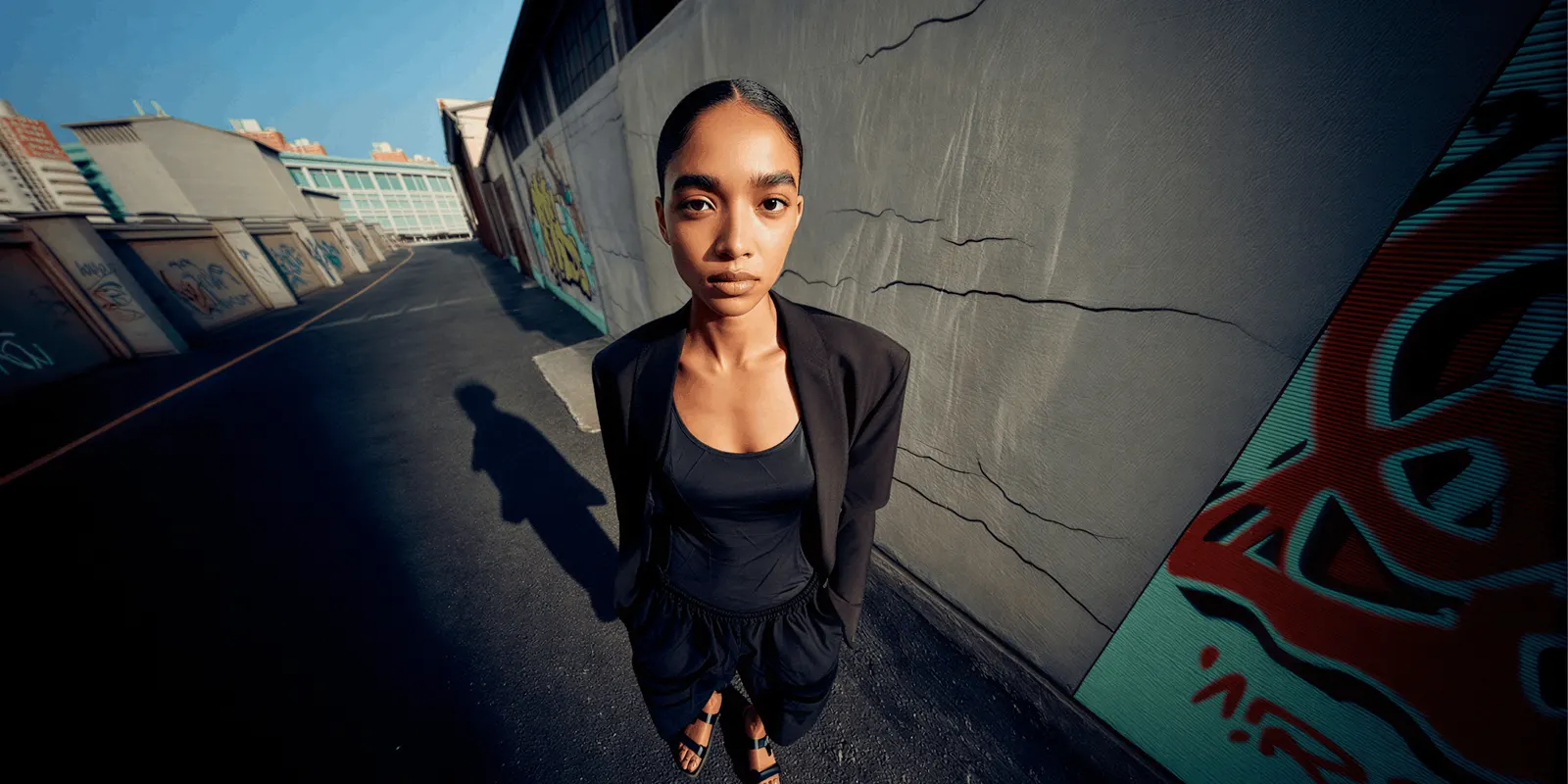
Midjourney
Midjourney is known for a strong, stylized look, which suits concept and mood frames. The default is V8.2, released as the default on 24 July 2026 (docs.midjourney.com, September 2026). A style reference carries “colors, medium, textures, or lighting” and does not copy objects or people. Moodboards build a personal style from images you pick. The Edit Model takes up to four reference images and replaced Omni Reference and Character Reference in V8.2. Midjourney also turns one image into a 5-second video.
Its docs do not say that a real garment stays accurate. The terms say you own what you create, with one condition. A company with more than one million US dollars a year in revenue must be on the Pro or Mega plan to own its images. Images are “publicly viewable and remixable” by default, and stealth mode is only on the Pro and Mega plans. Check that before you upload an unreleased collection.
Adobe Firefly
Adobe Firefly runs inside Adobe’s apps and on the web. Firefly Image 5 has “over 20 controls” for style, light, color and composition (adobe.com, September 2026). Firefly Boards is an infinite canvas for moodboards and storyboards. Adobe says its own Firefly models are commercially safe, because they train on Adobe Stock and public domain content.
That claim covers Adobe’s own models only. Firefly also runs partner models, such as GPT Image, Nano Banana and FLUX for images and Runway, Kling and Luma for video. Adobe labels those as “Models created by others”, and Content Credentials record when one was used. Adobe says your content does not train Adobe’s models or its partners’ models. A garment upload is not described.
Krea
Krea generates images in real time while you type or draw, which makes it fast for trying many moods in one sitting (krea.ai, September 2026). You can train a style on up to 50 of your own images. It runs its own Krea 2 model and third-party models, including Nano Banana Pro, Seedream 5, Flux 2 and Veo 3.1. Paid plans include a commercial license. Its pages do not describe a garment-to-model step.
Magnific
Freepik renamed itself Magnific on 28 April 2026. Its launch release lists more than 15 image models and over 12 video models (PR Newswire, April 2026). Spaces is its node canvas for image and video steps. Magnific’s own pages blocked our reader on 24 September 2026, so we list only what the release states. Check garment input and license terms on its site.
Morphic
Morphic states its scope plainly: it “generates original editorial fashion images from a written prompt, not edits of an uploaded image” (morphic.com, September 2026). Character Lineup keeps one model consistent across images, and Image to Video turns a still into motion. That makes it a fit for mood and cast tests, not for frames that show your product.
Scalio
Scalio turns a written brief into editorial images. You describe the look, styling, background and mood, and you upload your brand references and guidelines (scalio.app, September 2026). It says every image follows your brand guidelines, and all images are yours to use commercially. Its editorial page does not mention a garment or product upload.
Tools for garment frames
Look frames show a model wearing your actual piece. The cut, color, print and logo must match the sample, because a buyer compares the photo with what arrives. Only tools that start from your garment photo can do this. Our longer guide, best AI fashion photography tools, tests 15 of them on product page jobs. The five below also describe editorial or campaign use.

Flair AI
Flair AI says it can “fit your clothing and jewelry onto AI generated models with patterns and logos preserved” (flair.ai, September 2026). Its canvas stages scenes with drag and drop props, which gives you hands-on control of the composition. It keeps brand assets in one place and makes product videos. It suits a staged, art-directed look more than a wide location story.
Imagine.Art
Imagine.Art’s AI Fashion Studio lets you “select or upload the top and bottom, and choose the fabric” (imagine.art, September 2026). You pick a preset model, upload your own or describe one. It claims the model stays the same across your range and in reshoots months later. It names “editorial backgrounds and pose direction for seasonal drops and lookbooks”, animates the model into video, and says results are yours to use commercially.
Modelia
Modelia starts from a flat lay, a mannequin shot or a photo on a model (modelia.ai, September 2026). Repose makes new poses “while keeping the same outfit, model, and styling”, which is what a multi-frame story needs. It turns one image into a short video, and it names faster campaign launches as a use.
Caimera
Caimera’s own site lists Editorial Images, Flatlay to Catalog, Image to Video, Model Swap and AI Fashion Models (caimera.ai, September 2026). A vendor roundup describes flat-lay-to-on-model workflows and an Enterprise tier with digital twins and legal indemnification (claid.ai, 11 September 2026).
WearView
WearView’s own editorial guide describes garment-accurate rendering on a model that keeps prints, texture and text (wearview.co, June 2026, read September 2026). It lists pose control, one consistent model identity, HD, 2K and 4K output, and commercial rights. It names editorial and catalog work in one workflow.
Nano Banana Pro, the model inside many of these tools
Nano Banana Pro is Google’s Gemini 3 Pro Image model. It mixes up to 14 reference images in one request, including up to 6 high-fidelity object images and up to 5 character images (Google AI for Developers, September 2026). It outputs 1K, 2K and 4K. Every image carries a SynthID watermark. Krea and DesignerBox run it, and Firefly offers Google’s Nano Banana models as partner models. The same model can sit behind very different tools.
Tools for type and cover frames
A cover or title card carries the collection name, and one wrong letter ruins it. Ideogram is built around text in images. Its newest model, Ideogram 4.0, names “clearer in-image text” as a goal, and its docs say it “excels at integrating text into images for logos, branding, POD, or design layouts” (docs.ideogram.ai, September 2026).
Ideogram’s Character feature keeps a face the same from one photo. Its Canvas fills and extends images. Its terms claim no ownership of what you make and allow commercial use. It invents the clothes, so put the type on a mood frame or a clean background, not on a look frame. Google says Nano Banana Pro renders “legible, stylized text” too. Check every letter before the cover ships, or set the type in a layout tool instead.
Tools for motion frames
Motion frames are short clips: a turn, a walk, fabric in the wind. The safest method is to approve a still look frame first, then animate it. The clip then starts from a garment you already checked.
Higgsfield has a photo model called Soul with “50+ aesthetic presets”, and “50+ Cinematic AI-Motion Presets” such as Dolly In, Aerial Pullback and Bullet Time, which you can stack (higgsfield.ai, September 2026). Its homepage also lists virtual try-on and product placement. It claims no ownership of your inputs or outputs. It keeps a license to train on outputs, except on its Enterprise plan.
Runway Gen-4 References keeps a character consistent “across different lighting conditions, locations, and treatments, all from just a single reference image”, with up to three references in one generation (Runway Help Center, September 2026). That suits an editorial that moves one model through several places.
Midjourney, Flair AI, Imagine.Art, Modelia and Morphic also animate a still. For the whole cut, with titles and sound, a timeline editor finishes the job. How to make AI video for a clothing brand covers the specs per channel.
Why do readers check AI editorials so closely?
Readers check AI editorials closely because a campaign promises taste and care, and three 2025 cases made AI campaigns news. People found the J.Crew case by its flaws. They found the Guess case by its placement in Vogue. H&M announced its digital twins itself. How each brand disclosed shaped the story as much as the images did.
In 2025 the newsletter Blackbird Spyplane found that three J.Crew Instagram posts for a Vans collaboration were AI images, with no credit (PetaPixel, September 2025). J.Crew changed the captions to “Digital art by: @samfinn.studio”. Aperture described the flaws people spotted: a jaw that “dramatically realigned itself”, polo stripes that “fuzzed into static” and a foot “implausibly torqued” (Aperture, January 2026).
The same summer, a Guess ad in Vogue’s August issue used two AI models made by the agency Seraphinne Vallora. Condé Nast pointed out that it was a paid ad and that “an AI model has never appeared editorially in Vogue” (ABC News, August 2025). H&M took the open route: it announced its AI work before the first drop went live on 2 July 2025 (H&M Group, July 2025).
Two lessons carry over. The flaws readers found were stripes, a jaw and a foot: texture and anatomy at close range. And J.Crew’s first fix was a credit line. Check the details frame by frame, and say how the images were made. Labeling AI-generated fashion images covers when a label is the law and when it is a choice.
Labeling rules for an AI fashion editorial
This is general information, not legal advice. Check the rules in every market where the campaign runs.
- New York. Anyone who produces an ad must “conspicuously disclose” a synthetic performer when they know one is in it (New York General Business Law 396-B, accessed September 2026). The rule has applied since 9 June 2026. Penalties are $1,000 for a first violation and $5,000 for each later one.
- European Union. Article 50 of the AI Act has applied since 2 August 2026. Deployers must disclose deep fakes, and a realistic AI person can count as one (European Commission AI Act Service Desk, accessed September 2026).
- Meta. Advertisers must disclose AI only in social issue, election and political ads. Meta adds an “AI info” label itself when it detects signals such as C2PA metadata (Meta Business Help Center, accessed September 2026).
- TikTok. Ads with fully AI-generated or heavily edited media need the AIGC label or your own disclaimer, or they can be rejected or restricted (TikTok Ads Policy, accessed September 2026).
Keep the metadata your tools write, such as Content Credentials or SynthID. It is how platforms detect AI, and removing it does not remove your duty to disclose.
How to plan a ten-frame AI editorial
A ten-frame editorial is enough for a campaign page, a social set and a short cut. Plan the frames on one sheet before the first run, then work from mood to motion.
| Frames | Type | Made with | Check before approval |
|---|---|---|---|
| 1 and 2 | Mood, wide location | A prompt tool | Palette and light direction match the brief |
| 3 to 6 | Look, one per key piece | A garment-first tool, mood frames as scene reference | Cut, color, print, logo, hands, feet |
| 7 | Detail | Your camera | Same color grade as the set |
| 8 | Type, cover | A text-rendering model or a layout tool | Every letter of the collection name |
| 9 and 10 | Motion | Image to video from frames 3 to 6 | The garment stays right through the move |
- Write the story in one line. Name the place, the time of day and the palette. This line is the brief for every tool.
- Make the mood frames first. Run many options, approve two, and save them as the style reference.
- Cast one model and lock them. Use a saved model, a character reference or a trained style. See consistent AI fashion images for the lock test.
- Make the look frames from real garment photos. Give the tool the approved mood frames as the scene.
- Shoot the detail frame. Grade it to match.
- Set the type last. Put it on a mood frame or a clean background.
- Animate only approved stills.
- Review all ten side by side. Same face, same light, and each garment matches the sample. Then label and credit the set.
If the look frames drift inside one outfit, AI fashion photo sets explains what to lock and what to vary.
An editorial run in DesignerBox
Anyone can make an AI picture. Making hundreds that still look like your brand is the hard part. DesignerBox is AI creative production for brands and agencies. It makes the look frames of an editorial from your real garment photos, and it keeps the same standard on the next drop.
You set the brand once as a record: palette, fonts, logos and rules. The workflow reads it on every run. You save the model once, and every run uses the same person. The input is the garment laid flat, on a hanger or on a mannequin. The workflow fits the garment to the model and places the shot in the scene you chose. Dress my model puts the job behind a short form a colleague can run.
The same garment photos also make the product page set. Clothing catalog turns one garment into four shots: front, three-quarter, back and a fabric close-up. An avatar run returns nine fixed poses for 25 credits, which gives you a cast to choose from. Three critic steps score the results of a run, and best-of-N keeps the best one. Batch runs one workflow over the whole drop, and you review the results in one pass. You see the cost before each run. The full workflow from the first product photo to the finished ad, in one subscription. That includes the video editor.
The limits, stated plainly:
- The commercial license starts on the Pro plan. AI video and virtual try-on start on the Premium plan.
- Team features and the API are on the Ultra plan, and every plan below Ultra is one seat.
- Delivery is a download, or a webhook or an S3 step that sends the results to your own systems.
- We make no accuracy percentage claim. Test your own garments, the same as for every tool above.
DesignerBox for fashion brands shows the on-model, scene and video results from one garment photo. Plans and credits are on the pricing page.
FAQ
What is an AI fashion editorial?
An AI fashion editorial is a series of campaign or magazine-style images that tells one story about a collection, made fully or partly with AI. It sells a mood, a place and a character, where a catalog shows one product on a plain background. The frames must share one model, one light and one palette.
Which AI tool is best for fashion editorial images?
No single tool covers every frame. Midjourney, Adobe Firefly and Krea are strong for mood and location. Flair AI, Imagine.Art, Modelia, Caimera and WearView say they keep your real garment on a model. Ideogram is built for text in images, and Runway and Higgsfield focus on motion. Pick one tool per frame type.
Can AI keep my real garment in an editorial image?
Yes, if the tool starts from your garment photo. Flair AI, Imagine.Art, Modelia, Caimera and WearView describe a garment upload. Morphic says it works from a written prompt, not an uploaded image, and Midjourney’s docs make no garment accuracy claim. Check prints, logos and stripes on your own garments before a campaign goes out.
Is AI good enough for editorial fashion photography?
H&M and Guess have both run AI campaign images. The J.Crew case in 2025 shows where it breaks: people spotted a warped jaw, stripes that turned to static and a twisted foot. Shoot the fabric close-up yourself, check hands and feet in every frame, and credit how the images were made.
Do I have to label an AI fashion editorial?
The rules differ by market. New York has required a disclosure on ads with a synthetic performer since 9 June 2026. EU Article 50 has applied since 2 August 2026 and covers deep fakes, which can include a realistic AI person. TikTok requires the AIGC label on fully AI-generated ads.
Can I use Midjourney images in a fashion campaign?
Midjourney’s terms say you own what you create. A company with more than one million US dollars a year in revenue needs the Pro or Mega plan to own its images. Images are public by default, and stealth mode is only on Pro and Mega. Its docs do not claim that a real garment stays accurate.
How many frames does a fashion editorial need?
There is no fixed number. Ten is a working plan for a campaign page, a social set and a short cut: two mood frames, four looks, one detail, one cover and two clips. A lookbook needs more frames per look, because buyers want the back and the detail too.
A free plan for your first run
Start from a template, add your brand and your products, and see the cost before you run it.
Sources
- Vendor pages read 24 September 2026 (not linked): docs.midjourney.com (Version, Style Reference, Edit Model, Moodboards, Video, Terms of Service, Stealth Mode), adobe.com/products/firefly and adobe.com/ai/overview/firefly/gen-ai-approach, krea.ai, morphic.com/resources/images/editorial-fashion-images, scalio.app/use-case/editorial-fashion-photography, flair.ai, imagine.art/ai-fashion-studio, modelia.ai, caimera.ai, docs.ideogram.ai, ideogram.ai/features/character, ideogram.ai/legal/tos, higgsfield.ai/soul, higgsfield.ai/camera-controls, higgsfield.ai help center (ownership of generations)
- Vendor articles read 24 September 2026 (not linked): WearView, Best AI Tools for Editorial Fashion Images (wearview.co, June 2026); Claid.ai, 7 best AI tools for fashion photography in 2026 (claid.ai, 11 September 2026)
- PR Newswire: Freepik becomes Magnific, 28 April 2026
- Google AI for Developers: image generation with Gemini, accessed September 2026
- Runway Help Center: Creating with Gen-4 Image References, accessed September 2026
- Aperture: Fashion Photography’s AI Reckoning, 23 January 2026
- PetaPixel: J.Crew’s AI-generated fashion images, 2 September 2025
- ABC News: Controversy stirs over AI-generated models in new Guess ads, 1 August 2025
- H&M Group: H&M continues its exploration of creativity with AI, July 2025
- New York General Business Law 396-B, accessed September 2026
- European Commission AI Act Service Desk: Article 50, accessed September 2026
- Meta Business Help Center: AI disclosure for ads, accessed September 2026
- TikTok Ads Policy: misleading and false content, accessed September 2026
- DesignerBox for fashion brands, Dress my model and Batch (designerbox.ai, September 2026)
Tool features verified from each vendor’s own pages as of September 2026. Features change often, so check each vendor’s page before you commit a campaign to it. Individual results vary.