To make AI video for a clothing brand, start with the garment, not the tool. Decide which three videos each garment needs: a product page clip, a social clip and an ad. Put the garment on a model and approve that still. Then animate it with motion your photos can support. Add captions, export to each placement’s spec, and label the clip where the platform asks.
Each of the three videos has a different job. A product page clip has to show fit, and nobody scrolls past it. A Reel has one second to make a viewer stop. An ad has safe zones, music rules and an AI label. One clip rarely does all three jobs well.
This guide walks through the seven steps in order, for a brand or an agency that releases new garments every month. It covers the photos each motion needs, the specs each platform publishes, and the labels each one asks for, with sources checked in September 2026.
Key Takeaways
- Plan three videos per garment. A product page clip shows fit. A social clip needs a hook. An ad needs safe zones, ad-cleared music and, on TikTok, an AI label.
- Approve the still first. An AI clip can only be as true as the frame it starts from. Fix the garment in the still, where a fix costs one image.
- Match the motion to your photos. A walk toward the camera needs the front. A turn needs the back. A model cannot show a side of the garment it never saw.
- Design for sound off. Meta calls captions “recommended” for Reels ads, and it asks you to keep 14% at the top and 35% at the bottom free of text.
- Export a 9:16 master, then cut per placement. Shopify takes up to 10 minutes and 1 GB. Amazon’s listing video must run 1 to 12 minutes, so one short clip cannot fill that slot.
- Label it where the platform asks. TikTok, YouTube and Meta each set their own AI label rule. Check each one before you publish.
- Run the same steps on the next garment. The first video is the lesson. The twentieth is where a saved process pays.
What does AI video for a clothing brand involve?
AI video for a clothing brand is a short clip of a model wearing your real garment, made from photos, with no film shoot. You put the garment on a model in a still image, then an image-to-video model animates that still. The work around the model decides the result: which photos you give it, which motion you ask for, and how you finish and label each cut.
The model step takes minutes. The steps before and after it take most of the time. A skipped step appears later as a print that bends, a caption under the Buy button, or an ad that the platform rejects.
If you are still choosing software, start with the tool comparison in clothing brand video maker. This guide assumes you have a tool and want a process that works on every garment.
Step 1: Decide the three videos each garment needs
Write down the placements before you open any tool. Each video has a different job, and the job decides the first frame, the length and the rules. Here are the three most brands need, with each platform’s own numbers.
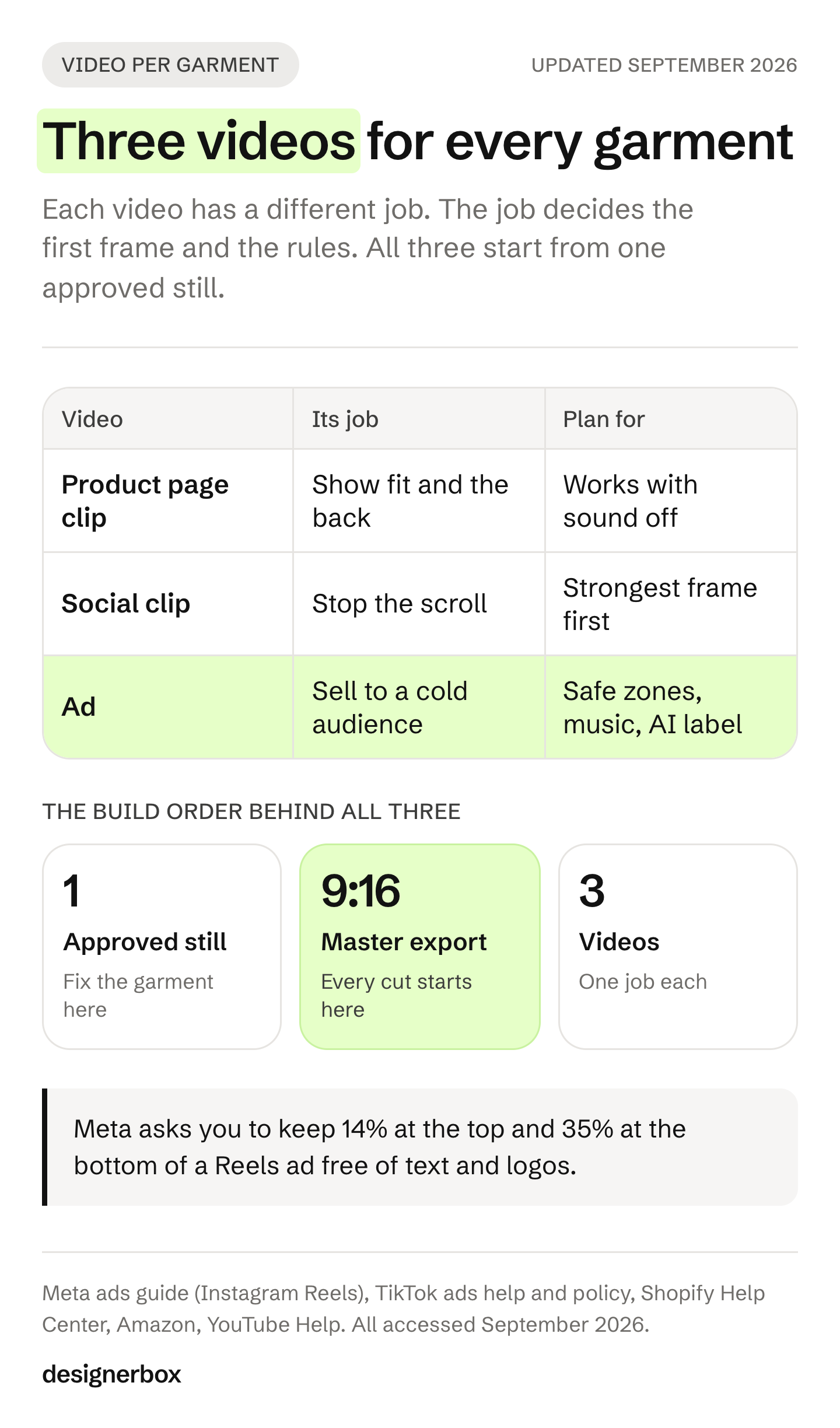
| Video | Its job | First frame | Length | Rule to plan for |
|---|---|---|---|---|
| Product page clip | Show fit, drape and the back | The garment, full length | Shopify: up to 10 minutes. Amazon listing: 1 to 12 minutes | Amazon shows the video in the main media block only if the product has fewer than six images |
| Social clip (Reels, TikTok, Shorts) | Stop the scroll, then show the garment | The strongest moment, not a slow start | YouTube counts vertical or square video up to 3 minutes as a Short | Music from a personal library cannot carry over to an ad |
| Ad | Sell one garment to a cold audience | The product and the offer, early | Meta Reels ads: 0 seconds to 15 minutes. TikTok In-Feed: up to 10 minutes | Safe zones, ad-cleared music, and TikTok’s AIGC label |
Sources: Shopify Help Center, Amazon, YouTube Help, Meta ads guide, TikTok ads help. All accessed September 2026.
The maximum lengths are generous. Your clips will be much shorter. Many image-to-video models make a few seconds per run. Veo 3.1 makes clips of 4, 6 or 8 seconds (Google AI for Developers, accessed September 2026). A 15-second social clip is two or three runs joined in an editor.
Amazon is the exception worth planning for. Its listing video has a one-minute floor, so it is an edit of many clips, not one run. The full breakdown of Amazon’s four video slots is in Amazon video requirements.
Step 2: Prepare the garment photos
The photos you give the model decide which motions it can show. A model invents what it cannot see. If it never saw the back of the jacket, a turn shows a back you did not design.
Collect three kinds of photo for each garment:
- The front, flat or on a ghost mannequin. Even light, no folds that hide the print, the full garment in frame. How to shoot one is in ghost mannequin photography.
- The back. The same light and the same framing. Without it, plan only front-facing motion.
- One detail. The fabric, the print or the label, close up. It is your reference when you check the clip, even if the model never uses it.
Fix the photos before any AI step. Remove lint and dust. Correct the color against the real garment in daylight. A color error in the photo becomes a color error in every frame of every clip.
Write down the facts a clip must keep: the number of buttons, the pocket count, the hem length, where the logo sits. You will check against this list in step 7.
Step 3: Approve the on-model still before any motion
Put the garment on a model first, as a still image, and approve that image before you animate anything. The still is the first frame of the clip. Every error in it moves into the video, and motion then adds new ones.
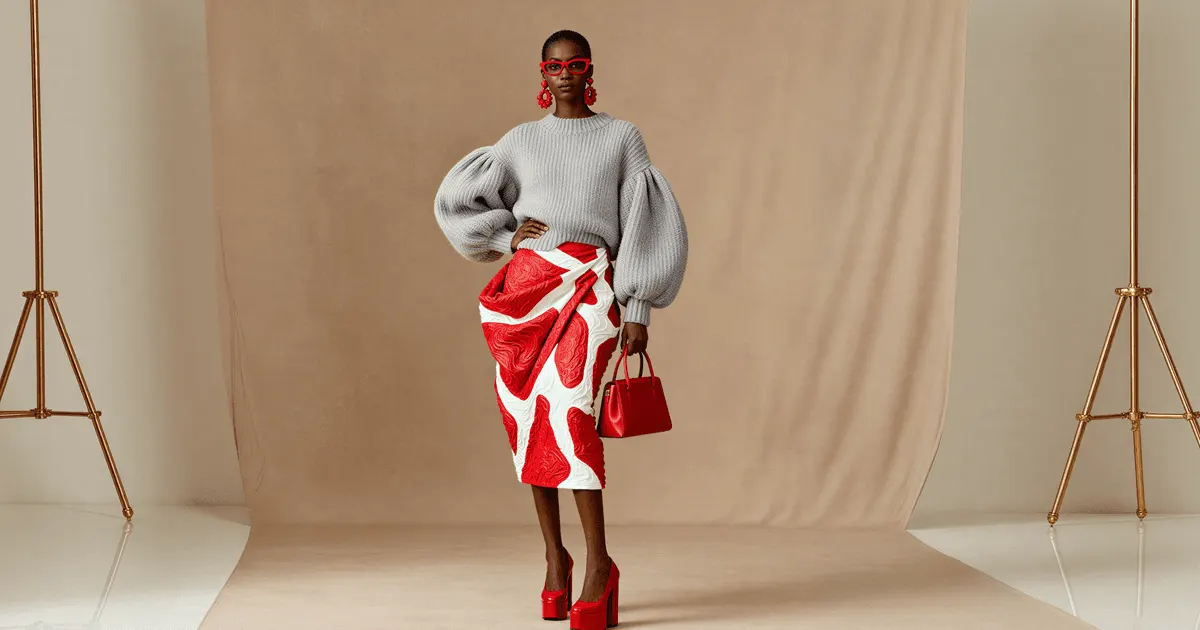
A still is cheap to fix. A clip is not. If the collar is wrong in the still, you run one image again. If the collar is wrong in the clip, you run the still again and then the video again.
Check the still at full size against your list from step 2:
- The print keeps its scale and direction.
- The logo and text read letter by letter.
- The color matches the real garment next to it.
- The construction is right: buttons, pockets, seams, cuffs.
- The fit matches the size the model wears.
How to put a flat garment on a model, and what each method keeps, is in put clothes on a model with AI. The prompt wording that keeps the garment unchanged is in AI prompts for clothing product photos.
If one model wears the whole collection, approve the face once and reuse it. A new face on every garment makes a drop look like ten different brands.
Step 4: Animate the still with motion the photos can support
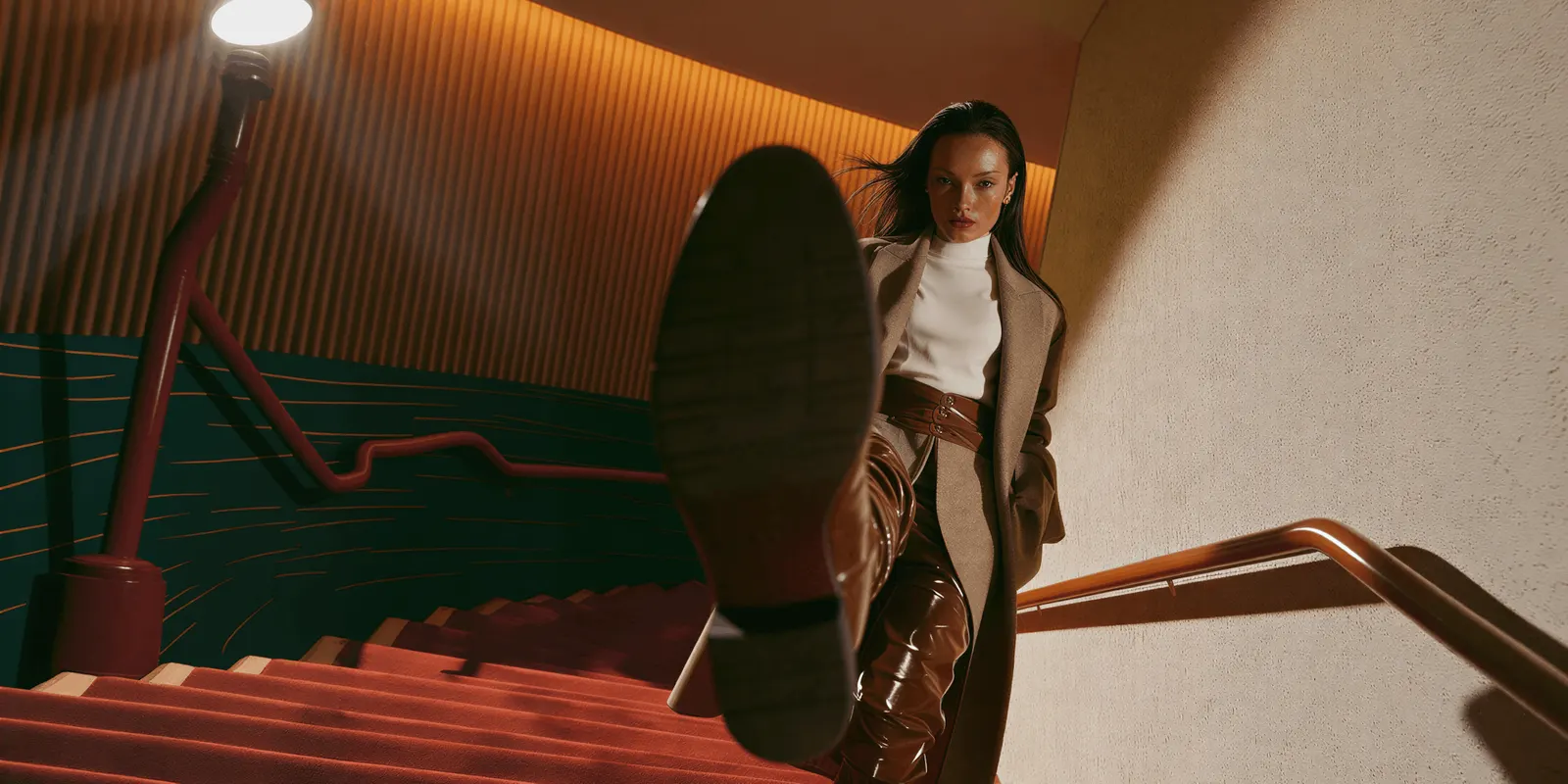
Give the image-to-video model the approved still and one short motion line. Name one movement, the camera, and what must not change. A good line: “The model walks slowly toward the camera. The camera holds still. The jacket, its print and its buttons stay exactly as in the image.”
Pick the motion from the photos you have:
| Motion | Photos it needs | Risk |
|---|---|---|
| Slow walk toward the camera | Front | Low. The model sees the whole front |
| Small sway or fabric movement | Front | Low. Good for drape on dresses and skirts |
| Half turn to the side | Front and back | Medium. The side is partly invented |
| Full turn | Front and back as first and last frame | Higher. Needs a model that accepts a last frame |
| Hands in pockets or on the garment | Front and a detail | Higher. Hands are a common place for motion to break |
For a full turn, use a model that takes a first and a last frame. In the Gemini API, Veo 3.1 and Veo 3.1 Fast accept a last frame, and Veo 3.1 Lite does not (Google AI for Developers, accessed September 2026). Give it the approved front still as the first frame and an approved back still as the last. The model then fills the turn between two frames you checked.
Run each motion three or four times and keep the best take. Big movements, fast turns and hands touching fabric fail more often. A slow, simple motion that stays true beats a bold one you cannot approve. The motion-by-motion detail, including prompts for each, is in virtual try-on video. Why faces and hands break, and how to frame around them, is in AI video hands and faces.
Step 5: Finish each cut with a hook, captions and sound
A raw clip is a shot, not a video. The finishing work is different for each of the three videos from step 1.
The product page clip needs little finishing. Show the full garment, a slow movement and the back if you have it. Plan it to work with the sound off. Skip the music and never put text over the garment.
The social clip needs a hook. Open on the strongest frame: the finished look, the fabric catching light, the garment in motion. Do not open on a slow fade. Put one short line of text on screen in the first second, and keep every line short enough to read in two seconds.
The ad needs captions and a clear space for the platform’s buttons. Meta lists captions as “optional, but recommended” and sound as “optional, but strongly recommended” for Reels ads. It asks you to keep at least 14% of the top, 35% of the bottom and 6% of each side free of text and logos (Meta ads guide, accessed September 2026). TikTok publishes its safe zones as downloadable files per ad format (TikTok ads help, accessed September 2026).
Music is the rule that catches brands. Meta says Reels ads should not contain licensed music, and it points you to its Sound Collection instead (Meta ads guide, accessed September 2026). A trending sound from a personal post does not carry over to the ad version. The Meta and TikTok music rules side by side are in clothing brand video maker.
If you sell in more than one country, plan the captions per market now, before the export. Text length changes by language and can break the layout. The method is in video localization for fashion ads.
Step 6: Export to each spec and label the clip
Make one 9:16 master at the highest quality your tool gives you. Cut every other version from it. Then check each file against the spec of the place it goes.
| Placement | Shape | Length | File limit | Format |
|---|---|---|---|---|
| Instagram Reels ad | 9:16, 1440 x 2560 recommended | 0 seconds to 15 minutes | 4 GB | MP4 or MOV, H.264 |
| TikTok In-Feed ad (non-Spark) | 9:16 recommended, at least 540 x 960 | Up to 10 minutes | 500 MB | MP4, MOV, MPEG, 3GP or AVI |
| YouTube Short | Vertical or square | Up to 3 minutes | Not on the Shorts page | Not on the Shorts page |
| Shopify product video | Your theme’s shape | Up to 10 minutes | 1 GB, up to 4K | MP4, MOV or WEBM |
| Amazon listing video | Not fixed | 1 to 12 minutes | 5 GB, up to 1080p | MP4 or MOV |
Sources: Meta ads guide, TikTok ads help, YouTube Help, Shopify Help Center, Amazon. All accessed September 2026.
Then decide the label. A clip of a model who was never filmed, wearing your garment, is fully AI-made video. Each platform treats that differently, as of September 2026. This is general information, not legal advice.
- TikTok ads. Ads with AI-generated or significantly AI-edited content are allowed if you apply the AIGC label, or add your own clear disclaimer, caption, watermark or sticker (TikTok ads policy, accessed September 2026).
- YouTube. YouTube asks creators to disclose realistic AI content, including content that “generates a realistic scene that didn’t actually occur”. You set it with the “AI use” setting in YouTube Studio (YouTube Help, accessed September 2026).
- Meta organic posts. Meta requires you to disclose organic posts with photorealistic AI video or realistic AI audio (Meta Community Standards, accessed September 2026).
- Meta ads. Meta asks advertisers to disclose AI only in ads about social issues, elections or politics. It adds an “AI info” label itself when it detects signals such as C2PA metadata (Meta Business Help Center, accessed September 2026).
- New York. If you make an ad and know it contains a synthetic performer, a digital person who looks like a human performer but is no identifiable real person, the ad must disclose it in a way people will notice. The law took effect on 9 June 2026 (New York General Business Law 396-b, accessed September 2026).
The wider rules, including the EU, are in AI disclosure in advertising.
Step 7: Check, publish and measure each video
Watch every file at full size before it goes live. Then pause on the frame where the garment moves most, and compare it with your list from step 2. A garment that is right in the first frame can change by the fifth second. The six-point motion check (print, logo, color, construction, fit, hands) is in clothing brand video maker. A clip that fails one point goes back for a new run.
Measure each video against its own job:
- Product page clip. Compare the product’s add-to-cart rate before and after the clip went live. Also watch the returns marked “not as described”. A clip that shows the wrong fit sends that number up.
- Social clip. Watch how many viewers stay past the first two seconds. A weak start shows there first.
- Ad. Test two or three versions of the opening per garment, with the same garment and offer. Keep the opening that wins and run it on the next garment.
What the published evidence says about fashion video and returns, and what a clip costs against a shoot, is in AI fashion video. Short version: the evidence supports video as a click-through play more than as a returns fix.
Where AI clothing video still needs a camera
AI video is strong for volume: the same fit clip for 30 new products, or three ad openings per garment. It is weaker in four places, and it helps to plan for them.
- Fabric you can feel. Knit texture, sheen on silk and the weight of heavy denim are hard to keep in motion. A detail shot filmed on a phone often shows fabric better.
- Your size range. One model at one size shows one fit. A clip cannot show how the garment sits on every body you sell to.
- Long formats. An 8-second clip fills a Reel. It does not fill Amazon’s one-minute listing slot without an edit of many clips.
- The flagship film. A season campaign with a story, a location and a cast is still a shoot for most brands.
The last one is a good split to keep. Film the one campaign that sets the look. Then use AI video for the dozens of product clips that follow it. For the filmed part, the fashion videography techniques guide covers the shot list, the light for each fabric and the settings that stop flicker.
The same video run on every garment
DesignerBox is AI creative production for brands and agencies. Anyone can make an AI picture. Making hundreds that still look like your brand is the hard part. The seven steps above are the same for every garment. DesignerBox lets you build them once and run them again.
- Put the garment on a model. The Dress my model app dresses your model in your garments and makes three photos. You approve the still there.
- Move the still. The Animate an image app turns one image into a five-second video, guided by a text prompt.
- Cut the videos. The video editor is a real timeline, with several tracks, transitions, animated text and audio.
- Run it on the next garment. Save the steps as a workflow, or publish it as an app a colleague runs from a form. Batch runs one workflow over a whole sheet of products, and you keep or discard each row.
You set the brand once in your brand record, with its logos, fonts, colors and rules. The workflow reads it on every run. The full workflow from the first product photo to the finished ad, in one subscription.
The cost is shown before each run. An 8-second clip costs 40 to 560 credits, depending on the model. AI video and virtual try-on start on the Premium plan, and the commercial license starts on the Pro plan. Plans and credits are on the pricing page. Every plan below Ultra is one seat. DesignerBox does not post to your store or your social accounts: you download the results. What it makes for a collection is on the fashion brands page.
A free plan for your first run
Start from a template, add your brand and your products, and see the cost before you run it.
FAQ
How do I make an AI video for my clothing brand?
Decide which videos the garment needs: a product page clip, a social clip and an ad. Photograph the front and the back. Put the garment on a model as a still and approve it. Animate the still with a simple motion, then add captions, export to each platform’s spec and add the AI label where the platform asks.
Can I turn a clothing product photo into a video?
Yes. An image-to-video model animates a still image. For a clothing brand, first put the garment on a model as a still, then animate that still. An animated flat photo has no body in it, so it cannot show how the garment fits.
How long should an AI clothing video be?
Keep a social clip or an ad short, often 6 to 15 seconds, with the garment on screen in the first second. The platform limits are much longer. Meta Reels ads run up to 15 minutes, TikTok In-Feed ads up to 10, and YouTube Shorts up to 3. Amazon’s listing video is the exception: it must run 1 to 12 minutes.
What export settings work for Reels and TikTok?
Export a 9:16 master. Meta recommends 1440 x 2560 pixels, H.264, in MP4 or MOV, up to 4 GB for Reels ads. TikTok asks for at least 540 x 960 pixels and 500 MB or less for non-Spark In-Feed ads. Keep text away from the top 14% and the bottom 35% of the frame.
Do I have to label AI clothing videos?
It depends on the platform, as of September 2026. TikTok ads with AI-generated media need the AIGC label or your own disclaimer. YouTube and Meta ask you to disclose realistic AI video in posts. New York requires ads with a synthetic performer to disclose it.
Why does my AI clothing video change the garment?
The model invents what it cannot see, and motion adds new errors. Give it a clean front and back photo, approve the on-model still first, and ask for one slow movement. Big turns, fast motion and hands touching fabric fail more often. Run each motion several times and keep the best take.
Sources
- Shopify Help Center: product media types, accessed September 2026
- Amazon: product video on Amazon, accessed September 2026
- YouTube Help: three-minute YouTube Shorts, accessed September 2026
- YouTube Help: disclosing use of GenAI content, accessed September 2026
- Meta ads guide: Instagram Reels video ads, accessed September 2026
- Meta Business Help Center: AI info labels on ads, accessed September 2026
- Meta Community Standards: misinformation, accessed September 2026
- TikTok ads help: In-Feed ad specifications, accessed September 2026
- TikTok ads policy: misleading and false content, accessed September 2026
- Google AI for Developers: Veo, accessed September 2026
- New York General Business Law 396-b, accessed September 2026
- DesignerBox apps and pricing (designerbox.ai), September 2026
Platform specs and AI label rules verified from the sources above as of September 2026. Individual results vary.