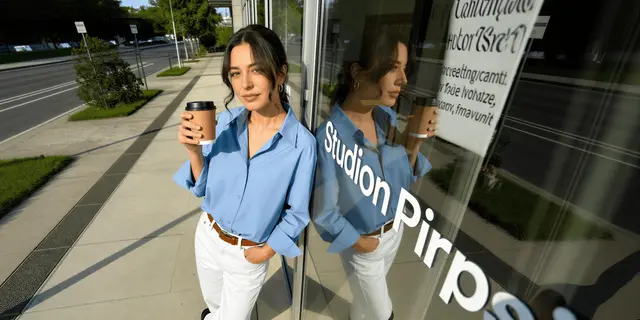
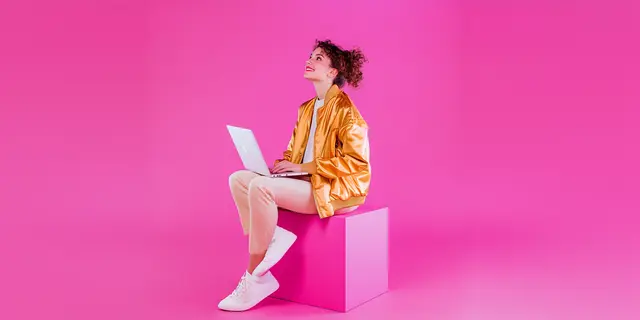
AI product photography examples split into two groups. In the first, the model generated the scene and kept the real product pixels, so the image can go on a listing. In the second, the model redrew the product, so it can go on a mood board. Almost no gallery tells you which group you are looking at, and that fact decides whether a shot is usable.
You have seen the galleries. A hundred glossy frames, every one captioned “generated in 60 seconds”, none of them your product. The useful question is whether the picture you make on Tuesday survives contact with an Amazon listing on Wednesday.
This guide grades seven example shot types on the one property that predicts the answer, shows how each one fails, and explains what an example gallery leaves out.
Key Takeaways
One question sorts every example. Did the model draw the product, or only the room around it. Scene-only generations ship. Product redraws need a check before they go anywhere near a listing.
The one controlled study we found says the same thing. The RecSys ‘24 industry-track paper on generated product imagery states plainly that “the product itself is not modified in any way”. It composites the real product back over the generated stand-in.
Generated scenes beat bare packshots in that study. Around 15% higher click-through against original product images, statistically significant at p<0.05, in live retargeting tests on mostly apparel catalogs.
The main listing image is the strictest destination. Amazon asks for a pure white background at RGB 255, 255, 255, the product as 85% of the image, the whole product in frame and shown once, and no props that are not included with the product.
Example galleries are selected, and the selection hides the failure rate. No source photo, no 100% crop, easy materials only, and no statement of how many generations produced the one on screen.
Hands, labels and unseen faces are where examples break. Any shot where the model invents geometry it was never shown is the shot to check first.
We could not trace a $200 to $500 per-image benchmark to a primary source. The saving from generating is real. It grows with volume and with each new version of a shot.
What does AI product photography look like in 2026?
AI product photography takes one photograph of a real product and produces the rest of the shot list from it: packshots on white, styled scenes, flat lays, extra angles, relights and lifestyle frames. Good implementations mask the product, generate everything around it, and put the original pixels back. Weak ones regenerate the whole frame and hand you a picture of something that resembles your product.

That distinction is invisible in a thumbnail and obvious at 100% zoom. It separates an asset you can put on a product detail page from one you can only put in a deck.
The question to ask of any example: what did the model actually draw?
Every example you will see falls somewhere on one axis. At one end, the generator touched only the background, the surface, the light and the props. At the other, the generator drew the product too. How to use AI for product photography explains that split for a first run.
One published paper in this area made that design decision deliberately. In “Dynamic Product Image Generation and Recommendation at Scale for Personalized E-commerce”, presented on the industry track at the 18th ACM Conference on Recommender Systems, the authors describe a pipeline that prompts a diffusion model for an environment appropriate to the product category. They then state the constraint directly: “The product itself is not modified in any way” (arxiv.org, accessed August 2026).
Their pipeline uses the product’s edges as a ControlNet constraint. In their own words, that approach “does draw under the product mask, it creates an object similar to the product that is later replaced by the real product.” The generated product is scaffolding. It gets thrown away.
The paper also documents what happens when you skip that step. Its first figure is captioned “Mild and extreme artifacts produced by inpainting” and shows a black slipper placed on a rocky beach. Its sole is visibly extended, because the model kept drawing where the product ended. That is the canonical failure of AI product photography, published at a conference, and a vendor gallery rarely shows it.
So when you look at an example, ask what got drawn. If the answer is “the room”, you are looking at a production asset. If the answer is “the room and the product”, you are looking at a concept.
Seven AI product photography examples, graded
Each example below follows the same four lines: what the shot is, what the model generated, where the output can be published, and the specific way it breaks.
1. Background swap to a clean packshot
The shot. Your product photo, cut out and placed on seamless white or a plain studio sweep.
What the model generated. The background and the contact shadow. Nothing else.
Ships to. Everywhere, including the strictest slot. This example can be a marketplace main image without an argument.
Breaks when. The cutout mask clips a translucent or fine edge. Glass rims, wispy hair on a brush, chain links and mesh are where the mask fails, and the failure reads as a hard, chewed outline. Check the edge at full zoom, not in the grid view.
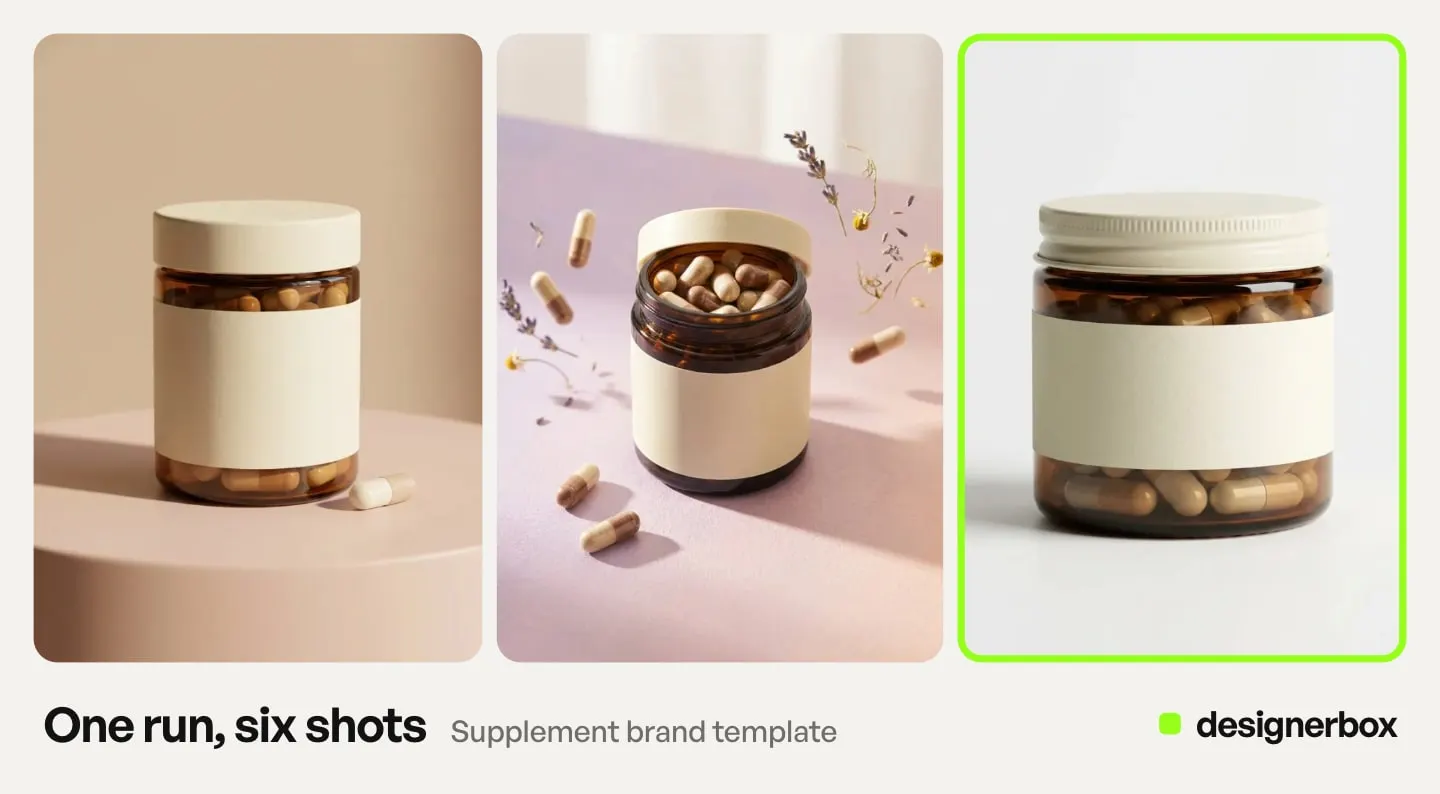
2. Styled scene on a surface
The shot. The product on marble, linen, wet stone or a café table, with props and directional light.
What the model generated. The entire environment, the props and the lighting. The product is composited.
Ships to. Product detail page secondary slots, paid social, email, category banners. It clears a main listing image only if every prop in the frame is part of what ships, which in practice it rarely is.
Breaks when. A prop implies something the buyer does not receive. A second bottle, a bowl of the contents, a gift box, a charging cable. That stops being a styling choice and becomes a claim about what is in the parcel. A scene placement template makes these from your product photo, and the discipline is to keep the frame honest about the contents. AI lifestyle photo generators compared sorts the tools that make this shot by how they build the scene.
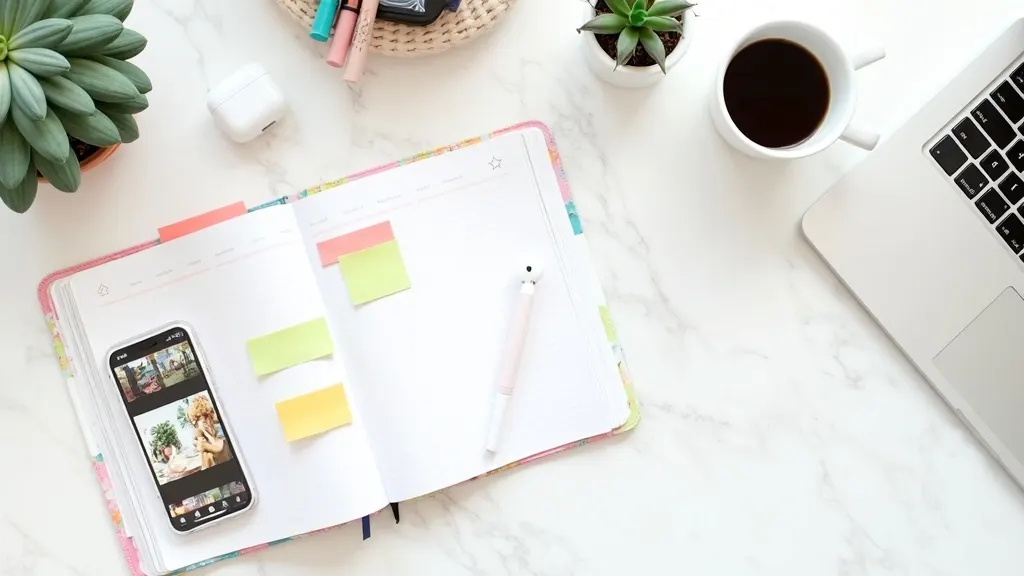
3. Flat lay
The shot. The product shot from directly overhead, arranged with related items on a flat surface.
What the model generated. The surface, the arrangement, the secondary items and the shadow.
Ships to. Product pages, social, lookbooks, category headers. Never a main listing image on Amazon, which asks you to “only show the product once in the image”.
Breaks when. The model invents a second unit of your product, or draws a shadow whose direction disagrees with the light it also drew. Overhead light is unforgiving about this, and the eye catches it even when the viewer cannot say why. Our guide to flat lay photography covers the two rules that keep a set consistent.
4. Extra angles from a single photo
The shot. A three-quarter, a back, a side and a detail crop, all derived from one front-on capture.
What the model generated. The product, on every face the camera never saw.
Ships to. Secondary slots only, and only after a check. This is a product redraw by definition, which puts it in the second group.
Breaks when. The unseen face carries information. A back panel with a certification mark, a serial plate, a seam that runs a particular way, a logo on the reverse. The model will produce something plausible and confidently wrong. Where the hidden face is plain and untextured, the derived angle is usually fine. Our complete shot list for product photography angles sets out which angles a catalog actually needs before you generate any of them.
5. Relight and shadow change
The shot. The same product under a different light: softer, harder, warmer, with a longer shadow.
What the model generated. The lighting and the shadow. The product geometry is untouched.
Ships to. Broadly. Relighting is one of the safest operations available.
Breaks when. The relight moves the product’s actual color. A warm grade on a garment shifts a cool gray towards beige, and color is the first thing a buyer checks when the parcel opens. Judge the result against the physical item, not against the previous render. Fixing light is often cheaper than reshooting, as long as the original exposure holds detail in the highlights. How to fix product photo lighting ranks the four failures by whether they are recoverable at all.
6. Held product, hands in frame
The shot. A hand holding, opening, pouring or wearing the product.
What the model generated. The hand, the arm, and usually the contact points where fingers meet the product.
Ships to. Paid social and organic social. Treat a listing slot as off limits until it passes a close read.
Breaks when. Hands. They still fail often, and the contact points are worse than the hand itself, because the model has to reconcile two objects it is drawing at different confidences. Scale goes wrong at the same time: a 50ml bottle rendered at 100ml size reads as a different product. The three failures worth fixing on virtual model shots cover the composite approach that avoids most of this.
7. On-model and worn
The shot. A person wearing or using the product.
What the model generated. A human being.
Ships to. This one leaves the photography rulebook and enters the disclosure rulebook. Amazon is concrete about it: an image containing photorealistic AI-generated people must be tagged before upload, using the keyword “contains-synthetic-performer” in the XMP subject field (sellercentral.amazon.com, September 2026). That obligation does not apply when the image contains no people, or where the people in it are real. Note the collision with the apparel rule below, which requires adult clothing to be shown on a model in the first place.
Breaks when. Fit is misrepresented, or disclosure is missing. Both are governed rather than aesthetic problems, and marketplace rules and disclosure for AI product photos is the reference for which platform demands what.
Which examples clear the strictest slot
The main listing image is the hardest destination, so grade against it first. Amazon asks for a pure white background at RGB 255, 255, 255, and to “show the product as 85% of the image”. Its stated size range is a 500 pixel minimum and a 10,000 pixel maximum on the longest side, with 1,000 or more being what switches the zoom function on. Its prohibitions are more specific than they are usually reported: show the entire product in frame, “only show the product once in the image”, and “don’t show accessories or any props that aren’t included” (sellercentral.amazon.com, September 2026).
Two of those deserve underlining because they are misquoted constantly. The widely repeated “Amazon requires 1,600 pixels” appears in Amazon’s 2021 clothing guide, which Amazon marks as informational. The current guide asks for at least 500 pixels on the longest side, with 1,000 or more turning on zoom. And the prop rule covers props that do not ship with the product, rather than every prop, which is a much more useful line to design against.
Clothing in adult sizes runs on a different sheet again: the main image must be shot on a standing model, and the prohibited list for apparel includes “sketches, drawing, or graphical representations. Only photos are allowed” (sellercentral.amazon.com, September 2026). That line predates generative imagery and Amazon has not said where photorealistic AI output falls against it, so treat it as an open question rather than a settled ban.
| Example | What the model drew | Main listing image | Secondary slots | Paid social |
|---|---|---|---|---|
| Background swap | Scene only | Yes | Yes | Yes |
| Styled scene | Scene only | No, props | Yes | Yes |
| Flat lay | Scene and arrangement | No, multiple items | Yes | Yes |
| Extra angles | The product | After a check | After a check | Yes |
| Relight | Light only | Yes | Yes | Yes |
| Held product | Hand and contact points | No | After a check | Yes |
| On-model | A person | Category dependent | Yes, with disclosure | Yes, with disclosure |
Notice the pattern. Every row that clears the main image is a row where the model never touched the product.
What you have to declare, and what you do not
Google Merchant Center is the clearest published position of any major channel, and it surprises people in both directions. Generated imagery is permitted as a product image. What is not permitted is stripping its provenance. Google states that “all images created using generative AI must contain meta data indicating that the image was AI-generated”, names the IPTC DigitalSourceType property as the example, and instructs sellers not to remove those embedded tags (support.google.com, accessed October 2026). The violation is the deletion, not the generation. Anything that flattens metadata on export, including several routine resize and compression steps, can create the problem on its own.
Google’s minimum image size is also in transition and is widely misreported as 500 x 500 today. Until 31 January 2027 the floor is 250 x 250 for clothing and 100 x 100 for everything else. From that date, 500 x 500 is the requirement for all products (support.google.com, accessed September 2026).
For paid social, the most useful finding is what does not need a label. TikTok asks for disclosure on ads with images, video or audio that are fully AI-generated or heavily AI-edited. It lists removing or modifying backgrounds as an insignificant edit that needs no label (ads.tiktok.com, September 2026). Google’s election-ads rule excludes background edits that do not create realistic depictions of actual events (support.google.com, accessed September 2026). Meta asks advertisers for a disclosure in ads about social issues, elections or politics, and not in ordinary commercial creative (transparency.meta.com, accessed September 2026). Meta also applies an “AI info” label itself, in some regions, to ads made with its own generative AI tools and to ads where it detects third-party AI, such as C2PA metadata (Meta Business Help, October 2026). That label is Meta’s action, not a disclosure you file.
Read those three together and they converge on the shot the RecSys pipeline built. A real product photograph with a generated background is the lowest-friction AI workflow on the three platforms above, and it is the one the paper tested. Rules on AI labels change often, so check each platform’s page in the month you publish. This is general information, not legal advice.
How to read someone else’s example gallery
Every vendor gallery, including the ones ranking for this search, is a selected set. Selection is not dishonest, but it removes exactly the information you need. Five things to look for, and what their absence tells you.
The source photo is missing. An after with no before is not evidence. The interesting question is what the input looked like, because output quality is bounded by input quality. If a gallery never shows a source frame, it is showing you its best inputs. What your own source needs is a short list, and what your source product photo needs sets it out.
Nothing is shown at 100%. Galleries present images at a size where labels are unreadable. Fine type on a label is the first thing to degrade and the last thing anyone shows you. A gallery that never offers a full-resolution crop is avoiding its weakest surface.
The categories are the easy ones. Count the materials. Opaque, matte and rigid products dominate every gallery in this category, because they are what current models handle. Glass, chrome, fine chain and anything highly reflective are underrepresented for a reason. Whether AI photography works on your catalog depends on material more than category, and sorting a catalog by material is the check to run before you commit.
The selection rate is never stated. The single most useful number in AI image production is how many generations it took to get the one on screen. No public gallery publishes it. Assume the shots you are looking at are the survivors of many attempts, and budget for several attempts. How the retry rate sets the cost of a usable image turns that into a number you can plan with.
There is no listing context. A model on a basketball rim against a vivid sky is a striking image and cannot be a main listing image under any marketplace’s rules. Editorial examples demonstrate range. They do not demonstrate compliance, and the two get conflated constantly in galleries that mix them without labels.
What the evidence says generated scenes do to clicks
Most performance claims in this category have no retrievable source. One does. The RecSys ‘24 paper ran three phases of live A/B tests on retargeting campaigns across merchant catalogs of a few thousand to several tens of thousands of items, most of them apparel: clothing, footwear and accessories.
Correcting the product’s position and scale on a white background produced around a 5% click-through improvement. Products with generated backgrounds performed better still, at around 15% over the baseline of original product images. Across multiple later experiments the gain ranged from about 4% to 40%, varying with the merchant’s catalog, the ad placements and the quality of the original photography. Every gain reported was statistically significant at p<0.05 (arxiv.org, accessed August 2026).
Five caveats belong with those numbers every time they are quoted. Roughly a third of the headline 15% is the repositioning gain, which is a cropping and scaling decision rather than a generative one. The tests ran on retargeting audiences, who already know the brand. The metric was click-through, chosen because creative affects clicks directly. The assets were stills. And the fieldwork dates from late 2023 to early 2024, so it says nothing about the models shipping now.
The 4% to 40% spread is the honest number to plan against. Quoting 15% alone implies a consistency the paper does not claim, and the authors attribute the variance to the merchant’s catalog, the ad placements and the quality of the original photography. That last term is the one you control.
What it does establish is the direction, and more usefully the method. A generated scene around a preserved product beats a bare packshot. That is the finding, and it is the same rule as the grading axis above.
What producing these examples costs
You may have seen AI compared against a figure of $200 to $500 per photographed image. We could not trace that figure to a primary source. The citations we followed end in vendor blogs, in seller rate cards, or in a lead-generation marketplace whose table puts $200 to $500 in the per hour column and its per-image figure somewhere else entirely (fash.com/costs/product-photography-pricing, September 2026). The two US photography trade bodies publish no rate table: the American Society of Media Photographers states that antitrust law prevents it from setting or suggesting prices (asmp.org, September 2026), and Professional Photographers of America advises photographers not to base prices on what other photographers charge (ppa.com, September 2026).
Studios that publish their own rate cards often list per-image prices below that figure. Our own breakdown of what brands really pay sets out the market bands and their sources.
The practical reading: the saving from generating rather than shooting is real. It grows with volume and with each new version of a shot, and it is smallest on a single hero image.
DesignerBox is AI creative production for brands and agencies. Scale your images, ads and video with AI and keep your brand on every piece. Build the workflow once with your brand rules and run it on every product. Everything from the first product photo to the finished ad stays in one place. The packshot, the styled scene, the derived angle and the resize come off one subscription, so a set does not change hands four times on its way to the listing.
The model you pick sets what a run costs, and DesignerBox shows that cost before the run, so a 200-frame set is a number you read first rather than a bill you find afterwards. There is a free plan, and it runs on sample products. The paid plans are on the pricing page. Uploading your own photos and the commercial license start on the Pro plan.
The cost teams miss is the review. Every image in the second group needs a person to open it at full size and compare it against the physical item. Budget that as a real line, because it decides whether the set ships. In a DesignerBox workflow, critic steps score the results, and best-of-N keeps the best one. The full-size check against the physical item stays with you. The five checks worth running before you publish is the procedure for that pass.
Building your own examples instead
The fastest way to answer this for your catalog is to run your own hardest product through it rather than reading anyone’s gallery, including this one. Pick the SKU you would least like to reshoot: the reflective one, the one with dense label copy, the one in a color that never photographs true.
Generate a background swap, a styled scene and one derived angle from a single source frame. The step order for a full set is in how to run an AI photoshoot. Open all three at 100% and compare them against the physical product on your desk. That test takes an afternoon and settles the question more honestly than any example set, because the failure modes that matter are yours.
DesignerBox runs that job from one upload. Inspiration is a gallery of finished product photos with the brief already written. Press one, choose “Use this picture”, and your product and brand go into a new picture. The model list shows which image models you can pick for the step if you want to compare them first. Nano Banana 2 vs Nano Banana Pro for product photos compares two of them. Our own example set is a gallery too, and everything above about reading a gallery applies to it.
One hard SKU settles the question. The rest of the catalog is the reason to answer it. Once a frame passes your own 100% check, save the steps that produced it as a workflow. A saved workflow runs the same way on the next product. You set the brand once, and the workflow reads it on every run. Start from a template that already does the shot, add your brand and your products, and run it.
FAQ
Are AI product photography examples real photos?
They are composites. In a well-built example, a real photograph of the product is preserved and everything around it is generated: background, surface, props, light and shadow. In a weaker one, the product is generated too, which makes it an illustration of your product rather than a picture of it. Zoom to 100% and look at the edges and the label to tell which you have.
Can I use AI product photos on Amazon?
For the main image, only if the result meets the same standard as a photograph: pure white background at RGB 255, 255, 255, the product shown as 85% of the image, the product shown only once, and no props that are not included in what ships (sellercentral.amazon.com, September 2026). A background swap or a relight clears that. A styled scene usually does not. We found no general rule on AI-made product images in Amazon’s product image guide. Its AI-specific image rule covers photorealistic AI-generated people. Accuracy applies to every slot regardless: the image has to show what the buyer receives.
Why do AI product photos look fake?
Usually because the model drew part of the product. The tells cluster in predictable places: chewed edges where a mask clipped a translucent surface, label text that has degraded into approximate letterforms, a shadow whose direction contradicts the light in the same frame, and hands at the contact points on a held product. Our guide to images that do not read as generated catalogs the rest.
Do AI product images hurt conversion?
The one retrievable controlled experiment points the other way for click-through. Generated backgrounds beat original product images by around 15%, significant at p<0.05, on retargeting traffic across mostly apparel catalogs, with a 4% to 40% spread across later tests. That is clicks rather than conversion, on warm audiences, from tests run in late 2023 and early 2024. Accuracy is the risk that runs the other way: an image that oversells what arrives drives returns, whatever produced it.
Which products work best in AI product photography?
Opaque, matte and rigid products with simple labels. Reflective and transparent items are hardest, because the model has to reconcile reflections of a scene that did not exist when the product was photographed. Fine chain, mesh and wispy edges break cutout masks. The material predicts the outcome more reliably than the product category does.
How many generations does one usable image take?
Plan on several attempts rather than a single generation. No public gallery states the number, which is itself informative. Treat the review pass as the real constraint on throughput. The rate improves once the source photo is good, because every derived image inherits its ceiling from the frame it came from.
Do I need to disclose AI-generated product images?
The destination and the presence of a person decide it. Google Merchant Center allows generated images but requires the AI provenance metadata to be present and not stripped. Amazon requires a tag on images containing photorealistic AI-generated people. TikTok asks for a label on ads with fully AI-generated or heavily AI-edited media, and treats background replacement as an insignificant edit that needs none. A generated background over a real product is the least-regulated case across the channels checked. The rules move often, so confirm each channel’s current policy before publishing a set.
Sources
- “Dynamic Product Image Generation and Recommendation at Scale for Personalized E-commerce”, Czapp, Jani, Domián and Hidasi, industry track, 18th ACM Conference on Recommender Systems (RecSys ‘24). The “product itself is not modified in any way” constraint, the ControlNet stand-in replaced by the real product, the inpainting artifact figure, the ~5% positioning gain, the ~15% generated-background gain, the ~4% to 40% range and the p<0.05 significance: (arxiv.org, accessed August 2026)
- Amazon main image standards: pure white at RGB 255, 255, 255, “show the product as 85% of the image”, the 500 pixel minimum and 10,000 pixel maximum, 1,000+ pixels enabling zoom, “only show the product once in the image”, and “don’t show accessories or any props that aren’t included”: (sellercentral.amazon.com, accessed September 2026)
- Amazon’s apparel main-image rules: the standing-model requirement (sellercentral.amazon.com) and the “sketches, drawing, or graphical representations. Only photos are allowed” prohibition (sellercentral.amazon.com), accessed September 2026
- Amazon’s contains-synthetic-performer XMP tag for photorealistic AI-generated people, and its scope exclusions: (sellercentral.amazon.com, accessed September 2026)
- Google Merchant Center requiring generative-AI metadata to be present and not removed, naming IPTC DigitalSourceType: (support.google.com, re-checked on 2 October 2026)
- Google Merchant Center image minimums of 250 x 250 for clothing and 100 x 100 otherwise until 31 January 2027, then 500 x 500: (support.google.com, accessed September 2026)
- TikTok advertising policy asking for a label on fully AI-generated or heavily AI-edited ad media, and listing background removal or modification as an insignificant edit: (ads.tiktok.com, accessed September 2026)
- Google’s election-ads rule excluding background edits that do not create realistic depictions of actual events: (support.google.com, accessed September 2026)
- Meta asking advertisers to disclose in ads about social issues, elections and politics: (transparency.meta.com, accessed September 2026)
- Meta’s automatic “AI info” label on ads made with its generative AI tools or detected as third-party AI, in some regions: (Meta Business Help, October 2026)
- The $200 to $500 figure appearing as an hourly rate in a marketplace’s price table: (fash.com/costs/product-photography-pricing, September 2026)
- Antitrust prevents ASMP from setting or suggesting prices: (asmp.org, September 2026)
- PPA advising photographers not to base prices on what other photographers charge: (ppa.com, September 2026)
- Market bands and day rates: the full breakdown and citations are in our product photoshoot cost guide
- DesignerBox plans and credits: DesignerBox pricing page (designerbox.ai/pricing), September 2026
Study figures verified directly from the published paper as of August 2026, and they date from fieldwork conducted between September 2023 and February 2024. Amazon, Google Merchant Center, Google Ads, TikTok and Meta policies verified from each platform’s own documentation, most recently September 2026. The Google Merchant Center AI metadata rule was re-checked on 2 October 2026, and the Meta “AI info” label page on 7 October 2026. Photography rates vary by market tier and licensing; no US trade association we checked publishes rate data, and the widely quoted per-image benchmarks in this category have no primary source. Marketplace image policies and AI disclosure requirements change often and vary by region, so confirm against the channel’s own current documentation before publishing a set. This is general information, not legal advice. Individual results vary.