




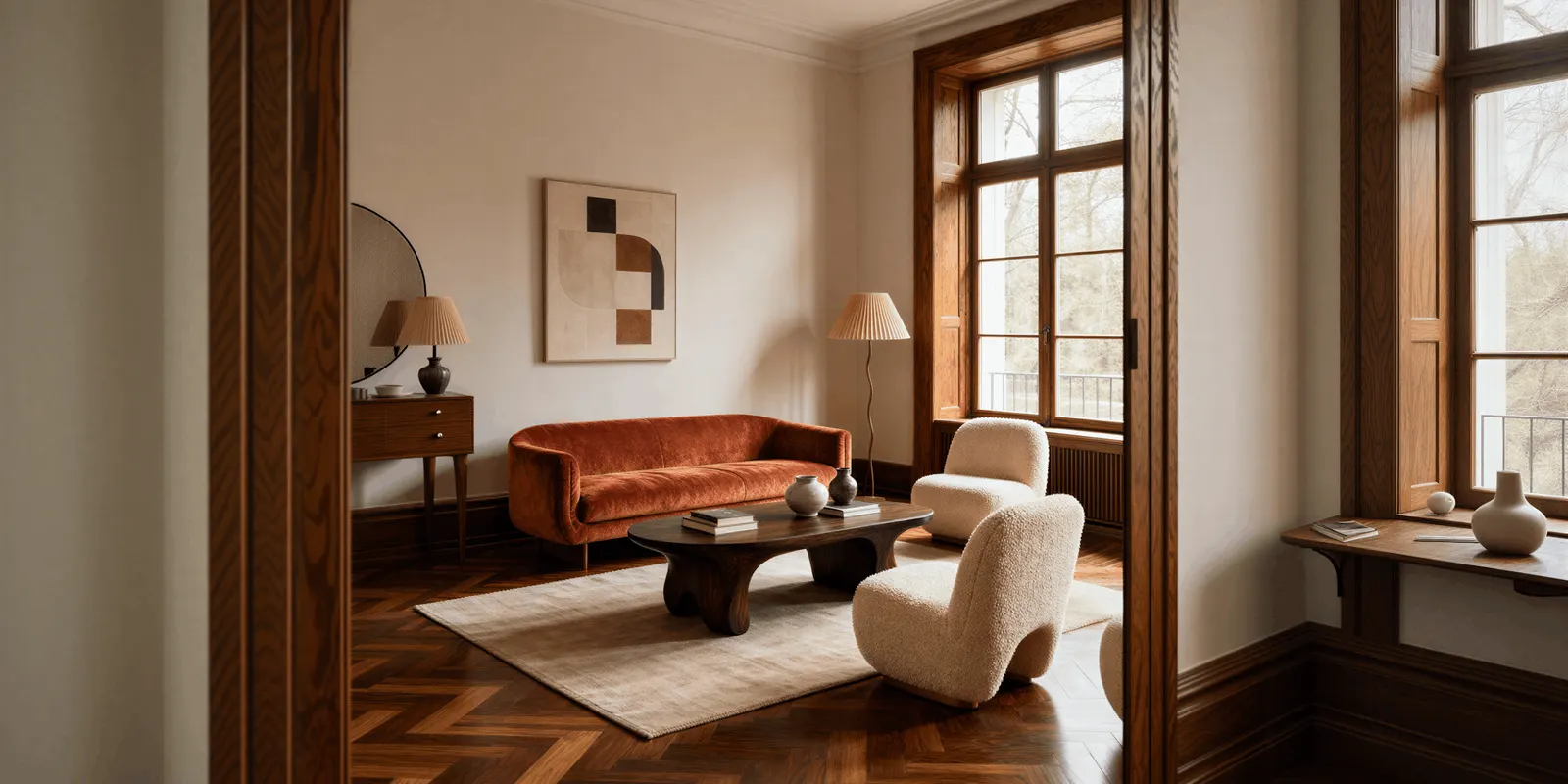
An AI lifestyle photo generator takes a photo of your product and places it in a real-life scene: a candle on a coffee table, a serum on a bathroom shelf, a bag on someone’s shoulder. Some tools keep your product photo and build the scene around it. Others redraw the product inside a new image. Pick the tool by where the photo will go, because Amazon, Google and Etsy each set different rules for lifestyle images.
A lifestyle shoot takes more work than a packshot. You need a location, props, a stylist and often a model. Then the next product needs the same room again, and the one after that. So many catalogs have a clean packshot for every product and a lifestyle photo for only a few.
This guide covers two things. It shows where a lifestyle photo is allowed to go on each channel, and which AI rule applies there. Then it sorts the tools by how they build the scene, because that decides whether your product stays the same product. Every channel rule below was read on the platform’s own help page on 24 September 2026. Every tool feature was read on the vendor’s own page the same day. We sell DesignerBox, so treat what we say about it as our own view.
Key Takeaways
- A lifestyle photo is an extra image on most channels. Amazon puts it in the extra image slots. Only six product types, such as sofas and rugs, may use one as the main image.
- Google has a slot for it. The lifestyle image link attribute takes up to five lifestyle images per product, each at least 600 x 600 pixels.
- AI images need their metadata. Google requires a tag that says AI made the image, and it names a separate tag for a real photo combined with AI parts.
- Etsy wants photos of the actual item. A fully AI-made scene is not a photo of the product the buyer receives.
- How the tool builds the scene matters most. A tool that keeps your cutout keeps the label, the color and the shape. A tool that redraws the product needs a check on every image.
- Check four things before you publish. The product is unchanged, the size is right, no props suggest extras, and the ad label rules for that channel are met.
What is an AI lifestyle photo generator?
An AI lifestyle photo generator is a tool that turns a product photo into a scene that shows the product in use or in a real place. You give it one clean photo, usually on a plain background. You choose the scene with a text prompt, a preset, a reference image or a canvas. The tool returns images of the product on a table, in a room, outdoors or with a person.
A lifestyle photo answers a different question from a packshot. The packshot shows what the product is. The lifestyle photo shows its size, how people use it and what kind of home or wardrobe it belongs in. The seven types of product photography explains where the lifestyle shot sits among the others.
“Lifestyle product photography” means the same thing without AI: a photographer, a set and props. The AI version replaces the set. It does not replace the decision about what the scene should say about the product.
Where can you use AI lifestyle photos?
You can use AI lifestyle photos as extra images on Amazon, as lifestyle images on Google Shopping, on your own store and in ads. The main image is the exception. Amazon allows a lifestyle main image for only six product types, and Etsy asks for photos of the actual item. Each channel also has its own rule for AI images, so check the slot before you run the tool.
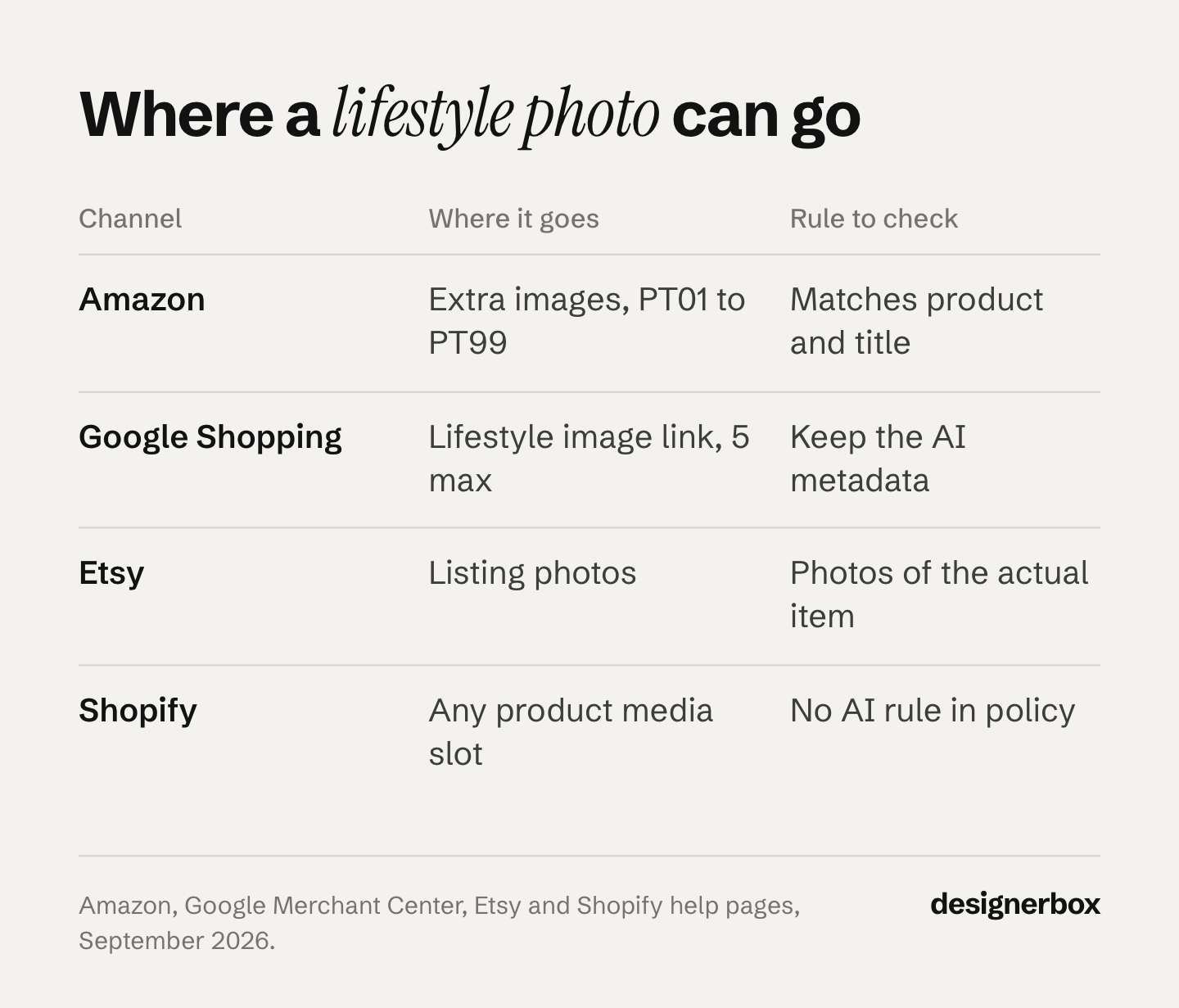
| Channel | Where a lifestyle photo goes | The rule to check |
|---|---|---|
| Amazon | Extra images (PT01 to PT99). Main image only for six product types | The image matches the product and the title |
| Google Shopping | The lifestyle image link attribute, up to 5 per product | AI metadata stays in the file |
| Etsy | Listing photos | Photos of the actual item, not renderings |
| Shopify | Any product media slot | No AI rule; you own what you publish |
| Meta and TikTok ads | Any ad | Label rules depend on how much AI changed |
Amazon
Amazon calls the extra images “variants” and gives them the codes PT01 to PT99. Its guide lists “product in use” as one of their uses (Amazon product image guide, read 24 September 2026). The main image must have a pure white background.
The main image has one exception. Amazon allows a lifestyle main image “in limited product types”: BED, BED_FRAME, MATTRESS, RUG, RUG_PAD and SOFA (Amazon product page style guides, read 24 September 2026). The image must carry no text or extra logos. If you sell anything else, the lifestyle photo goes in the extra slots.
Every Amazon image must “accurately represent the product” and match the title. Amazon also asks you to tag images with a photorealistic person made fully by AI. You add the keyword contains-synthetic-performer to the XMP dc:subject field before you upload (Amazon product image guide, read 24 September 2026). A real model in an AI scene does not need the tag.
Google Shopping
Google has an attribute for exactly this image. The lifestyle image link shows your product “in a real world context”, for example “furniture staged within a room” (Google Merchant Center Help, read 24 September 2026). You can add up to five per product. Each must be at least 600 x 600 pixels, with no promotional text, logos, watermarks, borders or padding.
Google also sets an AI rule on these images. Every image made with generative AI must keep metadata that says so. Google names three IPTC values. TrainedAlgorithmicMedia means a model made the image. CompositeSynthetic means “a composite that includes synthetic elements”, which describes a real product photo placed in an AI scene (Google Merchant Center Help, read 24 September 2026). Do not strip this metadata in your export step.
Etsy
Etsy requires “original photos of the actual product buyers will receive, not renderings or stock photos”. It allows two exceptions: computer-made mockups in the extra photos of personalized items, and stock mockups for print-on-demand designs (Etsy listing image requirements, read 14 September 2026). Etsy’s image page does not mention AI. A scene built around your real product photo is closer to the rule than a scene where a model redrew the product.
Your own store
Shopify’s Acceptable Use Policy has no rule about AI images. Its terms make you responsible for the content in your store, including content made with Shopify’s own tools (Shopify Terms of Service, updated 1 August 2026). On your own store, the only limits are accuracy and your own brand rules.
Ads
A real product in an AI scene is usually a light case for ad labels. The European Commission’s guidelines give this exact example. A real product shown “against an AI-generated background” is not a deep fake, as long as the ad does not mislead about the product (European Commission AI Act guidelines, 2026). The same guidelines list an AI product image that makes the product look better than in real life as a possible deep fake.
TikTok’s ad policy says that removing or changing a background needs no AI label. Fully AI-made media does (TikTok ads policy, read 14 September 2026). Meta adds an “AI info” label itself to ads made with its own AI tools, such as Background Generation (Meta Business Help Center, read 14 September 2026). AI disclosure rules for ads covers the full set. This section is general information, not legal advice.
How do AI lifestyle photo generators build the scene?
AI lifestyle photo generators build the scene in one of three ways. A background generator cuts out your product and creates a new background around it. A scene builder lets you place the product, props and a model, then saves that setup for the next product. A general image model redraws the whole picture from your product photo and a prompt. The first route keeps your photo. The third changes the most. On-model tools and ad tools use the same routes, for a garment on a person or for an ad.
The route decides what you check afterwards. When the tool keeps your cutout, the label and the shape come from your photo, so the shadow, the light and the size are what can go wrong. When a model redraws the product, small text and fine patterns can change too. OpenAI’s own guide says its image models can “struggle with precise text placement” and with keeping “brand elements” the same across images (OpenAI image generation guide, read 24 September 2026).
Google’s documentation shows how far the redraw route has come. Gemini 3 Pro Image, sold as Nano Banana Pro, takes up to six photos of objects “with high-fidelity to include in the final image” (Gemini API image generation docs, read 24 September 2026). That is enough for a product, a prop set and a room reference in one request. It still needs the check on every result.
15 AI lifestyle photo generators, sorted by route
Every feature below comes from the vendor’s own page, read on 24 September 2026. We list no prices. Each vendor lists its plans on its own pricing page.
| Tool | Route | You choose the scene with | Many products at once |
|---|---|---|---|
| Pebblely | Background generator | Templates, a prompt or a style reference | Bulk generation |
| Mokker | Background generator | Templates or your own reference photos | API |
| Photoroom | Background generator, plus staging and models | A preset or a prompt | Batch and API |
| Claid | Background generator, plus fashion models | Background templates or a prompt | API with repeatable rules |
| CreatorKit | Background generator | Templates | Shopify app |
| Shopify media generation | Background edit | A prompt | One image at a time |
| Google Product Studio | Background generator | A prompt or a theme | Inside Merchant Center |
| AI Product Photos app in Canva | Background generator | A prompt | Not stated |
| Flair | Scene builder | A drag-and-drop canvas with props | Bulk generation and API |
| Nightjar | Scene builder | Saved styles, models and places | Reusable looks |
| Botika | On-model | Model choice | Not stated |
| WearView | On-model | Model, pose and background choice | Not stated |
| Nano Banana Pro (Google) | General image model | A prompt and reference photos | API |
| GPT Image (OpenAI) | General image model | A prompt and reference photos | API |
| Amazon Ads image generation | Ad generator | Themes and short prompts | Inside ad campaigns |
Background generators
Pebblely builds a background from your product photo and “adds shadows and reflections accordingly” (pebblely.com/faq, September 2026). You pick a template or write a custom prompt, such as “On a marble countertop with soft morning light”. A style reference image or a preset color guides the look, and bulk generation runs several products at once (pebblely.com/how-to, September 2026).
Mokker removes the background of your upload and places the product on one of its templates. You can upload your own photos as references, and Mokker’s AI “will try to understand the photos’ unique style” (mokker.ai, September 2026). Mokker also offers an API.
Photoroom generates a background from a preset or your own prompt, “with lighting and shadows already in place”. Batch and the API apply the same background across a catalog (photoroom.com/tools/instant-backgrounds, September 2026). Its Product Staging tool places an item in a scene “like being held, worn, or placed on a table”, and Photoroom names bags, jewelry and shoes as the fit (photoroom.com/tools/product-staging, September 2026).
Claid changes a background from a template, a color or a text prompt, and “blends your subject with the new background” (claid.ai/background-changer, September 2026). Its API runs product sets in bulk “with repeatable rules for backgrounds, crops, shadows, and output formats” (claid.ai/api-products/generate-background, September 2026). Claid also has a fashion lifestyle page with AI models.
CreatorKit offers templates by product category and generates photos from inside the Shopify admin through its Shopify app (creatorkit.com/ai-product-photos, September 2026).
Shopify media generation changes a background, the light or other parts of an image from a plain-language prompt in the file editor. Shopify says it is available on all plans “for a limited time” at no extra cost. Results default to 1 megapixel, and Shopify adds an invisible watermark that “doesn’t restrict commercial use but can’t be removed” (Shopify Help Center, read 24 September 2026). At 1 megapixel, check the size each channel asks for.
Google Product Studio is free inside Merchant Center and in the Google & YouTube app on Shopify. Its Generate scene feature shows “your products in lifestyle settings”. You describe the scene or pick a theme (Google Merchant Center Help, read 24 September 2026). Google warns that the tools “may sometimes provide inaccurate or offensive content” (Google Merchant Center Help, read 24 September 2026).
The AI Product Photos app in Canva takes a product image and a text prompt and returns product photos. A third-party developer publishes it in Canva’s app directory (canva.com/apps, September 2026).
Scene builders
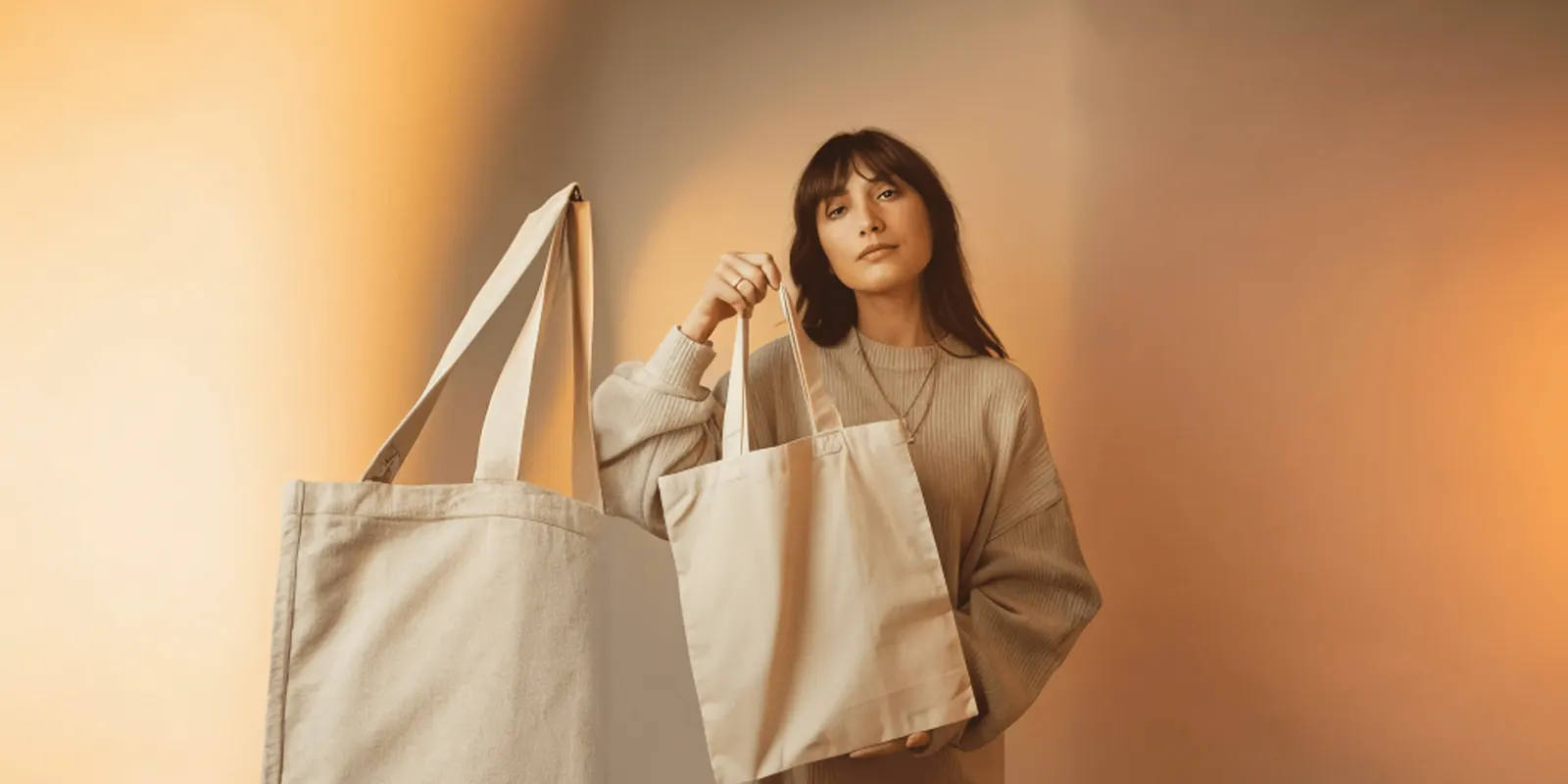
Flair lets you “stage scenes digitally with drag & drop props” on a canvas and save reusable templates. It also puts clothing and jewelry on AI models, and it offers bulk generation and an API (flair.ai, September 2026). Pick it when the position of the product and the props matters more than speed.
Nightjar builds each image from saved parts: “the product, the light, the pose, the model, the place”. You choose from its photography styles or upload a reference, then reuse the look across the catalog. Nightjar says the product is preserved “down to the pixel” (nightjar.so, September 2026). That is the vendor’s claim. Test it on your own labels.
A person in the scene
Botika turns flat lay photos into on-model images with AI models of different skin tones, body types and styles (botika.io, September 2026).
WearView turns flat lays, studio shots and product photos into on-model images. You choose the model, the pose and the background (wearview.co/product-to-model, September 2026). It covers apparel, footwear, jewelry, hats and bags.
A person in a lifestyle photo adds two checks. The garment must fit the way the real one fits. Amazon also needs its tag when the person is made fully by AI. How to put clothes on a model with AI covers the garment side.
General image models
Nano Banana Pro and GPT Image are models, not lifestyle tools. You give them your product photo, reference photos and a prompt, and they return a new image. They give the most freedom and redraw the most. Both are available through an API, and both run as steps inside tools such as DesignerBox. The prompt structure for product edits keeps the product facts in their own block.
Ad-only tools
Amazon Ads image generation makes “lifestyle and brand-themed images” from your product in the ad console, “at no additional cost” (About Amazon, read 24 September 2026). Amazon launched it as a beta for Sponsored Brands and added Sponsored Display campaigns in April 2024 (Amazon Ads, April 2024). Its images go into those campaigns.
Which AI lifestyle photo generator fits your job?
Start from the job, then pick the route. The table sorts the common jobs.
| Your job | Route to pick | Why |
|---|---|---|
| A few scenes for your own store, fast | Background generator | Your product photo stays, and a preset or prompt is enough |
| Google Shopping lifestyle images | Google Product Studio or a background generator | Keeps the product and suits the lifestyle image slot |
| Furniture or rugs as the Amazon main image | Background generator or scene builder | The product must stay exact in the only image in search |
| Clothing worn in a real place | On-model tool | The garment needs a body and a pose |
| The same room for 40 products | Scene builder or a saved workflow | The setup is saved and reused |
| A campaign image with full freedom | General image model | Most control, and a check on every result |
| Sponsored ads on Amazon | Amazon Ads image generation | Built into the campaign, at no additional cost |
Test any tool on your five hardest products before you choose it: a label with small text, a shiny surface, a clear bottle, a fine pattern and the largest item. The best AI product photography tools compares the same tools on packshots, and consistent product images covers the grid test.
Four checks before a lifestyle photo goes live
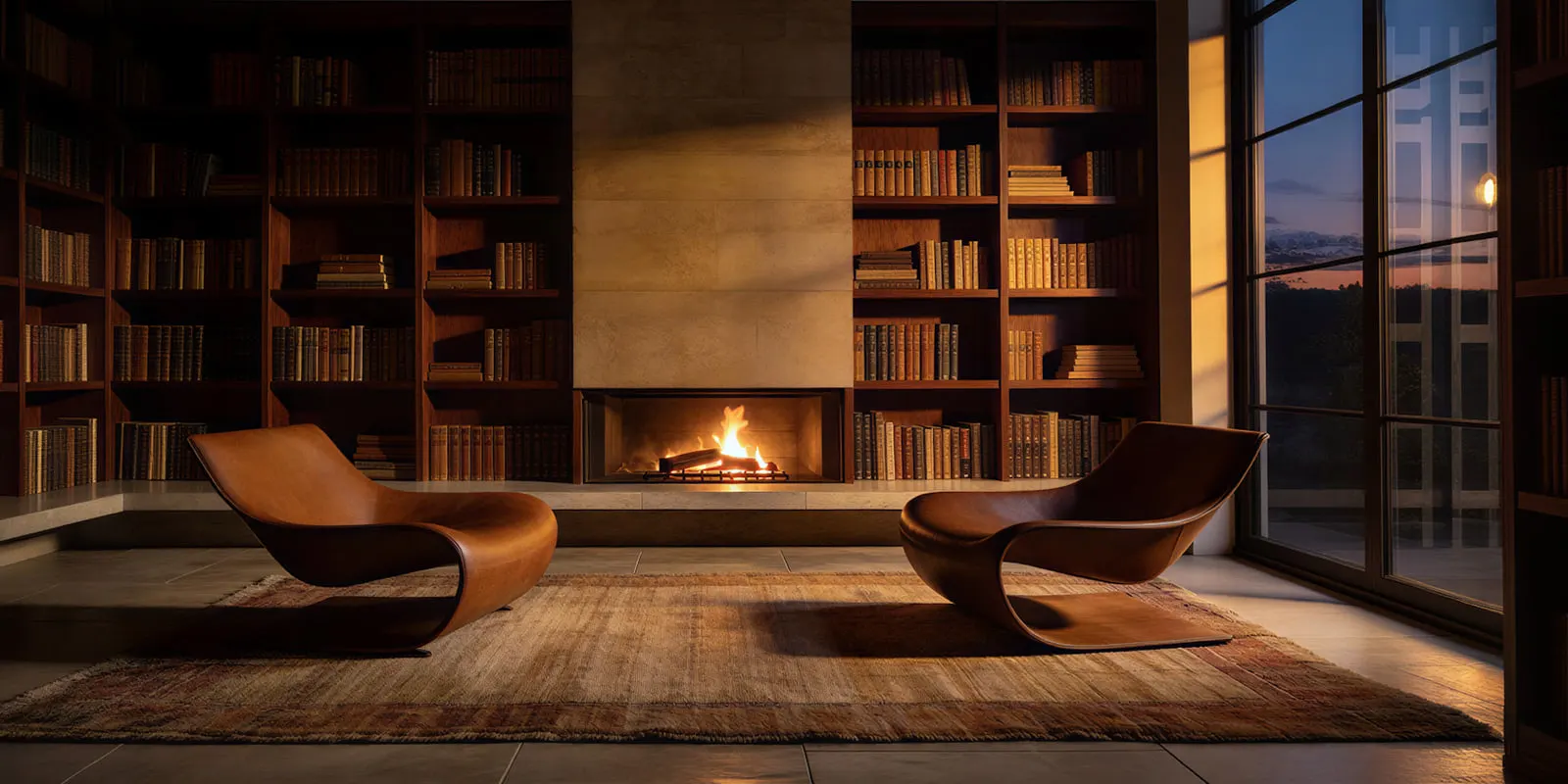
A lifestyle photo fails in four ways. None of them shows at a glance, so check each one on the full-size file. Seasonal scenes add two more checks, covered in our guide to holiday product photography.
- The product is the same product. Compare the label, the logo, the color, the stitching and the shape with the packshot. A redrawn product can change small text and fine patterns. How to test AI product photos for accuracy gives a full test.
- The size is right. A candle must not look like a lamp next to the sofa. Put a known object in the scene, such as a cup, a book or a hand, and compare it with the product’s real size.
- No prop suggests an extra. A shopper can read a prop as part of the order. Amazon’s main image rules ban props that are not included, and every image must match the title. Keep props that clearly belong to the room.
- The file keeps its metadata and meets the label rule. Google needs the AI metadata on the file. Amazon needs its tag for AI-made people. Ads follow the rules in the section above.
Run the four checks on the first ten products, then on a sample of every new batch. A scene that passed on one product can fail on the next: a tall bottle and a flat case need a different camera height in the same room.
Lifestyle scenes for every product
Anyone can make an AI picture. Making hundreds that still look like your brand is the hard part. One lifestyle photo is easy with any tool on this list. The job is the same room, light and framing on product number forty.
DesignerBox is AI creative production for brands and agencies. You build the scene once as a workflow, with your brand rules, your props and your reference photos. You can start from a ready product photography background or from your own room. A styled scene step sets the city, the season and the time of day around your product. The workflow reads the brand on every run, and you see the cost before each run.
Batch runs one workflow over a whole sheet of products, and you keep or discard each row, then re-run one row alone.
The full workflow from the first product photo to the finished ad, in one subscription. The same workflow makes the packshot, the lifestyle scene and the ad, and the image editor makes one edit after another without losing detail. Three critic steps score the results, and best-of-N keeps the best one. You still run the four checks above.
The honest limits: you download the results, or send them with a webhook or an S3 step. You upload them to each channel yourself. Uploading your own photos and the commercial license start on the Pro plan. The image editor starts on the Premium plan. Plans and credits are on the pricing page.
A free plan for your first run. Start from a template and see the cost before you run it. Get started free.
FAQ
What is the best AI lifestyle photo generator?
The best one depends on the slot and the product. For a product placed in a room, pick a tool that keeps your cutout and builds the scene around it. For clothing on a person, pick an on-model tool. For many products in one look, pick a tool that saves the scene and runs it again. Test each tool on your five hardest products first.
Can I use AI lifestyle photos on Amazon?
Yes, in the extra image slots, which Amazon’s guide lists for “product in use” images. The main image needs a pure white background. Six product types may use a lifestyle main image: bed, bed frame, mattress, rug, rug pad and sofa. Every image must represent the product accurately and match the title.
Does Google Shopping accept AI lifestyle images?
Yes. Google’s lifestyle image link attribute takes up to five lifestyle images per product, at least 600 x 600 pixels each. Every image made with generative AI must keep metadata that says so. For a real product placed in an AI scene, Google lists the IPTC value CompositeSynthetic.
Do I need to label an AI lifestyle photo in an ad?
It depends on the channel and how much AI changed. TikTok’s ad policy needs no label for a changed background, but it does for fully AI-made media. The European Commission says a real product on an AI background is not a deep fake if the ad does not mislead.
What photo should I give an AI lifestyle photo generator?
Give it a sharp photo of the real product on a plain background, in even light, at full resolution. Shoot it from the camera height the scene needs: eye level for a table scene, above for a flat lay. The tool cannot invent a side of the product that the photo does not show.
Is there a free AI lifestyle photo generator?
Google Product Studio is free inside Merchant Center. Shopify’s media generation costs nothing extra on all plans for a limited time. Amazon’s ad image generator has no additional cost, but its images are for ads. Check a tool’s terms before you publish a free result.
Are AI lifestyle photos the same as lifestyle product photography?
They show the same thing: the product in use, in a real place. Lifestyle product photography builds the scene with a set, props and a photographer. An AI generator builds the scene around a product photo. The rules on each channel apply to both in the same way.
Sources
- Amazon Seller Central: product image requirements (G1881), read 24 September 2026
- Amazon Seller Central: product page style guides (G200270100), read 24 September 2026
- Google Merchant Center Help: lifestyle image link, read 24 September 2026
- Google Merchant Center Help: image link, read 24 September 2026
- Etsy listing image requirements, read 14 September 2026
- Shopify Terms of Service, read 14 September 2026
- European Commission: guidelines on transparency obligations under the AI Act, read 14 September 2026
- TikTok ads policy: misleading and false content, read 14 September 2026
- Meta Business Help Center: AI info labels on ads, read 14 September 2026
- DesignerBox product pages (designerbox.ai/product/batch, designerbox.ai/pricing), September 2026
Channel rules verified on each platform’s own help pages, and tool features on each vendor’s own site, as of September 2026. Individual results vary.

