
An unlimited AI video generator is a plan or a mode where a clip costs no credits. The word rarely describes what you receive. The vendor removes the credit meter and sets other limits: a slower queue, a short list of covered models, a cap on resolution or clip length, a limit on clips that run at once, and a time window. Credits still pay for everything outside those limits.
A team that budgets video every month reads the word “unlimited” as a fixed cost. That is half true. The cost per clip is zero inside the mode. The queue and the other limits set how many usable clips you get in a day.
This guide covers the six limits, why credits run out fast on a normal plan, six ways to waste fewer, and the questions to ask before you pay. Every vendor fact comes from that vendor’s own help or pricing page, read in October 2026.
Key Takeaways
- Unlimited removes the credit meter, and other limits take its place. The usual six are the queue, the covered models, resolution, clip length, clips at once, and where and how long the mode works.
- Unlimited plans change. Runway stopped selling its Unlimited plan on 1 June 2026 and moved to a plan with credits.
- Credits run out fast for five reasons. Length, resolution, the model tier, audio and repeated attempts all multiply the same clip.
- The same 8 seconds can cost 12 times more. Google lists Veo 3.1 from $0.05 to $0.60 a second, by tier and resolution.
- Ask eight questions before you pay. The first one is which models the unlimited mode covers.
What is an unlimited AI video generator?
An unlimited AI video generator is a subscription, an add-on or a mode that lets you make clips without spending credits. The word describes the price of one more clip. It does not describe speed, quality or volume.

Runway gave the clearest published definition. Its help page says the Unlimited plan let you “create infinite generative videos and images using generative models at a relaxed rate in Explore Mode”, and that Explore Mode “doesn’t use credits” (help.runwayml.com, October 2026). The phrase “relaxed rate” is the limit.
The same page states the trade in one sentence: “sometimes generations may take longer, and the number of simultaneous generations is limited.” Runway also says both modes give the same quality, and that the difference is “speed and availability” (help.runwayml.com, October 2026).
The pattern is older than AI video. An unlimited graphic design service sells unlimited requests and works on one or two at a time.
A search for an AI video generator that is free and unlimited finds a third kind: a free site with no credit meter. Check its watermark and commercial terms, which our guide to free AI video generator plans covers.
Six limits behind an unlimited AI video plan
Each row is a limit that at least one vendor states on its own page.
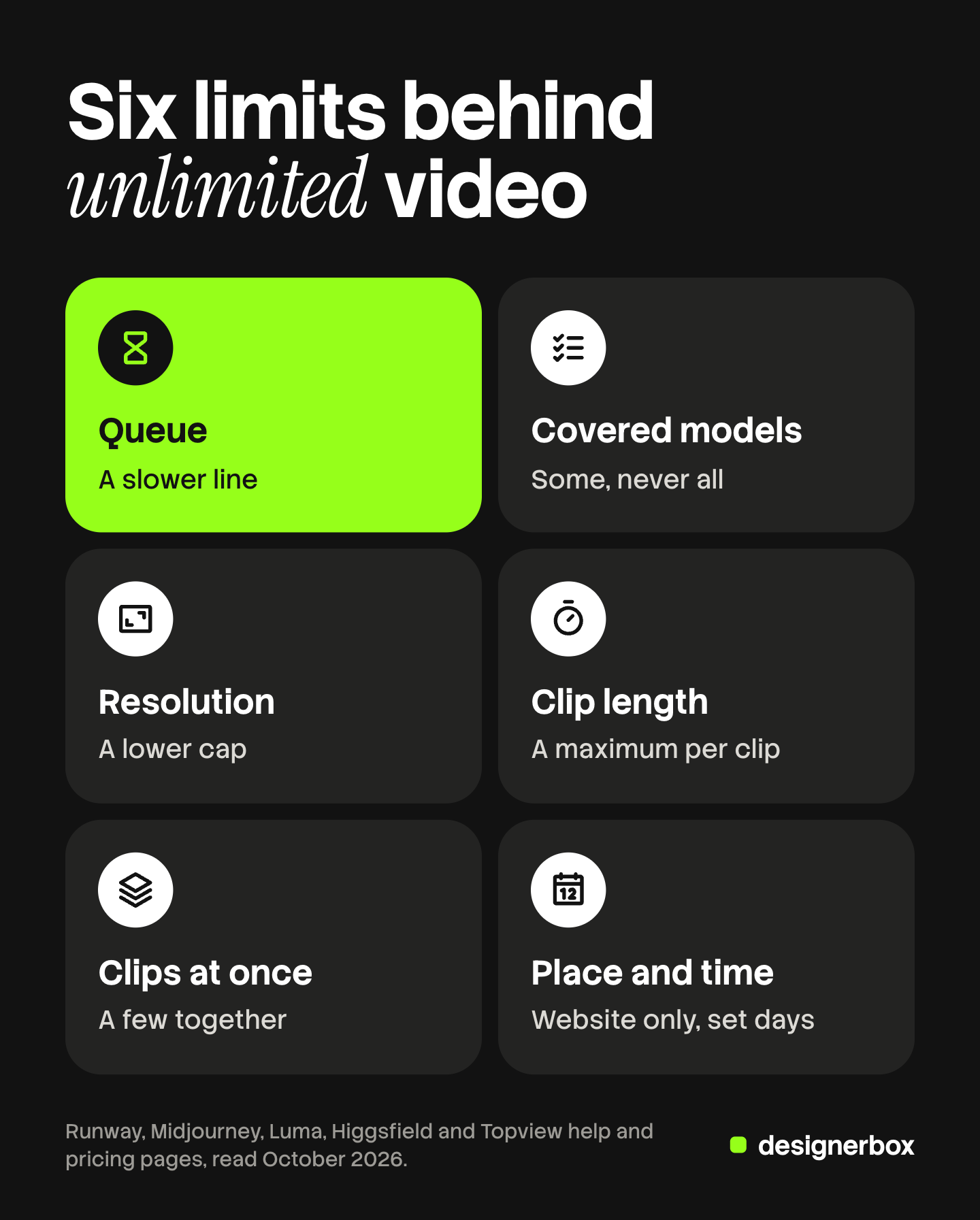
| Limit | What it means | Where a vendor states it |
|---|---|---|
| Queue | Unlimited clips wait in a slower line than paid clips | Runway, Midjourney, Luma, Higgsfield |
| Covered models | The mode works on some models and not on others | Runway, Higgsfield |
| Resolution | Unlimited clips stop at a lower resolution | Midjourney, Higgsfield |
| Clip length | A maximum length per clip | Higgsfield, Topview |
| Clips at once | A cap on clips that run at the same time | Runway, Midjourney, Higgsfield |
| Place and time | The mode works on the website only, or for a set number of days | Higgsfield, Topview |
Two of these limits set the daily volume. The queue sets how long each clip takes, and the cap on clips at once sets how many you wait for together. The other four decide what the clips are good for. A mode that stops at a low resolution is a drafting mode.
How five vendors describe unlimited
Each vendor publishes its limits openly, in its own words.
Runway. Explore Mode ran “across all models on the platform, including third-party models, with the exception of Veo 3 and Veo 3.1, which require credits”. Clip length stayed the same as in the paid mode. Rate limits were “set per user, not per workspace” (help.runwayml.com, October 2026).
Midjourney. Its video page says “only Pro and Mega plans can generate videos in Relax Mode (SD resolution only)”, and that HD video runs “only in Fast Mode”. Its speed page says a Relax job can wait “0 to 30 minutes”, and that the wait “can depend on how much you’ve used Relax Mode compared to other users”. The plan table lists three Relax videos at once (docs.midjourney.com, October 2026).
Luma. Its learning hub describes Relaxed Mode in three lines: “Unlimited generations allowed. Slower queue processing. Accessible after Fast Credits run out.” The same page says subscription credits do not transfer to the Luma API (lumalabs.ai/learning-hub, October 2026).
Higgsfield. It runs several unlimited offers at once, each on named models and each for a set number of days. Its blog says none of them work through its MCP connection, its command line tool or its canvas, where runs use credits. It also says “Unlimited generations run in the standard queue, while credit-based generations always run in the priority queue”, and that video models run one clip at a time (geo.higgsfield.ai/blog, October 2026).
Topview. Its pricing page lists unlimited runs on one named model for a set number of days, at 720p, with a maximum clip length (topview.ai/pricing, October 2026).
What Runway’s change shows
Runway stopped selling the Unlimited plan on 1 June 2026. Its help page gives the reason: “While Unlimited provided a great way to explore different creative paths, its relaxed speeds often led to queuing.” The new top plan has a monthly credit amount and no Explore Mode. Runway says legacy Unlimited plans stay unchanged through 30 November 2026 (help.runwayml.com, October 2026).
An unlimited mode is an offer the vendor can end. Read the refund terms before you buy a yearly plan for it.
Why do AI video credits run out fast?
Credits run out fast because one clip is priced by several multipliers at once. Google’s public price list for Veo 3.1 shows them clearly, in dollars per second (ai.google.dev, October 2026).
| Veo 3.1 tier | 720p | 1080p | 4K |
|---|---|---|---|
| Lite | $0.05 a second | $0.08 a second | Not offered |
| Fast | $0.10 a second | $0.12 a second | $0.30 a second |
| Standard | $0.40 a second | $0.40 a second | $0.60 a second |
Five things multiply the cost of a clip.
- Length. The price is per second. An 8-second clip costs twice a 4-second clip.
- Resolution. On the Fast tier, 4K costs three times 720p.
- Model tier. At 720p, Standard costs eight times Lite.
- Audio. Google’s listed Veo 3.1 rates are for video with audio. On tools where audio is a setting, it adds to the cost.
- Attempts. You pay for every clip, and you keep one. A shot that takes four attempts costs four times its list price.
Put the first three together. An 8-second Lite clip at 720p costs $0.40. An 8-second Standard clip at 4K costs $4.80. That is 12 times more for the same 8 seconds.
A credit plan repackages these rates. What an AI credit buys shows how to convert a credit rate into a cost per clip. AI video generation cost compares the per-second rates of more models.
Six ways to waste fewer credits
Each habit removes one multiplier from the attempts you throw away.
- Test on the cheaper tier. Check the idea, the motion and the framing on a low tier. On Veo 3.1 at 720p, a Lite test costs one eighth of a Standard one.
- Draft at 720p. Google’s Veo documentation says “the higher the resolution, the higher the latency”, and that 4K costs more (ai.google.dev, October 2026). Raise the resolution for the final clip only.
- Keep test clips short. Veo 3.1 makes clips of 4, 6 or 8 seconds. A 4-second test costs half an 8-second one. Note that Veo 3.1 needs 8 seconds for 1080p and 4K.
- Lock the start frame. Veo 3.1 lets you set the first and last frames of a clip. Approve a still image first, then make the clip from it. A still costs less than a clip, so the look is settled before the expensive step. How to make AI videos fast explains this order of work.
- Make fewer clips per prompt. Some tools make several clips from one prompt. Midjourney makes four by default, and its documentation says you can choose one or two “to conserve GPU time” (docs.midjourney.com, October 2026).
- Change the prompt before the rerun. A rerun with the same prompt pays the same price for a similar result. Name what was wrong, change one thing, then run again. Google does not charge for a clip its filters block, but a finished clip you do not like is paid for.
These habits lower the cost per finished clip. What one shipped AI video ad costs works through that number for a full ad.
Questions to ask before you pay for an unlimited plan
Read the plan page and the help page with this list.
- Which models does the unlimited mode cover? Look for the model you plan to use, by name and version.
- What resolution and clip length does it allow? A cap below your delivery format makes it a drafting mode.
- How many clips run at once? One at a time is a different product from three at a time.
- Which queue do unlimited clips use? Ask for the stated wait. Midjourney publishes a range of 0 to 30 minutes.
- How long does the access last? Some offers end after a set number of days. Check what the plan renews into.
- Where does it work? Some modes cover the website only. Runs from an API, an AI chat or an automation may still use credits.
- Is commercial use included? Read the license for the plan, including clips made in the unlimited mode.
- What do credits still pay for? List the models and settings outside the mode, since your final clips may need them.
Then test the queue yourself. Run ten clips at the hour your team works, and time them.

An unlimited mode fits work with many rough attempts and loose deadlines, such as prompt tests and early concepts. Credits fit work with a deadline, a high resolution or a model outside the mode.
AI video cost in DesignerBox
DesignerBox is AI creative production for brands and agencies. It makes images, ads and video from a brand’s own material, and a product photo is one input among several. DesignerBox does not sell an unlimited plan. Every run uses credits.
You see the cost of a run before you press Run. An 8-second clip costs 40 to 560 credits, depending on the model.
The habits above fit a saved workflow. You build the workflow once with your brand, a still step and a video step. The workflow reads the brand profile on every run, so each new clip starts from the same look. Anyone can make an AI picture. Making hundreds that still look like your brand is the hard part.
The AI video ads page shows the video workflows. The video editor cuts the clips into a finished ad on a timeline. The full workflow from the first product photo to the finished ad, in one subscription.
Here are the limits. Every plan below Ultra is one seat. You download the results, or send them with a webhook or an S3 step. Uploading your own photos and the commercial license start on the Pro plan. AI video, virtual try-on, upscaling, the image editor and the video editor start on the Premium plan. Plans and credits are on the pricing page.
A free plan for a first look
There is a free plan, and it runs on sample products. It does not make video. Get started free
FAQ
What does unlimited AI video mean?
It means a clip does not use credits inside one mode or plan. Other limits apply in its place. The common ones are a slower queue, a list of covered models, a resolution or length cap, a limit on clips at once, and a time window. Each vendor states its own set.
Is there a truly unlimited AI video generator?
None of the vendor pages read for this guide describes one. Each unlimited mode removes the credit cost and limits speed, models, resolution or time. Runway described its own mode as unlimited “at a relaxed rate” (help.runwayml.com, October 2026).
Is there an AI video generator that is free and unlimited?
Some free sites have no credit meter. Check four things before you plan work around one: the watermark, the resolution, the queue and the commercial terms. A free clip with a watermark or a personal-use license cannot run as an ad.
Why do my AI video credits run out so fast?
Length, resolution, the model tier, audio and repeated attempts all multiply the cost of one clip. On Google’s Veo 3.1 price list, the same 8 seconds costs $0.40 on the Lite tier at 720p and $4.80 on the Standard tier at 4K (ai.google.dev, October 2026).
When is an unlimited plan worth paying for?
When most of your clips are tests and the deadline is loose. A slow queue costs little there, and each attempt is free. When you need a set resolution, a named model or a delivery date, compare the cost per finished clip on credits first.
Does DesignerBox have an unlimited plan?
No. Every run in DesignerBox uses credits, and the cost is shown before the run. AI video starts on the Premium plan (DesignerBox pricing, October 2026).
Sources
- Runway, “Unlimited plan details (Legacy)”: Explore Mode, the relaxed rate, the Veo exception and per-user rate limits: help.runwayml.com, October 2026
- Runway, “Unlimited plan is switching to Max”: the 1 June 2026 end of sale, the reason given and the 30 November 2026 date: help.runwayml.com, October 2026
- Runway, “Why does Explore Mode sometimes move faster or slower?”: help.runwayml.com, October 2026
- Google, Gemini API pricing, Veo 3.1 rates per second by tier and resolution: ai.google.dev, October 2026
- Google, Veo documentation: clip lengths, resolution rules, first and last frames, blocked clips: ai.google.dev, October 2026
- Midjourney documentation, the Video, GPU Speed and Comparing Midjourney Plans articles (docs.midjourney.com), October 2026
- Luma learning hub, Dream Machine credit system: Fast credits and Relaxed Mode (lumalabs.ai/learning-hub/dream-machine-credit-system), October 2026
- Higgsfield blog, two posts on its Unlimited offers: queue, covered models, clips at once and where the mode works (geo.higgsfield.ai/blog), October 2026
- Topview pricing page, the Unlimited generations row (topview.ai/pricing), October 2026
- DesignerBox plans and feature gating: DesignerBox pricing page (designerbox.ai/pricing), October 2026
Vendor plans and model prices checked against each company’s own pages as of October 2026. Plans in this category change often, so read the current page before you buy. Individual results vary.