
AI video credits run out fast because a tool charges for every attempt, and most clips take several attempts. The price on the plan page is the price of one try. Your real cost is that price multiplied by the tries it takes to get a clip you accept. Lower the number of tries and the same credits make more finished video.
A team plans 20 product clips for a launch. The plan looks big enough for 20 clips. By clip six the balance is gone, because each clip took four tries and three of them went in the bin.
This guide is for a brand or an agency that buys AI video on a credit plan. It explains where the tries come from, shows the math with a vendor’s public rates, and gives five checks that cut the count.
Key Takeaways
- The unit that matters is the accepted clip. Cost per accepted clip is the price of one try multiplied by the number of tries.
- A rejected clip is still a billed clip. Vendors refund a technical failure. They do not refund a clip that finished and missed the brief.
- Most retries come from decisions nobody made. A blank in the prompt is a choice the model makes, and it makes a new one each time.
- Draft on a low tier, finish on a high tier. With Google’s listed Veo 3.1 rates, five tries cost $16.00 on the Standard tier and $4.80 with four drafts on Lite.
- Save the inputs. A reference image, a brand record and a saved workflow carry the decisions from one clip to the next.
- Read the cost before the run. Several tools show it. Use it to choose the length and the resolution of a test.
Why do AI video credits run out so fast?
AI video credits run out because billing happens when the model starts work, and the model cannot know if you will like the result. A clip that finishes is charged in full. You then judge it. If it misses, you run it again and pay again. The balance follows the number of runs, and the number of finished clips trails behind it.
Vendors draw one line here. A run that fails for a technical reason is usually not charged. Google’s pricing page says of Veo 3.1: “You will only be charged if your video is successfully generated” (ai.google.dev, October 2026). Higgsfield says it returns credits for a failed run by itself (higgsfield.ai/blog/why-ai-video-credits-run-out, October 2026).
A clip that renders and looks wrong is a different case. The compute was used, so the charge stays. That second case is where a budget goes.
What is the cost per accepted clip?
The cost per accepted clip is the total you spent on a shot, divided by the clips you kept. For one shot it is the price of one run multiplied by the number of runs.

Higgsfield’s guide puts the multiplier at three to ten for most of its users (higgsfield.ai/blog/why-ai-video-credits-run-out, October 2026). That is one vendor’s estimate, and it publishes no data behind it. Measure your own number: count the runs for your last ten accepted clips and divide.
Credits hide this math, because a credit has no fixed value. Our guide to what one AI credit buys shows how to convert a credit rate into money. The same retry math applies to stills, and our guide to the AI image retry rate covers that side.
| What you count | What it tells you |
|---|---|
| Price of one run | What the plan page shows |
| Runs per accepted clip | How well the brief, the references and the model fit the shot |
| Cost per accepted clip | What the shot really costs |
| Accepted clips per month | What the plan really delivers |
Where do the extra attempts come from?
Extra attempts come from five places. Each one is a decision that was left open before the first run.
1. The prompt grows one detail at a time. You run a short prompt, look, add a detail and run again. Six rounds cost six runs. A full shot brief written first costs one.
2. The camera and the light live in loose words. “Slow push in” and “soft window light” can be read many ways. The model reads them a new way on each run.
3. The person or the product changes between clips. A face or a label that exists only as text is drawn again from zero every time. You then pay to search for a match.
4. Drafts run on the most expensive model. A draft answers questions about framing and timing. It does not need the top tier.
5. The cost is unknown until the balance drops. Length, resolution and model all move the price. If you cannot see the price first, you cannot plan a cheap test.
What does a retry cost in real money?
A retry costs the full price of the clip again. A model vendor’s public API rates make the math easy to see. Google lists Veo 3.1 Lite at $0.05 per second at 720p and Veo 3.1 Standard at $0.40 per second at 720p and 1080p (ai.google.dev, October 2026).
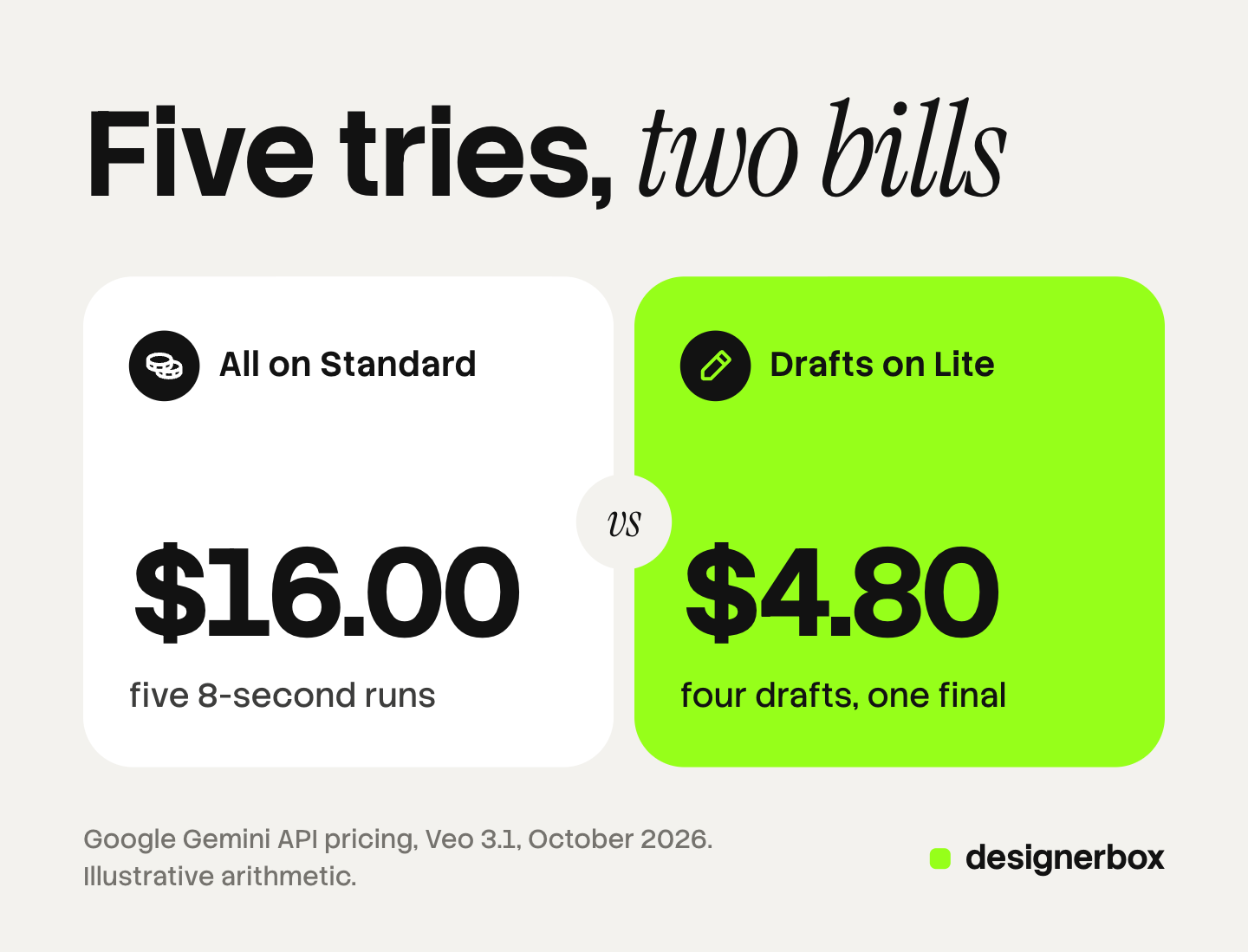
The table shows one 8-second clip that takes five tries. The numbers are illustrative arithmetic from those listed rates. They are not a measured result, and a credit plan in any tool will price the same clip in its own way.
| Route | Runs | Arithmetic | Total |
|---|---|---|---|
| Every try on Standard | 5 runs at $3.20 | 5 x 8 x $0.40 | $16.00 |
| Four drafts on Lite, one final on Standard | 4 runs at $0.40, 1 run at $3.20 | $1.60 + $3.20 | $4.80 |
| One try on Standard, accepted first time | 1 run at $3.20 | 8 x $0.40 | $3.20 |
Two limits apply. A prompt that works on a draft tier can behave differently on the final tier, so the final sometimes needs a second run. And a draft tier cannot answer a question about fine detail. Use drafts for framing, timing and action.
Our guide to what AI video generation costs lists the per-second rates of more models.
Five checks before you press Run
These five checks move the decisions to the start, where they cost nothing.
- Write the whole shot first. Subject, place, camera, lens, action, light, sound, length and aspect ratio. Our AI video prompting guide gives the structure.
- Start from an image. An approved still of your product or your model fixes what the clip must show. The model then only adds motion.
- Save the person and the product as references. Our guide to consistent characters in AI video covers the methods.
- Test short and small. Run the draft at the shortest length and the lowest resolution the model allows. Raise both for the final only.
- Set a stop rule. Decide the number of tries a shot may take. At that number, change the brief or the model. Do not run the same prompt again.
Keep a simple log for one month: shot, model, runs and accepted clips. The log shows which kind of shot eats the budget. In most teams it is one or two kinds.

Plan features that change the math
Some plans include runs that do not use credits. Higgsfield describes “Unlimited” models on its mid and top plans: on its website, a covered model can run at zero credits for a set period, in a slower queue. The same guide says runs through its MCP connection, its command line tool and its canvas always use credits (higgsfield.ai/blog/why-ai-video-credits-run-out, October 2026). Terms like these change, so read the current plan page before you plan around them.
Two questions matter for any plan. Does the tool show the cost before the run? And where do free or unlimited runs stop applying? A team that works from an AI chat or an automation should check the second one first.
AI video in DesignerBox
DesignerBox is AI creative production for brands and agencies. This section is for an agency, or for a brand with 20 to 500 products, that needs the same clip for every product.
Cost before the run. The cost is shown before the run. An 8-second clip costs 40 to 560 credits, depending on the model. Higgsfield shows a cost before a run too, so this is common practice and not a difference.
Saved decisions. A workflow in DesignerBox is your own set of steps, built once with your brand and run again. The brand record holds products, logo, colors, fonts, voice, rules and reference pictures, and the workflow reads it on every run. The decisions that cause retries are made once. Our guide to DesignerBox Workflows explains the steps, and the Workflows page shows the feature.
Review. Critic steps score the results of a run, and best-of-N keeps the best one. A person still approves the final clip.
Anyone can make an AI picture. Making hundreds that still look like your brand is the hard part. The full workflow from the first product photo to the finished ad, in one subscription.
The honest limits, as of October 2026:
- A rejected clip uses credits in DesignerBox as well. A saved workflow lowers the number of tries. It does not remove them.
- AI video, virtual try-on, upscaling, the image editor and the video editor start on the Premium plan. Uploading your own photos and the commercial license start on the Pro plan. Plans and credits are on the pricing page.
- The free plan cannot make video.
- Every plan below Ultra is one seat.
For video ads from a product photo, start on the AI video ads page.
FAQ
Why do my AI video credits run out so fast?
You are charged for every run that finishes, and most clips take more than one run. Short prompts, loose camera words, a face that changes between clips and drafts on a top model all add runs. Count your runs per accepted clip to see your real rate.
Do I get credits back for a bad AI video?
Usually not. Vendors separate a technical failure from a result you do not like. Google says you are only charged if the video is successfully generated. A clip that renders and misses the brief is charged in full.
How do I work out the cost per accepted clip?
Add the cost of every run for a shot, the rejected ones included. Divide by the number of clips you kept. For one shot, it is the price of one run multiplied by the number of runs.
Is it cheaper to draft on a smaller model?
Often, yes. With Google’s listed rates, four 8-second drafts on Veo 3.1 Lite and one final on Standard cost $4.80, against $16.00 for five runs on Standard. The final can still need a second run, because a prompt can behave differently on another tier.
How many AI video credits do I need per month?
Start from accepted clips, not from credits. Multiply the clips you need by your runs per accepted clip, then by the credit cost of one run at your usual length and model. Add a margin for new kinds of shot.
Does DesignerBox show what a video costs before I run it?
Yes. The cost is shown before the run, so you can pick the model and the length first. AI video starts on the Premium plan.
Sources
- Google AI for Developers, Gemini API pricing, read October 2026: Veo 3.1 Standard, Fast and Lite rates per second, and the note that you are only charged if the video is successfully generated
- Higgsfield blog, “Why Your AI Video Credits Run Out Faster Than You Expect” (higgsfield.ai/blog/why-ai-video-credits-run-out), read October 2026: the three to ten estimate, refunds for failed runs, Unlimited models and where they apply
- DesignerBox pricing page (designerbox.ai/pricing), October 2026
- DesignerBox Workflows page (designerbox.ai/product/workflows), October 2026
Vendor rates and plan terms verified from Google’s pricing page and Higgsfield’s blog as of October 2026. The retry arithmetic is illustrative. Individual results vary.