
Good Facebook ad examples are structures you can rebuild. Each one has four parts: the frame, the headline slot, the primary text and the format. The right structure depends on the funnel job. A first-touch ad shows the product in use. A retargeting ad shows the exact product a shopper viewed. This guide writes out eight examples as build sheets, with Meta’s rule beside each.
Most lists show a screenshot of a brand’s ad and a guess about why it worked. Nobody outside that company can see the results. A structure is different. You can copy it, fill it with your own product and test it.
Every example uses one generic product: a 250 ml hand cream in a pump bottle. The claims in the example lines are placeholders. Replace each one with a claim you can prove. The character counts and formats come from Meta’s own pages, read in October 2026.
Key Takeaways
- Sort examples by funnel job. The four jobs are first touch, consideration, retargeting, and catalog or returning customer. Each job needs a different frame.
- A build sheet has four parts. The frame, the headline slot, the shape of the primary text, and the format with its placement.
- The Ad Library shows the ad, not the result. For an ordinary active ad you see the creative, the Page and the start date. You do not see spend or impressions.
- Before and after is allowed in some cases. Meta’s Health and Wellness policy lists it for general cosmetic products shown to adults. Statements of inferiority about appearance stay banned.
- Product first, reader second. Meta’s personal attributes policy rejects copy that implies something about the person who sees the ad.
What makes a Facebook ad example worth copying?
An example is worth copying when you can name its parts. A screenshot hides the decisions behind an ad. A build sheet lists them, so a designer or a workflow can repeat them for the next product.

Each build sheet here has four parts and one rule.
- Frame. What the image or the first second of video shows.
- Headline slot. The short bold line under the image. Meta’s Ads Guide recommends 27 characters for a feed image.
- Primary text shape. The text above the image. The guide recommends 50 to 150 characters for a feed image.
- Format and placement. Single image, video, carousel or collection, and where it runs.
- Meta’s rule. The line from Meta’s own pages that the example has to pass.
This guide does not repeat the pixel sizes and safe zones. Those are in our guide to Facebook ad design. The image sizes and text lengths for each placement are in the Meta ad specs. For the same idea sorted by feed, Stories and Reels, read the Instagram ad examples by placement. For the steps to make any ad, from the offer to the test, see how to make an ad in seven steps.
Facebook ad examples by funnel job
A funnel job is the one thing an ad has to do for the person who sees it. A stranger needs to learn what the product is. A shopper who viewed the product page needs a reason to return.
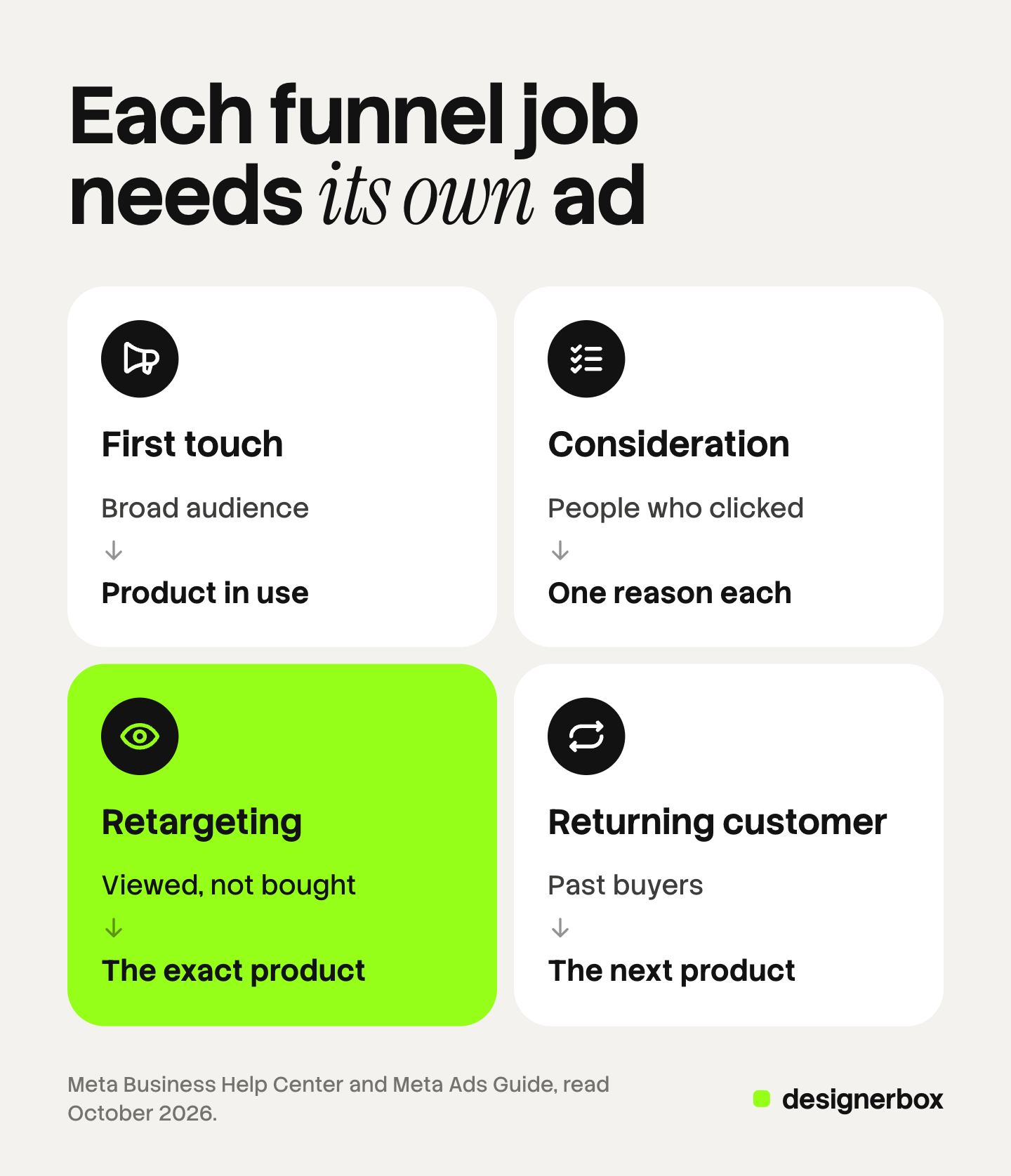
The table maps each job to an audience, a format and the thing the ad must show.
| Funnel job | Who sees it | Format | What the ad must show |
|---|---|---|---|
| First touch | A broad audience that has not bought | Single image or short video | The product in use, large enough to read the label |
| Consideration | People who watched or clicked | Carousel or review image | One reason per card, or one real customer’s words |
| Retargeting | People who viewed or added to cart, minus buyers | Catalog ad or single image | The exact product they viewed, and one answer |
| Catalog or returning customer | Past buyers, or a broad catalog audience | Collection or catalog carousel | The range, or the next product for a buyer |
The retargeting row follows Meta’s own advice. For a retargeting campaign, Meta recommends that you include “people who viewed or added products to their cart” and exclude “people who purchased products” (Meta Business Help Center, October 2026).
First-touch Facebook ad examples
A first-touch ad meets a person who does not know the brand. The frame has to say what the product is without help from the text.
1. The product in use, single image
- Frame. A hand presses the pump of the 250 ml bottle above a bathroom sink. The label faces the camera. Nothing else competes with the bottle.
- Headline slot. “Hand cream, 250 ml pump” (23 characters).
- Primary text shape. Two sentences. The first says what the product is and who it is for. The second gives one benefit. Example: “A daily hand cream for people who wash their hands often. One pump covers both hands.”
- Format and placement. Single image in the feed, at a 4:5 ratio and 1440 x 1800 pixels.
- Meta’s rule. The Ads Guide recommends a primary text of 50 to 150 characters and a headline of 27 characters (Meta Ads Guide, October 2026). The example text above is 85 characters.
2. The ten-second demonstration, video
- Frame. Second one shows the bottle and the pump. Then two hands spread the cream. The last shot shows the bottle with the label readable.
- Headline slot. “See it on dry hands” (19 characters).
- Primary text shape. One sentence that names the product, then one that says what the video shows.
- Format and placement. Video in the feed at 4:5, with captions.
- Meta’s rule. The Ads Guide lists captions and sound as “optional, but recommended” for a feed video. It allows a length from 1 second to 241 minutes, so the ten seconds are a choice (Meta Ads Guide, October 2026).
Consideration ad examples
A consideration ad meets a person who knows the product exists. The job is to give the reasons, one at a time.
3. The carousel that answers five questions
- Frame. Five square cards. Card one shows the bottle. Card two shows the texture on a fingertip. Card three shows the ingredient list. Card four shows the bottle beside a common object for size. Card five shows the offer.
- Headline slot. One per card, such as “250 ml pump bottle” (18 characters) and “Texture, close up” (17 characters).
- Primary text shape. One sentence that stays the same across all cards. It names the product and invites a swipe.
- Format and placement. Carousel in the feed, 1:1, at least 1080 x 1080 pixels per card.
- Meta’s rule. A carousel takes 2 to 10 cards. The Ads Guide recommends 80 characters of primary text, a 20-character headline and an 18-character description, and it requires a landing page URL (Meta Ads Guide, October 2026).
Our guide to carousel ads has five card structures and the specs on four platforms.
4. The review beside the product
- Frame. The bottle on the left. On the right, one sentence from a real customer review, set in large type, with the customer’s first name.
- Headline slot. The product name: “Daily hand cream” (16 characters).
- Primary text shape. One sentence that says where the review comes from. One sentence with the offer.
- Format and placement. Single image in the feed at 4:5.
- Meta’s rule. Meta’s Advertising Standards say that all ad components “must be relevant to the product or service being offered” (Meta Transparency Center, October 2026). The review must be real, and the customer must agree to its use. Our guide to testimonial ads covers the proof each format needs.
Facebook retargeting ads: two examples
Facebook retargeting ads reach people who already visited the product page. Meta’s own example of the audience is “people who have visited your website in the last 30 days but haven’t converted yet” (Meta Business Help Center, October 2026).
5. The viewed-product reminder
- Frame. The exact product the shopper viewed, on a white backdrop, from your catalog. No scene and no text on the image.
- Headline slot. The product name from the catalog feed.
- Primary text shape. One sentence about the product. One sentence that removes a risk, such as your delivery time or your returns policy.
- Format and placement. An Advantage+ catalog ad, as a single image or a carousel.
- Meta’s rule. Meta says these ads “look like other single image, carousel or collection ads, but the products shown are dynamically displayed for each person”. One named use is to remind shoppers “about products they viewed but didn’t buy” (Meta Business Help Center, October 2026).
6. The answer to the last question
- Frame. The bottle in an open hand, so the size is clear. Beside it, one short line that answers the question shoppers ask most, such as the scent.
- Headline slot. “No added fragrance” (18 characters), if that is true for your product.
- Primary text shape. State the question as a fact about the product. Then give the answer and the offer.
- Format and placement. Single image in the feed, shown to a website custom audience.
- Meta’s rule. Write about the cream, not about the reader. Meta’s guidance accepts “ad creative that describes or shows the promoted product or service”. It rejects copy that uses “you” or “your” to reference a personal attribute (Meta Transparency Center, October 2026).
Catalog and returning-customer ad examples
The last job covers two audiences. A broad audience sees the range. A past buyer sees the next product.
7. The collection for the whole range
- Frame. The cover shows the full range on a bathroom shelf. Under it sit three product images from the catalog: the pump bottle, the travel tube and the refill.
- Headline slot. “The hand care range, 3 sizes” (28 characters).
- Primary text shape. One sentence that names the range. One sentence with the offer.
- Format and placement. Collection in the feed. The cover ratio runs from 1.91:1 to 1:1.
- Meta’s rule. A collection ad “includes a cover image or video followed by 3 product images”. A tap opens an Instant Experience, which the format requires. The Ads Guide recommends 125 characters of primary text and a 40-character headline (Meta Ads Guide, October 2026).
8. The next product for a buyer
- Frame. The 50 ml travel tube beside the 250 ml bottle the buyer already owns. The new product sits in front.
- Headline slot. “The travel size, 50 ml” (22 characters).
- Primary text shape. One sentence that names the new product. One sentence that says how it fits with the first one.
- Format and placement. A catalog ad from a second product set, shown to past buyers.
- Meta’s rule. For cross-selling, Meta recommends that you include “people who purchased products”. It adds that this audience “should be based on a different product set than the one you’re advertising” (Meta Business Help Center, October 2026).
Catalog ads read their images from a product feed. Our guide to catalog ads lists the feed fields for images and video.
How to find live Meta ad examples in the Ad Library
The Meta Ad Library is the free source of real, live Meta ad examples. Meta says it “contains all active ads that are shown across Meta technologies”, and that “anyone can view and search” it (Meta Business Help Center, October 2026).

Use it in four steps.
- Search. Type a brand name, a Page name or a keyword. Meta says you can search “any term, name or Page”.
- Set the country. The country selector shows the ads that run in one country.
- Open the details. The “See ad details” button shows more about one ad.
- Write the build sheet. Note the frame, the headline, the shape of the text and the format. Do not copy the image or the words.
Know what the library does not show. For an ordinary active ad, Meta’s table lists the creative, the Page and the date the ad started. It lists no amount spent and no impressions. The ad is not kept after it stops, unless it ran in the EU or the United Kingdom. Those ads stay for one year after the last impression.
So the library cannot name the best Facebook ads. It shows which ads a company still pays for. Treat a long run as a hint and test the structure yourself. Our guide to ad spy tools explains what paid databases add.
Meta ad rules that reject a copied example
An example can pass for one advertiser and fail for you. Meta’s review “is typically completed within 24 hours”, and Meta says ads “may be reviewed again, including after they are live” (Meta Transparency Center, October 2026). Four rules apply to almost any product ad. This is general information, not legal advice.
Personal attributes. Ads must not contain content that “asserts or implies personal attributes”. The list includes age, health, religion and financial status. Meta’s own examples show the line. “Our new lotion and creams fight wrinkles like never before!” is accepted. “Ready to upgrade your skin to look younger?” is rejected. The first line describes the product. The second line implies something about the reader.
Before and after. Meta’s Health and Wellness policy does not ban every before-and-after image. It lists “general cosmetic products, procedures, surgeries depicting before and after transformation” among the ads an advertiser can run to people aged 18 or older. The same policy bans “statements of inferiority about physical appearance”. For weight loss products it bans a close view of a body area with pinched fat (Meta Transparency Center, October 2026).
Promised results. The same policy bans, in a health or weight context, “promises of specific outcomes within a set timeframe without disclaimers or qualifiers”. A line such as “soft hands in 3 days” needs proof and a qualifier, or it should go.
AI info labels. Meta applies an AI info label when you use its own generative features to create or significantly edit an image. It also applies the label when it detects that a third-party generative AI tool created or edited the ad. Before you publish, Ads Manager shows a message if the label will appear (Meta Business Help Center, October 2026).
One more check comes from the Advertising Standards. The products in the ad “must match those promoted on the landing page”.
Ad sets by funnel job in DesignerBox
DesignerBox is AI creative production for brands and agencies. It makes images, ads and video, and your products are one input beside your brand rules.
Anyone can make an AI picture. Making hundreds that still look like your brand is the hard part.
Eight build sheets for one product is a small job. Eight build sheets for 60 products is 480 ads, and each one has to carry the same logo, colors and fonts. In DesignerBox you save a build sheet as a workflow. The workflow reads your brand on every run: logo, colors, fonts, voice, rules, products and reference pictures. It then makes the ad image from your product photo.
A batch runs one workflow over a sheet, one product per row, up to 200 rows a sheet. Row one and row two hundred read the same brand rules. You keep or discard each result per row. The cost is shown before the run.
An agency can turn a workflow into an app, which is a workflow with a form. A colleague types the product and the funnel job, and presses Run.
The full workflow from the first product photo to the finished ad, in one subscription.
The limits are plain. DesignerBox does not send finished work to an ad account. You download the results, or send them with a webhook or an S3 step. A person still sets the audience, the text slots and the budget in Ads Manager. Every plan below Ultra is one seat.
Uploading your own photos and the commercial license start on the Pro plan. AI video, virtual try-on, upscaling, the image editor and the video editor start on the Premium plan. Plans and credits are on the pricing page.
There is a free plan, and it runs on sample products. Get started free
FAQ
What are good Facebook ad examples for a product?
Good examples are structures matched to a funnel job. A first-touch ad shows the product in use. A consideration ad gives one reason per carousel card. A retargeting ad shows the exact product a shopper viewed. A catalog ad shows the range or the next product for a buyer.
Where can I see real Facebook ad examples free?
In the Meta Ad Library. Meta says it contains all active ads shown across its technologies, and anyone can search it. For an ordinary active ad it shows the creative, the Page and the start date. It does not show spend, impressions or results.
What do Facebook retargeting ads show?
They show the product a shopper already viewed, plus one answer to a doubt. For the audience, Meta recommends that you include people who viewed or added products to their cart, and exclude people who purchased.
Are before-and-after images allowed in Meta ads?
In some cases. Meta’s Health and Wellness policy lists general cosmetic products depicting a before and after transformation among the ads allowed for people aged 18 or older. It bans statements of inferiority about appearance. Read the policy for your product category before you build the ad. This is general information, not legal advice.
Can I make these ad structures with AI?
Yes. In DesignerBox you save each structure as a workflow, and a batch runs it over a sheet of products. The cost is shown before the run. DesignerBox does not send finished work to an ad account, so you download the results and upload them in Ads Manager.
Sources
- Meta Ads Guide, image ads in Facebook Feed: 4:5 ratio, 1440 x 1800 pixels, primary text 50 to 150 characters, headline 27 characters (facebook.com, read October 2026)
- Meta Ads Guide, video ads in Facebook Feed: captions and sound recommended, length 1 second to 241 minutes (facebook.com, read October 2026)
- Meta Ads Guide, carousel ads in Facebook Feed: 2 to 10 cards, 1:1, text recommendations, landing page URL (facebook.com, read October 2026)
- Meta Ads Guide, collection ads in Facebook Feed: cover plus 3 product images, Instant Experience, text recommendations (facebook.com, read October 2026)
- Meta Business Help Center, about the Meta Ad Library: what the library contains and what it shows for each kind of ad (facebook.com, read October 2026)
- Meta Business Help Center, about Meta Advantage+ catalog ads (facebook.com, read October 2026)
- Meta Business Help Center, create a catalog custom audience: recommended audiences for retargeting and cross-selling (facebook.com, read October 2026)
- Meta Business Help Center, about website custom audiences (facebook.com, read October 2026)
- Meta Business Help Center, about AI info on ads (facebook.com, read October 2026)
- Meta Transparency Center, Advertising Standards: ad review, relevance and landing page rules (transparency.meta.com, read October 2026)
- Meta Transparency Center, Privacy Violations and Personal Attributes: accepted and rejected example lines (transparency.meta.com, read October 2026)
- Meta Transparency Center, Health and Wellness: before and after, statements of inferiority, promised outcomes (transparency.meta.com, read October 2026)
- DesignerBox workflows, brand rules, apps, batch and plan gates: DesignerBox product and pricing pages (designerbox.ai/product/batch, designerbox.ai/pricing), October 2026
Meta specifications and policies verified on Meta’s own pages in October 2026. The hand cream and every example line are placeholders, not a real campaign. The 480-ad figure is example arithmetic. Meta updates its pages often, so check them before a launch. Individual results vary.