
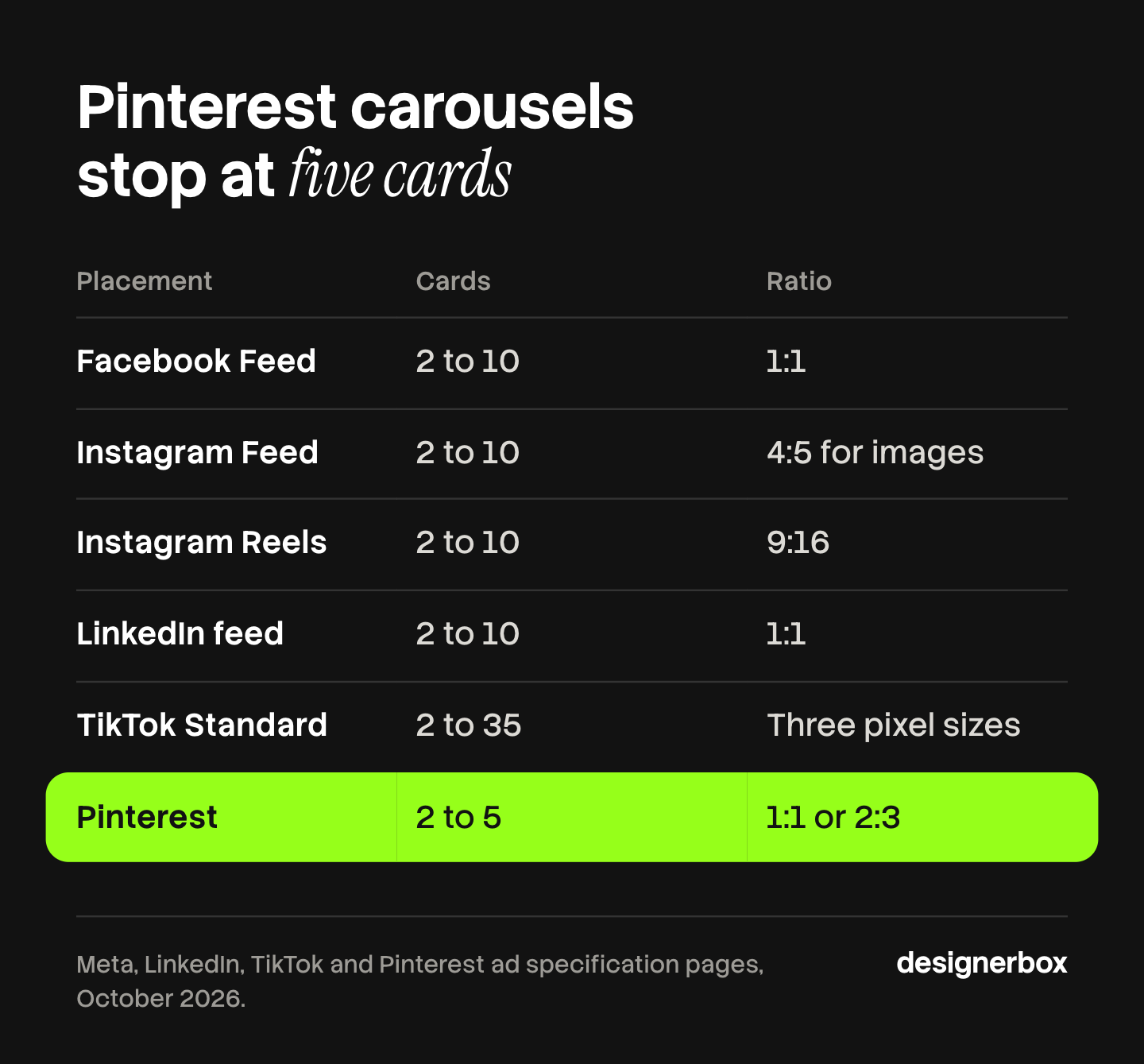
Carousel ads are paid ads that hold several cards in one unit. A person swipes through the cards, and each card is an image or a video. Meta and LinkedIn accept 2 to 10 cards. TikTok accepts 2 to 35 images. Pinterest accepts 2 to 5. The ratio, the file size and the link behind each card differ on every platform.
You build a five-card carousel for Facebook Feed. The client then asks for Instagram Reels, LinkedIn and TikTok. Each one wants a different frame. TikTok also wants a music track, and it gives the whole carousel one link. The five cards are now twenty files, for one concept.
This guide is for a performance or creative agency that makes ad sets for clients. It has one table of the paid format on four platforms, read from each platform’s own ads documentation in October 2026. It then covers five card structures, the file count of a test, and how a saved workflow builds the cards from product photos.
Key Takeaways
- The card limits differ. Meta and LinkedIn take 2 to 10 cards. TikTok’s Standard Carousel takes 2 to 35 images. A Pinterest carousel takes 2 to 5 images.
- Four ratios cover the main placements. Facebook Feed and LinkedIn use 1:1. Instagram Feed uses 4:5 for image carousels. Instagram Reels uses 9:16. Pinterest uses 1:1 or 2:3.
- The link rule differs. Meta gives each card its own link. LinkedIn allows a different destination URL per card. TikTok’s Standard Carousel has one URL for all images.
- TikTok needs music. TikTok says music is a must on a carousel ad, and it has to run at least two seconds.
- LinkedIn is images only. LinkedIn’s carousel ads do not support video, and you cannot edit the cards after you save the ad.
- Count files before you quote. Files per test equal cards times ratios times concepts. Five cards, three ratios and four concepts make 60 files.
What are carousel ads?
Carousel ads are a paid format that places two or more cards inside one ad. The viewer swipes or clicks from card to card. Meta describes the format as 2 or more images and videos in a single ad, each with its own headline, description, link and call to action. LinkedIn, TikTok and Pinterest sell their own versions, with their own limits.
Meta’s definition comes from its help page on the format (Meta Business Help Center, read October 2026). The same page notes that a carousel ad may appear as a slideshow video automatically.
A carousel ad is different from an organic carousel post. The organic post has no per-card link and no call to action button, and its limits are different. Our guide to AI social media carousels covers the organic post on each platform. This guide covers the paid format only.
Carousel ad specs by platform
The four platforms agree on the idea and on little else. The table below holds the paid carousel format on six placements. Every row comes from the platform’s own page, read in October 2026. Where a third-party cheat sheet disagrees with a row, the platform’s page wins.
| Placement | Cards | Ratio or size | Max image file | Link per card | Text limits |
|---|---|---|---|---|---|
| Facebook Feed | 2 to 10 | 1:1, at least 1080 x 1080 | 30 MB | Yes | Primary text 80 characters recommended |
| Instagram Feed | 2 to 10 | 4:5 for images only, 1:1 with video | 30 MB | Yes | Primary text 125 characters recommended |
| Instagram Reels | 2 to 10 | 9:16 | 30 MB | Yes | Not listed on the page |
| LinkedIn feed | 2 to 10 | 1:1, 1080 x 1080 recommended | 10 MB | Yes, or one Lead Gen Form | Card headline 45 characters, introductory text 255 |
| TikTok Standard Carousel | 2 to 35 | 720 x 1280, 640 x 640 or 1200 x 628 | 100 KB suggested | No, one URL for all images | One caption and one call to action |
| Pinterest carousel | 2 to 5 | 1:1 or 2:3 | 20 MB | One destination per card | Title 100 characters, description 800 |
Sources: Meta Ads Guide pages for Facebook Feed, Instagram Feed and Instagram Reels, LinkedIn’s carousel ad specifications, TikTok’s specifications for Carousel Ads and Pinterest’s ad specs, all read October 2026.
These are platform rules, and platforms change them. This is general information, not legal advice. Check each page before you send files to a client.
Facebook carousel ads and Instagram
Meta’s Ads Guide has one page per placement, and the numbers change between them. All three placements above take 2 to 10 cards, JPG or PNG images, and files up to 30 MB.
The ratio is the part that moves. Facebook Feed lists 1:1. Instagram Feed lists 4:5 for carousels that contain only images, and it says only 1:1 is supported when the carousel contains video. Instagram Reels lists 9:16, and the page describes up to 10 images, each with its own link.
The Instagram Feed page adds one note about order. Meta’s delivery system may decide which card a person is most likely to respond to and display it first. The page says the overall card order stays the same.
LinkedIn carousel ads
LinkedIn carousel ads are a Sponsored Content format in the feed. A carousel takes 2 to 10 cards. Each card is a 1:1 image, with 1080 x 1080 pixels recommended, up to 10 MB and up to 4320 x 4320 pixels. LinkedIn accepts JPG, PNG and non-animated GIF.
Three rules matter for production:
- No video. LinkedIn’s specs page says its carousel ads do not support video (LinkedIn ad specs, read October 2026).
- A link per card, or one form. Cards may go to different destination URLs. If you pick the Lead Gen Form option, every card links to the same form.
- No edits after saving. Once the ad is saved, you cannot edit the carousel cards (LinkedIn Help, read October 2026). A typo on card four means a new ad.
The introductory text can hold 255 characters. LinkedIn says to use up to 150 to avoid truncation on some devices. LinkedIn’s best-practice page says to start with 3 to 5 cards, and to test the card order (LinkedIn Help, read October 2026).
TikTok carousel ads
TikTok’s Carousel Ads are an image format for in-feed ads. TikTok describes them as an alternative to video for advertisers who have no video creative, or who want to reuse assets from other platforms (TikTok Business Help Center, read October 2026).
The specs page has two columns. The Standard Carousel takes 2 to 35 JPG or PNG images. It allows one ad caption and one call to action, and one URL for all images. The VSA Carousel is powered by a product catalog. It shows 2 to 20 images, and each product image can lead to its own product link.
Music is required on both. TikTok says music is a must, it plays in a loop, and it has to run at least two seconds. The file is an MP3 of up to 10 MB. TikTok suggests an image file size of 100 KB or less, which is far smaller than the limits on the other three platforms.
Pinterest carousel ads
A Pinterest carousel is a Pin with several cards. You upload 2 to 5 static images, as PNG or JPEG, at 1:1 or 2:3, up to 20 MB each. Pinterest’s help page says a person can tap the carousel and swipe through each card and its corresponding site (Pinterest Business help, read October 2026).
Two details affect reporting and planning. Pinterest charges for an impression of the carousel as one entity, and its reporting shows the Pin as a single one. It does not show engagement per card. A dynamic carousel is a separate version: it takes 2 to 10 images and videos from a product catalog, and Pinterest says this applies only to the sales objective.
Five carousel ad structures, with examples
A carousel ad works when the cards have an order and a reason for it. Five structures cover most briefs: a product range, one product in steps, a before and after sequence, a continuous panorama, and an objection on each card. Each structure below has a carousel ad example written as a card list. The products are invented.

1. The product range
One card per product, and each card links to its own product page. This structure needs a link per card, so it fits Meta, LinkedIn and Pinterest. On TikTok’s Standard Carousel all cards share one URL, so send that URL to a collection page.
- Card 1: the ceramic mug in sand, on a white surface. Headline: “Sand”
- Card 2: the same mug in moss. Headline: “Moss”
- Card 3: the same mug in clay. Headline: “Clay”
- Card 4: the set of four on a shelf. Headline: “The set”
Keep the angle, the light and the crop the same on every card. The product is then the only thing that changes.
2. One product in steps
One product, one use, shown in order. The last card carries the result.
- Card 1: the cold brew bottle, empty, next to a bag of coffee
- Card 2: ground coffee in the filter
- Card 3: the bottle filled with water, in a fridge door
- Card 4: a glass with ice, poured. Headline: “Ready in the morning”
Number the cards on the image. A viewer who starts on card three then knows where they are.
3. The before and after sequence
The first card shows the problem. The middle cards show the change. The last card shows the result. Use a real before, and use an after that the product can deliver.
- Card 1: a desk with loose cables
- Card 2: the cable tray, fixed under the desk
- Card 3: the same desk, same angle, cables out of view
- Card 4: the tray alone, with the size and the price of your own product
Shoot the before and the after from the same position. If the angle changes, the viewer cannot compare them.
4. The continuous panorama
One wide image is cut into cards, so a swipe moves across a single scene. Three square cards need a source image of 3240 x 1080 pixels.
- Card 1: the left end of a sofa, with a lamp
- Card 2: the middle of the sofa, with two cushions
- Card 3: the right end, a side table and the product name
This structure depends on card order. Meta’s Instagram Feed page says the overall order stays the same, although the system may display a different card first. Test a panorama before you spend on it. A placement that needs 4:5 or 9:16 cards needs a new source image, because the cuts fall in different places.
5. Objection by objection
Each card answers one reason a buyer gives for waiting. This structure suits LinkedIn, where the card headline holds 45 characters.
- Card 1: “Is it hard to install?” with a photo of the two parts
- Card 2: “Does it fit my desk?” with the three sizes
- Card 3: “What if it arrives damaged?” with the return terms from your own policy
- Card 4: the product, the offer and the call to action
Single-frame formats are a different job. Our list of static ad examples in 30 formats covers them, and the comparison of static ads and video covers when each one fits.
What a carousel test costs in files
A carousel test costs more files than a single-image test, and the count grows by multiplication. Files per test equal cards times ratios times concepts. One concept with five cards in one ratio is 5 files. The same concept in three ratios is 15 files. Four concepts in three ratios are 60 files.

That arithmetic is an illustration, with these three ratios:
- 1:1 for Facebook Feed and LinkedIn
- 4:5 for Instagram Feed
- 9:16 for Instagram Reels and TikTok’s vertical size
Add Pinterest at 2:3 and the same four concepts need a fourth ratio. That is 80 files. Pinterest also stops at five cards, so a seven-card concept needs a shorter version there.
The files are only part of the cost. Each ratio is a new crop of every card, and a crop can cut a product or a headline. Each card has text to proofread. LinkedIn does not let you edit a saved card, so a late correction is a new ad. TikTok needs a music file for every carousel.
Our guide to ad creative testing covers how to plan which concepts to test, and ad variants at scale covers the production side. When a card set stops working, ad fatigue explains the signals to watch.
For an agency on a fixed retainer, this count is the margin. Every file made by hand comes out of it.
What AI carousel generators do
An AI carousel generator turns a topic, a text or a link into a set of slides. It writes the copy for each slide, picks a template and applies a brand’s colors and fonts. Most are built for organic posts on Instagram and LinkedIn. The ad setup, with the per-card link and the placement, stays in each platform’s ads manager.
Four tools, with what each one’s own page says:
- Canva. Canva’s design school describes how Canva AI makes a carousel from a short description, and Canva offers multi-page carousel templates (canva.com/design-school, October 2026). It is a broad design editor, so you can change every slide by hand.
- PostNitro. Its page says you enter a topic, paste a URL, provide text or add an X thread, and choose the number of slides. It lists carousels for Instagram, LinkedIn, X, Facebook and Pinterest (postnitro.ai, October 2026).
- aiCarousels. Its page describes an AI writing assistant that writes a carousel from a topic or from existing content. Elements resize automatically. It lists LinkedIn, Instagram feeds, Instagram stories and TikTok (aicarousels.com, October 2026).
- Predis.ai. Its page says it starts from a topic, a product page, a PDF or a YouTube link. It applies a saved brand kit, can stitch slides into one wide panorama, and can publish or schedule to Instagram (predis.ai/instagram-carousel-maker, October 2026).
Each tool lists its plans on its own pricing page.
For paid use, three jobs are outside the scope these pages describe:
- A ratio per placement. The pages describe post sizes for a feed or a profile. An ad set needs 1:1, 4:5 and 9:16 versions of the same cards.
- Links and calls to action. A per-card destination URL, a Lead Gen Form and a call to action button are set in the ads manager, after the files exist.
- Product photos as the source. These tools start from text. A product-range carousel starts from photos of the real products, and the product has to look the same on every card.
If your carousels are text slides for a LinkedIn or Instagram audience, one of these tools may be all you need.
Card sets from product photos in DesignerBox
Anyone can make an AI picture. Making hundreds that still look like your brand is the hard part.
DesignerBox is AI creative production for brands and agencies. For carousel ads, the job is a saved workflow. You build it once: the product photo comes in, and the steps make each card in the structure you chose. The workflow reads your brand rules on every run, so the colors, the fonts and the logo stay the same on every card. The page on workflows explains how the steps are saved.
The workflow picks the image model for each step. A resize step then makes one ad in the sizes ad platforms need, so the 1:1 card set also exists in 4:5 and 9:16. You see the cost before you press Run.
For a product range, batch runs the workflow over a sheet, with one product per row. Row one and row two hundred get the same standard. You keep or discard each result, and you re-run one row on its own. The page on the AI ad generator covers static ad creative.
The full workflow from the first product photo to the finished ad, in one subscription.
The limits are these:
- DesignerBox does not publish ads. It does not send a carousel to Meta, LinkedIn, TikTok or Pinterest. You download the files, or send them with a webhook or an S3 step. You set the per-card links, the call to action and the music in each ads manager.
- Rendered text needs a proofread. Read every word on every card at full size before you upload.
- One seat below Ultra. Team features, shared brand kits and white label are on the Ultra plan, and every plan below Ultra is one seat. An agency team needs Ultra.
- The free plan runs on sample products. It shows how the workflow fits together. It does not take your client’s photos.
Uploading your own photos and the commercial license start on the Pro plan. AI video, virtual try-on, upscaling, the image editor and the video editor start on the Premium plan. Plans and credits are on the pricing page.
A campaign that also runs in other languages adds a market to the multiplication. Our guide on how to localize ads without rebuilding them covers that step. Where a line needs a rewrite for the market, that is transcreation.
If you make card sets for several clients, the page for agencies shows how one workflow per brand fits a retainer.
FAQ
How many cards can a carousel ad have?
It depends on the platform. Meta’s Ads Guide lists 2 to 10 cards on Facebook Feed, Instagram Feed and Instagram Reels. LinkedIn lists 2 to 10. TikTok’s Standard Carousel takes 2 to 35 images. A Pinterest carousel takes 2 to 5 images. All four pages were read in October 2026.
What size should carousel ad images be?
Use 1:1 at 1080 x 1080 pixels or more for Facebook Feed and LinkedIn. Use 4:5 for an image-only carousel on Instagram Feed, and 9:16 for Instagram Reels. TikTok lists 720 x 1280, 640 x 640 and 1200 x 628. Pinterest takes 1:1 or 2:3.
Can each card in a carousel ad have its own link?
On Meta, yes: each card has its own headline, description, link and call to action. On LinkedIn, cards may go to different destination URLs, unless you use a Lead Gen Form. On TikTok’s Standard Carousel, one URL covers all images. TikTok’s catalog version gives each product image its own product link.
Do LinkedIn carousel ads support video?
No. LinkedIn’s specs page says its carousel ads do not support video. Each card is a JPG, a PNG or a non-animated GIF, up to 10 MB. LinkedIn also says you cannot edit the cards after you save the ad.
Do TikTok carousel ads need music?
Yes. TikTok’s specifications say music is a must on a carousel ad. The track plays in a loop, has to run at least two seconds, and is an MP3 of up to 10 MB. You can pick a track from TikTok’s Commercial Music Library or upload your own.
What does a carousel card set cost in DesignerBox?
The cost is shown before the run, so you can price a card set before you make it. Uploading your own photos starts on the Pro plan. There is a free plan, and it runs on sample products.
Sources
- Meta Business Help Center, About carousel ads: 2 or more images and videos, each with its own headline, description, link and call to action; the slideshow video note (facebook.com, read October 2026)
- Meta Ads Guide, carousel on Facebook Feed: 2 to 10 cards, 1:1, at least 1080 x 1080, 30 MB images, recommended text lengths (facebook.com, read October 2026)
- Meta Ads Guide, carousel on Instagram Feed: 4:5 for image-only carousels, 1:1 with video, 125 characters of primary text, the card order note (facebook.com, read October 2026)
- Meta Ads Guide, carousel on Instagram Reels: up to 10 images, 9:16, each with its own link (facebook.com, read October 2026)
- LinkedIn Help, Carousel Ads advertising specifications: 2 to 10 cards, 10 MB, 4320 x 4320 maximum, 1080 x 1080 recommended, 45-character headline, different destination URLs per card, no edits after saving (linkedin.com, read October 2026)
- LinkedIn, Carousel Ads specifications: 1:1, JPG or PNG, 255 characters of introductory text, no video (business.linkedin.com, read October 2026)
- LinkedIn Help, Create carousel image ads in Campaign Manager: objectives, the shared destination URL option, Lead Gen Form, no edits after saving (linkedin.com, read October 2026)
- LinkedIn Help, Best practices for Carousel Ads: start with 3 to 5 cards, test card order and card count (linkedin.com, read October 2026)
- TikTok Business Help Center, Specifications for Carousel Ads, last updated September 2026: 2 to 35 images, three pixel sizes, 100 KB suggested, music required, one URL for the Standard Carousel, 2 to 20 images shown and product links for the VSA Carousel (ads.tiktok.com, read October 2026)
- TikTok Business Help Center, About Carousel Ads, last updated September 2026: an image format for in-feed ads and an alternative to video (ads.tiktok.com, read October 2026)
- Pinterest Business help, Review ad specs: 2 to 5 images, 1:1 or 2:3, 20 MB per image, title and description lengths, 2 to 10 for the sales objective (help.pinterest.com, read October 2026)
- Pinterest Business help, Create a carousel: static images only, each card and its corresponding site, charged and reported as one Pin, dynamic carousels from a catalog (help.pinterest.com, read October 2026)
- Canva Design School, how to create carousels: Canva AI from a short description, multi-page templates (canva.com/design-school, October 2026)
- PostNitro: inputs, slide count, listed platforms (postnitro.ai, October 2026)
- aiCarousels: AI writing assistant, automatic resizing, listed platforms (aicarousels.com, October 2026)
- Predis.ai, Instagram carousel maker: inputs, brand kit, panorama stitching, publishing and scheduling (predis.ai/instagram-carousel-maker, October 2026)
- DesignerBox workflows, batch and plan gates: DesignerBox batch page (designerbox.ai/product/batch) and DesignerBox pricing (designerbox.ai/pricing), October 2026
Platform specifications verified on the pages listed above in October 2026. Each tool’s description is taken from its own page. The file counts are illustrative arithmetic. This is general information, not legal advice. Platforms change their specifications, so check each page before you build a card set.