
The holiday marketing ideas that work in 2026 are the ones you can finish on time. Sort each idea by the asset it needs: a still image, a resized ad set, a short video, an email image or a gift guide page. Then give each asset a date. Black Friday is 27 November 2026, and ad platforms review every ad before it runs.
An idea costs nothing. The files cost time. A gift guide can be a page, six images and a video. A countdown can be four ads that each need review.
This guide lists 15 ideas for a brand or an agency. Each one says what to make, names one platform rule or dated fact, and gives a date. The dates are a working plan with a margin for review.
Key Takeaways
- Sort ideas by asset. Five asset types cover all 15 ideas: stills, resized ad sets, short videos, email images and pages.
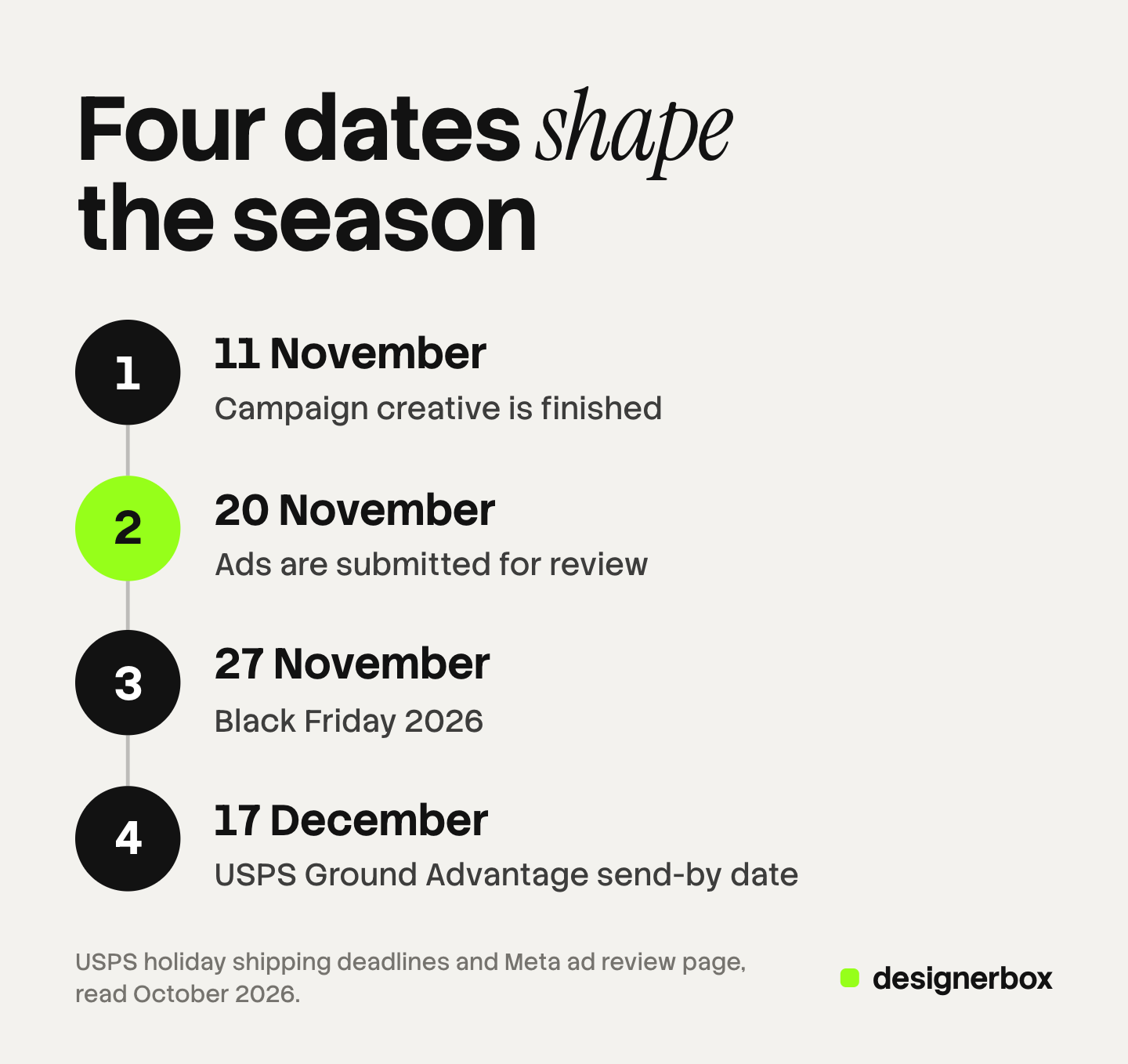
- Two dates do most of the work. Finish campaign creative by 11 November and submit ads by 20 November, one week before Black Friday.
- Review takes about a day on every platform. Meta and TikTok say most ads are reviewed within 24 hours. Google says one business day. Pinterest says up to 24 hours.
- The season starts before November. In the National Retail Federation’s 2025 survey, 42% of shoppers planned to start before November.
- December has its own deadlines. The USPS recommends 17 December for Ground Advantage and 19 December for Priority Mail Express.
- Every edit costs time. Meta starts a new review when you change the creative of a running ad, so make versions ahead.
What are holiday marketing ideas?
Holiday marketing ideas are the offers, messages and formats a business uses between October and the end of December. They cover gift guides, sale ads, shipping deadlines, bundles and gift cards. Each idea becomes real only when someone makes the files for it.
The season is also longer than one weekend. Adobe forecasts 275.1 billion dollars of US online sales from 1 November to 31 December 2026, up 6.7% on 2025 (Adobe, 2026 holiday forecast, October 2026). Cyber Week, the five days from Thanksgiving to Cyber Monday, is 17.3% of that total.
Which 2026 dates set the holiday marketing deadlines?
Six dates are fixed. Your holiday marketing strategy starts from them.
| Date in 2026 | What happens | Source |
|---|---|---|
| 1 November | Adobe’s holiday season count starts | Adobe, October 2026 |
| 26 November | Thanksgiving. A record 63% of online spend is expected through mobile devices | Adobe, October 2026 |
| 27 November | Black Friday | Calendar |
| 30 November | Cyber Monday, forecast to be the biggest online day of the season | Adobe, October 2026 |
| 4 to 12 December | Hanukkah, which the USPS notes is earlier this year | USPS, October 2026 |
| 17 to 19 December | USPS recommended send-by dates for delivery before 25 December | USPS, October 2026 |
Review times add to these dates. Meta says “most ads are reviewed within 24 hours, although in some cases it may take longer” (Meta Business Help Center, October 2026). TikTok uses almost the same words (TikTok Business Help Center, October 2026). Pinterest says review “can take up to 24 hours” (Pinterest Business Help, October 2026).
Google says most ads are reviewed within one business day. It adds: “If you need your ad reviewed by a particular date, submit the ad several days in advance” (Google Ads Help, October 2026).
Meta also needs time to learn. An ad set usually leaves the learning phase “after about 50 results in the week after the ad set’s last significant edit” (Meta Business Help Center, learning phase, October 2026). So this plan uses two working dates. Campaign creative is finished by 11 November. Ads are submitted by 20 November. For the full task list behind those dates, see the Black Friday checklist with 28 tasks.
The 15 holiday marketing ideas at a glance
| # | Idea | Asset | Ready by |
|---|---|---|---|
| 1 | Early gift image | Still | 23 October |
| 2 | Gift bundle image | Still | 11 November |
| 3 | Everyday essentials image | Still | 11 November |
| 4 | Digital gift card image | Still | 14 December |
| 5 | One sale ad in every placement size | Resized ad set | 11 November |
| 6 | Ads timed by product category | Resized ad set | 11 November |
| 7 | Gift idea Pins | Resized ad set | 11 November |
| 8 | Hanukkah and Christmas versions | Resized ad set | 20 November |
| 9 | Vertical product demo | Short video | 11 November |
| 10 | Gift guide clip | Short video | 11 November |
| 11 | Your own video for Performance Max | Short video | 11 November |
| 12 | Three email headers for three price stages | Email image | 30 October |
| 13 | Deal images for the Gmail Promotions tab | Email image | 20 November |
| 14 | Gift guide page | Page | 30 October |
| 15 | Order-by-date page and banner | Page | 1 December |
Ideas that need a still image
A still is the input for most other assets, so make these first.

1. Early gift image. Make one gift-themed image for your best sellers and use it on the home page and in organic posts now. In the National Retail Federation’s 2025 survey, 42% of shoppers planned to start browsing and buying before November (NRF, October 2026). Ready by 23 October.
2. Gift bundle image. Photograph two or three products together as one gift. Keep the offer text off the product image. Google’s image specification says not to use an image that contains promotional elements or overlays (Google Merchant Center Help, October 2026). Put the offer in the ad text and the price fields. Ready by 11 November.
3. Everyday essentials image. Give your ordinary products a holiday image too. Adobe expects Cyber Week online sales of personal hygiene products to rise 150% and clothing basics 210%, compared with average sales in September 2026. Shoppers also use the discounts to restock. Ready by 11 November.
4. Digital gift card image. Make a gift card image for the days when a parcel can no longer arrive. The last USPS recommended date is Saturday 19 December, for Priority Mail Express (USPS, October 2026). Ready by 14 December, so it can run from 19 December.
For seasonal scenes, and for which image slots may carry them, see our plan for holiday product photography.
Ideas that need a resized ad set
One approved design becomes many files, because each placement asks for its own shape.
| Placement | Recommended shape | Source |
|---|---|---|
| Facebook Feed image | 4:5, 1440 x 1800 pixels | Meta Ads Guide, October 2026 |
| Instagram Reels | 9:16, 1440 x 2560 pixels | Meta Ads Guide, October 2026 |
| Google Performance Max images | 1.91:1, 1:1 and 4:5 | Google Ads Help, October 2026 |
| Pinterest standard Pin | 2:3, 1000 x 1500 pixels | Pinterest Business Help, October 2026 |
| TikTok in-feed video | 9:16, vertical recommended | TikTok Business Help Center, October 2026 |
5. One sale ad in every placement size. Make the sale design once, then produce each shape in the table. One design in five shapes is five files, and four designs are twenty. The feed specification is on the Meta Ads Guide, and Google lists its shapes on the Performance Max specs page. Ready by 11 November.
6. Ads timed by product category. Run different products on different days. Adobe expects the best deals for TVs, toys, apparel, appliances and furniture on Black Friday. It expects the deepest discounts for electronics and computers on Cyber Monday, and for sporting goods on Thanksgiving. Ready by 11 November.
7. Gift idea Pins. Make vertical Pins that each show one gift idea. Pinterest recommends a 2:3 ratio, and a taller Pin may be cropped in feeds. A title can have 100 characters, and the first 40 may show in feeds (Pinterest Business Help, October 2026). Ready by 11 November.
8. Hanukkah and Christmas versions. Make two versions of the December ad set. Hanukkah runs from 4 to 12 December in 2026. Build them as separate ads with separate schedules. Meta starts a new review when you edit the creative of a running ad, and a schedule change does not. Ready by 20 November.
Our guide to Black Friday Facebook ads covers the Meta part in depth. For a long season, see how ad fatigue appears in the numbers.
Ideas that need a short video
Adobe expects 63% of online spend on Thanksgiving to come through mobile devices. Plan video for a vertical screen first.
9. Vertical product demo. Film or produce one 9:16 clip that shows the product in use. For Instagram Reels, Meta suggests you keep at least 14% of the top, 35% of the bottom and 6% of each side free of text and logos (Meta Ads Guide, October 2026). Ready by 11 November.
10. Gift guide clip. Show three to five gifts in one short clip. Pinterest recommends 6 to 15 seconds for video ads (Pinterest Business Help, October 2026), and TikTok recommends vertical 9:16 for in-feed video (TikTok Business Help Center, October 2026). A 15-second clip fits both. Ready by 11 November.
11. Your own video for Performance Max. Give Google a horizontal, a square and a vertical video, each 10 seconds or more. If an asset group has no video, Google says “one or more videos may be auto-generated” from your other assets (Google Ads Help, October 2026). Ready by 11 November.
A partner clip can replace idea 9 or 10. Adobe expects affiliates and partners, a group that includes influencers, to gain 12% in share of revenue this season. It expects social media to gain 17% and paid search 4%. Our comparison of static ads and video explains when a still is the better choice.
Ideas that need an email image
12. Three email headers for three price stages. Make one header for early November, one for the week before Thanksgiving and one for Cyber Week. Adobe expects discounts of up to 14% in early November, up to 21% before Thanksgiving and up to 30% in Cyber Week. Your own discount will differ. Our guide to email banner size gives the header width and the file weight. Ready by 30 October.
13. Deal images for the Gmail Promotions tab. Gmail can show an image preview before a person opens the email. A product carousel can hold up to 10 image previews. Gmail supports the ratios 4:5, 1:1 and 1.91:1, and every image in one carousel must use the same ratio (Google for Developers, October 2026). This needs markup in the email, so ask your email platform about annotations. Ready by 20 November.
Ideas that need a page
14. Gift guide page. Build one page that groups gifts by recipient and by price. Adobe expects traffic from AI chat and browser services to US retail sites to rise 130% this season. Write each gift as plain text beside a clear image, so the page answers a specific gift question. The Pins in idea 7 and the clip in idea 10 link to this page. Ready by 30 October.
15. Order-by-date page and banner. Publish your last order dates on one page and repeat them in a site banner. For delivery before 25 December, the USPS recommends 17 December for Ground Advantage and First-Class Mail, and 18 December for Priority Mail. For the international regions it lists, it recommends 9 December for Priority Mail International. The USPS says actual delivery dates may vary, so set your own cutoff a few days earlier. Ready by 1 December.
The NRF found that by early December 2025, shoppers had completed 51% of their holiday shopping on average (NRF, winter holidays page, October 2026). Almost half of the buying was still to come.
How to choose among the 15 ideas
Choose by the assets you can finish before each date.
- Start with stills. Ideas 1 to 3 feed almost everything else.
- Add one ad set and one video. Ideas 5 and 9 cover the main placements on Meta, Google, TikTok and Pinterest.
- Add the two pages. Ideas 14 and 15 cost little after the stills exist.
- Leave the rest for a second pass. Ideas 6, 8, 12 and 13 need more versions.
Count the files for each idea before you commit. Four designs, five shapes and two holiday versions make 40 files. If the count is too high, cut an idea and keep the date. Our guide to AI tools for seasonal campaigns compares six tools for this kind of production. To see how AI-made ads compare with human-made ones, read what 369 million impressions show about AI generated ads.

Holiday assets in DesignerBox
DesignerBox is AI creative production for brands and agencies. It makes images, ads and video from your brand rules, and a product photo is one of the inputs. Anyone can make an AI picture. Making hundreds that still look like your brand is the hard part.
You build a workflow once, for example a gift scene and a sale ad from one product photo. Your brand holds the logo, colors, fonts and rules, and the workflow reads them on every run. A batch then runs the workflow over a sheet, one product per row. Row one and row two hundred follow the same rules.
The cost is shown before the run. You keep or discard each result, and you can re-run one row alone. For video, an 8-second clip costs 40 to 560 credits, depending on the model. You get the full workflow from the first product photo to the finished ad, in one subscription.
The limits matter for a dated plan. DesignerBox does not send files to an ad account, an email platform or a store. You download the results, or send them with a webhook or an S3 step. Every plan below Ultra is one seat.
Uploading your own photos and the commercial license start on the Pro plan. AI video, virtual try-on, upscaling, the image editor and the video editor start on the Premium plan. Plans and credits are on the pricing page.
There is a free plan, and it runs on sample products. Get started free
FAQ
What are the best holiday marketing ideas for 2026?
The best ideas are the ones you can produce before the deadline. Start with a gift image, one sale ad in every placement size, a vertical product video, a gift guide page and an order-by-date banner. One set of stills feeds all five.
When should holiday marketing campaigns start?
Start in October. In the National Retail Federation’s 2025 survey, 42% of shoppers planned to begin before November. For Black Friday on 27 November 2026, finish creative by 11 November and submit ads by 20 November.
How long does ad review take before Black Friday?
Meta and TikTok say most ads are reviewed within 24 hours, and some take longer. Pinterest says up to 24 hours. Google says most ads are reviewed within one business day and tells advertisers to submit several days ahead of a fixed date.
What are good Christmas marketing ideas for December?
Use the shipping calendar. Publish your last order dates, run a countdown to them, and switch to a digital gift card image after the last date. For 2026 the USPS recommends 17 December for Ground Advantage and 19 December for Priority Mail Express.
How many assets does a holiday marketing strategy need?
Count designs, shapes and versions. Four designs in five shapes are 20 files. Two holiday versions of each file make 40. The count is illustrative, so list your own ideas and multiply.
Can I use AI to make holiday marketing assets?
Yes, for stills, ad versions and short video. Check each result against the real product before it runs. Meta says it applies an AI info label when it detects that an ad was made or edited with generative AI tools (Meta Business Help Center, October 2026). In DesignerBox the cost is shown before the run.
Sources
- US online holiday sales forecast for 2026, Cyber Week share, mobile share on Thanksgiving, discount levels by period, best deal days by category, essentials growth, AI traffic and channel share of revenue: Adobe, 2026 holiday shopping forecast, published 28 September 2026, accessed October 2026
- Share of shoppers who planned to start before November 2025: National Retail Federation, holiday survey press release, published October 2025, accessed October 2026
- Share of holiday shopping completed by early December 2025: National Retail Federation, winter holiday data and trends, accessed October 2026
- Recommended send-by dates for delivery before 25 December 2026 and the Hanukkah dates: USPS, 2026 holiday shipping deadlines, accessed October 2026
- Ad review time and the edits that start a new review: Meta Business Help Center, about ads in review, accessed October 2026
- The learning phase and about 50 results in a week: Meta Business Help Center, about the learning phase, accessed October 2026
- AI info labels on ads: Meta Business Help Center, about AI info on ads, accessed October 2026
- Feed image ratio and resolution: Meta Ads Guide, Facebook Feed image, accessed October 2026
- Reels ratio, resolution and safe zones: Meta Ads Guide, Instagram Reels video, accessed October 2026
- Google ad review time and advice for a fixed date: Google Ads Help, ad review process, accessed October 2026
- Performance Max image shapes, video length and auto-generated video: Google Ads Help, Performance Max specs, accessed October 2026
- Promotional elements and overlays on product images: Google Merchant Center Help, image link, accessed October 2026
- Gmail Promotions tab image previews, carousel limit and ratios: Google for Developers, annotate emails in the Promotions tab, accessed October 2026
- TikTok ad review time: TikTok Business Help Center, ad review FAQ, accessed October 2026
- TikTok in-feed video ratio: TikTok Business Help Center, auction in-feed ads, accessed October 2026
- Pinterest Pin ratio, title length and video ad length: Pinterest Business Help, review ad specs, accessed October 2026
- Pinterest ad review time: Pinterest Business Help, ad review, accessed October 2026
- DesignerBox workflows, brand rules, batch, the cost shown before the run and plan gates: DesignerBox product pages and pricing page (designerbox.ai/product/batch, designerbox.ai/pricing), October 2026
Adobe, NRF, USPS, Meta, Google, TikTok and Pinterest facts verified on each publisher’s own page, October 2026. Sales figures are Adobe forecasts for the United States. The ready-by dates are a suggested plan, and the file counts are illustrative arithmetic. DesignerBox features verified on designerbox.ai, October 2026. Individual results vary.