
Product photo retouching is the cleanup stage that follows the cutout. It removes what the shoot added: dust, lint, a color cast, a messy shadow, a reflection of the room. It also makes a set of photos look alike. A retouch cleans the photo. An edit that changes the color, shape, size or condition of the product is a different act, and written rules forbid it.
Each retouch job has a point where it stops cleaning the photo and starts changing the product. Marketplaces and a regulator have written that point down. Below are the six retouch jobs, the rules, the order to work in, and the hardest case, which is jewelry.
Key Takeaways
- Retouching follows the cutout. The cutout removes the background. Retouching cleans what is left: the product, its edge, its shadow and its color.
- Six jobs, one test. Dust and scratches, color match, shadow, reflections, background cleanup and set consistency. Each removes what the shoot added, never what the product has.
- The rules name color, scale and condition. Amazon asks for the real scale, quantity and color. eBay asks sellers to show flaws on a used item.
- Jewelry is the strictest case. The FTC Jewelry Guides name color and size, and they cover pictures as well as words.
What is product photo retouching?
Product photo retouching is local cleanup on a photo that is already cropped and cut out. Our guide to the clipping path covers the cutout itself. The retoucher works on small areas: a speck of dust, a gray corner, a hot spot on glass.
Our guide on how to edit product photos covers the whole order, from the first crop to the export. For the edits each sales channel asks for, read ecommerce image editing.
The six retouch jobs and where each one stops
Each job has a clean side and a side that misleads.
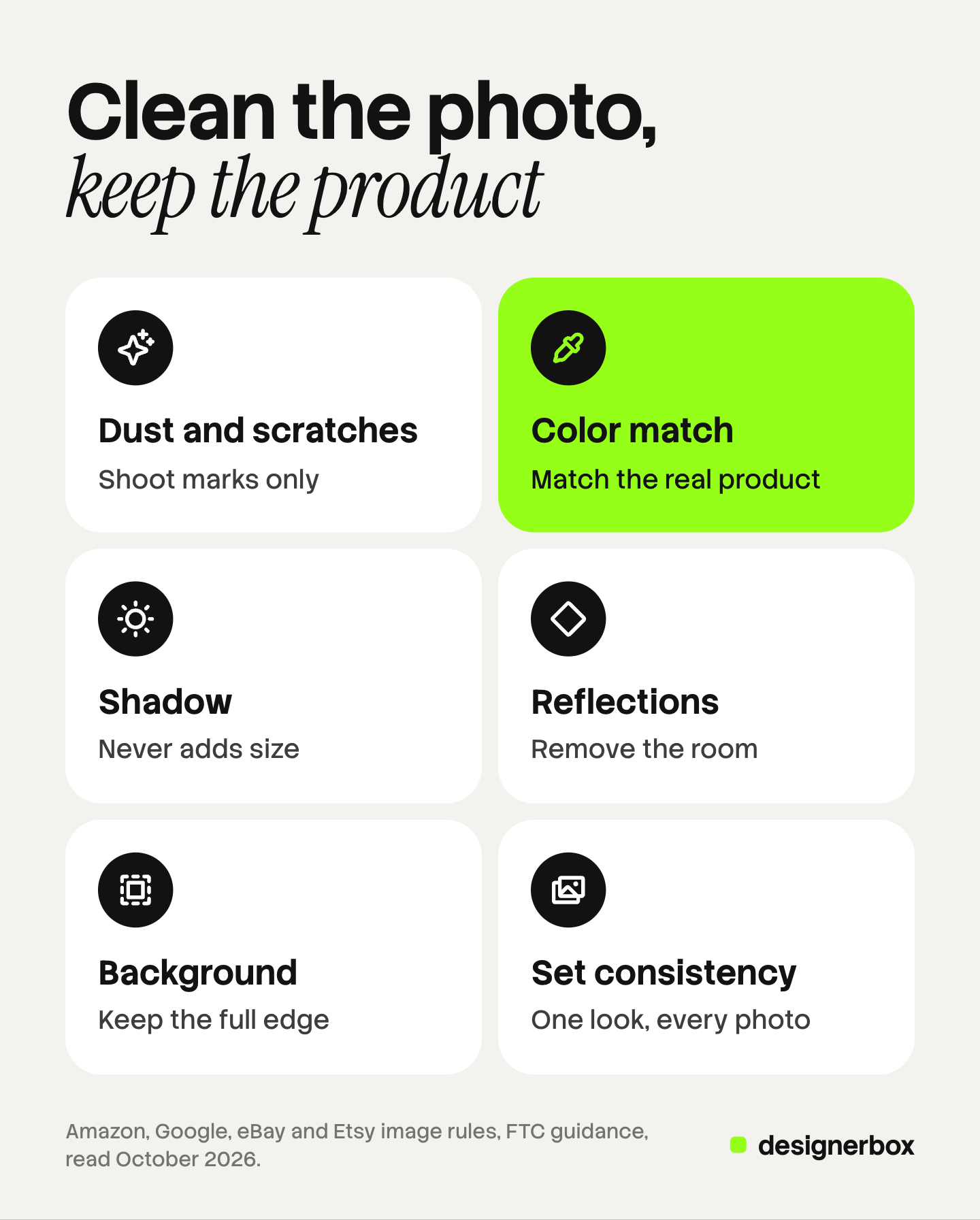
| Retouch job | What it fixes | Where it becomes misrepresentation |
|---|---|---|
| Dust and scratch removal | Dust, lint, fingerprints and marks that came from handling at the shoot | Removing wear, a scratch or a defect the buyer will receive, such as on a used or refurbished item |
| Color match | A color cast from the light, so the photo matches the real product | Shifting the color away from the product, or recoloring one photo to stand for another variant |
| Shadow | A missing, broken or uneven shadow after the cutout | A shadow or a base that makes the product look larger, thicker or taller than it is |
| Reflections and glare | The camera, the room or a light stand reflected in a shiny surface | Painting a new finish: a matte surface made glossy, or brushed metal made into a mirror |
| Background cleanup | Stray pixels, a halo on the edge, a gray corner on a white background | Trimming the product edge so a strap, a handle or a cable is lost or the outline looks slimmer |
| Consistency across the set | Different brightness, white, crop and angle between photos of one product line | Copying one clean photo to stand for several products that differ in the hand |
One test sits under all six rows: is the mark part of the shoot or part of the product? Dust from the table is part of the shoot. A scuff on a secondhand shoe is part of the product.
What the written rules say about a retouched photo
No marketplace named here bans retouching. Each one asks that the picture match the item.
Amazon. The product image guide says the main image should “accurately represent the real scale, quantity, and color of the product.” Every image must “accurately represent the product that you’re selling.” The same guide lists a benefit of good images: they “reduce product returns due to mismatched expectations” (Amazon product image guide, October 2026).
Google Merchant Center. The primary image must “clearly display the exact item being sold.” For variants, the photo must reflect “the exact color, pattern, finish, and material” (Google Merchant Center image requirements, October 2026). A recolored photo of the blue variant does not meet that line for the green one, unless it matches the real green product.
eBay. The picture policy does not allow “photos that don’t accurately represent the item,” or stock photos for used, damaged or defective items (eBay picture policy, October 2026). eBay’s photo tips go further. If an item has flaws, scratches or other imperfections, sellers should show clear close-up images of them (eBay, adding pictures to your listings, October 2026).
Etsy. Etsy requires “original photos of the actual product buyers will receive, not renderings or stock photos,” with listed exceptions. It asks sellers to portray the condition, quality and quantity of items accurately (Etsy listing image requirements, read October 2026 in a September 2026 archive copy).
The FTC. In the United States, the Federal Trade Commission says an ad is deceptive if it is likely to mislead consumers acting reasonably and the point is material to the decision to buy. The FTC looks at the ad in context: “words, phrases, and pictures” (FTC Advertising FAQs, October 2026). A product photo is a picture in that sense.
Read together, the rules name four things a retouch must not change: color, scale, quantity and condition. Finish and material join the list for variants. This section is general information about platform rules and FTC guidance, not legal advice.
How do you retouch product photos?
Work in a fixed order, on a copy, at full size. Each step below assumes the cutout is done and the exposure is set.
- Clean the product. At 100% zoom, remove dust, lint and fingerprints with a healing or clone tool. Leave every mark on the product itself.
- Match the color. Hold the product next to a screen you trust. Correct the cast until the two agree. A gray card in the first frame of the shoot turns this step into a measurement.
- Fix reflections. Remove the camera, the tripod and the room from shiny surfaces. Keep the highlights that show the shape and the finish.
- Clean the edge and the background. Remove the halo and the stray pixels the cutout left. For an Amazon main image the background must be pure white, RGB 255, 255, 255.
- Set the shadow. Add or repair one soft shadow under the product. Use the same direction and the same strength for every photo in the set.
- Compare the set. Put all photos of the product line on one screen. Match brightness, white and crop before you export.
Reflections and color cast both come from the light, so they are easier to fix at the shoot. Our guide to product photography lighting shows which light problems a retouch can repair and which need a reshoot.
Step 6 matters most on a large line. Small differences in white or shadow become visible when hundreds of photos share one collection page.
Jewelry retouching: the strictest case
Jewelry retouching is the hardest product retouch for two reasons. Polished metal and cut stones reflect the whole room. The product is also small, so each speck of dust is large in the frame.
It is also the case with the most written rules. The FTC Jewelry Guides say it is unfair or deceptive to misrepresent the “size, weight, cut, color” or any other material aspect of a product in the category. A note adds that a picture of a diamond or other gemstone in greater than its actual size may mislead consumers, unless the true size is disclosed (16 CFR 23.1, October 2026).
For a retoucher, that means four habits.
- Clean the dust, keep the stone. Remove dust and fibers. Do not paint out an inclusion the buyer can see, and do not raise the saturation of a stone.
- Keep the metal color. Yellow gold, rose gold and silver are product facts. Correct the cast, then compare with the piece.
- Remove the room, keep the shine. A reflection of the photographer goes. The highlights that show a polished surface stay.
- State the size. A macro shot is larger than life by design. Put the dimensions in the listing and keep one scale shot in the set.
Amazon adds its own numbers. Its jewelry page asks for the product at 80 percent or more of the image area, a longest side of 500 to 2,100 pixels, and no model or mannequin on the main image (Amazon jewelry requirements, October 2026). The general image guide says 85%. Check the page for your category.
For the shoot itself, read how to photograph jewelry. A clean setup removes most of the retouching before it starts. Our guide to jewelry retouching covers stones, metal and the claims a retouch must not change in more depth.
AI retouching and the redraw risk
A clone tool copies pixels that exist. A generative model makes new ones. That difference is small on a plain background and large on a product.

When a model removes a speck next to a logo, it may redraw part of the logo. Small text, stitching, engraving and fine chains are the usual places. Nobody sees the change at thumbnail size.
Put each AI result beside its source photo at 100%. Read every word on the label. Count the buttons, the links in a chain, the prongs on a setting. Our guide on what to check before you ship a product photo lists the failures by product type.
One rule concerns the file, not the picture. Google Merchant Center says images created using generative AI must carry metadata that says so, and that sellers must not remove it. If a tool writes that tag, keep it through the export (Google Merchant Center image requirements, October 2026).
If the volume is low and the surfaces are hard, a person may be the better choice. Our guide to a product photo editing service covers what to send and what drives the cost.
A retouch check before the photo ships
Ask five questions with the product on the desk.
- Color. Does the photo match the product in neutral light?
- Condition. Is every mark on the real product still in the photo?
- Scale. Does the shadow or the crop make the product look bigger than it is?
- Finish. Is matte still matte, and gloss still gloss?
- Set. Do all photos of the line share one white, one shadow and one crop?
A no on questions 1 to 4 is a rule problem. A no on question 5 is a brand problem.

Retouch rules saved in one workflow
DesignerBox is AI creative production for brands and agencies. It makes images, ads and video, and a product photo is one of the inputs.
Anyone can make an AI picture. Making hundreds that still look like your brand is the hard part. Retouching has the same shape: the same white, shadow and crop on every product.
In DesignerBox you save those choices once as a workflow. Your brand rules sit in a brand profile, and the workflow reads them on every run. A batch runs one workflow over a sheet, one product per row, up to 200 rows a sheet. Row one and row two hundred get the same treatment, and you re-run one row alone.
For one picture that needs several changes, the image editor makes one edit after another. The picture keeps its detail and resolution. The cost is shown before the run.
The limits are plain. A model redraws pixels, so the check in this guide still applies to every result. Color against the real product is your check. DesignerBox does not send finished work to a store or a marketplace: you download the results, or send them with a webhook or an S3 step. Every plan below Ultra is one seat.
The full workflow from the first product photo to the finished ad, in one subscription.
Uploading your own photos and the commercial license start on the Pro plan. AI video, virtual try-on, upscaling, the image editor and the video editor start on the Premium plan. Plans and credits are on the pricing page.
There is a free plan, and it runs on sample products.
FAQ
What is product photo retouching?
It is the cleanup of a product photo after the cutout. It removes dust, lint, color casts and unwanted reflections, repairs the shadow and the edge, and makes a set of photos match. It does not change the product.
Is it allowed to retouch product photos for a marketplace?
Yes, as long as the photo still matches the product. No marketplace named here bans retouching. Amazon asks that images represent the real scale, quantity and color of the product. eBay does not allow photos that do not accurately represent the item.
Can you remove scratches from a product photo?
Only when the shoot caused it. A mark that came from the shoot, on a new product, can go. A scratch on the item the buyer will receive should stay in the photo. eBay tells sellers to show close-up images of flaws on an item.
How do you retouch jewelry photos?
Remove dust and fibers at 100% zoom. Correct the color cast and compare the metal with the real piece. Remove reflections of the camera and the room, and keep the highlights. Do not enlarge or recolor a stone. State the true size in the listing.
Can AI retouch product photos?
Yes, with a check. An AI tool removes specks and reflections fast. It can also redraw a logo, small text or a fine chain. Compare each result with the source photo at full size. In DesignerBox the cost is shown before the run.
Sources
- Amazon product image guide: real scale, quantity and color; accurate representation on all images; pure white main image; 85%; returns due to mismatched expectations (sellercentral.amazon.com, read 7 October 2026)
- Amazon jewelry requirements: 80 percent of the image area, longest side 500 to 2,100 pixels, no mannequin or model on the main image, the actual product (sellercentral.amazon.com, read 7 October 2026)
- Google Merchant Center image requirements: the exact item being sold, variant color, pattern, finish and material, AI image metadata (support.google.com, read 7 October 2026)
- eBay picture policy: photos that do not accurately represent the item, stock photos for used items (ebay.com, read 7 October 2026)
- eBay, adding pictures to your listings: close-up images of flaws, scratches or other imperfections (ebay.com, read 7 October 2026)
- Etsy listing image requirements: original photos of the actual product, condition, quality and quantity (etsy.com, read 7 October 2026 in a web.archive.org copy of 22 September 2026)
- FTC, Advertising FAQs: A Guide for Small Business: when an ad is deceptive, material claims, words, phrases and pictures (ftc.gov, read 7 October 2026)
- FTC Jewelry Guides, 16 CFR 23.1: size, weight, cut and color, and Note 3 on depictions of gemstones (law.cornell.edu, read 7 October 2026)
- DesignerBox batch: one product per row, up to 200 rows a sheet, re-running one row: DesignerBox batch page (designerbox.ai/product/batch), October 2026
- DesignerBox image editor: one edit after another, detail and resolution kept: DesignerBox image editor page (designerbox.ai/product/image-editor), October 2026
- DesignerBox plans: DesignerBox pricing page (designerbox.ai/pricing), October 2026
Platform rules and FTC guidance were read on each source’s own page on 7 October 2026. This guide is general information, not legal advice. Rules change, so check each page before a large upload.