Will AI replace photographers? In commercial and product photography, AI is replacing one kind of work and leaving the other. It takes variation work first: new scenes, crops, formats and backgrounds made from an approved photo. It takes capture work last: the source photo that records the real color, material and scale of a product. The US government projects photographer jobs to fall 1 percent by 2035.
This guide uses published sources: the US Bureau of Labor Statistics, a survey of professional photographers, marketplace image rules, the Federal Trade Commission and the US Copyright Office.
The scope is commercial and product photography, the work a brand buys to sell a product. Wedding, event and news photography get a short section of their own, because the answer there is different.
Key Takeaways
- The job count is almost flat. The Bureau of Labor Statistics projects US photographer employment to decline 1 percent from 2025 to 2035.
- Some work is already moving. In a January 2026 member survey, 58% of responding UK professional photographers said they had lost commissioned work to generative AI.
- Split the work in two. Capture records what the product is. Variation makes more images from an approved photo.
- AI takes variation first. Scenes, crops, seasonal versions and ad variants repeat the same decision for every product.
- Capture stays with a camera. Amazon and Google both ask for an image that accurately shows the exact item.
- Ownership differs. The US Copyright Office does not protect an image made by a prompt alone. A photo a person took is human work.
Will AI replace photographers in product work?
AI is replacing some of the images a photographer used to make. It does not replace the first photo of a real product.
A product shoot has always produced two things. The first is evidence: this is the product, in this color, at this size. The second is volume: the same product in ten scenes, six crops and four seasons.
Generative AI changes the second thing. A model can place an approved product photo in a new scene in less time than a set change takes. It cannot know what a product looks like until someone shows it. A beginner’s overview of the tools is in the guide to AI for product photography.
What the job numbers say
The US Bureau of Labor Statistics counted about 145,000 photographer jobs in 2025. It projects 144,000 in 2035, a decline of 1 percent. The median pay was $44,660 a year in May 2025, and 67% of photographers were self-employed (Bureau of Labor Statistics, October 2026).
The Bureau still projects about 10,700 openings each year, all from people who retire or change jobs.
The Bureau names AI directly. It says that “some kinds of photography, such as stock photos, are projected to be partially replaced by artificial intelligence (AI)-generated images”. In the same section it says that corporations “will continue to require commercial photographers’ services to develop compelling advertisements to sell products”. Stock is variation work. Advertising a real product starts with capture.
Photographers report the pressure sooner than the job count shows it. The Association of Photographers, a UK professional body, surveyed its members in January 2026. Of those who answered, 58% had lost commissioned work to generative AI services, the same share as in 2025 (Association of Photographers, January 2026).
One fifth of the professional membership answered, and members reported their own losses. The same respondents reported that their total turnover rose 10% in a year, while the number of images they licensed fell 65%. Fewer images sold, and the business did not disappear.
Capture and variation: two kinds of work
Capture is the work of recording product truth. It covers the source photo, true color, material and texture, real scale, and the main marketplace image. It also covers real people and real moments: a founder, a customer, an event.
Variation is the work of making more images from an approved capture. It covers new backgrounds and scenes, crops and formats for each channel, seasonal versions, and ad variants for testing.
In capture, the answer is in the product. Nobody can decide the color of a wool coat without looking at the coat. In variation, the answer is in the brief. “Put every product on an oak table in morning light” is the same instruction for every product.
Software does well at work that repeats one instruction, so AI reaches variation first. Our guide on whether AI product photography works sorts products by material, which decides how well variation holds for each one.
AI vs photographer: what to shoot, make or mix
The table sorts 12 common shot types into three routes. Move a row when your product or your channel needs it.
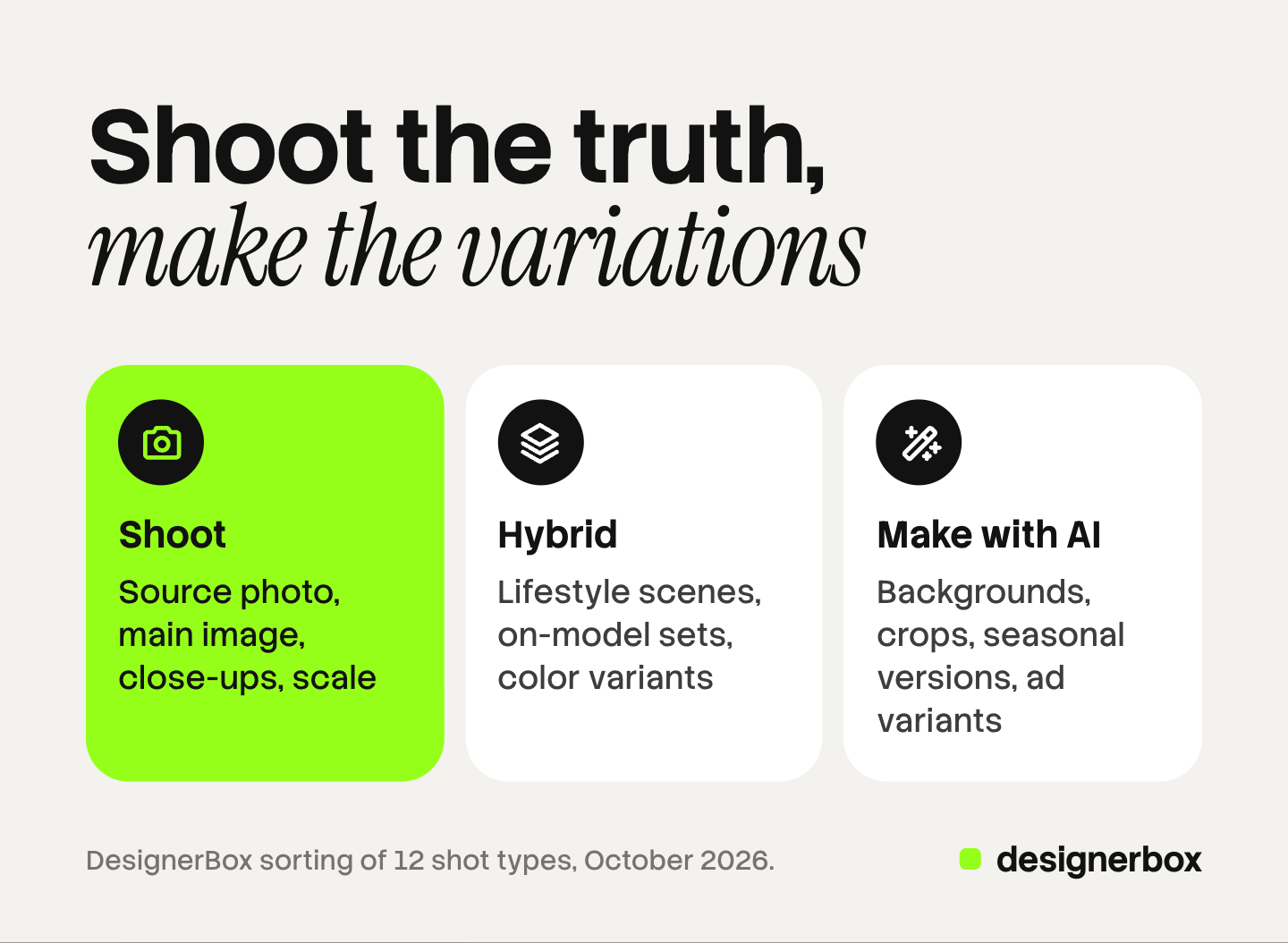
| Shot type | Route | Why |
|---|---|---|
| Source photo of each product | Shoot | Every later image starts from it |
| Main marketplace image | Shoot | Marketplaces ask for the exact item, shown accurately |
| Material and texture close-up | Shoot | A model invents detail it has not seen |
| Scale or in-hand shot | Shoot | Buyers judge size from it |
| Glass, polished metal and liquids | Shoot | Reflection and transparency are hard to generate correctly |
| Founder, team and customer photos | Shoot | Real people and real moments |
| Lifestyle scene around a real product | Hybrid | Shoot the product, make the scene, check the product |
| On-model fashion set | Hybrid | Shoot the main looks, make the long tail, follow disclosure rules |
| Color variants | Hybrid | Shoot one, make the rest, check each against the sample |
| Background and scene variations | Make with AI | One instruction, repeated |
| Crops and formats per channel | Make with AI | Each channel publishes its sizes |
| Seasonal versions and ad variants | Make with AI | Short life, high volume |
Two notes on the hybrid rows. A generated scene can change the product inside it, so each result needs a check against the source photo. For fashion, the choice between AI models and real models is a decision for each gallery slot.
Why capture stays with a camera
Three sets of rules keep capture work in the physical world. This section is general information, not legal advice.
Marketplace rules. Amazon says the main image should “accurately represent the real scale, quantity, and color of the product”. It also bans placeholders, because “the first image uploaded defines the product identity” (Amazon Seller Central, October 2026). Google says the primary image “must clearly display the exact item being sold” (Google Merchant Center Help, October 2026).
Neither rule names a camera. Both ask that the picture matches the physical item, and a photo of the real product is the simplest proof.
Labels on generated images. Google requires that images created with generative AI carry metadata that says so. Its example is the IPTC DigitalSourceType tag, and it tells merchants not to remove that tag. Amazon asks sellers to tag images that feature people “entirely generated by AI”. Our guide to marketplace rules for AI product photos compares more platforms, Etsy included.
Advertising law. The Federal Trade Commission says an ad is deceptive if it contains a statement, or omits information, that is “likely to mislead consumers acting reasonably under the circumstances” and is important to the decision to buy (Federal Trade Commission, October 2026). A product image is part of the ad. An image that shows a finish or a size the product does not have carries that risk.
Who owns an AI-made image
Ownership matters as much as accuracy. This section is also general information, not legal advice.
The US Copyright Office published Part 2 of its report on copyright and AI in January 2025. It concluded that generative AI results “can be protected by copyright only where a human author has determined sufficient expressive elements”. A person’s creative arrangement or modification can qualify, “but not the mere provision of prompts” (US Copyright Office, January 2025).
A photograph a person took is human work. A scene made from a prompt alone may have no US copyright, so a rival could copy it with less risk. The captured source photo is the asset you can protect most clearly.
Our guide to AI images and commercial use covers what that means for ads and licenses.
Weddings, events and news
Outside product work, the answer leans further toward the photographer. A wedding, a concert and a news event each happen once. The value of the photo is that it records what happened.
The Bureau of Labor Statistics expects demand for portrait photographers to remain, “as people continue to want new portraits”. AI tools can shorten editing work such as sorting and retouching. The capture stays with the person who was there.
How to split a product shoot budget
A brand with 20 to 500 products can apply the split in four steps.
- List every image the product needs. Count the main image, the gallery, the store, the ads and the social posts.
- Mark each one capture or variation. Ask one question: is the answer in the product or in the brief?
- Spend the photographer’s time on capture. Brief the shoot to produce one clean source product photo for each product, plus the close-ups and scale shots.
- Make the variation from the approved captures. Then review each result against its source before it goes live.
The brief for the photographer gets shorter and stricter: fewer scenes, more accuracy. Our guide to product photoshoot cost shows how a quote is built, so you can see which lines the split removes. For the four ways a photographer bills, see product photography rates.
The split also changes what a photographer can sell. Every generated image depends on a color-accurate capture. Photographers who also run the variation step for clients keep both halves of the job.
Variation work from one approved photo
DesignerBox is AI creative production for brands and agencies. It makes images, ads and video, and a product photo is one of the inputs. Anyone can make an AI picture. Making hundreds that still look like your brand is the hard part.
DesignerBox does the variation half of the table. The capture half stays with you and your photographer. You save your brand rules once, with logo, colors, fonts and reference pictures. You build a workflow once, and each run reads those rules. A batch runs one workflow over a sheet, with the same rules on row one and row two hundred. The cost is shown before the run.
Review stays with a person. You keep or discard each result, and you re-run one row alone. DesignerBox can send a client a page of pictures. The client opens the link with no account, chooses the pictures and sends the choice back. The full workflow from the first product photo to the finished ad, in one subscription. The page for ecommerce brands shows a product team’s use.
The limits are plain. DesignerBox does not take the source photo, and it does not check color against your physical sample. Virtual try-on works on garments only. It does not send finished work to a store or a marketplace: you download the results, or send them with a webhook or an S3 step. Every plan below Ultra is one seat.
Uploading your own photos and the commercial license start on the Pro plan. AI video, virtual try-on, upscaling, the image editor and the video editor start on the Premium plan. Plans and credits are on the pricing page.
There is a free plan, and it runs on sample products. Get started free
FAQ
Will AI replace photographers completely?
The US Bureau of Labor Statistics does not project that. It projects photographer employment to decline 1 percent from 2025 to 2035. It expects AI images to partially replace some kinds of photography, such as stock, and it expects companies to keep hiring commercial photographers for product advertising.
Which photography work is AI replacing first?
AI is replacing variation work first. That means stock images, background and scene changes, crops for each channel, seasonal versions and ad variants. Capture work, where the photo records a real product, person or moment, changes last.
Is AI product photography better than traditional photography?
Traditional photography records what the product is, which marketplaces and advertising law both depend on. AI product photography makes more images from that record. Which one is better depends on the shot, and the table of 12 shot types above sorts them.
Can I use an AI image as my main marketplace image?
Check each platform’s current rules. Amazon asks for a main image that accurately represents the real scale, quantity and color of the product. Google asks for an image of the exact item, and it requires AI-made images to carry metadata that says so. A photo of the real product meets these rules most directly.
Who owns the copyright in an AI product image?
In the United States, the Copyright Office says a prompt alone does not make you the author. It protects AI results only where a human determined enough of the expressive elements, for example by arranging or modifying them. A photo you or your photographer took is human work. This is general information, not legal advice.
Does DesignerBox replace a product photographer?
No. DesignerBox makes the variation images from an approved photo: scenes, formats, ads and video. The source photo and the final decision on each image stay with people. You see the cost before you press Run.
Sources
- Photographer employment in 2025 and 2035, the 1 percent projected decline, annual openings, median pay, the self-employed share, and the statements on stock photos, portraits and commercial photographers: US Bureau of Labor Statistics, Occupational Outlook Handbook, Photographers, last modified 27 August 2026, accessed October 2026
- 58% of responding members lost commissioned work to generative AI, the 20% response share, the 10% rise in turnover and the 65% fall in licensed images: Association of Photographers, Copyright and AI member survey results, January 2026, accessed October 2026. A self-reported member survey
- Amazon main image rules: accurate scale, quantity and color, no placeholders, and the tag for AI-generated people: Amazon Seller Central, product image requirements, accessed October 2026
- Google primary image rule and the metadata requirement for images created with generative AI: Google Merchant Center Help, image link, accessed October 2026
- When an ad is deceptive: Federal Trade Commission, Advertising FAQ’s: A Guide for Small Business, accessed October 2026
- Copyright in generative AI results: US Copyright Office, NewsNet 1060, Part 2 of the report on copyright and artificial intelligence, 29 January 2025
- DesignerBox brand rules, batch, review page and plan gates: DesignerBox product and pricing pages (designerbox.ai/product/brand, designerbox.ai/product/batch, designerbox.ai/pricing), October 2026
Bureau of Labor Statistics, Association of Photographers, Amazon, Google, Federal Trade Commission and US Copyright Office facts verified on each publisher’s own page, October 2026. DesignerBox features verified on designerbox.ai, October 2026. The shot type table is our own sorting, and your products may need a different route. Legal sections are general information, not legal advice.