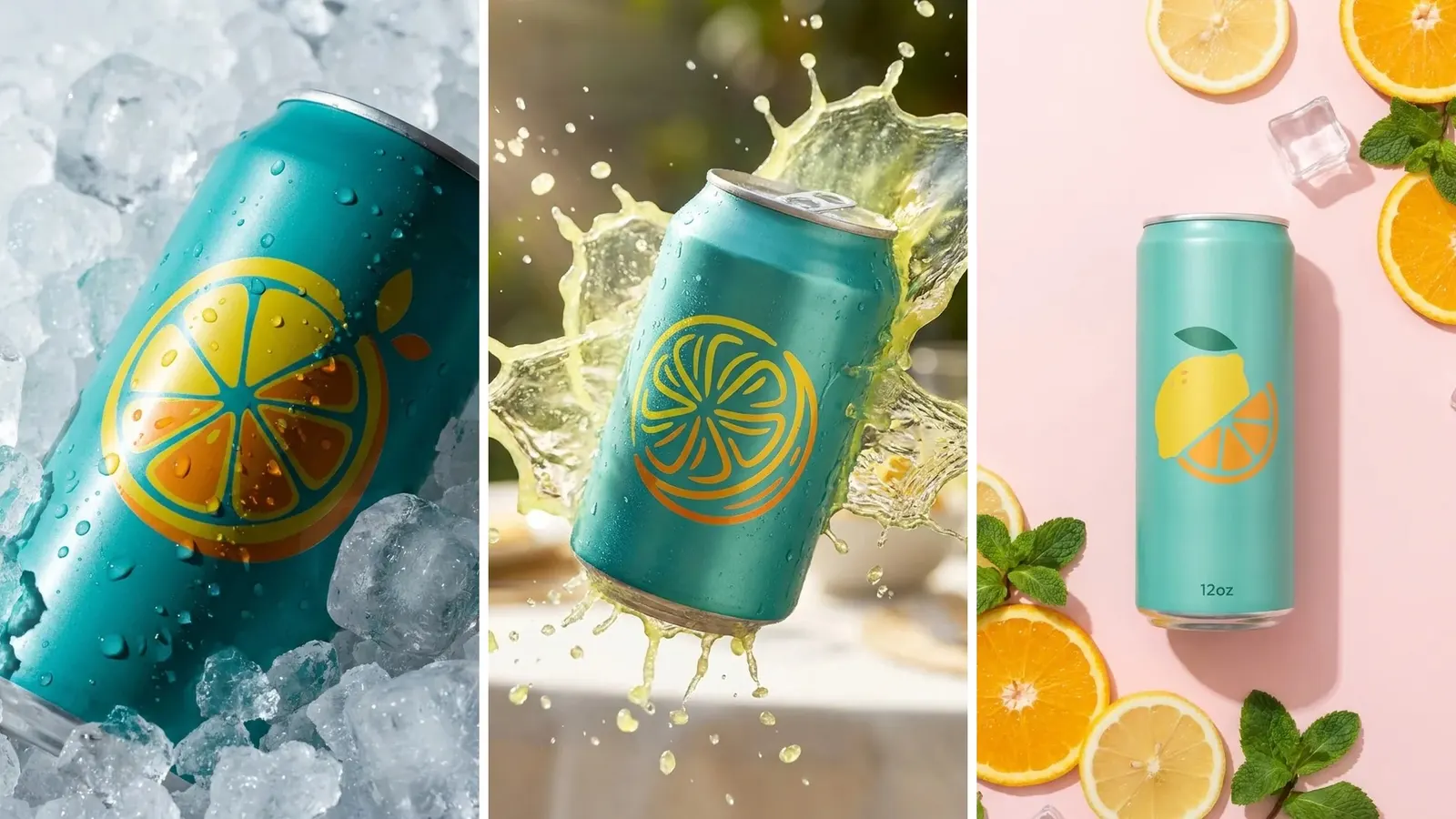
Drink photography sells a can, a bottle, a carton or a pouch by making it look cold and ready to drink. Every cold cue sits between the camera and the label: condensation, ice, a pour, a splash, a garnish or a hand. This guide sorts 16 ideas by what covers the label, from nothing to a full splash, and names the channel each one fits.
The label does the selling online. Each step down this list adds appetite and takes away some of the label. The ideas use soft drinks, juice, coffee, tea and water, and a short note covers alcohol.
Key Takeaways
- Every drink scene puts something cold or wet over the label. Sort the ideas by that layer.
- There are four layers. Nothing, light condensation and ice, a pour and a glass, then a splash and motion.
- The phone-size test decides each frame. The brand, the flavor and the size must read at thumbnail width.
- Marketplace main images take the first layer only. Amazon asks for a pure white background and no props that are not included.
- A generated scene may change the setting. It must not change the label text, the net contents, the pack shape or the liquid color.
Why drink photography is sorted by what covers the label
On a can, the label is the whole product. Anything you add to make the drink look cold lands on that surface or in front of it. That gives four layers, in order of how much label each one costs.
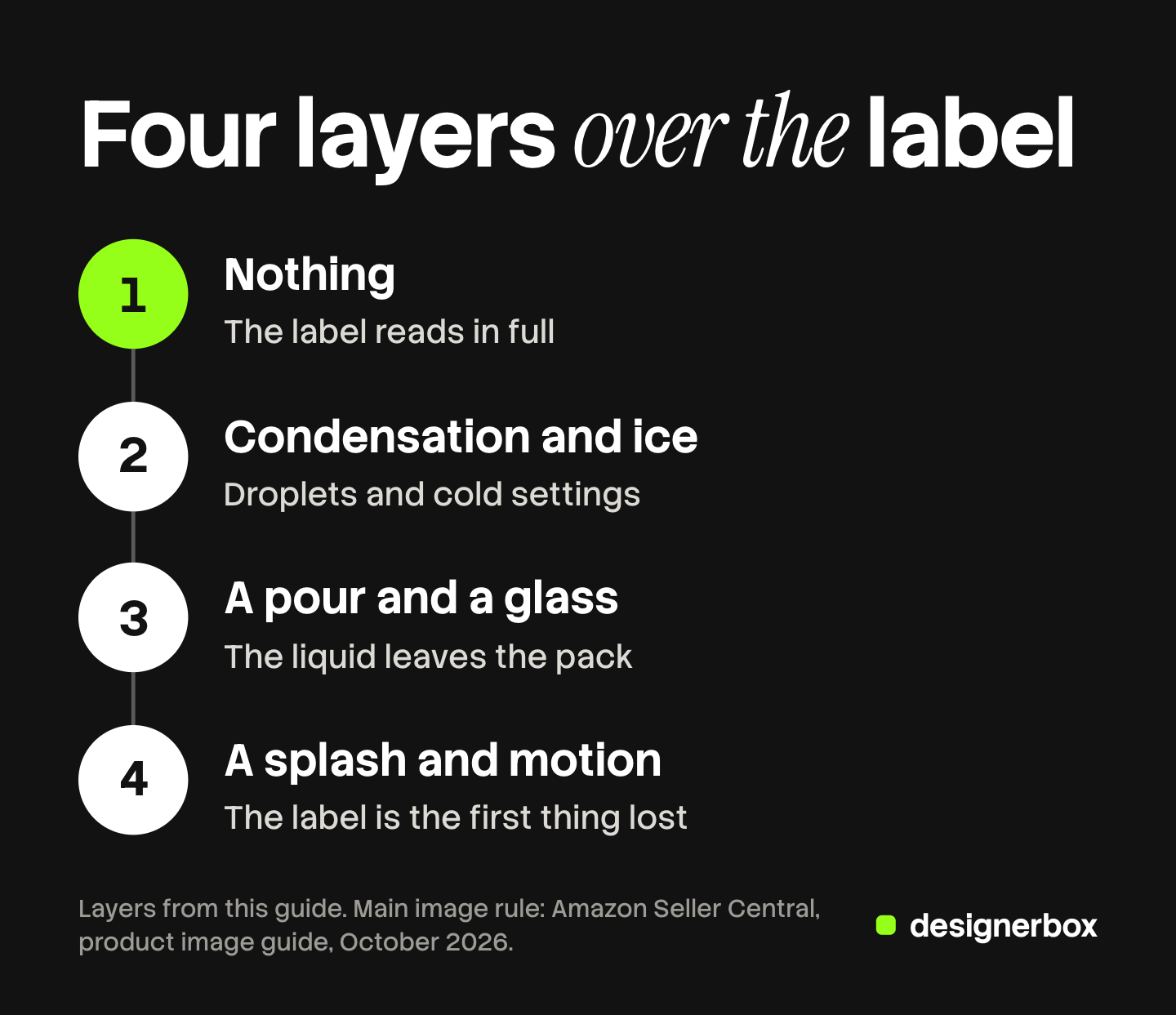
- Nothing. The pack is dry and upright. The label reads in full.
- Condensation and ice. Droplets and cold settings sit on or around the pack.
- A pour and a glass. The liquid leaves the pack, and a glass shares the frame.
- A splash and motion. Liquid moves across the frame, and the label is the first thing lost.
The phone-size test. Shrink the finished image to the size of a search result on a phone. Then read three things without zooming: the brand, the flavor and the size. If one of them fails, the frame belongs one layer higher, or the droplets, the garnish or the hand must move.
Our guide to product photography ideas sorts ideas by slot for any product.
Drink photography ideas with nothing over the label
These five frames carry the facts, and a marketplace accepts them first.
1. The dry upright hero. One pack stands upright on a plain background, with the front panel square to the camera. It proves the product, the flavor and the size. It fails when the pack turns a few degrees and the flavor name bends around the curve.
2. The flavor lineup. Every flavor stands in one row, at one height, in the order the brand uses. It shows the range. It fails when a slim can and a standard can share the row at the wrong relative height.
3. The multipack with the exact count. The four-pack, six-pack or case sits in its real packaging, with every unit visible or counted on the wrap. Amazon’s multipack standard says the main image must show the total quantity that will be delivered, and the title must contain it (Amazon Seller Central, multipack imaging standards, October 2026). It fails when a neat row of five stands in for a pack of six.
4. The top and tab detail. A close frame shows the can end, the tab, the cap or the spout of a pouch. It proves how the pack opens. It fails when the crop is so tight that the product is unclear.
5. The back and side panel. A straight frame shows the nutrition panel, the ingredients and the net contents on a can, a carton or a pouch. It fails at low resolution, so give the panel its own frame. Our guide to food product photography covers the label rules for packaged food and drink.
Chilled drink photoshoot ideas: condensation, ice and a hand
The second layer adds cold, and the label still leads.
6. The light-condensation hero. The upright pack carries fine droplets on the shoulder and the sides, and the label panel stays clear. Photographers make droplets that stay with glycerin and water. Digital Camera World mixes water and glycerin at about 2:1 and sprays the bottle and the glass (Digital Camera World, October 2026). The frame fails when a large drop covers the flavor name.
7. The fridge shelf. Packs stand in rows on a fridge shelf, grouped by flavor, with the labels facing the door. It shows the drink at home. It fails when the shelf light turns the label colors blue or green.
8. The cooler or ice bucket. The pack rests in ice with the top half and the label above the ice line. It places the drink outdoors. Canon’s guide says fake ice cubes do not dilute the drink, and that crushed real ice lasts longer than cubes (Canon Snapshot, October 2026). The frame fails when the ice buries the size statement.
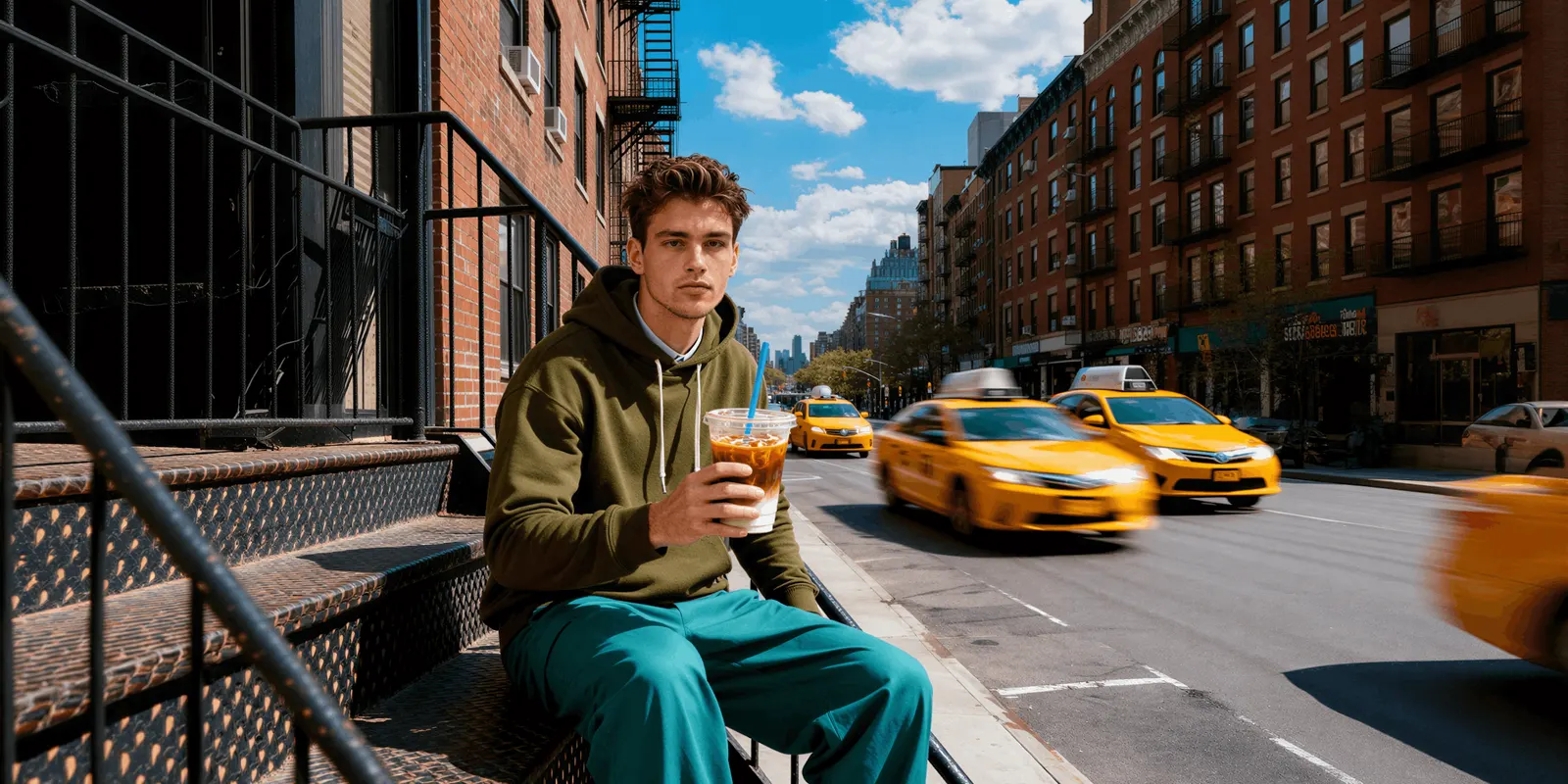
9. The can in a hand. A hand holds the pack at chest height in an ordinary place, such as a street or a desk. It proves the size, which a pack alone on white cannot do. It fails when fingers cover the brand name. Our guide to hand model photography covers the grip.
Beverage photography ideas with a pour and a glass
The third layer shows the liquid. A can or a carton hides its contents, so a glass does the work.
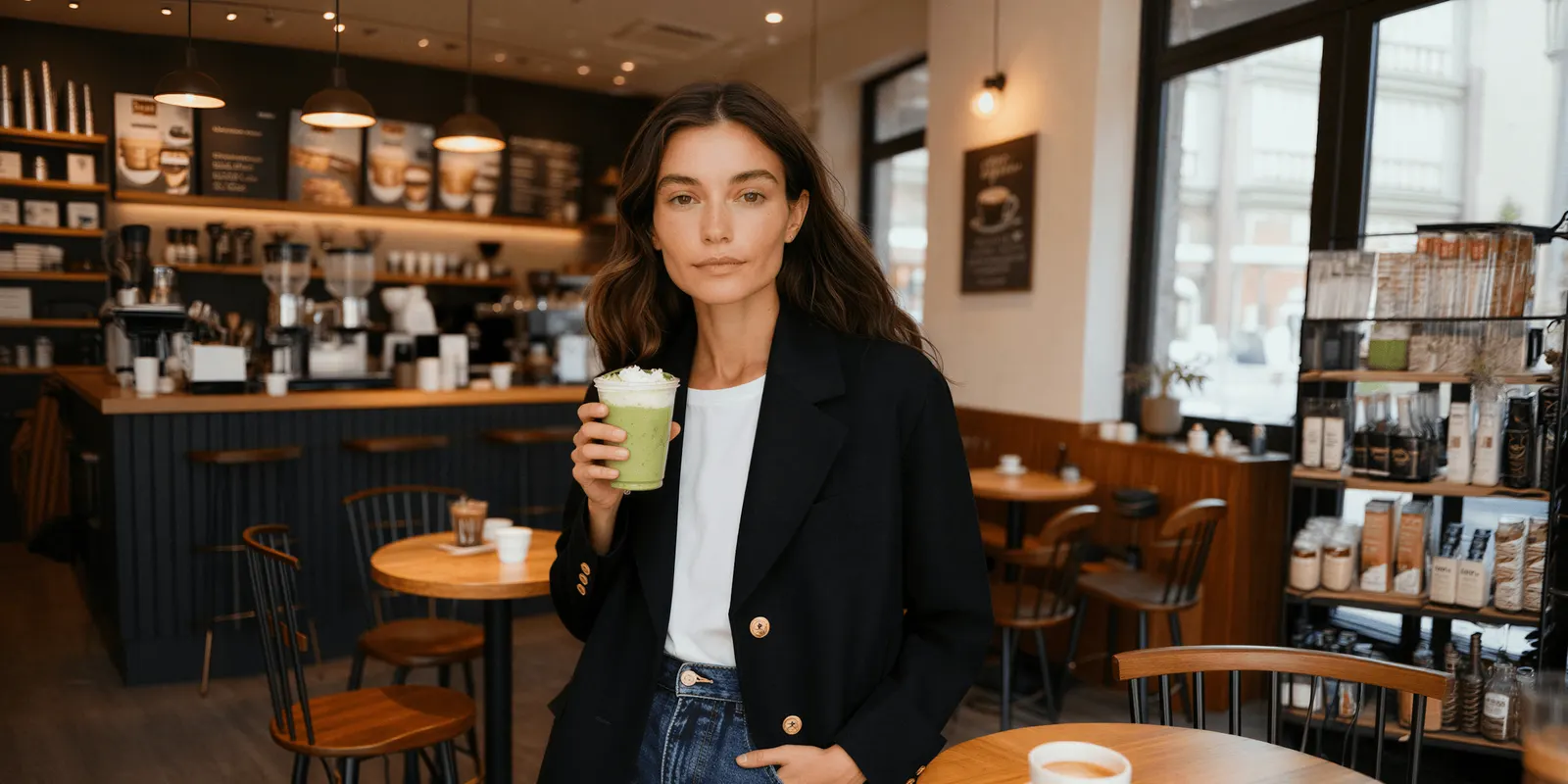
10. The pack beside the poured glass. The closed pack stands next to a full glass of the same drink. It shows the liquid and keeps the label in view. It fails when the glass stands in front of the pack and the liquid distorts the label behind it.
11. The mid-pour. A hand tilts the pack and the stream falls into the glass. It shows the stream and, for a soda, the bubbles. It fails when the tilt turns the label away from the camera, so keep a second upright pack in the frame.
12. The backlit liquid. A light behind the glass shines through the drink toward the camera. Canon’s guide says backlighting reveals the color of the drink and shows how thin or thick the liquid is. PetaPixel reports that photographer Steve Giralt places a reflective card behind a drink to add brightness inside the liquid (PetaPixel, October 2026). The frame fails when the backlight leaves the front label in shadow.
13. The garnish and ingredient frame. The pack and the glass sit with the fruit, the herb or the bean that matches the flavor. It fails when the garnish shows an ingredient the drink does not contain. The FTC reads an ad in context, and it lists “words, phrases, and pictures” as what it looks at (FTC, advertising FAQs, October 2026). This is general information, not legal advice.
Splash and motion ideas, where the label goes first
The fourth layer sells energy and loses the most label, so these frames belong in ads and launches.
14. The frozen splash behind the pack. Liquid or fruit hits water behind the upright pack, and flash freezes the moment. Digital Camera World shot its example at 1/200 sec and f/11, and says the short flash duration freezes the splash. The frame fails when the splash crosses in front of the label.
15. The ice drop. A cube falls into a full glass and the drink jumps over the rim, with the pack beside it. It fails when the liquid looks like a spill, with drink on the table and on the label.
16. The grab. A hand lifts one pack out of ice or off a shelf, and the hand blurs a little. It fails when the blur reaches the pack, because then nothing in the frame reads.
For moving liquid in video, our guide to the food commercial lists the five shots a pour needs.
Energy drink photography and soda photography: what a can changes
Energy drink photography and soda photography are mostly can photography. A can changes three things.
The liquid is hidden. A can shows no color and no bubbles. Ideas 10 to 12 need a glass, or the shopper never sees the drink.
Printed metal reflects. A small hard light appears on the can as a white stripe over the brand name. Use one large soft light from the side.
Can shapes look alike alone. A slim can and a standard can look the same on white with nothing beside them. Amazon says an image should represent the real scale, quantity and color of the product (Amazon Seller Central, product image guide, October 2026). Idea 9 or a true-height lineup solves it. Dark, high-motion scenes from the fourth layer work in ads, and the listing still needs ideas 1 to 5.
Which drink photo each channel takes
| Channel | Ideas that fit | The rule to check |
|---|---|---|
| Marketplace main image | 1 and 3 | Amazon: pure white background, the product as 85% of the image, no props that are not included |
| Marketplace gallery | 2 and 4 to 13 | Amazon’s variant slots take more angles, the product in use and product details |
| Retailer page | 1 to 5 | Walmart: seamless white main image, and no claims or promotional language in any image |
| Paid social | 8 to 16 | Meta: keep text and logos inside the safe zone on Stories and Reels |
| Launch page and email | All 16 | Your own brand rules, and the phone-size test |
The sources are Amazon Seller Central, Walmart Marketplace Learn and the Meta Business Help Center, all read in October 2026.
Ice, a glass and a garnish are props, so they stay out of an Amazon main image. The full list is in our guide to Amazon image requirements. For Walmart, Etsy and the other main sales channels, the specs are in our guide to ecommerce product photography. For a small drink range, our guide to CPG marketing has a monthly asset plan across these channels.
A note on alcohol. For alcohol, a label shown in an advertisement must be a reproduction of an approved label. TTB lists labels in ads that do not match as a common issue (TTB, alcohol beverage advertising, October 2026). Our guide to bottle product photography covers those label and ad rules, glass lighting and the seven-frame shot list.
What a generated drink scene may change
An AI image model can build the setting around a real pack photo.
| A generated scene may change | It must not change |
|---|---|
| The surface, the background and the setting | The label text and the flavor name |
| The light and the time of day | The net contents and the unit count |
| Props around the pack: ice, a glass, fruit | The can height and the pack proportions |
| The crop for each channel | The liquid color |
Make ideas 1 to 5 with a camera, because they are the record of the real pack. Ideas 6 to 13 suit a generated scene around that photo. Ideas 14 to 16 are the hardest for a model, since moving liquid must follow gravity and stay off the label.
Check four things on every result, at full size and at phone size: the label words, the unit count, the pack shape and the liquid color. A six-pack must still hold six, and a cola that turns amber shows a different drink. Our guide to AI product photo accuracy lists the checks for print, logo and shape.
One brand look across a drink range
DesignerBox is AI creative production for brands and agencies. It makes images, ads and video from a brand’s own inputs, and a pack photo is one of them. Anyone can make an AI picture. Making hundreds that still look like your brand is the hard part.
For a drink range, you save your colors, fonts, reference pictures and rules as a brand once. You save the scenes you chose as a workflow. A batch then runs it over a sheet, one flavor per row. The cost is shown before the run. The same pack photo feeds the chilled scene and the static ad. That is the full workflow from the first product photo to the finished ad, in one subscription. The AI product photography page describes the product side.
The limits are plain. Brand rules guide a run, and nothing checks the label for you, so a person reviews every result. DesignerBox does not send finished work to a store. You download the results, or send them with a webhook or an S3 step.
Uploading your own photos and the commercial license start on the Pro plan. Plans and credits are on the pricing page.
A free plan for your first run
There is a free plan, and it runs on sample products. Get started free
FAQ
What is drink photography?
Drink photography is the set of images that sells a packaged drink: a can, a bottle, a carton or a pouch. It covers the plain pack image for a listing, chilled and poured scenes for the gallery, and splash scenes for ads.
What are good drink photoshoot ideas for a new brand?
Start with five: a dry upright hero, a flavor lineup, a multipack with the exact count, a light-condensation hero and the pack beside a poured glass. Add a splash only for ads.
How do photographers make condensation that stays on a can?
They spray a mix of glycerin and water. Digital Camera World mixes water and glycerin at about 2:1. Canon’s guide says to spray both the ice and the glass, and to cover the open top of the glass first.
Can ice or a glass appear in an Amazon main image?
No. Amazon’s main image needs a pure white background and must not show props that are not included with the product (Amazon Seller Central, October 2026). Ice, a glass and a garnish are props, so use them in the other image slots.
Can AI make drink photos?
AI can make the setting, the light and the props around a real pack photo. It can also change the label text, the unit count, the pack shape or the liquid color by mistake, so a person compares every result with the source photo. In DesignerBox, the cost is shown before the run.
Sources
- Amazon main image rules (pure white background, 85% of the image, props, real scale, quantity and color) and variant slots: Amazon Seller Central, product image guide, accessed October 2026
- Amazon multipack main image and title rules: Amazon Seller Central, multipack imaging standards, accessed October 2026
- Walmart main image background and the rule against claims or promotional language in images: Walmart Marketplace Learn, image guidelines and requirements, accessed October 2026
- Meta safe zone for Stories and Reels ads: Meta Business Help Center, text overlays and the safe zone, accessed October 2026
- How the FTC reads an ad: FTC, Advertising FAQs: A Guide for Small Business, accessed October 2026
- Labels shown in alcohol advertisements: TTB, Alcohol Beverage Advertising, accessed October 2026
- Water and glycerin at about 2:1, 1/200 sec at f/11 and flash duration: Digital Camera World, “Make a splash with food and drink photography”, accessed October 2026
- Backlighting, crushed ice, fake ice and the glycerin spray steps: Canon Snapshot, “Tips for Photographing a Cold Beverage in a Glass”, accessed October 2026
- A reflective card behind the drink: PetaPixel, “Five Tips for Better Beverage Photos from Steve Giralt”, 27 October 2020, accessed October 2026
- DesignerBox brand, batch and plan gates: DesignerBox brand page, batch page and pricing page (designerbox.ai), October 2026
Marketplace, platform and regulator facts verified on each publisher’s own page in October 2026. Technique notes come from the photography guides named above. Individual results vary.