The best AI furniture product photography tool is the one that covers the five shots furniture needs and keeps the piece you photographed. Photoroom, Caspa AI, Pixelcut and Claid’s Precise mode say they keep your product and change the scene. Pixelcut also lists a labeled dimensions graphic. Flair.ai generates the piece in new settings and angles. DesignerBox saves the setup, so the next product runs the same way.
You have 40 sofas, each in four fabrics. That is 160 listings. Each one needs a white silhouette, two room scenes, a functional shot and a dimensions image. So the catalog needs 800 images before anything goes on sale, and nobody books a room set 160 times.
Furniture is sold by variant, so a price per image says little about that catalog. This guide scores eight tools on the shots a listing needs and on how each one treats your piece. Every feature was read on the vendor’s own page on 16 September 2026. We sell DesignerBox, so read its lines as our own case.
Key Takeaways
- Score tools on shots, not on one image. Wayfair’s seller guide lists five common image types: a silhouette, zoomed-in and zoomed-out environmental shots (room scenes), a functional shot and a dimensional shot.
- Amazon allows a room scene as the main image for six product types. They are bed, bed frame, mattress, rug, rug pad and sofa. Other furniture leads on pure white.
- Decide how much the tool may change your piece. Photoroom, Caspa AI, Pixelcut and Claid’s Precise mode say they keep the product. Claid says its Creative mode can change it.
- The dimensional shot is the gap. Pixelcut’s furniture page lists a dimensions graphic with labeled height, width and depth. Most furniture pages here do not mention one.
- Test on your hardest pieces. Boucle, velvet, glass and chrome show fidelity problems first.
- CGDream closes after 3 October 2026. Its own site says it is being retired as a standalone product.
What does an AI furniture product photography tool do?
An AI furniture product photography tool takes a photo of a real piece and makes new listing images from it. It cuts the piece out for a white background, places it in a generated room, or shows it at a new angle. The better tools change the room and keep the piece. Every tool still needs one accurate photo to start from, because a model cannot show a piece it has never seen.
Two nearby jobs use the same words and are different purchases. Virtual staging puts furniture into a photo of an empty room for a property listing, and what virtual staging costs per room covers that market. A CGI pipeline renders the piece from a 3D model instead of a photo. This guide covers the third job: your own product photo, placed in the scenes a listing needs.
Room scenes matter in furniture. In a survey of 400 US furniture buyers, 62% said it is a challenge to visualize how furniture will look in their home (3D Cloud Furniture Shopping Trends Study 2026, 3dcloud.com, September 2026). 3D Cloud sells 3D visualization and commissioned the survey.
The five furniture shots a tool has to cover
Wayfair’s seller guide lists five of the most common types of imagery: a single-product silhouette, a zoomed-in environmental shot, a zoomed-out environmental shot, a functional shot and a dimensional shot. It says images need at least 1,000 by 1,000 pixels to be featured on Wayfair. A tool that only makes room scenes covers two of the five.
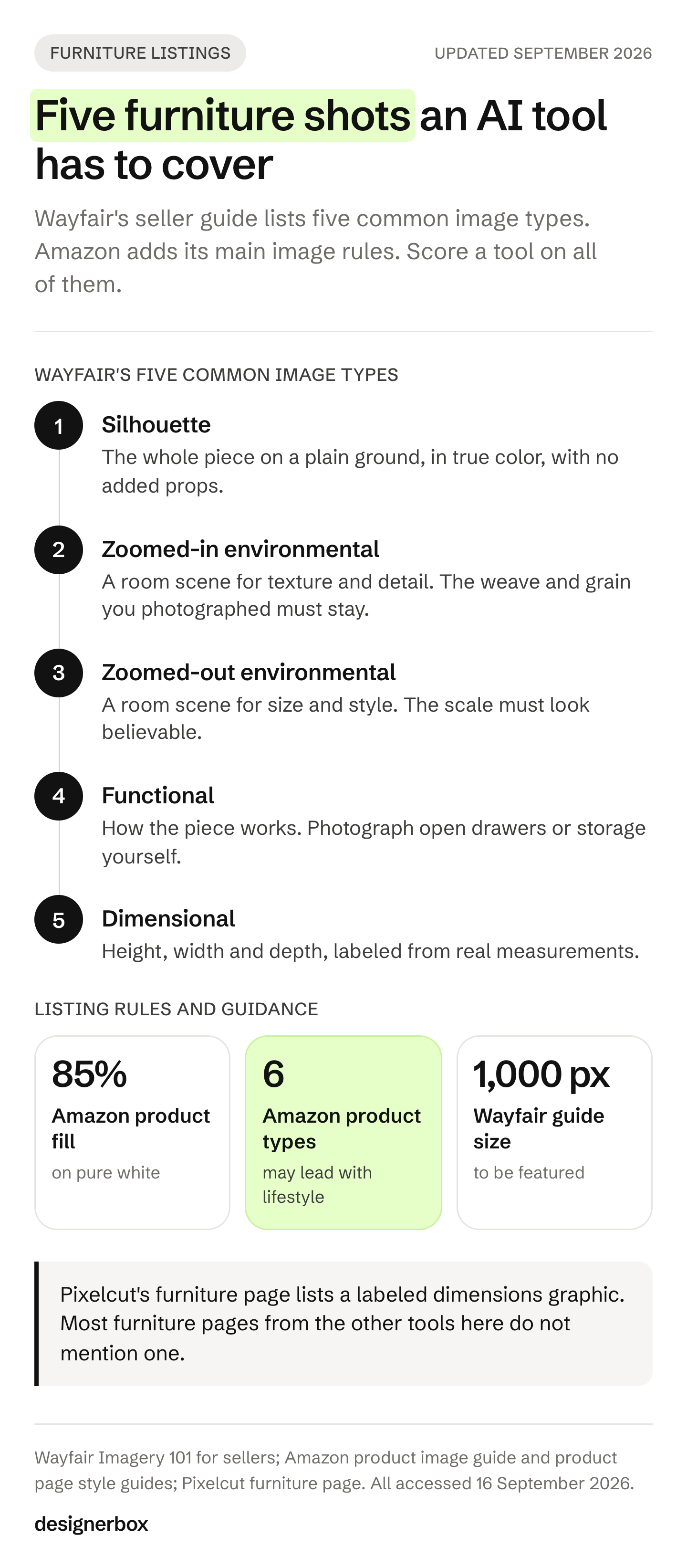
The shot types come from Wayfair’s Imagery 101 guide for sellers (accessed September 2026). This guide calls the two environmental shots room scenes. The right-hand column is our reading of what each shot asks from a tool, and how to plan each furniture shot covers shooting them by hand.
| Shot | What the buyer learns | What the tool has to get right |
|---|---|---|
| Silhouette | The whole piece, and nothing else | A clean cutout, true color, no added props |
| Zoomed-in room scene | Texture and detail | The weave, grain and stitching you photographed |
| Zoomed-out room scene | Size and style in a room | Believable scale against the walls and floor |
| Functional | How it works: drawers, recliners, storage beds | A state you photographed, because a model cannot know your mechanism |
| Dimensional | Height, width and depth | Real measurements, clearly labeled |
Amazon sets the other hard edge. The main image needs a pure white background, with the product filling 85% of the image. The image must show the real scale, quantity and color of the product. Props that are not included with the product stay out (Amazon product image guide, accessed September 2026).
Furniture gets one exception. Amazon allows a lifestyle image as the main image for six product types: BED, BED_FRAME, MATTRESS, RUG, RUG_PAD and SOFA (Amazon product page style guides, accessed September 2026). Amazon’s image guide says that lifestyle main image carries no text or extra logos. A sofa can lead with a room scene. An armchair, a dining table and a lamp are not on that list, so their main image stays on white.
If a room scene shows a photorealistic person made entirely by AI, Amazon asks you to add the keyword contains-synthetic-performer to the image’s XMP dc:subject field before upload. Which tool fits which Amazon image slot covers the rest of the listing.
AI furniture product photography tools compared
The table scores each tool on what its own pages state. It does not score image quality, which changes with every model update and every source photo.
| Tool | How it treats your piece | Room scenes | Dimensions graphic | Bulk runs | Video | API | Free plan |
|---|---|---|---|---|---|---|---|
| Photoroom | Keeps original product details | Yes | Not listed | Up to 250 images at once | Max and Ultra plans | Yes | Yes, personal use |
| Caspa AI | Places the product unchanged in a new scene | Yes | Not listed | Not listed | Not on the entry plan | Top plan | No, free credits to start |
| Claid.ai | Precise keeps shape and angle. Creative can change the product | Yes | Not listed | Yes, templates and API | Yes | Yes | Free trial |
| Pixelcut | Keeps shape, color and texture, and changes the scene | Yes | Yes | Bulk editing tools | Yes | Yes | Yes |
| Mokker | Cutout placed in a furnished room | Yes | Not listed | Not listed | Not listed | Coming soon | Yes |
| Pebblely | Background built around your upload | Yes | Not listed | Some paid plans | Not listed | Not listed | Terms mention a free version |
| Flair.ai | Generates the piece in new settings and angles | Yes | Not listed | Yes | Yes | Yes | Yes |
| DesignerBox | Runs your photo through saved workflow steps | Yes, furniture template | Not listed | Yes, batch over a sheet | Premium and up | Ultra plan | Yes |
Read on each vendor’s own pages on 16 September 2026. “Not listed” means the page did not state the feature that day. No price appears in this guide: each vendor lists its plans on its own pricing page. DesignerBox’s tool comparisons set it against one named tool at a time.
The eight tools, one by one
The tools are grouped by how they treat the piece, not ranked. Tools that say they keep your photographed product come first. Tools that can generate it again come after.
Photoroom
Photoroom’s furniture page says it enforces brand and marketplace image standards “while preserving original product details”. It also places furniture and decor in AI lifestyle scenes (photoroom.com/industry/furniture, September 2026). Its batch editor applies product staging and other edits to up to 250 images at once (photoroom.com/batch, September 2026). It has an API, and a furniture video template on its Max and Ultra plans (photoroom.com/tools/video-generator/templates/furniture, September 2026).
Its terms license free accounts for personal, non-commercial use only (photoroom.com/legal/terms-and-conditions, September 2026). A dimensions graphic is not listed on its furniture pages.
Best for: catalogs that mix supplier photos and in-house shots and need one look across all of them.
Caspa AI
Caspa AI says it “places your product into a new scene but your product remains unchanged” (caspa.ai/faq, September 2026). It has a furniture use-case page. For Amazon, it lists tools for A+ content and custom infographics (caspa.ai, September 2026). Video is available, though not on its entry plan, and API access is listed on its top plan.
Caspa AI lists no free plan, and new accounts start with free credits (caspa.ai/pricing, September 2026). Its terms keep the intellectual property with Caspa and grant you a license for business use (caspa.ai/termsofservice, September 2026).
Best for: Amazon furniture sellers who want listing images and A+ modules from one tool. What each Amazon A+ module needs covers the specs.
Claid.ai
Claid.ai makes the fidelity choice visible. Its AI Photoshoot has two modes. Precise mode lets you position the product and “keeps its exact shape and angle”. Creative mode gives you freedom to try different angles and compositions (claid.ai/product/ai-photoshoot, September 2026). Claid’s own furniture guide says Creative mode lets you change the product itself (claid.ai blog, September 2026).
It runs batch work through templates and an API, makes video from product photos, and offers a free trial. Check the commercial terms for your plan before a paid ad (claid.ai/terms, September 2026).
Best for: teams that want one tool for the strict silhouette and the looser mood image, with a clear switch between the two.
Pixelcut
Pixelcut’s furniture page names the dimensional shot directly. Its Graphics tool turns a furniture photo into a dimensions infographic with labeled height, width and depth, plus material callouts (pixelcut.ai/ai-product-photography/furniture, September 2026). Its Home Decor templates stage furniture in room scenes.
The page says templates keep your product’s real shape, proportions, color and texture, and change the scene around it. As with every tool here, test the template you plan to use on a patterned piece. Its bulk tools include background removal, resizing and upscaling (pixelcut.ai/bulk, September 2026). It has video, an API and a free plan, and its paid plans include a commercial-use license.
Best for: small furniture brands that need the dimensions image and the room scene from the same tool.
Mokker
Mokker’s furniture page says it takes a product “from a cutout to a fully furnished room” (mokker.ai/furniture, September 2026). Mokker is now part of soona, which says it acquired Mokker.ai and that Mokker customers keep access to their accounts. The same page says the Mokker AI studio removes the background from your product photo first (soona.co/mokker, September 2026).
Its new API is listed as coming soon, with a sign-up for early access (mokker.ai/api, September 2026). It has a free tier for testing (mokker.ai/pricing, September 2026). Its license makes your rights conditional on payment (mokker.ai/license, September 2026).
Best for: brands that already have clean cutouts and want room backgrounds behind them.
Pebblely
Pebblely has a furniture category page. Its FAQ says the AI creates backgrounds based on your uploaded images and adds shadows and reflections to match (pebblely.com/faq, September 2026). Bulk generation for several products at once is on some paid plans (pebblely.com/how-to and pebblely.com/pricing, September 2026).
Its terms say you own the images you generate (pebblely.com/terms, September 2026). Its pricing page lists paid plans, and its terms describe a free version for trying the service. Video and an API are not listed.
Best for: brands whose main need is a styled background and a believable shadow behind the real product.
Flair.ai
Flair.ai’s furniture page says it generates photorealistic images of your furniture in various settings and from multiple angles (flair.ai/product-category-features/furniture, September 2026). New angles give you more freedom. Check each new angle against the real product.
It supports bulk generation of images, videos and text. It has product video, an API and a free plan. Its terms say you need a paid plan to use Flair images commercially (flair.ai/terms-of-service, September 2026).
Best for: brands that want new angles and moods for a hero piece and will check each result against the real product.
DesignerBox
Its furniture template starts from one photo of a piece and returns a hero, styled room scenes and a close-up of the material and joinery (DesignerBox templates, September 2026). You save it as a workflow and run it on the next product, and batch runs that workflow over a whole sheet of pieces at once. The limits are in the last section below.
Best for: brands and agencies that need the same shots, in the same room and light, on every new piece.
Also on furniture tool lists
LightX has an AI furniture photoshoot page that presents a piece in different background settings. It works one image at a time, and it offers a separate product photoshoot API (lightxeditor.com, September 2026). CreatorKit has a furniture gallery of AI background templates, and a free plan (creatorkit.com, September 2026).
CGDream turns 3D models in formats such as FBX and GLB into photorealistic images, and it appears on other furniture tool lists. Its own site says it is being retired as a standalone product and will not be available after 3 October 2026. Its image features are moving into CGTrader AI (cgdream.ai, September 2026). If you work from 3D models, check the replacement before you build a process on it.
For the same vendors judged on ecommerce work in general, see the AI product photography tools comparison.
Two of the broader AI suites now publish room-scene and lifestyle features on a dedicated product page, which puts them on this shortlist for the first time. Higgsfield’s product photography surface covers what that includes and where it stops.
Will AI keep your fabric and proportions?
The answer turns on whether the tool works around your photo or generates the piece again. A tool that keeps the product can still get light and shadow wrong, but the weave and leg shape stay yours. A tool that generates the piece can change the pattern, the proportions or the color. On Amazon, the main image must show the real scale and color of the product.
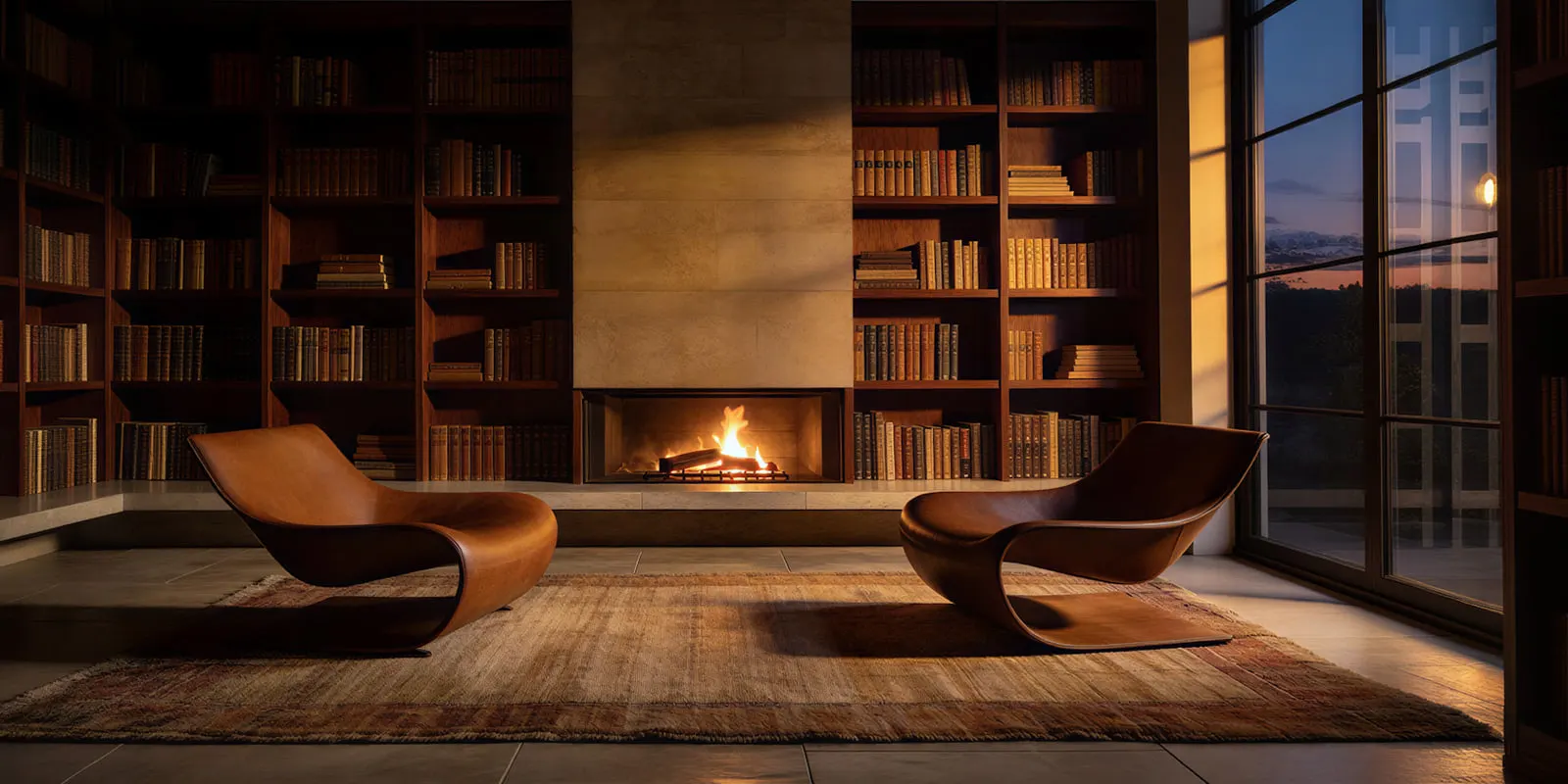
Fabric shows the problem first. Boucle loops, velvet pile, a herringbone weave and a printed linen all carry detail that a model can redraw instead of keeping. Wood grain, cane and brass hardware come next. A sofa that arrives in a different weave from its listing can become a return. Wayfair’s seller guide notes that merchandising issues are a common cause of returns, and that good imagery helps set accurate expectations.
Scale is the second problem. A room built around a cutout contains no measurement, so a sofa can look smaller or larger than it really is. The dimensional shot comes from a tape measure, never from the room scene.
How to check a generated product photo for accuracy gives a checklist that works for any tool on this list.
The colorway matrix and a saved setup
Furniture catalogs grow by variant. One sofa in four fabrics and two leg finishes is eight listings, and each listing needs the same five shots. The tool question is whether the room, light and crop you approved for the first variant run the same way on the next seven, without a new prompt each time.
Bulk support differs between tools, as the table shows, and LightX’s furniture photoshoot works one image at a time. A bulk option solves the volume. It does not solve the room. If each variant gets a newly generated room, the living room changes from listing to listing, and the catalog stops looking like one brand. Keeping one location consistent across AI shots covers how to build the room once and reuse it.
The same variant matrix sets the budget. Furniture photography cost per SKU prices a studio shoot, CGI and AI against it.
How to test a tool on your own furniture
Test on your hardest pieces, not your easiest. Pick three: one in boucle or velvet, one in glass or chrome, and one with a pattern. Run all five shots on each piece, then compare every result with the source photo at full size. Count how many results you would publish without a fix. That count tells you more than the best single image.
- Pick three hard pieces. Texture, reflection and pattern fail first.
- Start from a good source photo. Use even light, the whole piece in frame and true color, at least 1,000 by 1,000 pixels.
- Run the five shots on every piece.
- Compare at full size. Check the weave, grain, leg shape, hardware and color against the real piece, not against the first result.
- Run a second colorway. Put the two sets side by side. The room, light and crop should match.
- Measure, then label. Build the dimensions image from real measurements.
- Read the license for the plan you will pay for. Some free plans limit commercial use.
If a piece fails on every tool, look at the source photo and the product type before you blame the tool. Which products generate cleanly sorts a catalog before you buy anything.
One setup for every piece
DesignerBox is AI creative production for brands and agencies. A furniture or homeware brand with 20 to 500 products needs the same shots for every new piece. An agency needs that set for each client.
You build the job once as a workflow, with your brand, your products and your rules. You set the brand once. The workflow reads it on every run. A saved workflow runs the same way on the next product, so the next colorway gets the same treatment. The furniture photography template is a starting point, and you change it to fit your catalog.
Three parts matter for furniture. Critic steps score the results of a run, and best-of-N keeps the best one. The image editor makes one edit after another, and the picture keeps its detail and resolution. The cost is shown before you press Run.
The limits, stated plainly (DesignerBox pricing, September 2026):
- It starts from a photo. A CGI pipeline may fit a brand with finished 3D models better.
- A dimensions graphic is not listed. Pixelcut lists one.
- Delivery is a download. You can also send results with a webhook or an S3 step. Nothing lands in your store on its own.
- The commercial license starts on the Pro plan. AI video and virtual try-on start on the Premium plan. Team features, shared brand kits, white label and the API are on the Ultra plan, and every plan below Ultra is one seat.
- The free plan cannot make video.
Plans and credits are on the pricing page.
Anyone can make an AI picture. Making hundreds that still look like your brand is the hard part. The templates, the workflows, batch, the editors, the brand profiles and the Assets library sit together, from the first product photo to the finished ad, in one subscription. To try it on your own furniture, start from a template, add your brand and your products, and run it. The cost is shown before the run. See the templates.
FAQ
What is the best AI furniture product photography tool in 2026?
The right tool follows from the shot and from how much the tool may change your piece. Photoroom, Caspa AI, Pixelcut and Claid’s Precise mode say they keep the product. Pixelcut also lists a labeled dimensions graphic. Flair.ai generates the piece in new settings. DesignerBox saves the setup for the next product. Test each one on your hardest piece first.
Can AI put my furniture into a room scene?
Yes. Most tools here cut your piece out of its photo and place it in a generated room, with shadows added to match. The result depends on the source photo, so use even light, the whole piece in frame and true color. Placing furniture into a photo of an empty real room for a property listing is virtual staging, which is a different job.
Will AI change my furniture’s fabric or color?
It can. A tool that changes only the scene keeps the weave you photographed, though light can still shift the color. A tool that generates the piece can redraw the pattern, the proportions or the color. Compare every result with the source photo at full size.
Can I use a room scene as my Amazon main image?
For six product types, yes. Amazon allows a lifestyle main image for beds, bed frames, mattresses, rugs, rug pads and sofas. Other products need a pure white background, with the product filling 85% of the image. Amazon also asks that the image show the real scale, quantity and color of the product (Amazon Seller Central, September 2026).
Is there a free AI furniture photography tool?
Several tools have a free plan: Photoroom, Pixelcut, Flair.ai, Mokker, LightX, CreatorKit and DesignerBox. Claid.ai offers a free trial. Caspa AI lists no free plan, and new accounts start with free credits. Free plans often limit commercial use, so read the terms (vendor pages, September 2026).
Can I use AI furniture photos commercially?
The answer changes by tool and by plan. Pixelcut’s paid plans include a commercial-use license. Pebblely’s terms say you own the images you generate. Flair.ai’s terms require a paid plan for commercial use. DesignerBox grants a commercial license from the Pro plan. Read the terms for the plan you will pay for before you run a paid ad.
What photo should I start from?
One sharp photo of the real piece, in even light, with the whole piece in frame and true color. Wayfair’s seller guide says images need at least 1,000 by 1,000 pixels to be featured. Photograph functional states, such as open drawers, because a tool cannot know how your mechanism looks.
Sources
- Wayfair, Imagery 101 for sellers: five common image types, the 1,000 by 1,000 pixel size to be featured, and the note on returns (sell.wayfair.com, accessed 16 September 2026)
- Amazon product image guide: white background, 85% fill, real scale and color, props, the lifestyle main image rule, and the synthetic performer tag (sellercentral.amazon.com, accessed 16 September 2026)
- Amazon product page style guides: product types allowed a lifestyle main image (sellercentral.amazon.com, accessed 16 September 2026)
- 3D Cloud Furniture Shopping Trends Study 2026, a survey of 400 US furniture buyers run by Provoke Insights and commissioned by 3D Cloud (3dcloud.com, accessed September 2026; 3D Cloud press release on prnewswire.com, 26 February 2026)
- Photoroom furniture, batch, furniture video template and terms pages (photoroom.com, September 2026)
- Caspa AI FAQ, furniture, Amazon, pricing and terms pages (caspa.ai, September 2026)
- Claid.ai AI Photoshoot, furniture guide, API and terms pages (claid.ai, September 2026)
- Pixelcut furniture, bulk and API pages (pixelcut.ai, September 2026)
- Mokker furniture, API, pricing and license pages (mokker.ai, September 2026), and soona’s acquisition page (soona.co/mokker, September 2026)
- Pebblely furniture, FAQ, how-to, pricing and terms pages (pebblely.com, September 2026)
- Flair.ai furniture, bulk generation, video, API and terms pages (flair.ai, September 2026)
- LightX furniture photoshoot and API pages (lightxeditor.com, September 2026)
- CreatorKit furniture page (creatorkit.com, September 2026)
- CGDream homepage FAQ and 3D rendering page (cgdream.ai, September 2026)
- DesignerBox plan gates for the commercial license, video, try-on, team features and seats, and the furniture template (DesignerBox pricing and DesignerBox templates, September 2026)
Tool features verified from each vendor’s own pages on 16 September 2026. No competitor price appears in this guide. Plans and features change often, so check each page before you buy. Individual results vary.