AI cinematic ad styles are set by four decisions: the lighting, the camera move, the pacing, and the color grade. Name all four and an AI video model reproduces the look from your product photo. There is no style dropdown. This covers ten looks, which model holds each one, and what a clip costs.
A list of named presets works until you want a look the list does not carry, or the preset returns something that is not your product.
The four decisions are the real unit of control. Learn them once and every model in the catalog becomes steerable, including the ones that ship after this article.
Key Takeaways
-
The look is four decisions: lighting, camera move, pacing, grade. Name all four or the model chooses for you.
-
Your product photo is the anchor. Kling 2.6 takes a first frame and an optional last frame (kling.ai, September 2026). Veo 3.1 takes up to three asset images of a single person, character, or product (ai.google.dev, September 2026).
-
Resolution picks the model. Veo 3.1 generates 720p, 1080p or 4K (ai.google.dev, September 2026). Kling 3.0 added native 4K on 23 April 2026 (kling.ai, September 2026).
-
The model sets the price, and the spread across the catalog is wide.
-
Save the look as a workflow and run it again for each product.
What an AI cinematic ad style is
An AI cinematic ad style is four choices made before the shot.
Lighting decides the mood. A single hard source from behind reads premium. A large soft box reads clean and commercial. Window light reads honest.
Camera move decides the energy. A 5% push-in is patient and expensive-looking. A whip pan is urgent. A locked-off frame is editorial.
Pacing decides the format. One slow move fills 8 seconds. Three cuts in 8 seconds is a trailer.
Grade decides the era. Cool and neutral reads modern tech. Warm with lifted blacks reads film.
Name all four in the brief and the output is directable. Name one and you get the model’s default. That default is the generic AI look.
The 10 cinematic ad styles
| Style | The look | Best for |
|---|---|---|
| Luxury gloss | Specular highlights on polished surfaces, near-black surround, slow push-in | Jewelry, watches, fragrance, beauty |
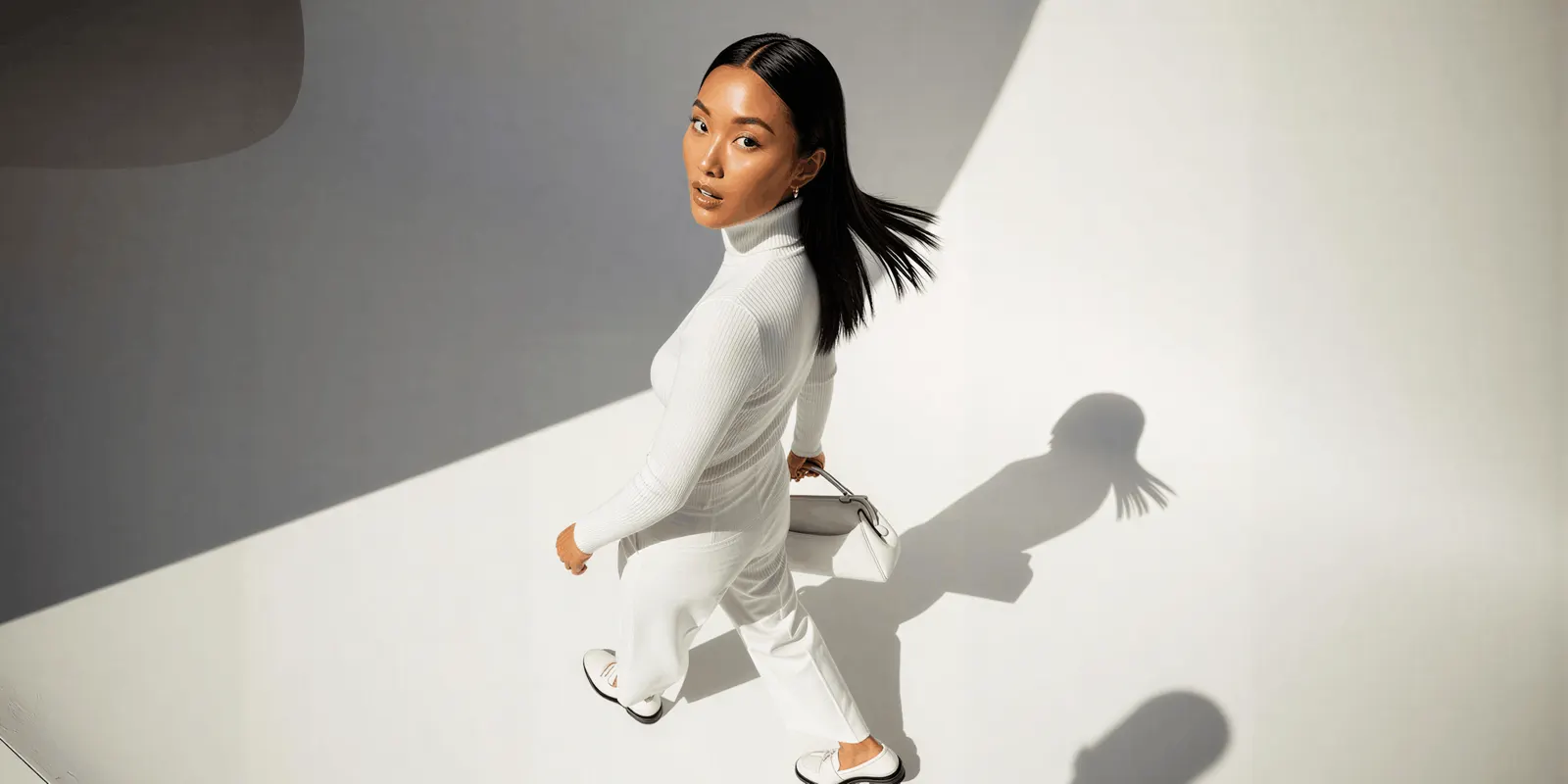
| Clean minimal hero | Gray sweep backdrop, product centered, soft falloff, no props | Consumer tech, skincare, hardware |
| High-energy motion | Hard key, deep contrast, whip pans, cuts on movement | Athletic, footwear, energy drinks |
| Movie trailer | Wide establishing, macro detail, hero reveal, cut to black | Launches, new category products |
| Slow craft film | Very slow moves, shallow focus, hands working material | Coffee, leather, ceramics, furniture |
| Dark and moody | One hard source, deep shadow, rim light, atmospheric haze | Spirits, fragrance, audio, premium tech |
| Bright lifestyle | Daylight, real interiors, product in use, handheld feel | Home, food, apparel, wellness |
| Futuristic | Neon rim, reflective floor, hard geometry, cool grade | Gaming, tech, apps |
| Editorial fashion | Hard flash, color blocking, graphic composition | Apparel, eyewear, accessories |
| Warm film | Grain, halation on highlights, lifted blacks, golden hour | Denim, heritage brands, comfort food |
1. Luxury gloss
Light rolls across a polished surface and the camera barely moves. The surround goes near-black so the product carries every highlight.
Direct it with: single soft key at 45 degrees, black background, slow 5% push-in, specular highlight traveling across the surface, shallow depth of field, cool neutral grade.
2. Clean minimal hero
The product sits centered on a curved sweep backdrop with nothing else in frame. One slow orbit or rise. This look is unforgiving, because any flaw in the product reads immediately.
Direct it with: light gray sweep backdrop, large soft box, product centered, slow orbit, no props, neutral grade, soft shadow directly under the product.
3. High-energy motion
Hard light, deep contrast, and cuts that land on movement. Texture and grit are the point, so do not smooth them out.
Direct it with: hard key light, deep contrast, handheld whip pan, cut on movement, saturated grade, product in motion.
4. Movie trailer
Three beats in eight seconds. Wide establishing shot, macro detail, hero reveal. The cut to black does the work.
Direct it with: wide establishing shot, cut to macro detail, hero reveal on a slow rise, dramatic side light, cut to black.
5. Slow craft film
The camera moves slower than feels comfortable. Hands work the material. This look sells the making, not the product.
Direct it with: natural window light, slow dolly, shallow depth of field, hands working the material, texture close-up, warm neutral grade.
6. Dark and moody
One hard source from behind, deep shadow everywhere else, and a rim light that separates the product from the black. Haze makes the beam visible.
Direct it with: single hard source from behind, rim light on the product edge, deep shadow, atmospheric haze, low-key grade, slow push.
7. Bright lifestyle
Daylight through a window, a real interior, and the product in use. A little handheld drift keeps it from looking staged.
Direct it with: soft daylight through a window, real interior, product in use, subtle handheld movement, warm natural grade.
8. Futuristic
Neon rim light, reflective floor, hard geometry. The grade goes cool and the light gets volumetric.
Direct it with: cool blue and magenta rim light, reflective black floor, hard geometric set, slow orbit, volumetric light, cool grade.
9. Editorial fashion
Hard direct flash, a saturated background, and a composition built like a magazine page. The camera stays still.
Direct it with: hard direct flash, saturated color background, graphic centered composition, static camera, sharp shadow, editorial framing.
10. Warm film
Grain, halation blooming off the highlights, and blacks lifted just enough to read as stock rather than sensor.
Direct it with: golden hour backlight, 35mm film grain, halation on highlights, lifted blacks, slow handheld drift, warm grade.
Which model holds which look
No single model holds every look. Veo 3.1 fits a 4K master. Kling 2.6 Pro and Runway Gen-4.5 fit a shot that starts on your product photo. Seedance 2.0 and Kling 3.0 fit a single clip longer than 8 seconds.
You pick the model for each step when you build the workflow, and every run after that uses it. A template comes with its model already picked. The model is one step, so you can change it per shot without rebuilding the brief.
Here is what the providers document, as of September 2026. Kling 3.0 is in the table as a vendor fact. The DesignerBox model list has Veo 3.1, Seedance 2.0, Kling 2.6 Pro and Runway Gen-4.5 (designerbox.ai/models, October 2026).
| Need | Model | What the provider documents |
|---|---|---|
| A 4K master | Veo 3.1 | Generates 720p, 1080p or 4K, with 1080p and 4K at 8 seconds (ai.google.dev, September 2026) |
| Your product photo as literal frame one | Kling 2.6 Pro or Runway Gen-4.5 | Kling 2.6 takes a first frame and an optional last frame (kling.ai, September 2026). Runway Gen-4.5 takes text and a first frame (docs.dev.runwayml.com, September 2026) |
| A single clip longer than 8 seconds | Seedance 2.0 or Kling 3.0 | Up to 15 seconds in one generation (docs.byteplus.com and kling.ai, September 2026) |
| A product reference guiding the shot | Veo 3.1 | Takes up to three asset images of a single person, character, or product (ai.google.dev, September 2026) |
| 1080p export, portrait or landscape | Veo 3.1 | 16:9 and 9:16, at 1080p for 8-second clips (ai.google.dev, September 2026) |
This works from a still because of that first-frame behavior. Your packshot is frame one, and the motion grows out of it instead of drifting off a loose mood reference. Using that same packshot as the anchor in every shot is rule 3 of the six rules for AI product video.
Sora 2 Pro also took an input image as the first frame and ran up to 20 seconds. OpenAI removed Sora 2 and Sora 2 Pro from its API on 24 September 2026 (OpenAI API deprecations, accessed September 2026), so plan new work on one of the models above. Sora alternatives lists what replaces Sora 2 for each video job.
For any other model, check the provider’s current documentation, or the model list, before you commit a shot. This category changes monthly. Google now names Gemini Omni Flash its default video model in the Gemini API, and keeps Veo 3.1 for scene extension and last-frame control (ai.google.dev, September 2026). Google lists 22 October 2026 as the earliest shutdown date for the Veo 3.1 preview models in the Gemini API, and names Gemini Omni Flash as the replacement (Gemini API deprecations, October 2026).
Cost of a cinematic clip
DesignerBox prices video in credits, so the model and the resolution decide the bill. An 8-second clip costs 40 to 560 credits, depending on the model.
The cost of a run appears before you press Run, so you see the figure while you are still choosing.
That gives you one working order: draft cheap, finish expensive. Block the shot on a lower-cost model until the framing, the light, and the move are right. Spend the higher rate once, on the take you already know works.
Resolution is the second dial. On some models a 720p take costs less than a 1080p take. Block at 720p, finish once at 1080p.
That trade compounds across a set. Once you are producing ad variants rather than one hero clip, the model choice decides how many you can afford. What a video ad pack costs before it runs works through that. For how shot counts drive a video budget, see AI video generation cost.
How to choose a style for your brand
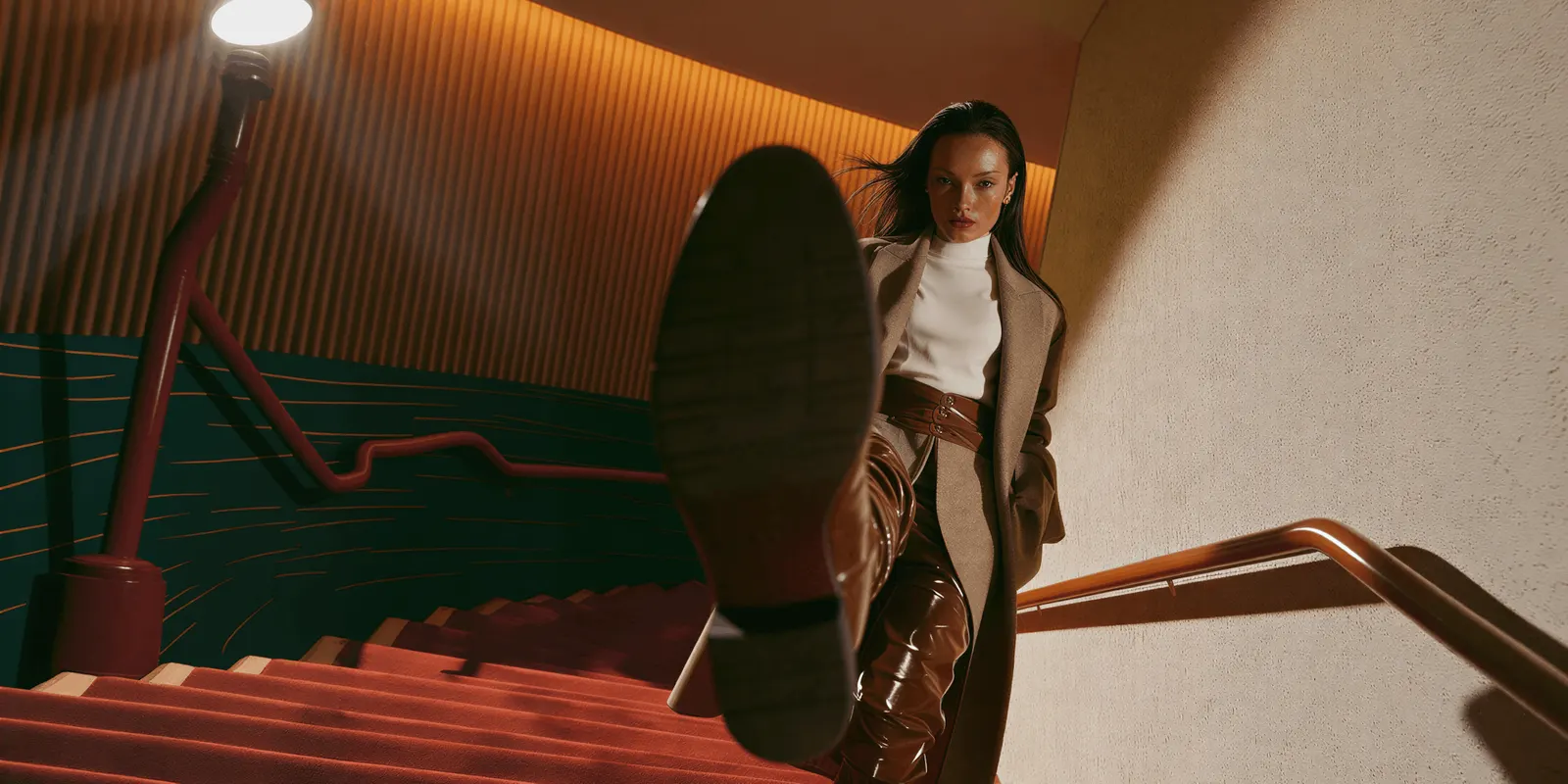
Match the material, not the mood board. Gloss, grain, and haze behave differently on leather than on glass. A polished metal watch carries luxury gloss because it has specular highlights to roll light across. A matte fabric does not, and it will read flat in the same setup.
Match the placement. A movie trailer needs three beats and dies in a 6-second pre-roll. Bright lifestyle survives a silent feed because the product is in use and the story reads without sound.
Direct all four decisions. A brief that says “cinematic” gets you the model’s average of every cinematic frame it has seen. A brief that names the source, the move, the pacing, and the grade gets you a shot.
Test two, not ten. Run the same product photo through two styles on a lower-cost model. The winner is usually obvious, and you find it for a small part of what ten styles on a premium model would cost.
Then save the winner as a workflow, so the next product starts from a result instead of a blank brief. The DesignerBox MCP server gives an AI chat such as Claude, Cursor or ChatGPT access to 75 DesignerBox tools. Use it if you would rather brief a shot from the chat you already have open.
The clip does not stop at the render. The Animated ad skill in Create and the Generate screen, where you choose the model yourself, make the clip. The video editor, the templates, your brand rules and your Assets sit in one account. You set the brand once, and the workflow reads it on every run. The style then reads as yours on ad one and on ad forty.
Limits to check first
These limits apply as of September 2026.
- There is no preset dropdown. You direct the look. That is more control and more work than clicking a named style.
- Plan gates apply. Uploading your own photos and the commercial license start on the Pro plan. AI video, virtual try-on, upscaling, the image editor and the video editor start on the Premium plan. Plans and credits are on the pricing page. Check your plan before a clip runs as a paid ad.
- Model specs move monthly. Every capability claim here is dated September 2026 and cited. Re-check before a launch.
For picking the engine rather than the look, see AI image to video for ecommerce, which compares the video models on animating a product photo. For picking the platform rather than the engine, the Higgsfield AI alternatives comparison covers the tools built specifically around cinematic output, and where DesignerBox is the wrong buy. The Higgsfield AI review covers that one tool for brands and agencies.
For what a traditional shoot costs by comparison, see product photoshoot cost. For the category overview and the platform disclosure rules that decide whether your ad runs at all, see what is an AI ad generator.
One product photo is enough to start. A Video ad with several scenes template holds the lighting, the move and the grade once you set them. The best AI advertising campaigns sorts seven landmark campaigns by the AI mechanic each one used. How the best AI commercials were made shows the human crews behind the famous spots.
Start from a template, add your brand and your products, and run it. See the templates.
FAQ
What is an AI cinematic ad?
An AI cinematic ad is a short video ad generated from a product photo or a text brief, styled with a deliberate lighting setup, camera move, pacing, and color grade. The model animates from your still image rather than filming it. Kling 2.6, for example, takes your image as the first frame (kling.ai, September 2026).
Can I make a cinematic product video from one photo?
Yes. Your product photo is the anchor for the whole shot. Kling 2.6 and Runway Gen-4.5 take the photo as the first frame, so the motion grows out of your packshot. Veo 3.1 takes up to three asset images of a product as references. Name the lighting, the camera move, the pacing and the grade, or the model picks its own default look.
Does DesignerBox have cinematic ad style presets?
No. DesignerBox does not ship a named style dropdown. You direct the look in the brief by naming the lighting, camera move, pacing, and grade, then pick the model. That is more control than a preset list, and it means a look is not limited to what a menu happens to include. To turn any of these ten looks into something you rerun per product, see AI ad style presets.
Which AI model is best for cinematic ads?
The shot decides. Veo 3.1 generates 720p, 1080p or 4K and takes up to three asset images of a person, character, or product (ai.google.dev, September 2026), so it fits a 4K master. Seedance 2.0 and Kling 3.0 run up to 15 seconds in one generation, so they fit longer single clips. Kling 2.6 and Runway Gen-4.5 take your product photo as the first frame. OpenAI removed Sora 2 and Sora 2 Pro from its API on 24 September 2026 (OpenAI API deprecations, accessed September 2026).
In a DesignerBox workflow the model is one step, so you can change it without rebuilding the brief. The DesignerBox model list has Veo 3.1, Seedance 2.0, Kling 2.6 Pro and Runway Gen-4.5 (designerbox.ai/models, October 2026).
How much does an AI cinematic ad cost?
In DesignerBox, an 8-second clip costs 40 to 560 credits, depending on the model. The cost of a run is shown before you press Run. AI video starts on the Premium plan.
Can AI video ads include audio?
Yes, on the models that generate it natively. In the Gemini API, Veo 3.1 audio is always on (ai.google.dev, September 2026). Seedance 2.0 generates audio by default, and Kling 2.6 generates audio at 1080p (docs.byteplus.com and kling.ai, September 2026). Runway’s API reference lists no audio parameter for Gen-4.5 (docs.dev.runwayml.com, September 2026).
Do I have to label an AI cinematic ad?
The platform and the content decide. In July 2026 Google added an AI label setting to Google Ads, Display & Video 360, Campaign Manager 360, Merchant Center and Google Ads Editor (support.google.com, accessed September 2026). TikTok asks advertisers to label ads with AI-generated or heavily AI-edited media (ads.tiktok.com, accessed September 2026). This is general information, not legal advice. The rules are covered in detail in what is an AI ad generator. Check the primary policy pages before a launch.
Sources
- Veo 3.1 durations, resolutions, aspect ratios, always-on audio and asset reference images: ai.google.dev/gemini-api/docs/veo, accessed September 2026
- Gemini Omni Flash as Google’s default video model, and Veo 3.1 for extension and last-frame control: ai.google.dev/gemini-api/docs/video, accessed September 2026
- Kling 2.6 first and last frame, Kling 3.0 duration: kling.ai capability map, accessed September 2026. Kling 3.0 native 4K: kling.ai, accessed September 2026
- Runway Gen-4.5 inputs and audio: docs.dev.runwayml.com, accessed September 2026
- Seedance 2.0 duration and audio: docs.byteplus.com, accessed September 2026
- Sora 2 Pro input image as first frame and clip durations: developers.openai.com/api/docs/guides/video-generation, accessed September 2026
- Sora 2 and Sora 2 Pro removal from the OpenAI API on 24 September 2026: OpenAI API deprecations, accessed September 2026
- Veo 3.1 preview models, earliest shutdown date of 22 October 2026 and the named replacement: Gemini API deprecations, accessed 2 October 2026
- DesignerBox model list: designerbox.ai/models, read October 2026
- Google’s July 2026 AI label setting across its advertising products: support.google.com, accessed September 2026
- TikTok’s advertising policy on labelling AI-generated media: ads.tiktok.com, accessed September 2026
- DesignerBox plan gates and the video credit range: DesignerBox pricing page (designerbox.ai/pricing), September 2026