AI video marketing for a small business means generating video ads and social clips from a product photo or a short brief, instead of booking a shoot. You upload a product shot, pick a model, and get a vertical clip for TikTok, Reels, or Shorts. You pay in credits per clip instead of per crew day. The model you pick changes that cost.
Small teams skip video for two reasons. A shoot costs money a small business needs for other things. It also takes time they do not have. AI reduces both.
This guide is for the solo founder and the small brand owner running marketing alone. It covers what to make, which clip fits which channel, what a clip costs, and how to build the job once so the next product does not start from a blank prompt. It ends with a plan you can run in your first month.
Key Takeaways
-
Video is the default format for most businesses. 91% of businesses use video as a marketing tool, and social media video is the most popular video type marketers make (Wyzowl State of Video Marketing, wyzowl.com, as of September 2026).
-
The old blocker was cost and time, and AI cuts both. Among marketers who do not use video, 24% say it is too expensive and 19% say they do not have enough time (Wyzowl, September 2026). A freelance videographer charges $600 to $1,200 a day for filming (vidico.com, September 2026).
-
Keep it short and vertical. TikTok, Instagram Reels and YouTube Shorts ads all take 9:16 vertical video (TikTok, Meta and Google Ads help pages, as of September 2026). Short clips that hook early suit paid social.
-
Build the clip once, then run the same setup for the next product. The time saving grows with every product you run it on.
What AI video marketing means for a small business
For a small business, AI video marketing is a way to produce ad and social video without the three things a shoot needs: a location, a crew, and a day you can lose. You start from an asset you already own, usually a product photo, and generate motion from it.

The output is the same kind of short vertical clip you would have paid a freelancer for. A product spinning on a surface. A model wearing the item. A talking-head style ad reading your script. The difference is the input. Instead of a call sheet, you upload a photo and pick a model.
That shift matters most for teams of one. Social media video is the most popular video type marketers make, so it is exactly the work a solo owner cannot cheaply hand to someone else (Wyzowl, wyzowl.com, as of September 2026). AI is what lets a one-person marketing team meet that demand at all.
The math small teams are running
The reason this category exists is a budget line. Video used to mean hiring out. Freelance videographers charge $600 to $1,200 a day for filming. Finished video runs $1,000 to $10,000 per minute, from a basic talking-head video to a fully animated explainer (Vidico video production cost guide, as of September 2026). Property marketing prices on its own scale, worked through in real estate videographer cost vs AI video.
For a brand shipping one product drop a month, that is a recurring bill with no ceiling. Every new SKU is another shoot. The two blockers Wyzowl measures, cost and time, are the same two a small business feels hardest, because there is no in-house team to absorb either.
AI changes the unit. You stop paying per shoot and start paying per clip. The section on clip cost below shows what one clip costs in credits.
Match the clip to the channel, then keep it short
Before you generate anything, decide where it runs, and decide the format, because the format sets which shots you can generate and which you have to film. That split is mapped in how to make a product video without a studio shoot. All three short-form channels take the same shape, which keeps this simple: vertical 9:16 video. In some trades the destination also decides what you are permitted to generate, which is the constraint that governs video marketing for a property listing.
| Channel | Aspect ratio | What the platform states | Keep it |
|---|---|---|---|
| TikTok In-Feed ads | 9:16 (recommended) | At least 540x960 pixels | Hook in the first 3 seconds |
| Instagram Reels ads | 9:16 | 1440x2560 pixels recommended | Caption the first line |
| YouTube Shorts ads | 9:16 (recommended) | Ads under 60 seconds recommended | Show the product early |
Sources: TikTok Ads Manager in-feed ad specs, Meta ads guide for Instagram Reels and Google Ads Help on Shorts ads, as of September 2026.
Do not overthink length. A paid social clip earns its click in the first few seconds or not at all, so generate short. An 8-second clip is a full ad on these channels, and it is also a common clip length for video models. A short clip also costs less to make. For the channel-specific setup, our walkthrough on how to create a TikTok video ad from one product photo covers the specs and the AI-label toggle.
Start from your product photo
The mistake that makes AI video look generic is starting from a text prompt and hoping the model invents your product. It will not. It will invent a lookalike. The six rules for AI product video cover how a product drifts between shots.
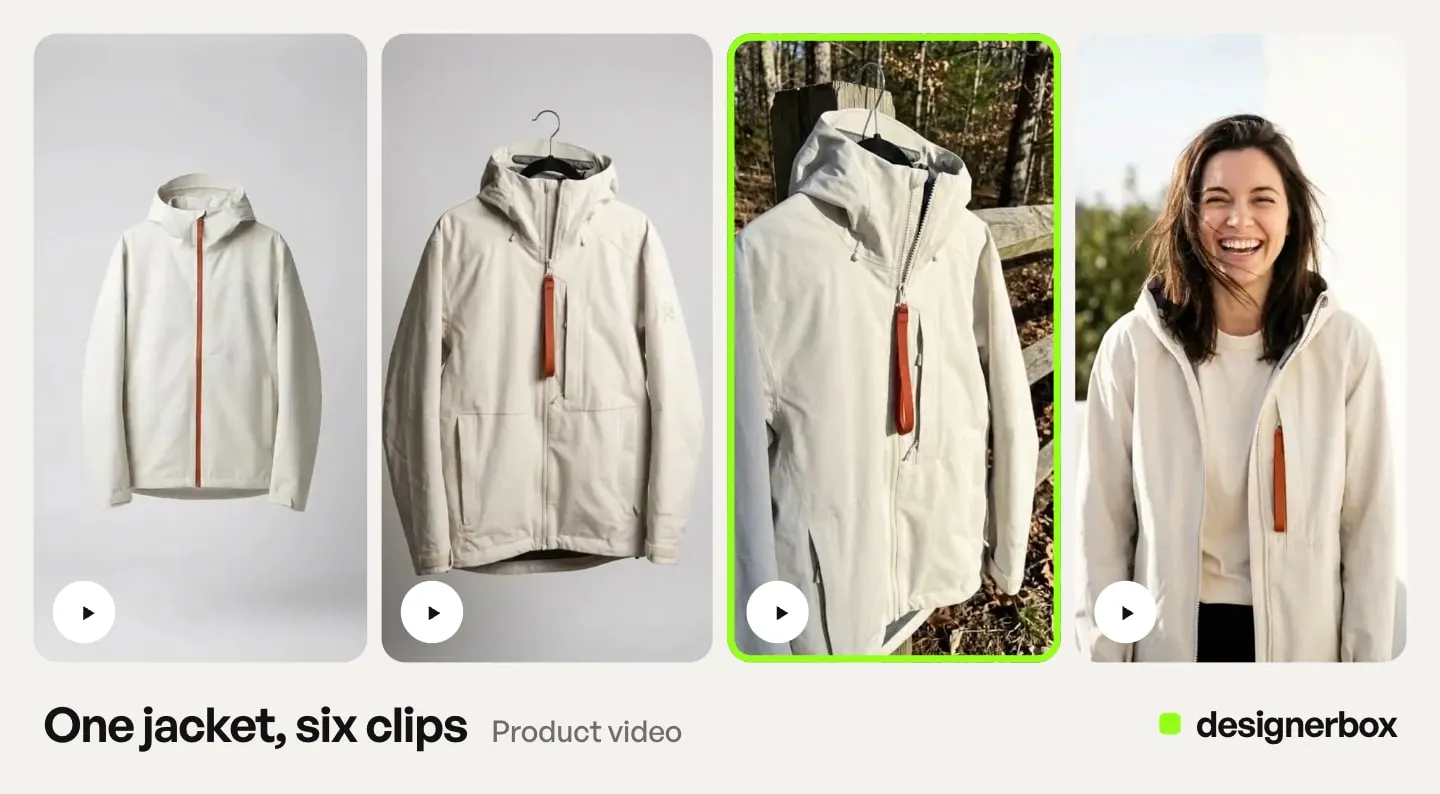
DesignerBox starts from the photo. You add your real product photo, and the still, the on-model frame and the clip are all made from that photo.
The fastest way in is Create, the chat inside the app. Add your photo and pick the Creator video or Animated ad skill. DesignerBox shows a plan with the model, the length and the price. You approve it, and nothing is spent before that.
For a small team this also helps consistency. When every clip starts from the same source photo and the same brand profile, your Reel, your TikTok ad, and your product page video look like one brand. You set the brand once. The workflow reads it on every run. Brand profiles are the record the workflow reads, so the rules do not depend on anyone remembering them. If you want the deeper version of this argument, our piece on cost per SKU covers affordable AI video for product listings.
What an 8-second clip costs
Video cost depends on two choices: the model and the resolution. On DesignerBox, an 8-second clip costs 40 to 560 credits, depending on the model (DesignerBox pricing, September 2026).
You pick the model for each step when you build the workflow, and every run after that uses it. A template comes with its model already picked. The model list shows what each model is for. The cost of the run is shown before you press Run.
Read the range as a budget against your plan’s monthly credits, which are on the pricing page. A clip at the low end of the range leaves room for many hook tests. A clip at the high end is one you make on purpose.
So the practical rule is simple. Test hooks on a lower-cost model, where a wasted clip costs little. Spend more only on the clip that earned it. For how video credits work in more detail, see what AI video generation costs.
Build the clip once, then run it for the next product
The saving in AI video is in the second clip, and the twentieth.
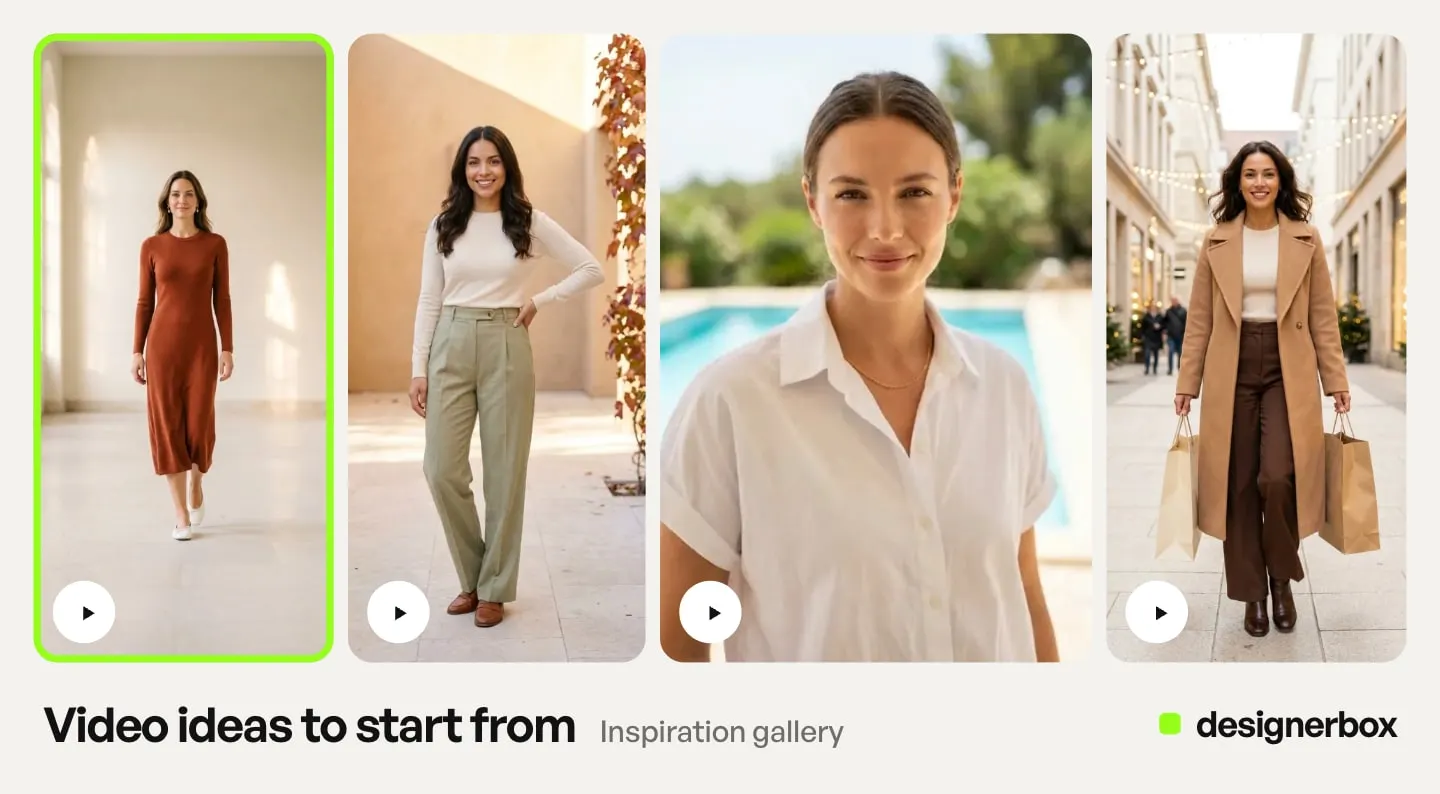
Build the job once: the source photo, the brand profile, the model, the framing, the caption style, the aspect ratio. Save that as a workflow. When the next product arrives, you run the same workflow with the new photo. You do not rebuild the setup from memory. The brand, the model and the framing live in the workflow, so they do not depend on what you typed that morning. A video ad template is a workflow somebody already built, so you can start from one.
That is what turns video from a project into a channel. A solo marketer cannot hand-build a clip a week forever, but a saved setup makes this week’s product one more run. How small agencies scale creative production covers the same pattern at agency volume, and AI creative workflow covers what to automate and what to keep by hand.
If a clip needs trimming, captions, a logo or a color pass afterwards, the video editor is a real timeline, with several tracks, transitions, animated text and audio. You finish the clip in the same place you made it.
Fit and limits for a small business
DesignerBox is AI creative production for brands and agencies. It fits a brand that repeats the same creative job every week: a set of stills, an on-model frame and a clip for each new product. That is the fit for a founder who runs their own brand.
Three limits matter on a small budget:
- AI video and the video editor start on the Premium plan (DesignerBox pricing, September 2026). A small budget has to reach that plan before the first clip.
- The commercial license starts on the Pro plan. Uploading your own photos starts there too.
- Every plan below Ultra is one seat. That fits a team of one. Check it before you add a freelancer.
If your entire need is one model, one video, and nothing else, a single-purpose tool may fit better. DesignerBox fits a different need: stills and video from the same product photo, the same brand rules on each product, and a setup you run again for every new SKU. There is a free plan, and it runs on sample products, so you can see a few stills before you choose a paid plan.
For a team of one, the brand rules matter most. Anyone can make an AI picture. Making hundreds that still look like your brand is the hard part. The stills, the clip, the brand rules, the video editor and Assets sit in one account. You do not move files between three tools by hand. The job from the first product photo to the finished ad runs in one subscription.
A first-month plan you can run this week
You do not need a strategy deck. You need one product photo and a short list.
- Week one, prove the stills. Start on the free plan, which runs on sample products. Run a few product stills and see how a run works. Free results carry a watermark, so use them only as a test.
- Week two, buy the video plan and test hooks. Move to Premium for AI video and for your own product photo. Run your stills and pick the strongest frame. Make three 8-second variants of that frame on a lower-cost video model, all 9:16. Run them as low-budget ads and watch which hook holds.
- Week three, spend on the winner. Take the one clip that earned attention and make it again on a higher-tier model with audio. This is where the bigger credit spend goes, once, on the frame that already proved itself.
- Week four, save the setup. Save the sequence that worked as a workflow. Run it again for the next product. From then on, each new product is one more run.
Aim to fit all four weeks inside one month of Premium credits.

Where to go next
Pick the piece that matches your next decision. For the images, listings, and ad variants alongside the video, read AI creative tools for small business. For the posts around the clip, read how AI changes social media marketing for small business. For what drives the cost of AI video, read AI video generation cost. For the channel setup and disclosure step, read how to create a TikTok video ad with AI.
For how many variants a test needs, read ad variants at scale. For what a video ad has to return before it pays for itself, read how to improve ROAS with product video. For the brand rules a team of one needs, read ecommerce branding without a designer. For a gym, supplement or activewear label, read AI video tools for fitness brands.
For B2B rather than consumer placements, AI video tools for LinkedIn covers the format differences that matter there.
When you are ready to make your first clip, start from a template, add your brand and your product, and run it. The templates are the place to start.
FAQ
Can a small business make video ads with AI?
Yes. You upload one product photo, pick a model, and generate a vertical clip for TikTok, Reels, or Shorts. There is no shoot, no crew, and no editing skill required to get a first usable ad. If you want to trim it, add captions or place a logo, the video editor has several tracks for that. 91% of businesses already use video as a marketing tool, and AI is what makes that reachable for a team of one (Wyzowl, wyzowl.com, as of September 2026).
How much does AI video marketing cost for a small business?
A freelance videographer charges $600 to $1,200 a day for filming. Finished video runs $1,000 to $10,000 per minute, from a basic talking-head video to an animated explainer (vidico.com, September 2026). On DesignerBox, an 8-second clip costs 40 to 560 credits, depending on the model. The cost is shown before the run.
Which video model should a small business start with?
The lowest-cost one that clears your quality bar. Hook tests are disposable, so run them on a lower-cost model. Spend more only on the clip you are going to put budget behind. The model list on DesignerBox shows what each model is for.
What is the best video length for TikTok, Reels, and Shorts?
Short, about 8 to 15 seconds. TikTok, Instagram Reels and YouTube Shorts ads all take 9:16 vertical video, and Google recommends Shorts ads under 60 seconds (Google Ads Help, as of September 2026). A paid social clip has to hook in the first three seconds, so a short clip is a full ad.
Do I have to disclose AI-generated video ads?
On some platforms and in some places, yes. As of September 2026, TikTok asks advertisers to disclose ads with fully AI-generated or heavily AI-edited images, video or audio. It rejects or restricts undisclosed AI ads (TikTok ads policy). Meta asks for a disclosure only in ads about social issues, elections or politics. It labels other ads itself when it detects signs of third-party AI, such as C2PA metadata (Meta Business Help). Article 50(4) of the EU AI Act has applied since 2 August 2026. It requires deployers to disclose deep fakes: realistic AI images, audio or video that could pass as real (European Commission). This is general information, not legal advice. Our TikTok walkthrough covers the AIGC toggle step by step.
Can I use AI product videos commercially?
In DesignerBox, the commercial license starts on the Pro plan. AI video starts on the Premium plan (DesignerBox pricing, September 2026). So Premium is the first plan that gives you both. Check the current terms on the pricing page before you run a paid campaign.
What is the cheapest way to start?
The free plan. It lets you run a few product stills on the sample products and see how a run works before you pay for anything. Free results carry a watermark. The free plan cannot make video.
Sources
- Video adoption at 91% of businesses, social media video as the most popular video type, and the cost (24%) and time (19%) blockers: Wyzowl State of Video Marketing, accessed September 2026
- Freelance videographer day rates and per-minute finished video costs: Vidico video production cost guide, accessed September 2026
- TikTok In-Feed ad aspect ratio and minimum resolution: TikTok Ads Manager in-feed ad specs, accessed September 2026
- Instagram Reels ad aspect ratio and recommended resolution: Meta ads guide, Instagram Reels video, accessed September 2026
- YouTube Shorts ads in vertical 9:16 and the under-60-second recommendation: Google Ads Help, YouTube Shorts ads, accessed September 2026
- TikTok’s AI disclosure rule for ads and its handling of undisclosed AI ads: TikTok ads policy, misleading and false content, accessed September 2026
- Meta’s AI info label on ads: Meta Business Help, accessed September 2026. Meta’s disclosure rule for social issue, election and political ads: Meta ad standards, accessed September 2026
- EU AI Act Article 50 and the deep fake disclosure duty: European Commission FAQ on Article 50, accessed September 2026
- DesignerBox plan gates and the video cost range (DesignerBox pricing, September 2026)
Industry statistics verified from the Wyzowl State of Video Marketing report as of September 2026. Production day rates verified from Vidico’s cost guide as of September 2026. Platform video specs checked against TikTok, Meta and Google Ads help pages as of September 2026. Platform AI-disclosure rules checked against TikTok, Meta and European Commission pages as of September 2026. This is general information, not legal advice. DesignerBox plan gates and the video cost range (DesignerBox pricing, September 2026). This category moves monthly; verify before you commit a campaign.