The best AI video tools for fitness and activewear brands split by job. Synthesia and HeyGen put a synthetic presenter on camera. Creatify builds ad variants for paid social. Pika turns a still into motion. CapCut and VEED cut footage you already shot. DesignerBox is for the clip you make again every drop, with the same brand rules on each product.
You have a drop every month, a leggings line to shoot, and six placements to fill by Friday. A freelance videographer charges $600 to $1,200 a day for filming alone (vidico.com, September 2026), and the footage is stale by the next release. Activewear labels, supplement brands and equipment stores face the same problem.
This guide covers the tools a fitness brand reaches for, what each one is built to do, and what a finished clip costs inside DesignerBox. Every feature claim about another tool was read on that vendor’s own page and carries the date it was read. Each vendor lists its own plans on its pricing page.
Key Takeaways
- There is no single best tool. Presenter ads, product-in-motion and footage editing are three different jobs, and no tool is the best fit for all three.
- Synthesia and HeyGen are avatar-led. Both list a free plan (synthesia.io/pricing and heygen.com/pricing, September 2026).
- Creatify is built for paid social. Its plans list an Ad Launcher for Meta and TikTok (creatify.ai/pricing, September 2026).
- Pika turns a still into motion. It meters use in credits, and its Free plan carries no monthly credits (pika.art/pricing, October 2026).
- CapCut and VEED are editors first. Their core job is footage you already shot. VEED prices per seat (veed.io/pricing, September 2026).
- DesignerBox is for the clip job you repeat every drop. AI video starts on the Premium plan, so a video-first fitness brand starts there.
What AI video tools for fitness brands do
Three jobs sit under one label, and buying the wrong one is the expensive mistake.
A person talking. Avatar platforms render a synthetic presenter reading your script. That fits program explainers, coach-led education and app walkthroughs. Your product is an inserted image or absent.
Your product moving. Image-to-video models take a flat product photo, a shaker bottle or a pair of leggings, and animate it. This is a short path from a catalog still to a scrollable clip, and the clip starts from your real SKU. Check that the product keeps its shape, print and color in every frame. The six rules for AI product video cover how a product drifts between shots.
Footage you already have. Editors cut a gym shoot or a coach’s phone clip into captioned, correctly sized versions per platform. Nothing is generated. Everything is trimmed, sized and captioned.
The cadence is what forces the decision. A running-shoe label or a whey-protein brand ships new SKUs monthly, and each one needs motion the still cannot carry. A shoot per drop does not fit that calendar, and freelance edit turnaround does not fit a Friday deadline.
The best AI video tools for fitness brands, compared
The table is the fast version. It covers what each tool is built for, read from each vendor’s own page on the date shown.
| Tool | Best for | How it meters use | Free plan | Your product in frame |
|---|---|---|---|---|
| Synthesia | Branded presenter and explainer video | Monthly credits shared across features, including video minutes | Yes | Avatar-led, product optional |
| HeyGen | Testimonial-style avatar ads | Monthly plans with credits | Yes | Avatar-led, product optional |
| Creatify | Ad variants for Meta and TikTok | Monthly plans with credits | Yes, watermarked | Yes |
| Pika | Turning a product or apparel photo into motion | Credits per generation | Yes, with no monthly credits | Yes, image to video |
| VEED | Editing and resizing real footage | Per seat | Yes | Real footage |
| CapCut | Fast social edits and captions | Free editor, Pro upgrade in the app | Yes | Real footage |
| DesignerBox | The same clip job repeated for each product | Credits per run | Yes, without video | Yes, built from your product |
Vendor facts read from synthesia.io, heygen.com, creatify.ai, pika.art, veed.io and capcut.com in September 2026. Pika’s plans were read again on 2 October 2026, and Synthesia’s pricing page on 7 October 2026.
What each tool is best for
Synthesia
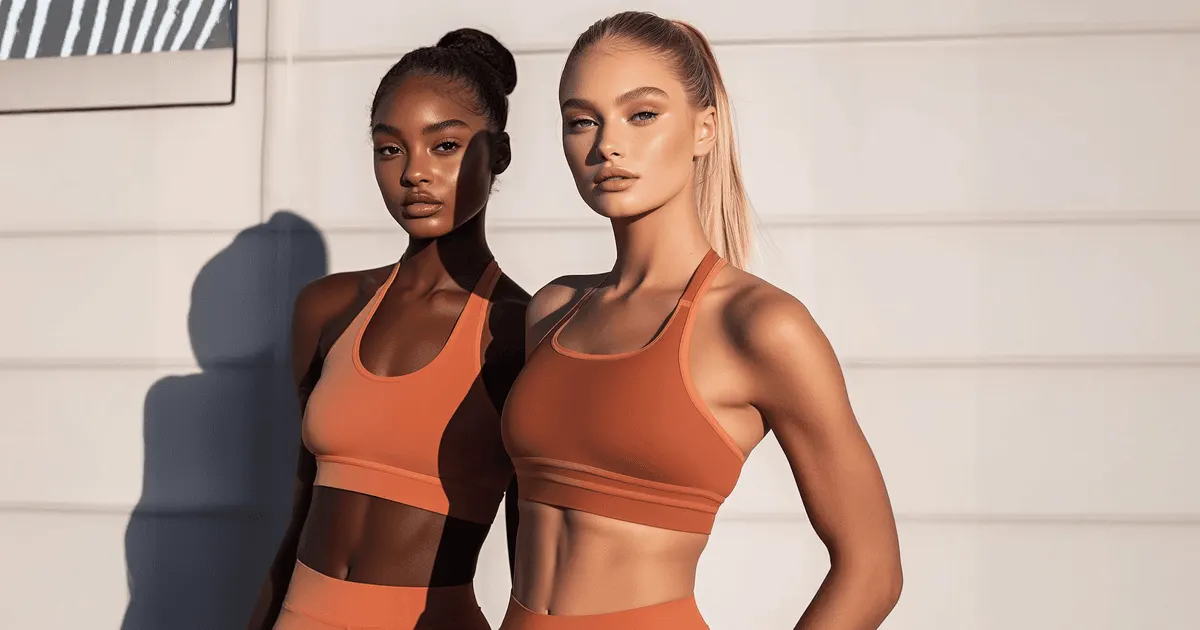
Synthesia is an avatar and presenter platform built for branded and training video. You write a script, pick an avatar, and it renders a person delivering it. Its pricing page lists 1-click translation into 140+ languages (synthesia.io/pricing, October 2026). For a fitness brand that fits program explainers, coach education and app walkthroughs.
A free plan exists, and Synthesia lists its paid plans on its own pricing page (synthesia.io/pricing, October 2026).
Outside scope: Synthesia centers the presenter, so a product-led clip is not its core job. Our Synthesia comparison covers where that split lands.
HeyGen
HeyGen is an avatar platform with stock and custom avatars, voice cloning and video translation (heygen.com/pricing, September 2026). Its presenter clips suit testimonial-style ads, a common format for supplements and gear. A free plan is available, and HeyGen lists its paid plans on its own pricing page (heygen.com/pricing, September 2026).
If a synthetic presenter reading a script is the whole ad, HeyGen and Creatify are the two to check first. Our guide to making a photo talk with AI covers that format, and the HeyGen comparison covers the overlap with campaign work. An agency that buys these avatar tools for several clients can compare them on seats and white label in AI UGC video tools for agencies.
Creatify
Creatify is built for performance marketers. Its plans list a competitor ad tracker and an Ad Launcher for Meta, TikTok and AppLovin (creatify.ai/pricing, September 2026). For a brand running paid social at volume, those two features are the reason to look.
Creatify lists its plans on its own pricing page, and its free plan is watermarked (creatify.ai/pricing, September 2026). If Creatify is already your tool, the Creatify alternatives comparison covers what else fits the same job, and the Creatify comparison page sits alongside it.
Pika
Pika is a text and image-to-video generator, and for a fitness brand its useful trick is motion from a still. Feed it a flat photo of a shaker bottle or a pair of leggings and it animates the shot.
Pika meters use in credits rather than per clip, and the credit cost of a generation changes with the feature, the resolution and the clip length (pika.art/pricing, September 2026). Pika lists a Free plan with no monthly credits. You buy a credit pack to generate, and the Free plan has no commercial license (pika.art/pricing, October 2026). Read its credit table before you budget. For the broader ecommerce version of this job, see AI image to video for ecommerce and the AI tool comparisons.
VEED
VEED is an online video editor with AI tools for subtitles and translation. Its job is the footage you already have, cut into captioned versions sized per platform.
VEED prices per seat and lists its plans on its own pricing page (veed.io/pricing, September 2026). Its core job is editing what you shot.
CapCut
CapCut is a free video editor. It handles captions, trims and quick vertical cuts for day-to-day social posts.
CapCut’s own help page says CapCut Pro prices vary by country or region (capcut.com/help/capcut-pro-prices, September 2026). Treat it as a free editor with an optional paid upgrade you check inside your own account.
Cost of one finished clip
Plan price is the wrong unit. The number that sets your budget is what one finished clip costs, and the model you pick moves that number more than the plan you are on.
Inside DesignerBox, an 8-second clip costs 40 to 560 credits, depending on the model (DesignerBox pricing, September 2026). You pick the model, and you see the cost before you run the clip.
Audio is a separate choice. Google’s Veo 3.1 generates audio with the video, and in the Gemini API that audio is always on (ai.google.dev, accessed September 2026). A clip with sound suits a talking ad. For a silent product loop, you do not need it.
Our guide to AI video cost in credits explains how video credits work, and the most reliable AI video generator covers which models hold a product steady.
Read the billing period on any pricing page before you compare two tools. Several tools in this category open on the annual view.
The baseline worth beating is what a shoot costs you now, per drop, times twelve drops a year. A one-person brand can pace that spend with the first-month plan in AI video marketing for small business.
How to pick the right tool for the job
Four questions, in the order that matters. For what the ad itself should show, see seven sports ads and what a small brand can copy.
- Is the ad a person talking, or your product moving? A presenter reading a script points to Synthesia or HeyGen. Your leggings or your tub in motion points to a generator or a catalog tool.
- Does your actual product need to be in frame? If yes, an avatar platform does not fit the job. The product is optional in those tools.
- What does one finished clip cost, and can you see it before you run? Divide plan credits by the cost of the asset you ship. Never compare plan prices directly, and confirm whether the figure you were quoted is monthly or annual.
- What happens on the fortieth SKU? One clip is a task. Forty clips that match each other is a system, and that is a different purchase.
Fit and limits for a fitness brand
If your job is 20 talking-head ads with a synthetic presenter and no product in frame, a purpose-built avatar tool fits that job better. Buy that instead.
DesignerBox is AI creative production for brands and agencies. It fits the other shape: the video job you run again every drop. You build it once with your brand, your garment and your framing. Then you run the same job on the next colorway, the next size run and the next release. The model, the light and the framing are set in the workflow, so you do not type them into a prompt box again. The activewear photography page covers compression, seams and the back view that answers fit.
Two templates fit a fitness brand directly. The Fashion video with a model template takes an apparel photo and returns on-model video, which is the job an activewear label has every drop. The Ads from a product photo template returns a finished ad. The video ad templates cover the other clip jobs. The video editor is a timeline with several tracks, transitions, animated text, audio and color looks. The stills, the on-model video, the brand rules and the video editor sit in one account. A drop does not need one tool for the packshot, a second for the clip and a third for the cut.
A template comes with its model already picked. The model list shows what each model is for. For the apparel side, our guides to AI tools for fashion brands and putting activewear on a model go deeper. The camera moves that make a garment read on video are in fashion videography techniques. The stills alongside the video have their own rules, and activewear photography covers the marketplace crops for leggings and sports bras.
The commercial license starts on the Pro plan. AI video and the video editor start on the Premium plan. Plans and credits are on the pricing page.
A template can build a person you reuse across a training series. Every avatar is a nine-pose set, and you use it in Generate, Clothes on a model, Video with a person and the video editor. A saved workflow runs the set again each week. Static ads start from the static ad templates.
Start from a template, add your brand and your products, and run it for each product in the drop.
FAQ
What are the best AI video tools for fitness brands in 2026?
Pick by the job. For a synthetic presenter, Synthesia and HeyGen both list a free plan. For paid-social ad variants, Creatify is built for Meta and TikTok. For turning a product photo into motion, Pika runs on credits, and its Free plan carries no monthly credits. For editing real footage, CapCut is free to start and VEED prices per seat. For the same clip job repeated for each product, DesignerBox runs one saved workflow. Vendor facts read September 2026, and Pika’s plans October 2026.
Can AI make a video from an activewear product photo?
Yes. Image-to-video tools animate a still directly, and catalog tools build motion from your product photo as one step in a wider set. Either way, the clip starts from your real garment photo.
How do you make AI fitness videos?
Start by naming the job. For a person talking to camera, use an avatar platform such as Synthesia or HeyGen. For your product in motion, use an image-to-video tool that animates a flat product photo. For footage you already shot, use an editor such as CapCut or VEED. Then make a captioned version sized for each platform.
How much does an AI video clip cost?
Inside DesignerBox, an 8-second clip costs 40 to 560 credits, depending on the model. The cost is shown before the run. AI video starts on the Premium plan. Across other tools the unit differs, so divide plan credits by the cost of the asset you ship.
What is the best AI tool for on-model activewear video?
For a garment on a body in motion, you want an image-to-video generator or a tool built for apparel. In DesignerBox, a fashion video template starts from your flat product photo and returns on-model video. Synthesia and HeyGen center a presenter, so on-model product video sits outside their core job.
Can you run AI-generated video ads for a supplement or fitness product?
Yes, with two rules. The commercial license must cover paid use, and on DesignerBox it starts on the Pro plan. And some platforms ask for disclosure of AI in ads, as of September 2026. TikTok asks advertisers to disclose ads with fully AI-generated or heavily AI-edited media (TikTok ads policy). Meta labels ads itself when it detects signs of third-party AI (Meta Business Help). Our guide to the best AI UGC ad tools covers the FTC and platform-disclosure picture. This is general information, not legal advice. The tool matters less here than the claim your ad makes, and the supplement advertising rules set what that claim may say.
Can AI video replace a fitness photoshoot?
For catalog motion, product-in-frame clips and ad variants, AI video can make the clips you would otherwise book a shoot for. For a signature brand film, a real shoot is still the better choice. A workable split is AI for volume and cadence, and a shoot for the moments that define the brand.
Sources
- Freelance videographer day rates: Vidico video production cost guide, accessed September 2026
- Synthesia free plan, monthly credits shared across features and 1-click translation into 140+ languages: (synthesia.io/pricing, October 2026)
- HeyGen free plan, stock and custom avatars, voice cloning and video translation: (heygen.com/pricing, September 2026)
- Creatify free-plan watermark, Ad Launcher and competitor ad tracker: (creatify.ai/pricing, September 2026)
- Pika credit metering by feature, resolution and clip length: (pika.art/pricing, September 2026); its Free plan with no monthly credits and no commercial license: (pika.art/pricing, October 2026)
- VEED free plan, per-seat pricing, subtitles and translation: (veed.io/pricing, September 2026)
- CapCut’s statement that CapCut Pro prices vary by country or region: (capcut.com/help/capcut-pro-prices, September 2026)
- Veo 3.1 audio with video, always on in the Gemini API: Gemini API Veo guide, accessed September 2026
- TikTok’s AI disclosure rule for ads: TikTok ads policy, accessed September 2026
- Meta’s AI info label on ads: Meta Business Help, accessed September 2026
- DesignerBox plan gates, the video credit range and the cost shown before each run: DesignerBox pricing page (designerbox.ai/pricing), September 2026
Vendor feature facts read from each vendor’s own pages: synthesia.io, heygen.com, creatify.ai, pika.art, veed.io and capcut.com in September 2026. Pika’s plans were re-checked on 2 October 2026, and Synthesia’s pricing page on 7 October 2026. This article prints no competitor prices; each vendor lists its plans on its own pricing page. Model facts verified against Google’s Gemini API docs. Platform policies checked as of September 2026. This is general information, not legal advice. DesignerBox plan gates and the video credit range were checked against the DesignerBox pricing page in September 2026.