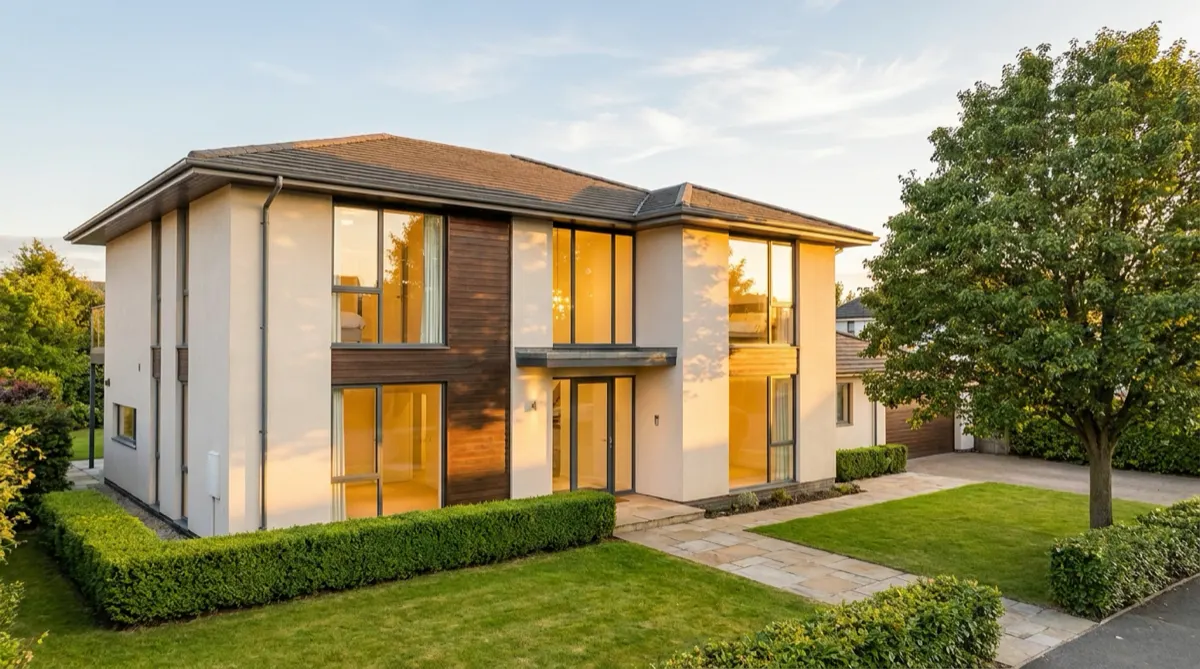
A real estate videographer costs $400 to $1,000 for a standard listing video of a 2 to 4 bedroom home in 2026, and $1,500 to $3,000 for a cinematic luxury package. AI video is billed through a monthly subscription instead, so the cost sits in the plan rather than the listing. The two rarely compete for the same shot. They compete for the same budget line, and that is a different question.
If you list twelve properties a year and buy one videographer shoot, eleven listings get no video at all. Your real choice is whether listing number seven gets anything.
And in 2026 there is a second question that did not exist two years ago. The moment you put AI anywhere near a listing photo, you take on a disclosure obligation a camera never gave you. California now writes that into statute. That changes the math more than the price does.
TL;DR
- Videographer, standard listing: $400 to $1,000. Cinematic and luxury runs $1,500 to $3,000. Drone adds $100 to $700.
- AI video: subscription pricing. Plans and credits are on the pricing page.
- The number that decides it: listings per year, not price per listing. One shoot covers one property. A subscription covers the pipeline.
- What AI cannot do: fly a drone, move a real camera through a space, or put you on camera. Those are videographer jobs and they stay that way.
- What AI does well: motion from a still you already own, on listing day, for the properties that were never getting video.
- The 2026 rule that matters: California AB 723 requires a conspicuous disclosure on digitally altered listing images plus a link to the original. Exposure and cropping are exempt. Added furniture is not.
- A split usually works best: hire for flagship listings, use AI video for the rest, and film personal brand content separately.
What does a real estate videographer cost in 2026?
Pricing scales with property size and production complexity, not with time on site. A studio quoting a 2,000 square foot family home and a waterfront estate is quoting two different jobs.
| Property or video type | Typical range |
|---|---|
| Apartment or studio | $150 to $400 |
| Home, 2 to 4 bedrooms | $400 to $1,000 |
| Large home, 5+ bedrooms | $800 to $2,000 |
| Luxury listing | $1,500 to $3,000+ |
| Commercial property | $500 to $2,500+ |
| Land or farmhouse | $300 to $1,500 |
| Walkthrough video only | $150 to $500 |
| Cinematic production | $800 to $2,500 |
| Agent-led video | $500 to $1,500 |
| Social media reel | $100 to $300 |
Figures from a published 2026 videography rate guide (hillpropertymedia.com, April 2026, accessed September 2026). Rates vary by metro more than by anything else on this list, so treat these as the shape of the market rather than your quote.
Drone is a separate line item at $100 to $300 for simple aerials and $300 to $700 for a standard drone video. It is priced separately because it is a separate certification. Any drone flight connected to marketing a property is a commercial operation, and the FAA requires a Remote Pilot Certificate under Part 107 to conduct it. A neighbor who flies a drone for your listing without that certificate does not meet the rule.
Two costs sit outside the quote. Scheduling takes days, because it needs the seller, the property in show condition, and the shooter in the same window. Turnaround takes three to seven days after that. On a fast-moving listing, the video arrives after the first weekend of showings. The real estate video ideas list shows which clips need that visit and which come from the photos.
What does AI video cost?
AI video is priced by the clip, and the model you pick moves that price a long way. An 8-second clip costs 40 to 560 credits, depending on the model, and you see the cost before the run. The clips come out of a monthly credit allowance rather than a per-property invoice. There is a free plan.
AI video starts on the Premium plan, so that is the tier that matters here. The video editor is where you cut and caption the result, and it is a real timeline with several tracks, transitions, animated text and audio. Team features and shared brand kits sit higher still, on the Ultra plan, and every plan below Ultra is one seat.
Credits make the budget harder to read, so budget in clips instead of credits. The credit side and the per-second rates the model providers themselves charge are both broken down in AI video generation cost. Budget for more than one take per finished clip. The first attempt is often not the one you use. To choose a model, the best AI video model test shows how three public benchmarks score prompt adherence and gives you a five-prompt test to run on your own shots.
The comparison people expect here is cost per listing against cost per listing. That comparison does not work, because the two things bill on different axes. A shoot bills per property. A subscription bills per month regardless of how many properties you run through it. That is why the interesting number is coverage.
The comparison that matters is coverage
Take an agent with twelve listings a year and $900 a year for video.
That budget buys one standard videographer shoot. One listing gets a professional walkthrough. Eleven get photos and nothing else.
Spend the same $900 on a year of software instead and every one of the twelve listings gets motion on listing day. Not a walkthrough. Motion built from the stills you already paid a photographer for, plus the photo work that goes with it.
Neither of those is better in the abstract. They are different bets. One buys depth on a single property. The other buys presence across the pipeline. If your twelve listings are all mid-market and none of them justifies a $900 production, the second bet is obviously right. If three of them are $2M properties, it is obviously wrong for those three.
That is the whole decision, and it is a portfolio question rather than a tooling question.
What a videographer does that AI cannot
This part is not close, and pretending otherwise sets you up to be disappointed.

Real camera motion through a space. A walkthrough works because a camera physically travels a path and your eye learns how rooms connect. That spatial continuity is the product. AI image-to-video animates within a frame. It adds a push-in, a parallax drift, a slow pull back. It does not walk you from the kitchen to the deck, and a sequence of animated stills is not the same information.
Aerial and drone. Not available, and not a prompting problem. For land, views, waterfront, acreage, and anything where the site matters more than the rooms, this is the shot that sells and only a certified pilot can get it. Drone photography and video is used by 48% of agents in NAR’s 2026 REALTORS Technology Report (22 September 2026). It is fifth on the report’s list of technologies agents use, which the MLS leads at 96% and e-signature follows at 79%.
You, on camera, in the property. Personal brand video is a different product with a different job, and an AI presenter does not do that job.
Judgment on site. Knowing that the light is wrong until four, that the room shoots better from the corner, that the neighbor’s extension needs to stay out of frame. That is experience, and it is most of what the fee buys.
What AI video does that a videographer cannot
Cover every listing. This is the entire argument. Coverage across the pipeline is the thing a per-property fee structurally cannot buy on a normal budget.
Ship on listing day. No scheduling, no seller coordination, no three-to-seven-day turnaround. The gallery is finished, so the video is possible.
Re-cut without a re-shoot. Price change, new season, a different lead room, a vertical version for Reels and a landscape version for the portal. Regenerating costs credits. Reshooting costs a booking.
Work the listings that were never getting video. The $280,000 condo was never going to get a $600 production. Its realistic alternative is a photo carousel, and that is the bar AI video has to clear. The step-by-step version of that job, including the clip lengths that survive a render, is in how to make a real estate video from listing photos.
DesignerBox also handles the still-image work around the listing. It enhances and relights existing photos, and a real estate staging template covers empty rooms and keeps one look across a team’s listings. Staging is its own line item with its own price, worked out in what virtual staging costs a photo against real furniture.
The 2026 disclosure rules that change the math
Getting these rules wrong can cost you money. This is general information, not legal advice.
California AB 723 was signed on 10 October 2025 and adds Section 10140.8 to the Business and Professions Code. Where a listing image has been digitally altered, a licensee must include a statement disclosing the alteration plus a link, URL, or QR code pointing to the original unaltered image. The disclosure has to be reasonably conspicuous and sit on or next to the image.
Read the second half of that again. The statute does not just want a label. It wants the original made available. If you are staging empty rooms, you now need to keep and publish the before shot.
The statute draws the line at whether the edit changes what a buyer would see on site. Lighting, sharpening, white balance, color correction, angle, straightening, cropping, and exposure are named as exempt. Adding, removing, or changing fixtures, landscaping, neighboring structures, or views is not.
That line is useful well beyond California, because it maps onto what the ethics rules already required. NAR’s Standard of Practice 12-10 prohibits manipulating listing content in a way that produces a deceptive or misleading result, including the use of misleading images, under Article 12 of the Code of Ethics. MLS rules on staged images vary, and some are stricter than the statute, so check your own board’s rules rather than assuming a caption is enough. The statute and the portal rules are worked through in full in AI real estate video marketing; what follows here is only the part that changes the buy decision.
The practical consequence for anyone weighing AI against a videographer:
- Motion added to an unaltered photo is the low-risk use. A push-in on a real room shows the room as it is.
- Virtual staging is the high-risk use, and it is the one that needs the label, the original on file, and a check of your MLS rules.
- Enhancement sits in between. Exposure and white balance are explicitly exempt. Removing the neighbor’s shed is not enhancement.
Putting a generated person on camera adds two more rules to check: fair housing casting under section 804(c), and the FTC testimonial rule if the speaker reads as a client. AI UGC video for real estate scores the common UGC formats against all of them, and AI avatar tools for real estate walkthroughs compares the presenter tools.
None of this makes AI unusable. It makes documentation part of the workflow. If a property is genuinely misrepresented, the disclosure question and the complaint arrive together, and neither is a creative problem.
A split between shoots and AI video
For most listing calendars, the budget works best in three parts.
- Hire the videographer for flagship listings. Luxury, acreage, anything with a view or a site that needs aerial. The fee is a rounding error against the commission and the production quality is visible.
- Generate for the standard pipeline. Mid-market listings that were getting photos and nothing else. Motion on listing day, every time, from the gallery you already have.
- Film personal brand content separately. You on camera is its own budget line and neither category above covers it.
That is spending the production budget where production quality is visible and spending coverage where coverage is the thing missing.
Calculate your own number
Two figures decide this, and you already have both.
Listings per year, and the share of them that could justify a $600+ production. If that share is above roughly half, hire. Videography is a real service and it wins on the properties that can carry it. If it is under a quarter, the subscription covers more ground for the same money and the shoots become an exception rather than a policy.
What your listings currently get. If the answer is photos only, then AI video is competing with nothing, and nothing is a low bar to clear.
One caveat worth stating plainly. AI video quality is downstream of your photo quality. It animates the stills you supply. A poorly lit, badly framed gallery produces a poorly lit, badly framed video, at speed and at scale. Hiring a photographer and generating the video is a much better combination than skipping both. If the stills are the weak link, fix them first with an image template before you animate anything, because motion does not rescue a bad frame.
Buyers’ agents rate photos above video. In NAR’s 2025 Profile of Home Staging, they rated photos as highly important to their clients at 73%, video at 48% and virtual tours at 43%. Video matters, and it matters less than the photos. Get the stills right first.
Two figures credited to NAR do not appear in the NAR reports linked on this page. One says listings with video receive 403% more inquiries. The other says homes with video sell for 6% more. Treat both as unsourced. The percentages above come from NAR’s own reports and link to them.
A listing video workflow
The payoff comes on listing number two, not listing number one. Set the treatment once: the clip length, the crop, the pace, the caption style and the disclosure line. Then save it as a workflow. A saved workflow runs the same way on the next gallery, so the twelfth listing of the year gets the same standard as the first. You set the brand once, and the workflow reads it on every run. Every listing then starts from the same look, whoever runs it. That is what turns a one-off video into a step in your listing process.
The templates, the workflows, the image editor, the video editor and the Assets library are all part of DesignerBox. The full workflow from the first product photo to the finished ad, in one subscription. Start from a template and run it on your next listing.
FAQ
How much does a real estate videographer cost?
A real estate videographer costs $400 to $1,000 for a standard listing video of a 2 to 4 bedroom home in 2026. A small apartment costs $150 to $400, and a cinematic luxury package costs $1,500 to $3,000 or more. Drone is a separate line item at $100 to $700 depending on scope. Metro location moves these numbers more than any other factor.
Is AI video cheaper than hiring a videographer?
Across a year of listings, usually yes, because a monthly subscription covers every listing while a videographer bills each one. For a single listing a year, no. The subscription only pays off across volume, so the deciding number is how many listings you run, not the price of one video.
Can AI generate a real walkthrough of a property?
No. AI image-to-video animates within a frame with push-ins, parallax, and slow drifts. It does not move a camera through a space, so it cannot show how rooms connect. A sequence of animated stills is a different product from a walkthrough and worth describing accurately to sellers.
Can AI replace drone footage?
No. Aerial work needs a certified pilot flying a real aircraft, and commercial flights connected to marketing a property require an FAA Part 107 Remote Pilot Certificate. For land, views, and waterfront, hire the drone.
Do I have to disclose AI-edited listing photos?
In California, a licensee must disclose a digitally altered listing image. AB 723 requires a conspicuous statement on or next to the image, plus a link to the original unaltered version. Elsewhere, NAR’s Standard of Practice 12-10 bars misleading images, and MLS rules on virtually staged photos vary, so check yours. Under AB 723, exposure and cropping are exempt. Added furniture is not.
Does AI video quality depend on my listing photos?
Completely. The video is built from the stills you supply, so lighting, framing, and resolution carry straight through. Pairing a professional photographer with AI video generally beats skipping both, and fixing the gallery is the highest-return step before generating anything.
Is real estate videography worth it?
For flagship listings, yes. Luxury homes, acreage and waterfront properties show production quality, and aerial shots need a certified drone pilot. For the standard listings that get no video at all, AI video from the listing photos covers more properties on the same budget. The split that works is hiring for the flagships and generating for the rest.
Sources
- California AB 723, adding Business and Professions Code §10140.8, approved 10 October 2025. leginfo.legislature.ca.gov, accessed October 2026
- NAR 2025 Profile of Home Staging, published 6 May 2025. nar.realtor, accessed October 2026
- NAR 2026 REALTORS Technology Report, news release of 22 September 2026. nar.realtor, accessed October 2026
- NAR Code of Ethics, Article 12 and Standard of Practice 12-10. nar.realtor, accessed October 2026
- FAA Part 107, commercial drone operations. faa.gov, accessed October 2026
- Real estate videography rate ranges (hillpropertymedia.com, April 2026, accessed September 2026)
- DesignerBox plans and feature gating (DesignerBox pricing page, designerbox.ai/pricing, September 2026)