
AI real estate video marketing means generating listing clips from photos you already have, instead of booking a videographer per property. The generation part now takes minutes. The distribution part has two rules: Zillow documents no agent-upload path for video, and California has regulated digitally altered listing images since January 2026. Both rules decide what you can make before you make it.
The obvious plan goes like this. Video sells listings, generation is cheap now, so make one for every property and put it on the portals. The first two claims are defensible. The third one fails at the largest US portal. In California, an altered listing image with no disclosure can now break AB 723.
This is written for the agent running their own marketing with no media budget and no team, and for the marketing teams that produce listing media for several agents. It covers where a generated clip is allowed to go, what the disclosure law requires, which four clips are worth the credits, and how to budget for retakes.
Key Takeaways
- Zillow documents no agent-upload path for video. Its only documented video route is a Zillow Showcase listing. That video has to come through Zillow’s Aryeo platform, from the same photographer who supplied the rest of that listing’s media, capped at 120 seconds, with no persistent logos or watermarks (grow.zillow.com, accessed September 2026). A generated clip belongs on social and on your own site.
- California AB 723 has applied since 1 January 2026. It adds Section 10140.8 to the Business and Professions Code. It requires a real estate licensee to add a conspicuous disclosure on or next to any digitally altered listing image, and to give access to the unaltered original (leginfo.legislature.ca.gov, accessed September 2026).
- The line the law draws is add, remove, or change. Exposure, white balance, cropping and straightening are exempt. Adding furniture, changing paint or flooring, editing landscape or facade is not.
- We could not trace a study behind the 403% statistic everyone quotes. Published attributions contradict each other across an unnamed Australian group, a rental listings site, and NAR. The best-sourced figure available is Rightmove’s own: 8% more views and 6% more leads (rightmove.co.uk, January 2022).
- Budget two to three takes per finished clip. The first generation is rarely the one you ship, and every retake costs again. The model you pick moves the cost of each take, so draft on a cheap model and spend on the take you publish.
What is AI real estate video marketing?
AI real estate video marketing is the practice of generating property video from existing listing photos rather than filming it. An image-to-video model takes one still, adds camera motion, and returns a few seconds of footage. Agents use it to produce social cuts, website tours and paid social creative for listings that would never have justified a videographer’s day rate.
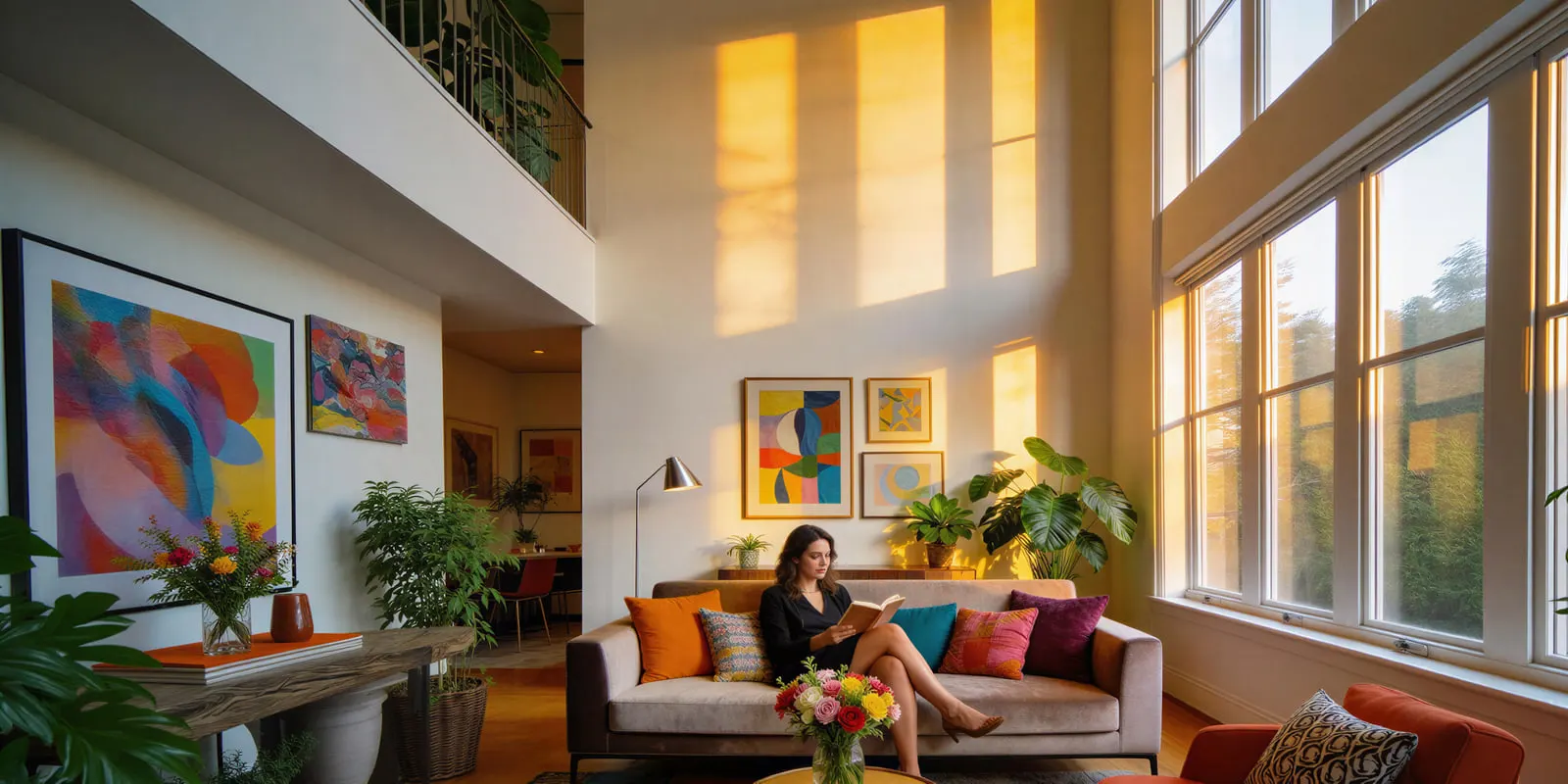
The economics did change. A media day for a single property is a scheduling problem, a travel problem and a three to seven day turnaround. Generating motion from a photo you already own removes all three. What did not change is who controls the shelf. The distribution step is still governed by portal policy and, in a growing number of jurisdictions, by statute. Those two constraints are why this guide leads with rules instead of tactics.
Where a generated listing video is allowed to go
A generated listing video can run on social media, on your own website and, with a label, on Rightmove in the UK. It cannot go onto a Zillow listing. Each destination follows its own rules, and treating them as one channel is the mistake that wastes the budget.
Zillow will not take it from you. We found no Zillow route for an agent to upload a video file to a listing, as of September 2026. The one documented path is Zillow Showcase, where video is uploaded by your content provider through Zillow’s Aryeo platform, the same system that delivers the rest of the Showcase media.
Zillow states the video must be created by the same photographer who provided all other media for that listing. Only one video shows per listing for now, and the maximum length is 120 seconds. The video cannot include persistent agent or brokerage logos, watermarks or advertising, and it autoplays on mute (grow.zillow.com, accessed September 2026). A clip you generated on your laptop does not satisfy the provider requirement.
Your own site and your MLS-permitted media take it, subject to your MLS rules. This is where a generated tour has a clear home. Your website has no gatekeeper. Your MLS may or may not accept enhanced media, and MLS rules on altered images vary by board, so check yours in writing before uploading rather than after.
Outside the US the door can be open, with a label. Rightmove’s technical guidelines take the opposite approach to Zillow’s. They define “Enhanced Edits” as content generated or manipulated by AI, CGI, or manual edits such as adding or removing objects. They permit these edits when they do not misrepresent the property, come with current accurate images of the room, and are clearly labeled as AI or otherwise enhanced (rightmove.co.uk, January 2026 version, accessed October 2026). If you list in the UK, that is a workable path and the labeling condition is not optional.
Social has no photographer rule, and that is where the volume belongs. Instagram, TikTok, YouTube and Facebook have no photographer-provenance requirement. They do have their own AI labeling rules. They also reward the vertical short-form cut. The list of real estate video ideas sorted by filmed or made from photos gives 18 formats for that cut.
Read those together and the strategy inverts. The clip you generate is a social and owned-site asset. The portal listing is served by your photographer. Anyone advising you to generate video specifically to feed the portals is describing a route the largest US portal does not offer.
Once you know the destination is social, the format question is settled for you: vertical, short, and built to work with the sound off. Our walkthrough of building short vertical ads and the platform disclosure toggle covers that side.
What California AB 723 changed on 1 January 2026
AB 723 adds Section 10140.8 to the California Business and Professions Code. It requires a real estate licensee who uses a digitally altered image in advertising or promotional material for a property to disclose the alteration and to give access to the original.
The statute names artificial intelligence explicitly. It defines a digitally altered image as one altered through photo editing software or AI to add, remove, or change elements. It lists fixtures, furniture, appliances, flooring, walls, paint, hardscape, landscape, facade, floor plans, and elements outside of or visible from the property. It expressly excludes standard adjustments: lighting, sharpening, white balance, color correction, angle, straightening, cropping and exposure.
The disclosure has to be reasonably conspicuous and placed on or adjacent to the image. The licensee must give access to the original through a link to a publicly accessible website, URL or QR code. On a website the licensee controls, the unaltered version of the image must be included in the posting. The bill was chaptered on 10 October 2025, and the legislative digest notes that a willful violation of the Real Estate Law is a crime (leginfo.legislature.ca.gov, accessed September 2026).
California’s Department of Real Estate says licensees have had to comply since 1 January 2026 (dre.ca.gov, March 2026 advisory, accessed October 2026).
Three consequences follow for anyone generating property media.
Virtual staging is in scope. The statute lists furniture by name, so adding furniture to an empty room needs the disclosure and the accessible original. What virtual staging costs per photo is a separate decision from whether you are allowed to publish it.
A generated video built from an altered still inherits the problem. If the source photo was virtually staged, the clip generated from it depicts the same alteration.
You have to keep the originals. The access requirement means the unaltered file is now part of the deliverable. Do not discard it after editing. Build that into your file naming on day one.
California’s own regulator has also warned against the “I did not realize the tool did that” defense. Its licensee advisory states that “failure to review AI-generated images for compliance may result in violations even if the alteration was unintentional” (dre.ca.gov, March 2026 advisory, accessed October 2026). If you generate at volume, someone has to look at every frame.
Outside California, the professional standard still applies. NAR’s Article 12 requires that members “shall be honest and truthful in their real estate communications and shall present a true picture in their advertising, marketing, and other representations”. Standard of Practice 12-10 extends that duty to internet content and images, prohibiting “otherwise misleading consumers, including use of misleading images” (nar.realtor, accessed September 2026).
This is general information, not legal advice, and rules move by state and by MLS. Confirm your own jurisdiction and your board’s policy before you publish altered media.
The 403% statistic we could not trace
The claim that listings with video get 403% more inquiries has no study behind it that we could trace. You will meet the number everywhere in this category. Vendor blogs, agent trainers and marketing decks quote it, and it is the most repeated reason given for buying real estate video software.
It does not survive a source check. Published versions attribute it to an unnamed Australian real estate group, to a rental listings site, and to NAR. No version we found links a study, a sample size, a date or a methodology. Three incompatible attributions for one figure is the signature of a number that has detached from whatever produced it, if anything did.
There are real numbers, and they are more modest. In NAR’s own buyer research, video ranks last among the listing features buyers call very useful: photos 83%, detailed property information 79%, floor plans 57%, virtual tours 41%, videos 29% (nar.realtor, April 2025 report, 2023 to 2024 survey year). On the seller side, 12% of homes were marketed with video and 16% with a virtual tour. Of sellers, 1% said help making and posting a video tour was what they most wanted from an agent.
The one portal-published uplift figure with a stated methodology comes from the UK. Rightmove reports that sales listings with video receive on average 8% more views and 6% more leads than those without, from an analysis of sales branches for the Best Estate Agent Guide 2021 (rightmove.co.uk, January 2022). Eight percent is a real effect. It is far from 403%.
Peer-reviewed work points the same way and adds a warning. A National Bureau of Economic Research working paper found virtual tours raise sale prices by an average of 1%. The effect declines over time, “indicating a shift from being a novel feature to a standard practice” (nber.org, November 2024). Read that as the honest ceiling on any listing-media claim: the advantage is small and it shrinks as everyone adopts it.
None of that argues against making the clip. It argues against paying for a subscription on the strength of a number we could not trace to a study. Measure what you control: completion rate on the social cut, click-through from the clip to the listing page, and inquiries attributed to the channel you posted on. Those are first-party, specific to your market, and no one can dispute them in a listing presentation.
Treat any real estate statistic with no linked primary source the same way.
The four clips worth generating from listing photos
The four clips worth generating from listing photos are a vertical social cut, a website hero loop, an agent introduction and, for a premium property, a filmed flagship video. Not every property justifies all four. The order below is the priority order, and most agents should stop after the second.
1. The vertical social cut, 15 to 30 seconds. This is the one that earns its credits. Vertical, sound off, three to five of the strongest rooms, one line of on-screen text per room. It goes to Reels, TikTok and Shorts, which are the only channels that will take a generated clip without a provenance rule.
2. The website hero loop, 6 to 10 seconds, silent. One generated push-in or slow pan on the best exterior or the best room, looping on the property page. No narration, no music dependency, no disclosure ambiguity if the source photo is unaltered.
3. The agent introduction. Worth making once and reusing across listings. It is the only clip in this list that is about you rather than a property, so it carries no listing-disclosure exposure at all, and it can run for a year.
4. The flagship film. For a premium property, hire a videographer. This is also the only path that produces a file your photographer can put through Aryeo onto a Zillow Showcase listing. Generation does not replace this tier. The day-rate arithmetic behind that call is worked through in real estate videographer cost against AI video.
One format needs its own check before you script it. A clip with a presenter in it, whether that presenter is generated or filmed, picks up housing advertising rules that have nothing to do with property depiction. Who may appear, and who may endorse you, is covered separately in what AI UGC video a real estate agent can legally run.
The clip that is not worth generating is the fake full walkthrough: a continuous tour implying a camera moved through a house it never entered, with rooms connected in an order that may not match the floor plan. It looks impressive in a demo, and it is the clip most likely to be read as misleading under Article 12 or as an altered depiction under a state statute. Generate rooms, not journeys.
What image-to-video models can and cannot do from a listing photo
A video model regenerates every frame of your photograph, and each regenerated frame is a chance for the scene to drift. In AI product video that appears as a smeared logo. In property work it appears as a doorway that changes width, a window that gains a mullion, or a countertop that changes material halfway through a pan. That is the whole reason to keep clips short and camera moves modest. A four-second slow push holds. A twelve-second glide through three rooms invents architecture.

Five of the six below run in DesignerBox, with specs from each provider’s own documentation as of September 2026. The table keeps Sora 2 Pro for reference only, because OpenAI removed Sora 2 and Sora 2 Pro from its API on 24 September 2026 (OpenAI API deprecations, accessed September 2026). Before that, OpenAI’s API reference and its written guide disagreed with each other on Sora’s duration and resolution. Google lists 22 October 2026 as the earliest shutdown date for the Veo 3.1 preview models in the Gemini API, and names Gemini Omni Flash as the replacement (Gemini API deprecations, October 2026).
| Model | Provider | Clip length | Native audio | Best for |
|---|---|---|---|---|
| Veo 3.1 | 4, 6 or 8 seconds | Yes | The take you publish | |
| Veo 3.1 Fast | 4, 6 or 8 seconds | Yes | Blocking the shot before you spend | |
| Sora 2 Pro | OpenAI | API reference: 4, 8 or 12 seconds. Guide: up to 20 | Yes, synced | Removed from OpenAI’s API on 24 September 2026 |
| Seedance 2.0 | ByteDance | 4 to 15 seconds | Yes | Longer single takes |
| Kling 2.6 Pro | Kuaishou | 5 or 10 seconds | Yes, at 1080p | Motion quality, spoken lines |
| Runway Gen-4.5 | Runway | 2 to 10 seconds | Not documented as shipped | Clean animation of one still |
Sources: ai.google.dev, developers.openai.com, docs.byteplus.com, kling.ai and docs.dev.runwayml.com, all accessed September 2026.
Two rules follow. Start from your photo, never from a text prompt, because a text prompt invents a house and an image-to-video pass animates yours. And draft on a fast model before committing credits to the finished take. For a take longer than 8 seconds, use Seedance 2.0. The full model-by-model breakdown lives in our guide to which image-to-video model holds a still without drifting.
Cost of a listing clip
In DesignerBox, an 8-second clip costs 40 to 560 credits, depending on the model. The cost of a run is shown before you start it. Every retake costs again, so budget two to three takes per finished clip.
Google’s own API prices show why the model matters. Veo 3.1 Lite lists $0.05 a second at 720p, Veo 3.1 Fast $0.10 and Veo 3.1 $0.40, all with audio (ai.google.dev, September 2026).
Three rules for a listing workflow. Draft on the lite or fast model and pay the premium rate only for the take you publish. Keep clips short, because every second costs. Write for sound off, because a social cut plays muted and on-screen text does the narration.
Uploading your own photos and the commercial license start on the Pro plan. AI video, virtual try-on, upscaling, the image editor and the video editor start on the Premium plan. Plans and credits are on the pricing page. How per-second rates add up is broken down in what AI video costs per second.
DesignerBox fit and limits
DesignerBox is AI creative production for brands and agencies. It is not a real estate listing system. The job it fits is the one a brokerage marketing team, or an agency that makes listing media, repeats every week: the same treatment on every new listing.
What it does for this job. It animates a still you already own, so the clip depicts your property rather than a generated lookalike. The image animation app makes a short clip from one photo. Veo 3.1, Kling 2.6 Pro, Seedance 2.0 and Runway Gen-4.5 all run as steps. The video editor is a real timeline, with several tracks, transitions, animated text and audio.
The part that matters for a listing calendar is the second listing. A saved workflow runs the same way on the next listing, at the same settings. The video ad templates and the real estate photo and video template are starting points. The full workflow from the first product photo to the finished ad, in one subscription. For a listing, that covers the listing photo, the image editor, the video editor, brand and Assets in one workspace. The brand is a record the workflow reads on every run. Listing forty then looks like listing one.
What it does not do. There is no MLS integration, no listing sync, no property data feed, and no automatic compliance disclosure. It will not write your AB 723 disclosure or put your unaltered originals at a public link for you. It has no Aryeo path, so nothing made in it reaches a Zillow Showcase listing. If you want a system that files paperwork against a property record, a real estate specific product will serve you better on those points.
DesignerBox fits the social and owned-site half of this workflow. That is also the half where a generated clip is allowed to run. The portal half still belongs to your photographer. Agents running marketing solo will recognize the same constraints covered in marketing as a team of one.
A 30-day plan for one agent
Week 1. Settle the rules before you generate anything. Read your MLS media policy and, if you list in California, read Section 10140.8. Decide which of your existing listing photos are unaltered originals and file them where a QR code could point at them.
Week 2. Make one asset, not ten. Pick your strongest current listing. Generate one vertical social cut from four unaltered photos. Post it. Record completion rate and click-through to the listing page.
Week 3. Add the agent introduction. One clip, no property in it, no disclosure exposure, and it runs for a year.
Week 4. Decide with your own numbers. If the social cut performs, save it as a workflow and run it on every new listing. If it does not, you spent one week and a few runs to learn that. That costs less than an annual plan bought on a 403% claim.
For the presenter layer specifically, we compared seven AI avatar tools for listing walkthroughs on consent policy.
Start from a template, add your brand and your listing photos, and run it. See the templates.
FAQ
Can I upload an AI-generated video to a Zillow listing?
Not directly. Zillow publishes no agent-upload route for listing video. On a Zillow Showcase listing the video is uploaded by your content provider through Zillow’s Aryeo platform. Zillow requires it to be created by the same photographer who supplied all other media for that listing, and caps it at 120 seconds (grow.zillow.com, accessed September 2026). Generated clips belong on social and on your own website.
Do I have to disclose AI-generated or virtually staged listing photos?
In California, yes for real estate licensees, since 1 January 2026. AB 723 adds Section 10140.8 to the Business and Professions Code. It requires a conspicuous disclosure on or adjacent to any digitally altered image, plus access to the unaltered original through a link, URL or QR code (leginfo.legislature.ca.gov, accessed September 2026). Elsewhere, NAR Standard of Practice 12-10 prohibits misleading images in internet content (nar.realtor, accessed September 2026), and MLS rules vary by board. Check yours in writing.
Which photo edits count as a digitally altered image under AB 723?
The statute covers changes that add, remove, or alter elements, naming fixtures, furniture, appliances, flooring, walls, paint, hardscape, landscape and facade. It excludes standard adjustments: lighting, sharpening, white balance, color correction, angle, straightening, cropping and exposure (leginfo.legislature.ca.gov, accessed September 2026). Virtual staging falls on the regulated side of that line.
Is the 403% more inquiries statistic real?
We could not trace a study behind it. Published versions attribute the figure to an unnamed Australian real estate group, to a rental listings site, and to NAR, and none of the versions we found links a study, sample size or methodology. Use first-party metrics instead: completion rate on the clip, click-through to the listing page, and inquiries by channel.
How long should a real estate video be?
The destination decides. A Zillow Showcase video is capped at 120 seconds. A social cut should run 15 to 30 seconds vertical, built to read with the sound off. A website hero loop works at 6 to 10 seconds and silent. Generation cost rises with every second, so short is both better and cheaper.
What does an AI real estate video cost to generate?
The model sets the cost. In DesignerBox, an 8-second clip costs 40 to 560 credits, depending on the model. The cost of a run is shown before you press Run. AI video starts on the Premium plan. Budget two to three takes per finished clip.
Can I generate a full walkthrough tour from listing photos?
You can, and it is the clip most likely to cause you a problem. A continuous tour implies a camera path through a house, connecting rooms in an order that may not match the floor plan, which risks reading as a misleading depiction under NAR Standard of Practice 12-10 or as an altered image under a state statute. Generate individual rooms rather than journeys between them.
Sources
- Zillow Showcase video requirements, the Aryeo upload path, the same-photographer rule, the 120-second cap, muted autoplay and the logo and watermark restriction: grow.zillow.com, accessed September 2026
- California AB 723, adding Section 10140.8 to the Business and Professions Code: the definition of a digitally altered image including its explicit reference to artificial intelligence, the exempt standard adjustments, the conspicuous disclosure requirement, the unaltered-original access requirement, the crime note in the digest, and the 10 October 2025 chaptering: leginfo.legislature.ca.gov, accessed September 2026
- The California Department of Real Estate licensee advisory on AI, including the 1 January 2026 compliance date and that an unintentional alteration can still be a violation: dre.ca.gov, March 2026, accessed October 2026
- NAR Code of Ethics Article 12 and Standard of Practice 12-10 on presenting a true picture and on misleading images in internet content: nar.realtor, accessed September 2026
- Buyer-rated usefulness of listing features (Exhibit 3-6), seller-side video and virtual tour adoption (Exhibit 7-8), and the 1% of sellers who most wanted help making and posting a video tour (Exhibit 7-6), from the NAR Home Buyers and Sellers Generational Trends Report: nar.realtor, April 2025 report covering the July 2023 to June 2024 survey year
- Rightmove’s 8% more views and 6% more leads for sales listings with video, with its stated methodology: rightmove.co.uk, January 2022
- Rightmove’s Enhanced Edits definition and its labelling condition for AI and CGI listing content: rightmove.co.uk, January 2026 version, accessed October 2026
- The 1% average price effect of virtual tours and its decline over time, from Soleymanian and Qian, NBER Working Paper 33204: nber.org, November 2024
- Veo 3.1 clip lengths and audio: Google Gemini API, Veo, accessed September 2026
- Veo 3.1 per-second API prices: Google Gemini API pricing, accessed September 2026
- Veo 3.1 preview models, earliest shutdown date of 22 October 2026 and the named replacement: Gemini API deprecations, accessed 2 October 2026
- Sora 2 Pro durations and audio: OpenAI video generation guide, accessed September 2026
- Sora 2 and Sora 2 Pro API removal on 24 September 2026: OpenAI API deprecations, accessed September 2026
- Seedance 2.0 durations and audio: BytePlus ModelArk documentation, accessed September 2026
- Kling 2.6 durations and audio: Kling capability map, accessed September 2026
- Runway Gen-4.5 durations and audio: Runway API documentation, accessed September 2026
- DesignerBox plan gates, the video credit range and the commercial license tier: DesignerBox pricing page (designerbox.ai/pricing), September 2026
- The 403% figure was checked against its published attributions, and we found no primary study, sample size or methodology in any version, August 2026
Portal policy checked against Zillow’s own agent documentation and statutory language checked against the California Legislative Information website as of September 2026. Professional standards checked against the NAR Code of Ethics as of September 2026. Google’s Veo 3.1 shutdown dates were re-checked on 2 October 2026. The California Department of Real Estate advisory and Rightmove’s technical guidelines were re-checked on 7 October 2026. This is general information, not legal advice. Real estate advertising rules vary by state, by province and by MLS, and change often. Confirm your own jurisdiction and board policy before publishing altered media. Individual results vary.