
An all-in-one AI platform is one subscription that replaces several AI subscriptions. The label covers three different products. A chat aggregator puts several language models behind one login. A creative suite bundles image, video and voice models with editing. A production system saves one creative job and repeats it for many products or clients. Pick by the job you repeat, then check five things before you subscribe.
Take a team that pays for five AI products: two chat models, an image generator, a video generator and a voice product. Each one has its own login, its own usage unit and its own renewal date.
This guide sorts all-in-one AI tools by what they bundle and names real products of each kind. No product here is ranked. Each one was read on its own website in October 2026.
Key Takeaways
- “All in one AI” names three products. A chat aggregator, a creative suite and a production system. They solve different problems.
- A chat aggregator replaces chat subscriptions. It suits writing, research and analysis.
- A creative suite replaces separate image, video and voice products. It suits work made one piece at a time.
- A production system repeats one job. It suits the same set made for many products or clients.
- Run five checks before you subscribe. Models included, the usage unit, commercial rights, extra costs, and export and hand-off.
What is an all-in-one AI platform?
An all-in-one AI platform gives you several AI models or functions under one account and one bill. You stop switching between products, and you manage one usage balance. The phrase says nothing about which models or which functions. Two products with the same label can share no features at all.
A multi-model AI platform is the same idea from the model side. The product sends your request to a model from Google, OpenAI, Anthropic, ByteDance or another maker, and you choose which one. The platform sells the access, the interface and the features around the models.
The three kinds of all-in-one AI platform
The table sorts the kinds by what they bundle.
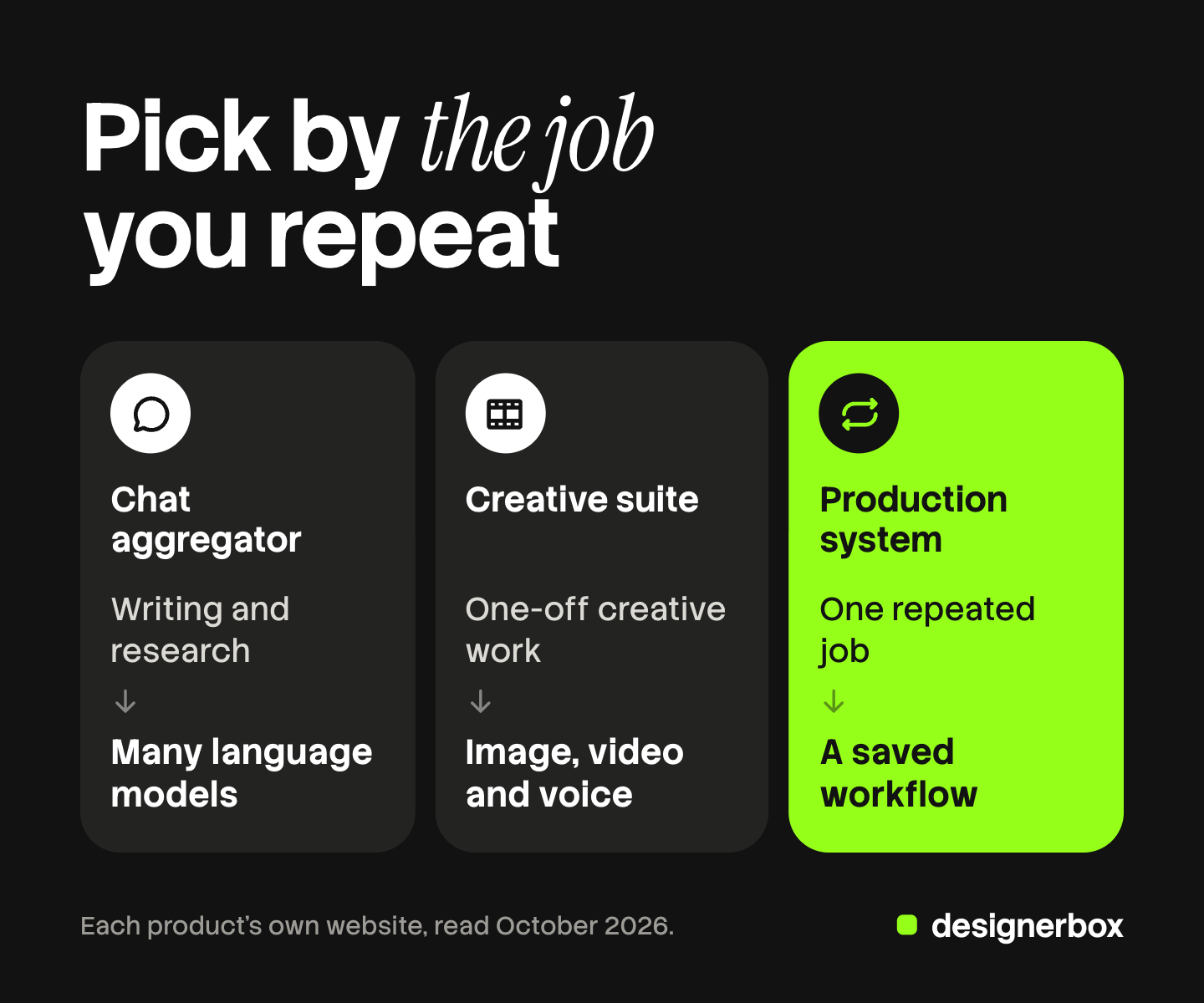
| Kind | What one plan covers | Fits | Outside scope |
|---|---|---|---|
| Chat aggregator | Several language models in one chat. Some add image and video models | Writing, research, analysis, one person or a small team | A saved creative job with brand rules |
| Creative suite | Image, video and voice models, with editing and upscaling | One-off images, clips and voice work, made piece by piece | General chat work. Repeating one job across a catalog |
| Production system | A saved workflow that repeats one creative job, with brand rules and review | The same set of images, ads or clips for many products or clients | General chat work. Free exploration of every new model |
The kinds overlap. Some chat aggregators include image models, and some creative suites include a workflow canvas.
Chat aggregators: several language models behind one login
A chat aggregator replaces separate chat subscriptions. You write in one window and choose the model for each message.
Magai is a clear example. Its homepage says every plan includes every model and every feature, and that plans differ in how much you use (magai.co, October 2026). It also includes image and video models in the same subscription, and a workspace for each client or brand.
Poe, from Quora, offers chat with a large library of models and bots, alone or in a group chat (poe.com, October 2026). Subscribers receive compute points, and each bot shows its point cost in its profile before you send a message (poe.com terms of sale, October 2026).
Alle-AI calls itself an all-in-one AI platform. Its focus is comparison: it combines and compares answers from several models (alle-ai.com, October 2026).
TypingMind takes a different route. You bring your own API keys and pay each model maker for actual use (typingmind.com, October 2026). That is one interface with several bills.
Claude for marketing shows what one chat model does across a marketing week before you add a second one.
Creative suites: image, video and voice in one subscription
A creative suite replaces separate image, video and voice products. You make a picture, turn it into a clip and add sound in one workspace. Products of this kind are often called an all-in-one AI video generator.
Magnific, which was called Freepik until 2026, describes itself as a creative platform with AI models for video, image and audio (magnific.com, October 2026). It pairs single-purpose features with a canvas where a team connects them into a workflow.
Krea offers image, video, editing, enhancing and real-time drawing in one account, with models from several makers and its own Krea 2 image model (krea.ai, October 2026).
ElevenLabs starts from voice. Its site lists speech in more than 70 languages, music and sound effects. It also includes image and video with models such as Veo, Wan, Kling and Seedance (elevenlabs.io, October 2026).
Higgsfield calls itself an AI-native creative suite. It offers image and video models and presets, and it connects to Claude and ChatGPT (higgsfield.ai, October 2026). Higgsfield AI alternatives covers how to compare products of this kind.
A creative suite fits a person who makes one piece at a time and wants many models to try.
Production systems: one creative job, repeated
A production system starts from the job. You build the steps once: the brand rules, the inputs, the models, the sizes. Then the system runs those steps again for the next product or client.
Figma Weave, which was called Weavy before Figma acquired it, is a canvas where you connect AI models and editing steps into a workflow (weave.figma.com, October 2026). Its site says you can run those workflows at scale, and that it can turn a workflow into a simple interface for the rest of the team.
FLORA is a canvas for creative teams with text, image and video models in one place. Its site describes workflows that turn one concept into hundreds of assets (florafauna.ai, October 2026).
DesignerBox belongs to this kind too, and a later section covers it. A production system fits a team with volume, such as an agency that makes the same ad set for ten clients.
How to pick the kind by the job you repeat
Write down the three jobs your team did most often last month. The list usually shows one kind.
- Mostly text. Drafts, research, summaries, analysis. A chat aggregator covers it. Check whether its image models are enough for the few pictures you need.
- Mostly single pieces. A hero image, one launch clip, a voiceover. A creative suite covers it.
- Mostly the same set, again and again. Product images, ad sizes, translated versions, client deliverables. A production system covers it.
Many teams need two kinds. A small agency may keep one chat product for writing and one production system for creative work.

A service is another way to buy creative work. Unlimited design subscriptions explains the flat-fee model, where people make the work for you.
Is an all-in-one AI video generator enough for ads?
For a single clip, often yes. An ad needs more than the clip. It needs the product to look right, the brand to look the same in every version, and the sizes each platform asks for. AI video ads cost lists what a finished video ad costs beyond the model fee, and AI generated ads shows how AI-made ads perform against human-made ads.
The AI video generator comparison ranks AI video models on reliability and shows what to measure before you plan a campaign on one.
Five checks before you subscribe
These five checks apply to all three kinds.

- Which models are really included. Read whether every plan has every model, or whether some models start on a higher plan. Magai says plans differ only in how much you use. Krea says its paid plans add the full model library (krea.ai, October 2026).
- What usage unit is metered. Points, credits and compute units are not the same size. On Poe, each bot has its own point cost. On Krea, the model type and quality settings change how many units a request uses (krea.ai documentation, October 2026). Ask what one finished piece costs in units.
- Commercial rights. Find the plan where commercial use starts. Krea lists its commercial license with paid plans and says the free tier does not have it. Client work and paid ads need that license.
- What still costs extra. Look for extra seats, extra usage and expiry. Poe says points do not move to the next month unless a plan says so. Krea says extra compute packs must be used within 90 days. Unused balance that expires changes the real cost.
- Export and hand-off. Check the file formats and sizes you receive, and where results go. Ask whether a colleague can run the job without learning the whole product. Ask whether the product works inside the AI chat your team already uses. Meta ads MCP shows what a connected chat can do in an ad account.
When separate subscriptions fit better
A bundle is the wrong purchase for some teams.
- You use one function heavily. A team that only records voiceovers may get more from a voice product alone. The maker’s own product can offer controls that a bundle does not show. Check the one feature you rely on.
- You use each product rarely. If you open three of five subscriptions once a month, cancel those three first.
List every AI subscription, then mark the ones you opened last month. Start from that list.
The opposite case is also common. A team uses one product for white-background shots and another for lifestyle scenes. Each one has its own prompts, its own brand setup and its own faults to learn. The second subscription is the small cost. The larger cost is the second set of habits, and two looks that have to match on one product page. Where both jobs are part of the same weekly work, one place for both is the simpler choice. AI tool stack cost counts the handoffs each extra product adds.
One subscription for creative production
DesignerBox is AI creative production for brands and agencies. It is the third kind: a production system for images, ads and video. Anyone can make an AI picture. Making hundreds that still look like your brand is the hard part.
In DesignerBox you start from a template or build a workflow once with your brand rules. The workflow reads the brand on every run, so the tenth client ad follows the same rules as the first. A saved workflow picks the image or video model for each step, and you can hand it to a colleague as an app with a form. Batch runs one workflow over a whole sheet, and row one and row two hundred get the same treatment.
The image editor and the video editor are in the same account. So are your brand, your files and the results. DesignerBox also runs inside an AI chat such as Claude, ChatGPT or Cursor over MCP. The full workflow from the first product photo to the finished ad, in one subscription.
You see the cost of a run before you press Run. An 8-second clip costs 40 to 560 credits, depending on the model.
Here are the limits. DesignerBox is a production system, so it does not replace a chat subscription. It has no general chat model plan for writing or research. It does not send ads to an ad account: you download the results, or send them with a webhook or an S3 step. Team features, shared brand kits and white label are on the Ultra plan, and every plan below Ultra is one seat. There is a free plan, and it runs on sample products.
Uploading your own photos and the commercial license start on the Pro plan. AI video, virtual try-on, upscaling, the image editor and the video editor start on the Premium plan. Plans and credits are on the pricing page.
Repeated client work, built once
An agency that makes the same creative set for many clients builds each job once and runs it for every client. See DesignerBox for agencies
FAQ
What is an all-in-one AI platform?
It is one subscription that gives you several AI models or functions under one account. The label covers three kinds of product: chat aggregators, creative suites and production systems.
What is a multi-model AI platform?
It is a product that lets you choose between models from several makers inside one interface. Chat aggregators do this for language models. Creative suites and production systems do it for image, video and voice models.
Is one all-in-one AI subscription cheaper than several AI tools?
Sometimes. It is cheaper when the bundle covers the jobs you do every week and you cancel what it replaces. It costs more when you keep the old subscriptions as well, or when the usage balance ends before the month does. List what you opened last month before you decide.
Which all-in-one AI video generator should I choose?
Choose by the job. For single clips, a creative suite with image, video and voice models fits. For the same video ad across many products or clients, a production system fits.
Do all-in-one AI tools include commercial rights?
Many include them only on paid plans, and some start them on a higher plan. Krea, for example, lists its commercial license with paid plans (krea.ai, October 2026). Read the plan page and the terms before you use any result in a paid ad or in client work.
Is DesignerBox an all-in-one AI platform?
It is the third kind, a production system for images, ads and video. It is not a chat aggregator, and it has no general chat plan. You build a workflow once with your brand rules and run it again for each product or client. The cost of a run is shown before the run.
Sources
- Magai, homepage: models, plans and workspaces (magai.co), October 2026
- Poe, about page and terms of sale: compute points and bot costs (poe.com, poe.com/pages/terms-of-sale), October 2026
- Alle-AI, homepage: comparison across several models (alle-ai.com), October 2026
- TypingMind, homepage: one interface with your own API keys (typingmind.com), October 2026
- Magnific, formerly Freepik, homepage (magnific.com), October 2026
- Krea, homepage, plan page and compute units guide (krea.ai, krea.ai/pricing, krea.ai/docs), October 2026
- ElevenLabs, homepage: speech, music, sound effects, image and video (elevenlabs.io), October 2026
- Higgsfield, homepage (higgsfield.ai), October 2026
- Figma Weave, product pages (weave.figma.com, figma.com/solutions), October 2026
- FLORA, homepage (florafauna.ai), October 2026
- DesignerBox plans and feature gating: DesignerBox pricing page (designerbox.ai/pricing), October 2026
Vendor features and terms checked against each company’s own pages as of October 2026. Model lists and plan terms change often, so read the current page before you subscribe. Individual results vary.