The best AI jewelry product photography tool is the one that fits the image slot you need to fill. For the main image, pick a tool that keeps your photographed piece and changes only the background. Pixelcut, Caspa AI and Claid’s Precise mode say they work that way. For worn shots, Pixelcut, Photta, Flair.ai and The New Black put the piece on a model.
You have 60 rings, 40 pendants and 30 pairs of earrings for the holiday drop. Each piece needs a white main image, a macro, a scale shot and a worn shot. That is 520 images. The stone in every one of them has to match the stone in the box.
Jewelry is the category where the choice of tool becomes a listing rule. Amazon’s jewelry style guide bars a model from the main image. Google requires an AI label inside generated files. The FTC says a picture that shows a stone larger than it is may mislead. This guide sorts 16 tools by the slot each one can fill, from each vendor’s own pages on 24 September 2026. We sell DesignerBox, which makes AI jewelry product photography from a photo of the real piece, so read its lines as our own case.
Key Takeaways
- Pick the tool by the slot. The main image, the macro, the scale shot and the worn shot follow different rules. Few tools cover all four.
- Amazon bars a model from the jewelry main image. Its jewelry style guide asks for the actual product on pure white, filling at least 80% of the image.
- Two Amazon pages disagree on size. The jewelry page caps the longest side at 2,100 pixels. The general image guide allows 10,000 and asks for 85% fill.
- Worn shots with an AI person need a tag on Amazon. Add contains-synthetic-performer to the image’s XMP dc:subject field before upload.
- Keep the AI metadata for Google. Merchant Center says every AI-generated product image must carry metadata that marks it as AI, such as the IPTC DigitalSourceType tag.
- A bigger stone is a claim. The FTC Jewelry Guides say a depiction that shows a gemstone larger than its actual size may mislead, unless you state the true size.
- Test on your five hardest pieces. Pave settings, engraving, thin chains, clasps and colored stones show problems first.
What does an AI jewelry product photography tool do?
An AI jewelry product photography tool turns a photo of your piece into listing images. It cuts the piece out for a white background, places it in a styled scene, or shows it worn on a generated person. Some tools say they keep your original pixels and change only the scene. Others draw the piece again, which can change a stone, a prong or the metal tone.
That difference decides which slot a tool can fill. A tool that keeps your pixels can make a main image. A tool that draws the piece again is safer in a campaign than in a listing, and every result needs a check against the real piece.
Two nearby jobs use the same words and are different purchases. AR try-on lets a shopper see a ring on their own hand through a phone camera. CAD rendering makes images from a 3D file before the piece exists, and NeuroViz and BLNG both offer it (neuroviz.ai and blng.ai, September 2026). This guide covers the photo you already have. If you still need that photo, how to light and shoot jewelry covers reflections, scale and the four-shot set.
Where can AI jewelry photos go on Amazon, Etsy and Google?
Each marketplace sets its image rules by slot, and Amazon has a separate page for jewelry. Those rules decide the kind of tool you need before image quality does.
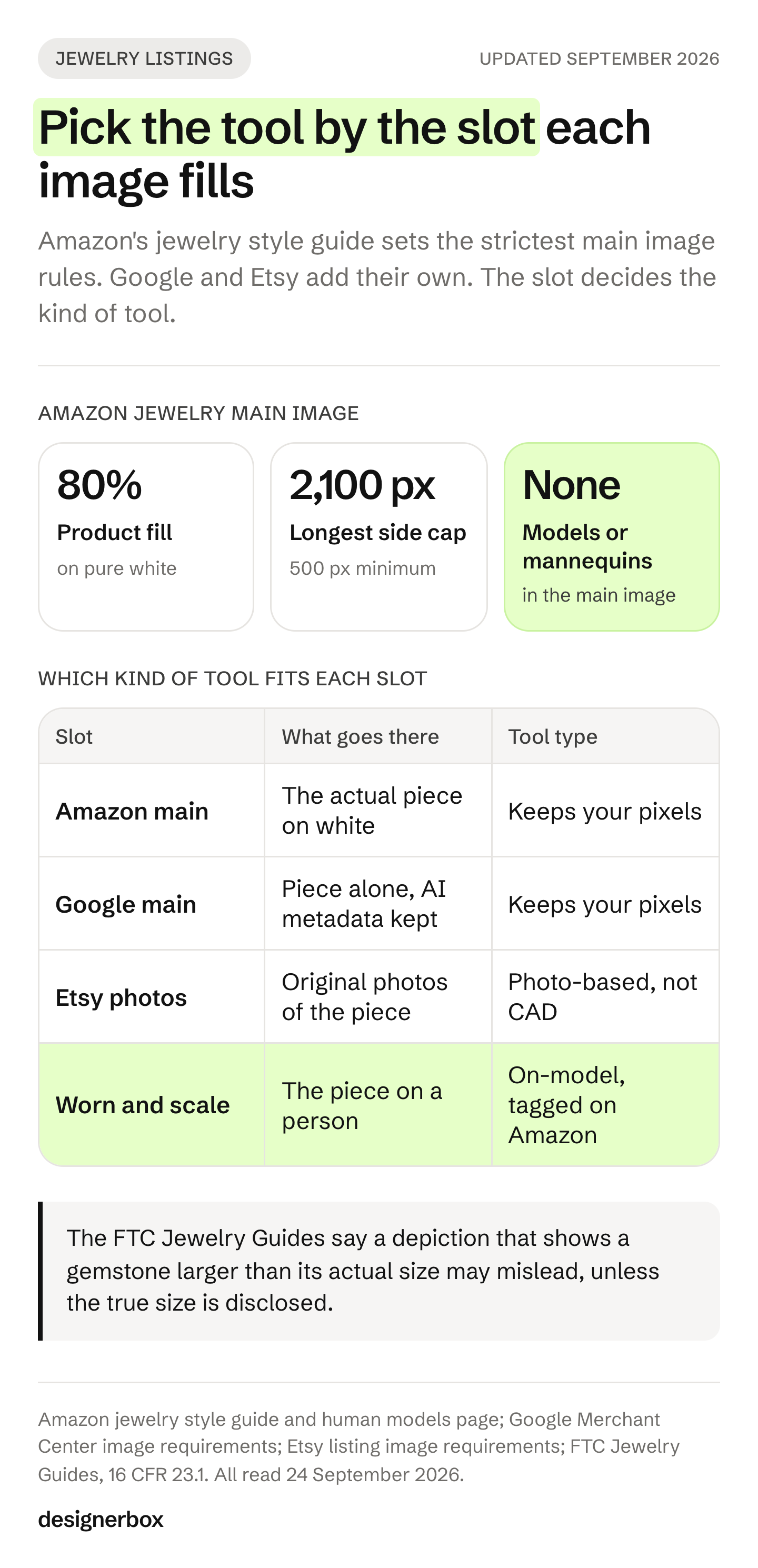
Amazon. The jewelry style guide asks for a main image on pure white (RGB 255, 255, 255) that shows “the actual product (not a graphic or illustration)”. It says “Don’t include a mannequin or a model.” The product should fill at least 80% of the image. The longest side must be between 500 and 2,100 pixels, and at least 1,000 pixels turns on zoom (Amazon jewelry style guide, accessed September 2026). The page also covers close-ups that crop part of the piece, such as a pendant chain. Amazon asks you to fade the product out at the edge, so the border stays white.
Amazon’s page on human models sets the same rule beyond jewelry: “Main images that show products on human models are not allowed, except for adult apparel” (Amazon human models, accessed September 2026). The general product image guide asks for 85% fill and allows up to 10,000 pixels. It also asks you to tag any image that shows a photorealistic AI-generated person. The tag is the keyword contains-synthetic-performer in the XMP dc:subject field (Amazon product image guide, accessed September 2026). For jewelry, follow the jewelry page on size and check both pages before a large upload.
Google. Merchant Center says every product image made with generative AI must carry metadata that says so, such as the IPTC DigitalSourceType TrainedAlgorithmicMedia tag. It asks you not to remove that tag. It also recommends showing accessories alone in the main image and on a model in the additional images (Google Merchant Center image requirements, accessed September 2026).
Etsy. Etsy requires “original photos of the actual product buyers will receive, not renderings or stock photos”. Computer-generated mockups are allowed only in the additional images of personalized items (Etsy listing image requirements, accessed September 2026). A CAD render is a rendering. We read a piece drawn again by an AI model the same way, so on Etsy keep generation to the scene around a real photo. Etsy product photo rules and sizes covers the rest of the listing.
| Slot | What goes there | The kind of tool |
|---|---|---|
| Amazon main image | The actual piece on white, 80% fill, no model | Keeps your pixels and removes the background |
| Google main image | The piece alone, with AI metadata kept | Keeps your pixels |
| Etsy photos | Original photos of the actual piece | Works from a photo, not from CAD |
| Secondary images | Macro, scale and worn shots | On-model tools, tagged on Amazon when the person is AI |
| Campaigns before the sample exists | Renders of a CAD file | CAD tools, kept out of the listing |
AI jewelry product photography tools compared
The table records what each vendor’s own pages state on 24 September 2026. It does not score image quality, which changes with every model update and every source photo. “Not listed” means the page did not state the feature that day. No price appears in this guide: each vendor lists its plans on its own pricing page.
| Tool | How it treats your piece | White main image | On a model | From CAD | Bulk or API |
|---|---|---|---|---|---|
| Photoroom | ”Without distorting metal or gem tones” | Yes | Yes, virtual models | Not listed | Batch and API |
| Pixelcut | ”Without altering the actual item” | Yes | Wrist, neck and ear | Not listed | Bulk tools and API |
| Claid.ai | Precise mode locks position and angle. Creative mode can change them | Yes, Precise mode | Creative mode | Not listed | Templates and API |
| Caspa AI | ”Your product remains unchanged” | Yes | Yes | Not listed | Not listed |
| Flair.ai | Generates the piece in new settings | Not listed | Yes | Not listed | Bulk and API |
| Photta | No wording found | Yes | Hands and bodies | Not listed | Try-on API |
| The New Black | Builds a model wearing the piece | Not listed | Yes | Not listed | Not listed |
| Pebblely | Builds a background around your upload | Not listed | Necklaces | Not listed | Bulk on paid plans |
| NeuroViz | ”Accurate to your actual product” | Background removal | Yes | Yes | Paid tiers |
| DesignerBox | Runs your photo through saved workflow steps | Yes | Not listed on its jewelry page | No, starts from a photo | Batch, API on Ultra |
DesignerBox’s own pages compare it with one tool at a time, including Photoroom, Claid.ai, Flair.ai and Pebblely.
The tools, one by one
The tools are grouped by how they treat the piece, not ranked. Tools that say they keep the piece or its tones come first. On-model and CAD tools come after.
Photoroom
Photoroom’s jewelry page says its tools balance brightness and bring out fine details “without distorting metal or gem tones”. Its Product Staging and virtual model features place jewelry in scenes such as marble or velvet (photoroom.com/ai-product-photography/jewelry, September 2026). It lists batch editing, an API, team workspaces and a connector for Claude over MCP. It offers a free trial.
Best for: brands that need clean white main images across a large catalog, with scenes for the secondary slots. Photoroom alternatives compares it with the tools nearest to it.
Pixelcut
Pixelcut’s jewelry page spells out what it keeps. It says Product Studio “restyles the scene around your jewelry without altering the actual item”. It also says the tool keeps the shape, engraving, stone setting and clasp you upload. Its Jewelry Scene format places a ring, necklace or earring in an on-skin close-up on a wrist, neck or ear (pixelcut.ai/ai-product-photography/jewelry, September 2026).
Its bulk tools edit whole folders for background removal, resizing and upscaling. Paid plans include a commercial-use license.
Best for: small jewelry brands that want the white main image and the worn close-up from one tool.
Claid.ai
Claid.ai puts the fidelity choice in a switch. In its AI Photoshoot, Precise mode “locks your jewelry in its original position and angle”, which Claid suggests for marketplace and catalog photos. Creative mode gives more freedom and can change the product’s perspective, lighting and angle (claid.ai/product/ai-photoshoot, September 2026).
Claid’s own jewelry guide adds a caution: “AI algorithms are not yet smart enough to understand complex jewelry, especially how different clasps or earwires work.” It suggests close-up editorial shots over on-model placement (Claid jewelry guide, published October 2025, read September 2026). Claid has an API and templates for batch work.
Best for: teams that want a strict mode for the main image and a freer mode for mood shots.
Caspa AI
Caspa AI’s jewelry page covers background removal and replacement, on-model shots, consistent backgrounds and fewer unwanted reflections. Its FAQ says it “places your product into a new scene but your product remains unchanged” (caspa.ai, September 2026). Its home page also lists video and AI human models.
Best for: sellers who want reflection cleanup and one background across a whole jewelry line.
Flair.ai
Flair.ai’s jewelry page says it generates photorealistic images of rings, necklaces and earrings in styled settings or on models. Its FAQ says its AI is “specifically trained to render fine jewelry details” (flair.ai/product-category-features/jewelry, September 2026). Because the tool generates the image, check each result against the real piece. Flair lists bulk generation, an API, team accounts and a free trial.
Best for: brands that want art-directed scenes and worn shots for campaigns and social posts. Flair.ai alternatives sets it against the other scene tools.
Photta
Photta’s jewelry studio puts rings, necklaces, earrings, bracelets and watches on AI hands and bodies. It also makes white, flat lay and lifestyle shots, short videos and 2x to 4x upscales. A jewelry try-on API is listed for volume work. Photta says paid-plan images are “watermark-free and yours to use commercially”, and free-trial images carry a watermark (photta.app, September 2026).
Best for: brands that need worn shots for every jewelry type and want an API for volume.
The New Black
The New Black turns a jewelry product shot into a model photo. Its page covers rings, necklaces, bracelets and earrings, worn by “an AI model you control”, and has a separate page for wrist pieces. It says everything you generate is yours to sell, print and publish on any plan. It also says your uploads are never used to train a model (thenewblack.ai, September 2026).
Best for: brands whose main need is the worn shot, with control over the model.
Pebblely
Pebblely has jewelry and necklace category pages, and the necklace page shows pieces on models. Its FAQ says the AI “creates backgrounds based on your uploaded images and adds shadows and reflections accordingly” (pebblely.com/faq, September 2026). Bulk generation is on paid plans, and its terms say you own the images you generate.
Best for: styled backgrounds with believable shadows behind the real piece. The Pebblely review covers it in more depth.
NeuroViz
NeuroViz is built only for jewelry. It says its AI is trained on 50,000+ jewelry images, a figure from its own site (neuroviz.ai, September 2026). It covers retouching, background removal, on-model and try-on shots, video, and photos made from CAD files. Batch work and an API are on paid tiers. Images made with free credits are for testing and evaluation only.
Best for: jewelers who work from CAD and want campaign images before the first piece is cast. A CAD render is not a photo of the actual product, so keep it out of the Amazon main image and out of Etsy listings.
DesignerBox
DesignerBox’s jewelry page lists four steps. Relighting rebuilds the reflection on polished metal. A clean white background comes next, then new angles such as the top view and the side profile, then a static ad frame (DesignerBox jewelry photography, September 2026). You save the steps as a workflow and run it on the next piece. Batch runs that workflow over a whole sheet of pieces at once. The limits are in the last section below.
Best for: brands and agencies that need the same four shots, in the same light, on every new piece.
Also on jewelry tool lists
CreatorKit has a jewelry page of AI background templates, such as podiums, marble and velvet, and a free plan (creatorkit.com, September 2026). Mokker has a jewelry page for background replacement, and its home page says Mokker is joining forces with soona (mokker.ai, September 2026). AI Jewelry Model builds a six-image listing pack from one photo: a hero, two try-on frames, a detail close-up, a second angle and a gift scene (aijewelrymodel.app, September 2026).
FormaNova is built for on-model jewelry shoots, and its site says “No subtle changes. Ever.” (formanova.ai, September 2026). WearView’s jewelry catalog shows pieces worn on AI models and says its AI preserves all product details (wearview.co, September 2026). BLNG turns CAD models into product images and on-figure images and video, before a physical sample exists (blng.ai, September 2026).
For the same vendors judged on ecommerce work in general, see the AI product photography tools comparison or the DesignerBox list of the best AI product photography tools.
Which tools put jewelry on an AI model?
Pixelcut, Photta, Flair.ai, The New Black, Caspa AI, Photoroom and AI Jewelry Model all list jewelry worn on a generated person. A worn shot answers the size question a packshot cannot: how far a chain hangs and how wide a band sits. On Amazon, worn shots belong in the secondary images only. A photorealistic AI person there also needs the contains-synthetic-performer tag.
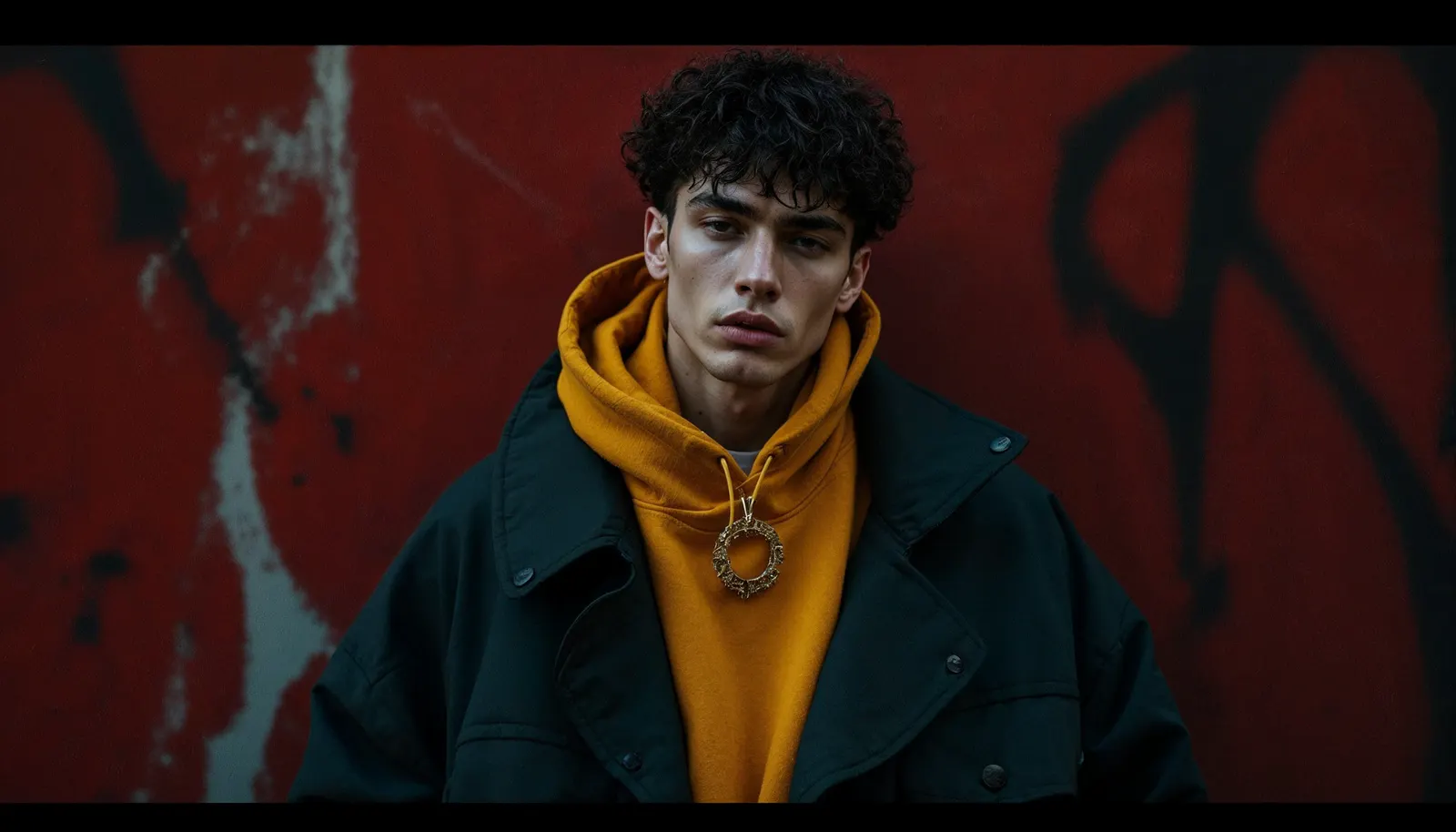
Google points the same way. It recommends accessories alone in the main image and on a model in the extra images. So the worn shot is a second-slot image on both marketplaces, and on your own site it can lead the gallery.
Check the parts a model has to invent. That means the clasp, the earring post and back, the point where a band meets the finger, and the way a chain falls against the collarbone. Claid sells on-model tools itself, so its caution about clasps and earwires carries weight.
A worn shot also raises a disclosure question in some markets. Article 50 of the EU AI Act has applied since 2 August 2026 (European Commission Article 50 FAQ, accessed September 2026). The Commission’s guidelines list “realistic AI-generated human avatars or personas” among the persons a deep fake can show. A label is needed when the image could mislead people about what is real (European Commission Article 50 guidelines, accessed September 2026). How to label AI-generated fashion images covers the wording and placement.
If your range also has bags, shoes or eyewear, the on-model tools compared by product type shows which tools cover each one. The worn frame differs by piece. Ring photography covers band width and profile, earring photography the pair and the post, and bracelet photography the clasp and the fit on a wrist. The four levels of person a product shot can use helps you decide how much of a person the frame needs.
Stone size, metal color and the rules on depictions
The FTC Jewelry Guides apply to claims made through “illustrations, depictions” and other means, not only through words (16 CFR 23.0, accessed September 2026). Note 3 to §23.1 says: “An illustration or depiction of a diamond or other gemstone that portrays it in greater than its actual size may mislead consumers, unless a disclosure is made about the item’s true size.”

The Guides set out the FTC’s view and do not bind anyone. The FTC can still act under the FTC Act against a claim that is inconsistent with them. In practice, publish the dimensions next to any close-up that makes a stone look large.
The EU draws a similar line for AI images. The Commission’s guidelines on Article 50 say a real product shown against an AI-generated background is not a deep fake, as long as the ad does not mislead about the product. Among their examples of deep fakes is an AI-generated product image that can mislead about how the actual product looks. This is general information, not legal advice.
Both rules point at the same test. A tool that keeps your pixels changes the scene and leaves the stone alone. A tool that draws the piece again can change the stone size, the stone color, the prong count or the metal tone. Check every result against the piece before it goes live. How to check a generated product photo for accuracy gives a checklist that works with any tool here.
How to test a tool on your own jewelry
Test on your hardest pieces, not your easiest. A plain gold band looks good in every demo. Run the same pieces through every tool on your shortlist, then count how many results you would publish without a fix. That count tells you more than the best single image.
- Pick five hard pieces. A pave ring, an engraved band, a thin chain, a piece with a visible clasp and a colored stone.
- Start from a sharp source photo. Use even light, the whole piece in frame and true metal color. Shoot large and export to each marketplace’s size later.
- Make the four shots. A white main image, a macro, a scale shot and a worn shot for each piece.
- Compare at full size. Check the prong count, stone color, engraving, clasp, earring post and chain links against the real piece.
- Check the scale. Put the measured size in the listing next to any close-up of a stone.
- Check the file. Keep the AI metadata for Google. Add the contains-synthetic-performer tag on Amazon when a photorealistic AI person appears.
- Read the license for the plan you will pay for. Some free credits and trials are for testing only.
If one piece fails on every tool, look at the source photo before you blame the tool. How to fix product photo lighting covers the light that metal needs. For Amazon slots in general, which tool fits which Amazon image slot goes further.
One setup for every piece
DesignerBox is AI creative production for brands and agencies. Scale your images, ads and video with AI and keep your brand on every piece: build the workflow once with your brand rules, run it on every product, see the cost before each run, and keep everything from the first product photo to the finished ad in one place.
A jewelry brand with 20 to 500 pieces needs the same four shots for every new piece. An agency needs that set for each client.
You build the jewelry job once as a workflow, with your brand, your pieces and your rules. The workflow reads the brand on every run. The steps on the jewelry photography page are a starting point: relight the metal, clean the background, add the top view and the side profile, then build the ad frame. Batch runs one workflow over a whole sheet of pieces. You keep or discard per row, and re-run one row alone.
Three parts matter for jewelry. Critic steps score the results of a run, and best-of-N keeps the best one. The image editor makes one edit after another, and the picture keeps its detail and resolution. The cost of a run is shown before you press Run. Relighting changes how a stone catches the light, so check every relit stone against the piece.
The limits, stated plainly (DesignerBox pricing, September 2026):
- It starts from a photo. It does not render from a CAD file. NeuroViz and BLNG do.
- Its jewelry page lists no on-model step. Pixelcut, Photta and The New Black list one.
- Delivery is a download. You can also send results with a webhook or an S3 step. Nothing lands in your store on its own.
- The commercial license starts on the Pro plan. AI video and virtual try-on start on the Premium plan. Team features, shared brand kits, white label and the API are on the Ultra plan, and every plan below Ultra is one seat.
- The free plan cannot make video.
Plans and credits are on the pricing page.
Anyone can make an AI picture. Making hundreds that still look like your brand is the hard part. The templates, the workflows, batch, the editors, the brand profiles and the Assets library sit together. The full workflow from the first product photo to the finished ad, in one subscription. Start from a template, add your brand and your pieces, and see the cost before you run it. Get started free.
FAQ
What is the best AI jewelry product photography tool in 2026?
It depends on the slot. For the Amazon or Google main image, pick a tool that says it keeps your pixels and changes only the background, such as Pixelcut, Caspa AI or Claid’s Precise mode. For worn shots, Pixelcut, Photta, Flair.ai and The New Black list jewelry on a model. Test each one on your hardest pieces before you pay.
Can AI put my jewelry on a model?
Yes. Pixelcut, Photta, Flair.ai, The New Black, Caspa AI, Photoroom and AI Jewelry Model all list it. Check the clasp, the earring post and the point where a band meets skin, because the tool has to invent those. On Amazon, a worn shot goes in the secondary images, and a photorealistic AI person needs the contains-synthetic-performer tag.
Can I use an AI jewelry photo as my Amazon main image?
Only if it shows the actual product on pure white, with no model or mannequin, filling at least 80% of the image. Amazon’s jewelry style guide also asks for the actual product, not a graphic or illustration. A tool that removes the background from your own photo fits that slot. A CAD render or a piece drawn again by a model does not.
Will AI change my stones or metal color?
It can. Tools that say they keep your pixels change the scene, and the stone stays as photographed. Tools that generate the piece can change the stone size, the stone color, the prong count or the metal tone. The FTC Jewelry Guides say a depiction that shows a gemstone larger than it is may mislead unless the true size is disclosed.
Is there a free AI jewelry photography tool?
Several tools let you try before you pay. CreatorKit lists a free plan, Photoroom and Flair.ai list free trials, and Caspa AI has a free sign-up. NeuroViz says images from free credits are for testing and evaluation only, and Photta watermarks free-trial images. Read the commercial terms for the plan you will use before an image goes live.
Can I sell jewelry on Etsy with AI photos?
Etsy requires original photos of the actual product buyers will receive, not renderings or stock photos. Use AI to change the scene around a real photo of your piece. Do not replace the photo with a render. Etsy also requires you to disclose in the listing when an item itself is made with AI.
What photo should I start from?
A sharp photo of the real piece, with even light, the whole piece in frame and true metal color. Shoot at a high resolution, then export to each marketplace’s size, because Amazon’s jewelry page caps the longest side at 2,100 pixels. Every tool here works better from a clean source, and none can recover a stone detail the camera did not capture.
Sources
- Amazon Seller Central, jewelry style guide (sellercentral.amazon.com, accessed September 2026)
- Amazon Seller Central, human models (sellercentral.amazon.com, accessed September 2026)
- Amazon Seller Central, product image guide (sellercentral.amazon.com, accessed September 2026)
- Google Merchant Center, image requirements (support.google.com, accessed September 2026)
- Etsy, listing image requirements (etsy.com, accessed September 2026)
- Etsy, Creativity Standards (etsy.com, accessed September 2026)
- FTC Jewelry Guides, 16 CFR Part 23 (ecfr.gov, accessed September 2026)
- European Commission, Article 50 FAQ (digital-strategy.ec.europa.eu, accessed September 2026)
- European Commission, guidelines on Article 50 transparency obligations (digital-strategy.ec.europa.eu, accessed September 2026)
- Vendor pages, read 24 September 2026, not linked: photoroom.com/ai-product-photography/jewelry, pixelcut.ai/ai-product-photography/jewelry, claid.ai/product/ai-photoshoot, claid.ai jewelry guide (published October 2025), caspa.ai, flair.ai/product-category-features/jewelry, photta.app, thenewblack.ai, pebblely.com/faq, neuroviz.ai, creatorkit.com, mokker.ai, aijewelrymodel.app, formanova.ai, wearview.co, blng.ai
- DesignerBox jewelry photography and pricing pages (September 2026)
Tool features verified on each vendor’s own pages on 24 September 2026. This is general information, not legal advice. Individual results vary.