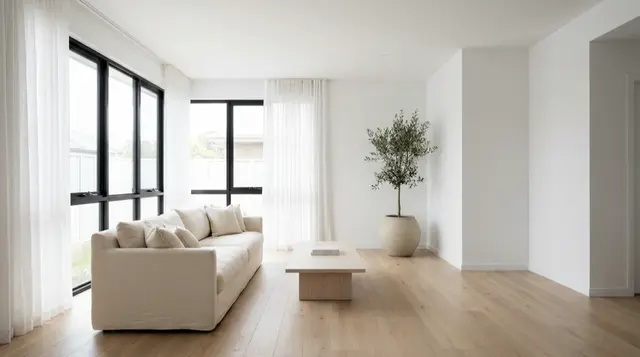
To make a real estate video, correct the listing photos first, stage any empty rooms, order the shots the way a buyer walks the house, animate each photo into a short clip, then cut one horizontal version for the listing and one vertical for social. Spend most of your time on the photos. Buyers rate listing photos far higher than listing video, and the video is built from them anyway.
The listing goes live Thursday. The photographer shot it Monday, the editor has the footage until next week, and the first weekend of a new listing is the weekend that decides the price. So the video arrives after the traffic did.
That timing problem is why agents started making AI real estate video from the listing photos instead of booking a second shoot. It works. Three questions then decide whether the finished video can run. What do buyers use video for? How long can one clip be before you have to stitch clips together? What must you disclose once a model adds furniture to a room?
Key Takeaways
- Photos outrank video with buyers by a wide margin. 83% of buyers who used the internet rated listing photos “very useful” against 29% for videos, per NAR’s 2025 generational trends report.
- Online video use in the home search skews older, not younger. 45% of buyers aged 70 to 78 used online video sites against 25% of buyers aged 26 to 34. The horizontal cut is not the throwaway.
- A walkthrough is a sequence of clips, not one render. Most image-to-video models make clips of 4 to 15 seconds per generation, so a 60 to 90 second tour is stitched from several clips.
- California requires brokers and salespeople to disclose digitally altered images in advertising. AB 723 has been in effect since 1 January 2026 and asks for a conspicuous statement plus access to the unaltered original.
- The NAR provision for altered listing images is Standard of Practice 12-10. Standard of Practice 12-1 covers free brokerage services, not images.
- The video model you pick moves the cost more than the clip length does.
How to make a real estate video from listing photos
Six steps. The first two carry most of the quality, and the last two carry most of the reach.
Step 1: fix the photos before anything moves
Motion amplifies every flaw in the source frame. A blown-out window stays blown out and now it flickers. A tilted vertical becomes a tilted vertical that drifts. Correct exposure, white balance, and perspective on the stills first, then animate.
This is also the cheapest step. Lighting, sharpening, white balance, color correction, straightening, and cropping are explicitly carved out of California’s altered-image definition, so ordinary correction carries no disclosure duty. That distinction matters more than it sounds, and the next step is where it flips.
Step 2: stage the empty rooms, and label what you staged
An empty room reads as small on camera and worse in motion, because there is nothing for the eye to track. Virtual staging fixes that. It also crosses a line: the moment a model adds a sofa, you are altering the representation of the property, not correcting the capture of it.
Stage it, then label it. Put “Virtually Staged” on the frame itself, not only in the listing remarks, because the frame is what gets screenshotted and reposted. DesignerBox has a real estate staging template for empty rooms. For an occupied listing where the current owner’s furniture is the problem, remove the furniture first, then stage the empty room. What four staged rooms cost with AI, against a staging service, is in virtual staging AI cost.
Step 3: order the shots the way a buyer walks the house
Not the way you shot them. A buyer arrives at the front, comes through the entry, and moves toward the main living space. Match that. Exterior, entry, main living area, kitchen, primary bedroom, primary bathroom, secondary bedrooms, outdoor space, then a closing exterior.
Lead with the strongest room, whichever one it is. If the kitchen is the reason this house sells, the kitchen goes second, not sixth.
Step 4: animate each photo into a clip
This is the part that has changed. An image-to-video model takes one still and generates motion from it: a slow push into the room, a drift across the counter, a lift toward the ceiling height.
Two constraints shape everything downstream. Motion has to be slow, because fast camera moves on a generated clip are where warping shows up. And clips are short. Most image-to-video models make 4 to 15 seconds per generation, so a 60 to 90 second tour is a stitch of several clips rather than one continuous render. Check the model list for each model’s clip length before you plan the edit, because these numbers change every few months. Google’s Veo 3.1 makes 4, 6 or 8 second clips, and its audio is always on (ai.google.dev, September 2026). That removes one more step if you want ambient sound under the cut. Google names Gemini Omni Flash its default video model, and keeps Veo 3.1 for scene extension and last-frame control (ai.google.dev, September 2026).
If you have not done this before, start with the image-to-video app. The same mechanic that animates a product photo into an ad animates a listing photo into a room clip, and the six rules for AI product video apply to both.
Step 5: cut two versions, horizontal and vertical
The horizontal cut goes on the listing, the brokerage site, and YouTube. The vertical cut goes to Reels, TikTok, and Shorts. These are different edits, not the same edit cropped, because a 16:9 room composition loses both side thirds when you square it to 9:16.
Ninety seconds horizontal and thirty seconds vertical covers both jobs. Before you plan the horizontal cut around a portal, read the portal rules: they are stricter than most agents expect, and they are covered in AI real estate video marketing. For what to post from one listing, see the 18 real estate video ideas.
Step 6: write the on-screen text before you write the caption
Most people watch with sound off. Every claim that matters has to survive as text on the frame: the beds and baths, the square footage, the one feature that separates this listing from the three others in the same price band. Address goes last, price goes in the caption.
Why the photos matter more than the video
Home buyers rate listing photos far above listing video, so the photos deserve most of your time. In NAR’s 2025 Home Buyers and Sellers Generational Trends report, buyers who used the internet were asked which website features they found “very useful”. Photos came first at 83%. Videos came tenth, at 29% (nar.realtor, Exhibit 3-6, 2025).
| Website feature | Rated “very useful” |
|---|---|
| Photos | 83% |
| Detailed property information | 79% |
| Floor plans | 57% |
| Agent contact information | 47% |
| Virtual tours | 41% |
| Interactive maps | 30% |
| Videos | 29% |
Video sits below floor plans and below interactive maps. Still make one, and let that ranking decide where the hours go: the video is derived from the photos, and the photos outperform it on their own. Get the stills right and you have improved both assets at once.
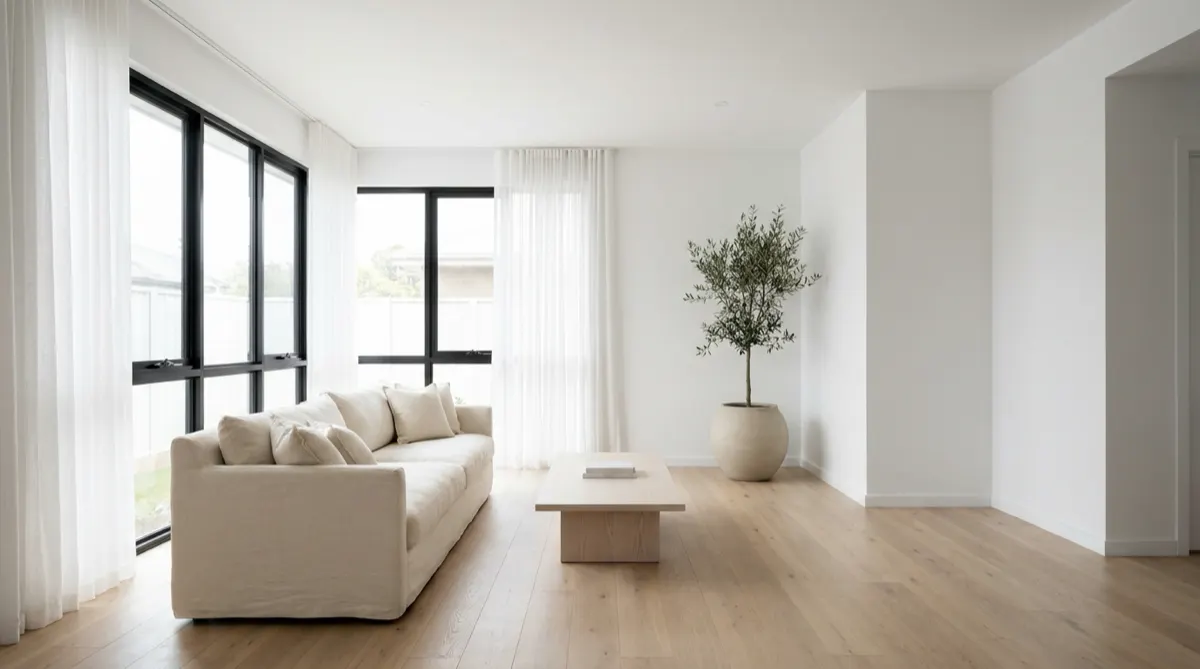
The second number inverts the usual advice. Asked which sources they used in the home search, 37% of all buyers named online video sites. Split by age, it runs 25% for buyers aged 26 to 34 and 45% for buyers aged 70 to 78 (same report, Exhibit 3-2). Video-site use in the home search rises with age. The vertical cut still earns its place for reach and for referrals, but the horizontal cut on the listing and on YouTube is reaching the buyers with the most equity.
How long should a real estate video be?
Length is set by where it plays, not by the property.
| Placement | Target length | Aspect |
|---|---|---|
| Your own site, brokerage listing page | 60 to 90 seconds | 16:9 |
| YouTube | 90 seconds to 3 minutes | 16:9 |
| Instagram Reels, TikTok, Shorts | 20 to 35 seconds | 9:16 |
| Paid social | 15 seconds | 9:16 or 1:1 |
| Website hero loop | 6 to 10 seconds, silent | 16:9 |
The vertical cut is four rooms instead of nine, opening on the best one, with the address on screen by the third second.
The table covers surfaces you control. Listing portals are a separate question with their own provenance and length rules, and a generated clip does not always qualify.
The disclosure rules that apply once AI touches the frame
Check these rules before the video runs. This is general information, not legal advice.
California, AB 723. Since 1 January 2026, a broker or salesperson who uses a digitally altered image in advertising has to include a reasonably conspicuous statement on or adjacent to the image saying it has been altered. The same ad also has to include a link, URL, or QR code to the unaltered original.
The statute defines a digitally altered image as one changed “through the use of photo editing software or artificial intelligence to add, remove, or change elements”, naming fixtures, furniture, appliances, flooring, walls, paint color, hardscape, landscape, and facade. It explicitly excludes lighting, sharpening, white balance, color correction, angle, straightening, cropping, and exposure (leginfo.legislature.ca.gov, accessed September 2026).
Read the exclusion list next to the inclusion list and the rule is clear: correcting the capture is fine, changing the property is disclosed.
NAR, and the provision that applies. Article 12 of the Code of Ethics requires REALTORS to “be honest and truthful in their real estate communications” and to “present a true picture in their advertising, marketing, and other representations”. The provision that reaches manipulated listing content is 12-10, which extends the true-picture obligation to internet content and images and prohibits “manipulating listing and other content in any way that produces a deceptive or misleading result” (nar.realtor, 2026 Code of Ethics, accessed September 2026).
Standard of Practice 12-1 covers representing brokerage services as free. If you copy a compliance checklist, check that it cites 12-10 for altered images.
Your MLS. Rules on staged and altered imagery are set per MLS and vary. Read yours before the first upload, not after a complaint.
Anything you did not shoot. If a clip includes a neighboring property, a recognizable interior you do not have rights to, or stock footage, the permission question is separate from the AI question. Get a written release for the first two before the clip runs.
What a listing video costs
Compare two cost lines: a videographer and the AI route.
A videographer prices per shoot and delivers on their schedule. That cost is real and so is the quality: a human with a gimbal walks the house and shows how the rooms connect, which no still-image workflow reproduces. The day-rate arithmetic is worked through in real estate videographer cost against AI video.
The AI route works from the photos you already have. On DesignerBox, uploading your own photos and the commercial license start on the Pro plan, and AI video and the video editor start on the Premium plan. The model you pick moves the price more than the length does. An 8-second clip costs 40 to 560 credits, depending on the model, and the cost is shown before the run. Pick the model to fit each listing.
The real comparison is whether the listing gets a video at all in the week that matters.
Where this approach fails
The failure modes are predictable.

It cannot show a room it was not given. Image-to-video invents motion inside a frame. It does not invent the hallway that connects two rooms, and it does not travel through the house. A stitched sequence of animated stills reads as a slideshow with camera moves, which is a different thing from a walkthrough that proves flow.
Fast motion breaks it. Push in slowly or not at all. Rapid moves are where distortion and warping show up, and a warped door frame in a listing video is worse than no video.
Interiors drift between clips. Generate nine clips from nine photos of the same house and the model has no memory of what it rendered in clip three. Wall color and light temperature can shift. The fix is upstream: keep the location consistent across shots by correcting the stills to one grade before you animate anything.
Anything added is a disclosure obligation. Covered above. Add furniture, label the frame.
A generated presenter is a separate rulebook. Putting a synthetic person on camera in a housing ad raises fair housing and endorsement questions that motion on a still does not. Those are covered in AI UGC video for real estate, and the presenter tools are compared in AI avatar tools for real estate walkthroughs.
A listing video workflow in DesignerBox
DesignerBox is AI creative production for brands and agencies. For a brokerage, or an agency that markets listings, the job repeats every week: correct the photos, stage the empty rooms, animate each photo and cut two versions.
Start the animation from the video ad templates. The video editor is a real timeline, with several tracks, transitions, animated text and audio. You make the cut and add the on-screen text there. The still side, which is where the NAR data says the value sits, starts from the staging template in step 2. The same method works for any product video made without a studio.
Build the sequence once on one house. Set the grade, the camera move and the two cut lengths, then save it as a workflow. A saved workflow runs the same way on the next listing, so listing forty gets the same standard as listing one. With the saved workflow, every listing can get a video.
You set the brand once. The logo, the fonts and the colors sit in one record, and the workflow reads it on every listing. The photo fix, the staged room, the clip and the cut all sit in one place. Start from a template and add the photos from your next listing.
FAQ
How long should a real estate video be?
Sixty to ninety seconds for your own site and the brokerage listing page, twenty to thirty-five seconds for Reels, TikTok, and Shorts, and six to ten silent seconds for a website hero loop. A longer video gets fewer completions. Portals set their own caps, so check the destination before you cut.
Can I make a real estate video without a camera?
Yes, if you already have listing photos. An image-to-video model animates each still into a short clip, and the clips are stitched into a tour. What you cannot produce this way is genuine movement between rooms, because the model only knows what is inside each frame you give it.
Do I have to disclose that a listing photo was AI staged?
In California, yes, if you are a broker or salesperson. AB 723 has required a conspicuous altered-image statement plus access to the unaltered original since 1 January 2026. Outside California, NAR’s Article 12 true-picture obligation and Standard of Practice 12-10 still apply to any manipulation that produces a misleading result, and individual MLS rules vary. Label the frame either way.
What is the difference between a real estate video and a virtual tour?
A virtual tour is navigable: the buyer chooses where to look and moves through the space at their own pace. A video is linear and you control the order. NAR’s 2025 data rates virtual tours “very useful” by 41% of buyers who used the internet against 29% for videos, so if you can only produce one, the tour scores higher.
Does an AI real estate video work for a vacant listing?
That is the case it fits best. Empty rooms are where a still photo underperforms most, and virtual staging plus slow motion gives the eye something to track. Stage the room, label the frame as virtually staged, and keep the camera move slow.
Should I make the vertical cut or the horizontal cut first?
Horizontal, then cut down. NAR’s data shows online video use in the home search rising with buyer age, from 25% among buyers aged 26 to 34 to 45% among buyers aged 70 to 78. So the horizontal cut on the listing is reaching the buyers with the most equity. The vertical cut still helps with reach and referrals.
How much does it cost to make a listing video with AI?
On DesignerBox, an 8-second clip costs 40 to 560 credits, depending on the model. AI video needs the Premium plan or higher. You see the cost of each run before you start it. Plans and credits are on the pricing page.
Sources
- NAR, 2025 Home Buyers and Sellers Generational Trends, Exhibits 3-2 and 3-6 (cms.nar.realtor)
- NAR, 2026 Code of Ethics and Standards of Practice, Article 12 and Standard of Practice 12-10 (nar.realtor)
- California AB 723, Real estate: digitally altered images: disclosure (leginfo.legislature.ca.gov)
- Google, Veo 3.1 clip lengths and audio (ai.google.dev) and Gemini API video overview (ai.google.dev), accessed September 2026
- DesignerBox plans and video gating (DesignerBox pricing page, designerbox.ai/pricing, September 2026)
Buyer statistics from NAR’s 2025 reports. Disclosure rules and model facts re-checked with the California Legislature, NAR and Google as of September 2026. Disclosure requirements vary by state and by MLS. This is general information, not legal advice. Individual results vary.