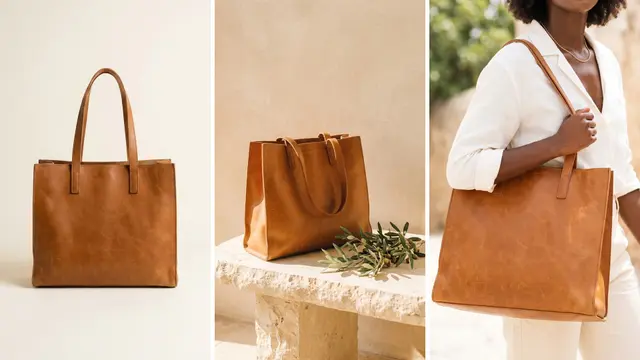
Packshot photography is the practice of photographing one product alone, evenly lit, on a plain background that is usually pure white. The whole product is in the frame, nothing else is, and the color matches the real item. A packshot is the first image on most product listings. Amazon and Walmart require it there, on a white background and cropped close, with nothing in the frame that the buyer does not receive.
The word comes from advertising. Collins defines a pack shot as a close-up of the product in a television advert, shown so that the viewer can register its logo and packaging (Collins English Dictionary, October 2026). This guide covers what five sales channels ask of the shot, how to shoot it, and which faults to check.
Key Takeaways
- A packshot is one product, alone, on a plain background. No props, no scene, no text.
- Amazon and Walmart require white. Both name RGB 255, 255, 255 for the main image. Google, eBay and Shopify require no background color.
- One crop passes Amazon and Google. Amazon asks for the product at 85% of the image. Google recommends 75% to 90%. A fill of 85% to 90% meets both.
- A packshot set is judged as a grid. Lock the camera, the light and the margin, so no product sits larger or warmer than the others.
- Six faults to check. Color cast, grey background, uneven crop, clipped edges, reflections and jagged edges.
- AI is safest on the background. A cut-out from a real photo keeps the product pixels. A generated product needs a fidelity check.
What is a packshot?
A packshot is a still photo of a single product with nothing else in the frame. The background is plain, the light is even, and the camera is level with the product. Three things define the shot.
- Isolation. One unit of the product, shown once. No props, hands or surfaces.
- Accuracy. The color, the proportions and the printed text match the item a buyer receives.
- Repeatability. The next product gets the same background, light, angle and margin.
The third point separates packshot photography from a single good product photo. A packshot is made to sit beside other packshots in a grid.
“White background product photography” describes the same shot by its background. On your own store, a packshot can use a light grey or a brand color, as long as every product uses the same one.
Packshot vs other product shots
A packshot answers one buyer question: what is this product? Other product shots answer the questions that follow.
| Shot | Background | What is in the frame | The question it answers |
|---|---|---|---|
| Packshot | Plain, usually pure white | The product alone, whole | What is it? |
| Detail | The product fills the frame | One part, close | Is it well made? |
| Scale | Plain or a real surface | The product with a hand or a known object | How big is it? |
| Lifestyle | A real or built scene | The product in use | Where does it fit? |
| Flat lay | A flat surface, seen from above | The product with related items | What goes with it? |
The packshot is the only one of the five that a marketplace checks against a published rule. Our guide to the types of product photography covers the full set of shots and when to use each one. For the scene shot, see our guide to lifestyle product photography. For the campaign image, see our guide to the hero shot.

A packshot is also a source file. A sharp, correctly colored packshot can be cut out and placed on a new background later. A lifestyle photo is much harder to turn back into a packshot.
What each marketplace requires of the main image
The main image is the first image on a listing and the one shown in search results. All five rows below were read on the channel’s own page in October 2026.
| Channel | Background | Product in the frame | Size |
|---|---|---|---|
| Amazon | Pure white, RGB 255, 255, 255 | 85% of the image, the whole product, shown once | 500 to 10,000 pixels on the longest side. 1,000 or more turns on zoom |
| Google Merchant Center | No color named. Solid white or transparent recommended for clothing and accessories | 75% to 90% of the full image, as a best practice | At least 500 x 500 pixels from 31 January 2027. 1500 x 1500 recommended |
| Walmart | Seamless white, RGB 255, 255, 255. Larger items may show an expected environment | Cropped as close as possible to the frame | 2200 x 2200 pixels, 1:1, 5 MB or less |
| eBay | No color required. White is generally best | No fill rule | At least 500 pixels on the longest side. About 1600 x 1600 recommended |
| Shopify | Your choice | Your choice | Up to 5000 x 5000 pixels, under 20 MB. 2048 x 2048 usually displays best |
Sources: Amazon product image guide, Google image link specification, Google clothing and accessories guide, Walmart image guidelines, eBay picture policy, eBay photo tips and Shopify product media types, all October 2026.
Each channel also bans things on the image. Amazon bans props that are not included with the product and any part of a mannequin. Google bans promotional overlays, watermarks and borders. eBay bans added borders, text and watermarks.
Three more details matter.
Amazon enforces its rule. If a product has no compliant main image, Amazon may remove the listing from search until one is provided.
Amazon has exceptions by product type. Adult clothing is shown on a standing model. Footwear is a single shoe, facing left, at a 45-degree angle.
eBay suggests a darker background for shiny items. Its photo tips say a darker background may work better for reflective items such as jewelry.
Our guide to ecommerce product photography compares the full file spec across channels.
One crop that passes Amazon and Google
Two channels publish a number for how much of the frame the product fills. Amazon says to show the product as 85% of the image. Google says to frame the product so it takes up no less than 75% and no more than 90% of the full image.
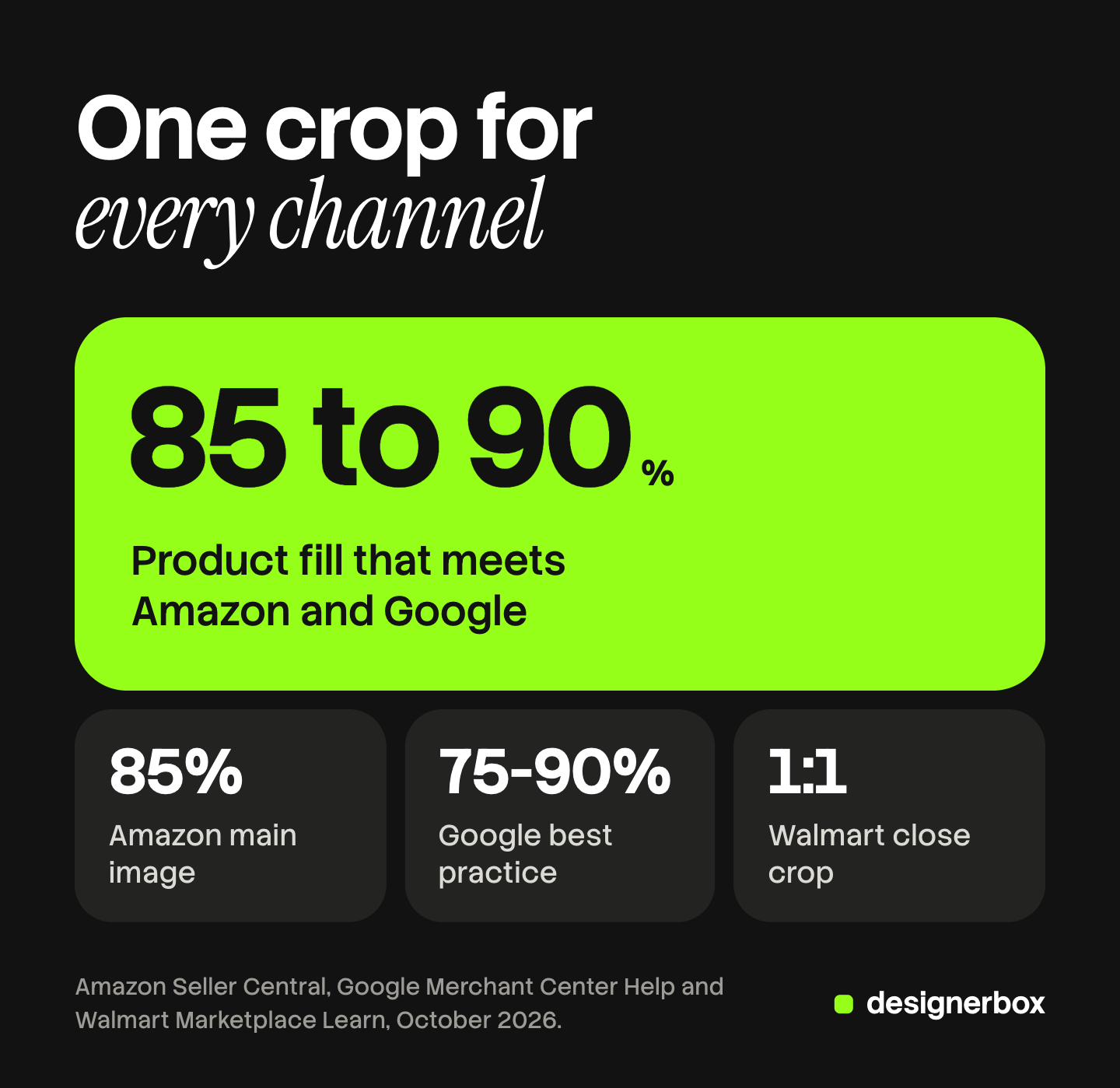
The two overlap between 85% and 90%. One file with the product at 85% to 90% of the frame meets Amazon’s rule and Google’s best practice. Walmart gives no number. It asks for a close crop with no excess background, which the same fill meets.
Neither page says how to measure the fill. A practical method is to measure the longest side of the product against the same side of the canvas. On a 2000 pixel square, a product 1,750 pixels tall fills 87.5%. This method is our working convention, and neither channel publishes it.
How to set up and shoot a packshot
The setup has one aim: every product is shot under the same conditions, so the editing is the same for every file.
- Background. Use a white sweep, a sheet of paper that curves from the table up the wall. The curve removes the line where the table meets the wall.
- Light. Use one large, soft light in front of the product and to one side, and a white card on the other side. eBay’s photo tips say to avoid a flash and overhead lighting, because both cause glare. Turn off the room lights.
- Camera position. Put the camera on a tripod, level with the middle of the product. A camera that looks down makes a bottle look wider at the top. Our guide to product photography angles gives the lens and light values for the front view.
- Color. Set the white balance once, by hand. Photograph a grey card in the first frame, and use it to correct every file from that session.
- Marks. Mark the tripod and the product position with tape. The next product goes on the same mark.
- The frame. Leave more space around the product than the final crop needs. You can crop a loose frame. You cannot add back an edge that the camera cut off.
The editing follows one order for every file: correct the color, clean the background, set the fill, export. Our guide on how to edit product photos gives each step. Amazon asks for RGB files and says to save a JPEG at the highest quality level, and to avoid saving it several times (Amazon technical image file requirements, October 2026).
A consistent crop and margin across a catalog
One packshot is judged against a rule. A set of packshots is judged against each other, in a grid. Write four values down before you edit the first file.
- Canvas. One size and one ratio. A 1:1 square fits Walmart’s rule and works on the other four channels.
- Fill. One number, for example 88% of the longest side.
- Position. Centered left to right, and on one fixed line top to bottom.
- Background value. One value. For Amazon and Walmart it is RGB 255, 255, 255.
Tall and wide products need one decision. A lipstick and a keyboard cannot both fill 88% of the height, so apply the fill to the longest side of each product.
Then check the set as a grid of 20 images. A product that sits low or large is visible in a second. Our guide to consistent product images covers the other layers a set has to hold, such as light and color.
Common packshot faults and how to fix them
Check each packshot for six faults. Each one has a quick check.
| Fault | The check | The fix |
|---|---|---|
| Color cast | Compare the file with the real product, side by side | Correct the white balance from the grey card frame |
| Grey background | Read the background value in an editor. Amazon and Walmart need 255, 255, 255 | Raise the background to pure white, or cut the product out and place it on white. See how to make a background white |
| Uneven crop | Measure the fill on three files | Apply one fill and one canvas to every file |
| Clipped edges | Look at all four edges at full size | Shoot again with a looser frame. Amazon requires the entire product in the frame |
| Reflections | Zoom in on every shiny surface | Move the light, or add white cards around the product |
| Jagged edges | View the cut-out at full size on a dark color | Cut out again from a sharper source. Amazon’s spec says no jagged edges |
The grey background is the classic fault, and it has a simple cause. A camera sets its exposure for an average scene. A frame that is mostly white paper is brighter than average, so the camera darkens it and the paper comes out grey. Raise the exposure in the camera, and remove the rest in editing.

Color is the fault a buyer sees on delivery. Amazon requires the image to represent the real color of the product. A screen cannot confirm that alone, so keep the product next to the screen when you approve the file.
Where AI fits in packshot photography
AI tools do two different jobs in packshot photography, and the two carry different risks.
Job one: clean a real photo. The tool removes the background and places the product on white. The product pixels come from your photo, so the label, the color and the shape stay as the camera recorded them. The risk is at the edge: hair, fur, glass and thin straps. Our guide to AI background removal lists the images that break a cut-out.
Job two: make a new image of the product. The tool draws the product again, from a new angle or in new light. The product pixels are now generated, so the product itself can change. A logo can lose a letter. A cap can change its shade.
A fidelity check covers job two. Put the result next to the source photo and compare the logo and the printed text, the proportions, the color and the material. Our guide to AI product photo accuracy turns this into five checks.
One channel rule applies. Google says images made with generative AI must keep the metadata that marks them as AI-generated (Google image link specification, October 2026).
Packshots in a DesignerBox workflow
DesignerBox is AI creative production for brands and agencies. It makes images, ads and video, and a product photo is one of the inputs. Anyone can make an AI picture. Making hundreds that still look like your brand is the hard part.
For packshots, you build a workflow once with your brand, your products and your rules. The workflow takes a real product photo, removes the background and places the product on white. The next product runs through the same steps. The product side of this job is on the AI product photography page.
A batch runs one workflow over a sheet, one product per row, with up to 200 rows in one sheet. Row one and row two hundred read the same brand rules. The cost is shown before the run. You keep or discard each result.
The packshot is rarely the last file. The same cut-out becomes a scene, an ad or a short video. DesignerBox keeps those steps together: the full workflow from the first product photo to the finished ad, in one subscription.
The limits are worth stating. The shoot stays with you, and so do the fill, color and edge checks in this guide. DesignerBox does not send finished work to a store or a marketplace. You download the results, or send them with a webhook or an S3 step. Every plan below Ultra is one seat. The free plan runs on sample products.
Uploading your own photos and the commercial license start on the Pro plan. AI video, virtual try-on, upscaling, the image editor and the video editor start on the Premium plan. Plans and credits are on the pricing page.
Start with a sample product and check the result against the six faults. Get started free
FAQ
What is a packshot in photography?
A packshot is a photo of one product alone on a plain background, lit evenly, with the whole product in the frame. The color and the shape match the real item. On marketplaces the background is usually pure white.
What is the difference between a packshot and a lifestyle photo?
A packshot shows the product alone on a plain background. A lifestyle photo shows the product in a scene, often in use by a person. Amazon and Walmart ask for the packshot as the main image.
Does a packshot need a white background?
On Amazon and Walmart, yes. Both require RGB 255, 255, 255 for the main image. Google names no background color and recommends solid white or transparent for clothing and accessories. eBay and Shopify set no background color.
How much of the frame should the product fill?
Amazon asks for the product at 85% of the image. Google recommends 75% to 90% of the full image. A fill of 85% to 90% meets both.
What equipment does packshot photography need?
A white paper sweep, one large soft light, a white card, a tripod and a grey card. The tripod and the tape marks matter most, because they keep every product in the same position.
Can AI make a packshot?
AI can clean a real photo into a packshot by removing the background and placing the product on white. AI can also draw the product again from a new angle. That result needs a fidelity check against the real item before it goes on a listing.
Sources
- Amazon main image rules: pure white background, 85% of the image, entire product, shown once, props, mannequins, clothing and footwear rules, pixel limits, zoom, no jagged edges, removal from search, real color: Amazon Seller Central, product image guide, accessed October 2026
- Amazon file preparation: RGB, JPEG quality and repeated saves: Amazon Seller Central, technical image file requirements, accessed October 2026
- Google image rules: 75% to 90% framing, 500 x 500 pixels from 31 January 2027, 1500 x 1500 recommended, overlays, watermarks, borders, AI metadata: Google Merchant Center Help, image link, accessed October 2026
- Google background recommendation for clothing and accessories: Google Merchant Center Help, clothing and accessories, accessed October 2026
- Walmart main image rules: seamless white, 2200 x 2200 pixels, 1:1, 5 MB, close crop: Walmart Marketplace Learn, image guidelines and requirements, accessed October 2026
- eBay picture rules: 500 pixel minimum, borders, text and watermarks: eBay, picture policy, accessed October 2026
- eBay photo tips: about 1600 x 1600 pixels, white and darker backgrounds, flash and overhead lighting: eBay, adding pictures to your listings, accessed October 2026
- Shopify image limits and the 2048 x 2048 pixel recommendation: Shopify Help Center, product media types, accessed October 2026
- Definition of pack shot: Collins English Dictionary, accessed October 2026
- DesignerBox batch: one product per row, up to 200 rows, the cost shown before the run, re-running one row: DesignerBox batch page (designerbox.ai/product/batch), October 2026
- DesignerBox plan gates: DesignerBox pricing page (designerbox.ai/pricing), October 2026
Amazon, Google, Walmart, eBay and Shopify rules verified on each platform’s own page, October 2026. DesignerBox features verified on designerbox.ai, October 2026. The fill measurement method is a working convention. Marketplace rules change, so check each page before a bulk upload.