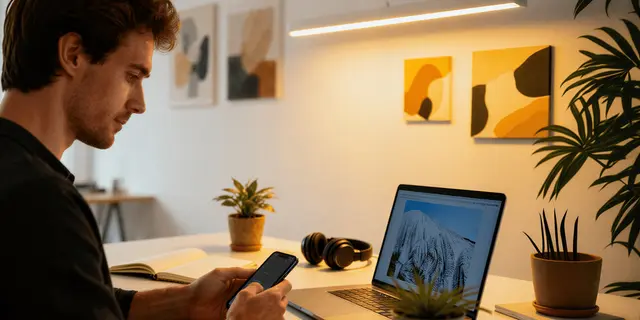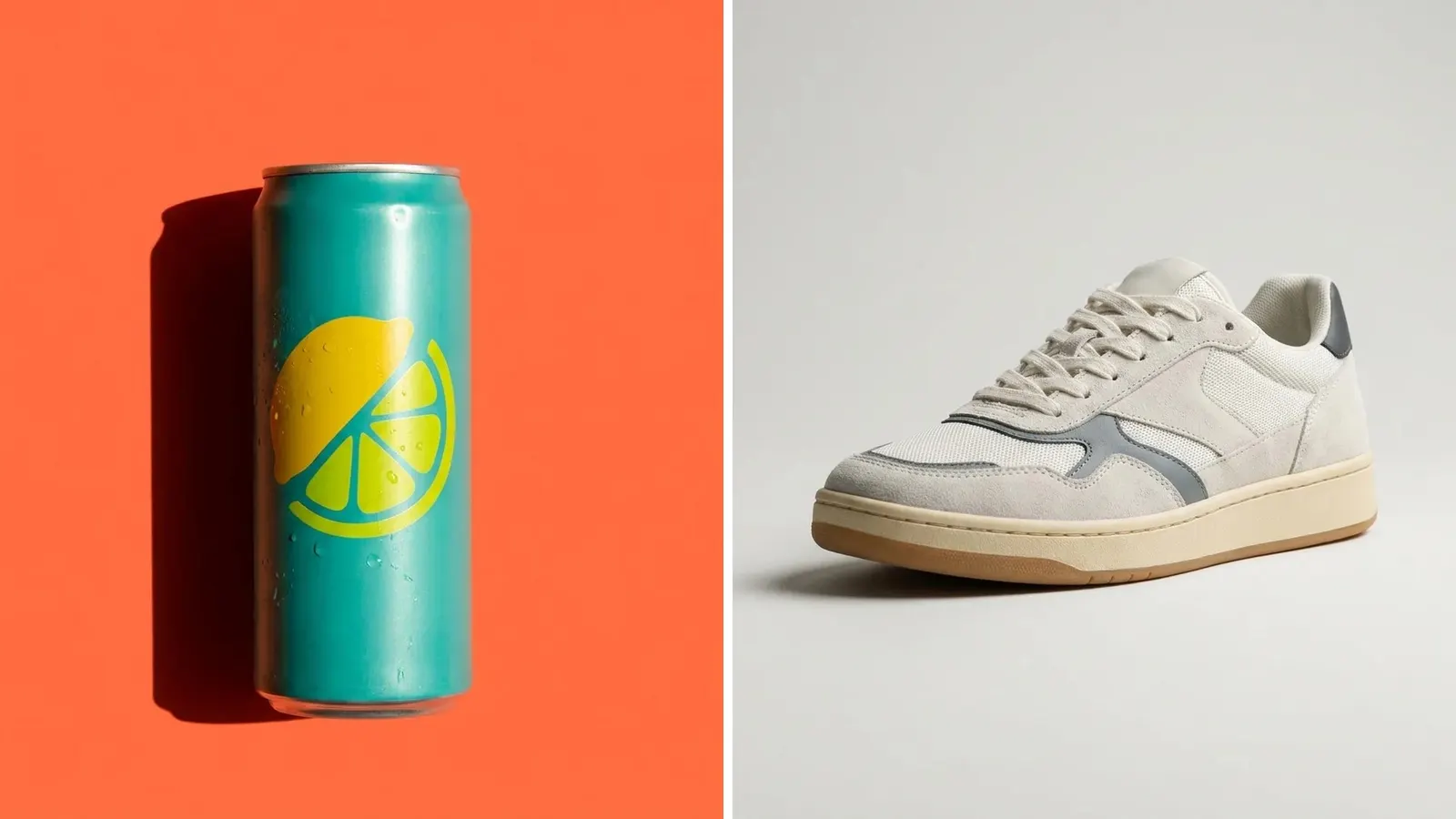
A hero shot is the one lead image of a product, a page or a campaign. It shows the product at its best, with light, angle and setting chosen to carry a single idea. A packshot tells a buyer what the product is. A hero shot tells the buyer why to want it. It runs at the top of a page, in an ad and on a launch email.
The hard part comes after the shoot. One hero shot has to work as a wide banner, a square card and a tall ad. Each of those crops removes a different part of the frame, and a product placed near the edge disappears from half of them.
This guide covers the definition, five types, the crops, the planning steps and the checks. It is written for brand and agency teams who make the same hero for many products and placements.
Key Takeaways
- A hero shot is the lead image. One product, one idea, the best light. It leads a page, an ad or a launch.
- It is a different job from a packshot. A packshot follows marketplace rules. A hero shot follows the campaign.
- Five types cover most hero shots. Plinth, motion, material, scale and range. Each one argues one thing.
- The crop decides the composition. A full-height 9:16 crop keeps 32% of a 16:9 frame’s width. That number is arithmetic.
- Amazon’s main image excludes a hero shot. The main image needs a pure white background with no props, text or graphics.
- The hero is often the largest element on the page. Google’s threshold for that element is 2.5 seconds or less.
- Six checks before it ships. Label, logo, shape, color, scale and the claim the effect implies.
What is a hero shot?
A hero shot is the single image chosen to lead: the first image a visitor sees on a page, or the main image of an ad or a launch. In product photography it means the most polished photo of the product, built around one idea. In web design the same image is called a hero image, and it sits at the top of the page.
The two words describe one file from two sides. “Hero shot” is the photographer’s word for how the picture is made. “Hero image” is the designer’s word for where the picture sits. A team that plans both at once avoids a common fault: a strong photo that the page layout then crops badly.
Three things separate a hero shot from other product photos.
- One idea. The image says one thing about the product: it is new, it is cold, it is well made, it is large.
- Controlled light. The light is shaped for this product. It is more directional than the flat, even light of a catalog photo.
- Room in the frame. There is empty space around the product for a headline, a button or a crop.
A hero shot still shows the real product. The label, the logo, the shape and the color match the item a buyer receives.
Hero shot vs packshot vs lifestyle photo
The three shots answer three different buyer questions, and each one follows a different set of rules.
| Packshot | Lifestyle photo | Hero shot | |
|---|---|---|---|
| The question it answers | What is it? | Where does it fit? | Why do I want it? |
| Background | Plain, usually pure white | A real or built scene | A built set, a color or a simple scene |
| Light | Even, with soft shadows | Natural or matched to the scene | Shaped and directional |
| Other things in the frame | Nothing | People, rooms, props | A few props that support one idea |
| Who sets the rules | The marketplace | The brand | The campaign and the placement |
| Number per product | One, plus angles | Several | One per campaign |
The packshot comes first. It is the reference for every later image, because it shows the product with nothing added. Our guide to packshot photography covers the marketplace rules for that shot, and our guide to lifestyle product photography covers the scene shot. For the full set of shots a product page needs, see the types of product photography.
The five types of hero shot
Most hero shots are one of five types. Each type makes one argument, so pick the type from the idea and never the other way round.
| Type | What is in the frame | The idea it carries | Common products |
|---|---|---|---|
| Plinth hero | The product alone on a block, a step or a colored surface | This is a premium object | Fragrance, skincare, electronics |
| Motion hero | A splash, a pour, powder or steam around the product | Fresh, cold, active | Drinks, food, cleaning products |
| Material hero | The product very close, with the texture in focus | It is well made | Leather, knitwear, jewelry, watches |
| Scale hero | A low camera, with the product large in the frame | It is strong or important | Shoes, tools, bottles, furniture |
| Range hero | Several products from one line, arranged together | There is one for you | Color variants, sets, flavors |
A plinth hero is the easiest to repeat across a catalog, because the set stays the same and only the product changes. A motion hero is the hardest to repeat, because no two splashes match.
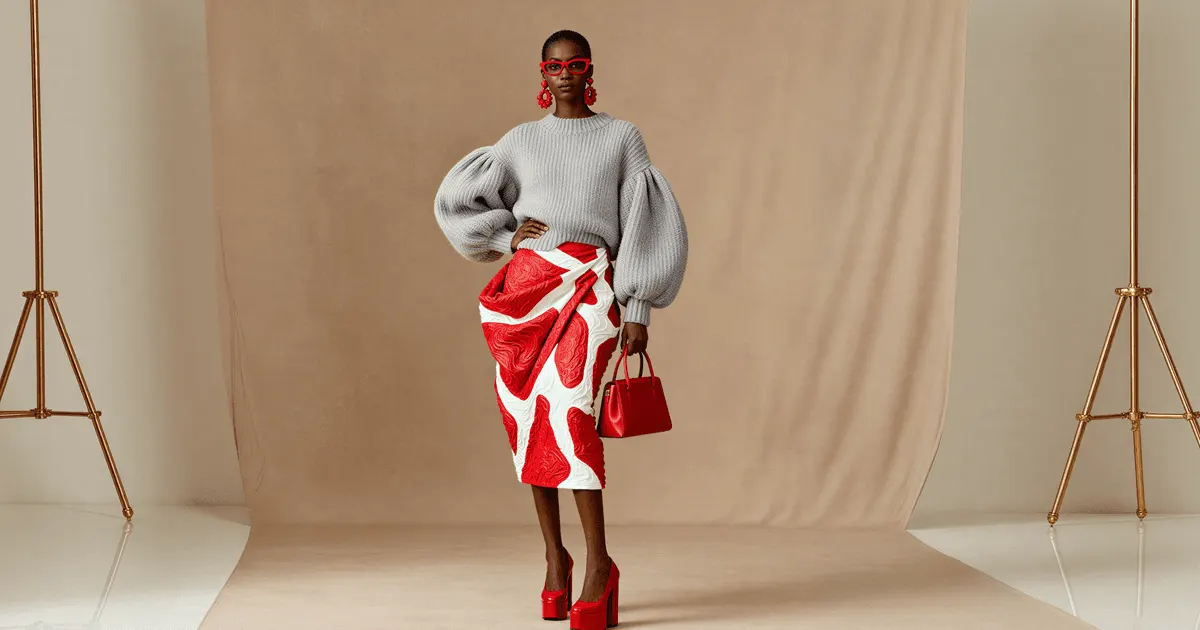
Fashion uses the same five types with a person in the frame. The set is plain, the light is shaped, and the space around the model is left empty for the crop.
How placements crop a hero shot
Every placement shows a different shape, so the same file loses a different part of the frame in each one. Four placements cover most hero shots, and each has a published rule or guideline.
| Placement | What the platform says | What it means for the shot |
|---|---|---|
| Store banner | Shopify says wide images might be cropped on the left and right on a tall screen such as a phone | Keep the product away from the left and right edges |
| Store banner, text | Shopify says banner and slideshow images should have no text in them, because the theme might move or crop it | Add the headline in the theme, and leave space for it |
| Facebook Feed image ad | Meta recommends a 4:5 ratio at 1440 x 1800 pixels, with a minimum width of 600 pixels | Plan a tall crop from the start |
| Amazon main image | Amazon requires a pure white background, with no text, logos, graphics or props | A hero shot cannot be the main image |
Shopify also lets you set a focal point on an image. The focal point stays in the frame when a theme crops the image (Shopify Help Center, October 2026). The Meta figures come from the Meta ads guide, and the Amazon rule from the Amazon Seller Central product image guide, both read in October 2026.
Other placements have their own shapes. Our guide to one ad in every platform size lists the ratios for Stories, Reels and TikTok. For store and marketplace images, our guide to ecommerce product photography lists the specs for five channels.
How much of the frame survives each crop
A crop that keeps the full height of a 16:9 frame keeps only part of its width. The tall crops keep the least, so they set the limit for where the product can sit.
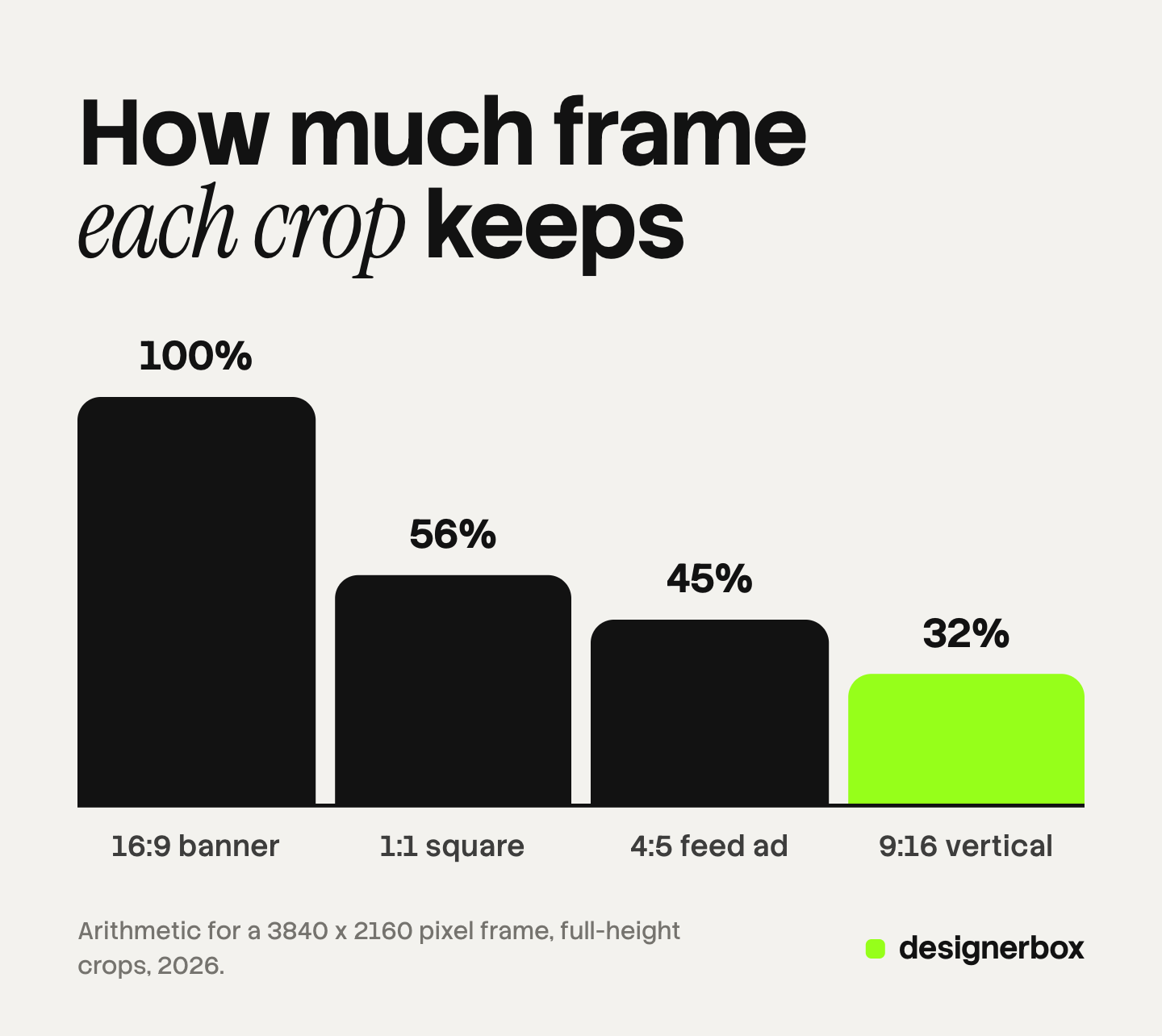
The figures below are arithmetic for a 16:9 source frame of 3840 x 2160 pixels. They are not measurements of any platform.
| Crop | Width kept, in pixels | Share of the frame’s width |
|---|---|---|
| 16:9, the full frame | 3840 | 100% |
| 1:1, a square | 2160 | 56% |
| 4:5, a feed ad | 1728 | 45% |
| 9:16, a full-screen vertical | 1215 | 32% |
The working rule follows from the last row. Place the product and the label inside the middle third of the wide frame. Then every crop in the table still shows the whole product.
A second route is to shoot two frames: one wide and one tall. That costs more on a set. With an AI edit it costs one more run. Check the product against the packshot in both frames.
How to plan a hero shot
A hero shot is planned from the idea to the frame, in this order. The order matters because each step limits the next one.
- Write the one idea. One sentence: “This drink is cold.” If the sentence has “and” in it, there are two hero shots.
- Pick the type. Choose one of the five types that carries the idea. Cold is a motion hero or a material hero with condensation.
- List the placements. Write each place the image runs, with its shape. The list decides the safe area.
- Choose the surface and the color. Use one background color from the brand palette, and one surface.
- Shape the light. One main light from the side or the back, and one reflector. Backlight shows liquid and glass. Side light shows texture.
- Limit the props. Each prop has to support the idea. Ice supports cold. A plant does not.
- Leave the space. Keep one third of the frame empty for the headline, and decide which side.
- Shoot the packshot on the same day. The packshot is the reference that the hero is checked against.
The first step is the one teams skip. A product can be premium, fresh, new and good value. A hero shot that tries to say all four says none of them clearly.

The hero image and page speed
On a web page, the hero image is often the largest element in view, so it often decides one of Google’s page speed measures. That measure is Largest Contentful Paint, or LCP.
Google defines LCP as the render time of the largest image, text block or video visible in the viewport. A page should reach it in 2.5 seconds or less, for 75% of page loads (web.dev, October 2026). Google’s guidance on the image itself has two parts (web.dev, October 2026).
- Never lazy-load the LCP image. Google says this always delays the load.
- Set a high fetch priority on it. Google calls this a good idea when the image is likely to be the LCP element.
For the photo, this means the hero is exported at the size the page shows, in a modern format, and not at the camera’s full size. Ask the developer which widths the page requests before you export.
Hero shots made with AI: six checks
An AI image model can build the set, the light and the splash around a real product photo. The risk is the product itself. A model can redraw the product while it draws the scene, and small details change first.
Compare the hero with the packshot, side by side, at full size. Check six things.
| Check | What goes wrong | What to compare |
|---|---|---|
| Label text | Letters change, or small text turns into shapes | Every word, at 100% zoom |
| Logo | The mark softens, bends or moves | Shape and position |
| Product shape | The cap, the handle or the proportions change | The outline against the packshot |
| Color | The product takes the color of the set light | A neutral area of the product |
| Scale | The product looks larger or smaller than it is | Props of a known size |
| Implied claim | A splash, a glow or an ingredient suggests something the product does not do | The claim against the product page |
The sixth check is the one a pixel comparison misses. Fruit around a drink suggests the drink contains that fruit. Steam suggests heat. An effect is a claim, so it needs the same review as a sentence of copy.
When one detail is wrong and the rest of the image is right, repair the detail and keep the image. A new full run changes the composition that was already approved. Our guide to editing text in an image covers four ways to correct a label, and our guide to generative fill covers the edit that redraws one selected area. Supply the clearest reference you have: the label artwork file or the packshot.
To choose a model before a campaign, run the five tests in our guide to AI product photo accuracy on your hardest product.
Hero shots in a DesignerBox workflow
DesignerBox is AI creative production for brands and agencies. It makes images, ads and video. Anyone can make an AI picture. Making hundreds that still look like your brand is the hard part.
A hero shot shows that problem clearly. One hero is a craft job. The same hero for forty products, in three shapes each, is a production job. In DesignerBox you build a workflow once with your brand, your products and your rules. The workflow takes a real product photo and places the product on the set you chose. The next product runs through the same steps. A brand holds the colors, the fonts and the rules, and the workflow reads them on every run.
A batch runs one workflow over a sheet, one product per row, with up to 200 rows in one sheet. The cost is shown before the run. You keep or discard each result, and you can re-run one row.
The image editor makes one edit after another, and the picture keeps its detail and resolution. That suits the repair step above: correct one label and keep the approved frame. The hero then becomes an ad and a short video in the same place. That is the full workflow from the first product photo to the finished ad, in one subscription. The main site explains what a hero image is on a web page.
The limits are worth stating. The idea, the type and the six checks stay with you. DesignerBox does not publish to a store or an ad account. You download the results, or send them with a webhook or an S3 step. Every plan below Ultra is one seat. The free plan runs on sample products.
Uploading your own photos and the commercial license start on the Pro plan. AI video, virtual try-on, upscaling, the image editor and the video editor start on the Premium plan. Plans and credits are on the pricing page.
Start with a sample product, and check the result against the six checks. Get started free
FAQ
What is a hero shot in photography?
A hero shot is the lead photo of a product, made to carry one idea with the best light and angle. It runs at the top of a page, in an ad or on a launch email. The product in it still matches the real item.
What is the difference between a hero shot and a hero image?
They are usually the same file. “Hero shot” is the photographer’s word for how the picture is made. “Hero image” is the web designer’s word for the large image at the top of a page.
What is the difference between a hero shot and a packshot?
A packshot shows the product alone on a plain background, and it follows marketplace rules. A hero shot uses a set, shaped light and a few props to carry one campaign idea. Amazon’s main image has to be a packshot.
Can a hero shot be the main image on Amazon?
No. Amazon requires a pure white background for the main image, with no text, logos, graphics or props. A styled hero shot does not meet that rule.
What size should a hero shot be?
No single size fits every placement. Meta recommends 1440 x 1800 pixels at 4:5 for a Facebook Feed image ad. A store banner is wide, and the theme decides its size. Shoot a 16:9 frame with the product in the middle third, and crop from it.
Can AI make a hero shot?
Yes, from a real product photo. The model builds the set and the light around the product. Check the label, logo, shape, color and scale against the packshot before the image runs, and check what the effect implies.
Sources
- Shopify image guidance: focal points, wide images cropped on tall screens, no text in slideshow and background images: Shopify Help Center, uploading images, accessed October 2026
- Meta image ad guidance for Facebook Feed: 4:5 ratio, 1440 x 1800 pixels, 600 pixel minimum width: Meta ads guide, Facebook Feed image, accessed October 2026
- Amazon main image rules: pure white background, no text, logos, graphics or props: Amazon Seller Central, product image guide, accessed October 2026
- Largest Contentful Paint: definition, the 2.5 second threshold at the 75th percentile, the elements counted: web.dev, Largest Contentful Paint, accessed October 2026
- LCP image guidance: fetch priority and lazy loading: web.dev, Optimize Largest Contentful Paint, accessed October 2026
- DesignerBox batch: one product per row, up to 200 rows, the cost shown before the run, re-running one row: DesignerBox batch page (designerbox.ai/product/batch), October 2026
- DesignerBox image editor and brand: DesignerBox product pages (designerbox.ai/product/image-editor, designerbox.ai/product/brand), October 2026
- DesignerBox plan gates: DesignerBox pricing page (designerbox.ai/pricing), October 2026
Shopify, Meta, Amazon and Google guidance verified on each company’s own pages, October 2026. The crop percentages are arithmetic for a 16:9 frame, and the five types are a working convention. Platform rules change, so check each page before a campaign. Individual results vary.