Pants photography is the image set that proves a trouser’s rise, seat, leg line and hem break before anyone can try it on. Amazon’s clothing imaging guide recommends a waist-down crop for pants that runs from slightly above the navel down to below the feet. That line settles the frame and puts footwear inside your main image. Amazon’s current rules also keep the seated shot out of the main image.
The hero photograph at the top of this page is a good picture of a wide-leg trouser and a failing product shot. The hem is cropped off, the background is red rather than white, and the model leans with her hands on her knees. Amazon’s current clothing rules do not allow any of the three in a main image.
This guide starts with the crop class, because a platform rule decides it. Then it covers the shot list that survives the rule, and what the set costs per frame.
Key Takeaways
- Amazon frames trousers waist-down, below the feet. Its 2021 Seller Imaging Guide recommends a waist-down image for products falling “slightly above the navel & below the ribcage down to below the feet” and names pants and jeans first in that group (Amazon Seller Imaging Guide: Clothing & Accessories, Spring 2021, informational, accessed September 2026).
- That frame includes shoes, and the same guide lists props not included with the purchase as a main image DON’T. On trousers, the recommended crop puts a second product into the shot. Style it as neutral footwear, and keep it quiet.
- The seated fit shot cannot be your main image. Amazon’s product image guide says the model must be standing, “not sitting, kneeling, leaning, or lying down” (Amazon product image guide, accessed September 2026). The seated frame is the one that answers rise and thigh fit. It belongs in the alternates, and it still belongs in the set.
- Ghost mannequin is off the main slot for trousers. Amazon’s current product image guide says not to show any part of a mannequin in the main image. It also asks for clothing in adult sizes on a standing model (Amazon product image guide, accessed September 2026).
- Separate the musts from the recommendations. White background, 85% fill, a single product and a model for adult clothing are stated as musts in Amazon’s current guides. The crop class is a recommendation in the 2021 guide. Both matter, but only one group gets an image rejected outright.
- Shorts sit in a gray zone. The 2021 guide pictures shorts in its waist-down class, but its square class covers bottoms that fall above the knee. Check the current style guide before you plan a mixed bottoms drop.
- Generated imagery splits cleanly on trousers. Backgrounds, colorways, scene variants and crop formats derive from one good capture. Hem break on a specific inseam, fabric weight and how a seat fits are properties of the physical garment.
What is pants photography?
Pants photography is product photography for a garment where almost every selling point sits below the waist and only exists on a body. A trouser has a rise that decides where it sits, a seat that decides whether it fits, a leg line that decides the silhouette, and a hem break that decides whether it reads as tailored or sloppy.
None of those four survive a flat laydown. The same rectangle of cloth photographs identically whether it hangs as a straight leg or a wide leg, because flat removes the volume that separates them. A laydown tells a shopper the color and roughly the shape, and stops there.
That makes trousers closer to a dress shoot than a t-shirt shoot. It is a geometry problem first and a styling problem second, and the recommended frame comes from a rule you did not write.
Amazon frames trousers from the ribcage to below the feet
Amazon’s 2021 Seller Imaging Guide sorts apparel into crop classes by where the garment sits on the body rather than by product name. Bottoms land in the waist-down class. The guide states the frame in one sentence: a waist-down image is recommended for products falling slightly above the navel and below the ribcage, down to below the feet.
The categories it names in that class are pants and jeans, shorts and skirts, and leggings and pyjama bottoms.
| Crop class | Frame runs | Bottoms it covers |
|---|---|---|
| Waist down | Slightly above the navel or below the ribcage, down to below the feet | Pants and jeans, shorts and skirts, leggings and pyjama bottoms |
| Square | Above the navel and below the ribcage, down to below the hands and above the knee | Underwear, swim bottoms, and bottoms falling above the knee |
Two things follow immediately. Your frame has a top edge near the ribcage, so the model’s face is out of the main image by design. It has a bottom edge below the feet, so the floor is in it.
Read that alongside the guide’s other main image rules and the shape of the shoot is set before anyone picks a lens. Main images must have a pure white background at RGB 255, 255, 255. The product must fill at least 85% of the image area. The image must show a single product rather than stacked multiples, unless the listing is a multipack. The 2021 guide also gives a 1,600 pixel height for clothing. Amazon’s current clothing guidelines add that the main image shows the product completely, with no part clipped (Amazon image guidelines for clothing, accessed September 2026). Amazon’s current product image guide needs at least 500 pixels on the longest side, and 1,000 pixels or more turns on zoom (Amazon product image guide, accessed September 2026).
One caveat worth carrying: the guide is stamped Spring 2021 and marked “for informational purposes only” on every page. Treat it as the published baseline and confirm the current style guide for your subcategory in Seller Central before a launch. The broader channel-by-channel picture sits in our ecommerce product photography spec, and the full garment-by-garment version is in clothing photography.
Musts and recommendations are not the same thing
The sources keep these two groups apart.
The background, the 85% fill, the single-product rule and the pixel floor are written as musts. Amazon’s current clothing guidelines also say a main image for adult clothing must be photographed on a model. The crop class is written as a recommendation. The DON’T list is a prohibition.
That distinction changes how you triage a shoot. A trouser image on a gray background is a compliance failure, and so is a hem clipped by the frame edge. A trouser image that shows the whole garment but trims the feet is weaker against the recommended crop. Fix all of it, but know which one holds up a launch.
The shoe problem in your main image
The shoe problem comes from two Amazon rules that clash. One sets the crop, and the other bans extra products in the main image.
The waist-down crop runs below the feet. The 2021 guide’s main image DON’T list includes “food, drink, handbags, accessories, or props not included with purchase”. A trouser listing does not ship with shoes. So the recommended frame asks you to photograph a second product you are not selling, in the one image where extra products are prohibited.
A top-body crop avoids this, because it ends above the knee. A full-length crop runs below the feet too, and suits and shorter dresses show shoes there. A floor-length hem covers the footwear. On full-length trousers, the frame shows the shoes and the hem rarely hides them.
Worth knowing if you also sell the footwear: Amazon asks for a single shoe, facing left, at a 45-degree angle for a footwear main image. That is a rule shoe photography has to follow and a trouser listing does not.
We found no published carve-out that resolves it. A practical way to handle it is to keep the footwear quiet:
- Keep it neutral and plain. A simple shoe in a color close to the floor or the trouser reads as part of the styling rather than as a second product.
- Never let it compete. No visible logos, no contrast colorway, no hardware that pulls the eye. Branded sneakers in a main image invite exactly the scrutiny you are trying to avoid.
- Match it to the hem. The shoe height changes where the hem breaks, so a heel and a flat produce different leg lines on the same trouser.
- Keep the same pair across the range. It removes a variable from every comparison a shopper makes between your SKUs.
None of that is stated in the guide. It is the practical reading of two published rules that pull against each other, and it is a part of a trouser shoot that can get flagged.
The best pants shot is the one that cannot be your hero
The single most informative trouser frame is the seated one. Sitting is where a rise proves itself, where a thigh either has room or does not, and where a stiff fabric reveals that it will not move with the wearer. Buyers who worry about fit look for it.
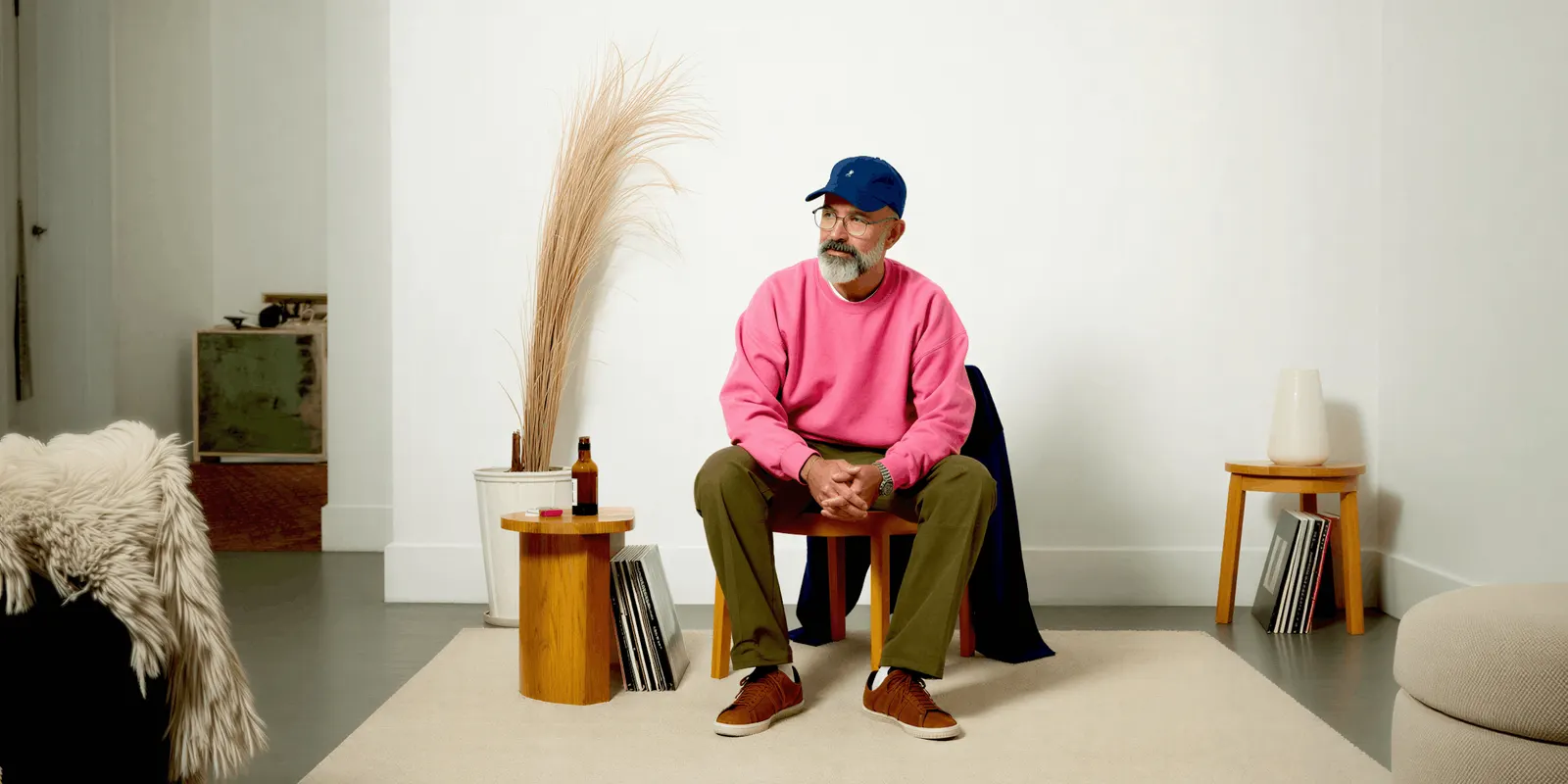
Amazon’s current product image guide says the model must be standing, “not sitting, kneeling, leaning, or lying down” (Amazon product image guide, accessed September 2026). The 2021 guide’s main image DON’T list says the same for kneeling, leaning and lying down.
So the frame that resolves the most buyer doubt is not allowed in the slot that carries the listing. Plan the set around a split:
The constrained slot. One standing, front-facing, waist-down frame on pure white, feet included, 85% fill, no lean, no crouch, no prop.
The free slots. Everything else. Seated fit, back view, walking, waist detail, fabric close-up, styled context, laydown. Amazon recommends a main image plus at least six more images and one video, so the alternates carry most of the actual selling (Amazon product image guide, accessed September 2026).
That split is the whole trouser shoot. One image obeys a published rule, the rest do the persuading. Check each pose against the hero-slot rules before you upload.
The shot list for a trouser drop
Six frames cover a trouser SKU. Amazon names the alternates with a variant code in the filename, which maps them to the right slots on upload. The codes below follow the 2021 guide’s examples where it gives one, and a suggested order elsewhere.
| Shot | Code | On or off figure | What it proves | Constrained? |
|---|---|---|---|---|
| Front, waist down, standing | MAIN | On-figure | Rise, leg line, hem break, full length | Yes, fully |
| Back | PT01 | On-figure | Seat fit, rear pocket line, back rise | No |
| Seated fit | PT02 | On-figure | Rise under load, thigh room, fabric give | No |
| Waist and hardware detail | PT03 | On-figure | Belt loops, closure, pleats, front rise | No |
| Laydown | FL01 | Off-figure | Flat shape, full colorway, true color | No |
| Fabric close-up | PT13 | Off-figure | Weave, twill line, denim texture, stitching | No |
Order matters in production, not just on the page. Shoot the constrained frame first while the styling is exactly compliant, then break the setup for the alternates. Doing it the other way round means re-dressing the model to get back to a clean hero. For a whole range, how to plan a clothing brand photoshoot sets the shot list for every style before the shoot day.
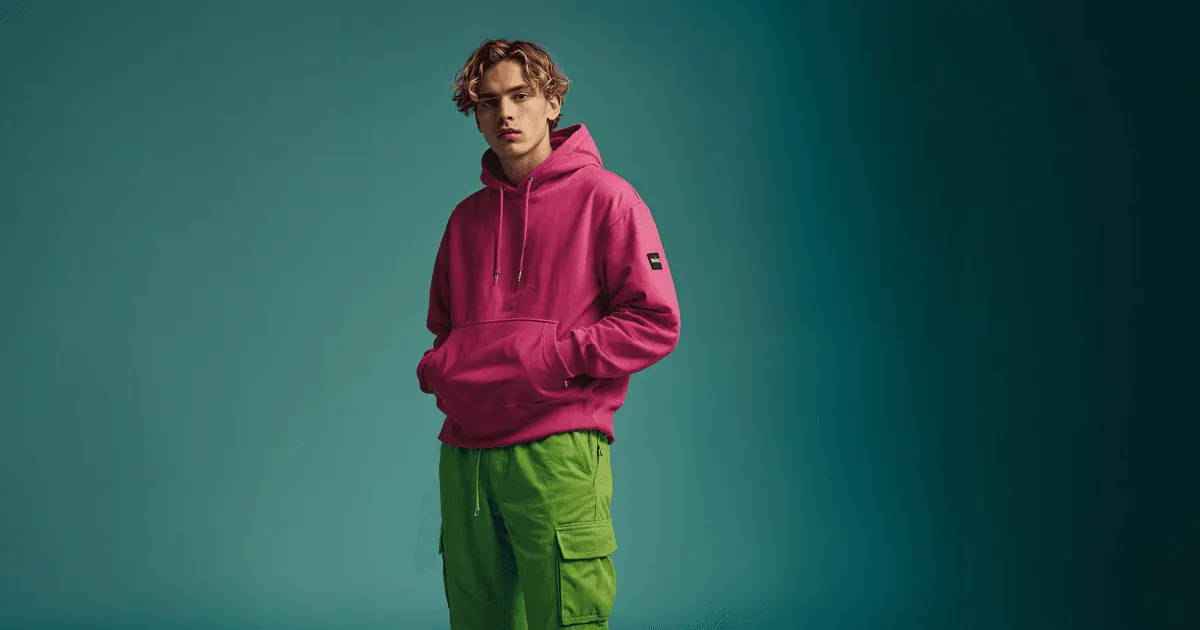
Two frames carry more weight on trousers than on other garments. The back view sells the seat, a common fit complaint. The activewear shot list works through why the back frame earns its slot on leggings for the same reason. The fabric close-up matters because denim, twill, wool crepe and linen all photograph as “dark fabric” at listing size and only separate at zoom.
Where shorts sit in the crop classes
The 2021 guide is not consistent on shorts. Its waist-down page pictures “Shorts & Skirts” next to pants and jeans. Its square page recommends a square image for “underwear, swimwear, and bottoms that fall above the knee”. Trousers sit in waist-down either way.
For a bottoms line that ships both, that can mean two different frames and two different setups inside what a brand thinks of as one drop. The square crop runs down to below the hands and above the knee, so the feet are out of it, and the shoe problem goes with them.
The consequence for planning is concrete: check the current style guide for your subcategory, then sort the shot list by inseam before booking anything. A capsule of eight trousers and four shorts may be two setups, and the crop class tells you which is which. Dresses hit the same rule from the other end, where every length lands in one class, and dress photography walks that version through.
Where generated imagery holds on trousers, and where it breaks
The split on bottoms is cleaner than on most garments, because the things that matter are either surface properties or volume properties.
Where it holds. Backgrounds and scene variants from one good capture. Colorway swaps across a range that was photographed once. Crop and aspect variants for a marketplace, a PDP and a vertical social cut. Styled context frames that carry no compliance load. The alternates, in other words, which is most of the set.
Where it breaks. Hem break on a stated inseam against a stated model height. Fabric weight, which is the difference between a trouser that hangs and one that stands away from the leg. Seat fit on a real body. Those are properties of the physical garment, and a model that has not seen your sample is inferring them.
The honest boundary for a trouser line is this. Photograph the garment properly once, on a body, at the recommended crop. Derive the rest. A brand that generates the compliance frame from a description rather than from a capture is publishing a guess about its own product in the one image a marketplace checks.
Ghost mannequin sits inside this discussion and outside the main slot. It is a legitimate technique for the alternates. Amazon does not allow any part of a mannequin in the hero image, and ghost mannequin photography covers where each channel lands on it. The laydown frame is the other off-figure option, and flat lay photography covers the setup.
For the on-figure frames, on-model photography with AI works through matching generated images to a catalog you have already shot. That matters most for a brand that already sells a range. In DesignerBox, the Clothes on a model app makes the worn frames from a flat garment photo. The model is one step in the workflow, and the model list shows the image and video models DesignerBox runs.
Disclosure when the person is generated
If a photorealistic generated person wears your trousers, three 2026 rules may reach you. Amazon asks sellers to tag images of photorealistic people made fully by AI with the keyword contains-synthetic-performer in the dc:subject XMP field before upload (Amazon product image guide, accessed September 2026). New York’s synthetic performer law, in effect since 9 June 2026, requires whoever makes an ad to disclose a synthetic performer conspicuously when they know it is there (NY General Business Law 396-b, accessed September 2026). Article 50 of the EU AI Act has applied since 2 August 2026, and it requires whoever publishes a deep fake to disclose it (European Commission FAQ, accessed September 2026).
None of them prohibit generated imagery. Each one asks for a tag or a disclosure in its own scope. If you only regenerated the background behind a real capture, most of these do not reach you. This is general information, not legal advice. Labeling AI-generated fashion images has the full version with the current sources.
What a trouser set costs, per frame
Cost per day is the wrong unit for a bottoms line, because the reshoot cycle is where the money goes. Per frame is the number that lets you compare options and product photoshoot cost breaks down the traditional side in detail.
On the generated side, the model you pick sets the cost of a run, and DesignerBox shows that cost before the run. So you can price a six-frame trouser set before you start it. There is a free plan, and it runs on sample products. Plan detail is on the pricing page.
The line item that scales badly on trousers is the colorway reshoot. A range that photographs every color separately pays the setup cost once per color. A range that photographs the fit once and derives the colorways pays it once. That is the specific saving worth doing first, and it does not require changing anything about how the main frame gets made.
That is also the point where a shoot turns into a system. Build the six-frame set for one trouser once, as a workflow, with the crop, the background, the footwear and the styling rules fixed. A saved workflow runs the same way on the next SKU.
Anyone can make an AI picture. Making hundreds that still look like your brand is the hard part. The brand record holds the rules, and the workflow reads it on every run, so the tenth style starts from the same rules as the first. The Product in other colors app makes the colorways, and the Clothes laid flat app makes the off-figure frames. The worn frames, the colorways and your brand record all sit in one account, so the tenth style never leaves it.
Uploading your own photos and the commercial license start on the Pro plan. Virtual try-on starts on the Premium plan. To build the first trouser set, start from a template.
FAQ
What crop does Amazon require for pants and jeans?
Amazon’s 2021 Seller Imaging Guide recommends a waist-down image for pants and jeans, framed from slightly above the navel or below the ribcage down to below the feet. The crop is a recommendation. The pure white background, the 85% fill and the model for adult clothing are stated as musts. The main image must also show the whole product, with no part clipped. For size, Amazon’s current product image guide needs at least 500 pixels on the longest side, and 1,000 pixels or more turns on zoom.
Can I use a flat lay as my main image for trousers?
Not on adult apparel on Amazon. Amazon’s product image guide asks for clothing in adult sizes on a standing model, and says not to show any part of a mannequin in the main image. A laydown is a legitimate and useful alternate, named FL01 in Amazon’s file convention, and it carries true color better than any on-figure frame.
Do shoes have to be in the pants main image?
The recommended waist-down crop runs below the feet, so in practice yes. Amazon’s 2021 guide separately lists props not included with the purchase as a main image DON’T, which puts the two rules in tension for trousers. Keep the footwear plain, unbranded and color-matched so it reads as styling rather than as a second product.
Why can’t the seated shot be the main image?
Amazon’s product image guide says the model must be standing, not sitting, kneeling, leaning or lying down. The seated frame is the one that proves rise and thigh fit under load, so it belongs in the set, just in an alternate slot rather than the hero.
How many images does a trouser listing need?
Amazon recommends a main image plus at least six more images and one video. Six frames cover a trouser SKU comfortably: front, back, seated fit, waist detail, laydown and a fabric close-up.
Do shorts follow the same rules as trousers?
Not always. Amazon’s 2021 guide pictures shorts in its waist-down class, but its square class covers bottoms that fall above the knee, framed down to below the hands. A square frame leaves the feet out, so the footwear problem goes away. Check the current style guide for your subcategory, then sort a mixed bottoms drop by inseam.
Can AI generate my trouser main image?
It can produce the frame, and the compliance geometry is straightforward to hit. The risk is what the image asserts about fit. Hem break on a stated inseam, fabric weight and seat fit are properties of the physical garment. So capture the main frame once from the real sample, and derive the alternates, the colorways and the crops from it.
Sources
- Amazon Seller Imaging Guide, Clothing and Accessories, Spring 2021 edition (m.media-amazon.com), accessed September 2026. Waist-down and square crop classes, main image DO’s and DON’Ts, the 1,600 pixel height, file naming convention.
- Amazon Seller Central, product image guide (sellercentral.amazon.com), accessed September 2026. Adult clothing on a standing model and not sitting, no mannequin, no props, a single shoe facing left for footwear, 500 and 1,000 pixel thresholds, recommended image count, and the contains-synthetic-performer tag.
- Amazon Seller Central, image guidelines for clothing (sellercentral.amazon.com), accessed September 2026. Main image on a model for adult clothing, product shown completely with no part clipped, pure white background.
- New York General Business Law section 396-b, synthetic performer disclosure, in effect since 9 June 2026 (nysenate.gov), accessed September 2026.
- European Commission FAQ on Article 50 transparency obligations, applicable since 2 August 2026 (digital-strategy.ec.europa.eu), accessed September 2026.
- DesignerBox plans, credits and license gating (DesignerBox pricing, designerbox.ai/pricing, September 2026).
Marketplace image rules verified against Amazon’s 2021 Seller Imaging Guide for Clothing and Accessories, Amazon’s current product image guide and its image guidelines for clothing, as of September 2026. The clothing guide carries a Spring 2021 edition stamp and is marked informational, so confirm the current style guide for your subcategory before a launch. This is general information, not legal advice. Individual results vary.