Shoe photography is the image set a footwear listing needs: a main packshot plus side, back, top, sole and detail views. Amazon and Zalando specify nearly the same main frame: one shoe, toe pointing left, on white. Zalando names the left shoe, and so does Amazon’s 2019 shoes style guide. Amazon’s current product image guide adds a 45-degree angle and an 85% fill.
Most of the work is compliance on one image, and free creative choice on the rest. Both marketplaces write the left-shoe rule down, and neither cares how good the picture is if the shoe faces the wrong way. Amazon says it may remove a listing from search until a compliant main image is provided. Its 2019 shoes style guide adds that failing the image requirements could lead to seller account suspension.
This guide covers the shot list, the exact specs behind it, and how to photograph shoes to sell, new or secondhand. It also covers the extra frames high heels need, the lighting Amazon publishes for patent and suede, and the specific places generated footwear images fall apart.
Key Takeaways
The main image is one shoe, toe pointing left. Zalando names the left shoe, and Amazon’s 2019 shoes guide does too. A set that looks right can still fail on this one frame.
Amazon wants a 45-degree angle. Its current product image guide asks for a single shoe facing left at 45 degrees, on pure white, with the product filling 85% of the image.
The sole shot does not count on Zalando. Zalando classes sole, detail and back views as additional only, and says they do not count toward the required number of images.
No models in the Amazon main image. Amazon’s 2019 shoes guide prohibits mannequins, models, extra props and shoe boxes in that slot, which rules out the on-foot lifestyle frame as a main image.
A used pair needs photos of that pair. eBay prohibits stock photos for used, damaged or defective items. Add the size label, the outsole, the insole and one frame per flaw.
The aspect ratios do not match. Zalando needs 1:1.44 upright. Many Shopify themes show square images. A single export preset cannot serve both.
Generated footwear has one failure mode specific to shoes. Image models do not reliably keep left and right, so a set can silently mirror mid-catalog.
What is shoe photography?
Shoe photography is product photography for footwear, built around a fixed set of views: a main packshot that establishes the shoe, a side profile, a back, a top, a sole, and a detail crop for material or hardware. On-foot and styled scenes sit on top of that set for editorial and paid social.
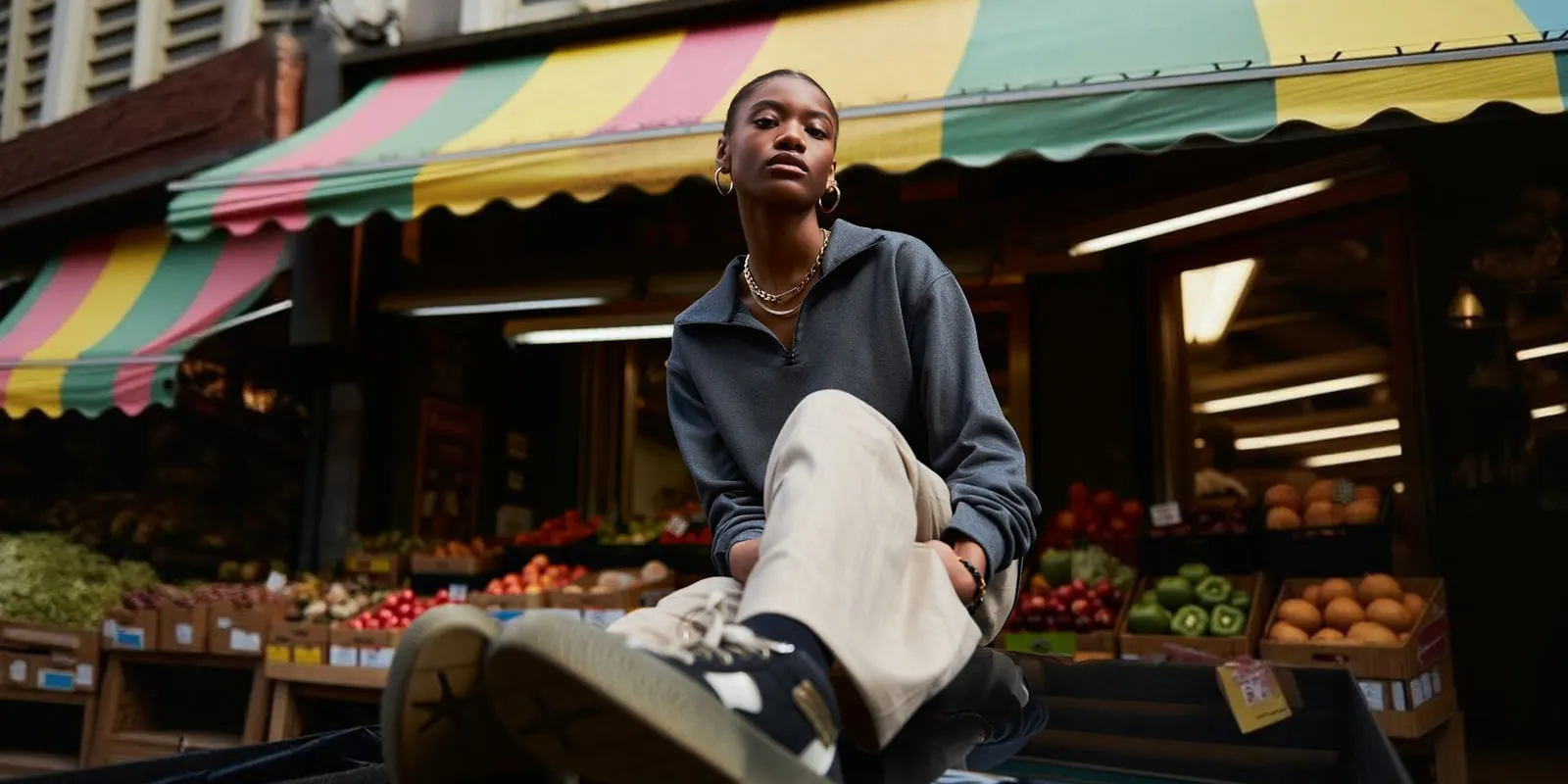
The category is unusual because two of the largest listing platforms publish the shot in writing, down to the angle and the foot. Most product categories leave framing to you. Footwear does not.
The shot list, marketplace by marketplace
Here is what each platform asks for. Every row below comes from the platform’s own documentation. Where Amazon’s 2019 shoes style guide and its current product image guide disagree, the table follows the current guide and names the difference.
| Requirement | Amazon | Zalando |
|---|---|---|
| Main image | Single shoe, toe pointing left. The 2019 shoes guide names the left shoe | Single left shoe pointing left, centered |
| Angle | 45 degrees. The 2019 shoes guide said approx. 40 degrees, from slightly above | Not specified; packshot |
| Background | Pure white, RGB 255,255,255 | White for the primary packshot |
| Frame fill | 85% of the image | Article centered vertically and horizontally |
| Format | JPEG, TIFF, PNG or non-animated GIF, JPEG recommended | JPG/JPEG, max 20 MB |
| Size | 500 to 10,000 px on the longest side, 1,000 px or more turns on zoom, min 72 dpi | 1:1.44 upright. Best 1801 x 2600, min 762 x 1100 |
| Shoes per frame | One in the main image. The 2019 guide keeps the pair for the PAIR variant | Side, back and top compliant with one shoe |
| Models in main | Prohibited in the 2019 shoes guide | Model views allowed, not mandatory |
| Sole view | Alternate, angle code BOTT | Additional only, does not count toward the required total |
| Image count | Main image plus at least six more images and one video, recommended | One primary packshot plus two further compliant images |
Sources: Amazon’s product image guide, Amazon’s shoes style guide (2019) and Zalando’s shoes image guide, all accessed September 2026.
Two things jump out of that table. The main image is the same shoe on both platforms, and the delivery formats are incompatible. Zalando wants a tall 1:1.44 file. Many Shopify themes display square images. You export the same shot twice.
Amazon also names its alternate files directly. The current guide lists the angle codes TOPP, BOTT, LEFT, RGHT, FRNT, BACK and SIDE, appended to the product identifier, and the 2019 shoes guide adds PAIR. That naming convention is the closest thing footwear has to a universal shot list, and it is worth building your capture order around it.
How to photograph shoes to sell
To photograph shoes to sell, shoot the left shoe first, toe pointing left, at 45 degrees on pure white for the main image. Then shoot the same shoe from the side, front, back, top and sole, plus one close detail and the pair. Keep one light setup and one camera height for the whole set, and export one file per destination.
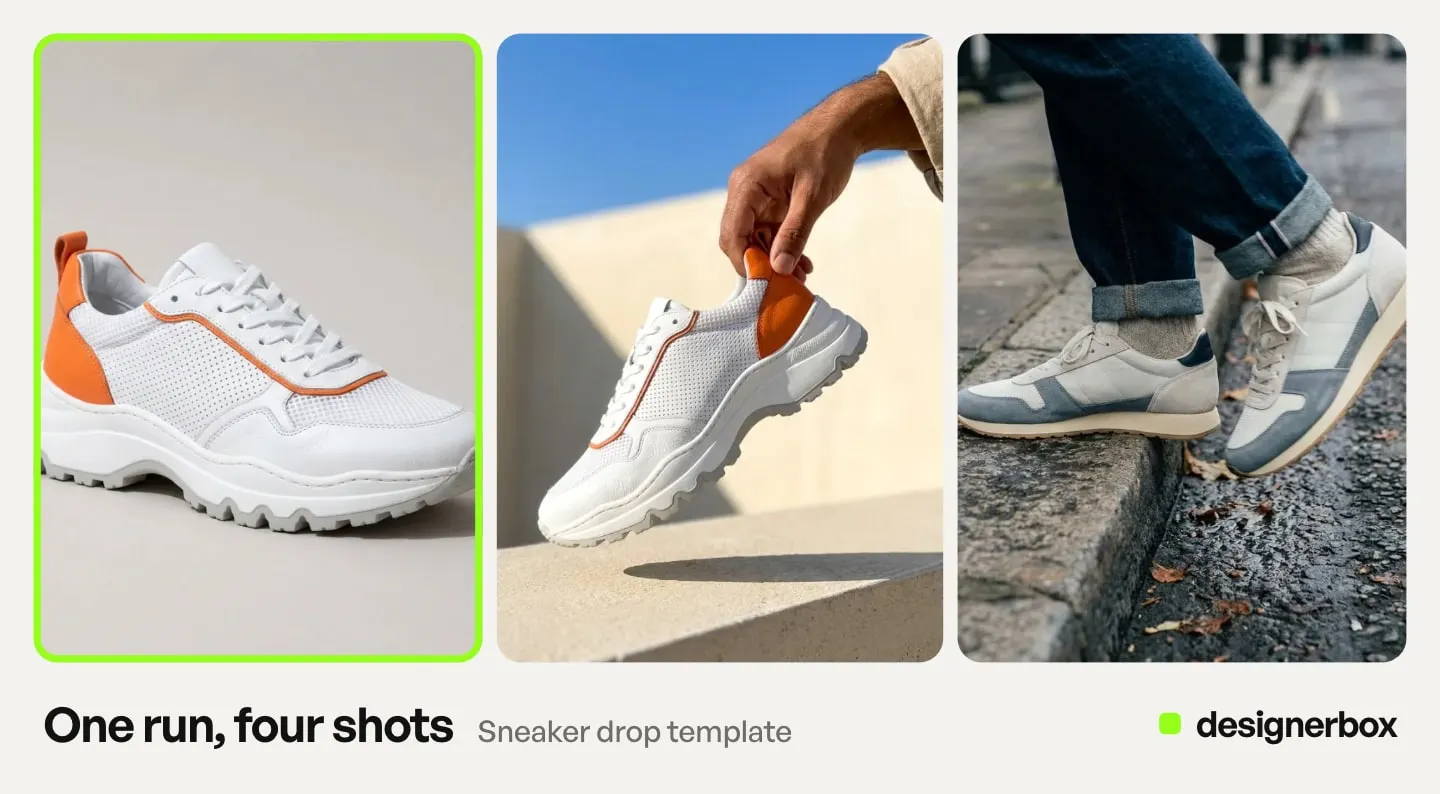
This is the footwear photography angle set a marketplace listing needs, in capture order:
- Main image. The left shoe, toe pointing left, at 45 degrees, on pure white, filling 85% of the frame. This matches the main image in the table above.
- Side profile. The outer side of the left shoe, flat to the camera, so the shape of the sole and the heel reads clearly.
- Front and back. The toe box straight on, then the heel counter.
- Top. From above, showing the opening, the insole and the lace path.
- Sole. The tread, flat to the camera. Amazon files it under BOTT. Zalando counts it as an additional view only.
- Detail. A close crop of the material, the stitching or the hardware.
- Pair. Both shoes together, for the PAIR variant in Amazon’s 2019 shoes guide.
- On-foot. A person wearing the shoes, for your own storefront and paid social. It never goes in the Amazon main image.
Prepare the shoe before the first frame. Tie the laces as if the shoe is being worn and remove dust, as Zalando asks. Fill the shoe with tissue paper so it keeps its shape and stands straight. Then fix the camera on a tripod, and keep the height and the distance the same for every pair. Check the foot on every frame before export.
How to take pictures of shoes to sell secondhand
A used pair sells on its condition, so the photos are evidence first. eBay prohibits photos that do not show the item accurately, and stock photos for used, damaged or defective items. It also bans added borders, added text and watermarks, and it needs at least 500 pixels on the longest side (eBay picture policy, October 2026). One eBay listing takes up to 24 pictures (eBay: adding pictures to your listings, October 2026).
Poshmark allows up to 16 photos and one video. Its photography guide asks for the size tag, something for scale, and photos of any rips, stains or signs of wear (Poshmark listing photography guide, October 2026). Since March 2026, Poshmark shows cover photos in portrait at 3:4, the shape a phone camera already takes (Poshmark: a new look for listing photos, October 2026).
The secondhand set adds five frames to the listing set above:
- The size label. Inside the tongue, on the collar or on the insole, sharp enough to read.
- The outsole, flat to the camera. Tread wear and heel wear are the first things a buyer checks.
- The insole. Footbed wear, stains and any loose lining.
- Every flaw, one frame each. Scuffs, creases at the toe, a worn heel tip. Photograph a flaw before you clean the pair if its original state matters.
- The box and the extras. Only if they ship with the pair, and after the shoe frames.
Shoot by a window in indirect daylight, with the ceiling lights off so the color stays even. A phone on a stable support at shoe height is enough. Keep digital zoom and portrait mode off, because both soften the edges of the shoe.
Do not generate or rebuild a used shoe. A removed scuff or a generated sole is a photo that does not show the item you sell, which is the first thing eBay’s policy bans. Background cleanup is the limit, and eBay’s listing form has its own background enhancement tool for that. Poshmark listing photos covers the cover shot and a consistent closet, and the eBay image requirements cover the file rules in full.
Why the main image has to be the left shoe
Zalando requires the left shoe in the primary packshot, with the toe pointing left. Amazon’s current guide asks for a single shoe facing left, and its 2019 shoes guide names the left shoe and keeps the pair for the PAIR variant. Zalando’s instruction is one line: always show the left shoe pointing to the left.
The reason is grid consistency. A category page of footwear where half the toes point left and half point right reads as broken. Shoppers comparing two listings side by side are comparing mirror images. Standardizing the foot removes that.
For anyone shooting physically this is a non-issue. You pick up the left shoe. It becomes a real problem the moment images are generated rather than photographed, and that is covered below.
What the sole shot is for
The sole view is an alternate, not a headline. Zalando is explicit: sole, detail and back views are only allowed as additional views, because the article has to be fully recognizable. Those views do not count toward the required number of images. Amazon lists the sole view under the BOTT angle code.
Ship the sole shot anyway, because tread and construction are genuine buying questions on boots and dress shoes. Do not expect it to satisfy a minimum image count.
Zalando adds two styling notes for the packshot set that are easy to miss and cheap to fix. Laces should be tied as if the shoe is being worn, and dust needs removing. It also warns against overexposure, which is the standard failure on white backgrounds.
How to photograph high heels
High heels take the same main image as every other shoe. Amazon’s current guide asks for a single shoe facing left at 45 degrees, and says the rule applies to all footwear (Amazon product image guide, October 2026). Its 2019 shoes guide files any closed-toe dress shoe with a heel of 1 inch or more as a pump. What changes on a heel is the side profile and the on-foot frame, because the heel height and the line of the foot are part of the product.
Four frames need more care than on a flat shoe:
- The side profile at shoe height. Put the lens level with the heel. A camera above the shoe makes the heel look shorter and hides the pitch, the slope from the heel seat down to the toe.
- The back view. The heel cap, the counter and any zip or back strap. On a stiletto, this is the frame that shows the condition of the heel tip.
- Straps fastened as worn. Buckle every strap in its worn position. For convertible straps, Amazon’s 2019 guide shows the strap on the back of the heel in the alternate images, and the other position in the PAIR image.
- The leg-line frame. One on-foot frame shows what the heel does to a stance. Google recommends shoes alone in the main image and on a model in the additional images (Google Merchant Center best practices for clothing and accessories, October 2026). Amazon’s 2019 guide bans models in the main image, so the leg-line pose goes in the alternates, your own store and social.
For the leg-line pose, a crossed or reclined leg suits a stiletto, and a block heel reads better standing or walking. Keep hems clear of ankle straps, and keep the camera low. Patent and metallic heels need the lighting in the next section first.
On a generated heel, check three things on every frame against the real shoe: the heel height, the number of straps and the side the buckle sits on. A heel that comes back taller or thinner is a different shoe.
The lighting Amazon publishes for patent and suede
Amazon’s shoes guide includes a studio setup in its appendix, which is unusual for a marketplace document. The published starting point is 1/125 shutter, f-16, ISO 125. Main light camera left at f-16, metered from the product position. Background light behind the set, low to the ground, angled up at f-22. Fill light overhead at f-11.
Three material notes come with it, and they map onto the exact problems footwear presents:
- Reflective and metallic uppers. Use a silk diffuser to reduce reflections.
- Patent leather. Only black cards should be used, to avoid reflections. Pull the main light close to the camera to add fill.
- The angled main shot. A silver bounce card helps lift it.
Amazon also gives two styling rules that quietly cause rejections: materials should be smooth with little to no bumps, and shoes should not lean back or forward. A boot tipping backwards on its heel is a reshoot.
One caveat on this document. The Shoes style guide carries a 2019 copyright stamp, and parts of it no longer match Amazon’s current product image guide. The current guide says 45 degrees where the 2019 guide says about 40, and it accepts PNG and GIF files as well. Use the lighting appendix as a starting point, and take the rules from the current guide in Seller Central. The marketplace rules covering AI-generated product images have moved a great deal more recently than the lighting ones.
Where AI works on footwear, and where it breaks
Generated imagery covers a real part of this shot list. Angle coverage from one source photo is the strongest case, because the seven product photography angles a listing needs are a geometry problem. Background swaps, relighting and styled scenes hold up well. So does the editorial half of a drop, where no marketplace spec applies.
Four things break, and three of them are specific to footwear.
Chirality. Image models do not reliably keep left and right. Give a model a right-shoe photo and ask for angles, and you will get right shoes. Worse, one batch can mirror and the next one not, so a set drifts between feet halfway through a catalog. Nothing in the output flags it. This is the failure that turns into a marketplace rejection, and the fix is procedural: source from a left-shoe capture, and check the foot on every frame before export.
Sole tread. Tread patterns are fine repeating geometry, which is exactly where generative models improvise. A tread that is plausible but not yours misrepresents the product.
Lace path. Laces cross in a specific pattern per eyelet. Generated lace routing frequently does not survive an angle change, and Zalando expects laces tied as if worn.
Logos and hardware. Brand marks on a heel counter or buckle are small, high-contrast and load-bearing for authenticity. They are the first detail to degrade under an aggressive edit.
The practical split is straightforward. Generate the alternates, the backgrounds and the editorial. Anchor the set to a real photograph of the actual left shoe, and treat the main image as the frame you verify by eye every time.
Model choice matters here more than prompt wording, because fidelity to a source photo varies between models. Test two on your own left shoe before a drop. The AI footwear product photography tools compared sorts the tools by the listing slot each can fill. The same left-shoe photos can also feed a try-on button: virtual try-on for shoes shows what Google’s 360 spin asks for. If the shoe is still a sketch, AI shoe design tools cover the render and colorway stages first.
The model list shows the image models DesignerBox runs. The Photo angles app makes the multi-view set from one photo, and a relighting template fixes a shot that comes in flat.
What it costs to produce a footwear drop
Three things drive the cost of a footwear drop more than a studio day rate does. They are the angle set, the retouching and the reshoot. The angle set is large, so each SKU needs many frames. Retouching is material-dependent, and patent and suede are the expensive ones. The third is the reshoot, which is the line item that hurts, because it arrives after the sample has gone back.
Generated angles change the reshoot line, because a missed frame costs a rerun rather than a second studio booking. In DesignerBox the plan sets the monthly budget, and you see what a run costs before you start it. There is a free plan.
Uploading your own photos and the commercial license start on the Pro plan. The free plan runs on sample products. Plans are on the pricing page.
The bigger saving comes across the drop. DesignerBox is AI creative production for brands and agencies. Build the footwear job once as a workflow, with the left-shoe rule, the 45-degree main frame, the alternate views and the export size each destination needs. The saved workflow runs the same way on the next pair. Your brand rules sit in a record, and the workflow reads them on every run. Every pair in the drop then keeps one look.
Batch runs one workflow over a whole sheet of products. The packshot, the alternates, the editorial frames and the ad come from the same account and the same brand rules. The footwear photography page shows the listing set built from your shoe photos: the hero, the side profile, the outsole and the lace detail.
For the delivery side, remember that a marketplace file and a storefront file are different exports. Zalando’s upright 1:1.44 will not serve a square Shopify grid. Shopify also creates its own sizes of every image and serves the best format for each browser, which is covered in the guide to Shopify product image size. Export once per destination. The specs for the other channels sit in ecommerce product photography by channel.
The same compliance-first logic applies across apparel, where Amazon writes the shot list clothing has to follow and prohibits two common methods in the main image. In footwear and apparel, the platform sets the frame.
To build the footwear set once, start from the templates, add your left shoe, and run it.
FAQ
Which shoe goes in the main image, the left or the right?
The left, with the toe pointing left. Zalando tells partners to always show the left shoe pointing to the left in the primary packshot. Amazon’s 2019 shoes style guide names a single left shoe with the toe pointing left, including child SKU main images. Amazon’s current product image guide asks for a single shoe facing left, and the 2019 guide puts the pair in the PAIR variant.
What angle should the main shoe photo be shot at?
Amazon’s current product image guide asks for a single shoe facing left at a 45-degree angle, with the product filling 85% of the image on a pure white background. Its 2019 shoes style guide said approximately 40 degrees from slightly above, so follow the current guide. Zalando does not publish an angle for the packshot but requires the article centered vertically and horizontally, with the left shoe pointing left.
Do you need a sole shot for a shoe listing?
Ship one, because tread and construction are real buying questions on boots and dress shoes. Do not count on it for compliance. Zalando classes sole, detail and back views as additional views only and states they do not count toward the required number of images. On Amazon the sole is the BOTT alternate variant.
How many images does a shoe listing need?
Amazon’s current product image guide recommends a main image plus at least six more images and one video. Zalando’s shoes guide requires one compliant primary packshot and two further compliant images. Zalando says duplicating images to meet the count leads to a rejection.
Can you use AI-generated shoe photos on Amazon and Zalando?
Amazon’s product image guide does not forbid generated images, as of September 2026. Its rules turn on accuracy: the main image must be a realistic, professional-quality image of the product. If an image shows a photorealistic person made fully by AI, Amazon requires the contains-synthetic-performer tag before upload. The image still has to show the actual product, so a generated tread pattern or altered hardware is a misrepresentation. Check Zalando’s partner guidelines before you upload there. The full position by marketplace is in the guide to AI product photo disclosure rules.
How do you stop patent leather from blowing out?
Amazon’s own appendix answers this: use only black cards on patent leather to avoid reflections, and pull the main light close to the camera to add fill. For metallic or other reflective uppers it recommends a silk diffuser. Zalando’s shoes guide also tells partners to avoid overexposure.
What photos do you need to sell used shoes on eBay or Poshmark?
Photos of the pair you ship, never stock photos. eBay prohibits stock photos for used, damaged or defective items, needs 500 pixels or more on the longest side, and takes up to 24 pictures. Poshmark takes up to 16 photos and one video, and asks for the size tag and every sign of wear. Shoot the main angle, side, front, back, top, outsole, insole, size label and one frame per flaw.
How do you photograph high heels for a listing?
Start with the same main image as any shoe: a single shoe facing left at 45 degrees, which Amazon applies to all footwear. Then shoot the side profile with the lens level with the heel, so the height and the pitch read. Add a back view of the heel cap, fasten every strap as worn, and put one on-foot frame in the additional images, never the Amazon main image.
Can an on-foot lifestyle shot be the main image?
Not on Amazon. Its 2019 shoes style guide prohibits mannequins, models, extra props, accessories and shoe boxes in the main image. The current guide asks for a single shoe at 45 degrees. Zalando permits model views but does not require them. It asks that the whole shoe stay uncropped, with mid-calf and higher styles cropped below the knee and above-knee boots cropped mid-thigh. On-foot frames belong in the alternates, on your own storefront, and in paid social.
Sources
- Amazon product image guide, Seller Central, accessed September 2026 and re-read 22 October 2026. The 45-degree single-shoe main image rule for all footwear, 85% fill, file formats and sizes, angle codes, recommended image count, the contains-synthetic-performer tag and listing removal from search.
- Amazon Category Style Guide: Shoes, Amazon Services LLC, © 2019, retrieved September 2026. The left-shoe and approximately 40-degree wording, prohibited content, the PAIR variant, account suspension wording, and the photography and lighting appendices.
- Zalando Partner shoes image guide, partner.zalando.com, updated July 2025, accessed September 2026. Primary packshot rules, view types and counting, required image count, technical format requirements, and model view cropping.
- Google Merchant Center: best practices for clothing and accessories, accessed 22 October 2026. Shoes alone in main images and on a model in additional images.
- eBay picture policy and eBay: adding pictures to your listings, accessed 22 October 2026. No stock photos for used items, the 500-pixel minimum, banned borders, text and watermarks, up to 24 pictures and the background enhancement tool.
- The Poshmark listing photography guide and A New Look for Listing Photos, Poshmark Blog, accessed 22 October 2026. Up to 16 photos and one video, the size tag and wear photos, and 3:4 portrait cover photos.
- Shopify Help Center: Product media types, accessed September 2026. How Shopify creates image sizes and picks a format per browser.
- DesignerBox plan allocations and feature gating: DesignerBox pricing page (designerbox.ai/pricing), September 2026.
Footwear image rules verified against Amazon’s current product image guide, Amazon’s 2019 Shoes category style guide and Zalando’s partner shoes image guide as of September 2026. Where the 2019 guide and the current guide differ, follow the current guide, and confirm the requirements for your subcategory in Seller Central before a launch. The eBay, Poshmark and Google rules and Amazon’s all-footwear 45-degree rule were re-read on 22 October 2026. Individual results vary.