
Shopify vs Etsy is a choice between two different kinds of thing. Etsy is a marketplace: it brings the buyers, charges a fee on each listing and each sale, and sets rules on what you sell and how you photograph it. Shopify is software for your own store: it charges a monthly plan, sets few rules, and brings no buyers. Many brands use both.
This guide compares the two on what a seller can check: buyers, fees, product rules, ownership and product photos. Every figure comes from Etsy’s and Shopify’s own pages, read in September and October 2026. Neither platform is the better one. Each fits a different stage and a different product.
Key Takeaways
Etsy is a marketplace, and Shopify is your own store. Etsy brings buyers and sets rules. Shopify brings none and sets few.
Etsy charges for each listing and each sale. The listing fee is $0.20 and the transaction fee is 6.5%, with no required monthly plan.
Shopify charges a monthly plan and a card rate. On the US pricing page, online card rates on the Basic plan start at 2.9% plus 30 cents.
Etsy has a rule on where a photo comes from. It requires original photos of the actual product. Shopify’s media rules cover file size and format only.
Etsy takes 20 photos for each listing. Shopify takes 250 media items for each product.
Shopify’s own connector app does not accept new Etsy connections. Shopify’s help page said so in October 2026. Selling on both still works, with a third-party app or by hand.
Shopify vs Etsy at a glance
Etsy is a marketplace. Your shop sits inside etsy.com, next to other shops, and shoppers find you through Etsy’s search. Etsy describes itself as “the marketplace for original items from real people” (etsy.com, September 2026).
Shopify is a store platform. You choose the domain, the theme and the products. Shopify’s Acceptable Use Policy puts the idea in one line: “you’re responsible for following the rules of your platform, your partners, and the law” (shopify.com, October 2026).
One rents you a place in a busy market. The other gives you an empty shop on your own street.
Who brings the buyers
Etsy brings them. A shopper types “ceramic mug” into Etsy’s search, and your listing can appear in the results. For a new brand with no audience, this is Etsy’s strongest point.

Shopify brings no buyers. Every visit comes from your own search results, ads, emails and posts. The explainer on how Shopify works covers what the platform runs for you. Shopify’s strongest point is what happens after the visit. The shopper sees only your products, on your domain, in your design.
A brand with no audience often starts where the buyers are. A brand with an email list or a social following can send those people to its own store from day one. Before that store opens, run the Shopify launch checklist.
What each platform charges
Etsy charges when you list and when you sell. Shopify charges every month, and then a card rate on each sale.
| Fee type | Etsy | Shopify (Basic, US page) |
|---|---|---|
| Monthly plan | None required | Yes, billed monthly or yearly |
| Listing fee | $0.20 for each listing, for four months | None |
| Fee on each sale | 6.5% transaction fee | None with Shopify Payments, 2% with another provider |
| Payment processing | Varies by the country of your bank account | From 2.9% + 30 cents online |
| Offsite Ads | 15% or 12% of an order the ad leads to | None |
Etsy. Etsy’s Fees and Payments Policy states: “You will be charged a listing fee of $0.20 USD for each item that you list for sale” (etsy.com, September 2026). A listing expires after four months, and Etsy charges the fee whether or not the item sells. The transaction fee is 6.5% of the listing price plus the amount you charge for shipping and gift wrapping.
Offsite Ads is a separate fee. Etsy advertises your listings on other sites and charges only when an ad leads to an order. A shop with less than $10,000 in sales over the past 365 days pays 15% on those orders and can opt out. From $10,000, the fee is 12%, and the shop can no longer opt out. Etsy caps the fee at $100 for a single order.
Shopify. Every Shopify plan has a monthly price, and paying yearly lowers it (shopify.com, October 2026). On the US page, online card rates start at 2.9% plus 30 cents on Basic. Shopify adds a 2% fee on Basic only when you use a payment provider other than Shopify Payments. Plan prices differ by country, so read the pricing page from where you sell.
Etsy charges no plan fee in a month with no sales. Shopify charges the plan every month and takes a smaller part of each order. Your own order count decides which shape costs less.
What you may sell
Etsy limits what a shop can list. Its Creativity Standards say that “all items must incorporate a human touch” (etsy.com, September 2026). They name four groups: items you make, items you design, vintage items of 20 years or more that you pick, and craft supplies you source.
Etsy’s Seller Policy adds that “dropshipping and reselling are not allowed on Etsy”, with a few exceptions such as craft supplies (etsy.com, September 2026). A brand that buys finished goods from a factory and resells them does not fit.
Shopify has no list like this. Its policy bans illegal goods and a short set of harmful activities. A brand that sells manufactured products fits Shopify with no category test.
What you own: customer data, brand and URL
On Shopify you own the address. The pricing page lists a custom domain name among its hosting features. The design and the customer list are yours to use within the law.

On Etsy the address belongs to Etsy, and so does much of the customer relationship. The Seller Policy says buyer information “may only be used for Etsy-related communications or for Etsy-facilitated transactions”. Without the buyer’s consent, you may not add an Etsy buyer to your email list. Etsy also bans using its messages for “offering discounts or incentives to purchase through another website or channel”.
That last rule matters if you plan to run both. You can have an Etsy shop and a Shopify store at the same time. You cannot use Etsy messages to move Etsy buyers to your own store.
What each platform asks of your product photos
Shopify’s photo rules are technical. Etsy’s rules are technical too, and one of them covers where the photo came from.
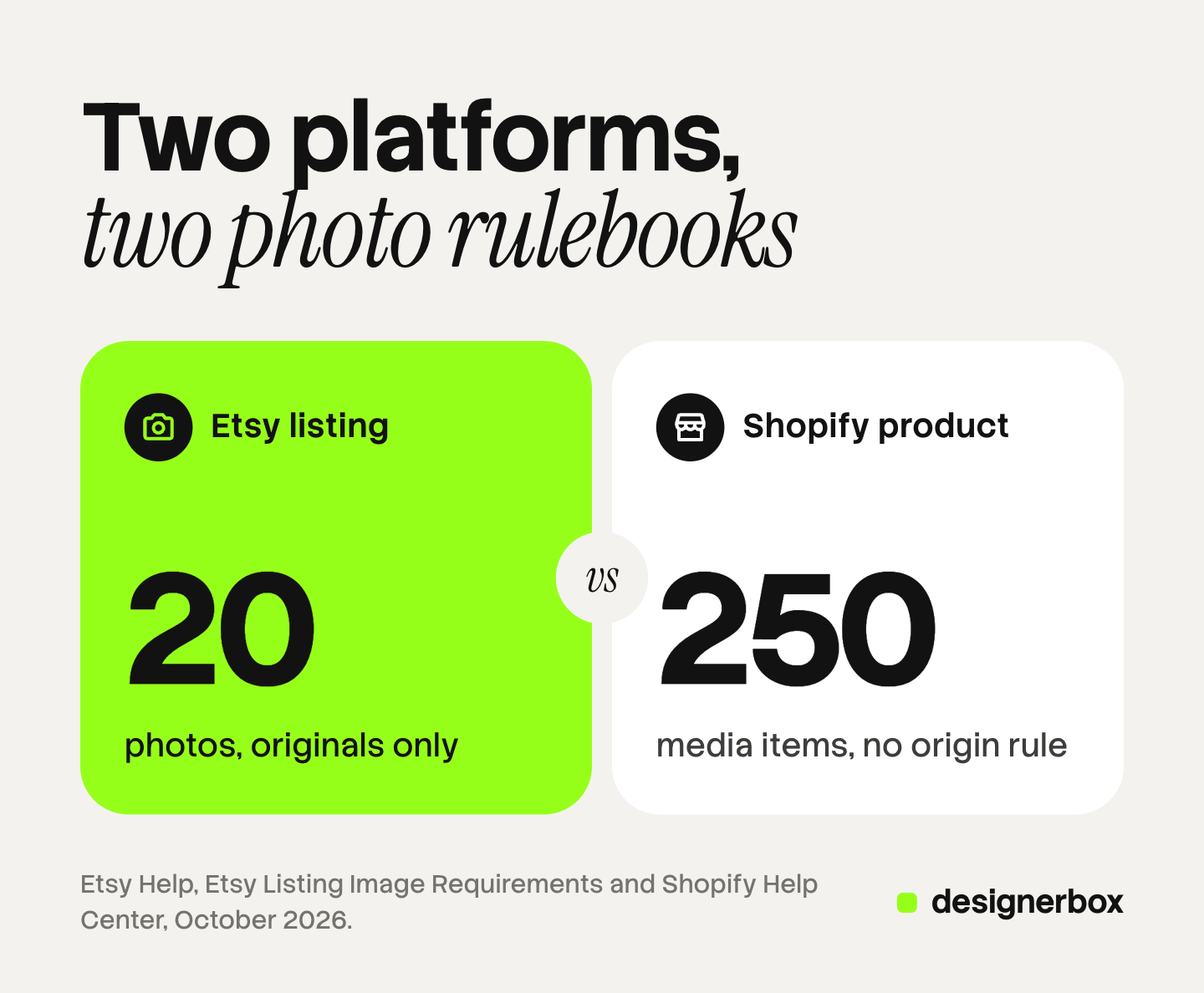
| Etsy listing | Shopify product | |
|---|---|---|
| Photos allowed | 20 photos and 2 videos | 250 media items |
| Recommended size | At least 2000 px wide and tall | 2048 x 2048 px for a square image |
| Upload limit | Files over 1 MB may not finish uploading | 5000 x 5000 px and under 20 MB |
| First photo | Landscape or square, at least 635 px | The first media item is the featured image |
| Formats | JPG, GIF, PNG, SVG, HEIC. No transparent PNG | PNG, JPEG, TIFF, BMP, GIF, SVG, HEIC, WebP |
| Video | 5 to 15 seconds | Up to 10 minutes |
| Origin of the photo | Original photos of the actual product | No rule |
Sources: Etsy Help (listing and image requirements, October 2026) and Shopify Help (product media types, October 2026).
File weight. Etsy asks for 2000 px and warns about files over 1 MB. Shopify accepts files up to 20 MB. One export setting does not serve both. Export a compressed JPG for Etsy and a larger file for Shopify. The guide to Shopify product image size explains what Shopify does with that file.
The first photo. Etsy crops your first photo into square, portrait and landscape thumbnails. It asks for enough border that no crop cuts the product. On Shopify, the first image is reused on the collection page, the cart and the checkout. Our guides to Etsy product photos and Shopify product images cover each one in detail. The guide to Shopify product page optimization covers the other fields of a Shopify listing.
Origin. Etsy’s Listing Image Requirements say: “we require sellers to use original photos of the actual product buyers will receive, not renderings or stock photos” (etsy.com, September 2026). Shopify has no such rule for your own store.
AI images under each platform’s rules
Etsy has two separate rules. The first is about the item. Etsy allows “seller-prompted AI creations” under the Designed by a seller group, such as AI art sold as a download. The Seller Policy then requires disclosure: “If an item is created through the use of artificial intelligence, you must disclose this in your relevant listings.”
The second is about the photo. The image policy does not mention AI at all. It asks for original photos of the actual product, taken by you or for you. For a physical product, the safe reading is that a fully generated picture does not meet that rule. Editing a photo you took is a different matter: a cleaner background, better light, a new crop.
Shopify’s Acceptable Use Policy has no rule about AI images. The limits on a Shopify store come from the channels you feed and the law where you sell. The guide to AI photos on Shopify lists them, and the guide to marketplace rules for AI product images compares five marketplaces.
This is general information, not legal advice. Read each policy before a shop-wide change.
Selling on Etsy and Shopify at the same time
Many brands keep both: Etsy for new buyers, Shopify for repeat buyers and the brand. Three facts shape the setup, and they cover the Shopify Etsy integration question too.
Shopify’s own connector does not take new Etsy shops. Shopify Marketplace Connect syncs listings, orders and inventory between a Shopify store and marketplaces. In October 2026 its help page listed Amazon, Target Plus, Walmart and eBay. It added a note: “New connections to Etsy can’t be made at this time with the Shopify Marketplace Connect app” (help.shopify.com, October 2026). Sellers who already use it for Etsy can continue.
Third-party apps cover Etsy. The Shopify App Store lists Etsy integration apps from other developers, which sync listings, inventory and orders. Check each app’s own listing for what it syncs and what it costs.
Images do not sync cleanly. An app can copy a file from one platform to the other. It cannot make one file fit both rule sets. A large PNG with a transparent background uploads to Shopify, and Etsy shows its transparent areas as black. A fully generated scene that works on Shopify may fail Etsy’s origin rule. Prepare two sets of files from one source photo. A move from Etsy to Shopify needs the same second pass on the photos.
A decision table
| Your situation | The better first step |
|---|---|
| You make the product, and you have no audience yet | Etsy |
| You resell manufactured goods | Shopify, because Etsy’s rules exclude most reselling |
| You already have an email list or a social following | Shopify |
| You have months with no sales | Etsy, because it has no required monthly plan |
| Your Etsy shop has steady sales and repeat buyers | Both: keep Etsy, add Shopify |
| You use generated scenes as product images | Shopify for those images, real photos on Etsy |
No row says one platform wins. The rows describe fit.
One source photo, two listing kits
Each product needs an Etsy set and a Shopify set, with different weights, crops and rules. For a brand with 20 to 500 products, that job repeats every week. Anyone can make an AI picture. Making hundreds that still look like your brand is the hard part.
In DesignerBox you build the image set once as a workflow. You choose the background, the light, the framing and the list of shots. Your brand rules sit in a brand profile, and the workflow reads them on every run. Batch runs the workflow over a sheet of products, and you keep or discard each row.
For Etsy, start from a real photo of the actual item and use the steps that edit it: background, light and crop. Compare each result with the item before you list it. Keep generated scenes for your Shopify store, where the origin rule does not apply. The cost is shown before the run.
DesignerBox does not send images to Etsy or Shopify. You download the results, or send them with a webhook or an S3 step, and upload them in each admin. The same source photo also feeds the ad and the video: the full workflow from the first product photo to the finished ad, in one subscription.
Uploading your own photos and the commercial license start on the Pro plan. AI video, virtual try-on, upscaling, the image editor and the video editor start on the Premium plan. Plans and credits are on the pricing page.
There is a free plan, and it runs on sample products. Get started free.
FAQ
Is Shopify or Etsy better for a small business?
Neither is better in general. Etsy fits a business that makes its own products and has no audience yet, because Etsy brings the buyers and has no required monthly plan. Shopify fits a business that has an audience, resells goods, or wants its own domain and customer list. Many small businesses use both.
How much does Etsy charge for each sale?
Etsy charges a 6.5% transaction fee on each sale, on the listing price plus shipping and gift wrapping. It also charges a $0.20 listing fee for each listing, and a payment processing fee that varies by the country of your bank account. If an Offsite Ad leads to the order, Etsy charges a further 15% or 12%, capped at $100 for one order.
Can I sell on Etsy and Shopify at the same time?
Yes. The Etsy and Shopify policies read for this guide do not ban it. You need a way to keep the stock count the same on both, which is a third-party sync app or manual updates. Etsy’s Seller Policy does not let you use Etsy messages to offer buyers a discount for purchasing on another site.
Does Shopify have an Etsy integration?
Shopify’s own Marketplace Connect app does not accept new Etsy connections, according to Shopify’s help page in October 2026. Existing Etsy connections continue. The Shopify App Store lists Etsy integration apps from other developers, and each one states what it syncs on its own listing.
Does Etsy allow AI-generated images?
Etsy allows items made with AI under its Designed by a seller group, and it requires disclosure in the listing. Listing photos are a separate rule. Etsy requires original photos of the actual product, so for a physical item the safe reading is that a fully generated picture does not qualify. Editing your own photo is a different matter.
Sources
- Etsy, Fees and Payments Policy: listing fee, four-month expiry, transaction fee, Offsite Ads fees and cap, read September 2026.
- Etsy, Seller Policy: AI disclosure, dropshipping and reselling, use of buyer information, messages, read September 2026.
- Etsy, Creativity Standards: the four item groups, seller-prompted AI creations, vintage age, read September 2026.
- Etsy, Listing Image Requirements: original photos of the actual product and the mockup exceptions, read September 2026.
- Etsy Help, How to Create a Listing: 20 photos and 2 videos of 5 to 15 seconds, read October 2026.
- Etsy Help, Requirements and Best Practices for Images in Your Etsy Shop: 2000 px, 635 px, the 1 MB warning, file types and thumbnail crops, read October 2026.
- Shopify, Pricing: plan billing, US card rates, third-party transaction fees and custom domain, read October 2026.
- Shopify, Acceptable Use Policy, read October 2026.
- Shopify Help Center, Product media types: image size, file size, formats and video length, read October 2026.
- Shopify Help Center, Adding product media: the 250 media limit and the featured image, read October 2026.
- Shopify Help Center, Shopify Marketplace Connect app, and the app’s App Store listing: supported marketplaces and the Etsy note, read October 2026.
- DesignerBox pricing, October 2026.
Etsy and Shopify fees and rules verified from their own pages as of September and October 2026. Fees differ by country and change often, so check each page before you decide. This is general information, not legal advice. Individual results vary.