
Trust badges are small icons on a store. Each one states one fact: it names the payments accepted, says that checkout is encrypted, gives the return terms, or shows how buyers rated the store. A badge works when the claim is true and the page supports it. In Baymard’s 2025 survey, 19% of US adults who had left a checkout said they did not trust the site with their card.
This guide covers the five types, where each one goes, and what the published research measured. It then covers what a badge cannot do alone. A first-time visitor reads a badge as a claim and checks it against the page.
Key Takeaways
A trust badge states one fact. If the fact is false, the badge is a false claim.
Shoppers trust the marks they recognize. In Baymard’s seal surveys, seals from well-known consumer brands scored well.
Show only what you have earned. Google does not allow a store to falsely imply an endorsement. The FTC bans fake reviews.
A badge needs support. Policies, contact details, real reviews and product photos that match each other are the trust signals behind it.
What are trust badges?
Trust badges are small icons or seals that a store shows to answer one doubt. Shopify defines one as “a digital icon that business owners display on ecommerce websites to increase consumer confidence” (shopify.com, October 2026). People also call them trust seals or site seals.
The doubt is real. Baymard Institute asked 1,026 US adults in 2025 why they had left a checkout in the last three months. 19% said they “didn’t trust the site with their credit card information” (baymard.com, October 2026). In the same list of reasons, 13% said the returns policy was not satisfactory (baymard.com, October 2026).
One reason is about the payment. The other is about what happens after the purchase. Badges exist for both.
The five types of trust badges
Each type makes a different claim, and each claim has a different owner.
| Type | What it claims | Who stands behind it |
|---|---|---|
| Payment marks | The store accepts this card or wallet | The card brand or the wallet |
| Security seals | The connection or the site is secure | A certificate vendor, or the store itself |
| Guarantee and returns badges | You can return the product or get a refund | The store |
| Shipping badges | Delivery is free, fast or tracked | The store |
| Review and endorsement badges | Buyers or an outside body approved the store | The buyers or the outside body |
Payment marks. These are the card and wallet logos near the pay button or in the footer. They tell the shopper how they can pay, and they place a known name next to an unknown store.
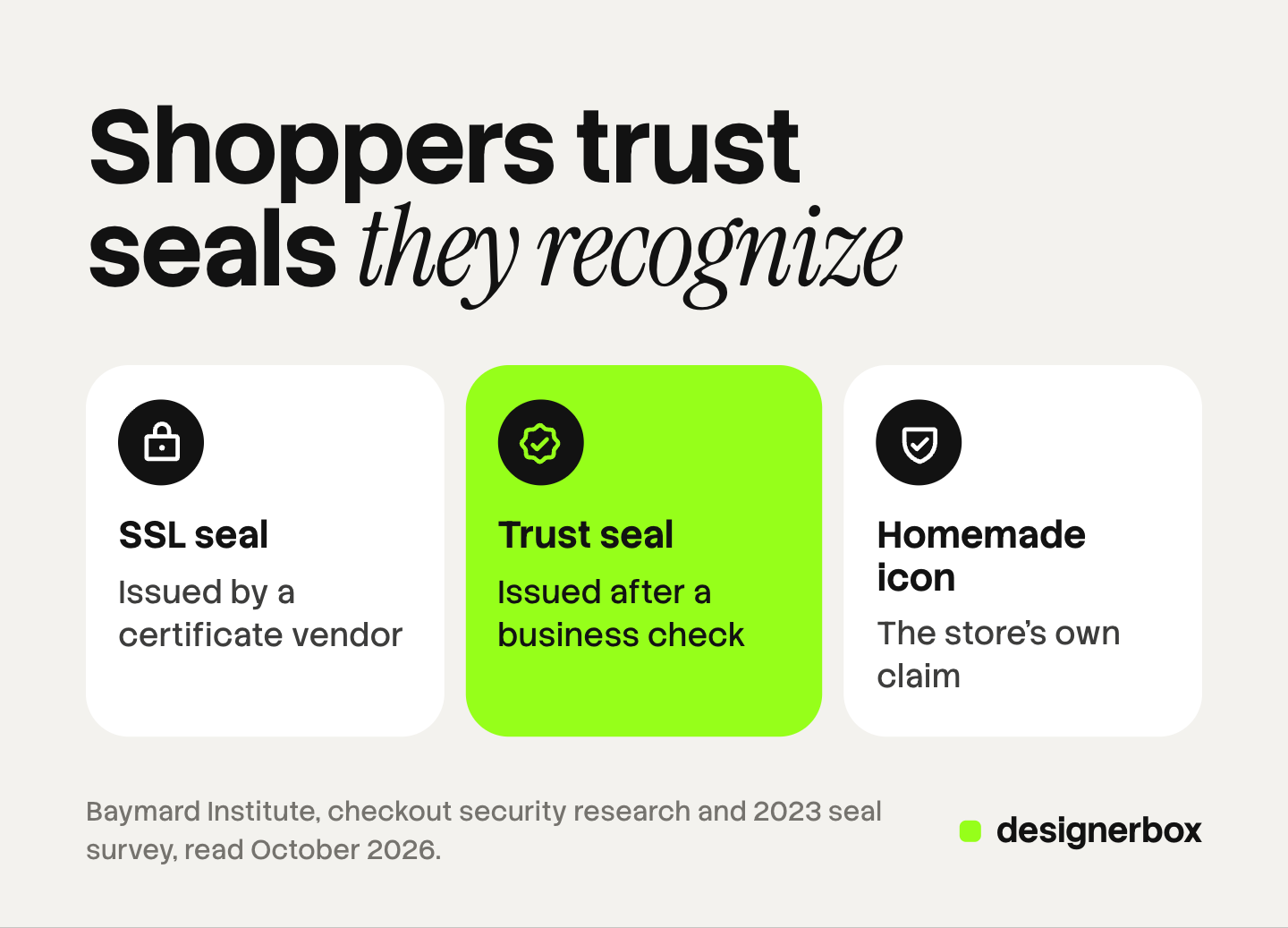
Security seals. Baymard splits these into three kinds. SSL seals come from a certificate vendor and mean the connection is encrypted. Trust seals come from a third party that has checked the business. The third kind is a homemade padlock or “secure checkout” icon, which is the store’s own claim.
Guarantee and returns badges. A badge such as “30-day returns” is a short form of your written policy. Shopify notes that policy badges “represent claims that you can reliably make about your own business”. The written policy is the proof.
Shipping badges. “Free shipping” and “Tracked delivery” belong here. The badge has to match what the checkout charges.
Review and endorsement badges. A star rating, a review count, or a seal from an accreditation body. This is social proof, and it has the most rules. Shopify notes that an endorsement badge usually needs an application and an approval.
Where trust badges go
Put each badge where its doubt appears.
| Place | Badge that fits | The doubt it answers |
|---|---|---|
| Product page, near the buy button | Returns, shipping, review rating | What if it is wrong for me? |
| Cart | Payment marks, shipping | Can I pay my way, and what will it cost? |
| Checkout, at the card fields | One or two security icons | Is my card safe here? |
| Footer | Payment marks, policy links | Is this a real business? |
The checkout row has the best evidence. Baymard observed “little to no security concerns” at steps that ask for an address or a shipping method. The concern starts at the card form, and one or two icons inside the card area perform well.

Keep the number small. A row of ten seals reads as decoration, and the shopper cannot check any of them.
What the research says about trust badges
Baymard ran a seal survey in 2013 and six more between 2015 and 2023. Each survey asked the same question: “Which badge gives you the best sense of trust when paying online?”
The first survey had 2,510 responses. The Norton seal came first with about 36% of the votes for a seal (baymard.com, October 2026).
The 2023 results told the same story. Norton came first again. Most of the top seals were trust seals, and seals from well-known consumer brands scored well. Baymard also added a homemade seal with no issuer. It scored higher than every SSL seal from an established vendor except Norton.
Shoppers judge by feeling. Baymard states that the average shopper’s sense of security comes from a “gut feeling”. Every field on an HTTPS page is equally encrypted. Shoppers still see the fields near a badge as safer.
New stores need more cues than known brands. Baymard saw few security concerns on sites from large brands. On newer and smaller sites, shoppers raised concerns quickly when there were no visual cues.
Layout bugs remove trust. Some test subjects believed a site with a layout bug had been hacked, and they left the checkout.
There is a limit to this evidence. The surveys measured which seal people prefer. They did not measure sales. This guide quotes no conversion figure for trust badges, because none came with a traceable original source. Test a badge on your own store before you credit it with a result.
The rules for badges you show
A homemade padlock on an encrypted checkout is a true statement. A seal from a service you do not use is a false one, and so is an invented review count. Four sets of rules apply.
Card brands. Mastercard lets a merchant show its symbol on a website “to signal acceptance”. Its brand guidelines say the artwork “must not be altered” (mastercard.com, October 2026). Download each mark from the brand’s own page, and show only the methods you accept.
Google. The Merchant Center misrepresentation policy does not allow “falsely implying affiliation with, or endorsement by, another individual, organization, product, or service”. It also lists a false business name or contact information as a violation, and Google can suspend the account without warning (support.google.com, October 2026).
Reviews. The FTC’s rule on consumer reviews and testimonials went into effect on October 21, 2024 (ftc.gov, October 2026). It prohibits fake reviews, including reviews by someone who does not exist. It prohibits paying for reviews on the condition that they are positive. It also bars a business from presenting its displayed reviews as all or most of the reviews when it has hidden the negative ones (ftc.gov, October 2026). A star badge is a summary of reviews, so the same rules matter. This is general information, not legal advice.
Your own policies. Shopify can generate policy templates, and it adds: “you’re responsible for following your published policies” (help.shopify.com, October 2026). A “free returns” badge with a policy that charges for returns is a broken promise in two places.
Shopify trust badges
A Shopify store already has three trust signals before you add an app.
The padlock. Shopify provides a TLS certificate “for free for all domains that are added to Shopify”. It says the certificate helps build trust by “displaying a padlock icon beside your online store’s URL” (help.shopify.com, October 2026). The encryption is true without a paid seal.
Payment icons. A Shopify theme can read the store’s accepted payment types and draw a logo for each one. Shopify’s developer documentation says the list is “based on the store’s enabled payment providers and the customer’s current region and currency” (shopify.dev, October 2026). Icons drawn this way match what the checkout offers.
Policy links. After you add store policies, Shopify links them in the footer of the checkout pages.
Badge apps in the Shopify App Store add icon sets and place them on product pages. The claim behind each icon is still yours to keep true. The same product page also carries the fields covered in the guide to Shopify product page optimization.
The trust signals behind a badge
A shopper who is new to the store does not stop at the badge. They look for the thing it points to.
| The badge says | The visitor checks |
|---|---|
| Secure checkout | The padlock, and a page with no layout bugs |
| 30-day returns | A returns page they can open without an account |
| Rated 4.8 by buyers | Real reviews, the low ratings included |
| We accept these cards | The same methods at checkout |
| Trusted brand | An about page, contact details, and photos that match each other |
Google publishes a list of what builds trust in a store. It asks for an “about us” page, clear shipping, returns and privacy policies, and reviews. It asks stores to make sure “customers know how to reach your support team”. It also tells stores to avoid “placeholders for text and images” (support.google.com, October 2026). Badges are one line in that list.
Product photos are part of this. A collection page shows many products at once. If the background, the light and the crop change from one tile to the next, the catalog looks collected from several sources. A badge does not answer that doubt. The guide to consistent product images covers the tools that fix it, and the guide to Shopify product images covers how each page crops them.
A first-time visitor audit
Open your store in a private window on a phone. Go from the home page to a collection, a product, the cart and the checkout. Check six things.
- Photos. Do the product images on one collection page share a background, a light and a crop?
- Badges. Is every badge true today? Remove any seal from a service you do not use.
- Policies. Can you open the returns and shipping pages without an account? Do they match the badges?
- Contact. Can you find a way to reach the store in two taps?
- Reviews. Are the reviews real, with dates and with low ratings shown?
- Checkout. Do the payment icons match the methods offered? Does any element overlap or load late?
This audit is also how to make a Shopify store look professional: its parts have to agree with each other. For the photo check, the product photography checklist lists what each frame has to get right. The guide to PDP images that convert covers the order of the set. For the speed and payment layers, Shopify store optimization gives a three-layer audit with Shopify’s own reports.

Consistent product photos across a catalog
DesignerBox makes no badges and no seals. It works on the first item in the audit: the same shot for every product. A brand with many products finds that signal hard to keep. Anyone can make an AI picture. Making hundreds that still look like your brand is the hard part.
You build the image set once as a workflow. You choose the background, the light, the framing and the list of shots. Your rules sit in a brand profile, and the workflow reads them on every run. Batch runs the workflow over a sheet of products, so row one and row two hundred get the same set. The cost is shown before the run.
You still compare each result with the source photo. The rules for generated images are in the guide to AI photos on Shopify. DesignerBox does not send images to a store. You download the results, or send them with a webhook or an S3 step. The same product photo also feeds the ad and the video: the full workflow from the first product photo to the finished ad, in one subscription.
Uploading your own photos and the commercial license start on the Pro plan. AI video, virtual try-on, upscaling, the image editor and the video editor start on the Premium plan. Plans and credits are on the pricing page.
There is a free plan, and it runs on sample products. Get started free.
FAQ
What are trust badges?
Trust badges are small icons or seals on a store that state one fact each. The five common types are payment marks, security seals, guarantee and returns badges, shipping badges, and review or endorsement badges. Each one answers a doubt a shopper has before paying.
Do trust badges increase conversions?
The best-known research did not measure sales. Baymard Institute measured which seals give shoppers the best sense of trust. It observed that visual cues near the card fields raise perceived security. This guide found no conversion figure with a traceable original source.
Where should trust badges go on a Shopify store?
Put returns, shipping and review badges near the buy button on the product page. Put payment icons in the cart and the footer. At checkout, one or two security icons inside the card area perform well in Baymard’s testing.
Are Shopify trust badges free?
Several are. Shopify provides a TLS certificate for every domain added to the store, and a theme can draw payment icons from your enabled payment providers. A seal from an outside body usually needs an application and an approval.
Can I show a security seal from a service I do not use?
No. A seal from a named vendor tells the shopper that the vendor checked your store. Google’s Merchant Center policy does not allow a store to falsely imply an endorsement by another organization.
Sources
- Baymard Institute, How Users Perceive Security During the Checkout Flow: the 19% figure from 1,026 US adults in 2025, the three kinds of seal, the 2023 seal survey and the layout bug findings, read October 2026.
- Baymard Institute, Which Site Seal do People Trust the Most?: the 2013 survey of 2,510 responses, read October 2026.
- Baymard Institute, Cart Abandonment Rate Statistics: reasons for abandonment, last updated September 2025, read October 2026.
- Shopify, 5 Types of Trust Badges and How to Get Them: the definition, policy badges and endorsement badges, read October 2026.
- Shopify Help Center, Adding store policies and Enabling secure connections to your Shopify store, read October 2026.
- Shopify developer documentation, Liquid objects: shop: accepted payment types, read October 2026.
- Mastercard, Mastercard brand requirements: use of the symbol to signal acceptance, read October 2026.
- Google Merchant Center Help, Misrepresentation and Building trust with your customers, read October 2026.
- Federal Trade Commission, The Consumer Reviews and Testimonials Rule: Questions and Answers and the August 2024 announcement of the final rule, read October 2026.
- DesignerBox pricing, October 2026.
Research figures are from Baymard Institute’s published studies. Platform and regulator rules were read on their own pages in October 2026. Rules change often, and this guide is general information, not legal advice. Individual results vary.