PDP image conversion depends on order. A gallery of ecommerce product images converts when each image answers the next question a shopper has. Lead with the hero on a white background, then an in-scale shot, then a detail close-up, then the product in use, then an alternate angle, then one frame per variant. Shoppers swipe through in sequence and stop when a frame tells them nothing new.
Many catalogs get the count right and the order wrong. Eight images per SKU, all of them front-on, three of them near-identical. The one shot that answers the actual objection sits at position seven, where many shoppers never reach it.
Baymard Institute’s product page research puts numbers on the cost of that. Its benchmark finds that only 49% of ecommerce sites have “decent” or “good” UX on their product pages, and 51% are “mediocre” or worse (baymard.com, accessed September 2026). Product images are one part of that score. The other parts are listed in what a product detail page needs.
This guide covers the sequence that works, what each position has to answer, how to produce the whole set from one photo of the real product, and how to run the same set on every SKU.
Key Takeaways
- In Baymard’s product page testing, 56% of participants started by exploring the product images, before reading titles or descriptions (baymard.com, accessed September 2026). The gallery is the page.
- Order beats volume. On mobile, users almost always swipe through the gallery, and fatigue can set in before they have seen every image (baymard.com, accessed September 2026). A useful shot at position seven is a shot many shoppers never reach.
- The hero is a compliance asset first. Amazon’s main image needs a pure white background, and the product should fill 85% of the image (Amazon product image guide, accessed September 2026).
- 42% of users try to judge size from the images, and Baymard’s 2026 product page summary reports that 37% of sites give no in-scale image (baymard.com, accessed September 2026). Position two is often the easiest fix in the gallery.
- Six images cover most catalogs. Hero, scale, detail, in use, alternate angle, variant. Each one answers a different question.
- One source photo can produce the whole set. In DesignerBox the cost depends on the image model you pick, and the cost is shown before the run.
- You set the six shots once in a saved workflow. The next product runs with the same framing, light and background.
The gallery sequence
| Position | Shot | What it answers | Source |
|---|---|---|---|
| 1 | Hero on pure white | What exactly am I buying? | Your product photo, background removed |
| 2 | In scale | How big is it really? | Same photo, placed beside a familiar reference |
| 3 | Detail close-up | What is it made of? | Same photo, cropped and relit |
| 4 | In use | Does this fit my life? | Same photo, dropped into a styled scene |
| 5 | Alternate angle | What does the back look like? | Same photo, re-angled |
| 6 | Variant | Which one do I want? | Same photo, per colorway |
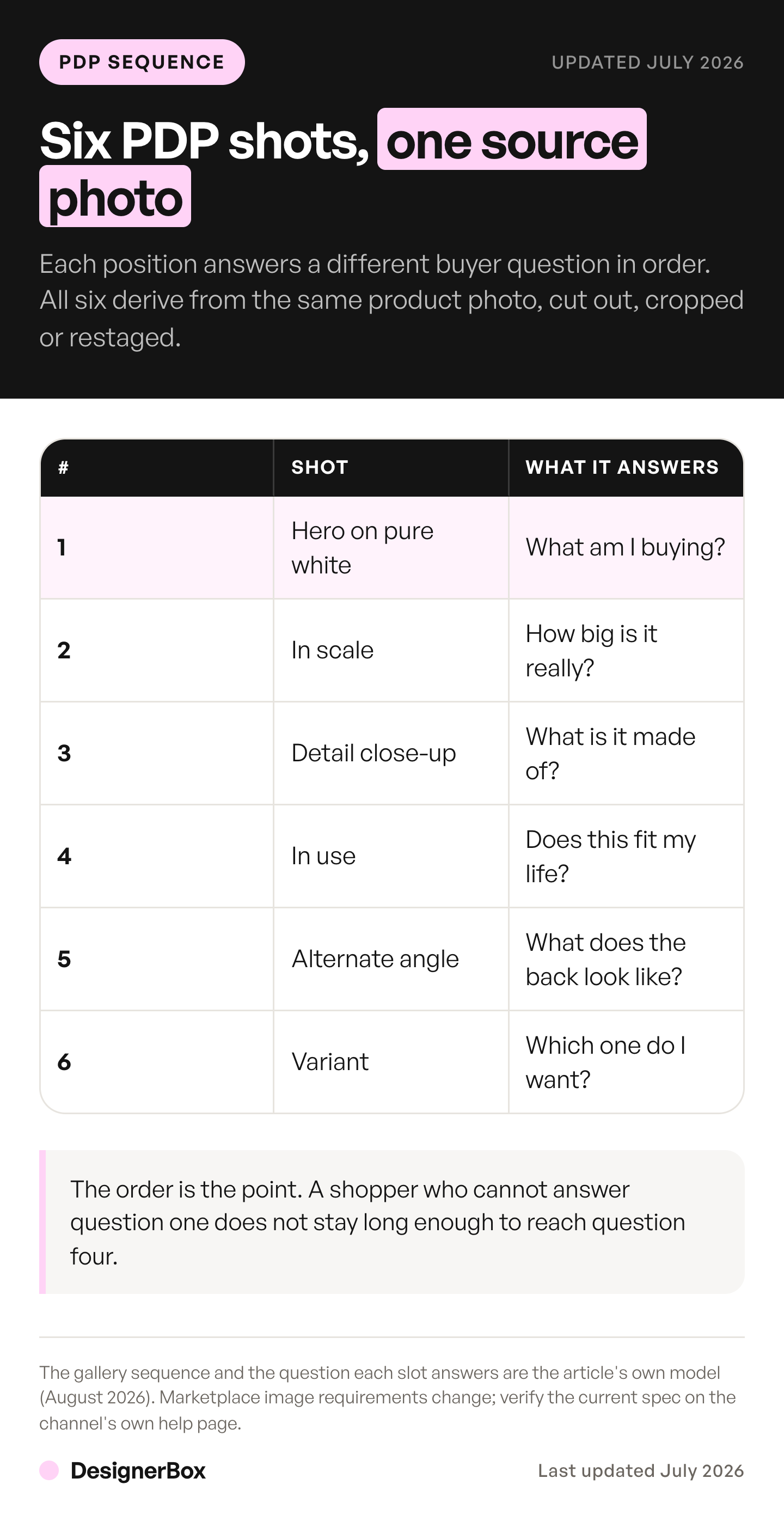
Read the middle column top to bottom. It is a conversation, and each answer earns the next swipe.
Why does the order of PDP images matter for conversion?
Order matters because shoppers move through the gallery as a sequence. Baymard’s mobile testing found that users almost always use the swipe gesture to move through the gallery. It also found that fatigue can set in before all product images have been explored (baymard.com, accessed September 2026). Every frame that repeats the last one spends a swipe and returns nothing.
That is the whole mechanic. A gallery is a queue of answers, and you control the running order.
Two failure modes follow from it. The first is redundancy: three front-on shots at slightly different crops. They spend positions two and three on a question that position one already answered. The second is burial: the in-scale shot or the variant frame parked at position seven, behind the fatigue wall. Products sold on capacity, such as backpacks, feel this most, and proving capacity on a backpack listing shows which frames have to sit near the front.
Both are ordering problems. Neither is fixed by shooting more.
The visibility problem compounds it. When extra images were shown only as dots or text, 50% of Baymard’s desktop test users had trouble finding them. Some missed that there were more images at all (baymard.com, accessed September 2026). On mobile, only 24% of the sites in Baymard’s benchmark used thumbnails for additional images, so 76% did not. For many shoppers, your first few frames are the entire gallery.
So the first six positions carry the page. Spend them on six different questions. The guide to product images lists the seven roles a gallery can hold and the common fault in each.
What should the first PDP image be?

The first PDP image should be the hero, on a pure white background, with the product filling the frame. Amazon’s main image needs a pure white background (RGB 255, 255, 255), and the product should fill 85% of the image. Images of 1,000 pixels or more on the longest side turn on zoom (sellercentral.amazon.com, accessed September 2026). Getting to that cut-out is its own job. Read the edge cases that break it before you process a whole catalog. Our ecommerce product photography guide lists the main image specs for five channels.
Treat position one as infrastructure. It is the frame that appears in search results, in the cart, in the category grid, and in the marketplace listing, so it has one job: identify the product without ambiguity. On Shopify the reuse is documented behavior, and which surfaces share image one sets the framing that has to work at every size.
This is also where creative ambition does the most damage. A lifestyle hero looks better in a design review and is harder to read everywhere the thumbnail is 80 pixels wide. Save the atmosphere for position four. If that frame is styled to look like a customer photo, check the shot list and rules for UGC-style images before you use it.
The resolution floor is worth checking. If a resize step dropped your hero below 1,000 pixels on the longest side, Amazon’s zoom stops working. Where that has already happened across a back catalog, restoring low resolution product images covers what can be recovered and what has to be reshot.
What should come second, and why is scale so often missing?
The second PDP image should be an in-scale shot, with the product next to something of known size, held in a hand, or worn. 42% of users will attempt to gauge a product’s overall scale and size from its images (baymard.com, accessed September 2026). Baymard’s 2026 product page summary reports that 37% of sites do not provide an in-scale image (baymard.com, accessed September 2026). That makes it an easy gap to close.

Scale goes at position two because it is the question that follows “what is it” fastest. A shopper who cannot size your product either guesses wrong and returns it, or does not buy. Both outcomes are expensive in apparel, where returns lower the return on your ad spend. How to increase ROAS for fashion ecommerce covers the math.
Before you try to prove any of this order with a split test on your own store, check the sessions you have to spend on it. Most catalogs cannot reach the volume a readable result needs, and the traffic math behind ecommerce image testing sets out what each level of lift costs.
Position three is the detail close-up. It shows what a shopper would learn by touch: the weave, the grain, the stitching, the finish. Baymard’s image-type research treats textural close-ups as a distinct category, because they close some of the tactile gap of shopping online (baymard.com, accessed September 2026).
Position four is the product in use. For products people wear, Baymard’s advice is direct: show the item on a human model (baymard.com, accessed September 2026).
Then variants. One frame per colorway, per finish, per size where size changes the look. A variant the shopper cannot see is a variant they will not choose.
How many images does a product page need?
Six covers most catalogs, because six is how many distinct questions a typical product raises. Baymard identifies seven types of product images (baymard.com, accessed September 2026), and the point is coverage rather than volume: one image per question beats four images of the same answer. Add frames only when a variant or a genuine second use case earns one.
The count follows the questions. If your product has four colorways, you need nine or ten frames, and the four variant shots matter most. If it has one, six is plenty. On Shopify, the gallery is one of nine fields on a product listing.
On a marketplace the platform sets limits of its own. Amazon’s clothing guide allows up to eight extra images per SKU (Amazon clothing image guide, accessed September 2026). The slot counts and main-image rules across the five major platforms set the ceiling before your shot list does.
What the count should never follow is a shot list built around what was easy to capture on the day. That is how galleries get three front-on angles and no scale reference.
The count is the easy question. The harder one is which SKUs get the full set, because most catalogs answer that by sales forecast and quietly starve everything below the top sellers.
The text under the gallery has to answer whatever the images do not. That is why the description should be written against the image set rather than from a blank page. Eight product description examples name the frames each line of copy needs.
One exception applies if you sell on Amazon and plan to add video. Amazon states that a product needs fewer than six images for shoppable videos to appear in the main media block of product detail pages (sell.amazon.com, accessed September 2026). So the sixth image and the video compete for the same slot. Amazon’s four video slots and what each one accepts covers the trade. Whether the video deserves that slot is a sales question, and Amazon’s own video conversion data shows the measured lift and its limits.
Can every PDP image come from one product photo?

Yes, and that is the part that changes the economics. Every frame builds from your actual product photo rather than a text prompt, so the object in the picture starts as your object, with your logo placement, your stitching, your colorway. Check each result against the real product before it goes live.
Any tool that makes product stills can fill these positions. The guide to Photoroom alternatives worth comparing covers how the main tools differ in scope.
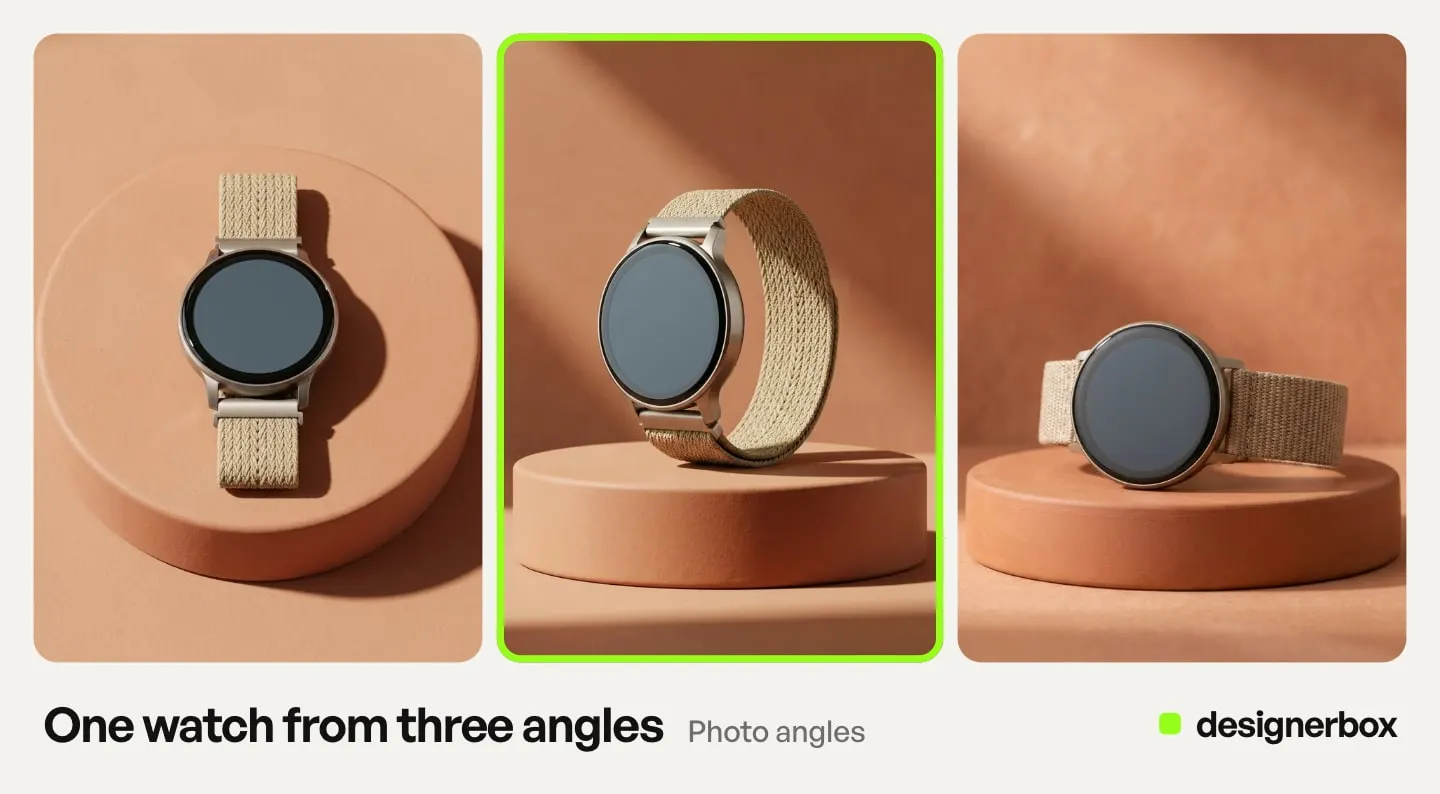
The mapping below is how DesignerBox does it. DesignerBox is AI creative production for brands and agencies. A background removal step cuts the hero for position one. The Photo angles app makes the alternate angles for position five. A relighting step gives a flat capture studio light for the detail crop. The Product in several places template puts the product into the in-use scene at position four. A flat lay step handles catalog compositions.
The product page photos guide shows the steps for the set a garment page needs: a plain white background and front, back and detail views.
The image editor makes one edit after another, and the picture keeps its detail and resolution. That helps keep you above a marketplace zoom floor after several edits. The templates show the results each job returns.
One constraint stays: you need one accurate photo of the real product first. It is the same constraint that sets what a product photoshoot costs. If an outside studio takes that photo, how to choose an ecommerce photography service covers what each tier buys. You no longer need a second trip to the studio for the colorway you added in March.
Teams already working in Figma can build the same set inside the layout instead of exporting files to a folder and importing them again.
There is also a template route. A template is a workflow somebody already built: you open it, add your photo and run it. What an AI photo template locks in explains what stays fixed between SKUs when you take that route.
One workflow for every SKU
The mapping above is the build. You do it once for the category, and then you reuse it for each product.
You fix the six positions with your framing, your background, your light direction and your model choice. Then you save them as the workflow for the category. The next SKU runs on the saved workflow, so nothing is rebuilt. The rules live in the workflow, so all 200 products of a catalog start from the same settings.
Two things drift when they are not set once. Background white varies by a few points between sessions, which is invisible on one PDP and obvious in a category grid. The in-use scene also changes over time, so SKU 12 sits on oak and SKU 60 sits on marble. Both are settings, so both stay fixed once the workflow holds them.
You can run the saved workflow once per product, or hand it a sheet. Batch runs one workflow over a whole sheet of products, and you keep or discard per row and re-run one row alone. The angles, the scenes, the edits and your brand record sit in one account. You set the brand once, and the workflow reads it on every run.
Cost of a PDP image set
In DesignerBox, the cost of a set depends on the image model you pick for each shot. You see what a six-shot set costs before you start the run. Pick each model for the quality that shot needs.
Uploading your own photos and the commercial license start on the Pro plan. The image editor starts on the Premium plan. Plans and credits are on the pricing page.
For a PDP, that makes Pro the floor, because the images go on a live product page.
Compare the cost with the eleventh small shoot rather than the first big one. Adding two colorways by shoot means a studio minimum, a shipping run and a week of waiting. In a saved workflow, it is two more runs.
For a marketplace listing, use the Pictures for a listing app. It makes six marketplace pictures from one product photo.
FAQ
What order should product images be in on a PDP?
Hero on pure white, in-scale shot, detail close-up, product in use, alternate angle, then one frame per variant. The order tracks the questions a shopper asks in sequence: what is it, how big is it, what is it made of, does it fit my life, what does the back look like, which one do I pick.
How many images should a product detail page have?
Six covers most products, because six distinct questions is what a typical product raises. Baymard identifies seven types of product images, and coverage beats volume: one image per question does more than four versions of the same answer (baymard.com, accessed September 2026). Add frames for genuine variants. Extra angles of the same view add nothing.
Why does the first product image have to be on a white background?
Because it is the frame every surface reuses at thumbnail size, and marketplaces set rules for it. Amazon’s main image needs a pure white background, and the product should fill 85% of the image (sellercentral.amazon.com, accessed September 2026). A lifestyle hero looks good in a design review and is harder to read at 80 pixels wide.
Do shoppers look at product images before the description?
Often, yes. In Baymard’s product page testing, 56% of participants started by exploring the product images, before reading titles or descriptions (baymard.com, accessed September 2026). On mobile, users almost always swipe through the gallery, and fatigue can set in before they have seen every image. That is why the running order carries more weight than the total count.
What is the most commonly missing PDP image?
The in-scale shot. 42% of users try to gauge a product’s size from its images, and Baymard’s 2026 product page summary reports that 37% of sites give no in-scale image (baymard.com, baymard.com, accessed September 2026). Adding one at position two is often the easiest gallery fix available, and it helps shoppers avoid the wrong-size guess that leads to a return.
Do AI-generated PDP images lose resolution after editing?
In DesignerBox, the image editor makes one edit after another, and the picture keeps its detail and resolution. That matters for PDPs specifically, because marketplaces gate zoom behind a pixel floor. On Amazon, zoom needs 1,000 pixels or more on the longest side.
What does a six-image PDP set cost to generate?
In DesignerBox, the image model you pick for each shot sets the cost, and you see the cost before the run.
Sources
- Product page benchmark, 49% “decent” or “good” and 51% “mediocre” or worse: Baymard Institute, product page research (accessed September 2026)
- 56% of test participants exploring images first, 42% judging scale from images, and showing worn products on a human model: Baymard Institute, “All Products Need at Least One ‘In Scale’ Image” (accessed September 2026)
- 37% of sites with no in-scale image: Baymard Institute, “Product Page UX 2026: 10 Pitfalls and Best Practices” (accessed September 2026)
- Swipe behavior, gallery fatigue, 50% of desktop users missing images behind dots or text, and 24% of mobile sites using thumbnails: Baymard Institute, “Always Use Thumbnails to Represent Additional Product Images” (accessed September 2026)
- Seven types of product images, including textural close-ups: Baymard Institute, “7 Types of Product Images” (accessed September 2026)
- Amazon main image rules: pure white background, product filling 85% of the image, zoom at 1,000 pixels or more on the longest side: Amazon product image guide (accessed September 2026)
- Up to eight extra images per clothing SKU: Amazon clothing image guide (accessed September 2026)
- Fewer than six images for a shoppable video in the main media block: Amazon, product video guide for sellers (accessed September 2026)
- DesignerBox plan gates, credits and plan features: DesignerBox pricing page (designerbox.ai/pricing), September 2026
Product page and image gallery statistics come from Baymard Institute research at baymard.com, and image rules from Amazon’s seller help pages, as accessed in September 2026. This is general information about marketplace image rules, which change often. Individual results vary.