
Visual search is a way to search with a picture in place of typed words. A shopper takes a photo, uploads a screenshot or circles an item on the screen. The system then looks for that product, or for products that look like it. Google Lens, Amazon Lens, Pinterest Lens and Bing Visual Search all work this way. Your product images are what they compare the picture with.
This guide covers the shopping sense of the term. Psychology uses the same words for an attention test, which is a different subject. The guide is for brands with 20 to 500 products. It explains what each system says about itself, what the published guidance asks of a product image, and what no platform has documented.
Key Takeaways
- Four systems document visual search for shopping. Google Lens, Amazon Lens, Pinterest Lens and Bing Visual Search.
- The usage numbers are old. Google said in October 2024 that Lens handled nearly 20 billion visual searches every month.
- No platform publishes ranking factors. Not one of the four says how it orders the matches.
- Text still counts. Google reads alt text and the page along with the pixels.
- Each variant needs its own image. Shoppers refine a visual search by color, and Google’s feed rules ask for one variant per image.
What is visual search?
Visual search is search that starts from an image. The shopper does not need the name of the product. A photo of a chair in a hotel, a screenshot from a video or a picture of worn running shoes is the query.

Most systems now let the shopper add words to the picture. Google says a shopper can “refine your search with text to find versions with different patterns, colors, or sizes” (search.google, October 2026). Amazon’s example is a beige sofa with the words “like this, but in white” (aboutamazon.com, updated June 2026).
For a seller, this changes which part of the listing does the work. In a typed search, the words carry the match. In a visual search, the picture carries the first part of it. How product pictures do other jobs across a store is covered in the guide to visual commerce formats.
Which visual search systems do shoppers use?
Four systems have official pages that describe visual search for shopping.
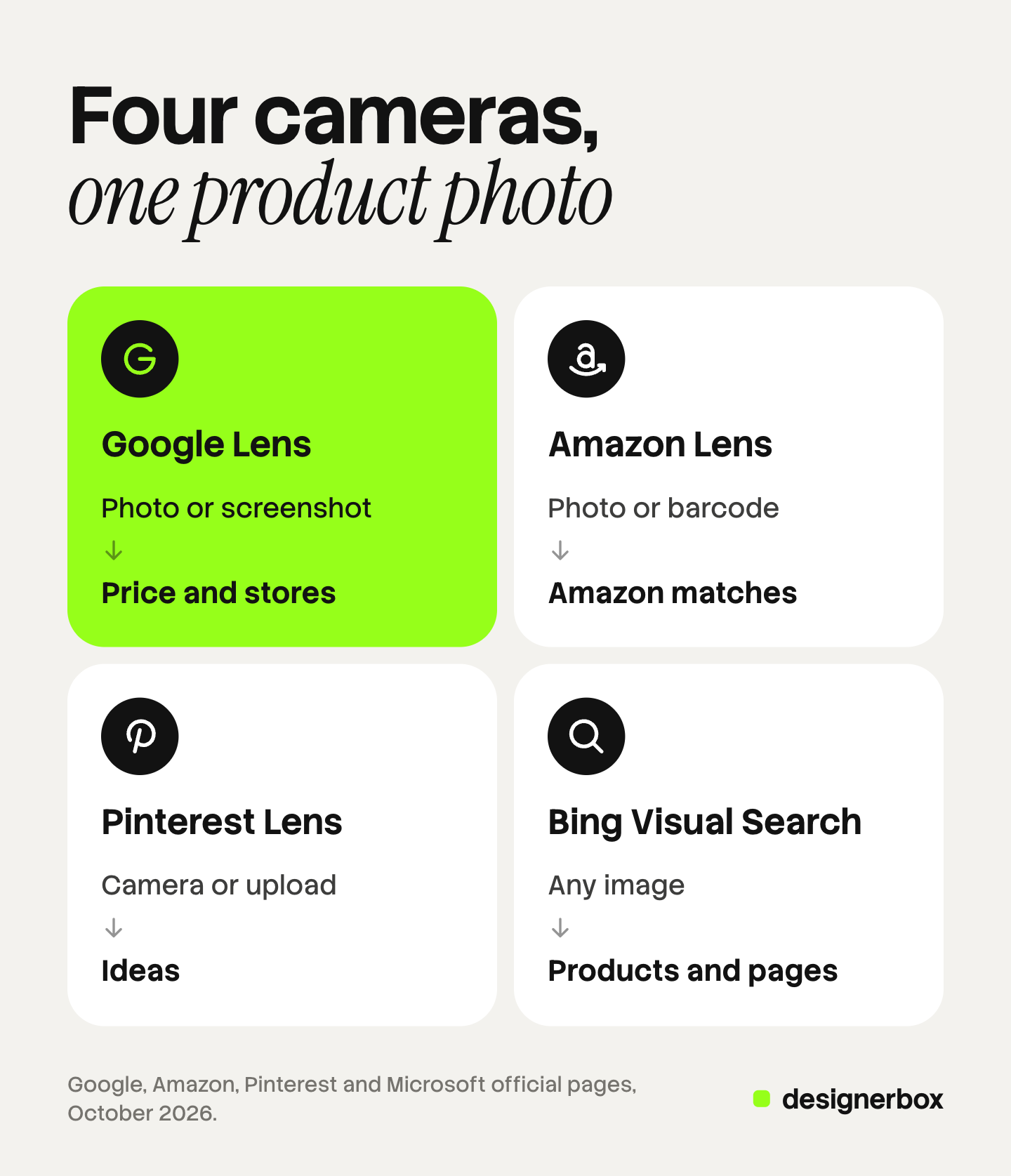
| System | How the shopper starts | What comes back, per the platform |
|---|---|---|
| Google Lens | A camera photo, an image or a screenshot | Who makes the item, the price and where to buy it |
| Circle to Search | A circle, a tap or a scribble on an Android screen | Google search results on the lower half of the screen |
| Amazon Lens | A photo, an uploaded image or a barcode | Exact matches and similar items in the Amazon Shopping app |
| Pinterest Lens | The Pinterest camera or an uploaded image | Ideas. A 2020 launch added shoppable Pins that link to the retailer |
| Bing Visual Search | An image dragged, pasted, uploaded or taken | Similar images, products and pages that include the image |
Google Lens and Circle to Search
Lens is in the Google app and in Chrome. Google lists shopping results in Lens for 35 countries.
A shopper photographs a backpack, and “Lens will bring together our advanced AI models and Google’s Shopping Graph” to identify the exact item. Google said the Shopping Graph held information on more than 45 billion products (blog.google, October 2024). The same post gives the usage figure of nearly 20 billion visual searches every month. That figure is two years old, and it covers all Lens use.
Circle to Search runs on select Android phones, including Pixel 6 and later. The shopper circles an item on the screen, and Google results appear on the lower half (support.google.com, October 2026).
Amazon Lens
Amazon Lens sits behind the camera icon in the search bar of the Amazon Shopping app. Amazon says tens of millions of customers use it each month (aboutamazon.com, updated March 2025).
Amazon describes the matching more openly. Its Lens Live feature “uses a deep learning visual embedding model to match the customer’s view against billions of Amazon products, retrieving exact or highly similar items” (aboutamazon.com, updated November 2025). An embedding is a list of numbers that describes how an image looks. Two images that look alike get lists that are close together.
Pinterest Lens
Pinterest’s Help Center says Lens lets a person “discover ideas inspired by anything you point your Pinterest camera at” (help.pinterest.com, October 2026). When Pinterest launched a Shop tab on Lens results in June 2020, it said every Product Pin links directly to the checkout page on the retailer’s site (newsroom-archive.pinterest.com, June 2020).
Bing Visual Search
Microsoft says Bing Visual Search finds “similar images, products, pages that include an image, and even recipes” (support.microsoft.com, October 2026).
Image input in chat products
OpenAI says shoppers in ChatGPT can “upload images as inspiration for similar items” (openai.com, March 2026). The guide to ChatGPT shopping for sellers covers that system. Google’s AI Mode accepts a photo too, and Google says Lens identifies each object in it (blog.google, April 2025).
How does visual search match a product image?
The public record is thin. Amazon names a model that compares how images look. Google names its AI models and its product data together. Google’s image guide adds a third point: “Google uses alt text along with computer vision algorithms and the contents of the page to understand the subject matter of the image” (developers.google.com, October 2026).
So a product image is matched in two ways at once. The system looks at the pixels. It also reads what the page and the product data say the pixels show.
None of the four platforms publishes a ranking formula for visual results. No official page says that a white background ranks higher in Lens, or that a larger file does. A list of Lens ranking factors is a guess. A seller can act on the guidance the platforms did publish.
What does Google’s guidance ask of a product image?
Google’s product markup guide says that product information “can appear in richer ways in Google Search results (including Google Images and Google Lens)” (developers.google.com, October 2026). That sentence is the direct link between a product page and Lens. Three Google documents say what the image needs: the image SEO guide, the merchant listing markup guide and the Merchant Center image page.
The image has to be found
Google finds images in the source attribute of an HTML image element. It does not index images set as CSS backgrounds.
The Merchant Center page adds one access rule. Your robots.txt file has to allow both Googlebot and Googlebot-image, or Google cannot fetch the picture (support.google.com, October 2026). The guide to image SEO for product pages lists the rest of what Google documents for product images.
The image has to be described
Google calls alt text “the most important attribute” for giving it more information about an image. It asks for alt text that is useful and specific, and it warns against filling the attribute with keywords. File names give it only “very light clues”.
The image has to show the product
The markup guide for merchant listings asks that images “represent the marked up content”. Google prefers pictures that clearly show the product, “for example, against a white background” (developers.google.com, October 2026).
The Merchant Center page is stricter, because it governs the feed. The main image may carry no overlays, borders or watermarks. The product should fill 75% to 90% of the frame. From 31 January 2027, the image must be at least 500 by 500 pixels, and Google recommends 1500 by 1500 or above. The sizes a store platform serves are a separate question, covered in the guide to Shopify product image size. The image specs of the main sales channels are in the guide to ecommerce product photography.
These are rules for search listings and feeds. Google does not call them Lens ranking rules.
What do Amazon, Pinterest and Bing publish for sellers?
Amazon. The Amazon pages read for this guide explain Lens to shoppers. They give sellers no image guidance for Lens. Lens matches against Amazon’s own store, so the images a seller controls are the listing images.
Pinterest. A Pinterest catalog takes a main image link and up to 10 additional image links per product. Pinterest creates a new Pin for every additional image. The catalog has a field for alt text and a field for AI disclosure (help.pinterest.com, October 2026).
Bing. The Bing Webmaster Guidelines ask for image alt attributes. They say images “should reinforce the primary text on the page and should not be the sole source of information” (bing.com, October 2026).
Why does each variant need its own image?
Shoppers refine a visual search by variant. Google names “patterns, colors, or sizes”. Amazon names brand, color, material and dimensions.

A store that shows one photo for five colors has one image to compare. The other four colors exist only as text. No platform publishes this as a ranking rule. The published rule sits in Google’s feed. The Merchant Center page says to “submit a unique image for each variant” and to show only one variant per image.
The feed rules that Google and OpenAI share on this point are compared in the guide to product images for AI shopping agents.
A seven-point image check per product
Each point comes from a document cited above.
- One main image per variant. The green bag has a photo of the green bag.
- A clear view of the product. No text, price, logo, border or watermark added on top.
- The product fills the frame. Google’s feed guidance is 75% to 90% of the image.
- Enough pixels. At least 500 by 500 for Google’s feed from 31 January 2027, with 1500 by 1500 recommended.
- A real image element with alt text. The alt text names the product, the color and the view in plain words.
- A stable, crawlable URL. Google asks for the same URL every time, and Googlebot-image must be allowed.
- Product markup on the page. The image in the markup is the image the shopper sees, for the variant on that page.
Points 1 to 4 are about the picture. The guide to the source product photo lists what the first shot must get right. Points 5 to 7 are about the page and the data, and they overlap with the catalog checks in the guide to agentic commerce.
If an image is made or edited with AI, one more rule applies in Google’s feed. Merchant Center says such images must keep the metadata that marks them as AI-generated. This is general information about a platform rule, not legal advice.
What no platform documents
Two things are not on any official page read for this guide.
- Ranking inside visual results. No platform says why one match appears above another.
- A preferred background or angle for Lens. Google states a preference for clear product pictures in its markup guide. It does not connect that preference to Lens results.
One true image per variant
Anyone can make an AI picture. Making hundreds that still look like your brand is the hard part. DesignerBox is AI creative production for brands and agencies. For visual search, it covers the picture half of the check: one clean main image per variant, in the same light and framing.
- You build the shot once. A saved workflow runs the same way on the next product. See AI product photography.
- The catalog runs from a sheet. Batch runs one workflow over a sheet of products. Row one and row two hundred get the same standard.
- You fix one picture without starting again. The image editor makes one edit after another. The picture keeps its detail and resolution.
- Review is a step. Critic steps score the results of a run, and best-of-N keeps the best one. You still compare each image with the real item.
The cost is shown before each run. The full workflow from the first product photo to the finished ad, in one subscription.
Uploading your own photos and the commercial license start on the Pro plan. AI video, virtual try-on, upscaling, the image editor and the video editor start on the Premium plan. Plans and credits are on the pricing page.
The limits are clear. DesignerBox does not write alt text into your store, add product markup or build a feed. It does not send finished work to a store or a feed. You download the results, or send them with a webhook or an S3 step. Every plan below Ultra is one seat. The free plan runs on sample products.
FAQ
What is visual search?
Visual search is search that starts from a picture in place of typed words. The shopper takes a photo or uploads an image, and the system returns that product and similar ones. Google Lens, Amazon Lens, Pinterest Lens and Bing Visual Search are the main examples.
How does Google Lens find products?
Google says Lens combines its AI models with the Shopping Graph, its record of product information, to identify the item in a photo. Its image guide adds that Google uses alt text, computer vision and the page content to understand an image. Google publishes no ranking factors for Lens results.
How do you optimize product images for visual search?
Follow the published guidance. Use one clear main image per variant, with no text or border on it. Put it in a standard HTML image element with specific alt text. Keep the URL stable and crawlable, and add product markup to the page.
Does alt text matter for visual search?
Google says alt text is the most important attribute for giving it information about an image. Write what the picture shows in plain words, and do not fill the attribute with keywords.
Can ChatGPT search for products from a photo?
OpenAI said in March 2026 that shoppers can upload images as inspiration for similar items in ChatGPT. It gives no detail on how the image is matched to products. Google’s AI Mode accepts a photo too.
Sources
- Google, Lens: search.google, read 7 October 2026
- Google Search Help, Search with an image on Google: support.google.com, read 7 October 2026
- Google Search Help, Search your screen with Circle to Search: support.google.com, read 7 October 2026
- Google, Ask questions in new ways with AI in Search: blog.google, 3 October 2024
- Google, Bringing multimodal search to AI Mode: blog.google, 7 April 2025
- Google Search Central, Image SEO best practices: developers.google.com, read 7 October 2026
- Google Search Central, Introduction to product structured data: developers.google.com, read 7 October 2026
- Google Search Central, Merchant listing structured data: developers.google.com, read 7 October 2026
- Google Merchant Center Help, Image link: support.google.com, read 7 October 2026
- Amazon, 4 ways to shop faster on Amazon using Amazon Lens: aboutamazon.com, updated March 2025
- Amazon, Introducing Amazon Lens Live: aboutamazon.com, updated 14 November 2025
- Amazon, 8 visual search features: aboutamazon.com, updated June 2026
- Pinterest Help Center, Pinterest Lens: help.pinterest.com, read 7 October 2026
- Pinterest Newsroom Archive, Shop with your camera: Pinterest launches Shop tab on Lens visual search results, 1 June 2020: newsroom-archive.pinterest.com, read 7 October 2026
- Pinterest Business Help Center, Before you get started with catalogs: help.pinterest.com, read 7 October 2026
- Microsoft Support, Using Bing Visual Search: support.microsoft.com, read 7 October 2026
- Microsoft, Bing Webmaster Guidelines: bing.com, read 7 October 2026
- OpenAI, Powering product discovery in ChatGPT: openai.com, March 2026
- DesignerBox pricing, October 2026
Visual search facts verified from the official pages of Google, Amazon, Pinterest, Microsoft and OpenAI as of 7 October 2026. Platforms change these features often, so check their pages before you act. No platform publishes ranking factors for visual results. Individual results vary.