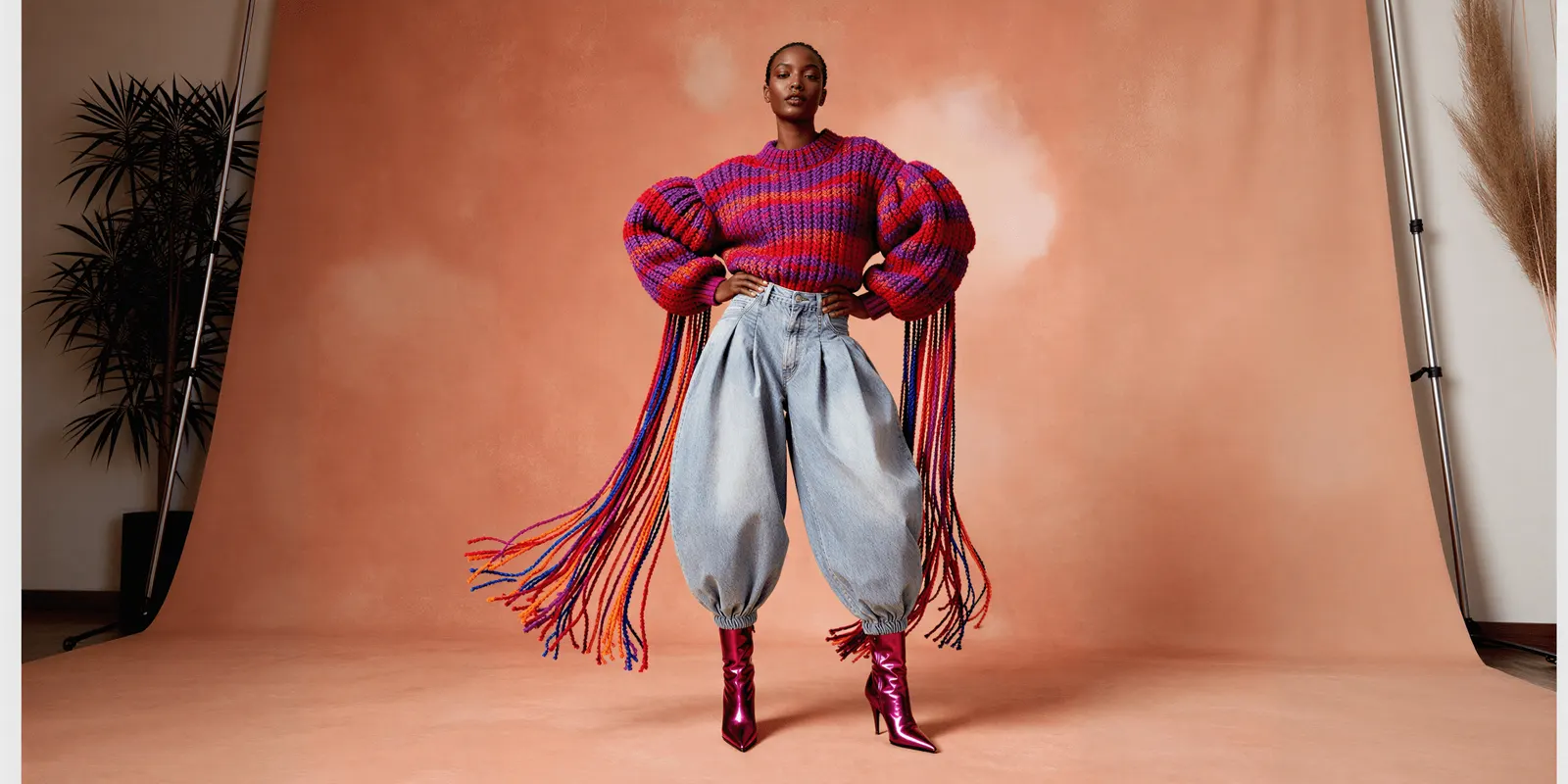
Clothing ads are paid images and videos that show a garment to a shopper who cannot touch it. A small brand needs formats it can repeat every week. Twelve cover the work: seven are stills you can make from a product photo, and five are clips you film with a real person. Each format has one job, and each has one thing that must be real.
Most lists of clothing brand ads show famous campaigns. Those ads had a director, a location and a budget for a known face. A brand with 40 products and one marketer cannot copy them. It can copy a format: a fit check, a fabric close-up, an outfit built three ways.
This guide lists 12 clothing ad formats for brands with 20 to 500 products, and for the agencies that make their ads. For each one you get what the viewer sees, the job it does, what must be real, and whether a photo is enough.
Key Takeaways
- Twelve formats cover the weekly work. Seven are stills made from a product photo. Five are clips you film with a real person.
- Each format has one job. New customers need a reason to stop. Retargeting needs proof. Catalog ads need a clean, consistent image of each product.
- One thing must be real in every ad. The garment, the fit, or the customer’s own words. A format fails when that thing is invented.
- A generated person cannot say “I wore this”. The FTC rule bans a testimonial that misrepresents that the person exists or used the product.
- Meta and TikTok treat AI differently. Meta adds an AI info label itself when it detects AI. TikTok asks the advertiser to label the ad.
- Leave space on vertical ads. Meta advises keeping about 14% of the top and 35% of the bottom of a 9:16 asset free of text and logos.
What makes clothing ads different from other product ads?
Clothing ads have to answer three questions a shopper asks in a store: how the garment looks on a body, how the fabric feels, and whether it fits a person like them. A photo of the product alone answers none of the three. That is why apparel ads use more formats than most product ads, and why fit is the claim that carries the most risk.
The risk is returns. The National Retail Federation and Happy Returns estimated that 19.3% of online sales would be returned in 2025 (NRF, 2025 Retail Returns Landscape, read October 2026). That number covers all online retail, not clothing alone. For a clothing brand it still sets the rule: an ad that shows a fit or a fabric the garment does not have sells an order that comes back.
So judge each format on two things. Does it give the shopper true information about the garment? And can your team make it again next week, for the next product, without a new shoot?
How do you find clothing ad examples to copy?
Use the Meta Ad Library. It is free, and Meta says it “contains all active ads that are shown across Meta technologies” (Meta Business Help Center, October 2026). You can search by Page name or by keyword. Type the name of a clothing brand in your price range and look at what it runs today.
The library shows the ad and the date it started running. For most product ads it does not show spend or sales results. Read it for formats, not for winners. Count how many ads are stills and how many are clips. Note the first frame of each clip. Then write the format name, such as “outfit built three ways”, and leave the brand’s copy and pictures alone.
Two more places help. The article on native-looking static ad formats lists 30 layouts that work for any product. The guide to video hooks for product ads covers the first three seconds of a clip. This list covers what is specific to clothing.
Clothing ads you can make from a product photo
These seven formats are stills. Each one starts from a photo of the real garment. You can shoot them, or you can make them with AI from that photo, as long as the garment in the ad matches the garment you ship. The click data on AI generated ads against human-made ads shows how the two compare.
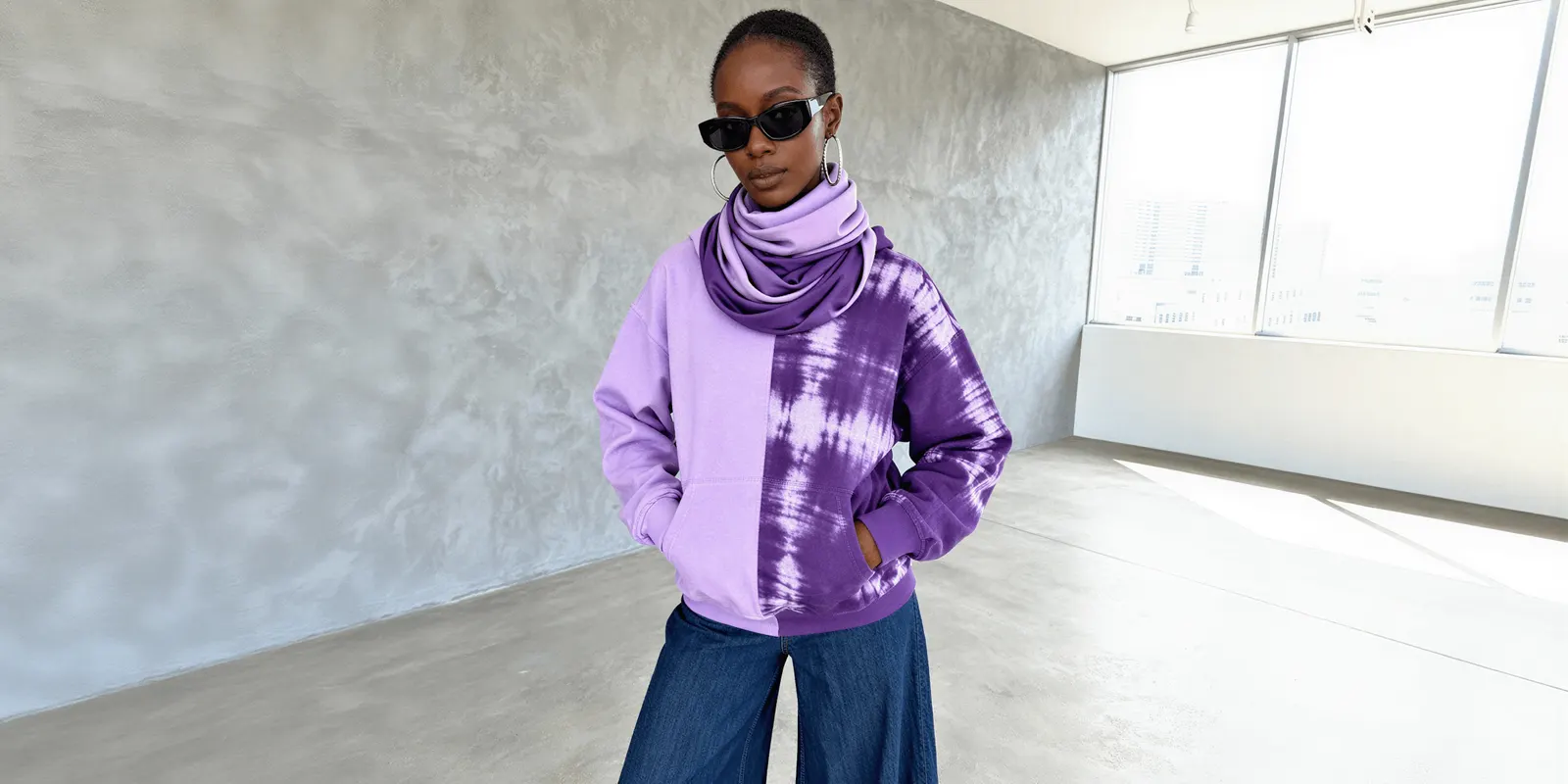
1. On-model still on a plain background
The viewer sees one model, one garment, a plain backdrop and no props. It is the image a shopper expects from a clothing brand, so it works for new customers and for catalog ads. The garment and its color must be real. If the model is generated, the garment still has to match your sample at the seams, the print and the length.
2. Flat lay or ghost mannequin still
The viewer sees the garment alone, laid flat or shaped as if worn, with no person in the frame. It does the catalog job well, because every product looks the same way. It is also the lowest-risk format for AI, since nobody in the picture can be mistaken for a customer. The shape and the color must be real.
3. Fabric close-up
The viewer sees the weave, the stitching, a button or a label, filling the frame. It answers the question “how does it feel”, and it works in retargeting for shoppers who saw the product once and did not buy. The weave and the texture must be real. Use a real close photo of the fabric. A generated texture that looks softer or thicker than the cloth is a false claim about the product.
4. Outfit built three ways
The viewer sees one garment in three outfits, as a carousel or a three-panel still. It gives a new customer a reason to buy one more piece, and it can lift order value when the other pieces are yours too. Every piece in the picture must be a product you sell, or the ad promises a look the shopper cannot buy.
5. Catalog ad
The viewer sees products pulled from your product feed, often the ones they looked at. Meta describes it this way: Advantage+ catalog ads “automatically show people the most relevant products or services from your catalog based on their interests, intent and actions online” (Meta Business Help Center, October 2026). The job is retargeting. The feed image must be real and consistent, because the ad is only as good as the worst image in the feed.
6. Drop or price announcement
The viewer sees one product, a date or a price, and one line of text. It tells people who already know the brand that something is new or reduced. The price, the date and the stock must be real. Put the text where the app will not cover it. For a 9:16 Reels asset, Meta advises leaving roughly 14% of the top, 35% of the bottom and 6% of each side free of text and logos (Meta Ads Guide, October 2026).
7. Seasonal lookbook still
The viewer sees the garment worn in a place that fits the season: a street, a beach, a kitchen in winter light. It is the stop-the-scroll image for new customers, and it sets the mood of a collection. The garment must be real. The place can be built with AI from an approved on-model still, which is how a small brand gets ten locations without ten trips.
Clothing ads you have to film
These five formats are clips. Each one depends on a real body or a real voice, so each one needs a camera. A phone is enough. For light, frame rate and shot lists, see the fashion videography techniques guide.

8. Fit check clip
The viewer sees a person turn, walk and sit in the garment, in 6 to 15 seconds. It shows how the cloth moves and where the hem lands. It works for new customers and for retargeting. How the garment fits must be real, so film it on a person in a stated size. You can animate an approved still for a simple turn, as the guide on how to make AI video for a clothing brand explains. Do not let generated motion show a drape the fabric does not have.
9. Try-on haul clip
The viewer sees one person try several pieces in a row and react to each. It sells range, so it suits a new collection. TikTok recommends “featuring people such as creators, employees, or customers” and a style that is “not overly polished” (TikTok Ads Help Center, last updated June 2025). The person, the pieces and the reactions must be real. If you gave the pieces for free, the clip has to say so.
10. Size and fit proof
The viewer sees the same garment on two or three people with different bodies, each with their height and size on screen. It answers “will it fit me”, which no other format does. It is strong in retargeting. Each size on a body must be real. Do not generate this one. A generated body in a size you never photographed is a guess about fit, shown as proof.
11. Founder or maker clip
The viewer sees the person who designs or sews the garment, talking to the camera or working. It gives a new customer a reason to trust a brand they have not heard of. The person and the story must be real. Claims about where and how the garment is made are product claims, so say only what you can prove.
12. Customer review clip
The viewer sees a real customer wearing the garment and saying what they think. This is the format people mean by fashion UGC. It works in retargeting, where proof matters most. The customer and the words must be real. You need the customer’s permission to run it as an ad. On TikTok, Spark Ads let you run “organic posts made by other creators (with their authorization)” (TikTok Business Help Center, last updated June 2026). On Instagram, you can create partnership ads “if the creator has allowed you to boost their content” (Instagram Help Center, October 2026). Costs and routes for this format are in the UGC ads guide.
Which clothing ad format fits which job?
Pick the job first, then the format. A new customer needs a reason to stop. A shopper who visited your site needs proof. A catalog needs the same clean image for every product.
| Format | What the viewer sees | Photo or filmed | Best job |
|---|---|---|---|
| On-model still | One model, one garment, plain backdrop | A product photo | New customers, catalog |
| Flat lay or ghost mannequin | The garment alone | A product photo | Catalog |
| Fabric close-up | Weave, stitching, a label | A real close photo | Retargeting |
| Outfit built three ways | One garment in three outfits | Product photos | New customers |
| Catalog ad | Products from your feed | Your feed images | Retargeting |
| Drop or price announcement | One product, a date or a price | A product photo | Existing audience |
| Seasonal lookbook still | The garment in a seasonal place | A product photo | New customers |
| Fit check clip | A person turns, walks and sits | Filmed on a person | New customers, retargeting |
| Try-on haul clip | One person tries several pieces | Filmed | New collection |
| Size and fit proof | One garment on different bodies | Filmed on real people | Retargeting |
| Founder or maker clip | The person behind the brand | Filmed | New customers |
| Customer review clip | A customer wears it and talks | Filmed by the customer | Retargeting |
For a first week, pick three: one still for the catalog, one clip for new customers and one proof format for retargeting. Then test them properly. The guide to ad creative testing explains why a small test often cannot be read.
What has to be real in each clothing ad?
Every format has one element that carries the claim. If that element is real, AI can help with the rest. If it is invented, the ad misleads the shopper.
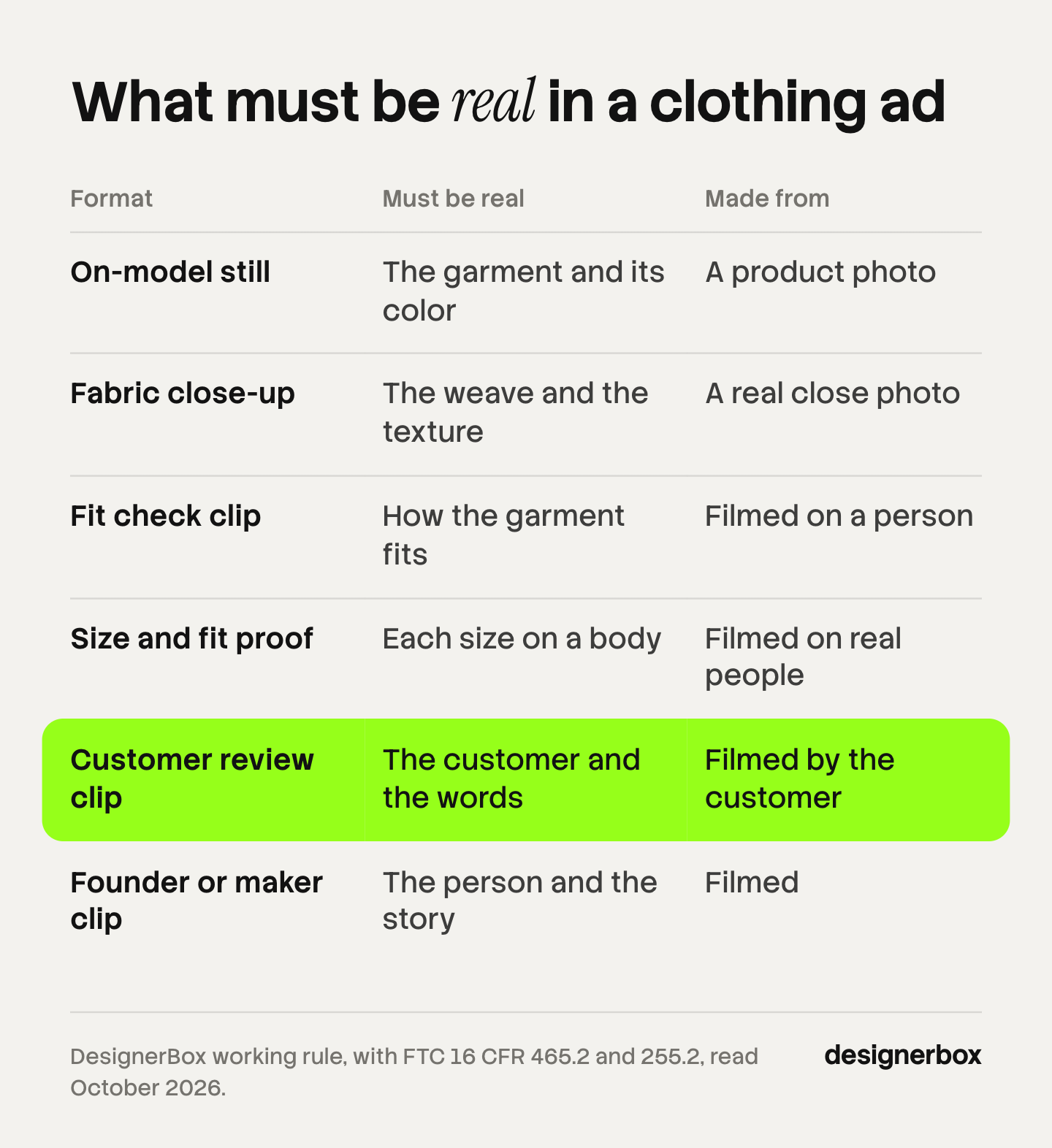
| Format | Must be real | Made from |
|---|---|---|
| On-model still | The garment and its color | A product photo |
| Fabric close-up | The weave and the texture | A real close photo |
| Fit check clip | How the garment fits | Filmed on a person |
| Size and fit proof | Each size on a body | Filmed on real people |
| Customer review clip | The customer and the words | Filmed by the customer |
| Founder or maker clip | The person and the story | Filmed |
The simple test: ask what a shopper will believe after seeing the ad. Then check that the belief is true for the garment in your warehouse.
Which rules apply to clothing ads?
Three sets of rules apply: the FTC’s rules on reviews and endorsements, the AI labels on Meta and TikTok, and the basic duty to show the product truthfully. This section is general information, not legal advice.
Reviews and testimonials. Under the FTC’s Consumer Reviews and Testimonials Rule, a business must not write, create or sell a review or testimonial that materially misrepresents that the person exists, that they used the product, or what their experience was (16 CFR 465.2, read October 2026). The FTC says the rule “has no blanket prohibition on the use of AI-generated avatars in marketing”. An avatar breaks the rule “only if the underlying testimonials were fake or false” (FTC, Questions and Answers, October 2026).
So the rule does not stop a generated presenter from describing the garment. The presenter cannot say it wore the garment for a month. The FTC adds that the use of avatars “could also be deceptive in violation of the FTC Act”.
Actual customers. The Endorsement Guides say ads that present “actual consumers” should use actual consumers in both the audio and the video, or clearly disclose that the people are not actual consumers (16 CFR 255.2, read October 2026). A customer review clip with an actor needs that disclosure.
Free products. If you send a garment for free and the person reviews it, the viewer should know. The FTC says knowing that reviewers got the product for free “would probably affect the weight your customers give to the reviews” (FTC Endorsement Guides FAQ, October 2026).
AI labels on Meta. Meta says it will “automatically apply an AI info label” when it detects that an ad was created or edited with third-party generative AI tools. In most cases the label sits in the three-dot menu under “About this ad” (Meta Business Help Center, October 2026). Meta applies this label itself. For ads delivered to some regions, the same page says advertisers may also get the option to disclose AI use themselves. In October 2026 it named the European Region, California, New York, India and Taiwan.
AI labels on TikTok. TikTok allows AI-generated and significantly edited media in ads if you apply the AIGC label or add your own clear disclaimer, caption, watermark or sticker. Changing a background or adjusting color counts as a minor edit. TikTok says that if it finds undisclosed AI content, “your ad will be rejected or restricted” (TikTok ads policy, October 2026). The longer guide on when fashion brands label AI images covers the EU rules.
How many clothing ads does a small brand need each week?
No platform publishes a fixed number, so plan from your product count. A workable week for a brand with 40 products is three formats on five products: 15 ads. Each format needs sizes for feed and for vertical placements, which doubles the file count.
Ideas are rarely the slow part. The slow part is making the same on-model still, the same close-up and the same announcement for product after product, in the same light and the same crop. That is where a shoot per product stops working, and where a repeatable setup starts to pay.
The same ad set for every garment
Anyone can make an AI picture. Making hundreds that still look like your brand is the hard part. A clothing brand feels this first, because every new garment needs the same set of ads as the last one.
DesignerBox is AI creative production for brands and agencies. You build a workflow once with your brand, your products and your rules, and you run it on each new garment. Clothing catalog turns one garment into four shots: front, three-quarter, back and a fabric close-up. The Dress my model app puts your garment on a model, and virtual try-on covers garments only, not shoes or accessories. The AI ad generator turns the approved still into static ads. Making each size and language from one approved ad is a job you can build as a workflow today, and the ready-made ads resizer and ad localizer apps are being built.
Your logos, fonts, colors and rules live in your brand record, and the workflow reads it on every run. Batch runs one workflow over a sheet of up to 200 rows, and you review the results in one pass. Three critic steps score the results of a run, and best-of-N keeps the best one. You still compare each result with the real garment before it ships. The cost is shown before the run.
The full workflow from the first product photo to the finished ad, in one subscription. This covers formats 1 to 7. Formats 8 to 12 stay with your camera and your customers. What a finished set looks like for a collection is on the fashion brands page.
Here are the limits. DesignerBox does not publish to your ad account or your store: you download the results. It makes no promise that every result matches your garment, which is why the review step is yours. An 8-second clip costs 40 to 560 credits, depending on the model.
Uploading your own photos and the commercial license start on the Pro plan. AI video, virtual try-on, upscaling, the image editor and the video editor start on the Premium plan. Plans and credits are on the pricing page.
A free plan for your first run
There is a free plan, and it runs on sample products. Start from a template and look at a finished set before you add your own garments.
FAQ
What are clothing ads?
Clothing ads are paid images and videos that show a garment to shoppers on platforms such as Instagram, Facebook and TikTok. They come in repeatable formats: on-model stills, flat lays, fabric close-ups, fit check clips, try-on hauls and customer review clips. Each format answers one question a shopper has about look, fabric or fit.
What is the best ad format for a clothing brand?
There is no single best format. Use an on-model still or a lookbook still to reach new customers, a fit check or a size proof clip to show fit, and a catalog ad or a customer review clip for retargeting. Start with three formats, one for each job, and test them against each other.
Can you make clothing brand ads with AI?
Yes, for the formats where the garment is the subject: on-model stills, flat lays, outfit stills, announcements and lookbook stills. Start from a photo of the real garment and check each result against your sample. Film any format that depends on a real person’s fit or opinion. In DesignerBox the cost is shown before the run.
Do AI clothing ads need a label?
It depends on the platform. Meta adds an AI info label itself when it detects that an ad was made or edited with third-party AI tools. TikTok asks the advertiser to apply the AIGC label, or a clear disclaimer, on ads with AI-generated or significantly edited media. Check each platform’s current policy before you launch.
What is fashion UGC?
Fashion UGC is content in which a real person wears a garment and shows or reviews it, in a phone-shot style. Brands run it as ads with the person’s permission. The person and their opinion must be real. If the brand gave the garment for free or paid for the clip, the ad should disclose that.
How do you find examples of apparel ads?
Search the Meta Ad Library by brand name or keyword. Meta says it contains all active ads shown across its apps. Look at brands of your size, note which formats they run and how each clip opens, and copy the format, not the creative.
Sources
- Meta Business Help Center, About the Meta Ad Library: facebook.com/business/help/2405092116183307, accessed October 2026
- Meta Business Help Center, About Meta Advantage+ catalog ads: facebook.com/business/help/397103717129942, accessed October 2026
- Meta Ads Guide, image ad specs on Instagram Reels: facebook.com/business/ads-guide/update/image/instagram-reels, accessed October 2026
- Meta Business Help Center, About AI info on ads created or edited with generative AI tools: facebook.com/business/help/1010479435004531, accessed October 2026
- Instagram Help Center, About branded content on Instagram: facebook.com/help/instagram/128845584325492, accessed October 2026
- TikTok Ads Help Center, Creative best practices for performance ads: ads.tiktok.com/resources/help/article/creative-best-practices, last updated June 2025, accessed October 2026
- TikTok Business Help Center, About Spark Ads: ads.tiktok.com/help/article/spark-ads, last updated June 2026, accessed October 2026
- TikTok ads policy, misleading and false content: ads.tiktok.com/help/article/tiktok-ads-policy-misleading-and-false-content, accessed October 2026
- FTC, Consumer Reviews and Testimonials Rule: Questions and Answers: ftc.gov, accessed October 2026
- FTC, Endorsement Guides: What People Are Asking: ftc.gov, accessed October 2026
- 16 CFR 465.2 and 16 CFR 255.2, via Cornell Legal Information Institute: law.cornell.edu/cfr/text/16/465.2 and law.cornell.edu/cfr/text/16/255.2, accessed October 2026
- National Retail Federation and Happy Returns, 2025 Retail Returns Landscape (15 October 2025): nrf.com/research/2025-retail-returns-landscape, accessed October 2026
- DesignerBox product and pricing pages (designerbox.ai), October 2026
Platform and FTC rules verified from Meta, TikTok, FTC and Cornell LII pages as of October 2026. The weekly ad count is an illustration, not a benchmark. Individual results vary.