
To add products to TikTok Shop, sign in to Seller Center on a desktop and open Products, then Add Products. Select a listing method, then complete four sections: basic information, product details, sales information and shipping. Select Submit for review. TikTok checks the listing, and the product shows as live on the Manage Products page when the review is complete.
The form is short, and the limits inside it are where a listing fails. This guide shows how to add products to TikTok Shop, with the US Seller Center as the reference market. Every limit below comes from TikTok Shop’s own seller pages, read in October 2026. Other markets can differ.
Key Takeaways
Four sections make one listing. They are basic information, product details, sales information and shipping. Some products also need a compliance section.
A title has 25 to 200 characters. TikTok also recommends 80 or fewer, on the same page.
Each variation is a SKU. Each one needs a product identifier code, a retail price and a quantity. One product can hold up to 100 SKUs.
TikTok publishes no review time. A listing waits under Reviewing, then moves to Live.
How to add products to TikTok Shop, step by step
These are the steps for one product on a desktop (TikTok Shop Academy, October 2026).
- Sign in to Seller Center and open Products, then Add Products.
- Select a listing method. For one product, select Add new product.
- Complete basic information: images, product name, category, brand and attributes.
- Complete product details: the description and, if you have one, a video.
- Complete sales information: variations, a product identifier code, prices and stock. Add a size chart if the product has sizes.
- Complete shipping: the package weight and dimensions. Add compliance details if the form asks for them.
- Read the listing quality panel, open the preview, and select Submit for review.
You can also select Save as a draft and return later.
A new shop has a product limit. In TikTok’s New Shop Probation Program, a Beginner shop can upload up to 100 products, a Standard shop up to 200, and a Premium shop up to 1,000. TikTok may set a lower limit for a shop (TikTok Shop Academy, October 2026).
Five ways to add a product
The Add Products page offers five methods. They all create the same listing, with the same fields.
| Method | What it does | When it fits |
|---|---|---|
| Add individual products | You enter every field yourself | A small catalog, or a first listing |
| Search keywords | Finds a matching product on TikTok Shop and fills its details | A product that other sellers already list |
| Bulk listing | Lists many products from a spreadsheet template | A catalog in a few categories |
| List with a URL | Imports details from a product page on another website | A product that is live on your own store |
| Sync with other platforms | An integration app copies products from another platform | A catalog that changes often |
A seller with listings on several channels can read the guide to selling on multiple marketplaces for the fields that stay the same.

The four sections of the listing form
The form for one product has four sections. More sections, such as product certifications, can appear for some products.
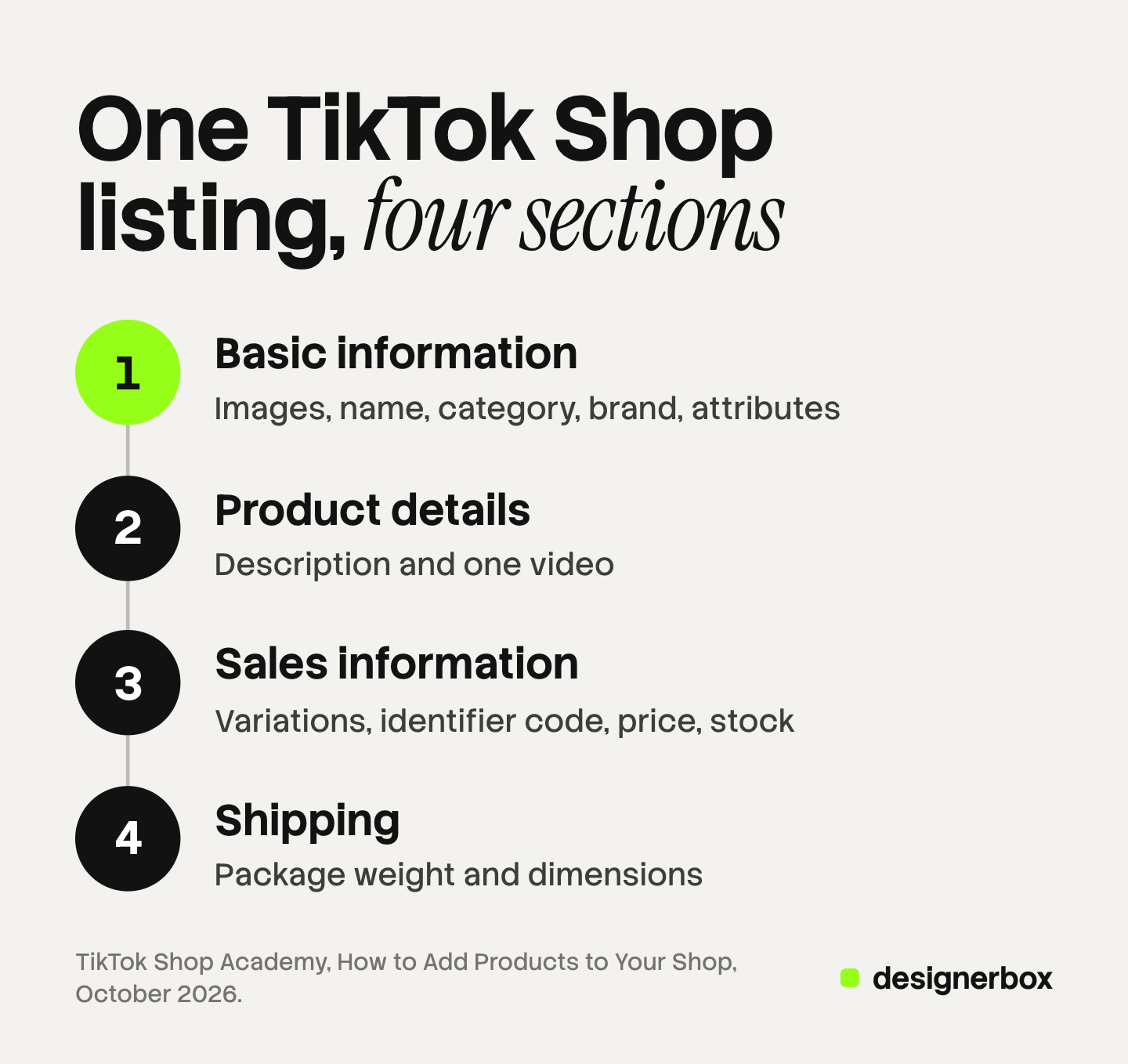
Basic information. You upload the images, type the product name, and select the category and the brand. Attributes are in this section too.
Product details. You write the description and add a video.
Sales information. You add the variations. For each one you enter a product identifier code, a retail price and a quantity.
Shipping. You confirm the package weight and dimensions. TikTok usually fills these in from similar products, so check them.
A panel at the top left checks the listing while you type. Critical issues stop the submission until you correct them. Suggestions are optional.
TikTok Shop product listing fields and limits
The table gives each field, the limit TikTok states, and the usual fault. Where two TikTok pages give different numbers, both appear.
| Field | What TikTok states | The usual fault |
|---|---|---|
| Product name | 25 to 200 characters. The same page recommends 80 or fewer | All capital letters, or words such as “Best Seller” |
| Category | The most accurate category. TikTok suggests one from the title | A wrong category, which TikTok calls an Incorrect Category violation |
| Brand | Select from the list, or select No brand | No brand on a product that carries a brand |
| Attributes | Optional | Left empty, so the product is harder to find |
| Description | No less than 30 words in the policy. At least 500 characters in the best practice guide | A website link, an email address or a seller name |
| Images | At least 1 and at most 9. At least 600 x 600 pixels, 10 MB a file, JPG, JPEG or PNG | Text or a promotion sticker on the first image |
| Video | 1 for each listing, with a ratio between 9:16 and 16:9 | A file over the size limit |
| Product identifier code | A GTIN, such as a UPC, EAN, ISBN or JAN | A code that is not registered with GS1 |
| Retail price and list price | The list price is higher than or equal to the retail price | A list price far above recent prices |
| Package weight | 1 to 220 pounds | A weight that leaves out the box |
Three rows need a note.
Product name. TikTok asks for the brand, the product type and the key features. Size and color belong in the variation names (TikTok Shop Academy, October 2026).
Description. The policy sets a floor of 30 words. The best practice guide asks for at least 500 characters (TikTok Shop Academy, October 2026). Write to the higher number. The guide to Shopify product descriptions covers how one description serves many variants.
Attributes. They are optional on the form, but TikTok says key attributes improve listing quality. The guide to product attributes explains the four types and where each one lives.
Images and video in the listing
The image field accepts up to nine files, and TikTok’s best practice guide asks for at least five. The policy adds stricter rules. The main image shows the front of the product on a pure white background. No product image carries added logos, text, borders or watermarks. Placeholders and digital renderings are not allowed. The guide to TikTok Shop product images covers each of these rules, and what they mean for an image that a model made. The guide to ecommerce product photography puts the TikTok Shop image rules next to those of four other channels.
The video limit depends on the page you read. The listing form guide gives a maximum file size of 100 MB, in MP4, MOV, MKV or AVI. The Product Listing Policy says the one video “must not exceed 5MB”. Both pages were live in October 2026. The guide to TikTok Shop product videos explains how to keep a clip under the lower number.
Variants, SKUs and the size chart
TikTok treats each product variation as one SKU. A shirt in 3 colors and 2 sizes has 6 SKUs. All of them sit on one product page.
For each SKU, the form needs a product identifier code, a retail price and a quantity. TikTok says the code should be registered with the GS1 database.
Two rules apply here. Keep one listing for one product, because the policy bans duplicates. Do not group different products as variations: a t-shirt and a sweatshirt each need a listing.
Products with sizes show a size chart section. TikTok’s size chart tool covers fashion and sports products (TikTok Shop Academy, October 2026). The sizes in the chart must match the sizes you sell, and they run from smallest to largest. You can save a chart as a template and attach it to many products.
Single listing or bulk upload
Use the single form for a few products, and bulk listing for many products in one category.

Bulk listing works on a desktop only (TikTok Shop Academy, October 2026). It has four steps:
- Open Products, then Add Products, and select Bulk listing.
- Search for the product, or select its category, and download the template.
- Fill in the template. Each row is one SKU.
- Upload the spreadsheet, correct the errors TikTok marks, and select Publish.
Four rules decide whether the file uploads:
- One template for each final category. Since June 2025, a template covers one final category only. TikTok recommends that you download no more than 3 templates at a time.
- Required fields have a red border. Fill in all of them, and do not add or delete rows or columns.
- Variants share a name. Products need the same product name and package dimensions to group as variants. One product can have up to 100 SKUs.
- The file stays under 5 MB. Images go in as image URLs.
The template has one more image rule. A ratio between 3:4 and 4:3 still uploads. Outside that range, TikTok adds white borders to make the image square.
After the upload, products with errors open in an online editor, with each fault in a red box. TikTok imports the clean products first.
What TikTok reviews before a listing goes live
Every submitted listing goes to review. On the Manage Products page it shows as pending review, under the Reviewing tab, and then moves to Live. TikTok’s listing guides state no review time, so do not plan a launch around a number from a forum.
The Product Listing Policy names what every product page must have: a title, a description, a brand, images, and variations where they apply.
Some categories need approval first. You can upload a product in a restricted category, but TikTok says the listing is not live until you apply for category permission and receive approval.
TikTok also grades each listing as good, fair or poor, and says a good grade can bring more page views. This grade is the center of TikTok Shop listing optimization. The panel on the form names the parts to improve.
Common reasons a listing is rejected
TikTok’s pages connect these faults to a rejection, a removal or a frozen product:
- A wrong category. TikTok can take the listing down. You then list the product again in the correct category.
- A brand fault. A brand name that differs from the official one can cause a rejection. Selecting No brand for a branded product can freeze it.
- A sticker on an image. TikTok says marketing or promotion stickers may cause a rejection.
- Marketing words. Terms such as “Best Seller”, “20% off” and “free shipping” are banned in titles.
- A link to another site. QR codes, website links and the names of other platforms are banned.
- A duplicate listing. TikTok may remove it.
If TikTok removes a listing that follows the rules, you can appeal with a ticket on the Shop Health page in Seller Center. The guide to social commerce compares TikTok Shop with the shops on Instagram and Facebook.
Image and video sets for a TikTok Shop catalog
One listing is a short job. A catalog is harder, because every product needs the same set: a front view on white, more angles, and a clip. Anyone can make an AI picture. Making hundreds that still look like your brand is the hard part.
DesignerBox makes images, ads and video for your brand, from your product photos. It does not create listings, and it does not send finished work to Seller Center. You build the image set once as a workflow. Your brand rules are saved once and read before every run. The page for TikTok Shop sellers says the workflow returns the square crop for the shop and the vertical crop for the feed from the same result.
Batch runs that workflow over a sheet of up to 200 products, one product in each row. Row one and row two hundred get the same look. The cost is shown before the run, and you keep, discard or run again each result on its own.
Two checks stay with you. Start from a photo of the real product, because TikTok does not allow digital renderings. Then compare each result with the product, because a model can change a label or a color.
You download the results, or send them with a webhook or an S3 step. Then you add them to the listing form, or put their URLs in the bulk template. The same product photo also feeds the ad: the full workflow from the first product photo to the finished ad, in one subscription.
Uploading your own photos and the commercial license start on the Pro plan. AI video, virtual try-on, upscaling, the image editor and the video editor start on the Premium plan. Plans and credits are on the pricing page.
There is a free plan, and it runs on sample products. Get started free.
FAQ
How do I add a product to TikTok Shop?
Sign in to Seller Center, open Products, then Add Products, and select Add new product. Complete the four sections and select Submit for review. The product shows as live on the Manage Products page after the review.
How long does TikTok Shop take to review a product?
TikTok’s listing guides give no review time. A submitted product shows as pending review and then as live on the Manage Products page. A product in a restricted category stays offline until TikTok approves your category permission.
How many products can I list on TikTok Shop?
TikTok says a shop can display up to 1,000 products. A new shop starts with a lower limit. In the New Shop Probation Program, a Beginner shop can upload up to 100 products and a Standard shop up to 200. TikTok can lower the limit for a shop.
How long can a TikTok Shop product title be?
TikTok states that titles should have 25 to 200 characters. The same guide recommends 80 or fewer. The title names the brand, the product type and the key features. Size and color go in the variation names.
Can I upload products to TikTok Shop in bulk?
Yes, on a desktop. Download TikTok’s Excel template for each final category, fill in one row for each SKU, and upload the file. The file cannot exceed 5 MB. TikTok accepts only its own template, and it marks every error in an online editor.
Sources
- TikTok Shop Academy, How to Add Products to Your Shop: the listing methods, the four form sections, image, title and video limits, identifier codes, listing quality grades and submission, read October 2026.
- TikTok Shop Academy, Add products to your shop via bulk listing: templates, SKU rows, the 100 SKU limit, the online editor and restricted categories, read October 2026.
- TikTok Shop Academy, Product Listing Policy: mandatory page content, title and description standards, image and video rules, duplicates and variations, read October 2026.
- TikTok Shop Academy, Product Listing: What You Need to Know: the 25 to 200 character title, the 500 character description, brand rules, pricing rules and appeals, read October 2026.
- TikTok Shop Academy, Your Guide to Selecting the Right Product Category: category suggestions and Incorrect Category violations, read October 2026.
- TikTok Shop Academy, How to Use Size Chart Tool: size chart rules and templates, read October 2026.
- TikTok Shop Academy, New Shop Probation Program Requirements: product limits for new shops, read October 2026.
- DesignerBox page for TikTok Shop sellers and DesignerBox Batch page, October 2026.
- DesignerBox pricing, October 2026.
TikTok Shop rules verified from the US seller pages as of October 2026. Platform rules change often, so check the linked page before you act on a number.