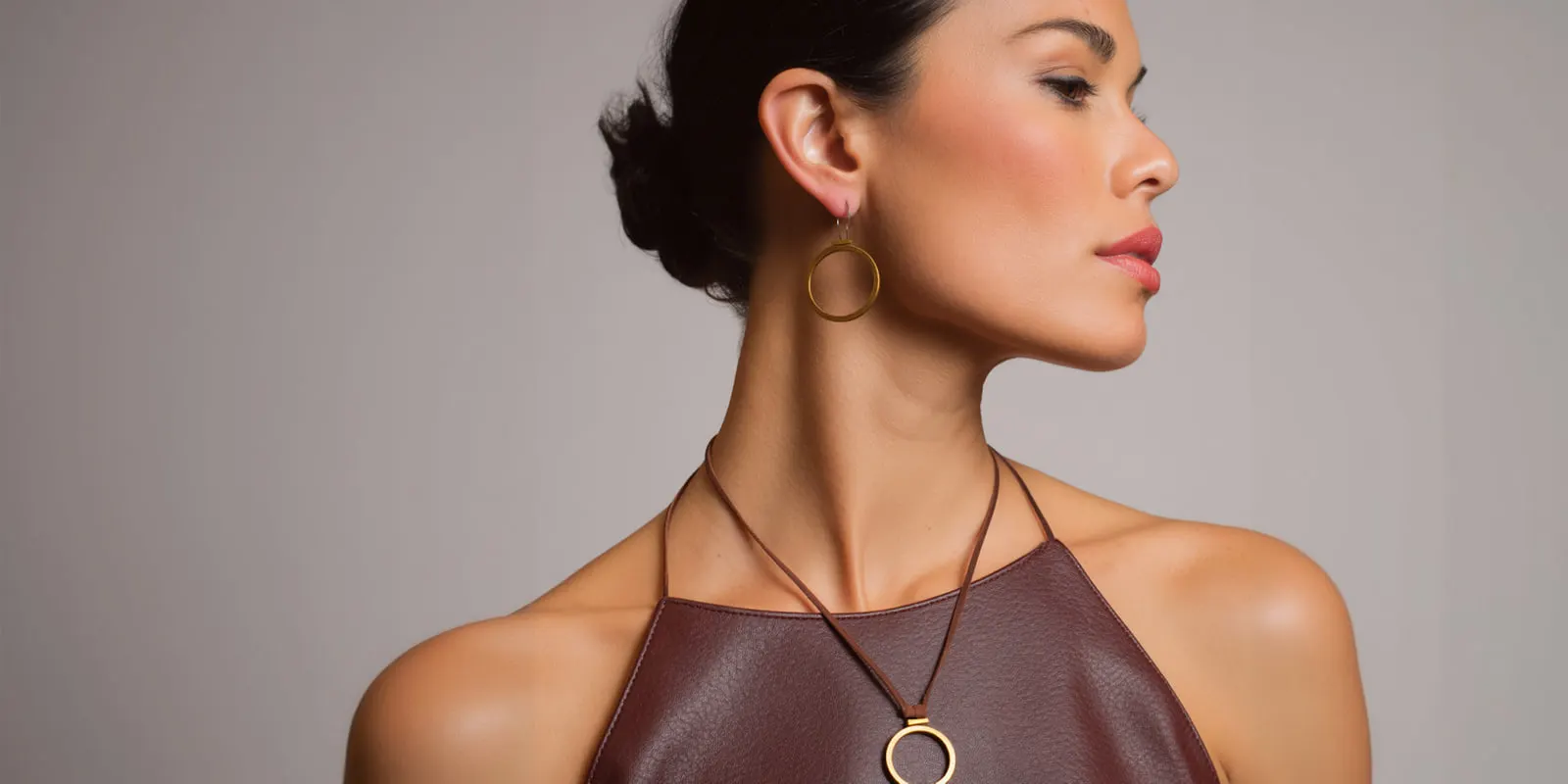
Jewelry photoshoot ideas sort into four groups by what holds the piece. A flat surface holds it for the packshot, the stone slab and the flat lay. A prop or stand holds it upright: a bust, a ring cone, a hanging line, a box. A hand, wrist, ear or neck shows its size. A full model shows how it is worn. The support decides scale, reflection and channel.
A ring cannot stand. A chain has no shape until something holds it. So before you choose a mood, you choose a support, and that choice sets most of the frame.
Below are 17 ideas under the four supports. Each says what is in the frame, what it proves and what makes it fail. A table then sets them against the image rules of Amazon, Etsy and Google.
Key Takeaways
- Every jewelry shot starts with a support. A surface, a stand, a body part or a model. Pick it first, then the light and the mood.
- Amazon’s jewelry page allows one idea in the main image. Pure white, the actual product, no mannequin and no model (Amazon Seller Central, October 2026).
- A generated scene may change the support. It must never change the piece. Stone size, metal color, chain length and clasp come from the real photo.
Why every jewelry photoshoot idea starts with a support
A mood board names moods: quiet luxury, summer gold, bridal. None of those names says how the piece stays in place. The support does, and it changes three things.
Scale. A piece on a plain surface has no size. On a finger, the shopper reads its size in a second.
Reflection. Polished metal works like a mirror. A marble slab, a velvet fold and a fingertip each put a different tone into it.
Channel fit. Marketplaces write their image rules around supports.
| Support | Scale | Reflection | Best channel |
|---|---|---|---|
| Flat surface | None without a second object | The surface color sits in the metal | Marketplace main image, catalog |
| Prop or stand | Weak: shape is clear, size is not | The stand color sits in the metal | Gallery, brand product page |
| Hand or body part | Strong and instant | Skin tone warms the metal | Gallery, ads, social posts |
| Full model | Strong, and the piece is small in frame | Clothing and scene color | Ads, email, landing pages |
Reflection control, lighting and the four-shot listing set are in the companion guide on how to photograph jewelry. This article stays with ideas.
Jewelry flat lay and surface ideas
A surface is the simplest support. The piece lies still, and nothing else needs to be in the frame.
1. White sweep packshot. The piece alone on seamless white, lit soft and even. It shows the whole piece, and it is the image a marketplace asks for. It fails when the white turns gray in the file.
2. Stone slab. The piece on marble, travertine or slate, shot from a low angle. Stone adds weight and puts a soft gray or cream into the metal. It fails when a strong vein runs behind the piece and competes with it.
3. Fabric fold. Linen, silk or velvet, with one soft fold that lifts the piece toward the lens. Fabric absorbs light, so the metal looks brighter. It fails on lint, because every fiber shows.
4. Collection flat lay. Several pieces from one line, arranged from above with even gaps. It proves that the pieces belong together and sells the second item. A jewelry flat lay fails when a stud looks as large as a cuff because nothing in the frame gives scale. Layout rules are in the guide to flat lay photography.
5. Water tray. A shallow tray of water with the piece resting in it. Ripples bend the light and give a still image movement. It fails when the water hides the stone or distorts the shape of the piece.
Props and stands that hold a piece upright
A stand gives jewelry the shape it has when worn, with no person in the frame.
6. Neck bust. A plain bust in linen, leather or matte resin with one necklace on it. It proves how the chain falls and where the pendant sits. It fails when a glossy bust reflects the lights. Each chain length needs its own frame, as necklace photography shows.
7. Ring cone or holder. A cone, a slotted block or a small pillar that holds the ring upright. It proves the height of the setting and the width of the band. It fails when the holder is larger and brighter than the ring.
8. Hanging line. Earrings or a pendant on a thin thread or wire against a plain field. The piece hangs as it does on a person. It fails when the piece turns between frames, so a pair shows two different angles.
9. Box and packaging. The piece in its open box, with the lid and the pouch beside it. It proves what arrives. It fails when the box in the photo is different from the box in the parcel.
10. Clear block for the back. The piece set against an acrylic block so the clasp, the earring post or the inside of the band faces the lens. It proves how the piece closes. It fails when fingerprints on the block catch the light.
Jewelry photoshoot ideas on a hand, wrist, ear or neck
A body part is a support and a ruler at once. The crop stays tight, so the piece stays large while the shopper reads its size.

11. Hand. One relaxed hand, one ring, a plain background. It proves size and shows how high the setting sits. It fails when the hand is tense or the skin looks like plastic. The frames a size choice needs are in ring photography.
12. Wrist. A bracelet on a wrist, with the hand turned so the piece shows its face. It proves fit: how loose the piece sits. It fails when the clasp rolls to the front. The closure frames are covered in bracelet photography.
13. Ear crop. One ear in profile, hair pulled back, the earring sharp. It proves the drop: how far a hoop or a pendant hangs below the lobe. It fails when a strand of hair crosses the piece. Studs, hoops and drops each need their own setup, as earring photography explains.
14. Neck crop. The frame runs from the chin to the top of the chest, with one necklace. It proves length against the collarbone. It fails when a busy neckline sits behind the pendant.
Jewelry model photography: three full-model ideas
A full model turns a product into a look. The piece is small in the frame, so these shots sell a feeling and leave proof to the earlier groups.
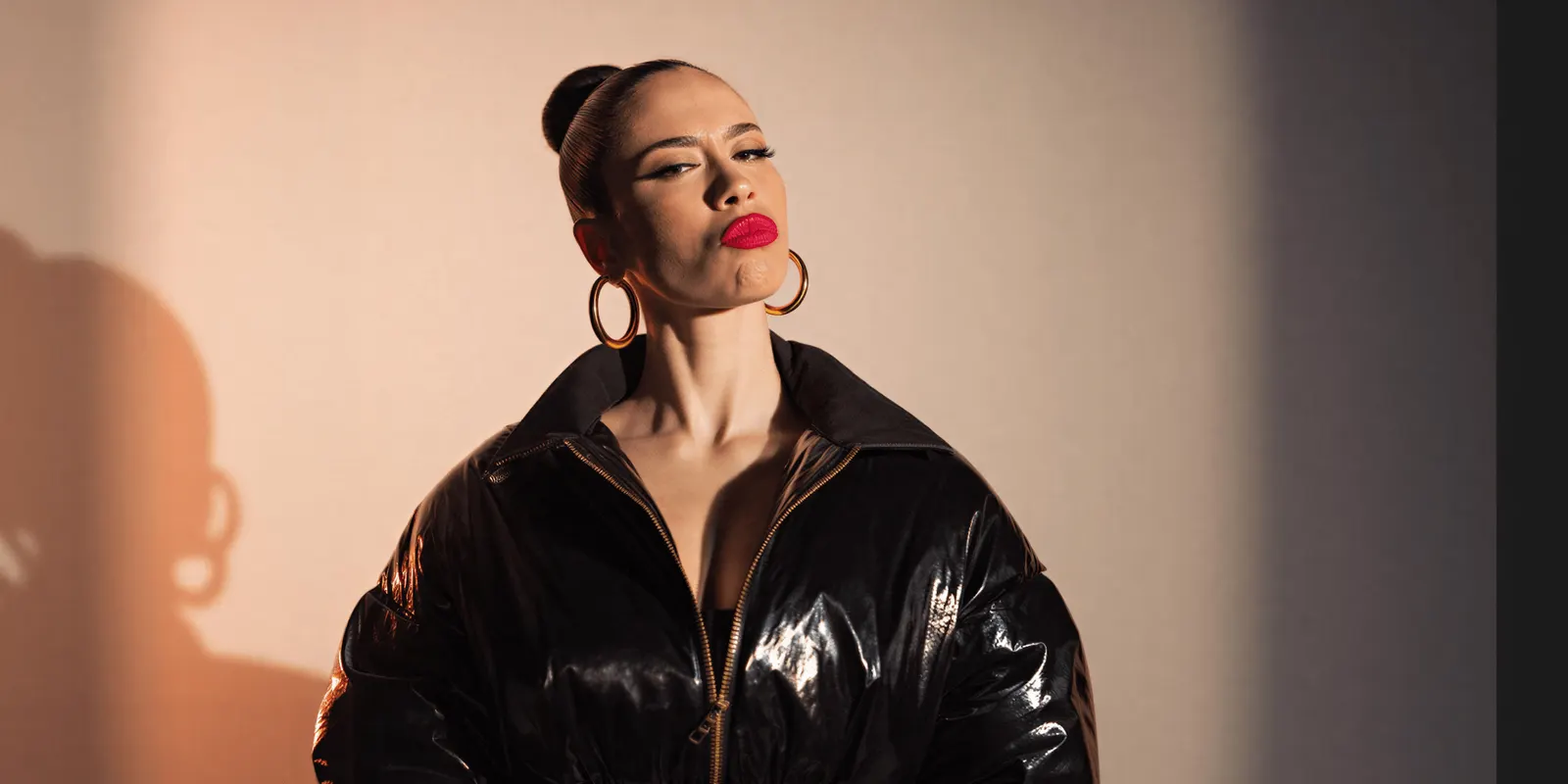
15. Styled portrait. Head and shoulders, plain clothing, the jewelry as the only accent. It proves how the piece sits with a face and a skin tone. It fails when makeup, collar and background all ask for attention.
16. Stack and layer story. Several rings on one hand, or three chains at different lengths, on one model. It proves that the pieces work together. It fails when the pieces overlap so that none of them is clear.
17. Gifting scene. One person hands a box to another, or opens it at a table. It proves the occasion. It fails when the piece is so small in the frame that the ad could be for anything.
Which channel takes which idea
The rules come from each platform’s own page, and the guide to ecommerce product photography sets the five main channels side by side. The idea numbers are our reading of them.
| Channel | Rule on the platform’s page | Ideas that fit |
|---|---|---|
| Amazon main image | Pure white background, the actual product, no mannequin or model | 1 only |
| Amazon gallery | Product outside packaging that hides it. Only what the customer receives | 1 to 3 and 10 to 16. Check 4 and 9 first |
| Etsy first photo | Landscape or square, with a border wide enough for cropped thumbnails | 1, 2, 3, 6 and 11 to 14 |
| Google Shopping main image | Product fills 75% to 90% of the image, with no overlays | 1 to 3 |
| Google lifestyle image | A separate attribute for an in-context image | 11 to 17 |
| Ads, email, social posts | Each ad platform’s own rules | 5, 8 and 11 to 17 |
Amazon’s two pages disagree on one number. The jewelry page says the product should occupy at least 80 percent of the image area (Amazon Seller Central, October 2026). The general product image guide says to show the product as 85% of the image (Amazon Seller Central, October 2026). A crop at 85% or above satisfies both pages.
The jewelry page also says images must only include what the customer will receive. A box fits only when that box ships, and a flat lay of five pieces fits only a listing that sells all five.
Etsy asks for a first photo that is landscape or square, and recommends photos at least 2,000 pixels wide and high (Etsy Help, October 2026). Google asks that the product take no less than 75% and no more than 90% of the full image. It accepts a lifestyle image through a separate attribute (Google Merchant Center Help, October 2026).
One line of United States guidance applies to every idea here. The FTC Jewelry Guides say a picture of a diamond or other gemstone that shows it larger than its actual size may mislead consumers, unless the true size is disclosed (16 CFR 23.1, October 2026). So state the dimensions beside a close crop and keep a body shot in the set. This is general information, not legal advice.
What a generated scene may change, and what it must not
Start every generated image from one accurate photo of the real piece. An image model then changes the support around it.
May change: the surface under the piece, the light, the setting, the props, and the hand or the model, made as a styled scene. Ideas 2 to 5 and 11 to 17 suit this route.
Must not change: stone size, stone color and cut, metal color, chain length, the clasp, any engraving, and the piece itself.
Three limits follow.
- Idea 1 for Amazon needs the camera. The jewelry page asks for the actual product, and it excludes a graphic or an illustration.
- Ideas 9 and 10 need the camera. A box and a clasp are facts about the product.
- Google asks for AI metadata on generated images. Images made with generative AI must keep the metadata that says so (Google Merchant Center Help, October 2026).
A person checks every generated frame against the real piece: stone count, metal tone, length. The safe edits are sorted in the guide to jewelry retouching.
One brand look across a jewelry collection
Anyone can make an AI picture. Making hundreds that still look like your brand is the hard part.
DesignerBox is AI creative production for brands and agencies. You add the product photo to your brand, start from one of the templates, and save the steps as a workflow. Your brand rules are read before every prompt, and batch runs the same workflow over a sheet of pieces. The cost is shown before the run.
DesignerBox virtual try-on is for garments only. Jewelry on a person is made as a styled scene from the product photo. Brand rules guide a run, and a person reviews each result against the real piece. Nothing publishes to a store: you download the results.
The full workflow from the first product photo to the finished ad, in one subscription. Uploading your own photos and the commercial license start on the Pro plan. Plans and credits are on the pricing page.
A free plan for your first run
There is a free plan, and it runs on sample products. Open a template and see a scene change around one product.
FAQ
What are good jewelry photoshoot ideas for a small brand?
Start with one idea from each support. Shoot a white sweep packshot, one piece on a bust or a ring cone, one hand or neck crop, and one styled portrait. Those four frames cover the main image, the shape, the size and the look.
How do you take a jewelry flat lay?
Place the pieces on a plain surface and shoot from directly above. Keep even gaps between pieces and use soft light from one side. Add a hand at the edge so shoppers can read the scale.
Can a model appear in an Amazon jewelry main image?
No. Amazon’s jewelry page says the main image must not include a mannequin or a model, and it asks for a pure white background and the actual product. Model and body shots go in the other image slots.
What props work best for jewelry photos?
Props that hold the piece and stay quiet: a matte bust, a ring cone, a clear block, a stone slab. Polished metal reflects a glossy prop, so choose matte finishes.
Can AI make jewelry photos on a model?
An image model can place a product photo into a styled scene with a hand or a model. It can also change the piece by mistake. Compare stone size, stone count, metal color and chain length with the real item before you publish. In DesignerBox the cost is shown before the run, and a person still reviews each result.
Sources
- Amazon Seller Central, Jewelry image requirements (sellercentral.amazon.com, accessed October 2026)
- Amazon Seller Central, Product image guide (sellercentral.amazon.com, accessed October 2026)
- Etsy Help, Requirements and best practices for images in your Etsy shop (help.etsy.com, accessed October 2026)
- Google Merchant Center Help, Image link attribute (support.google.com, accessed October 2026)
- FTC Jewelry Guides, 16 CFR 23.1, Note 3 (law.cornell.edu, accessed October 2026)
- DesignerBox Templates, Brand and Batch pages, and the DesignerBox app, read October 2026
Amazon, Etsy, Google and FTC rules verified on the pages above in October 2026. Platform rules change, so check each page before you publish.