





Marketing collateral is every piece of content a company uses to promote its products or its brand: product pages, social posts, emails, ads, sales sheets, brochures and the card inside the box. The word once meant printed brochures for sales teams. Today it covers print and digital. A new product brand needs four pieces first, and one brand record that every later piece copies.
A list of 20 types does not help a founder who runs the brand alone. That founder has no design team, and every new piece means a brief, a wait and a revision round. The launch waits behind the piece.
This guide is for solo founders and marketing teams of one to three people at a young product brand. It covers what marketing collateral is, the types grouped by where the buyer meets them, examples with what each must contain, which pieces to make first, where the time goes, and how to keep twenty pieces on one brand. Facts were checked in October 2026.
Key Takeaways
- Marketing collateral is a set. It is every piece that carries the brand to a buyer, in print and on a screen.
- Group the types by where the buyer meets them. There are six places: your store, social, email, paid ads, sales conversations, and print and packaging.
- A new brand needs four pieces first. A brand record, the product page pictures, a social and ad set, and a welcome email.
- The wait often hurts more than the fee. Each piece passes a brief, a wait and a revision round, and the launch waits with it.
- One photo shoot fixes one look. The light, background and angle are set that day, and new pieces need other versions.
- A claim is a claim on every piece. The FTC counts packaging, brochures and social posts as advertising.
What is marketing collateral?
Marketing collateral is the set of materials a company uses to promote its products, its services or its brand. Shopify defines it as “any creative asset your company uses to promote your products, services, or brand”, and says it covers “a wide range of digital or printed materials” (shopify.com, October 2026). A logo counts. A product infographic counts. So does a flyer.
The meaning was once narrower. “Collateral” first meant brochures and sell sheets made as sales support (Wikipedia, October 2026). That is why a few related terms still exist beside it:
| Term | What it means | Example |
|---|---|---|
| Marketing collateral | Every piece that promotes the product or the brand | A product page, a welcome email |
| Sales collateral | Pieces a seller hands to one buyer to help close a sale | A sell sheet, a wholesale line sheet |
| Brand collateral | Pieces that carry the identity and rarely change | Business cards, packaging, a brand book |
| Print collateral | Any piece that is printed | A postcard, a package insert |
| Marketing materials | A looser name for the same set | A flyer, a banner |
Ad files are one row of the set, and creative assets covers that row in detail. This guide covers the wider set.
What are the types of marketing collateral?
The usual list sorts collateral by format. It is more useful to sort it by where the buyer meets it, because each place has its own rules and its own sizes.
| Where the buyer meets it | Pieces | What each must contain |
|---|---|---|
| Your store or website | Homepage banner, product page pictures, product infographic, About page | The real product, the main benefit, the price or the next step |
| Social | Feed posts, short videos, story frames, profile header | One idea per post, the product in the first second, your brand colors |
| Welcome email, launch email, order emails | One job per email, your postal address, a way to stop the emails | |
| Paid ads | Static ads, video ads, the landing page behind them | One promise, the product, a call to action |
| Sales conversations | Sell sheet, wholesale line sheet, pitch deck, case study | Product facts, wholesale terms, contact details |
| Print and packaging | Package insert, postcard, flyer, business card, trade-show banner | Print-ready size, the logo, one next step |
The first four rows are digital marketing collateral. The last row is print collateral. The sales row can be either.
Digital and print collateral
A digital piece can change after it ships. You can replace a product page picture tomorrow. A printed piece cannot change after the print run, so every fact on it gets a second check first.
Print also has physical rules. A postcard that mails at the USPS First-Class Mail card price is at least 3.5 by 5 inches and at most 6 by 9 inches. It is also between 0.007 and 0.016 inch thick (pe.usps.com, October 2026). A designer needs those numbers before the layout starts.
Marketing collateral examples and what each must contain
Six pieces appear in almost every young product brand. Here is what each one has to carry.

Product page pictures. A set where each picture has one job: the product alone, the product in use, the size, the detail. Product images explains the seven roles, and it covers the product infographic.
Welcome email. One job: tell a new subscriber what the brand is and what to do next. In the US, the CAN-SPAM Act says a commercial email “must include your valid physical postal address” and a clear way to opt out. You must honor an opt-out within 10 business days (ftc.gov, October 2026).
Sell sheet. One page for a retail buyer: product photo, sizes, wholesale price, minimum order, your contact details. It is the classic piece of sales collateral.
Package insert. The card inside the box. It thanks the buyer, explains how to use the product and gives one next step, such as a review link.
Social post set. A group of posts made together, so the feed looks like one brand. How often you post decides how many you need each week.
Product infographic. One picture that shows three or four facts about the product with short labels.
Claims on collateral
A health or performance claim follows the same rule on every piece. The FTC’s Health Products Compliance Guidance says advertising includes “statements or depictions on packaging and labeling; in promotional materials such as brochures or booklets; on the internet and in other digital content; in social media and influencer marketing”. Health claims need “competent and reliable scientific evidence” (ftc.gov, December 2022, read October 2026).
This matters most for a supplement, drink or wellness brand. A claim you would not put in an ad does not belong on the insert. This is general information, not legal advice.
Which pieces does a new product brand need first?
A new brand cannot make all six rows in month one. Make four pieces first, in this order.
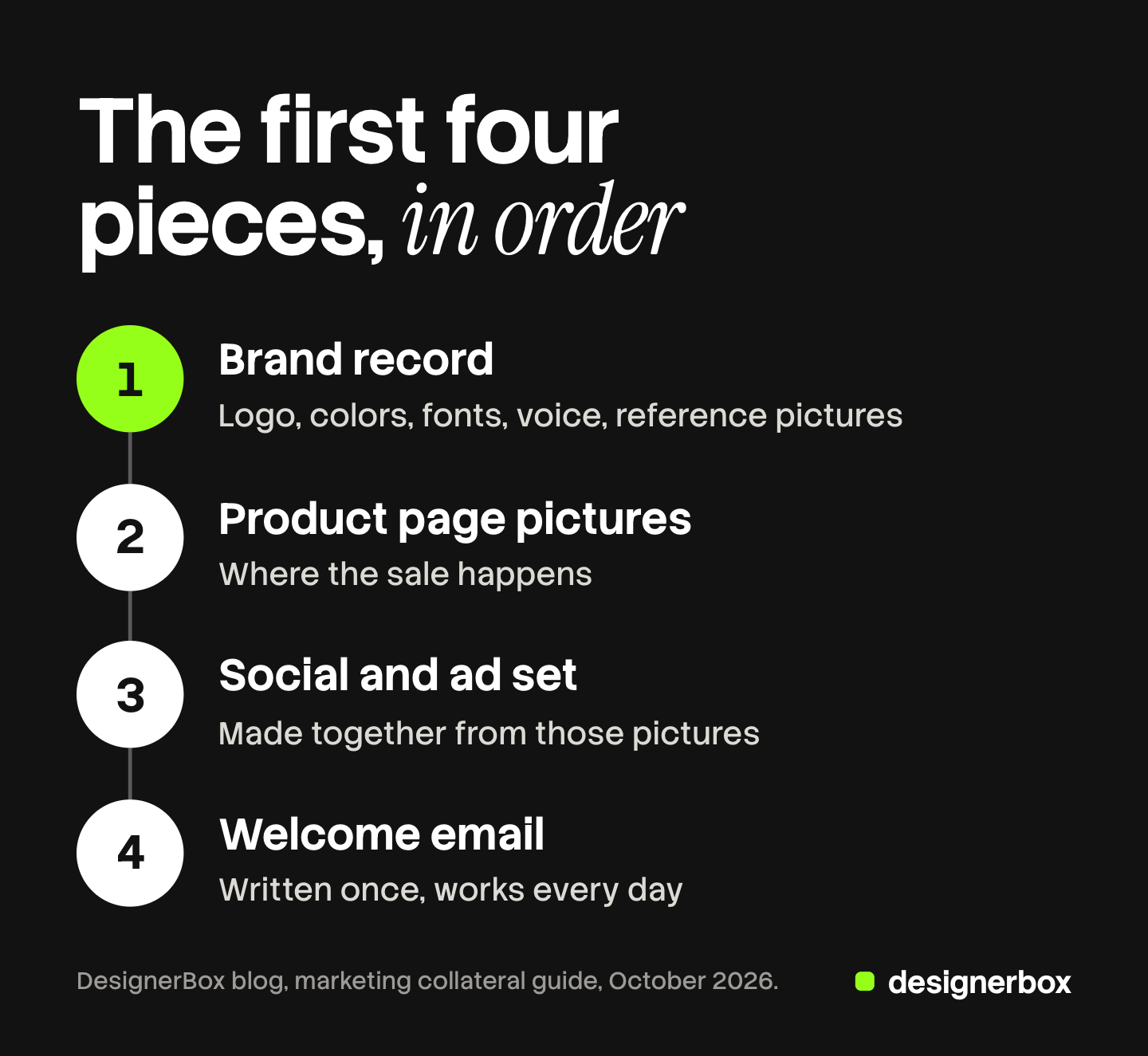
- The brand record. Logo files, colors, fonts, voice and three to five reference pictures. Every later piece copies it, so it comes first. Ecommerce branding shows how one person builds it.
- Product page pictures. The store is where the sale happens. Every other piece sends the buyer here.
- A social and ad set. Six to ten posts and two or three ads, made together from the product page pictures.
- A welcome email. It works every day after you write it once.
Later pieces can wait for a reason. A sell sheet waits for your first wholesale conversation. A package insert waits for your first reorder of boxes. A trade-show banner waits for a booked show. Make a piece when a buyer is about to meet it.
Where does the time go for each piece?
Each piece passes three stages: you write a brief, you wait for a first version, and you ask for changes. The fee is the visible cost. The wait often hurts more, because a launch or a post cannot go live until the piece comes back.

There is public data on the revision stage, from larger teams. In a July 2026 survey of more than 300 enterprise marketing leaders by Knak, 69% said one email needs two to three rounds of revision before launch. In the same survey, 38% named design and creative production as a cause of a missed launch date (prnewswire.com, July 2026). Those are enterprise teams with staff designers. A founder who briefs an outside designer has the same stages and fewer hands.
| Stage | What takes the time | How to shorten it |
|---|---|---|
| Brief | Explaining the brand again for every piece | Write the brand record once and attach it |
| Wait | The designer’s queue, which you do not control | Batch similar pieces into one request |
| Revision | Fixing things the brief did not say | Give sizes, text and a reference picture in the brief |
Two habits help most. Use a fixed creative request form, so no brief misses a size or a deadline. And decide how you outsource graphic design before the volume grows, because each model has a different queue. Launch campaigns faster breaks a full campaign timeline into four blocks.
What can you make from one product photo?
A founder may pay for one photo shoot at launch. The shoot fixes the light, the background and the angle on one day. A new post, a seasonal banner or a second ad needs a different scene, and the shoot does not contain it.
One good source photo of the real product now goes further than it once did. AI image tools can place the product in a new scene, change the format and build a set of ads from it. Some pieces still need other work.
| Piece | From one source product photo? | What it still needs |
|---|---|---|
| Product page pictures on white | Yes | A check of shape, color and label against the real product |
| Lifestyle scenes for social | Yes | The same check, and your brand’s light and mood |
| Static ads in three shapes | Yes | A headline and a claim you can support |
| Short product video | Often | A check for warped labels in motion |
| Product infographic | Partly | The facts, the labels and a layout |
| Sell sheet or brochure | Partly | Wholesale terms, text and a page layout tool |
| Package insert, postcard, label | No | Print files with exact sizes and bleed |
| The first source photo | No | A real photo of the real product |
The source photo matters more than before, because every later piece copies it. AI creative tools for small business shows the four jobs to set up first.
How do you keep twenty pieces on one brand?
Twenty pieces made in different months by different hands stop looking like one brand. The colors move a little. A second font appears. The product photo style changes from the store to the email.
The fix is a brand record that every piece starts from. It holds five things:
- Logo. The approved files, with the smallest size allowed.
- Colors. The exact codes, not color names.
- Fonts. One for headings and one for body text.
- Voice. Three example sentences that sound like the brand.
- Reference pictures. Three to five pictures that show the light, the background and the mood.
A brand kit is the file version of that record, and a brand guidelines template lists the rules to write beside it. Then check each new piece against the record before it ships: logo, colors, fonts, voice, picture style. Five checks take a minute.
Storage is the second half. When the count passes a few dozen files, marketing asset management keeps the approved version easy to find. Content scaling covers what changes when one product becomes many files. To repeat the same steps on every product, see how to build an AI creative workflow once and run it on the catalog.
Brand record and repeat pieces in DesignerBox
Anyone can make an AI picture. Making hundreds that still look like your brand is the hard part. DesignerBox is AI creative production for brands and agencies. One of its pages is for solo founders.
You save the brand once as a brand record: logo, colors, fonts, voice, rules and reference pictures. Every workflow reads it before each run. You start from a template, add your product photo and run it. For a job you repeat, you publish the workflow as an app: a short form and a Run button. The same steps then make the next set of product pictures or static ads.
The full workflow from the first product photo to the finished ad, in one subscription. Uploading your own photos and the commercial license start on the Pro plan. AI video, virtual try-on, upscaling, the image editor and the video editor start on the Premium plan. Plans and credits are on the pricing page.
Here are the limits. DesignerBox makes images, ads and video. It does not lay out brochures, sell sheets, PDFs or print files, so those pieces still need a layout tool or a designer. It does not post to your store or your social accounts: you download the results. Every plan below Ultra is one seat. Check each result against the real product before you use it.
A free plan for your first run
There is a free plan, and it runs on sample products. Start from a template and see the cost before you run it.
FAQ
What is marketing collateral?
Marketing collateral is every piece of content a company uses to promote its products, services or brand. It covers digital pieces, such as product pages, emails and social posts, and printed pieces, such as brochures, postcards and package inserts.
What is the difference between marketing collateral and sales collateral?
Marketing collateral is the whole set, made for many buyers at once. Sales collateral is the part a seller hands to one buyer to help close a sale: a sell sheet, a wholesale line sheet, a pitch deck or a case study.
What are examples of marketing collateral?
Product page pictures, a welcome email, a set of social posts, static and video ads, a product infographic, a sell sheet, a package insert, a postcard and a business card are all marketing collateral. A logo and a brand book are brand collateral inside the same set.
What marketing collateral does a small business need first?
A new product brand needs four pieces first: a brand record, product page pictures, a social and ad set, and a welcome email. A sell sheet, a package insert and a trade-show banner can wait until a buyer is about to meet them.
Is marketing collateral digital or print?
Both. The term first meant printed brochures and sell sheets for sales teams. Today it covers digital pieces as well. Digital pieces can change after they ship, and printed pieces cannot, so print needs a second check of every fact.
How do you keep marketing collateral consistent?
Start every piece from one brand record: logo files, color codes, fonts, voice examples and three to five reference pictures. Then check each new piece against those five things before it ships.
Can DesignerBox make marketing collateral?
It makes the image, ad and video pieces from your product photo, and the workflow reads your brand record on every run. You see the cost before each run. It does not lay out brochures, PDFs or print files.
Sources
- Shopify, “Marketing Collateral: Definition, Types, and Examples.” shopify.com, published April 2023, accessed October 2026
- Wikipedia, “Marketing collateral,” for the older meaning of the term. en.wikipedia.org, accessed October 2026
- Federal Trade Commission, “Health Products Compliance Guidance.” ftc.gov, December 2022, accessed October 2026
- Federal Trade Commission, “CAN-SPAM Act: A Compliance Guide for Business.” ftc.gov, accessed October 2026
- USPS Postal Explorer, “201 Quick Service Guide: Physical Standards for Commercial Letters and Postcards.” pe.usps.com, accessed October 2026
- Knak, “Marketing Production in the Age of AI,” a survey of more than 300 enterprise marketing leaders. prnewswire.com, published 28 July 2026, accessed October 2026
- DesignerBox pricing and product pages (designerbox.ai), October 2026
Definitions verified from Shopify and Wikipedia, legal and postal rules from the FTC and USPS, and survey figures from Knak’s release on prnewswire.com, as of October 2026. Individual results vary.


