
Creative assets are the files that make up an ad or a campaign: product photos, logos, videos, headlines and layouts. Google’s definition is the shortest one: a creative is the content people see, and assets are the files that make up the creative. A brand holds a few source assets and makes many derived assets from them, one per placement, size and language.
AI changed one of those two layers. A new scene, a new size or a new language version now takes minutes. The product photo, the logo and the brand rules behind them did not get cheaper, and they did not get less important. Every derived file copies them, including their mistakes.
This guide is for brands and agencies that make ads every week. It covers the types of creative assets, the difference between creative assets, ad assets and brand assets, how many files one campaign takes, what AI changes, and five checks before a file ships, as of October 2026.
Key Takeaways
- An asset is a file, and a creative is what people see. One ad is built from several assets: an image or a video, a logo, a headline and a description.
- There are two layers. Source assets are few and are made once. Derived assets are many and are made again for each placement.
- The count comes from the platform. One Performance Max asset group takes up to 60 images, 45 videos and 10 logos.
- AI made the derived layer cheap. It did not make the source layer cheap, and it did not remove the review.
- Product accuracy is the weak point. In one vendor-run test, the strongest base models kept the product correct in 29.0% of cases.
- The AI tag stays in the file. Google Merchant Center tells merchants to keep the metadata that marks an image as AI-generated.
What are creative assets?
Creative assets are the files a team uploads to build an ad. Google’s Campaign Manager 360 help says it plainly: “A creative is the content users see; assets are the files that make up the creative” (support.google.com, October 2026). An image file is an asset. The ad a person sees in a feed is the creative.

Most creative assets fall into five types:
| Type | Examples | Who usually makes it |
|---|---|---|
| Image | Product photo, lifestyle scene, static ad layout | Photographer, designer, AI |
| Video | Product clip, demo, creator-style clip | Videographer, editor, AI |
| Text | Headline, description, call to action | Copywriter, marketer |
| Brand | Logo, color palette, fonts, brand rules | Brand designer |
| Audio | Voiceover, music | Voice artist, editor |
A campaign rarely uses one asset. It uses a set, and the ad platform combines the set into many ads.
What is the difference between creative assets, ad assets and brand assets?
The three terms overlap, and each platform uses them a little differently.
| Term | What it means | Example |
|---|---|---|
| Creative assets | Every file made for marketing and ads | A product photo, a 9:16 video |
| Ad assets | The pieces an ad platform assembles into an ad | A headline, a sitelink, an image |
| Brand assets | The files that identify the brand and rarely change | The logo, the fonts, the palette |
In Google Ads, “assets” has a specific meaning. Google describes them as “content pieces that make up your ad”, and the list includes headlines, descriptions, links to parts of your website, call buttons and location information (support.google.com, October 2026). So a phone number can be an ad asset in Google Ads, and nobody would call it a creative asset.
Brand assets sit under the other two. A brand asset management system holds the logo and the rules, and a brand guidelines template lists the rules to write down. Creative assets are what you make with them.
The two layers of creative assets
It helps to split creative assets by how often you make them.
Source assets are made once per product or once per brand. The product photo, the logo, the palette, the fonts, the approved model and the brand rules are source assets. There are few of them, and each one has to be exact.
Derived assets are made from the source assets, again and again. The square feed image, the vertical story, the German version, the holiday version and the six-second cut are derived assets. There are many of them, and each one is used for a few weeks.
| Source assets | Derived assets | |
|---|---|---|
| How many | A few per product | Tens or hundreds per campaign |
| How often | Once | Every campaign, placement and market |
| What matters | Accuracy | Speed, fit to the placement, consistency |
| A mistake here | Is copied into every derived file | Affects one file |
This split explains most asset problems. A team with a weak source product photo will fix the same fault in every derived file. A team with strong source assets and no system will still make each derived file by hand.
How many creative assets does one campaign need?
The ad platform sets the count, because it asks for a set and combines it for you. Google’s Performance Max is the clearest example. An asset group is “a collection of creatives centered on a theme”, and Google can combine any asset in the group with any other to build ads across Search, Maps, Display, YouTube, Gmail and Discover (support.google.com, October 2026).
Google’s spec page lists what one asset group takes (support.google.com, October 2026):
| Asset | Google recommends | Maximum |
|---|---|---|
| Horizontal images, 1.91:1 | 4 or more | 20 |
| Square images, 1:1 | 4 or more | 20 |
| Vertical images, 4:5 | 2 or more | 20 |
| Logos, square and horizontal | 1 of each | 5 of each |
| Videos, 16:9, 1:1 and 9:16 | 1 of each | 15 of each |
| Headlines, 30 characters | 11 or more | 15 |
| Long headlines, 90 characters | 2 or more | 5 |
| Descriptions, 90 characters | 4 or more | 5 |
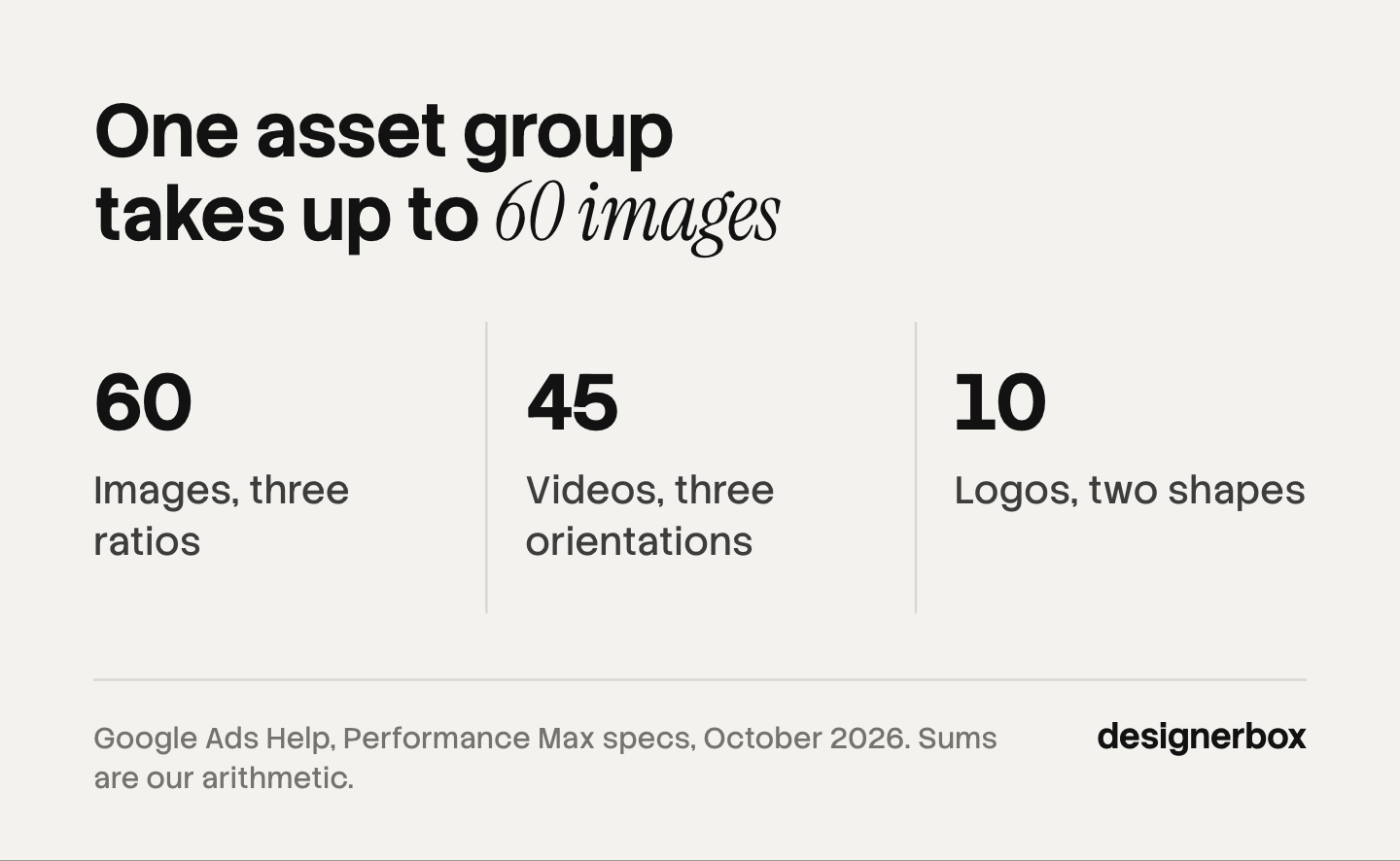
Add the rows and one asset group reaches 10 images, 3 videos and 2 logos at the recommended level. At the maximum it takes 60 images, 45 videos and 10 logos. Those sums are our arithmetic from Google’s table. If a required video is missing, Google says it will create one automatically when possible, so the choice is between your video and Google’s.
That is one asset group for one theme on one platform. A second product line, a second market or a second platform multiplies it. For the month-by-month math, see how many ad variants you need a month, and for the sizes on each network, see one ad in every platform size and image ad specs for five platforms. For a dated plan, see what to finish before Black Friday, stage by stage.
What does AI change about creative assets?
AI changes the price of the derived layer. A new background, a new ratio, a translated layout or a short clip from a still used to need a designer for each file. Now a model makes them from the source assets in minutes.

Three things stay the same.
The source layer still needs a person. A model builds on the product photo you give it. A wrong color or a missing label in the source appears in every file made from it.
Product accuracy is not solved. A picture can look real and still change the product: a smaller logo, different stitching, a redrawn label. Photoroom, which sells photo editing tools, published its own test of this. In that vendor-run test, the strongest base models kept a product correct in 29.0% of cases. Photoroom’s own fidelity layer raised the result to 38.2%, and the company says that is still not high enough to run unattended at scale (photoroom.com/blog, October 2026). The number comes from one vendor and one method, so read it as a direction. Our guide to AI product photo accuracy covers the failure types.
The file has to say AI made it. Google Merchant Center states that all images created with generative AI must carry metadata that says so, using the IPTC DigitalSourceType value TrainedAlgorithmicMedia, and it tells merchants not to remove that tag (support.google.com, October 2026). A resize or an export that strips metadata breaks that rule without anyone noticing. The wider label rules are in AI disclosure in advertising. This is general information, not legal advice.
So the work moves. Less time goes into making each derived file. More goes into the source assets, the rules and the review.
What should you record with each creative asset?
A file with no record is hard to reuse and risky to ship. Six fields cover most needs:
- Product. The SKU or product name the asset shows.
- Source. The source photo or master file it was made from.
- Placement. The platform, the ratio and the size.
- Rights. Who made it, any model or music license, and when the license ends.
- AI flag. Whether AI made or changed it, and whether the metadata tag is still in the file.
- Status. Draft, approved or retired, with the name of the person who approved it.
A spreadsheet works at 50 assets. Past a few hundred, the record needs to live with the file. Marketing asset management for a small team covers the folder and naming rules.
Five checks before a creative asset ships
- Compare it with the source. Put the derived file next to the source photo. Check the logo, the label text, the color and the shape.
- Check the placement. Confirm the ratio, the pixel size and the file size against the platform’s spec page.
- Read every word. AI can misspell text inside an image. Read headlines and on-image text letter by letter.
- Check the tag. If AI made the image, confirm the AI metadata is still in the exported file.
- Record it. Fill in the six fields, and mark the file approved.
Brand rules and review in DesignerBox
Anyone can make an AI picture. Making hundreds that still look like your brand is the hard part. DesignerBox is AI creative production for brands and agencies. It treats the two layers as two different jobs.
The source layer is a brand profile: your logos, fonts, palette and rules. You set the brand once. The workflow reads it on every run. The derived layer is a workflow you build once with your product photo. Batch runs that workflow over a whole sheet of products, and you keep or discard each row in one review pass. Critic steps score the results, and best-of-N keeps the best one. Every result lands in Assets, the file library.
The full workflow from the first product photo to the finished ad, in one subscription. The cost is shown before each run. Uploading your own photos and the commercial license start on the Pro plan. Plans and credits are on the pricing page.
Here are two limits. DesignerBox does not post to your ad accounts: you download the results, or send them with a webhook or an S3 step. Every plan below Ultra is one seat, so an agency team needs Ultra.
A free plan for your first run
There is a free plan, and it runs on sample products. Start from a template and see the cost before you run it.
FAQ
What are creative assets?
Creative assets are the files that make up an ad or a campaign: images, videos, text, logos and audio. Google’s Campaign Manager 360 help defines the split: a creative is the content people see, and assets are the files that make up the creative.
What is the difference between creative assets and ad assets?
Creative assets are every file made for marketing. Ad assets are the pieces an ad platform assembles into an ad. In Google Ads that list includes headlines, descriptions, sitelinks, call buttons and images, so some ad assets are not creative files at all.
What are examples of creative assets?
Product photos, lifestyle images, static ad layouts, short videos, logos, headlines, descriptions and voiceovers are all creative assets. A brand’s palette, fonts and written rules are brand assets, and they guide how the other files are made.
How many creative assets does a Performance Max campaign need?
Google recommends at least 4 horizontal images, 4 square images, 2 vertical images, 1 logo of each type and 1 video of each orientation per asset group. The maximum is 20 images per ratio and 15 videos per orientation. Check Google’s spec page before you build the set.
Can AI make creative assets?
Yes, for the derived layer: new scenes, sizes, language versions and short clips built from your own product photo. The source assets still need a person, and each AI result needs a check against the real product before it ships.
Do AI-made creative assets need a label?
It depends on the platform. Google Merchant Center says images created with generative AI must keep metadata that marks them as AI-generated. Other platforms have their own rules. This is general information, not legal advice.
How does DesignerBox handle creative assets?
You set your brand once in a brand profile, and you build a workflow once with your product photo. Then you run it on each new product, and you see the cost before each run. The results are saved in Assets, and you download them or send them with a webhook or an S3 step.
Sources
- Google Campaign Manager 360 Help, “About creative assets.” support.google.com, accessed October 2026
- Google Ads Help, “About assets.” support.google.com, accessed October 2026
- Google Ads Help, “How asset groups work.” support.google.com, accessed October 2026
- Google Ads Help, “Performance Max campaigns specs and format requirements.” support.google.com, accessed October 2026
- Google Merchant Center Help, “AI-generated content.” support.google.com, accessed October 2026
- Photoroom, “Ways AI is changing ad asset generation,” vendor-run fidelity test (photoroom.com/blog), accessed October 2026
- DesignerBox pricing page (designerbox.ai/pricing), October 2026
Platform definitions and Performance Max limits verified from Google’s help pages, and the fidelity figures from Photoroom’s own page, as of October 2026. Individual results vary.