
Content scaling is making more marketing content each month without a matching rise in people, time or cost, and without the brand drifting. For a brand selling products, that content is mostly visual: product photos, scenes, ads in several sizes and short videos. You do it with five steps. Write the brand rules down once, approve one master result per job, save the steps, run them on every product, and review the results together.
The pressure is measurable. In Adobe’s research across more than 1,600 marketers, 71% expect content demand to grow more than five times by 2027 (business.adobe.com, 2025, read September 2026). Salesforce found that 78% of marketers need more personalized content than they can produce (salesforce.com, February 2026).
This guide is for a brand team with 20 to 500 products, and for the agency that does that work for its clients. It covers why the file count multiplies, where the brand gets lost, the five steps, and what to measure. If you run content for a brand team, the brand team page shows the same job in the product.
Key Takeaways
- Content scaling multiplies files. One product with four shots, two ad formats and three languages is 24 files. Forty new products make 960.
- The first file is cheap now. Anyone can make an AI picture. Making hundreds that still look like your brand is the hard part.
- Brand drift is the real cost. In Adobe’s survey, 33% of marketers named producing enough on-brand content fast enough as a challenge for organic social content.
- Five steps hold the brand: a written brand record, one approved master per job, saved steps, one run over the list, and one review pass.
- Platforms ask for variety. TikTok suggests 3 to 5 different creatives per ad group and 3 to 5 ad groups per campaign.
- Measure what you keep. Track cost per kept result, time from brief to approved set, and the share of results you keep.
What is content scaling?
Content scaling is the practice of producing more content for more channels, products and markets while cost and headcount stay close to flat. It depends on repeatable steps. You decide the rules and the format once. Then you apply them to every new product, language or ad size. The goal is volume that still reads as one brand. A brand that doubles its output and loses its look has scaled the problem, and nothing else.
Content scaling also covers written content: blog posts, briefs and style guides. The problem changes when the content is a picture of your product. A sentence can be rewritten in many ways and stay correct. A product photo has one correct answer for the label, the shape and the color. Every extra file is one more chance to get that wrong.
For the wider category of software that does this work, see what creative automation is and the three levels behind the term.
Why the file count multiplies
Content multiplies because each new need multiplies everything before it. Add one product, and you need its shots. Add one ad format, and every shot needs a second crop. Add one language, and every ad needs a second version. Nobody plans 960 files. They arrive one reasonable request at a time.
Here is the arithmetic for one ordinary month. The numbers are illustrative, but each row is a common request.
| You add | Files per product | Files for 40 products |
|---|---|---|
| One hero photo | 1 | 40 |
| An angle, a scene and a marketplace crop | 4 | 160 |
| Two ad formats: 4:5 feed and 9:16 Reels | 8 | 320 |
| Three languages | 24 | 960 |
The formats are not optional. Meta’s ads guide recommends 1440 x 1800 pixels at 4:5 for a Facebook Feed image (facebook.com, accessed September 2026). Reels takes 9:16 (facebook.com, accessed September 2026). TikTok asks for vertical 9:16 video at 720p or more (ads.tiktok.com, updated June 2025).
The platforms also ask for variety inside each format. TikTok suggests 3 to 5 different creatives per ad group and 3 to 5 diversified ad groups per campaign. It also recommends a refresh when delivery shows a consistently declining trend (ads.tiktok.com, June 2025). That is 9 to 25 creatives for one campaign. Meta says ads that are “truly distinct in their visuals, messaging, and formats” give its system more options to reach different audiences (facebook.com, December 2025). How many variants a given ad budget needs each month is covered in ad variants at scale. How many files one campaign takes on each ad platform is counted in creative assets and their counts.
Where brands lose the brand when they scale
Brands lose their look at scale in five predictable places. Each one is small on file one and large on file 500.
- A different tool for every job. The packshot comes from one tool, the scene from another and the ad from a third. Each tool has its own default light and color.
- A prompt written again each time. Two people describe the same brand in two ways. The results drift apart, and nobody notices until the grid is on screen.
- Brand rules that live in one person’s head. The rules are real, but no file holds them. When that person is away, the look changes.
- No approved master. Without one result that everyone agreed on, each new file is compared to the last file. Each small change moves the next file further from the brand.
- Review at the end, file by file. Checking 960 files one at a time takes days. So teams check a sample, and the wrong files ship.
Adobe’s survey shows how common this is. 33% of marketers named the inability to produce enough on-brand and brand-compliant content fast enough as an organic social content challenge. 47% said that creating, reviewing, approving and activating one piece of content can involve between 51 and 200 people (business.adobe.com, 2025, read September 2026). Why AI results drift, and the files that stop it, are in AI brand consistency.

How to scale content creation in five steps
To scale content creation without losing the brand, you move the decisions to the start and do them once. Then the work that repeats carries no new decisions. These five steps apply whatever software you use. The order matters, because each step depends on the one before it.
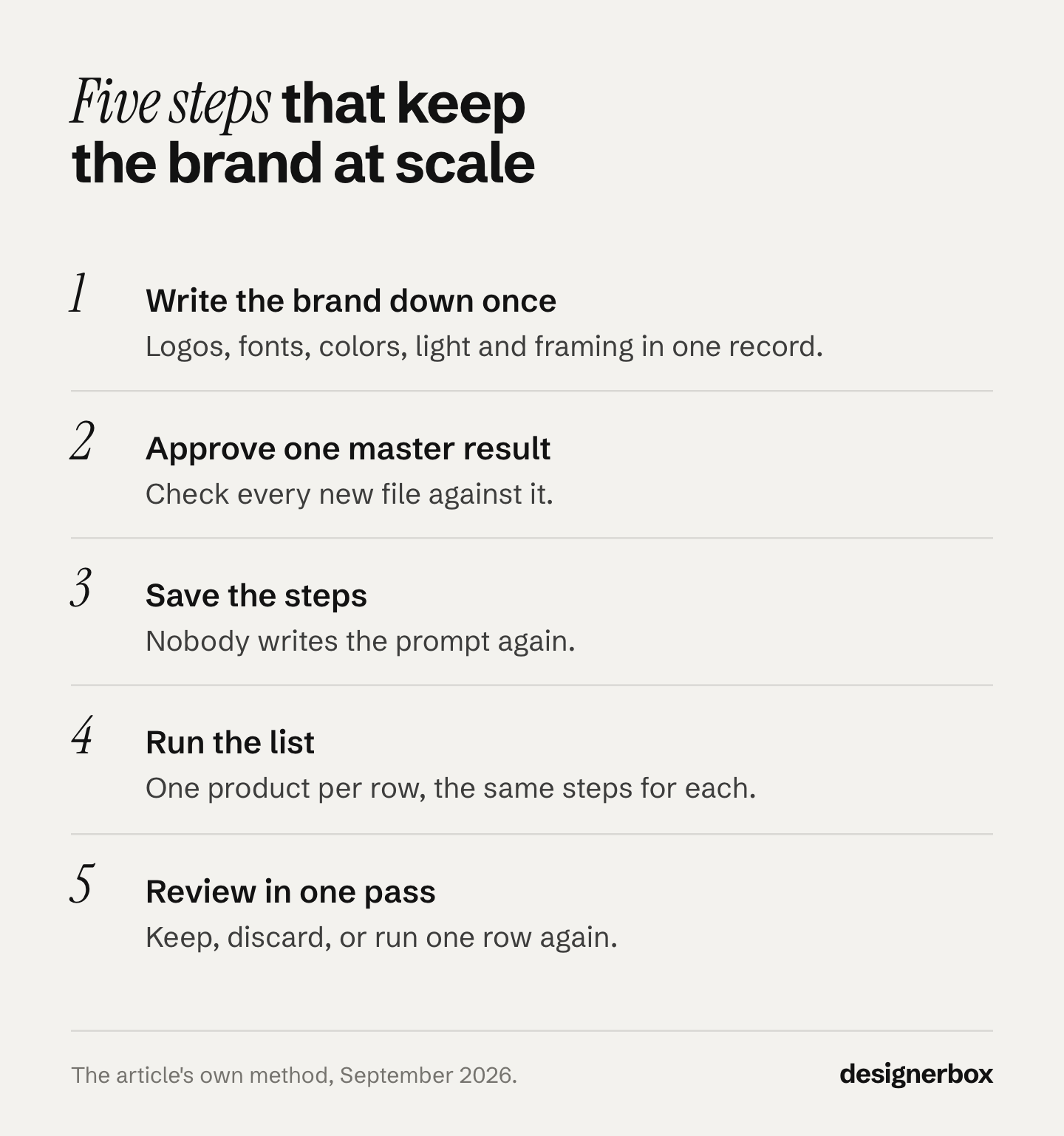
1. Write the brand down once
Put the rules in one place that every person and every tool can read. Include the logo files, fonts, color values, the light you use, how the product sits in the frame, and words you never use. A photo of an approved result says more than a paragraph. The files that belong in that record are listed in what goes in a brand kit. For the written rules, a brand guidelines template in 12 sections gives you the structure.
2. Approve one master result per job
Pick one job, for example the scene shot for a new product. Make it, change it and approve it. That result is now the standard. Every later file is checked against it, and never against the last file.
3. Save the steps
Save what made the master: the input, the steps, the model for each step and the settings. The next product then goes through the same steps. Nobody writes the prompt again, and nobody picks a different light.
4. Run the steps on the whole list
Put your products in one list: a spreadsheet with one product per row. Run the saved steps on every row. The first product and the last product get the same treatment, because the steps did not change between them.
5. Review every result in one pass
View all the results together, in a grid. A result that is off-brand is easy to see next to 40 that are right. Keep or discard each result. Run one product again on its own when it needs a fix, and leave the rest alone.
What to scale first
Scale the job that repeats most often and already costs you time or money. Four jobs repeat every week for many brands. They are good first choices, because the rules stay the same while the products, markets and formats change.
| Job | What multiplies | What stays fixed |
|---|---|---|
| The same shot for every product | Products | Light, background, framing |
| One campaign in every market and format | Languages, sizes, platforms | The concept and the layout |
| Ad variants from your own winners | Hooks, scenes, formats | The product and the brand rules |
| The listing kit per product | Products and marketplaces | The shot list for each marketplace |
Start with one job, not four. Run it on ten products, review the results, and fix the master before you run it on 400. For the costs that sit behind each job, see the four repeat costs of ecommerce creative production. For the second job, ad localization without rebuilding the layout shows where translated text breaks a design.
Scaling written content and visual content
Written content and visual content scale in different ways. A written article can be correct in many forms. A product image is correct in one form only: the real label, the real shape and the real color. So visual content scaling needs a check that written content does not. Somebody, or something, compares each result with the real product.

AI image models fail in known ways on products. Prints warp, logos lose letters and small details such as collar ribbing disappear. Any of them can appear in a run. At 960 files, a small failure rate still means many wrong files. That is why the review step belongs inside the plan and has a time on the calendar. The ways to hold one look across a whole catalog, and the tools that help, are compared in consistent product images.
Agencies face one more layer. Each client has its own brand, so the rules must stay separate for each client. How agencies keep several brands apart in one team is in managing creative for multiple clients.
How to measure content scaling
Measure the files you keep. A run that makes 500 images and keeps 200 has a different real cost from one that keeps 450. Four numbers tell you whether the system is working.
- Cost per kept result. Divide what a run costs by the number of results you approved. This is the number to compare against a photo shoot or an agency quote.
- Time from brief to approved set. Count the days from the request to the last approved file. This is the number your launch date depends on.
- Share of results kept. A low share means the master or the brand rules need work. Fix those before you run more.
- People per piece. Count the people who touch one file before it is published. Adobe’s survey puts this at 51 to 200 people for 47% of respondents.
Check the four numbers after every run of 50 products or more. A trend over three runs tells you more than any single run.
Content scaling in DesignerBox
DesignerBox is AI creative production for brands and agencies. It gives each of the five steps a place in one product. The full workflow from the first product photo to the finished ad, in one subscription.
The brand profile holds your logos, fonts, colors and rules, and the workflow reads it on every run. You can start from a template, which is a workflow somebody already built. Or you save your own steps as a workflow, with the model picked for each step. As an app, the workflow becomes a short form that a colleague completes and runs.
Batch runs one workflow over a whole spreadsheet of products, one product per row. You see the cost of the run before you start it. Then you review every result in one pass, keep or discard each one, and run one row again on its own. The four stages are explained on how it works.
The image editor makes one edit after another, and the picture keeps its detail and resolution. The video editor is a real timeline, with several tracks, transitions, animated text and audio. DesignerBox also has 68 tools over MCP, so an AI chat such as Claude, ChatGPT or Cursor can run the same workflows.
Here are the limits. Uploading your own photos and the commercial license start on the Pro plan. AI video, virtual try-on, upscaling, the image editor and the video editor start on the Premium plan. Team features, shared brand kits and white label are on the Ultra plan, and every plan below Ultra is one seat. Plans and credits are on the pricing page. You download the results, or send them with a webhook or an S3 step.
The brand team page shows this setup for one brand. Agencies that run it for several clients can see the agency page.
A free plan for your first run
There is a free plan, and it runs on sample products. Start from a template and see the cost before you run it.
FAQ
What does content at scale mean?
Content at scale means producing a large volume of content on a regular schedule while quality and brand stay the same. For a product brand, it usually means the same set of images and ads for every product, in every format and market. The volume comes from repeatable steps, not from more people.
How do you scale content creation without losing quality?
Make the decisions once, at the start. Write the brand rules down, approve one master result, and save the steps that made it. Then run those steps on every product and review all the results together. Quality drops when each file is a new decision.
How many ad creatives does one campaign need?
The number varies by platform and budget. TikTok suggests 3 to 5 different creatives per ad group and 3 to 5 diversified ad groups per campaign, which is 9 to 25 creatives. Meta recommends ads that are distinct in their visuals, messaging and formats. Refresh creatives when delivery declines.
Can AI keep product images consistent across a catalog?
Yes, when the rules are fixed. The same model, light, background and framing must apply to every product. Consistency breaks when each image starts from a new prompt or a different tool. A review pass is still needed, because labels, logos and fine details can still be wrong.
Does content scaling need a bigger team?
Not always. Saved steps and a form that a colleague can run let the same team produce more. The review step still needs a person with the authority to approve. For agencies, one workflow per client keeps each brand separate without a separate team.
What does content scaling cost?
The cost changes with the job, the volume and the model used for each step. Measure cost per kept result rather than cost per file. In DesignerBox the cost of a run is shown before you start it, and plans and credits are on the pricing page.
Sources
- 71% of marketers say content demand will increase 5x, Adobe: more than 1,600 marketers, 71% expect demand to grow more than 5x by 2027, 33% on-brand challenge, 47% say 51 to 200 people touch one piece (2025, read September 2026)
- State of Marketing 2026, Salesforce: 78% need more personalized content than they can produce, 4,450 responses collected 8 October to 17 November 2025 (published February 2026, read September 2026)
- Creative best practices, TikTok Ads Help Center: 3 to 5 creatives per ad group, 3 to 5 ad groups per campaign, refresh on declining delivery, vertical 9:16 at 720p or more (updated June 2025, read September 2026)
- Demystifying creative diversification, Meta for Business: distinct visuals, messaging and formats give the system more options (December 2025, read September 2026)
- Facebook Feed image ad specs, Meta ads guide: 4:5 at 1440 x 1800 pixels (accessed September 2026)
- Instagram Reels image ad specs, Meta ads guide: 9:16 (accessed September 2026)
- DesignerBox pricing and product pages: plan gates, brand profile, workflows, apps and batch (September 2026)
Platform guidance and survey data verified from business.adobe.com, salesforce.com, ads.tiktok.com and facebook.com as of September 2026. Individual results vary.