





PrestaShop AI is three separate layers, and each one does a different job. The PrestaShop MCP Server connects an AI chat such as ChatGPT, Claude or Gemini to your store, so you can manage products, images, orders and customers in plain language. Third-party modules write product text and make images inside the back office. Context files help developers who build on PrestaShop with AI coding tools.
Most store owners meet these three in the wrong order. They install a text module, then read about the MCP Server, then wonder which one makes the product photos. The answer is that none of the first-party pieces makes a photo. They move data. The pictures come from a module or from a tool outside the store.
This guide is for a brand or an agency that runs a PrestaShop store with 20 to 500 products. It covers what each layer does, what PrestaShop’s own documentation says about access and security, and where product images fit. Every PrestaShop fact was read on PrestaShop’s own pages on October 2, 2026.
Key Takeaways
- Three layers, three jobs. The MCP Server operates the store from an AI chat. Modules create text and images in the back office. Context files guide AI coding tools.
- The MCP Server moves data. PrestaShop’s documentation lists tools for products, product images, orders and customers. It lists no tool that creates a picture.
- Images arrive by public URL. The image tools list a product’s images, add one from a public URL, update one and set the cover.
- Two roles protect the store. A Viewer can read. An Editor can read and write. The server checks the role on every request.
- OAuth is the recommended sign-in. PrestaShop’s documentation calls a static token less secure, because it does not expire automatically.
- The image set is a separate job. Making hundreds of product images that match is work for a module or an outside tool, and the store’s ratio rule still applies.
What is PrestaShop AI?
PrestaShop AI is a name people use for three things that sit at different levels of a store. No single switch turns all three on.
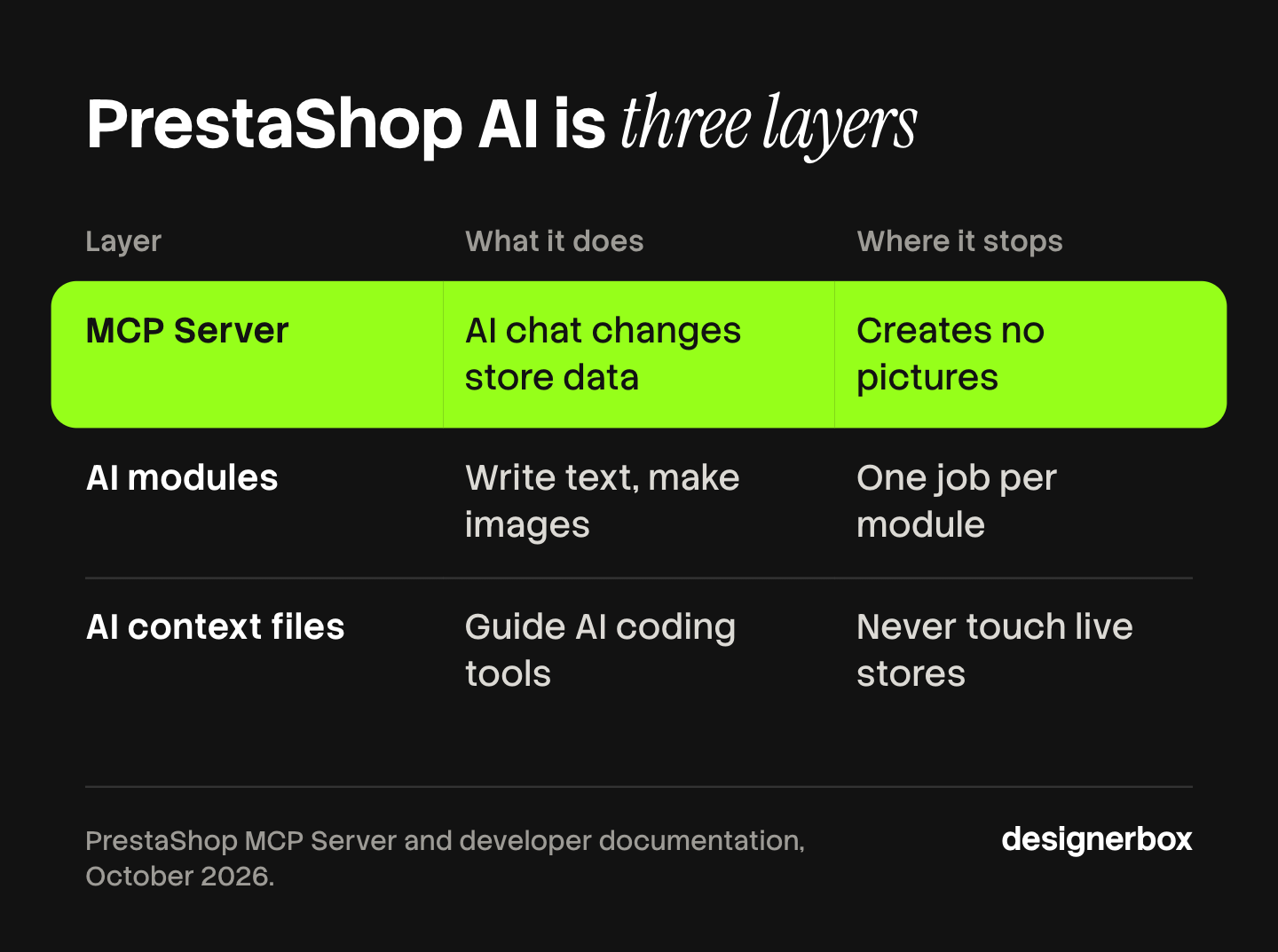
| Layer | Who it is for | What it does | Where it stops |
|---|---|---|---|
| PrestaShop MCP Server | The store owner or the team | Lets an AI chat read and change store data | It creates no pictures |
| AI modules | The person who edits the catalog | Write product text, translate it, or make images in the back office | Each module does one job, with its own settings |
| AI context files | Developers | Give AI coding tools the project’s rules | They do not touch a live store |
The first layer is PrestaShop’s own. PrestaShop announced the MCP Server on November 19, 2025, and the launch coverage described it as a free module for PrestaShop 8 and above (ecommerce-nation.fr, read October 2026). Check the PrestaShop Marketplace listing for the exact version your store needs.
The second layer comes from module vendors. PrestaShop’s Marketplace has an Artificial Intelligence category for these modules.
The third layer is for the people who write PrestaShop code. Most merchants never open it.
How does the PrestaShop MCP Server work?
The PrestaShop MCP Server uses the Model Context Protocol to connect an AI chat to your store. PrestaShop’s documentation describes it as a secure bridge. You type a request in the chat, the chat calls a tool on the server, and the server reads or changes the store’s data (docs.mcp.prestashop.com, read October 2026).
The documentation groups the default tools into four areas.
- Products. Search products, view details, create and update products in several languages, filter by category, manufacturer, supplier or reference, and check stock and combinations.
- Product images. List all images of a product, add an image from a public URL, update an image’s position, cover or file, and set the cover image.
- Orders. Search and filter orders, update an order’s status, view tracking and retrieve invoices.
- Customers. Search by ID or email, create and update customers, and retrieve newsletter subscribers.
PrestaShop’s own blog gives example requests. One of them is about images: “List the product images associated with product ID #45 and set the third image in that list as the cover product image” (prestashop.com, June 12, 2026).
Read that list of tools again and one thing is missing. No tool makes a picture, removes a background or writes a description by itself. The AI chat can draft text, and the server can save it. The server is the pipe. If you are new to the protocol, the guide to how MCP works in ChatGPT explains the parts. The guide to making an AI agent creative covers the tools that do make pictures.
Setup in six steps
PrestaShop’s installation page lists the steps in this order (docs.mcp.prestashop.com, read October 2026).
- Download PrestaShop MCP Server from the PrestaShop Marketplace and install it in the Module Manager.
- Open the module and configure it.
- Install PrestaShop MBO, which manages the module’s dependencies.
- Let MBO install the three required modules: PrestaShop Account, PrestaShop EventBus and PrestaShop MCP Tools.
- Sign in to your PrestaShop Account in the back office.
- Check that all required modules are active.
Two details matter here. The tools rely on PrestaShop’s webservices, so webservices must be turned on in the store’s configuration. And the email of your PrestaShop Account is the one your AI chat signs in with later, so check which account you are using.
Supported AI chats
PrestaShop’s connection page lists ChatGPT, Claude Desktop, Claude Code, Gemini CLI, Le Chat from Mistral, Dust, Cursor, Windsurf, VS Code with GitHub Copilot and the GitHub Copilot CLI (docs.mcp.prestashop.com, read October 2026). You copy the server URL from the module’s configuration page, add it as a new MCP server in the chat, and sign in.
Is it safe to connect an AI chat to a PrestaShop store?
An AI chat with write access can change prices, descriptions and order statuses. So the access rules matter more than the prompts. PrestaShop’s security page describes three controls (docs.mcp.prestashop.com, read October 2026).

Sign-in. The server offers OAuth 2.0 and token sign-in. PrestaShop recommends OAuth. It works only with PrestaShop Accounts and no other OAuth provider. The documentation says a token is less secure, because it is static and does not expire automatically.
The members list. Every person must be added to the Members page before the server answers them. This applies to both sign-in methods.
Roles. Each member is a Viewer or an Editor. A Viewer can query data and cannot change it. An Editor can query and change data. The server checks the role on every request, and it rejects a write from a Viewer.
A sensible first week follows from that. Add yourself as a Viewer. Ask questions about stock and orders. Move to Editor only for a task you would be happy to undo by hand.
The same page tells you to review the members list often, keep the modules up to date, and replace tokens from time to time. An agency with several client stores should treat each store’s members list as a separate job.
What do PrestaShop AI modules do?
Modules work inside the back office. Each one adds a button or a screen for one task. Two examples from one vendor show the range. Both descriptions come from the vendor’s own user guides, and neither is a recommendation.
Text. Webkul’s AI Content Generator writes the short description, description, meta title, meta description and meta tags for products, categories, brands, suppliers and CMS pages. It connects with your own OpenAI API key and has a bulk mode for many products at once (webkul.com/blog, guide updated August 2026).
Images of people. Webkul’s Generate AI Model by Image lets an admin create and save AI model images for a product, with settings such as age and gender. The guide says it uses a Qwen or a Gemini model with your own API key, and it adds a try-on button for shoppers on the product page (webkul.com/blog, guide updated September 2026).
Three questions help you compare any AI module before you install it.
- Whose API key does it use? With your own key, the model’s cost is billed to you by the model vendor, on top of the module.
- Does it work in bulk? A button on one product page is fine for 20 products. It is slow for 400.
- Where do the brand rules live? If every run starts from a new prompt, the tone and the look change from product to product.
For the text side, the guide to product descriptions that convert covers what a description needs before any tool writes it.
What do the AI context files do for developers?
The third layer is for developers. PrestaShop commits AI context files directly in its repositories, so an AI coding tool reads the project’s rules when it opens the code. The developer documentation names Claude Code, Cursor, GitHub Copilot, Windsurf and Gemini CLI (devdocs.prestashop-project.org, read October 2026).

The same page is clear about review. It says the context files improve the result, and they do not remove the need to check the code.
If you run a store, this layer matters for one reason. The agency that builds your theme or your modules can work faster with it. It adds nothing to your product pages.
Developers can also extend the first layer. PrestaShop’s documentation says a module can declare its own tools, prompts and resources, so a third-party module can add actions for an AI chat to call.
Where do product images fit in PrestaShop AI?
Product images touch all three layers, and none of them owns the whole job. There are three steps, and each one has a different owner.
- Make the image set. A photographer, an image module or an outside tool does this.
- Get the files into the store. The back office does this by hand, a CSV import does it in bulk, and the MCP Server does it from a public URL.
- Let PrestaShop resize them. The store creates every image size from the one master you upload.
Step 3 has a rule that AI does not change. PrestaShop makes each size from one master file, so a master with the wrong shape gets white bars at every size. The guide to PrestaShop product images covers the ratio rule and the master size.
Step 2 is where the MCP Server helps. An image tool that adds a file from a public URL means the AI chat can attach pictures to products without the upload screen. The files must sit at a public address first.
Step 1 is the slow one. One good picture is easy. A hero, three angles and a lifestyle scene for 300 products, all with the same light and framing, is the real work. The guide to bulk product images covers that job at catalog size.
The image set behind the store
Anyone can make an AI picture. Making hundreds that still look like your brand is the hard part.
DesignerBox works on step 1. You build the image set once as a workflow: the white-background hero, the angles, the detail shot and the lifestyle scene. Your brand rules sit in a brand profile, and the workflow reads them on every run.
A batch then runs that workflow over a sheet with one product per row. Row one and row two hundred get the same light and framing (DesignerBox batch page, October 2026). You keep or discard each result in the sheet and re-run one row on its own. The cost of the whole sheet is shown before the run.
DesignerBox also has 68 tools over MCP, so an AI chat such as Claude, ChatGPT or Cursor can run the same workflows. PrestaShop’s server and this one use the same protocol. We have not tested the two in one chat, so treat that as a setup to try on a test product first.
The full workflow from the first product photo to the finished ad, in one subscription.
Batch, templates, apps and brand rules are on every plan. There is a free plan, and it runs on sample products. Uploading your own photos and the commercial license start on the Pro plan. Plans and credits are on the pricing page.
When another tool fits better
- You want images written to the store automatically. DesignerBox does not publish to a PrestaShop store. You download the results, or send them with a webhook or an S3 step. The upload is PrestaShop’s side: the back office, a CSV import or the MCP Server’s image tools.
- You only need product text. A text module in the back office does that job. No image tool is needed.
- You want everything inside the back office. A module keeps each task on the product page. DesignerBox is a separate workspace.
- Your team needs several seats. Every DesignerBox plan below Ultra is one seat.
A free plan for your first run
Start from a template and run it on a sample product. Look at the set it returns before you plan a whole sheet.
FAQ
Does PrestaShop have its own AI?
PrestaShop’s own AI piece is the PrestaShop MCP Server. It is a module that you install from the PrestaShop Marketplace. It connects an AI chat such as ChatGPT, Claude or Gemini to your store. Other AI features, such as text writing and image creation, come from third-party modules.
Is the PrestaShop MCP Server free?
The launch coverage on November 19, 2025 described it as a free module. Check the PrestaShop Marketplace listing for the current terms. The AI chat you connect has its own plan, and that plan is separate from PrestaShop.
Which AI chats work with the PrestaShop MCP Server?
PrestaShop’s documentation lists ChatGPT, Claude Desktop, Claude Code, Gemini CLI, Le Chat from Mistral, Dust, Cursor, Windsurf, VS Code with GitHub Copilot and the GitHub Copilot CLI. It says most of them support the transport and the OAuth sign-in that the server uses.
Can the PrestaShop MCP Server create product images?
No. Its image tools list a product’s images, add an image from a public URL, update an image and set the cover. The picture has to exist first. A photographer, an image module or an outside tool makes it.
Can an AI chat change my store by mistake?
Only if the member has the Editor role. A Viewer can read data and cannot change it, and the server rejects a write from a Viewer. Start as a Viewer, and use Editor for tasks you can undo by hand.
Can DesignerBox upload images to a PrestaShop store?
No. DesignerBox does not publish to a store. You download the results, or send them with a webhook or an S3 step, and then add them in PrestaShop. In DesignerBox you see the cost before each run.
Sources
- PrestaShop MCP Server documentation, introduction: the protocol, the default tools for products, product images, orders and customers, webservices, extensibility (docs.mcp.prestashop.com, read October 2, 2026)
- PrestaShop MCP Server documentation, installation: the six steps and the three required modules (docs.mcp.prestashop.com, read October 2, 2026)
- PrestaShop MCP Server documentation, security: OAuth 2.0, token sign-in, the Members page, the Viewer and Editor roles (docs.mcp.prestashop.com, read October 2, 2026)
- PrestaShop MCP Server documentation, connecting an AI application: the list of supported applications (docs.mcp.prestashop.com, read October 2, 2026)
- PrestaShop blog, example requests for the MCP Server, June 12, 2026 (prestashop.com, read October 2, 2026)
- PrestaShop developer documentation, using AI tools with PrestaShop 9: context files and the named coding tools (devdocs.prestashop-project.org, read October 2, 2026)
- PrestaShop Marketplace, Artificial Intelligence module category (addons.prestashop.com, listed in search results on October 2, 2026)
- Ecommerce Nation, launch coverage of the PrestaShop MCP Server, November 19, 2025 (ecommerce-nation.fr, read October 2, 2026)
- Webkul user guides for two PrestaShop modules, AI Content Generator and Generate AI Model by Image (webkul.com/blog, read October 2, 2026)
- DesignerBox batch: one product per row, review per row, cost of the sheet: DesignerBox batch page (designerbox.ai/product/batch), October 2026
PrestaShop facts verified on PrestaShop’s own documentation and blog on October 2, 2026. Module descriptions come from the vendor’s user guides and are not a test of the modules. PrestaShop updates the MCP Server often, so check each page before you connect a live store. Individual results vary.


