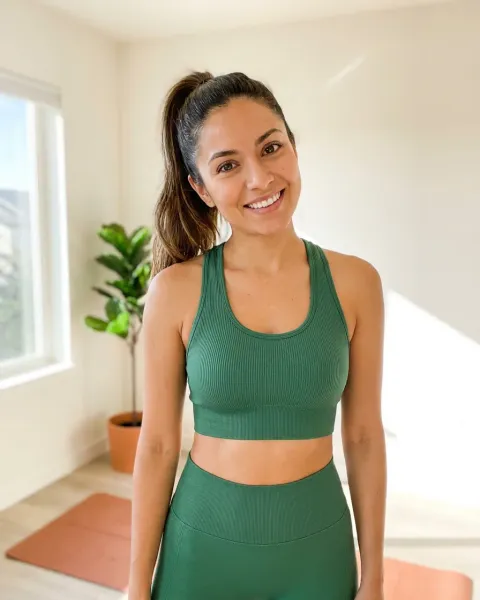
A swimwear photoshoot is a planned set of images that shows a swimsuit’s fit, coverage, print and color, then adds campaign frames. Plan it by channel before you plan the location. Amazon’s main image needs the suit on a standing model, in a frontal view, with the arms along the body. Seated, reclined and moving swimsuit poses go in other slots: the alternates, your own store and the ads.
Most swim shoots go wrong in the same place. The team books a beach, a model and one good hour of light. They come home with 300 frames of mood and no level back view. The print bends over every curve, the wet fabric reads darker than the dry suit, and the main image Amazon asks for is not in the set.
This guide is for swim brands and for the agencies that shoot for them. It covers the poses each channel allows, the poses that show the fit, the shot list in capture order, and where AI swimwear photos need a second check. The platform rules come from Amazon, Google and Meta’s own pages, read on 22 October 2026.
Key Takeaways
Amazon writes the main pose down. Clothing in adult sizes goes on a model who is standing, not sitting, kneeling, leaning or lying down. No part of a mannequin may show.
The pose limits reach the alternates too. Amazon’s clothing guidelines bar a suggestive pose or expression in main and alternate images: legs not spread, eyes open, mouth closed, arms along the body.
Fit comes before mood. Shoot the front, a level back view and the three-quarter turn before any seated or moving pose.
One dry frame carries the color. Water darkens swim fabric, so a gallery of wet frames shows a color the buyer will not receive.
Ads have their own line. Meta says ads showing people in revealing clothing, or focused on body parts, should target people over 18.
Children’s swimwear is a different shoot. Amazon requires it photographed lying flat, with no model.
AI people need a tag. Amazon asks for the contains-synthetic-performer tag on images of fully AI-generated people, and Google requires AI metadata in the file.
What is a swimwear photoshoot?
A swimwear photoshoot for a brand is a product shoot first and a campaign second. It has to answer five buying questions: how high the leg is cut, how much the back covers, where the straps and ties sit, what the print looks like flat, and what color arrives in the parcel. A campaign frame answers none of them on its own.
That is the difference from a personal beach session, where one flattering frame is the goal. A product page needs the same views of every style, in the same light, so the collection page reads as one line. The swimwear product photography page covers the light and color side in detail. This guide covers the poses and the channel rules, which decide the shot list before anyone picks a beach.
The swimsuit poses Amazon writes down
Amazon writes the model’s pose into its image rules. Its product image guide says clothing in adult sizes is shown on a model. The model must be standing, not sitting, kneeling, leaning or lying down. No part of a mannequin may show, and that includes a clear mannequin and a hanger (Amazon product image guide, October 2026).
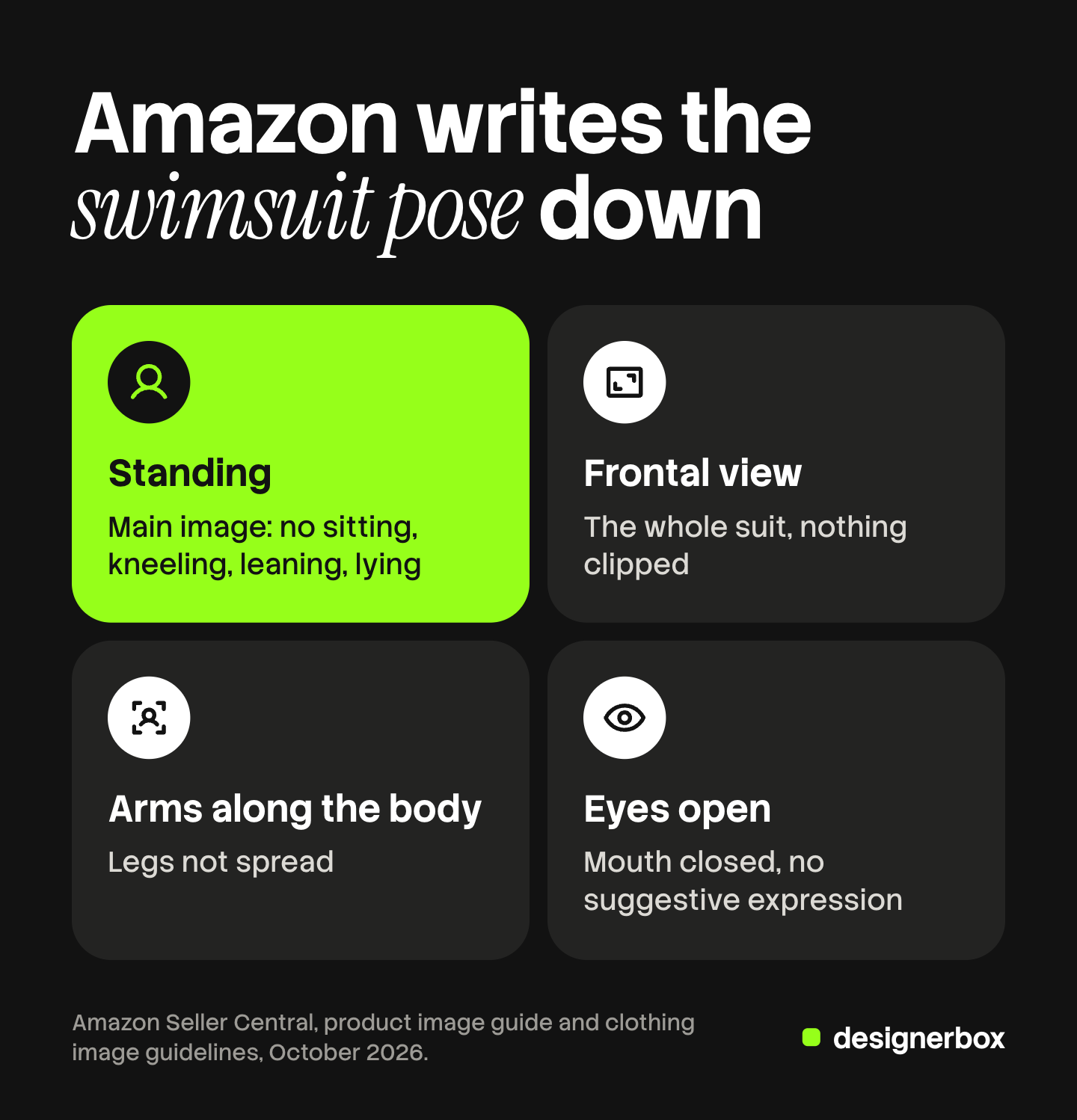
The clothing guidelines add the framing of the main image. It shows a frontal view of the product on pure white, with no part clipped. The aspect ratio is close to 3:4, and the product fills 85% of the image area (Amazon image guidelines for clothing, October 2026).
Then comes the rule that covers every image, main and alternate. Amazon prohibits a model in a suggestive pose or with a suggestive facial expression, and spells it out: legs must not be spread, eyes must be open, the mouth must be closed, and the arms should be along the body. Images of swimwear must not be sexually explicit or obscene, and Amazon alone decides what counts.
Four more lines matter for a swim brand:
- Hands stay off the body. Intimate body parts covered by the model’s hands are prohibited, in main and alternate images.
- Retouched skin is on the prohibited list. Do not plan to fix a cut in retouching.
- Children’s swimwear goes flat. Children’s and baby swimwear and similar form-fitting items are photographed lying flat, without models.
- Up to eight alternates. The clothing guidelines allow up to eight alternate images for each parent or child product.
So the Amazon main image is one pose, decided before the shoot: standing, facing the camera, arms down, a neutral face. Every expressive pose in your plan needs a different home. The full Amazon list for apparel, including the two methods it bans in the main image, is in the clothing photography shot list.
Swimsuit poses that show the fit
The best swimsuit poses for a product page are the plain ones. Each pose has one job, and the job is a question a shopper asks. Write the job beside each pose before the shoot, then check each frame against it.
| Pose | What it proves | Watch for |
|---|---|---|
| Front, standing, arms down | Neckline, straps, waist height, both leg openings | Hands on the waistband or the ties |
| Back, level camera | Seat coverage, tie and clasp position, strap crossing | A twist over the shoulder that changes the coverage |
| Three-quarter turn | Side depth, leg cut, torso length on a one-piece | A deep twist that pulls the fabric |
| Side profile | Rise of the bottom, side width | An arm in front of the hip |
| Seated | How the suit sits when the torso folds | Folds at the waistband. Never the Amazon main image |
| Walking | How the fabric moves, for ads and video | A stride that hides the leg opening |
Three camera rules keep the fit frames honest. Keep the camera level with the waist, because a camera above the model shortens the legs and changes how the cut reads. Use a moderate focal length, because a wide lens close to the body stretches the arms and legs at the edges of the frame. Keep the same distance for the front, back and side, so a shopper can compare them.
One-piece swimsuits
Torso length and the leg cut are the product. Shoot the front, a level back and a three-quarter turn at the same distance. Avoid strong twists, because they change how the waist and the leg line read.
Bikinis
Show the top and the bottom together, then each piece alone if they sell as separate items. Keep the cups, straps, ties and waistband clear of hands and hair. Count the tie ends and the rings in every frame.
High-waisted bottoms
The rise is the selling point. Keep the hands above the waistband or away from it, and add a side profile.
Men’s swim shorts
Shoot the front, back, side and one walking frame. Keep the drawstring, the pockets and the hem in view. A natural step shows the length better than a wide stance, which pulls the shorts tight.
Which swimsuit pose goes where
Each channel takes a different part of the set. The main image follows the strictest rule you sell under, and the expressive poses go where the rules allow them.
| Channel | Main image | Other frames |
|---|---|---|
| Amazon | Standing model, frontal view, pure white, no mannequin | Up to eight alternates. The pose limits still apply |
| Google Shopping | Clothing on a model, on solid white or transparent | Angles and close-ups as additional images |
| Your own store | Your choice. The Amazon-style front keeps the grid even | Back, three-quarter, seated, detail, flat print |
| Meta ads | No sexually suggestive positions | Revealing clothing or a body-part focus: target 18+ |
Google recommends showing clothing on models. In a full-body image it says to avoid cropping the model’s head or feet. It suggests a minimum width of 1,500 pixels and a 9:11 ratio for vertical images (Google Merchant Center best practices for clothing, October 2026).
Meta does not name swimwear. Its ad standards ban people in sexually suggestive positions. They also say ads with imagery of people in revealing clothing, or imagery focused on body parts such as the buttocks or breasts, should target people over 18 (Meta advertising standards, October 2026). Plan the tight crop and the over-the-shoulder back pose for an 18+ audience, or leave them out of a broad campaign.
TikTok Shop has a separate rule for swimwear and lingerie, covered in TikTok Shop product images. The image specs for every other channel sit in ecommerce product photography by channel.
The swimwear photoshoot shot list
This is the full set for one style, in capture order. Shoot the on-body frames while the light is good, and the flat frames indoors at the end.
- Front, standing, arms along the body. The Amazon main image. Shoot it in the studio on white, at the same distance for every style.
- Back, camera level. The coverage question, at the same distance as the front.
- Three-quarter turn. Side depth and the leg cut.
- Side profile. The rise of the bottom and the side width.
- Hardware and fabric close-up. Rings, sliders, ties, the clasp and the lining edge.
- Flat print view on white. The whole pattern repeat, and the true dry color.
- Seated or lounger frame. For your own store and social.
- Walking frame. For ads, and as the first frame of a video.
- Location hero with space for text. For the homepage and the launch email.
- Wet frame, if the suit sells on how it looks in water. Say in the copy that it is wet.
A lean launch publishes eight of these per style. Keep the same model, light and crop across the range, so the hundredth style looks like the first. A ghost mannequin image can stand in for the flat print view on your own store, but never on the Amazon main image, which bans any visible mannequin.
Light, water and color on location
Three color traps sit under the model, where nobody looks. Dry sand bounces warm light up and turns white fabric cream. Pool water bounces cyan and turns it pale blue. Wet fabric reads darker and stronger than dry.
The fixes are cheap. Shoot in the first or last two hours of daylight, or in open shade, because midday sun removes the detail from white fabric. Set white balance from a grey card in the exact spot where the model stands, and set it again when the model moves. Keep one dry frame in the gallery under neutral light.
Activewear photography runs the same checks on stretch and opacity, and lingerie product photography covers lace, mesh and sheer panels.
Where AI swimwear photos need a second check
AI covers a large part of this shot list, and it fails on the same details every time. Check each generated frame against the real garment at full size.
- The filter. Many image models refuse or blur swimwear prompts. The reasons differ by model, and why an AI tool refuses a bikini covers them.
- The cut. A generated leg line or back rise can sit higher or lower than the real one. On Amazon, a changed cut is a product that does not match the listing.
- Ties, rings and sliders. A tie has two ends and a ring slider has one ring. Count them.
- The print. The scale of a repeat can change, or the repeat can break at a seam.
- The pose. Check a generated pose against the same Amazon rules you give a real model: standing, frontal, arms along the body, eyes open, mouth closed.
- The size range. A generated plus-size model shows a body, not how your size 18 fits. Diverse AI fashion models covers casting across the range.
Two file rules apply to AI people. Amazon asks you to add the contains-synthetic-performer keyword to the image metadata when a photorealistic person was fully generated by AI (Amazon product image guide, October 2026). Google requires every image created with generative AI to keep metadata that marks it as AI-generated, such as the IPTC DigitalSourceType tag (Google Merchant Center image link, October 2026). Marketplace rules for AI product photos has the position on each platform, and how to label AI-generated fashion images covers the disclosure side.
One pose plan for every swimsuit
DesignerBox is AI creative production for brands and agencies. Anyone can make an AI picture. Making hundreds that still look like your brand is the hard part. A swim brand with 40 new styles a season needs the same front, back and three-quarter frames on every one. An agency needs that set for every swim client.
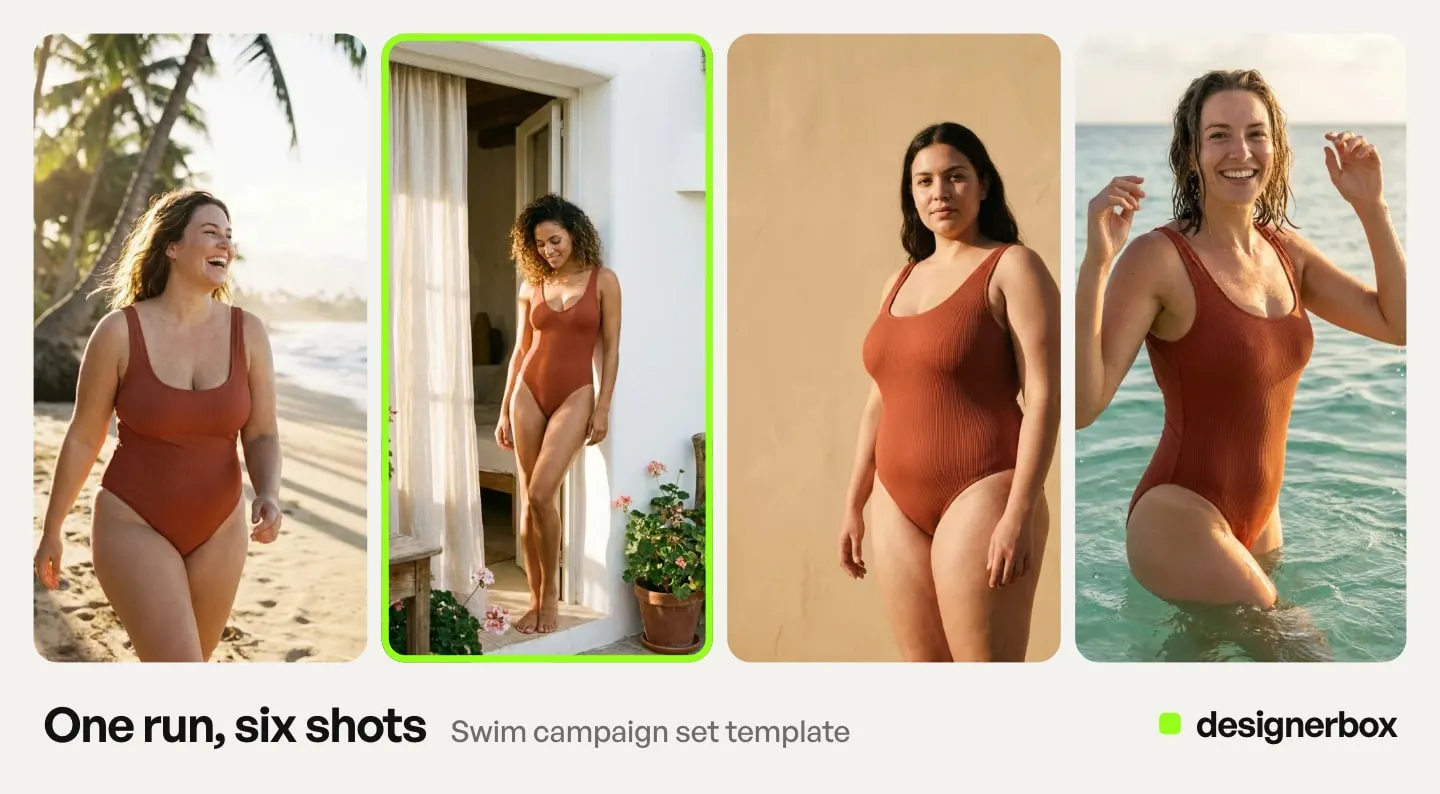
An avatar run returns nine fixed poses of one person: front, back, left, right, a head shot, full body, walking, running and sitting. That is the pose plan above, with one face. The Clothes on a model app puts each swimsuit on that avatar, so style 40 is worn by the same model as style 1. Clothing catalog turns one garment into four shots: front, three-quarter, back and a fabric close-up. Make an avatar from a real person only with that person’s clear permission.
You build the job once as a workflow, with your brand, your model and your rules. The brand profile holds the light, the crop and the background, and the workflow reads it on every run. Batch runs one workflow over a sheet of styles, and you keep or discard each result. Critic steps score the results of a run, and best-of-N keeps the best one. The cost of a run is shown before you press Run.
The limits, stated plainly (DesignerBox product and pricing pages, October 2026):
- Check every frame against Amazon’s pose rules. The sitting pose is for your store and social, never the Amazon main image.
- The models have their own rules. DesignerBox runs image models from Google, OpenAI, ByteDance and Black Forest Labs, and their usage rules apply to every run. Test your most revealing styles first.
- Putting clothes on a model (virtual try-on) starts on the Premium plan. Uploading your own photos and the commercial license start on the Pro plan. The free plan runs on sample products. Plans are on the pricing page.
- Delivery is a download. Nothing goes into your Amazon listing on its own.
The flat photos, the on-model sets and your brand rules sit in one DesignerBox account, so the last style of the season matches the first. Start from a template and see the cost before you run it. Get started free.
FAQ
What are the best swimsuit poses for a product page?
The plain ones: front standing with the arms along the body, a level back view, a three-quarter turn and a side profile, all at the same camera distance. Each one answers a buying question about the cut, the coverage or the straps. Add a seated pose and a walking pose for your own store, social and ads. Keep hands off the waistband, the ties and the straps in every frame.
Can a swimsuit model sit or lie down in Amazon photos?
Not in the main image. Amazon’s product image guide says the model for adult clothing must be standing, not sitting, kneeling, leaning or lying down. Its clothing guidelines also apply pose limits to main and alternate images: no suggestive pose or expression, legs not spread, eyes open, mouth closed, arms along the body. Seated and reclined frames are safest on your own store.
Do you need a model for swimwear product photos?
On Amazon, yes for adult sizes. The main image of adult clothing goes on a standing model, and no part of a mannequin may show. Children’s swimwear is the opposite: Amazon requires it photographed lying flat, without models. Google recommends clothing on models as a best practice. On your own store, add one flat frame anyway, because it is the only view that shows the whole print.
Should swimwear be photographed wet or dry?
Use a dry frame for the main image and the color reference, and a wet frame only as support. Water darkens swim fabric and deepens the print, so a buyer who has only seen wet frames gets a lighter suit in the parcel. If the difference is large, say in the copy which frames are wet.
How many photos does a swimsuit listing need?
Amazon’s product image guide recommends a main image plus at least six more images and one video. Its clothing guidelines allow up to eight alternate images for each parent or child product. A practical set is the front, back, three-quarter, side, a close-up, a flat print view and one or two lifestyle frames.
Can you use AI models for swimwear photos on Amazon?
Amazon’s product image guide does not ban AI images, as of October 2026. It asks you to add the contains-synthetic-performer keyword to the metadata of an image with a photorealistic person fully generated by AI. The same pose and coverage rules apply to an AI model as to a real one, and the suit must match the product you ship.
Sources
- Amazon product image guide, Seller Central, accessed 22 October 2026. The standing-model rule for adult clothing, the mannequin ban, the children’s swimwear rule, the recommended image count and the contains-synthetic-performer tag.
- Amazon image guidelines for clothing, Seller Central, accessed 22 October 2026. The frontal view, the 3:4 ratio and 85% fill, the pose limits in main and alternate images, the swimwear rules and up to eight alternate images.
- Google Merchant Center: best practices for clothing and accessories, accessed 22 October 2026. Clothing on models, no cropped head or feet, the 1,500-pixel width and the 9:11 vertical ratio.
- Google Merchant Center: image link, accessed 22 October 2026. AI image metadata.
- Meta advertising standards: adult nudity and sexual activity, accessed 22 October 2026. Suggestive positions, revealing clothing and 18+ targeting.
- DesignerBox swimwear product photography page, avatars, apps and pricing pages (designerbox.ai), October 2026.
Swimwear image rules verified against Amazon Seller Central, Google Merchant Center and Meta’s advertising standards on 22 October 2026. Platform rules change, so check the current pages before a launch. This is general information, not legal advice. Individual results vary.