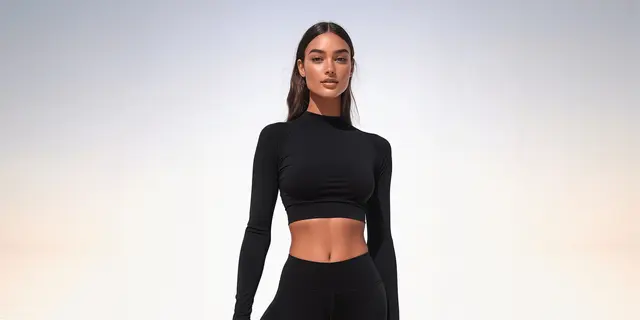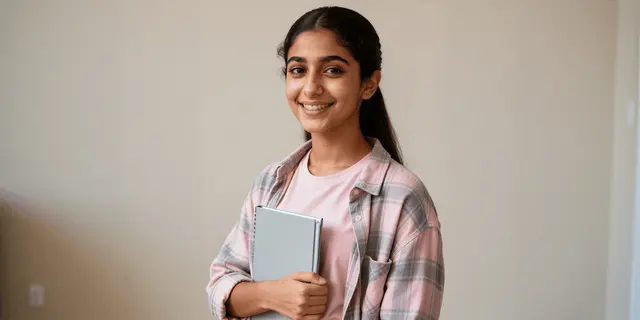
The best AI swimwear photography tool for a brand starts from your garment photo, puts it on a model you have the rights to, and returns a result each platform will accept. FASHN, WearView, Pic Copilot, Koozee, Botika, Photoroom and Claid.ai all turn a flat lay or ghost mannequin shot into an on-model image. FASHN is the only one that documents a swimwear setting.
Swimwear and lingerie are the two apparel categories where the tool can say no. A printed bikini, a lace bralette and a mesh bodysuit all sit close to the line that image-model vendors filter. The platforms then disagree on what the result may show. Amazon wants adult clothing on a standing model. TikTok Shop US tells sellers to show lingerie and swimwear on mannequins.
This guide sorts the tools by what they start from and by the listing slot each one can fill. Every feature comes from the vendor’s own pages, read on 24 September 2026, and no price appears. We sell DesignerBox, which makes swimwear and lingerie images from a photo of the real garment, so read its lines as our own case. For the platform rules and the shot list in depth, see lingerie product photography.
Key Takeaways
- Start from the garment, not a portrait. Half of page one for “ai bikini model” is tools that dress a person’s photo. A brand needs the tools that start from a flat lay or ghost mannequin shot.
- The filter decides first. OpenAI, Google, ByteDance and Black Forest Labs all filter sexual content, and none names swimwear or lingerie as allowed. FASHN is the one tool with a documented swimwear switch.
- Amazon and TikTok Shop US want opposite main images. Amazon asks for adult clothing on a standing model and bans visible mannequins. TikTok Shop US says to show lingerie and swimwear on mannequins.
- Some intimates stay off a model on Amazon. Thongs and panties without full front and back coverage, and pasties, are imaged without a model.
- Tag the AI person. Amazon asks for the contains-synthetic-performer keyword, and Google asks you to keep the AI metadata.
- Coverage is the product. A cut that comes back higher at the leg or lower at the back is a different garment. Check every result against the real piece.
- Count the blocked runs. On your five hardest pieces, the number of refused or blurred results tells you more than the best image.
What does an AI swimwear photography tool do?
An AI swimwear photography tool turns a photo of your swimsuit, bikini or lingerie set into listing images. Most put the garment on a generated model from a flat lay or ghost mannequin shot. Some change the scene around a worn photo. Others add a try-on widget for shoppers. The garment has to survive the change: the print, the cut, the ties and the coverage.
Three questions sort the field, and each one removes tools.
- What does it start from? A garment photo, or a photo of a person.
- Will it render the garment? Every model vendor filters sexual content. Swimwear and lingerie sit near that line.
- Where can the result run? Amazon, TikTok Shop, Google and Meta each set their own rule for swim and intimates.
Most tool lists answer the first question and skip the other two. For a hoodie, that works. For a thong, the second and third questions decide whether you get an image at all, and whether you can publish it.
Garment photo or portrait: the split on page one
Search “ai bikini model” or “ai lingerie model” and page one mixes two kinds of tool. Some take a garment photo and put it on a generated model. Others take a photo of a person and change what they wear. The second kind targets consumers, and it carries a risk a brand should not take on.
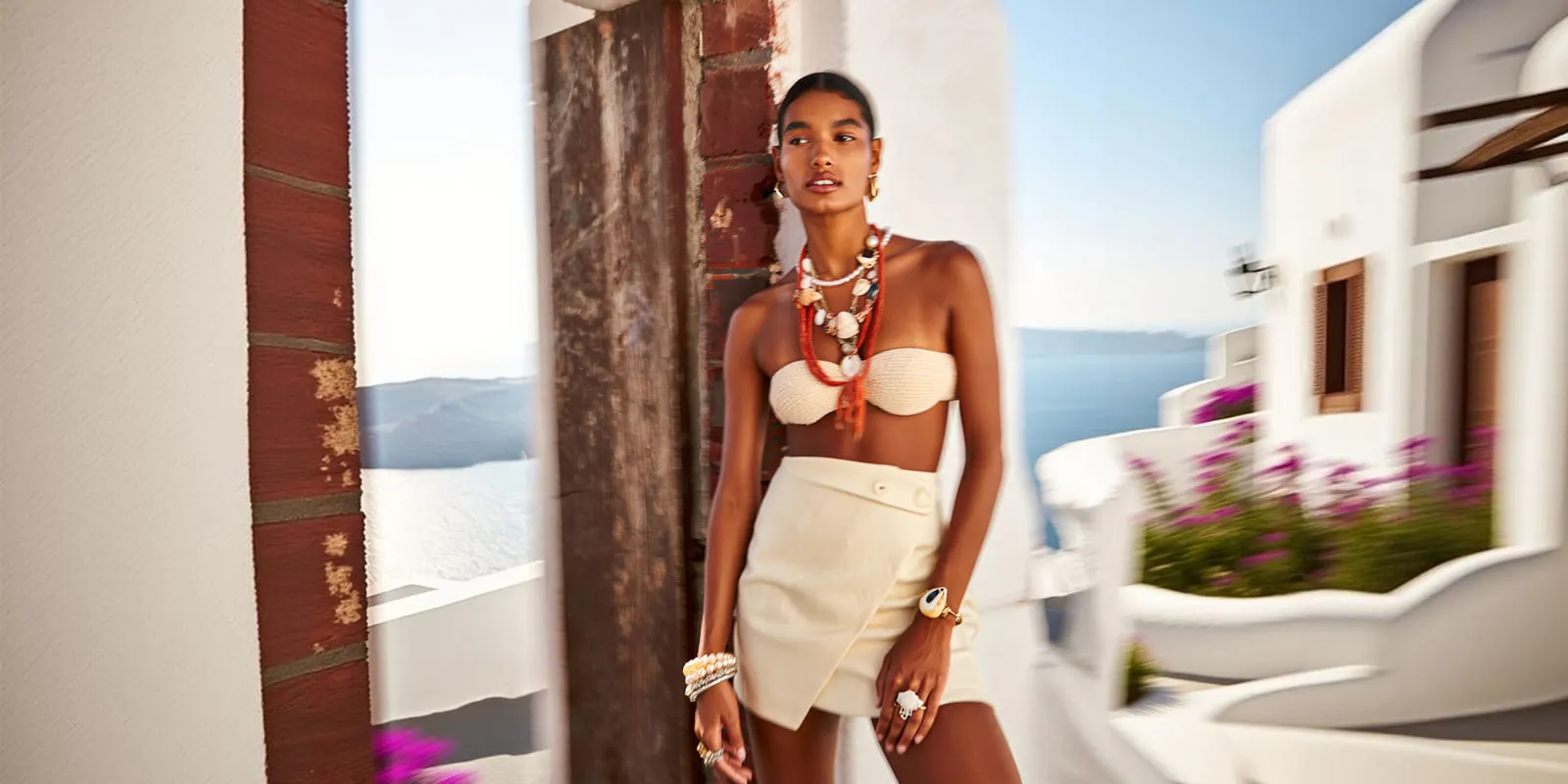
A brand uploads its garment and uses a model it has the rights to use. That model is either generated by the tool or a real person who agreed to it in writing. Never upload a real person’s photo to put them in swimwear or lingerie without their consent. The EU AI omnibus, in force since 27 July 2026, bans AI systems that make non-consensual intimate images (European Commission, accessed September 2026). Higgsfield’s terms prohibit non-consensual intimate imagery by name (higgsfield.ai/terms-of-use-agreement, September 2026). This is general information, not legal advice.
The garment-first tools in this guide say which inputs they take. FASHN’s Product to Model starts from “flat-lay or ghost mannequin photos” (fashn.ai, September 2026). WearView takes a flat lay, a hanger shot or a photo on a person (wearview.co, September 2026). If you still need that source photo, flat lay photography and ghost mannequin photography cover both.
Why an AI tool refuses a bikini
Every image model a tool runs on comes with its vendor’s safety filter. Each vendor filters sexual content, lets developers loosen part of the filter, and keeps a layer no setting removes. None of the vendor pages we read names swimwear or lingerie as allowed. So a tool built on those models can block or blur a result for a garment that is legal to sell.
This is what the vendors’ own documentation says, read on 24 September 2026.
| Vendor | The setting a developer controls | The layer that stays on |
|---|---|---|
| OpenAI, GPT Image models | A moderation parameter: auto (default) or low, “less restrictive filtering” | Blocked requests return moderation_blocked, with labels such as “sexual” |
| Google, Gemini API | An adjustable “Sexually explicit” filter, off by default for Gemini 2.5 and 3 models | ”Core harms, such as content that endangers child safety” are “always blocked and cannot be adjusted” |
| Google, Vertex Virtual Try-On | safetySetting, default block medium and above. “block-none” access “is restricted” | personGeneration defaults to adults only |
| Black Forest Labs, FLUX.2 [pro] | safety_tolerance from 0 (most strict) to 5, default 2. Higher on request | The usage policy bans intimate imagery of a real person without consent |
| ByteDance, Seedream on BytePlus | A content pre-filter, on by default, that you can turn off per endpoint | ”Baseline content safety policies” stay on, and the output is moderated too |
Sources: OpenAI image generation guide, Gemini API safety settings, Vertex AI Virtual Try-On parameters, FLUX.2 [pro] API reference, BFL usage policy and BytePlus content pre-filter, all accessed September 2026.
A tool vendor picks these settings for you. Most do not publish them. FASHN does. Its try-on API has a moderation_level setting. The default, permissive, “allows swimwear, underwear, and revealing garments, while still blocking explicit nudity”. The conservative level “blocks underwear, swimwear, and revealing outfits” (FASHN try-on API docs, accessed September 2026). FASHN adds that choosing no moderation does not remove your responsibility for lawful use.
The tools’ terms add a second filter, written for people. Pic Copilot’s terms bar “partially nude” or “sexually suggestive photos” (Pic Copilot terms of use, September 2026). Koozee’s terms bar “nudity, eroticism or sexual innuendo” (koozee.ai/terms-of-service, September 2026). Both tools market bikini and lingerie images, so this is no contradiction. But the operator decides what counts as suggestive. A brand gets no written promise that its lace bodysuit will pass.
In practice, test the filter before you test the quality. That is step four in the test at the end of this guide.
Where swim and intimates images may run
The platforms set the rules before the image quality matters, and they do not agree. A brand selling on Amazon and TikTok Shop needs two main images for the same bikini.
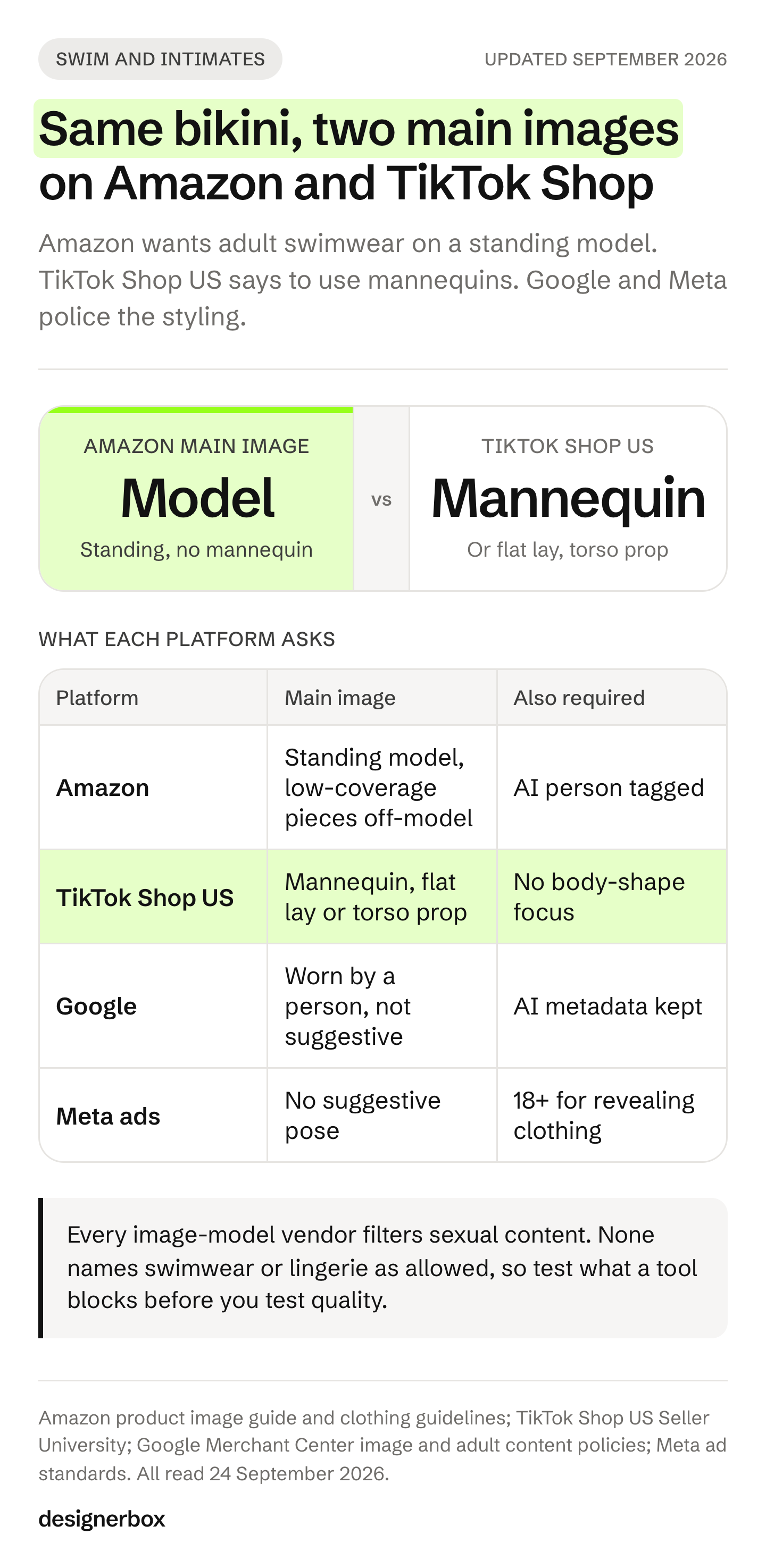
Amazon. The product image guide says clothing in adult sizes is shown on a model, and the model must be standing. It also says not to show any part of a mannequin. For every image, it bans nudity and sexually suggestive images, “both models and drawings” (Amazon product image guide, accessed September 2026). Amazon’s clothing guidelines add the intimates rules (Amazon image guidelines for clothing, accessed September 2026):
- Images of intimate clothing, lingerie and swimwear “must not be sexually explicit or obscene”.
- Thongs and panties without full front and back coverage are imaged without a human model. Airbrushing exposed skin is not permitted.
- Thongs and panties use a front view for the main image.
- Pasties are imaged off-model.
- Exotic or erotic lingerie must carry the is_adult flag.
- A suggestive pose or facial expression is prohibited.
Children’s swimwear and undergarments go the other way on Amazon: they are photographed flat, with no model.
TikTok Shop US. The seller center’s platform safety page bans “over-focus on body shape when showcasing sheer or skin-tight items”. Its fix is direct: “Show lingerie or swimwear on mannequins instead of on-body try-ons” (TikTok Shop US Seller University, prohibited content for platform safety, September 2026). The product listing policy adds that children’s swimwear and undergarments are displayed flat, with no child model and no mannequin. TikTok Shop product images covers the rest of the listing.
Google Merchant Center. Google asks for clothing images worn by people, and says every AI-generated image must carry metadata that marks it as AI, such as the IPTC DigitalSourceType tag (Google Merchant Center image requirements, accessed September 2026). Its adult-oriented content policy restricts “sexually suggestive lingerie promotions”, which can stop the ads serving on Search or to minors (Google Merchant Center adult content policy, accessed September 2026). The trigger is the styling, not the product type.
Meta. Meta’s ad standards do not name swimwear or lingerie. They ban sexually suggestive positions, and they say ads showing “revealing clothing” should target people over 18 (Meta advertising standards, accessed September 2026). TikTok’s ads policy also lists markets where underwear, shapewear and swimwear ads are not allowed (TikTok ads policy, accessed September 2026).
| Where it runs | Main image for adult swim and intimates | The AI-specific rule |
|---|---|---|
| Amazon | On a standing model, no mannequin. Low-coverage thongs, panties and pasties off-model | Add contains-synthetic-performer to an AI person’s image |
| TikTok Shop US | On a mannequin, flat lay or torso prop | Not stated on the pages we read |
| Google Merchant Center | Worn by a person, nothing suggestive | Keep the AI metadata in the file |
| Meta ads | No suggestive pose. Revealing clothing targets 18+ | Not stated on the ad standards page |
So the tool you need depends on the channel mix. A brand on Amazon mostly needs a strong on-model tool. A brand on TikTok Shop also needs a mannequin or flat result, which a background tool or a ghost mannequin tool makes from your own photo. Marketplace rules for AI product photos covers disclosure on each platform.
AI swimwear and lingerie photography tools compared
The table records what each vendor’s own pages stated on 24 September 2026. It does not score image quality, which changes with every model update and every source photo. “Not listed” means the pages we read did not say. No price appears: each vendor lists its plans on its own pricing page.
| Tool | Starts from | Names swimwear or lingerie | Body range | Video | Free to try |
|---|---|---|---|---|---|
| FASHN | Flat lay, ghost mannequin | Yes, in the moderation setting | Model Create | Yes | Free credits for new accounts |
| WearView | Flat lay, hanger, a photo on a person | Yes, a swimwear page | Male, female and plus-size models | Yes | No free trial |
| Pic Copilot | Garment photo | Yes, a swimsuit models page | Body types, ages, ethnicities | Fashion reels | Free plan |
| Koozee | Bikini or swimsuit photo | Yes, bikini and lingerie try-on | Body-type swap | Swimwear video | Free credits |
| Botika | Flat lay, mannequin, front, back or side | Not listed | Diverse in tone and body | Yes | Free trial |
| Photoroom | Flat lay, a photo on a person | Not listed | AI model portfolio | Video generator listed | Free trial |
| Claid.ai | Flat lay, ghost mannequin, hanger | Not listed | Bring a licensed model | Yes | Free trial |
| Pixelcut | Garment alone or on a person | Not listed | Diverse body types, size adaptation | Video models listed | Free plan |
| Veesual | Your catalog, for shoppers | Not listed | Shopper picks a matching body | Not listed | Not listed |
| DesignerBox | Flat lay, ghost mannequin | Swimwear in its try-on | Your saved model, per brand | From the Premium plan | Free plan |
DesignerBox’s own pages compare it with one tool at a time, including Botika, Photoroom and Claid.ai.
The tools, one by one
The tools are grouped, not ranked. Tools that name swimwear or lingerie come first. General on-model tools come next, then shopper try-on and the model APIs.
FASHN
FASHN starts from flat lays and ghost mannequin shots. It makes on-model images, model swaps, packshots and short video, and it has a REST API. Its try-on sorts garments into tops, bottoms and one-pieces, which covers a bikini set and a one-piece swimsuit (docs.fashn.ai, September 2026). The moderation_level setting described above is the most useful fact in this guide for a swim brand, because it states what passes.
FASHN is careful about fidelity. It says it is built to keep color, print, logos, materials and construction intact, and that “AI can still get small details wrong” (fashn.ai, September 2026). New accounts get free credits. FASHN alternatives sets it against the nearest tools.
Best for: swim and intimates brands with a developer, who want the filter setting in writing.
WearView
WearView has a swimwear page “for showcasing bikinis, one-pieces, swim trunks, and resort wear” (wearview.co/catalog/swimwear, September 2026). It takes a flat lay, a hanger shot or a photo on a person, and offers male, female and plus-size models, virtual try-on and fashion video. You can save model profiles and reuse them across a collection.
Its terms prohibit content that depicts nudity or sexual content (wearview.co/terms-of-use, September 2026). There is no free trial, and API access is listed under its enterprise offer.
Best for: swim brands that want one tool for on-model stills and short video, including men’s trunks and plus sizes.
Pic Copilot
Pic Copilot has a swimsuit models page with virtual try-on, AI model swap and fashion reels. It offers models across “different body types, ages, and ethnicities” (piccopilot.com/ai-model/swimsuit-models, September 2026). There is a free plan.
Its terms bar “nude, partially nude” or “sexually suggestive photos” (Pic Copilot terms of use, September 2026). Read that line before you run a low-coverage piece.
Best for: small swim sellers who want to try on-model bikini images on a free plan.
Koozee
Koozee’s bikini try-on says it is “tuned specifically for tight-fit, skin-adjacent garments” (koozee.ai/tools/ai-bikini-try-on, September 2026). You upload a bikini or swimsuit image and get a model shot, with body-type swap, scene swap and swimwear video. A separate app covers lingerie and swimwear try-on. New users get free credits.
Its terms bar content with “nudity, eroticism or sexual innuendo” (koozee.ai/terms-of-service, September 2026).
Best for: sellers who want swim and lingerie try-on from one upload, plus a short clip.
Botika
Botika turns flat lays and mannequin shots into on-model images and video. You upload the front, back or side, and its models are “diverse in tone, body and style” (botika.com, September 2026). The pages we read do not mention swimwear or lingerie, so test those pieces on its trial first. Botika’s FAQ says it does not support custom models or backgrounds, and its models are fully AI-generated.
Best for: clothing brands that want on-model shots from a ready-made model library.
Photoroom
Photoroom’s Virtual Model starts from “a shot of someone wearing your products or simple flat lays”, and you choose a model from its AI-generated portfolio (photoroom.com/tools/virtual-model, September 2026). It also has ghost mannequin and flat lay tools, batch editing and an API. The ghost mannequin tool matters for swim and intimates, because it makes the off-body image TikTok Shop US asks for. There is a free trial. Photoroom alternatives compares it with the tools nearest to it.
Best for: brands that need both the on-model image and the mannequin image in one account.
Claid.ai
Claid.ai turns flat lays, ghost mannequin images and hanger shots into on-model images. You can upload photos of a model whose likeness you have the rights to use (claid.ai, September 2026). It adds video from on-model shots and an API for bulk work. The pages we read do not mention swimwear or lingerie. There is a free trial.
Best for: teams that work through an API and bring their own licensed model.
Pixelcut
Pixelcut’s try-on API says it shows “clothing on diverse body types and poses”, with size adaptation and a transfer of a garment from one person to another (pixelcut.ai/api/try-on, September 2026). Its consumer try-on page said on the same day that it works on tops, with pants and dresses coming. Check that a bikini bottom or a one-piece is supported before you plan a range around it. Its Product Studio shoots clothing flat, folded or hanging, which covers the off-body slot. There is a free plan.
Best for: sellers who need clean off-body swim images and want to try an API.
Veesual
Veesual works on the shopper’s side of the page. Its Switch Model feature lets shoppers pick a model by body type and see products “from multiple angles”, with size recommendations (veesual.ai, September 2026). Fit is the main question a swim buyer has, which makes this a strong fit for the category. It does not make your catalog images. On 24 September 2026 the veesual.ai home page showed a product called VidCap AI, so confirm the offer with the vendor.
Best for: larger retailers who want shoppers to see swimwear on a body like theirs.
Higgsfield
Higgsfield’s Outfit Swap is described as “try on any outfit from a single photo upload” (higgsfield.ai/apps/outfit-swap, September 2026). Higgsfield is a general creative suite with image and video tools. Its terms prohibit non-consensual intimate imagery.
Best for: campaign and social frames around a swim launch.
Model APIs for teams with engineers
Two model vendors sell try-on directly, as an API. Google’s Virtual Try-On API takes an image of a person and an image of a clothing product, and returns the person wearing it. Its current docs list no apparel categories (Google Cloud Virtual Try-On, accessed September 2026). Black Forest Labs’ try-on API takes a person image and a garment image, with the same safety_tolerance setting as FLUX (BFL virtual try-on API, accessed September 2026). Both need someone to build around them.
Also on swimwear tool lists
Adobe Express and Firefly remove backgrounds and generate scenes, and both have free plans (adobe.com, September 2026). We found no garment-to-model feature on their pages. Adobe’s generative AI guidelines ban explicit nudity and say prompts may be reviewed for content filtering (Adobe generative AI user guidelines, accessed September 2026). VModel appears on older lists. On 24 September 2026 its home page offered AI models through an API, with a try-on model on its pricing page, and no fashion pages.
For the same vendors judged on apparel in general, see the AI fashion photography tools comparison.
What AI gets wrong on swimwear and lingerie
Every tool here can fail on the same parts of a swimsuit. These are the checks to run on each result against the real garment.
Coverage and cut. The leg line, the back rise and the cup shape are the product. A generator can draw a cut higher or lower than the real one. The European Commission’s Article 50 guidelines list an AI product image that can mislead about the product’s actual appearance as an example of a deep fake (European Commission guidelines, accessed September 2026). On a thong, a changed cut can also move the image across Amazon’s coverage rule.
Ties, rings and sliders. A tie has two ends and a knot. A ring slider has one ring. Small hardware with an exact count changes between results, for the same reason AI hands go wrong.
The print. A repeat print bends over every curve on a body. The generator can change the scale of the repeat or break it at a seam. Add one flat frame so buyers see the real pattern.
Color under water and sun. Wet swim fabric reads darker than dry. Sand throws warm light upward, and pool water throws cyan onto white fabric. A generated beach scene adds the same casts. Keep one dry frame under neutral light, and check the color against the garment.
Lace, mesh and sheer. Fine lace repeats drift, and sheer panels change opacity from edge to center. Where AI breaks on lace and sheer covers each failure. Activewear photography runs the same checks on compression and opacity.
Fit across sizes. A generated plus-size model shows a body, not how your size 18 fits. How far virtual try-on can be trusted on fit explains the gap. Show your real size range with care, and see diverse AI fashion models for casting across it.
How to test a tool on your swimwear
Test on your hardest pieces, not your easiest. A plain black one-piece looks good in every demo. Run the same pieces through every tool on your shortlist, then count what you would publish without a fix.
- Pick five hard pieces. A printed triangle bikini with ties, a high-cut one-piece, a lace bralette, a mesh or sheer piece, and one plus-size set.
- Start from a sharp source photo. A flat lay or ghost mannequin shot, with even light and true color.
- Make three images per piece. An on-model front, an on-model back, and a mannequin or flat image for TikTok Shop US.
- Count the blocked runs. Note every refused, blurred or cropped result per tool. This is the filter test, and it differs by tool.
- Compare at full size. Check the leg line, the back rise, the tie ends, the ring count, the print scale and the lace edge against the real piece.
- Check the file. Keep the AI metadata for Google. Add contains-synthetic-performer on Amazon when the model is AI.
- Read the terms for the plan you will pay for. Check commercial use and the sexual-content clause, then decide.
How to check a generated product photo for accuracy gives a checklist that works with any tool here. How to label AI-generated fashion images covers the disclosure question for a synthetic model.
One setup for every suit
DesignerBox is AI creative production for brands and agencies. Anyone can make an AI picture. Making hundreds that still look like your brand is the hard part. A swim or intimates brand with 20 to 500 pieces needs the same front, back and off-body set for every new style. An agency needs that set for each client.
You build the job once as a workflow, with your brand, your model and your rules. The virtual try-on step takes a flat product photo or a ghost mannequin shot as the garment photo, and swimwear is one of the garment types it lists (DesignerBox virtual try-on, September 2026). Dress my model turns one garment into a full on-model set. The brand profile holds the light, the crop and the background, and the workflow reads it on every run. Batch runs one workflow over a whole sheet of styles. You keep or discard per row, and re-run one row alone.
Three parts matter for swim and intimates. Critic steps score the results of a run, and best-of-N keeps the best one. The image editor makes one edit after another, and the picture keeps its detail and resolution. The cost of a run is shown before you press Run.
The limits, stated plainly (DesignerBox pricing, September 2026):
- It runs the vendors’ models. DesignerBox runs image models from Google, OpenAI, ByteDance and Black Forest Labs, so their usage rules apply to every run. It makes no promise that every swimwear or lingerie result passes those filters. Test your hardest pieces first.
- It makes images for your listings, not a widget for shoppers. Veesual works on the shopper’s side.
- Virtual try-on and AI video start on the Premium plan. The commercial license starts on the Pro plan. Team features, shared brand kits, white label and the API are on the Ultra plan, and every plan below Ultra is one seat.
- Delivery is a download. You can also send results with a webhook or an S3 step. Nothing lands in your store on its own.
- The free plan cannot make video.
Plans and credits are on the pricing page. The fashion brands page shows the same job for apparel catalogs.
The templates, the workflows, batch, the editors, the brand profiles and the Assets library sit together. The full workflow from the first product photo to the finished ad, in one subscription. Start from a template, add your brand and your products, and see the cost before you run it. Get started free.
FAQ
What is the best AI tool for swimwear photography?
It depends on your channels and your hardest pieces. For on-model images from a flat lay, FASHN, WearView, Pic Copilot, Koozee, Botika, Photoroom and Claid.ai all list it. FASHN is the only one that documents a swimwear setting in its filter. Run your five hardest pieces through two or three of them before you choose.
Why does an AI tool refuse to generate my bikini or lingerie?
The image models under most tools filter sexual content. OpenAI, Google, ByteDance and Black Forest Labs each let developers loosen part of the filter and keep a layer that stays on. None names swimwear or lingerie as allowed, so a legal product can still be blocked or blurred. A different tool, or a more conservative pose, often passes.
Can I use an AI swimsuit model as my Amazon main image?
Amazon asks for adult clothing on a standing model, with no mannequin and nothing suggestive. An AI model can fill that slot if the garment is accurate. Add the contains-synthetic-performer keyword to the image metadata. Thongs and panties without full front and back coverage, and pasties, must be imaged without a model.
How should I show lingerie on TikTok Shop?
TikTok Shop’s US seller center tells sellers to show lingerie and swimwear on mannequins instead of on-body try-ons. It also bans over-focus on body shape for sheer or skin-tight items. Make a mannequin, flat lay or torso-prop image for TikTok Shop, and keep the on-model set for Amazon and your own site.
Can AI generate lace and sheer fabric accurately?
Not reliably. Fine lace repeats drift across the garment, and sheer panels change opacity from the edge to the center. Start from a sharp photo of the real piece, generate the scene and the model around it, and compare every result with the garment at full size.
Is it legal to put a real person in AI swimwear?
Only with their consent. Never upload a real person’s photo to dress them in swimwear or lingerie without it. The EU AI omnibus bans AI systems that make non-consensual intimate images, and several tools’ terms prohibit that content. Use a generated model or a real model who agreed in writing.
Do I have to label AI swimwear images?
On marketplaces, tag them. Amazon asks for the contains-synthetic-performer keyword on images with a fully AI-generated person. Google asks you to keep AI metadata in every generated product image. In the EU, a realistic AI person can make an image a deep fake that needs a clear label.
Sources
- Amazon Seller Central, product image guide (sellercentral.amazon.com, accessed September 2026)
- Amazon Seller Central, image guidelines for clothing (sellercentral.amazon.com, accessed September 2026)
- Google Merchant Center, image requirements (support.google.com, accessed September 2026)
- Google Merchant Center, adult-oriented content policy (support.google.com, accessed September 2026)
- Meta advertising standards, adult nudity and sexual activity (transparency.meta.com, accessed September 2026)
- TikTok ads policy, other products and services (ads.tiktok.com, accessed September 2026)
- TikTok Shop US Seller University, prohibited content for platform safety and product listing policy (seller-us.tiktok.com, September 2026)
- OpenAI, image generation guide (developers.openai.com, accessed September 2026)
- Google, Gemini API safety settings (ai.google.dev, accessed September 2026)
- Google Cloud, Virtual Try-On (docs.cloud.google.com, accessed September 2026) and its parameters (docs.cloud.google.com, accessed September 2026)
- Black Forest Labs, FLUX.2 [pro] API reference (docs.bfl.ai, accessed September 2026), virtual try-on API (docs.bfl.ai, accessed September 2026) and usage policy (bfl.ai, accessed September 2026)
- BytePlus ModelArk, content pre-filter (docs.byteplus.com, accessed September 2026)
- Adobe, generative AI user guidelines (adobe.com, accessed September 2026)
- FASHN, try-on API reference (docs.fashn.ai, accessed September 2026)
- European Commission, AI omnibus enters into force (digital-strategy.ec.europa.eu, accessed September 2026)
- European Commission, guidelines on Article 50 transparency obligations (digital-strategy.ec.europa.eu, accessed September 2026)
- Vendor pages, read 24 September 2026, not linked: fashn.ai, wearview.co/catalog/swimwear, wearview.co/terms-of-use, piccopilot.com/ai-model/swimsuit-models, Pic Copilot terms of use, koozee.ai/tools/ai-bikini-try-on, koozee.ai/terms-of-service, botika.com, photoroom.com/tools/virtual-model, claid.ai, pixelcut.ai/api/try-on, pixelcut.ai/virtual-try-on, veesual.ai, higgsfield.ai/apps/outfit-swap, higgsfield.ai/terms-of-use-agreement, vmodel.ai, adobe.com/products/firefly/plans.html
- DesignerBox virtual try-on, product and pricing pages (September 2026)
Tool features and vendor filter settings verified on each vendor’s own pages on 24 September 2026. This is general information, not legal advice. Individual results vary.