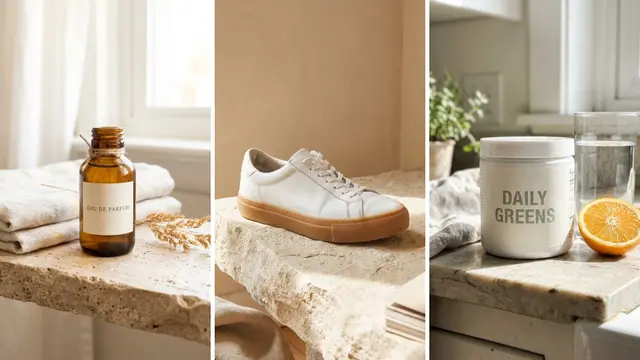
You can clean up Whatnot product photos. Whatnot’s listing rules still require a photo of the actual item that clearly shows the whole thing and its condition, without blurring, cropping or obstruction. So AI cannot replace the item shot on a one-of-one resale listing. It can do everything around it: show thumbnails, banners, promo graphics, and full listing sets for sellers holding new in-stock inventory.
That split is easy to miss. It is tempting to put vintage tees on AI models and make every image for the show with AI. That sounds efficient until a buyer asks for a refund and Whatnot bills it back to your balance. The rule that decides it is one sentence long, and it sits in the listing guidelines rather than in any AI policy.
This guide quotes the actual rules, marks the line between the surfaces AI can touch and the one it cannot, and gives you the export sizes and a prep order for a show. Written for brands that sell new stock live, for the agencies that run their shows, and for resellers who list many lots a night.
Key Takeaways
-
The rule in one line: Whatnot listings must contain photos of the actual item, with at least one photo showing the entire item and its condition, unobstructed.
-
The consequence can be a bill: Buyer Protection covers an item that does not match its description. Whatnot bills sellers back for refunds caused by misleading practices, as a deduction from the account balance.
-
One-of-one stock is the hard case: vintage, graded, and used items are unique, so a generated or restaged shot has no real item behind it to match.
-
New in-stock inventory is the easy case: every unit is identical, so styled scenes and extra angles carry little condition risk once a real photo of your stock is in the set.
-
The thumbnail has the most room: Whatnot’s listing photo rules are written for listings, and show art sits outside a listing. It still must not mislead, and it decides whether anyone joins the show at all.
-
We found no Whatnot policy that names AI images, as of September 2026. The listing photo rules and Buyer Protection still apply. Treat every marketing claim that “Whatnot allows AI photos” as unsourced until you see the guideline.
Can you use AI product photos on Whatnot?
Yes for show art, profile images, banners and social promos, which do not fall under the listing photo rules. No as a substitute for the listing photo on a unique item. Whatnot’s listing guidelines require photos of the actual item you are offering for sale, including at least one that clearly shows the entire item and its condition without blurring, cropping or obstruction. A real photo with corrected light and background is still a photo of the actual item. An item shot made with AI is not.

We found no Whatnot policy that names AI-generated images, as of September 2026. The general photo and accuracy rules still apply. They matter most for secondhand, graded or one-of-one items, because no identical unit exists to match the photo against.
What Whatnot’s listing guidelines require
Three separate rules stack up, and they only make sense together.
Photos must be of the item you are selling. The Whatnot Listing Guidelines require listings to contain photos of the actual item offered for sale. They also require at least one photo that clearly shows the entire item and its condition, without blurring, cropping or other obstruction (help.whatnot.com, September 2026). Listings with only stock photos are not permitted, and you may not use stock images for used, damaged or defective items. Whatnot’s coins and currency listing requirements say the same: stock photos are not allowed.
Clickbait is a separate violation. Under the same guidelines, listings must not contain images, links, titles or descriptions that mislead users to draw attention to a different item. Whatnot’s Community Guidelines add that sellers who misrepresent items may face account action, including bill-backs for buyer refunds. So treat a show thumbnail that promises an item you are not selling as a risk too.
Buyer Protection turns an inaccurate photo into a bill. Whatnot Buyer Protection covers an order that does not match what was described or is not authentic. Buyers must file within 14 days of delivery or 30 days from purchase, whichever comes first, and some categories, such as sports cards, coins and luxury goods, have a 7-day window (help.whatnot.com, September 2026). Whatnot’s seller protection policy says sellers are billed back for refunds that result from misleading or deceptive practices, as a deduction from the Whatnot account balance. When responsibility cannot be clearly determined, Whatnot may share the cost of the refund.
So on Whatnot the photo is the condition claim the refund gets measured against.
Where AI fits on a Whatnot show, and where it does not
Sort every image you make for a show into one of two surfaces. Whatnot product photos attached to a listing carry the photo rules. Show art and promos do not, but they still must not mislead.
| Surface | Rule that applies | What AI can do |
|---|---|---|
| Listing photo, one-of-one item | Must show the actual item, whole, condition visible | Correct exposure and white balance, remove the background, straighten and crop wide. Do not restage or regenerate the item |
| Listing photo, new sealed stock you hold | Same rule, but every unit is identical | Styled scenes and extra angles are low risk once one real photo of your stock is in the set |
| Show thumbnail and show art | No listing photo rule. Must not mislead about what you sell | Make it with AI, and show items you really sell |
| Profile picture and account banner | Brand assets | Make it with AI |
| Social promos driving viewers to the show | The ad platform’s own rules | Make it with AI |
The reseller case people get wrong is the on-model shot. Putting a sourced vintage tee on a generated model produces an image of a garment that does not exist, with a drape and a fit your actual piece may not have. On a live show where the buyer decides in seconds, that is the gap Buyer Protection covers when an item does not match its description. Keep on-model work for promos and keep the listing set honest. The condition-specific version of that call is in vintage clothing photography. Resellers who also sell one-of-one pieces on Depop can use the four-photo listing set in Depop shop photos.
Whatnot image sizes worth having on hand
Whatnot’s Seller Academy gives the profile and banner sizes, and its show scheduling help page gives the thumbnail size (both September 2026).
| Asset | Size | Note |
|---|---|---|
| Profile picture | 160 x 160 px minimum | Auto-crops to a circle, so center the logo or face |
| Account banner | 750 x 424 px | Keep names and text away from the edges |
| Show thumbnail | 1080 x 1920 px recommended, 9:16 | An image or a preview video. If you add none, Whatnot uses your profile photo |
| Listing photo | No published pixel size | At least one photo, whole item, condition visible. Videos up to 30 seconds, where your account has video |
| Vertical promo | 1080 x 1920 px | For Reels, Stories and TikTok, outside Whatnot |
Whatnot asks for a vertical 9:16 thumbnail, so one vertical master serves the show and your vertical promos. Export a square version of the same artwork too, for posts that crop to a square. Making both for every show is a repeat job, and a saved workflow runs it the same way each time. The image specs of other sales channels are in the guide to ecommerce product photography.
Why the thumbnail is the image worth spending time on
It is easy to spend your photo time on the wrong image. The listing photos are largely constrained by the accuracy rule, which caps how much better they can get. The thumbnail has more room, and Whatnot’s Seller Academy calls an eye-catching thumbnail one of the best ways to attract viewers to your show.
The scale explains why. Whatnot reported that sellers drove $8 billion in live sales in 2025, more than double the year before, and that over 20 million new accounts were created (blog.teamwhatnot.com, January 2026). The same report says users spend 95 minutes a day on the platform on average. Every scheduled show appears with a thumbnail, or with the seller’s profile photo if there is none.
Whatnot’s own report says consistency compounds: sellers who go live three to four times a week average over $13,000 in monthly sales. Daily sellers earn 100 to 250 times more than sellers who go live once or twice a month (blog.teamwhatnot.com, January 2026). Those are Whatnot’s own figures about its own platform, so read them as a vendor report. Going live daily means making a thumbnail daily. That is the repeat job worth saving as a workflow, and the craft transfers directly from AI YouTube thumbnails.
Sellers with in-stock inventory have more room than resellers
Whatnot is often described as a place for trading cards and vintage. Its own numbers show a wider mix. Whatnot’s 2026 report lists its fastest-growing categories as beauty (up 791 percent), electronics (up 444 percent), jewelry (up 259 percent) and women’s fashion (up 223 percent), and says fashion buyers place more than 12 million orders a month (blog.teamwhatnot.com, January 2026).

Many sellers in those categories sell new, identical units they can restock. The accuracy rule still applies, but it is easy to pass, because a styled shot of unit 40 is a true picture of unit 41. If you hold 200 units of one SKU, you can build the whole listing set from one real photo of your own stock: clean listing shots, angles, a flat lay, a styled scene, plus the show art. That is the same job as any product listing image set, run at show cadence.
Inventory type draws the line, whatever the size of the seller. Unique item, shoot it. Identical stock, generate around it.
How to prep a whole show’s visuals in one pass
Run it in this order, because the accuracy work has to happen before the volume work.
- Shoot every unique lot yourself. Phone on a tripod, one ground, consistent light. One frame showing the whole item and its condition, then defects close up. This step has no shortcut.
- Correct in bulk first. Exposure, white balance, straighten, background removal. These are the edits that stay inside the accuracy rule. The guide to making a background white compares three ways to do it.
- Generate the set for identical stock only. Angles, flat lay, styled scene, from one real photo of the units you hold.
- Make the show art last. Thumbnail, banner, and the vertical promo, from the same source photo so the show looks like one show.
- Export two ratios of every promo. Vertical 9:16 for the show and Stories, square for feed posts, so the crop is never a surprise.
Steps 2 through 5 take most of the prep time, and they repeat every time you go live. Saving them as a workflow means the next show runs the same steps on new lots. Brands selling new stock can read the page for ecommerce brands, and the general version of this job is covered in bulk product images.
On cost, there is a free plan, and the free plan cannot make video. The cost of a run depends on the model the workflow uses, and the cost is shown before the run. Uploading your own photos and the commercial license start on the Pro plan. AI video, virtual try-on, upscaling, the image editor and the video editor start on the Premium plan. Team features, shared brand kits and white label are on the Ultra plan, and every plan below Ultra is one seat. The pricing page lists every plan.
The listing set and the show art also stay in one place. The image editor, the video editor, your brand rules and your Assets are one subscription, so the corrected lot photos and the thumbnail are made in the same workspace on the same night. The brand is a record the workflow reads on every run. A show of different lots then reads as one shop.
The reason to set this up once is the second show. Save the correction pass and the promo set as a workflow, then run it again on next week’s lots and the week after that. A saved workflow runs the same way on the next show, so nobody rebuilds the steps on a Tuesday night. An agency that runs shows for several brands keeps one workflow per brand. Start from a template and add a photo of your own stock.
One more thing if you ship into the EU. Article 50 of the EU AI Act has applied since 2 August 2026, and Article 50(4) requires deployers to disclose deep fakes: realistic AI images, audio or video that could pass as real (European Commission, September 2026). The Commission’s guidelines, published on 20 July 2026 and not binding, list realistic AI-generated human avatars or personas as persons. So a generated model wearing your item is likely in scope.
The same guidelines say that aesthetic background changes and rearranged existing products in product ads are likely to have only a minor effect on how people judge the content. So a real product on an AI background usually is not a deep fake. That depends on the context and on whether the image misleads about the product (Commission guidelines, paragraph 116, July 2026). This is general information, not legal advice. The full breakdown is in AI product photos and marketplace rules.
FAQ
Are AI product photos allowed on Whatnot?
We found no Whatnot policy that names AI images, as of September 2026. Its listing guidelines require photos of the actual item, with at least one that clearly shows the whole item and its condition (help.whatnot.com, September 2026). A corrected real photo is still a photo of the actual item. An AI-made item photo for a unique piece is not, because no real item sits behind the image for the condition claim to match.
Can I use an AI model to show a vintage garment I am selling?
Not as the listing photo. The generated garment is not the piece you are shipping, so its fit, drape and wear do not match, which is the kind of mismatch Buyer Protection covers. On-model images can work for a promo, a thumbnail or a social clip, as long as they do not mislead about what you sell.
What happens if a buyer says the item does not match the photo?
The buyer can request a refund under Whatnot Buyer Protection within 14 days of delivery or 30 days from purchase, whichever comes first. Some categories, such as sports cards and luxury goods, have 7 days. Whatnot bills sellers back for refunds that result from misleading practices, as a deduction from the account balance. When responsibility is unclear, Whatnot may share the cost (help.whatnot.com, September 2026).
What size should a Whatnot show thumbnail be?
Whatnot recommends a vertical 9:16 image or preview video at 1080 x 1920 pixels. If you add none, it uses your profile photo (help.whatnot.com, September 2026). The profile picture needs at least 160 x 160 px and the account banner is 750 x 424 px (selleracademy.whatnot.com, September 2026). Keep text away from the edges.
Can I edit all my listing photos at once?
Yes, for corrections. Exposure, white balance, straightening and background removal can run across a whole show without touching what the photo claims. Restaging, retouching out wear, or regenerating the item is where batching starts creating condition claims you cannot back.
Do I need a lightbox to sell on Whatnot?
No. A window, one ground surface and a phone on a tripod covers it, because the accuracy rule rewards a clear honest frame over a styled one. Spend the saved effort on the thumbnail, which has more room and decides how many people see the show.
Is Whatnot stricter about photos than eBay or Etsy?
Not on the main point. eBay’s picture policy also does not allow stock photos for used, damaged or defective items, or photos that do not accurately represent the item (ebay.com, October 2026). This guide did not compare Etsy’s rules. The Whatnot rule matters most for secondhand, graded or one-of-one items, because the photo is the main record of condition. A seller of identical new units has more room for a generated shot.
Sources
- Whatnot Listing Guidelines, help.whatnot.com, accessed September 2026
- Whatnot Coins & Currency Listing Requirements, help.whatnot.com, accessed September 2026
- Whatnot Community Guidelines, help.whatnot.com, accessed September 2026
- Whatnot Buyer Protection, help.whatnot.com, accessed September 2026
- Whatnot Seller Protection, help.whatnot.com, accessed September 2026
- Schedule, edit, and start a show, help.whatnot.com, accessed September 2026
- Create product listings, help.whatnot.com, accessed September 2026
- Whatnot Seller Academy, Go Live Guide, selleracademy.whatnot.com, accessed September 2026
- Whatnot 2026 State of Live Selling Report, blog.teamwhatnot.com, January 2026, read October 2026
- Transparency obligations under Article 50 of the AI Act, European Commission, accessed September 2026
- Commission guidelines on transparency obligations for providers and deployers of AI systems, C(2026) 5054, published 20 July 2026, non-binding, paragraph 116
- eBay Picture policy, ebay.com, read October 2026
- DesignerBox pricing page (designerbox.ai/pricing), September 2026
Whatnot listing, buyer protection, seller protection and show thumbnail rules verified against help.whatnot.com and selleracademy.whatnot.com as of September 2026. Platform policies change; check the current guideline before you list. This is general information, not legal advice. Individual results vary.