
Claude does not render video. A “Claude AI video generator” is Claude connected over MCP to a real video model. Claude writes the brief and calls the tool. Veo, Kling or Seedance renders the frames. Anthropic’s help pages say Claude does not generate photos or illustrations either (support.claude.com, accessed October 2026). The model Claude routes to moves the price of an 8 second clip by 14x.
That last part matters when you budget. The model doing the rendering charges per second. The assistant writing the prompt cannot see what came back.
This guide covers what Claude contributes, what the connected model contributes, what a run costs before you press Run, and where the loop fails. The same architecture drives stills, and the Claude AI image generator covers that half, where the review loop closes in a way video cannot. It is written for marketing leads and founders who want video ads from a chat window and want to know the cost and the limits first.
Key Takeaways
Claude renders nothing. Claude is the director and the video model is the camera. Claude handles script, shot order, pacing and the CTA. Every frame comes from a separate video model reached over MCP.
Video is priced per second, and the model moves the bill fourteenfold. Sora 2 Pro cost $0.30 to $0.70 per second of output through OpenAI’s own API, by resolution (developers.openai.com, accessed September 2026). OpenAI removed Sora 2 and Sora 2 Pro from its API on 24 September 2026. In DesignerBox, the same brief costs fourteen times more on the most expensive video model than on the cheapest.
The model, not the prompt, sets the hard limits. Veo 3.1 in the Gemini API generates clips of 4, 6 or 8 seconds, and a 1080p or 4K clip has to be 8 seconds. 4K is not available on Veo 3.1 Lite (ai.google.dev, accessed October 2026). Asking for a 12 second clip does not change that.
Claude cannot watch the result. It commissions a clip, gets a file back, and has no way to judge whether the hands are right. Your review step is still a human opening the file.
One photo in beats one prompt in. A text-to-video brief invents a product. Image-to-video from your real packshot keeps the item that ships to the customer.
Can Claude generate video by itself?
No. Claude is a text and reasoning model with vision for reading images you upload. Anthropic’s help center states plainly that Claude does not generate photos or illustrations the way image tools do (support.claude.com, accessed October 2026). There is no video decoder, no diffusion model, and no render step inside Claude.
What changed is the connection layer. A chat with a connector is one of the three forms of an AI video agent.
The Model Context Protocol is an open standard Anthropic published for wiring assistants to outside tools and data (modelcontextprotocol.io, accessed October 2026). A remote MCP server exposes a set of tools. Claude reads their descriptions, decides which one fits your request, fills in the arguments, and calls it. If one of those tools happens to run Veo 3.1, then asking Claude for a product video produces a product video. Claude still did not make it.
How a Claude AI video generator splits the work
In a Claude AI video generator, Claude does four jobs and the video model does the rest. All four of Claude’s jobs are language jobs.
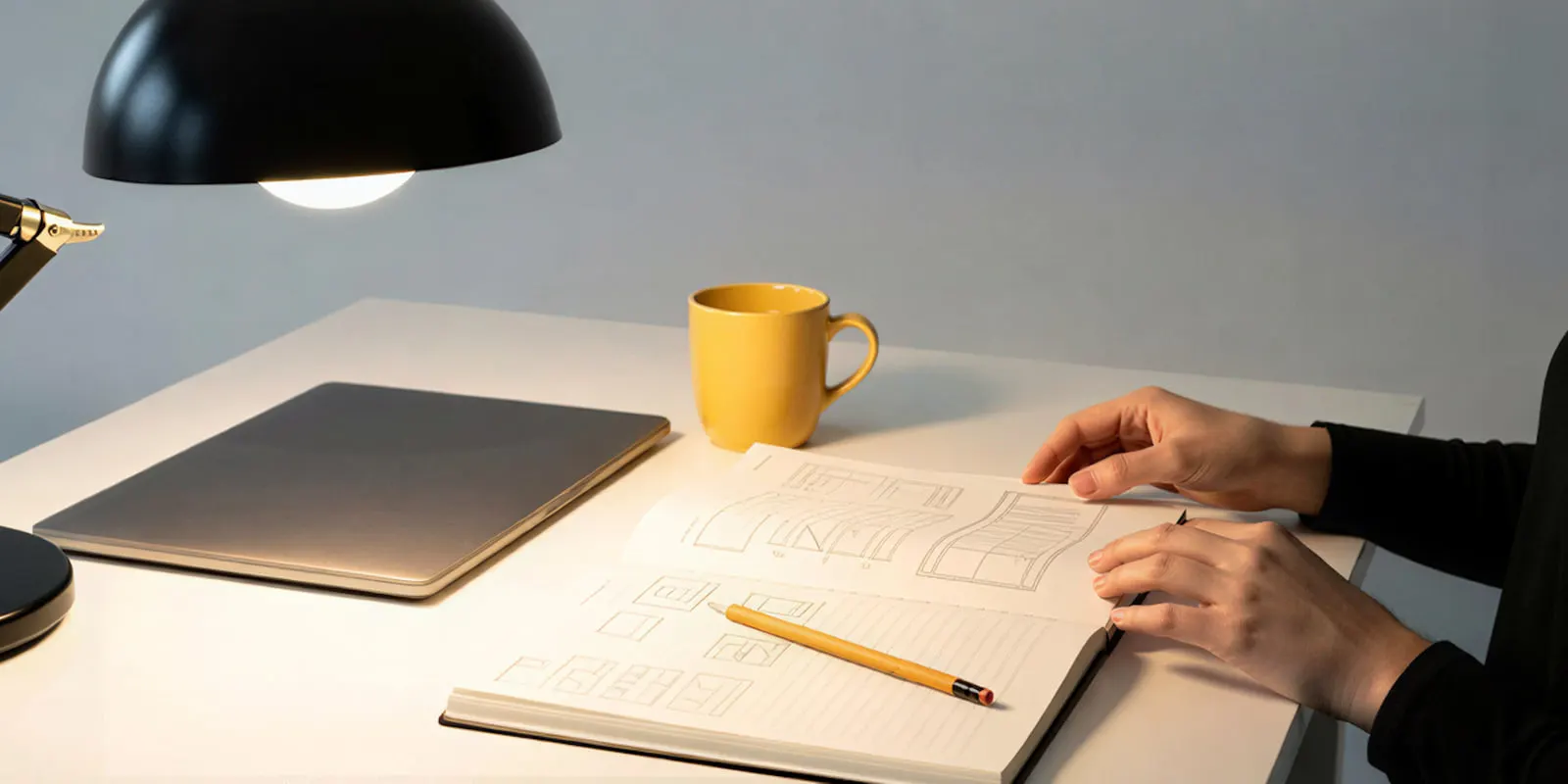
It turns a sentence into a shot list. You say “a 15 second ad for our ceramic mug aimed at people who work from home”. Claude returns a setting, a camera move, a lighting note, the beat where the product enters frame, and a closing line. That is a brief, and briefs are what video models are bad at receiving from humans.
It writes the prompt in the model’s dialect. Every video model wants different phrasing. Claude can translate your intent into something a specific model responds to. Without Claude, you learn that skill over months of failed tries that cost credits. Our AI video prompting guide covers the same craft by hand if you would rather learn it.
It picks the tool. Given video models with different strengths, Claude reads the tool descriptions and sends your brief to a cheap draft model or to the premium render with native audio.
It runs the loop. Ask for four variants and Claude issues four calls, tracks the job IDs, and reports back when the renders land. That part is useful and boring, which is the best kind of automation.
Notice what is missing from that list. Nothing about pixels. Claude’s contribution ends the moment the tool call fires.
What the video model contributes
Everything you can see. The model you land on sets hard limits that no amount of clever prompting moves, and a price that moves by more than an order of magnitude.
| Model | Provider | Native audio | Where it sits on cost |
|---|---|---|---|
| Kling 2.6 Pro | Kuaishou | Yes | Low |
| Veo 3.1 Fast | Yes | Low | |
| Runway Gen-4.5 | Runway | Not documented | Middle |
| Seedance 2.0 | ByteDance | Yes | Upper middle |
| Veo 3.1 | Yes, always on | The top end |
Veo 3.1 generates videos of 4, 6 or 8 seconds with audio generated natively, at 720p, 1080p or 4K, in 16:9 or 9:16. A 1080p or 4K clip has to be 8 seconds. 4K is not available on Veo 3.1 Lite, and video extension is limited to 720p (ai.google.dev, accessed October 2026). Asking Claude for a 12 second clip on this model does not return one, because 8 seconds is the longest single generation. Models also retire. Google lists 22 October 2026 as the earliest shutdown date for the Veo 3.1 preview models in the Gemini API, and names gemini-omni-1.1-flash as the replacement (Gemini API deprecations, accessed October 2026).
Read that last column again. In DesignerBox, the same 8 second brief costs fourteen times more on the most expensive video model than on the cheapest. That is the real decision in this loop. In a chat, Claude picks the model for each call, and you can override it. You pick the model for each step when you build the workflow, and every run after that uses it. A template comes with its model already picked. Per-model detail is at designerbox.ai/models.
What the whole loop costs
Video is priced by the second of output rather than by the request. That is true at the API level and it stays true through any credit system layered on top. At OpenAI’s published rates, an 8 second Sora 2 Pro clip at 1080p cost $5.60 in raw model spend (developers.openai.com, accessed September 2026). OpenAI removed the model from its API on 24 September 2026, and Sora alternatives by job covers what replaces it. Ten variants of that clip cost $56 before anyone picked a winner.
In DesignerBox the unit is credits, and the rate follows the step rather than the request. The image model in the step sets the image rate. An 8-second clip costs 40 to 560 credits, depending on the model. An avatar run returns nine fixed poses for 25 credits. You see each of those costs before the run.
Uploading your own photos and the commercial license start on the Pro plan. AI video, virtual try-on, upscaling, the image editor and the video editor start on the Premium plan, and the free plan cannot make video. Team features, shared brand kits and white label are on the Ultra plan, and every plan below Ultra is one seat. Plans and credits are on the pricing page.
Now the part that matters. Nothing about the brief changes between the cheap end of that video range and the top of it. The tool Claude called does. A draft pass and a finished pass are the same words, and they are fourteen times apart on the bill.
So the useful instruction to Claude is “draft this on the cheap model, then tell me what the finished pass will cost”. Read what AI video generation costs for the fuller breakdown.
Claude cannot watch the result
A Claude AI video generator loop breaks at review, because Claude cannot watch the clip it commissioned.
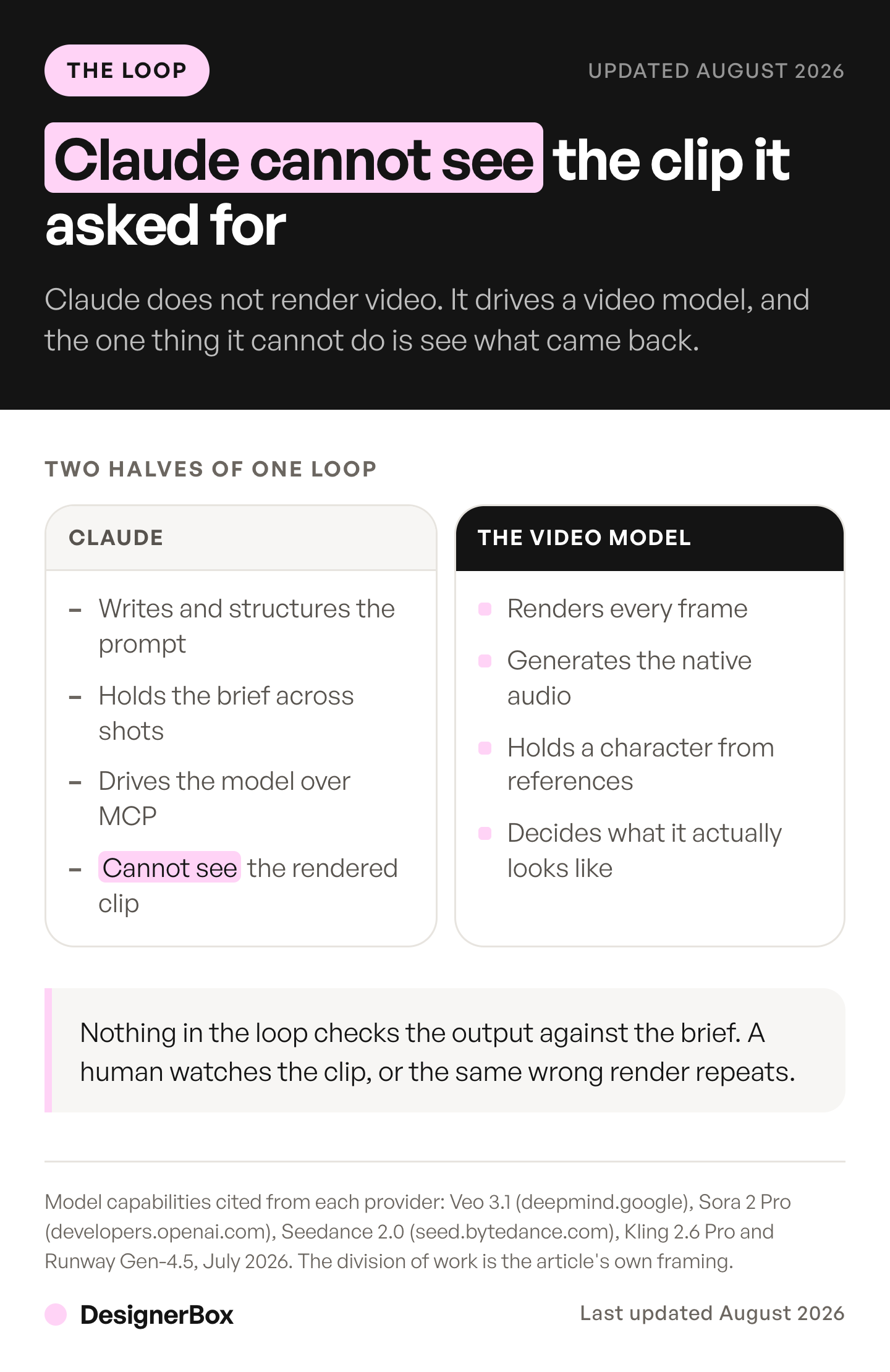
Claude can read an image you upload. Anthropic’s vision documentation lists image formats only: JPEG, PNG, GIF and WebP. It says animations are unsupported and only the first frame is used (platform.claude.com, accessed October 2026). Video is a different input. Claude has no way to open a rendered MP4 and tell you whether the model gave your hand model six fingers, whether the logo survived, or whether the product on screen is your product.
So the loop is open, not closed. Claude briefs, the model renders, a file lands in your library, and then a person watches it. Every “fully automated video from a chat window” claim quietly depends on you being that person.
Three practical consequences.
Generate a still first, then animate it. Claude can see a still. Ask for the frame, look at it, approve it, then send the approved frame to a video model as an image-to-video input. You have moved the review step to the cheap asset. A still costs a fraction of a clip on every model in the list, so a rejected still is a cheap mistake and a rejected clip is not.
Draft on a fast model before committing. Run the brief through a cheap fast pass at 720p. Watch it. Only then spend on the expensive render at full resolution.
Ask for fewer, longer variants than you think. Ten 8 second variants means ten files a human has to open. The throughput ceiling on this workflow is your attention, not the model’s queue.
This is the same seam that shows up across agentic AI for content creation: the planning got automated, the judgment did not.
Text-to-video versus your actual product
Text-to-video invents a product, and image-to-video animates yours. That is the second thing that separates a demo from a usable ad.
Ask Claude for “a video of our ceramic mug” with no image attached and the video model invents a ceramic mug. It will be a plausible mug. It will not be yours. The glaze is wrong, the handle is a different shape, and the customer who clicks the ad receives a different object than the one that sold them.
Image-to-video fixes this, and it is the reason the input mode matters more than the model choice for commerce work. You upload the packshot you already have. The model animates that object rather than imagining one. Everything downstream, the on-model shot, the lifestyle scene, the 15 second ad, derives from the same source photo, which is also why the set stays consistent with itself. Our guide to AI product video sets out six rules that decide whether a product clip works.
DesignerBox is built around that constraint. You build the job once with your brand and your own product photos. Then you run the same job again for the next product instead of rebuilding it. Video ads is where that runs in the browser, and the video editor is a real timeline for the cut that follows. The full workflow from the first product photo to the finished ad, in one subscription. Over MCP, the same operations are tools Claude can call.
How to connect Claude to a video model
Four steps, and the setup is one-time.
- Get an account with credits. Every video call spends credits, so check which plan includes video before you connect.
- Add the remote MCP server as a custom connector. In Claude, open Customize, then Connectors, click ”+ Add”, then “Add custom connector”. Name the connector and paste the server URL. Anthropic documents the flow for any remote server (support.claude.com, accessed October 2026). The DesignerBox endpoint and the click-through walkthrough are at designerbox.ai/mcp/connect.
- Authorize. Most remote servers use OAuth, so you approve access in a browser window once and Claude holds the session after that.
- Upload your product photo, then brief. Say what the ad is for and who it is aimed at. Let Claude propose the shot list before it spends anything.
Once connected, Claude reaches 74 tools, covering image and video generation, avatars, brand profiles, assets, workflows and whiteboards. The tool reference lists every one. We documented the full tool set when DesignerBox MCP launched. For servers that cover other marketing jobs, see MCP servers and connectors for marketing, by job.
Prompts that survive the render
Two rules cover most of the gap between a good brief and a wasted render.
Say the shot, not the vibe. “Cinematic and premium” gives the model nothing to place in frame. “Slow push in on the mug on a walnut counter, morning window light from the left, steam rising, hold on the glaze at 3 seconds” gives it a shot. Claude is good at expanding the first into the second if you tell it your product and your audience.
Name the beat where the product lands. Ad video fails on timing more often than on quality. Tell Claude which second the product enters and which second the CTA appears, and it will write that into the prompt rather than hoping.
A set of finished starting points lives in the template library. For choosing between models on reliability rather than headline specs, see the most reliable AI video generator.
When the chat window is the wrong place
The chat window does not fit every job.
Precise timing edits. Trimming 400 milliseconds off a cut is a timeline job. Describing it in prose is slower than dragging it. A coding tool can also write the cut as code, and Remotion and its alternatives are the frameworks built for that.
Anything you need to see while you change it. Color, crop, and composition tuning want a canvas. Chat is a poor interface for adjustments you judge by eye.
High-volume batch work. For 200 SKUs, a saved workflow beats a conversation. Build the workflow once, run it against the catalog, and skip the chat entirely.
When you do not have the product photo yet. Shoot or generate the still first. The video step should start from an approved frame.
The chat window wins when the job is a brief: something new, described in words, where the planning is most of the work. It loses when the job is an adjustment, and it loses again at volume.
So split the work by how often it repeats. A one-off concept is a conversation. A shot you produce for every new product is a workflow you build once and rerun, and the connector is how you drive it without opening the app. The endpoint, the tool list and the setup walkthrough are at designerbox.ai/mcp. One vendor’s connector is covered in our Higgsfield MCP guide.
FAQ
Can Claude generate video by itself?
No. Claude has no video model inside it and Anthropic’s help center confirms it does not generate photos or illustrations either. Every “Claude video generator” is Claude connected over MCP to a separate video model such as Veo 3.1 or Kling 2.6 Pro. Claude writes the brief, and the connected model renders the frames.
What is MCP and why does it matter for video?
The Model Context Protocol is an open standard from Anthropic for connecting assistants to external tools and data. It matters because it is how Claude in a chat window reaches a video model. Without a connector, Claude can describe a video in detail and produce nothing you can upload to an ad account.
How much does generating a video through Claude cost?
The same as generating it anywhere else, because the connector does not change model pricing. Video is billed per second of output. Sora 2 Pro cost $0.30 to $0.70 per second through OpenAI’s API by resolution, and OpenAI removed that model from its API on 24 September 2026. In DesignerBox credits, an 8-second clip costs 40 to 560 credits, depending on the model. That spread is the number to plan around.
Will the video show my actual product?
Only if you give it your actual product. A text-only brief makes the model invent a lookalike. Upload your packshot and use image-to-video so the model animates the real object. This is the difference between an ad that matches what ships and one that does not.
Can Claude review the video it generated?
No, and this is the loop’s real limit. Claude reads still images but cannot watch a rendered clip and judge it. Generate a still first, approve that, then animate the approved frame. It moves your review to the cheap asset and keeps a person on the quality call, which is where the judgment has to sit anyway.
Which video model should I pick from Claude?
Let Claude route it, then override when you have a reason. Veo 3.1 Fast for drafts. Kling 2.6 Pro for cheap motion. Veo 3.1 when you need native audio and 1080p or 4K on the finished 8 seconds. The routing choice is the budget choice. The catalog is at designerbox.ai/models.
Do I need a paid plan to generate video from Claude?
In DesignerBox, yes: AI video starts on the Premium plan. There is a free plan, and it runs image jobs on sample products while you test the connection. That is a sensible way to try the setup before you commit to video.
Sources
- Anthropic, “Can Claude produce images?” (support.claude.com, accessed October 2026)
- Anthropic, “Vision” developer documentation (platform.claude.com, accessed October 2026)
- Anthropic, “Get started with custom connectors using remote MCP” (support.claude.com, accessed October 2026)
- Model Context Protocol, “Connect to remote MCP servers” (modelcontextprotocol.io, accessed October 2026)
- Google, “Generate videos with Veo 3.1 in the Gemini API”: 4, 6 or 8 second output, 8 seconds for 1080p and 4K, 4K not on Veo 3.1 Lite, extension limited to 720p (ai.google.dev, accessed October 2026)
- Google, Gemini API deprecations: Veo 3.1 preview models listed for 22 October 2026 at the earliest (ai.google.dev, accessed October 2026)
- OpenAI, “Sora 2 Pro model”: $0.30, $0.50 and $0.70 per second by resolution (developers.openai.com, accessed September 2026)
- OpenAI API deprecations: sora-2 and sora-2-pro removed from the API on 24 September 2026 (developers.openai.com, accessed September 2026)
Veo 3.1 and Sora 2 Pro capabilities and rates verified against provider documentation in September 2026. The Veo 3.1 clip lengths, Anthropic’s two help pages and the Model Context Protocol page were re-checked on 2 October 2026. Anthropic’s vision documentation, its help page on images and Google’s deprecations page were re-read on 7 October 2026. Model specs in this category change monthly, so check the provider’s own page before you budget. Individual results vary.