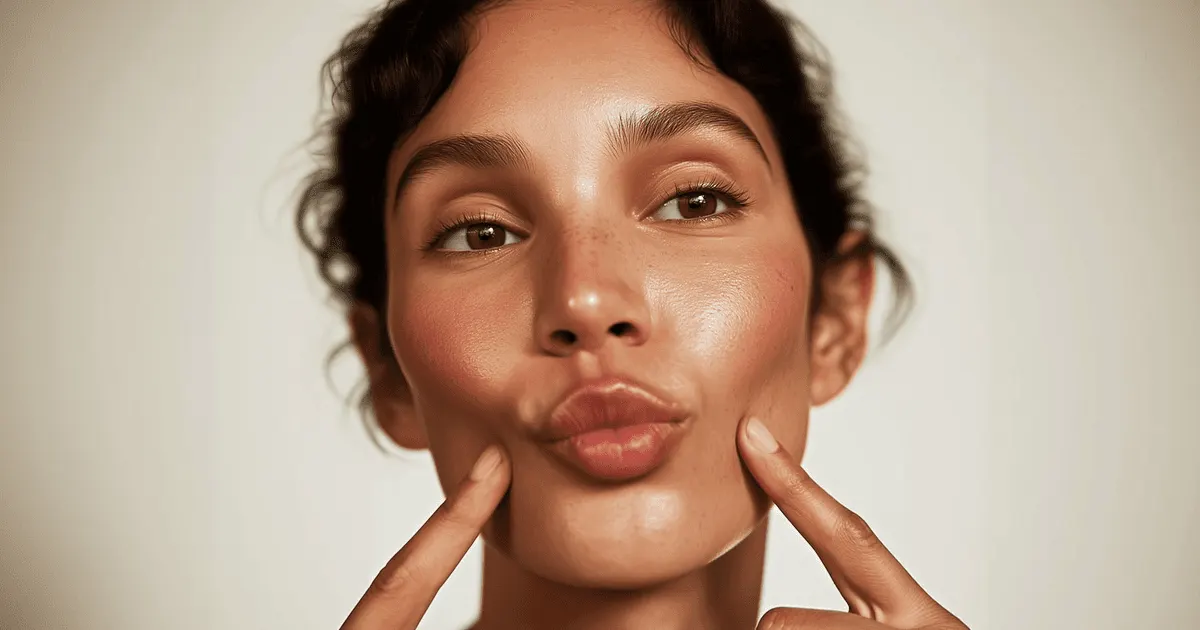
AI video breaks hands and faces because both pack more structural detail into fewer pixels than anything else in the frame, and the model has to rebuild that detail on every frame with no memory of the last one. Static hands are largely solved in 2026. Hands touching an object are not. The reliable fix is to start from a still where the anatomy is already correct.
You have seen the clip. Six seconds of someone lifting your bottle off a counter. The lighting is right, the motion is right, and at around frame 40 the thumb passes through the glass. Nobody on the team can unsee it, the clip is dead, and you have already spent the credits.
The instinct is to write a longer prompt. Add “five fingers”, add “anatomically correct hands”. That almost never works. This guide covers what breaks and what does not in 2026, the five tells to check before a clip ships, the one move that removes most of the failure, and what it costs to catch the problem in a still instead of a finished take.
Key Takeaways
- The failure moved. A hand at rest renders cleanly on current models. A hand gripping, rotating, or handing over an object is where distortion still lives, and that is the exact shot product video needs.
- Contact is the hard problem, and it is about physics more than drawing. On HanDyVQA, a benchmark for hand-object interaction revised in June 2026, the strongest model scored 72.6% against a human baseline of 96.6% (arxiv.org, June 2026).
- More prompt detail about anatomy makes it worse. Describing fingers spends attention on the region that is already unstable. Describe the action and the camera instead.
- Fix the still before the video. A fix in the still is one image edit, and a fix in the video is a full re-run. Repair the frame first, then animate the approved frame once.
- The video models take a reference image or a start frame. That input is what turns generation from invention into preservation.
- Some shots still will not hold. Two people sharing a frame, a re-grip mid-take, and fine manipulation like fastening a clasp remain unreliable. Block around them.
Why AI video breaks hands and faces first
AI video breaks hands and faces first because three problems meet on those two regions and nowhere else.

Detail density per pixel. A hand carries 27 bones and a joint structure that reads wrong the instant one angle is off, and in a product shot it usually occupies a small share of the frame. The model resolves high-frequency structure inside a low-pixel budget. Faces have the same problem with a harder audience: human vision is tuned to faces, so an error in eye spacing or jaw width registers before a viewer can name it.
No memory between frames. Video models resolve structure per frame. Small errors do not cancel across a sequence, they flicker. A finger that is slightly too long on frame 12 and correct on frame 13 produces a shimmer no still would ever show, which is why a clip can fail on motion while every frame looks fine paused.
Contact is the hard part. When a hand reaches a product, the model holds wrist rotation, finger placement, depth, occlusion, and the point where skin meets surface at once, and keeps them agreeing frame to frame. Research through 2026 names the same weak spots: spatial relationships between objects, motion, and part-level geometry (arxiv.org, June 2026).
Where the failure moved
The failure moved from the hand at rest to the hand in action. Guidance written in 2023 said AI could not draw hands. Ask a current model for a hand resting on a table and you will usually get a hand. What still fails is the hand doing something.
The measured gap is in interaction. HanDyVQA, first posted in November 2025 and revised in June 2026, tests fine-grained understanding of hand-object interaction dynamics across 11.1K question pairs. The best model tested reached 72.6% accuracy. Professional human annotators averaged 96.6% (arxiv.org, June 2026).
That gap is where your clip falls, and it matters commercially because the interaction shot is the shot brands want. Picking the product up. Turning the label to camera. Applying the cream. Handing the box over. A talking-head clip with hands at rest will hold. A six-second unboxing will fight you. The other rules that decide whether a product clip works are in AI product video.
Faces follow the same pattern. A single face holds inside a short take. A face across a cut, or across two clips, drifts, which is covered in our guide to keeping a character consistent across clips. Contact and anatomy is one of four distortion modes, and the fixes do not transfer between them. Diagnosing which mode you have covers the other three.
The five tells to check before a clip ships
Watch the clip at quarter speed once, then check these in order. Four of the five only appear in motion.
| Tell | What to look for | Why it happens |
|---|---|---|
| Finger count drift | Count fingers on the frame where the hand first touches the object, then again 10 frames later | Contact frames carry the most occlusion, so the model has the least structure to work from |
| Occlusion bleed | A finger passing through the product instead of behind or in front of it | Depth ordering is resolved per frame and can flip |
| Grip that does not track | The object moves but the hand shape stays fixed, or the reverse | Motion and contact are solved separately and can drift apart |
| Face micro-morph | Pause on the first and last frame, then flip between them. Jaw width, eye spacing, hairline | No frame-to-frame identity anchor within the take |
| Late-clip decay | Teeth, eyes, and finger edges in the final second | Error accumulates along the sequence, so the tail degrades first |
Fail on tells one to three and the problem is the source frame or the blocking. Fail on four and five and the take is too long, or the subject needs a reference anchor.
Fix the frame before you animate it
Fixing the still before you animate it removes most hand and face failures. The fix is an order of operations rather than a feature.
Text-to-video asks the model to do two jobs: invent the anatomy, then keep it stable through motion. Image-to-video asks for one: keep the given anatomy stable. Take away the invention step and you take away most of the places it goes wrong. That choice, and what it costs you elsewhere, is covered in choosing an AI video input mode.
Supplying a frame narrows the job without eliminating it. Any motion that turns a hand or a face reintroduces invention, because the model has to author the side your photo never showed. How to animate a photo with AI ranks motion by how much invention it forces, and the less the camera and the subject turn, the less there is to invent.
- Start from a real photo where you can. Your actual product in a real hand is a source no model has to guess at. In DesignerBox, a workflow starts from your product photo for this reason.
- Or generate the still first. Iterate on the frame until the hands are right, then move on.
- Repair the still before the video. Remove a broken finger or a bad contact edge with an object removal template. For the face, a skin retouch template evens skin and clears blemishes while keeping texture. Both run as image edits.
- Feed the approved still as the start frame. Veo 3.1, Seedance 2.0, Kling and Runway Gen-4.5 all take a start image. That frame becomes the anatomy the model preserves rather than the anatomy it invents. The video ad templates start from that approved frame.
The same sequencing is what makes one source image carry a whole ad, which we break down shot by shot in turning one product photo into a video ad.
What to change in the prompt, and what to change in the shot
Prompt changes help less than people expect. Blocking changes help more.
Stop describing the anatomy. Adding “five perfect fingers” spends prompt weight on a problem the model cannot solve by being told. Google’s own prompting formula for Veo 3.1 is cinematography, subject, action, context, style and ambiance, with camera language called out as the most powerful element (cloud.google.com, accessed October 2026). Anatomy is not in that list.
Write exclusions as positive descriptions. Google recommends stating what you want excluded as part of a positive description of the scene rather than as a bare negative (cloud.google.com, accessed October 2026). Applied to hands: “the bottle held low, out of frame below the chest” beats “no visible hands”.
Then change the shot, which is where the real gain is:
- One grip, held. A hand that takes hold once and keeps that hold survives. A re-grip mid-take almost never does.
- Keep hands fully in or fully out. A hand crossing the frame edge forces the model to invent and discard structure repeatedly.
- Slow the motion. Fast hand movement compounds per-frame error. A slow rotation reads as premium anyway.
- Shorten the take. Decay accumulates along the sequence. Two 4-second clips cut together beat one 8-second clip that falls apart at second seven.
- Establish contact before the camera arrives. Start with the product already held, then move the camera. The model preserves an existing grip more reliably than it forms a new one.
For the full structure of a prompt that specifies camera, light, and motion rather than anatomy, see how to write realistic AI video prompts.
Which models accept what
Every current video model takes some form of image input, and the model list shows which ones you can put in a step. The limits differ, and the limit decides how much anatomy you get to lock.
| Model | Reference input | Best used for |
|---|---|---|
| Veo 3.1 | Up to 3 asset images of a single person, character, or product, plus first and last frame (ai.google.dev, October 2026) | The hero take, where the face and the audio both have to land |
| Veo 3.1 Fast | Same reference input, at a lower price per second in the Gemini API (ai.google.dev, September 2026) | Blocking the motion before you spend flagship credits |
| Seedance 2.0 | Up to 9 images, 3 video clips and 3 audio clips as reference. Real human faces need ByteDance’s consent and face check (docs.byteplus.com, September 2026) | Takes of up to 15 seconds that need one subject to hold |
| Kling 3.0 | Elements: up to 3 per clip, each built from 2 to 4 reference images (kling.ai, September 2026) | Holding one subject across a multi-shot clip |
| Kling 2.6 | A first frame and an optional last frame, and no reference images. First and last frame runs at 1080p, silent (kling.ai, September 2026) | Chaining short clips so a grip carries across a cut |
| Runway Gen-4.5 | A first frame only, no reference images (docs.dev.runwayml.com, September 2026) | Animating an approved frame |
Sora 2 Pro took a first-frame image and rejected input images with human faces, so it never fit a hands-and-faces shot anyway (OpenAI video generation guide, September 2026). OpenAI also removed Sora 2 and Sora 2 Pro from its API on 24 September 2026 (OpenAI API deprecations, accessed October 2026). Our guide to Sora alternatives lists what replaces Sora 2 for each video job. For a take longer than 8 seconds, plan on Seedance 2.0 or Kling 3.0, which run up to 15 seconds.
Two practical notes. First and last frame control, available on Kling 2.6 and on all three Veo 3.1 models, is underused here: you supply both ends of the motion, so the model interpolates between two frames you have already checked instead of inventing the destination. Second, a draft pass on a fast model is the cheapest diagnostic you have. If the hand fails on Veo 3.1 Fast, it is unlikely to hold on the flagship, and you found out for fewer credits. How the rest of the field compares on clip length and audio is in video models compared on clip length and audio. For a wider read on which model suits which job, see our comparison of image-to-video models for ecommerce. The three ways a photo steers an AI video compares that mode with reference images.
The cost of catching it early
Catching a broken hand in the still costs less than catching it in the video. Fixing anatomy in a still and fixing it in a video are different purchases, and the gap is wide enough to change the order you work in.
In DesignerBox, an image edit costs less than even the cheapest 8-second clip. An 8-second clip costs 40 to 560 credits, depending on the model. Find the broken thumb after the video run and the fix is a full re-run of the clip. Find it in the still and the fix is one image edit.
So work in that order. Generate the frame, check the hands, repair what is wrong, approve it, then animate once. Build that order once as a workflow, and the next product runs the same steps. Pick the video model per shot rather than per project.
DesignerBox is AI creative production for brands and agencies. Scale your images, ads and video with AI and keep your brand on every piece: build the workflow once with your brand rules, run it on every product, see the cost before each run, and keep everything from the first product photo to the finished ad in one place. For the still-first order, that means the image edit, the approved frame and the video run stay in one workspace. The frame never leaves the place you checked it.
Uploading your own photos and the commercial license start on the Pro plan. AI video, virtual try-on, upscaling, the image editor and the video editor start on the Premium plan. There is a free plan, and it cannot make video. Plans and credits are on the pricing page. AI video cost covers the rest of the budget.
What still fails
Knowing the ceiling saves you the credits you would spend finding it. Note that a clip can clear every check here and still move wrong, which is a separate failure covered in realistic AI human movement.
- Two people in one frame. Anchoring one subject works well. Two recurring subjects sharing a shot still blend traits, and hands from different people in contact is the worst version of it. Framing above the contact point is the cheapest fix, covered with the rest of the method in two characters in one AI image.
- Fine manipulation. Fastening a clasp, threading a lace, unscrewing a small cap, pouring precisely. Anything where the value of the shot is the dexterity itself.
- Re-grips. Picking up, setting down, and picking up again inside one take.
- Extreme close-ups on fingers. More pixels on the hardest region removes the forgiveness that scale was giving you.
- Long takes. Error accumulates. Where a shot has to run long, chain shorter clips with first and last frame control rather than asking for one continuous generation.
None of these are permanent. All of them are true as this guide is updated. When a shot lands in this list, the answer is a real photograph for that frame, or a blocking change that moves the interaction outside it. Neither is a compromise a viewer will notice, and both are cheaper than five failed renders.
Whether a failure is worth a re-render is a judgment your team should settle once and write down, alongside the brand rules the workflow reads on every run.
Next steps
Faces that break while speaking are a different fault with a different cause. Why AI talking video reads as fake covers blink rate, emphasis and the sync research.
Start from a template, add your brand and your products, and run it. See the templates.
FAQ
Why do AI videos still show the wrong number of fingers?
Because a video model resolves structure on every frame independently, and the frames where a hand touches or overlaps an object carry the most occlusion. Less visible structure means more guessing, and the guess can change between one frame and the next. The count is usually correct in the frames where the hand is open and unobstructed, and drifts at contact.
Does describing the hand in more detail fix it?
No, and it often makes the clip worse. Adding “five fingers” or “anatomically correct hands” spends prompt attention on the region that is already unstable, without giving the model any new structure to work from. Google’s Veo 3.1 formula puts the weight on cinematography, subject, action, context, and style (cloud.google.com, accessed October 2026). Give it a start frame instead of an adjective.
Which video model handles hands and faces best?
There is no single answer that survives a quarter, because the models update monthly. The reliable rule is structural: whichever model you use, give it an image input rather than a text description, and use first and last frame control where the shot allows. That changes the job from invention to preservation on every model in the catalog.
Can I fix a bad hand without regenerating the whole clip?
Not inside the video. Video edits are not local the way image edits are, so a broken frame means a re-render. That is the whole argument for repairing the source still first, where a fix is one image edit. An image edit costs less than even the cheapest 8-second clip, and a clip costs 40 to 560 credits, depending on the model.
Why does a face look right at the start of a clip and wrong at the end?
Error accumulates along the sequence, so the tail of a take degrades before the head does. Shorten the clip, anchor the subject with a character reference image built to hold, and check the first and last frame against each other before you approve. Drift across separate clips is a related but separate problem, with a different fix.
Is a real product photo better than a generated one as the start frame?
Yes, when you have one. A real photo of your product in a real hand gives the model correct geometry, correct contact, and your actual product, with nothing to invent. A generated still is the fallback. Either way, the frame gets checked before it gets animated.
Do two people in one shot make hand and face errors worse?
Yes. Anchoring a single subject to a reference works well across current models. Two recurring subjects in one frame still blend features, and interacting hands from two people is the hardest version of the contact problem. Generate them in separate passes where the edit allows, or block the shot so only one person’s hands are in frame.
Sources
- Hand-object interaction accuracy of 72.6% against a 96.6% human baseline, and the named weak spots in spatial relationships, motion and part-level geometry: HanDyVQA (arxiv.org, revised June 2026)
- Veo 3.1 prompting formula, camera language as the most powerful element, and the guidance to write exclusions as positive description: Google Cloud blog, accessed October 2026
- Veo 3.1 and Veo 3.1 Fast reference images, and first and last frame: ai.google.dev, accessed October 2026
- Veo 3.1 and Veo 3.1 Fast per-second prices: Gemini API pricing, September 2026
- Seedance 2.0 reference inputs and real-face rules: docs.byteplus.com, September 2026
- Kling 2.6 first and last frame, and Kling 3.0 Elements: Kling capability map, September 2026
- Runway Gen-4.5 first-frame input: docs.dev.runwayml.com, September 2026
- Sora 2 Pro first-frame input and the rejection of input images with human faces: OpenAI video generation guide, September 2026
- Sora 2 and Sora 2 Pro removal from OpenAI’s API on 24 September 2026: OpenAI API deprecations, accessed October 2026
- DesignerBox plans, credits and feature gating: DesignerBox pricing page (designerbox.ai/pricing), September 2026
Model capabilities and reference limits verified against Google, ByteDance, Kuaishou, Runway and OpenAI documentation as of September 2026. Google’s Veo guide and prompting guide, OpenAI’s deprecations page and the HanDyVQA figures were re-checked on 2 October 2026. Benchmark figures from HanDyVQA (arXiv:2512.00885, revised June 2026). Individual results vary.