The best clothing brand video maker depends on one question: does footage of your clothes exist yet? If it does not, you need an AI image-to-video tool that turns a garment photo into a clip of a model wearing it. If you film on a phone, you need an editor that cuts, captions and resizes. A brand that posts every week usually needs both jobs done.
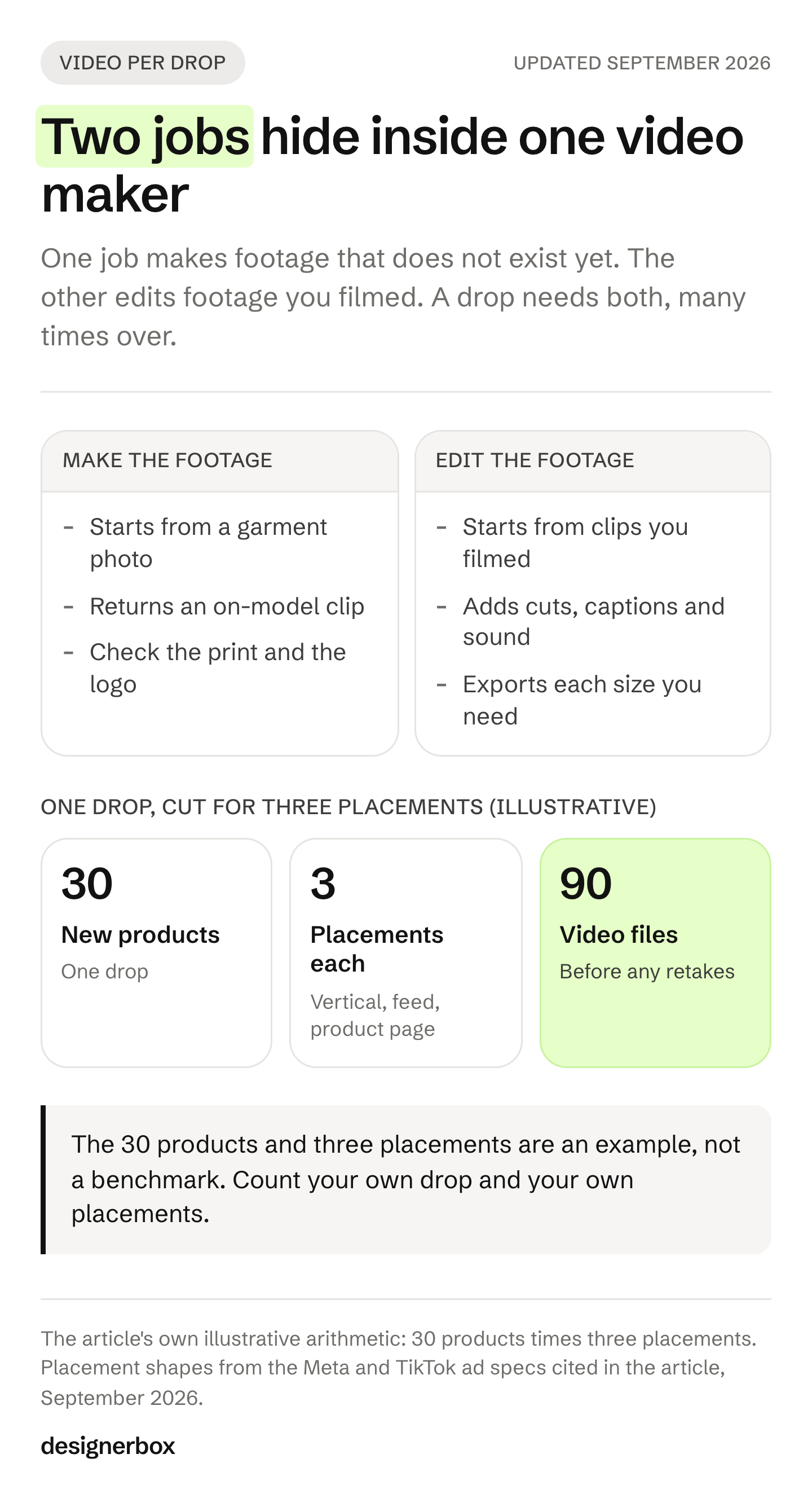
A drop of 30 new products goes live next month. Each one needs a vertical clip for Reels and TikTok, a cut for the Facebook feed and a short loop for the product page. That is 90 video files, and nobody on the team has filmed a garment yet.
This guide sorts eight video makers by the job each one does. It covers what each tool does well, where its scope ends, a six-point check for prints and logos in motion, and the Meta and TikTok rules for music and AI labels. It is written for clothing brands with 20 to 500 products, and for the agencies that make their content. DesignerBox publishes this blog and is one of the eight tools. What it makes for apparel is on its page for fashion brands.
Key Takeaways
- Two jobs, two kinds of tool. A generator makes footage from a garment photo. An editor cuts footage you already have. A weekly posting plan needs both.
- Garment tools start from a product photo. WearView, The New Black, Pic Copilot, Modelia and Snappyit take apparel images and return fashion clips or lookbook videos.
- Editors carry the captions and the sizes. CapCut, Canva and Adobe Express cut, caption and resize what you filmed or generated.
- Check the garment on the frame that moves most. Print, logo, color, construction, length and hands are where an AI clothing video goes wrong.
- Vertical is the default shape. Meta’s ads guide lists 9:16 for Instagram Reels and Instagram Feed video, and 4:5 for the Facebook Feed. TikTok recommends 9:16.
- Music rules differ by platform. CapCut’s commercial sounds are cleared for CapCut and TikTok. For a Meta ad, use Meta’s Sound Collection.
- TikTok asks for an AI label. Ads with AI-made or heavily AI-edited media need the AIGC label or your own clear disclaimer. Meta labels ads itself when it detects AI signals.
- Organic reach has its own rules. Instagram does not recommend reels over 3 minutes to new audiences. Instagram and TikTok both hold back reused content, so post clips made from your own product photos.
Which clothing brand video maker fits your brand?
Pick by where your footage comes from. If you have product photos and no footage, choose a tool that makes a clip of a model from a garment photo. If you film on a phone, choose an editor with captions and resizing. If you release new products every month, choose a tool that runs the same video steps on each new product. The table sorts the eight tools by that job.
| Tool | Job | You start from | Best for |
|---|---|---|---|
| WearView | Make footage | One fashion photo, a flat lay or a ghost mannequin shot | Catwalk and spin clips from product photos |
| The New Black | Make footage | A model shot or a campaign frame | Clips of 5 to 30 seconds with generated sound |
| Pic Copilot | Make footage | Several apparel images | Lookbook videos from templates with licensed music |
| DesignerBox (this is us) | Make, edit and repeat | A garment photo | The same video set for every product in a drop |
| Runway | Make footage | One image as the first frame | A single motion shot that you cut in another tool |
| CapCut | Edit footage | Phone footage | Captions and fast cuts for TikTok |
| Canva | Edit footage | Your clips and a template | Brand fonts, colors and logos on every video |
| Adobe Express | Edit footage | One finished clip | One clip resized for each social channel |
No prices appear here. Each tool lists its plans on its own site, and those plans change often. Every feature below was read on the vendor’s own pages in September 2026. For a wider list of product video generators beyond clothing, see DesignerBox’s best AI product video generators roundup.
Which tools make video from a garment photo?
These tools make footage that does not exist yet. You add a photo of the garment, on a model or laid flat, and the tool returns a short clip with movement. The fashion tools add fashion motions such as a catwalk or a spin. A general image-to-video model such as Runway gives you one shot, and you build the rest of the video in an editor.
WearView
WearView turns one fashion image into a clothing video. Its page says it works with product shots, model shots, flat-lay photos and ghost mannequin images (wearview.co/ai-video-generator, September 2026). You pick a template, such as catwalk, 360° spin, walkthrough or side reveal, or you write your own prompt. It exports MP4 files in 9:16, 16:9, 1:1, 3:4 and 4:3.
WearView also says you can keep the same AI model across your whole catalog (wearview.co, September 2026). That matters for a drop, where 30 products should look like one collection.
Scope: WearView’s own guide says it is not a general-purpose editor, and it suggests a separate editor for captions (wearview.co/blog, September 2026). Its FAQ says generated videos can be used commercially and links that line to the pricing page. Check which plan you are on before a clip runs as an ad.
The New Black
The New Black turns a fashion image into a video. Its page says a model shot or a campaign frame works as the input, and you can add an optional end image (thenewblack.ai, September 2026). Clips run 5 to 30 seconds with generated audio, at 720p or 1080p. The video keeps the aspect ratio of your image. The same site offers virtual try-on, AI fashion models, a Shopify app and an API.
Scope: The video page names two resolutions and does not say which plan includes each one. Check the resolution you need on its pricing page, and read its terms for commercial use before a clip goes into paid ads.
Pic Copilot
Pic Copilot’s Fashion Reels tool builds a lookbook video from your apparel images. You upload the images, choose a video template, and the tool puts the video together (piccopilot.com/tools/fashion-reels, September 2026). The page says each template includes commercially licensed music that is cleared for business use. That helps with music, but check that the license covers the ad platform you use.
Scope: Fashion Reels works from templates. The page does not state the clip length, the number of images or the aspect ratios. Test one template with your own images before you plan a drop around it.
DesignerBox (this is us)
DesignerBox makes the clip, edits it and runs the same steps again on the next product. An app puts your garment on a model photo you add. A video step moves one result with a fashion motion you pick. The video editor cuts the clips and adds captions and a voice (DesignerBox apps, September 2026).
Scope: Video starts on the Premium plan, and the free plan cannot make video. If your content is phone footage of real people wearing your clothes, a phone editor such as CapCut fits that job better. The full route is set out near the end of this guide.
Runway
Runway is a model vendor, and its Gen-4.5 model turns one image into a clip. The image you add becomes the first frame (Runway help center, accessed September 2026). Clips run 2 to 10 seconds at 720p, in ratios that include 9:16, 1:1 and 16:9 (Runway help center, accessed September 2026).
Scope: Runway is a general video model, so you describe the motion yourself in the prompt. For a longer sequence, Runway’s guide suggests you take the last frame and run again. How the image-to-video models compare on product detail is in AI image to video for ecommerce.
Modelia and Snappyit
Modelia and Snappyit are two more fashion video tools. Both start from apparel photos. They are not in the table above, so hold them to the same six-point check further down.
Modelia’s video generator starts from one fashion image, which becomes the first frame. You describe the motion, the camera or the setting in a prompt. Then you choose a clip of 5 or 10 seconds (modelia.ai/video-generator, September 2026). The same site turns flat lays and mannequin shots into on-model photos, and it lists a Shopify app and an API.
Snappyit’s fashion try-on video starts from the garment alone. It takes a front-facing flat lay or a hanging shot, and it accepts apparel images only (snappyit.ai/fashion-video, September 2026). You choose a video template and an AI model face. The tool splits the result into clips, so you can run one clip again or remove it and keep the rest.
Scope: With Modelia you write the motion yourself, and its video page does not state the resolution or the aspect ratios. Snappyit’s page does not state the clip length, the resolution or the aspect ratios. It tells you to check each platform’s rules before you publish.
Veo 3.1 and Kling
Google’s Veo 3.1 and Kuaishou’s Kling are two general video models. They sit outside the eight tools above because neither is built for apparel. You write the motion yourself, as with Runway.
Veo 3.1 and Veo 3.1 Fast take up to three reference images of one person, character or product (Gemini API docs, accessed September 2026). So your garment photo can guide the clip. Veo 3.1 also takes a first frame and a last frame and makes the move between them. Clips run 4, 6 or 8 seconds, in 16:9 or 9:16.
Kling 2.6 makes a 5 or 10 second clip from a first frame. It also takes a first and a last frame at 1080p, without sound (Kling capability map, accessed September 2026). How a first and a last frame keep a garment steady is in virtual try-on video.
Luma and Pika
Luma and Pika are two more general image-to-video tools. Like Veo 3.1 and Kling, neither is built for apparel, so you write the motion yourself.
Luma’s Ray3.14 model runs in its Dream Machine app. It supports image-to-video and keyframes. An image-to-video clip runs 5 seconds at up to 1080p, and Luma can upscale the result to 4K (lumalabs.ai/learning-hub/ray314-user-guide, September 2026).
Pika lists Pikaframes, a keyframe app, among its video tools. Its pricing page says the commercial license starts on the Creator plan, not on Free or Starter (pika.art/pricing, September 2026). Check that line before a clip runs as an ad.
Hailuo
Hailuo is the video app from MiniMax, a model vendor. MiniMax’s current video model, MiniMax H3, makes a clip from a first frame, a last frame or both. It also takes reference images and keeps the subject the same through the clip. Clips run 4 to 15 seconds at 768p or 2K (MiniMax API docs, accessed September 2026). Like the other general models, it is not built for apparel, so you write the motion yourself.
To change the garment in footage you already filmed, a different set of tools applies. They are compared in AI video clothes changer tools.
Which tools edit video you filmed yourself?
Editors work on footage that already exists: phone clips, a generated shot or a finished ad. They add the parts a generator leaves out, such as cuts, captions, music, text and one file for each size. A clothing brand needs an editor even when every shot is AI-made, because the edit is where a clip becomes an ad. If you film the footage yourself, how to shoot fashion video lists the five shots each garment needs.
CapCut
CapCut edits on phone, desktop and web, and its auto captions work on all three (capcut.com, September 2026). Its AI video generator can start from an image you upload, and CapCut says it runs on Seedance 2.5. You can start free in the online editor.
Scope: CapCut’s license splits its sounds into two groups. Regular sounds are for personal, non-commercial use. Commercial sounds may be shared only within CapCut, TikTok and TikTok for Business (capcut.com/clause/material-license-agreement, September 2026). That covers a TikTok ad. For an Instagram or Facebook ad, pick music that Meta licenses for ads.
Canva
Canva’s video editor has a timeline with several tracks, plus trim and split (canva.com/help, September 2026). A Brand Kit holds your logos, colors, fonts and assets. Brand Controls can limit a team to the colors and fonts in the kit. Resize includes a set for vertical video, so one design becomes the shapes each channel needs. Canva has a free plan.
Scope: Magic Resize is on paid plans such as Canva Pro, and each use counts toward a monthly AI usage limit (canva.com/help/resize, September 2026). Multiple brand kits are also a paid feature.
Adobe Express
Adobe Express resizes a video for each social channel with a quick action. It also trims clips and removes video backgrounds (helpx.adobe.com/express, September 2026). A brand in Express holds your logos, colors, fonts and graphics, and applies your colors and fonts to every page. Express can also make a video from a text prompt and an optional starting image. The free plan includes video templates and standard editing tools (adobe.com/express/pricing, September 2026).
Scope: Brand kits and Remove Video Background need Premium, and Adobe lists bulk resize as a premium feature too. Bulk resize is the feature that matters when a drop has many products.
How to cut generated clips into a finished ad, step by step, is in editing AI-generated video.
How do you check an AI clothing video before it runs?
Watch the clip at full size, then pause it on the frame where the garment moves most. A garment that looks right in the first frame can change by the fifth second. Compare that frame with your product photo, point by point. Six points cover most of the ways a clothing video goes wrong.
- Print and pattern. Stripes, checks and florals must keep their scale and direction when the fabric folds. A floral print that shrinks, or a stripe that bends where the seam is straight, shows a different garment.
- Logo and text. Letters on a chest print or a woven label are a common failure. Read every letter on the paused frame.
- Color. Put the paused frame next to the product photo. Motion and new light can change a color by a shade, and a customer who gets the wrong shade sends it back.
- Construction. Count the buttons, the pockets and the seams. Check the collar, the cuffs and the hem. A model can gain a pocket or lose a belt loop between frames.
- Length and fit. A hem that ends at the knee in the photo must end at the knee in the clip. The model is one body at one size, so the clip shows one fit, not your size range.
- Hands and accessories. Hands that touch the fabric, bags and jewelry are common places for motion to break. A shot that keeps the hands still is easier to approve.
A result that fails one point goes back for a new run or a new first frame. It does not go into the ad. Why faces and hands break, and how to frame around them, is in AI video hands and faces. If one model must wear all 30 products, the fixes for character drift across clips apply too.
How many videos does one clothing drop need?
Count your products, then multiply by your placements. A drop of 30 products, each cut for three placements, needs 90 video files before a single retake. In this example the three placements are a vertical clip for Reels and TikTok, a 4:5 cut for the Facebook feed and a clip for the product page. Your own numbers will differ, but the count grows with every product.
The ad platforms set the shapes:
- Instagram Reels ads are 9:16. Meta asks you to keep the top 14%, the bottom 35% and 6% on each side clear (Meta ads guide, accessed September 2026). Put captions and the product name in the space that is left. Our guide to AI video for Instagram Reels covers labels, trial reels and reach.
- Instagram Feed video ads are 9:16 too (Meta ads guide, accessed September 2026).
- Facebook Feed video ads are 4:5 (Meta ads guide, accessed September 2026).
- TikTok In-Feed ads recommend 9:16, and TikTok also accepts 16:9 and 1:1 (TikTok ads help, accessed September 2026).
So make a 9:16 master first. It covers Reels, the Instagram feed and TikTok. Cut the 4:5 version for the Facebook feed from it, and match the product page clip to the shape your store theme shows.
At 90 files a drop, the hard part is making the 90th clip look like the first: the same model, the same light and the same framing. What a generated clip costs against a shoot day is in AI fashion video.
What do Meta and TikTok require for AI clothing video ads?
Two sets of rules apply to a clothing video ad: music and AI labels. As of September 2026, both Meta and TikTok keep their personal music libraries out of ads. TikTok asks you to label ads with AI-made or heavily AI-edited media. Meta asks for an AI disclosure only in ads about social issues, elections or politics. This is general information, not legal advice.
Music
- Meta. Meta says its licensed music library is for personal, non-commercial use. Its Sound Collection can be used for commercial purposes such as ads (Meta Business Help Center, accessed September 2026). Meta’s Reels ads guide says Reels ads should not contain licensed music.
- TikTok. TikTok says businesses cannot use the general music library for commercial use. Its Commercial Music Library covers organic posts, video ads and branded content (TikTok ads help, accessed September 2026).
A trending sound in a personal post does not carry over to an ad. Pick the music in the ad platform’s library, or use a track licensed for ads.
AI labels
- TikTok. TikTok allows ads with AI-made or heavily AI-edited media if you add the AIGC label or your own clear disclaimer, caption, watermark or sticker. If TikTok finds AI content with no disclosure, it rejects or restricts the ad (TikTok ads policy, accessed September 2026). Changes to light or color, and removing or changing a background, need no label. A new or duplicated campaign resets the AI disclaimer toggle in Ads Manager (TikTok add disclaimers, accessed September 2026).
- Meta. Meta adds an “AI info” label when it detects that a third-party AI tool made or edited an ad, using signals such as C2PA metadata. The label sits in the three-dot menu under “About this ad”. Meta says the feature may not be available in every region (Meta Business Help Center, accessed September 2026).
- Organic posts. Meta requires you to disclose organic posts with realistic AI video or realistic AI audio (Meta Community Standards, accessed September 2026). TikTok requires creators to label AI-made or heavily edited content that shows realistic people or scenes (TikTok Community Guidelines, accessed September 2026).
A clip of a model who was never filmed, wearing your garment, is fully AI-made video. The wider rules, including New York and the EU, are in AI disclosure in advertising.
What changes when the clip is an organic Reel or TikTok?
AI fashion Reels and TikToks that you post without paying for reach follow the feed rules, not the ad rules. Three of those rules decide whether new people see the clip: length, originality and the AI label. As of September 2026, all three favor a short clip made from your own product photos, with the AI label added when you post.
- Length. Instagram lets you record and edit a reel of up to 20 minutes. Reels over 3 minutes are not recommended to new audiences (Instagram Help Center, accessed September 2026). A garment clip of 5 to 15 seconds is far under that line.
- Originality. On 30 April 2026, Instagram extended its originality rules from reels to photos and carousels. Accounts that mostly re-upload other people’s work are no longer recommended. Content you shot, designed or materially edited counts as original, and a border, watermark or subtitles alone does not (Instagram for Creators, April 2026). On TikTok, unoriginal or reused material with nothing new is not eligible for the For You feed (TikTok Community Guidelines, accessed September 2026). A clip made from your own garment photos is your content. Another account’s fashion clip with your logo on it is not.
- Automatic AI labels. TikTok reads Content Credentials, a standard that records how a file was made. It labels AI content from some other platforms on its own (TikTok Newsroom, May 2024). Meta adds an “AI info” label when it detects industry-standard AI signals, or when you disclose AI yourself (Meta Newsroom, April 2024, updated September 2024). Add the label yourself when you post. Then it does not depend on what the tool wrote into the file.
A weekly series is also easier to recognize when every clip uses the same model, light and framing. How to hold one model across a whole set is in consistent AI fashion images.
How to choose a clothing brand video maker
Answer four questions before you pay for a tool. Each one removes part of the list. Once you have a tool, the seven steps from garment photo to labeled ad are in how to make AI video for a clothing brand.
- Does footage of the garment exist? If not, you need a tool that makes footage. If you film every week, start with an editor and add a generator for the products you do not film.
- How many products do you release each month? For five products, any tool on the list works. For 30 or more, look for a tool that keeps the same model across the catalog and runs the same steps on each new product.
- Where will the clip run? A TikTok-only brand can use CapCut’s commercial sounds. A brand that runs Meta ads needs music that Meta licenses for ads, and a 4:5 cut for the Facebook feed.
- Who does the work? One person can run a phone editor. A team that shares one brand needs brand kits, shared fonts and colors, and seats for each person. If you sell in several countries, plan the captions and supers per market as well, as covered in video localization for fashion ads.
One video workflow for every product
DesignerBox is AI creative production for brands and agencies. Scale your images, ads and video with AI and keep your brand on every piece: build the workflow once with your brand rules, run it on every product, see the cost before each run, and keep everything from the first product photo to the finished ad in one place.
For a clothing drop, the route has four steps:
- Put the garment on a model. The Dress my model app takes a model photo and your garment photos. It returns three on-model photos with the same face and the same garment in each.
- Move the photo. The Animate an image app turns one photo and a line of text into a five-second clip at 1280 by 720 (DesignerBox apps, September 2026). A fashion video step moves one image with a motion you pick, such as a runway walk, a spin or fabric flow.
- Cut the clips. The video editor is a real timeline, with several tracks, transitions, animated text and audio. Type a script and pick one of 20 voices.
- Run it on the next product. Save the steps as a workflow and run it again, or hand it to a colleague as an app. Batch runs one workflow over a whole sheet of products, and you keep or discard each row.
Anyone can make an AI picture. Making hundreds that still look like your brand is the hard part. You set the brand once in your brand record, with its logos, fonts, colors and rules. The workflow reads it on every run. What a finished video ad needs, from the first frame to the cut, is on the AI video ads page.
The full workflow from the first product photo to the finished ad, in one subscription. The cost is shown before each run. An 8-second clip costs 40 to 560 credits, depending on the model.
The commercial license starts on the Pro plan. AI video and virtual try-on start on the Premium plan. Plans and credits are on the pricing page. Team features, shared brand kits, white label and the API are on the Ultra plan, and every plan below Ultra is one seat. DesignerBox does not post to your store or your social accounts: you download the results. The fashion brands page shows what it makes for a collection.
Scale content without limits.
Generate content for your products or services with AI, starting today, and keep your brand on every piece.
FAQ
What is the best clothing brand video maker?
Pick by whether you have footage. For product photos with no footage, a tool that makes video of a model from a garment photo fits, such as WearView, The New Black or DesignerBox. For phone footage, an editor such as CapCut, Canva or Adobe Express fits. If you post every week, plan for one of each.
What is the best AI video generator for clothing brands?
For product photos with no footage, start with a generator built for apparel, such as WearView, The New Black, Pic Copilot or DesignerBox. Each one starts from a garment photo, and the fashion tools add motions such as a catwalk or a spin. General models such as Runway, Veo 3.1 and Kling give you more control over one shot. With them, you write the motion and cut the video yourself. Test each one on your busiest print before a drop.
What are the best AI fashion video generators?
The best AI fashion video generators start from your own garment photo and keep the print, the color and the logo steady in motion. Fashion tools such as WearView, The New Black, Pic Copilot, Modelia, Snappyit and DesignerBox add templates or fashion motions. General models such as Runway, Veo 3.1, Kling, Luma and Hailuo give you more control over one shot, but you write the motion. Run the same busy print through two or three of them and compare the paused frames.
What is the best AI image to video tool for fashion?
For a clip of a model wearing your garment, start with a tool built for apparel, such as WearView, The New Black or DesignerBox. They start from a garment photo and offer fashion motions such as a catwalk or a spin. General image-to-video models such as Runway, Veo 3.1, Kling, Luma and Pika give you more control over one shot, and you write the motion yourself. Pause each test clip on the frame with the most movement and compare it with the product photo.
How do you make an AI video of clothes?
Start with a clean photo of the garment, laid flat, on a mannequin or on a model. Put it on a model if it is not on one yet. Animate the photo with one short, simple motion, such as a walk or a turn. Pause the clip on the frame that moves most and compare it with the product photo. Then add captions and music in an editor, and export each size you need.
What is the difference between a video maker and a video generator?
A video generator makes new footage with AI, from a text prompt or an image. A video maker is the wider group: any tool that helps you finish a video, including template editors and timeline editors. In this list, WearView, The New Black and Runway are generators. CapCut, Canva and Adobe Express are mainly editors, and each also has an AI video feature.
Is there a free clothing brand video maker?
CapCut, Canva and Adobe Express each have a free way to start (capcut.com, canva.com and adobe.com, September 2026). Adobe Express’s free plan includes video templates and standard editing tools, and Remove Video Background needs Premium. DesignerBox has a free plan, but it cannot make video. Plans change often, so check each tool’s plan page before you plan a drop.
What size should a clothing video ad be?
Make a 9:16 vertical master first. Meta’s ads guide lists 9:16 for Instagram Reels and Instagram Feed video ads, and 4:5 for Facebook Feed video ads. TikTok recommends 9:16 for In-Feed ads and also accepts 16:9 and 1:1 (Meta and TikTok ad specs, September 2026).
Can I use trending music in a clothing video ad?
Not from the personal music libraries. Meta says its licensed music library is for personal, non-commercial use, and its Sound Collection can be used in ads. TikTok says businesses cannot use the general music library for commercial use and points them to its Commercial Music Library. CapCut’s commercial sounds are cleared only within CapCut, TikTok and TikTok for Business.
Do I have to label an AI clothing video ad?
On TikTok, yes, when the ad has AI-made or heavily AI-edited media: add the AIGC label or your own clear disclaimer. Meta asks for a disclosure only in ads about social issues, elections or politics, and it labels other ads itself when it detects AI signals. Rules change often, so check each platform in the month the ad runs.
How long should an AI fashion Reel be?
Keep it short. Instagram lets a reel run up to 20 minutes, but it does not recommend reels over 3 minutes to new audiences (Instagram Help Center, September 2026). Most garment clips show one product and one motion, so 5 to 15 seconds is enough. Post clips made from your own product photos: Instagram and TikTok both limit the reach of reused content.
Sources
- WearView, AI video generator page (wearview.co/ai-video-generator), homepage (wearview.co) and its guide to clothing brand video makers (wearview.co/blog/best-clothing-brand-video-maker), read September 2026
- The New Black, AI fashion video generator page (thenewblack.ai/ai-design-features/ai-fashion-video-generator), read September 2026
- Pic Copilot, Fashion Reels page (piccopilot.com/tools/fashion-reels), read September 2026
- Runway help center, Creating with Gen-4.5 and Image to Video Prompting Guide, accessed September 2026
- Google, Gemini API Veo documentation, accessed September 2026
- Kling, video capability map, accessed September 2026
- Luma, Ray3.14 user guide (lumalabs.ai/learning-hub/ray314-user-guide), read September 2026
- Pika, pricing and apps (pika.art/pricing), read September 2026
- Modelia, AI video generator page (modelia.ai/video-generator) and homepage (modelia.ai), read September 2026
- Snappyit, AI fashion try-on video page (snappyit.ai/fashion-video), read September 2026
- MiniMax, video generation guide, accessed September 2026
- CapCut, auto caption generator (capcut.com/tools/auto-caption-generator), AI video generator (capcut.com/tools/ai-video-generator) and Materials License Agreement (capcut.com/clause/material-license-agreement), read September 2026
- Canva help center, Resize (canva.com/help/resize), Brand Kit (canva.com/help/brand-kit) and creating and editing videos (canva.com/help/creating-and-editing-videos), read September 2026
- Adobe Express help, resize videos, remove background from videos, brands, Premium and generate video (helpx.adobe.com/express), and plans (adobe.com/express/pricing), read September 2026
- Meta ads guide, Instagram Reels, Instagram Feed and Facebook Feed video specs, accessed September 2026
- Meta Business Help Center, music for business and AI info labels on ads, accessed September 2026
- Meta, Community Standards on misinformation, accessed September 2026
- TikTok ads help, video ad specifications, Commercial Music Library, ads policy on misleading and false content and add disclaimers to ads, accessed September 2026
- TikTok, Community Guidelines on integrity and authenticity, accessed September 2026
- Instagram Help Center, record a reel on Instagram, accessed September 2026
- Instagram for Creators, rewarding original creators on Instagram, 30 April 2026
- TikTok Newsroom, partnering with our industry to advance AI transparency and literacy, 9 May 2024
- Meta Newsroom, our approach to labeling AI-generated content and manipulated media, April 2024, updated September 2024
- DesignerBox, Dress my model and Animate an image apps, the video editor and pricing, September 2026
Tool features verified on each vendor’s own pages as of September 2026. Plans and features change often, so check the vendor’s page before you buy.