
AI UGC is content that looks like a customer or a creator filmed it on a phone, but a brand made it with AI. The letters stand for user-generated content, and no user made it. People use the name for three things: an AI presenter who reads a script, a creator-style product clip with no person, and real creator footage that AI edited or dubbed.
The name hides a contradiction, and the contradiction explains which rules apply. A real customer video is an opinion from outside the brand. AI UGC is an ad from inside the brand that borrows the same look.
This guide defines the term, sorts the three kinds, outlines how one AI UGC video is made, and lists the rules. Each section links to a longer guide.
Key Takeaways
- AI UGC is a style. It copies the look of a phone-filmed customer video. A brand makes it with AI, so it is advertising.
- The name covers three things. An AI presenter, a product clip with no person, and real creator footage that AI edited or dubbed.
- One AI UGC video takes five steps. Choose the kind, write the script, make the visuals, add the voice and the cut, then check and label.
- The FTC does not ban AI presenters. Its rule bans a fake testimonial. The script decides which one your ad is.
- Meta and TikTok treat labels differently. TikTok asks the advertiser to disclose AI-generated ad media. Meta labels most ads itself when it finds AI signals.
- A generated presenter has no experience of your product. It can show and explain. It cannot review.
What is AI UGC?
AI UGC is short for AI-generated, UGC-style content. It is an image or a video that copies the look of user-generated content: a phone camera, a home setting, plain speech and a product in the hand. A brand or its agency makes it with AI models. No customer films it and no creator is hired for it.

AI UGC content is usually video. Brands run it as paid ads on TikTok, Instagram and Facebook, and some post it from their own accounts. An AI UGC video is usually a short vertical clip.
Vendors use the term loosely. One means a talking avatar. Another means a product clip with a voice on top. Ask what a person means before you compare two offers.
Why the name AI UGC is a contradiction
User-generated content has a definition. In 2007 the OECD described it with three features. It is published, it takes some creative effort, and it is “created outside of professional routines and practices” (oecd.org, October 2026). A customer who films a new coffee machine at home meets all three.
AI UGC fails the third feature. A brand plans it, a marketing team writes it and an ad budget pays for it. That is a professional routine. The user in the name does not exist.
Viewers trust a customer video because the customer is independent of the brand. AI UGC borrows that look without the independence. The rules in this guide exist to stop a viewer from mistaking one for the other.
A more accurate name is AI-generated, UGC-style content. Read AI UGC as a style, never as a source.
Three things people mean by AI UGC
The same name covers three different products. They differ in who appears on screen and in what the viewer is asked to believe.
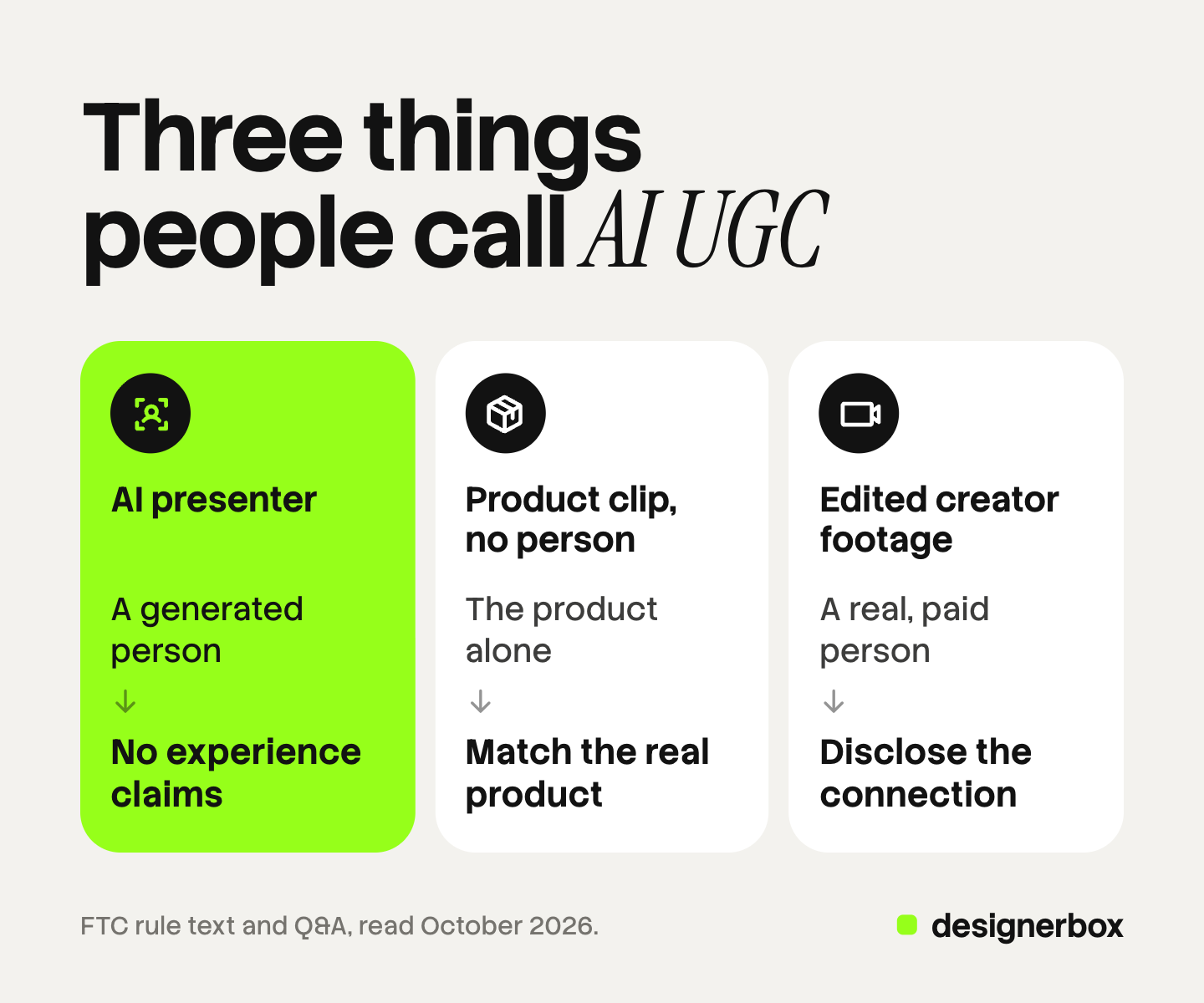
| Kind | What is on screen | What AI does | The first rule to check |
|---|---|---|---|
| AI presenter | A generated person who talks to the camera | Makes the face, the voice and the lip movement | The script must claim no personal experience |
| Product clip with no person | The product in a home scene, with hands, text or a voice | Makes the scene and the motion from a product photo | The product must match the real one |
| Real creator footage, edited | A real person the brand paid | Dubs, translates, cuts or changes the footage | The paid connection must be disclosed |
An AI presenter reading a script. This is what most people mean. A generated person holds or points at the product and speaks. AI UGC ads covers this kind in depth, with script lines sorted into allowed and risky.
A creator-style clip of the product with no person. The clip shows an unboxing, a routine or a close view of the product. There is no face, so there is no fake reviewer. The risk moves to the product, which has to look like the one the buyer receives. UGC style video shows which ads to generate and which to film.
A real creator’s footage, edited or dubbed with AI. A paid creator films the clip. AI then translates the voice, changes a line or makes new versions. The person is real, so the endorsement rules apply in full. What is a UGC creator explains how brands hire and brief creators.
How to make AI UGC videos in five steps
The order of work is the same in every tool. This outline covers one video of the first or second kind.
- Choose the kind and the claim. Decide between a presenter and a product clip. Then write one sentence the ad must prove. If the sentence needs a customer’s experience, hire a real creator.
- Write a short script. Open with the point, show the product, end with one ask. Keep every line a true fact about the product. AI UGC video prompts has prompts to copy and the word count that fits one clip.
- Make the visuals from a real product photo. Start from your own photo so the label, the color and the shape stay correct. Add the presenter or the scene around it.
- Add the voice and cut the video. Join the clips, add the voice and captions, and export a vertical file for each placement.
- Check, label and upload. Compare the product on screen with the real product. Read the script once more for experience claims. Add the AI disclosure the platform asks for.
Tools differ most at steps 3 and 4. The AI UGC video generator comparison checks ten of them on each vendor’s own site.
Endorsement and fake review rules for AI UGC
The contradiction in the name leads straight to US advertising law. This section is general information, not legal advice.

The FTC rule does not ban AI presenters. The FTC’s Q&A on its reviews and testimonials rule says: “The rule has no blanket prohibition on the use of AI-generated avatars in marketing.” It adds that an avatar is prohibited “only if the underlying testimonials were fake or false” (ftc.gov, October 2026).
The rule bans a fake testimonial. Under 16 CFR 465.2, a business must not create a testimonial that misrepresents “that the reviewer or testimonialist exists” or that the person “used or otherwise had experience with the product” (law.cornell.edu, October 2026). A generated person who says “I used this for a month” does both.
People shown as customers must be customers. The Endorsement Guides say such ads “should utilize actual consumers in both the audio and video”, or clearly disclose that the people are not actual consumers (law.cornell.edu, October 2026).
A paid creator needs a disclosure. For the third kind, the person is real and paid. A connection the audience would not expect “must be disclosed clearly and conspicuously” (law.cornell.edu, October 2026). The FTC also tells brands: “Your company is ultimately responsible for what others do on your behalf” (ftc.gov, October 2026).
So the test is the script. A presenter may say what the product is and what it does, if that is true. A presenter may not report an experience nobody had. The UGC ads guide covers creator costs and disclosure for filmed ads.
AI labels for AI UGC on Meta and TikTok
Meta and TikTok work in different ways. Paid ads and ordinary posts also follow different rules on each one.
| Where it runs | Who discloses | What the rule says |
|---|---|---|
| TikTok ad | The advertiser | Apply the AIGC label or your own clear disclaimer |
| TikTok post | The account that posts | Label realistic AI-generated scenes or people |
| Meta ad | Meta, in most cases | Meta adds an AI info label when it detects AI signals |
| Meta post | The account that posts | Disclose photorealistic video or realistic audio |
TikTok ads. TikTok allows AI-generated ad media when the advertiser applies “the AIGC label, or by adding a clear disclaimer, caption, watermark, or sticker of your own”. It also says: “If we identify AI-generated content that has not been disclosed, your ad will be rejected or restricted” (ads.tiktok.com, October 2026). A voice clone that changes what a real person said counts as a significant edit on the same page. That covers many dubbed creator clips.
TikTok posts. The Community Guidelines “require creators to label AI-generated or significantly edited content that shows realistic-looking scenes or people” (tiktok.com, October 2026).
Meta ads. Meta says it uses “industry-standard detection methods, such as C2PA” to find ads made with third-party AI tools, and then labels them. Advertisers must disclose AI themselves only in ads about social issues, elections or politics (facebook.com, October 2026). Meta notes the feature may not be available in every region.
Meta posts. For ordinary posts, Meta requires people to disclose “organic content with photorealistic video or realistic-sounding audio that was digitally created or altered” (transparency.meta.com, October 2026).
We found no US federal rule that requires an AI label on every ad. The FTC rules against deception still apply. State and EU rules add more, and they change often.
When AI UGC fits and when a real creator fits
Use the claim to decide. The question is what the ad asks the viewer to believe.
- AI UGC fits a demonstration. What the product is, how it works, what is in the box, how it looks in a room.
- AI UGC fits volume. Many versions of one ad with a different opening line, language or format.
- A real creator fits an experience. Taste, comfort, results after a month, a before and an after.
- A real creator fits a creator’s own account. An ad that runs from a person’s profile needs that person.
Many brands use both. They film a small number of real reviews and generate the demonstrations around them.
Creator-style clips in one workflow
DesignerBox is AI creative production for brands and agencies. It covers the first two kinds in this guide: a presenter clip and a product clip with no person. It does not hire creators, and it does not write a customer’s review.
In DesignerBox you build a workflow once with your brand, your products and your rules. The workflow starts from your product photo, so each clip begins from the real product. Check every clip against that photo before you use it. A talking avatar with lip sync reads the script, and text to speech supplies the voice. The video editor is a real timeline, with several tracks, transitions, animated text and audio. The AI UGC page shows the creator-style clips, and the AI video ads page shows the other video ad formats.
Anyone can make an AI picture. Making hundreds that still look like your brand is the hard part. The workflow reads the brand profile on every run, so row one and row two hundred of a batch sheet follow the same rules. The full workflow from the first product photo to the finished ad, in one subscription.
An 8-second clip costs 40 to 560 credits, depending on the model. The cost is shown before the run.
Here are the limits. DesignerBox does not add the platform label for you, and it does not upload to an ad account. You download the results, or send them with a webhook or an S3 step. Every plan below Ultra is one seat. Uploading your own photos and the commercial license start on the Pro plan. AI video, virtual try-on, upscaling, the image editor and the video editor start on the Premium plan. Plans and credits are on the pricing page.
A free plan for your first run
There is a free plan, and it runs on sample products. Start from a template and see how a workflow is built. Get started free
FAQ
Is AI UGC real user-generated content?
No. User-generated content comes from people outside the brand. The OECD described it in 2007 as content created outside professional routines and practices (oecd.org, October 2026). A brand plans and pays for AI UGC, so only the look is the same.
What is an AI UGC video?
It is a short vertical video made with AI in a creator style. It shows a generated presenter who talks to the camera, or the product in a home scene with no person. Most run as ads on TikTok, Instagram and Facebook.
How do you make AI UGC videos?
There are five steps. Choose the kind and the claim. Write a short script of true product facts. Make the visuals from a real product photo. Add the voice and cut the video. Then check the product, add the AI label and upload.
Is AI UGC legal?
In the United States, the FTC says its reviews and testimonials rule has no blanket ban on AI-generated avatars in marketing. The rule bans fake testimonials, so the script matters most (ftc.gov, October 2026). This is general information, not legal advice.
Do you have to label AI UGC on TikTok and Meta?
On TikTok, yes for ads with AI-generated media: the advertiser applies the AIGC label or a clear disclaimer. On Meta, most ads get an AI info label from Meta when it detects AI signals. Realistic AI video in ordinary Meta posts needs a disclosure (ads.tiktok.com, facebook.com and transparency.meta.com, October 2026).
Can AI UGC replace real creators?
For some ads. A generated presenter can show a product and explain it in many versions. It has no experience of the product, so it cannot give a review. Ads that need a real experience still need a real person.
Sources
- OECD, “Participative Web and User-Created Content” (2007), the three features of user-created content: oecd.org, October 2026
- FTC, “The Consumer Reviews and Testimonials Rule: Questions and Answers”, the answer on AI stock avatars: ftc.gov, October 2026
- FTC, “FTC’s Endorsement Guides: What People Are Asking”: ftc.gov, October 2026
- 16 CFR 465.2, fake or false consumer reviews and testimonials: law.cornell.edu, October 2026
- 16 CFR 255.2, endorsements presented as coming from actual consumers: law.cornell.edu, October 2026
- 16 CFR 255.5, disclosure of material connections: law.cornell.edu, October 2026
- TikTok advertising policies, misleading and false content, edited media and AI-generated content: ads.tiktok.com, October 2026
- TikTok Community Guidelines, integrity and authenticity: tiktok.com, October 2026
- Meta, About AI info on ads created or edited with generative AI tools: facebook.com, October 2026
- Meta Community Standards, misinformation, the disclosure rule for organic posts: transparency.meta.com, October 2026
- DesignerBox plans and feature gating: DesignerBox pricing page (designerbox.ai/pricing), October 2026
Regulator and platform rules checked against each source’s own pages as of October 2026. This is general information, not legal advice. Individual results vary.